- Clasificación por edad4+
- CategoríaMúsica
- DesarrolladorDAVID JU YOUNG KIM
- IdiomasInglés
- Tamaño12,9 MB
Es posible que orphne no esté disponible en App Store en este momento
No se pudo acceder a la ficha de la tienda en nuestra última comprobación. El enlace sigue llevando a la página oficial de App Store.
Capturas de pantalla



Acerca de
El desarrollador no ha proporcionado este texto en tu idioma.
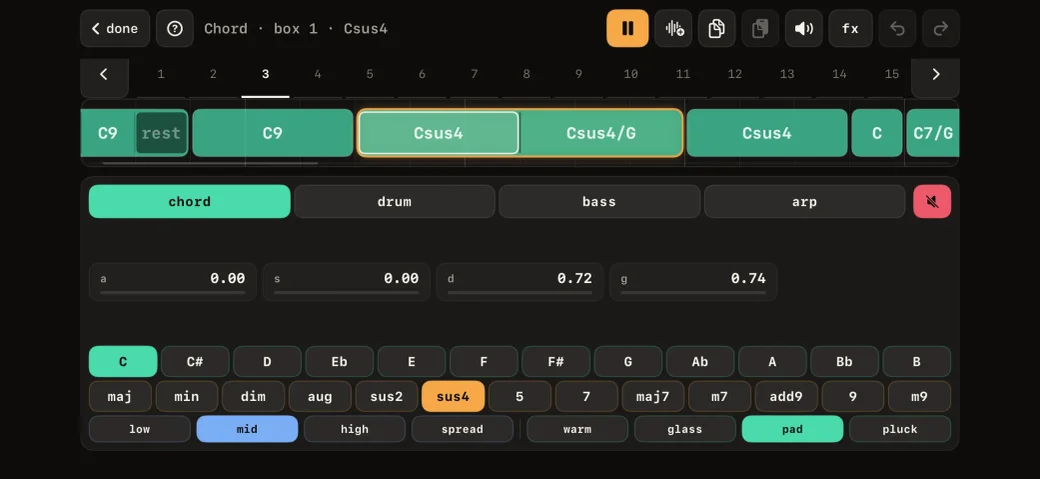
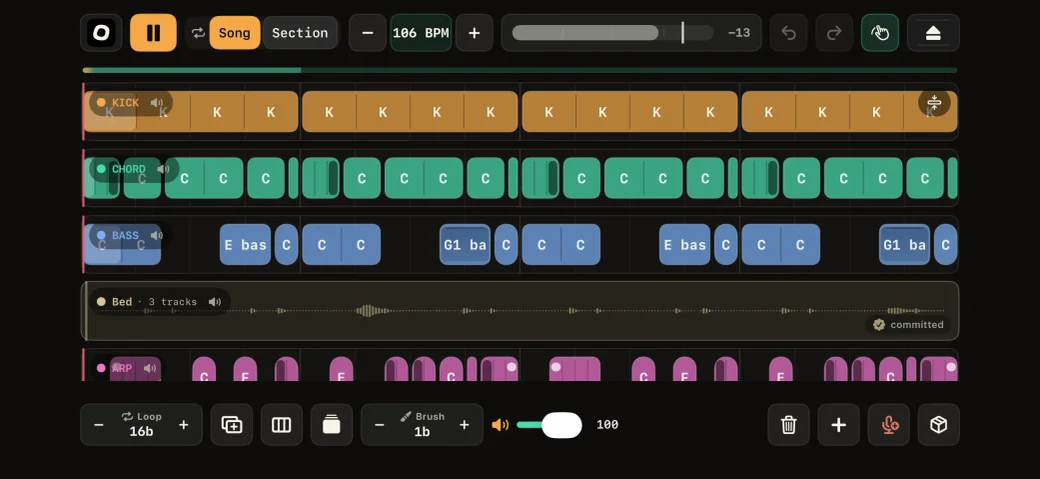
orphne is a loop instrument you play with your hands. make a loop, hear it instantly, and keep shaping the sound by touch.
there's no timeline to program and no menus to learn first. you draw blocks onto lanes, hold and slide up to slice them into boxes, tap to give each one a sound, and tap play to bring the loop alive. everything runs on your phone — offline, with a built-in synth and sampler. nothing leaves your device unless you choose to export it.
what you can do:
- drums, chords, bass, arps — drag blocks onto lanes, tap to assign a sound, and shape each voice with punch, tone, and tail
- ink — draw a passage as a line and hear the drawing play, the way Daphne Oram drew sound onto film
- FX you can draw — delay, reverb, filter, drive, bitcrush and more, drawn as curves right over the sound
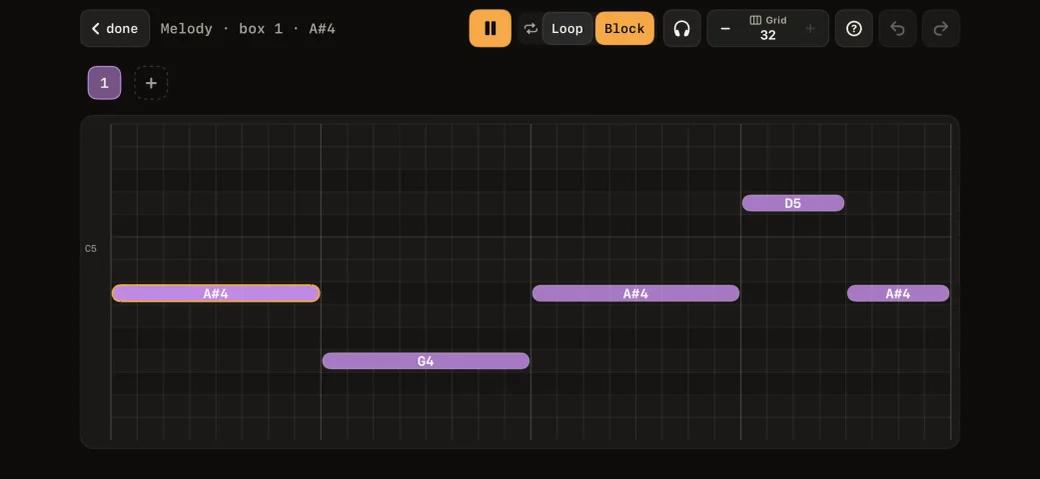
- melody by humming — hum or sing into a block and orphne turns it into notes you can edit in a full piano roll
- sampler — record your own sound and play it as an instrument: play it at any pitch, or slice it into a drum kit
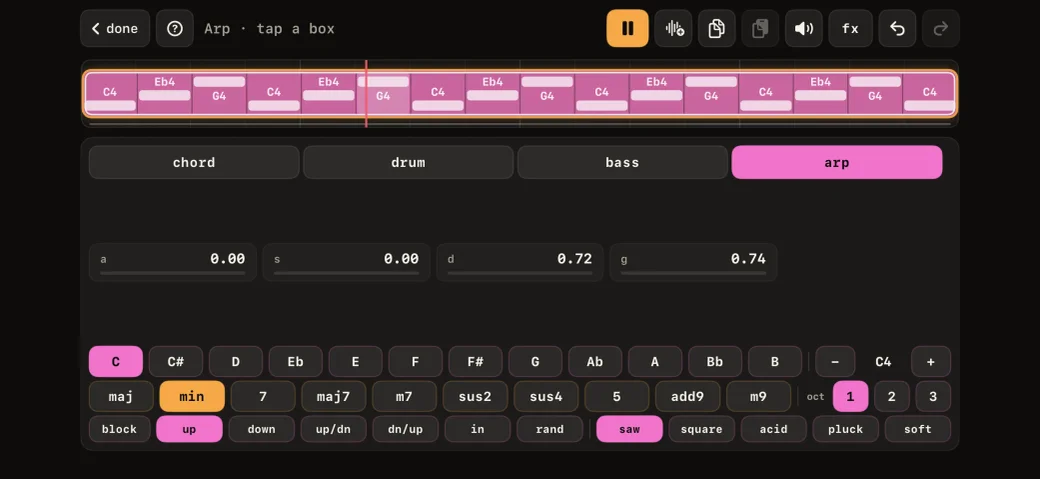
- a full kit and real arps — kick, snare, clap, hats, cymbal, toms, rim and perc; arps that run up, down, at random and more, in saw, square, acid or pluck
- commit — bake heavy layers down to audio so you can keep stacking without your phone working so hard
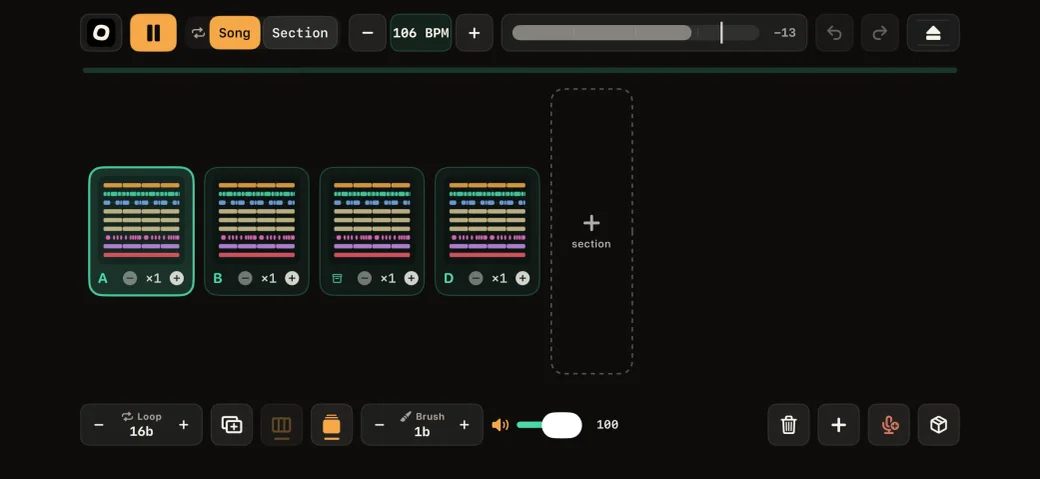
- song mode — arrange sections into a song, and let the FX evolve from one section to the next
- export — share the whole thing as a WAV, as stems, or as editable parts; back up a sketch to a file and restore it anywhere
- help mode — every lane, block and button glows and explains itself, gestures included
the microphone is only used when you hum a melody, record a sample, or sing along while recording — and that audio is processed on your device.
free. no accounts, no ads, no in-app purchases, no analytics, no tracking. everything you make stays on your device until you export it. landscape, made for iPhone.
Novedades
Versión 1.1.4 · 14/11/2026
draw pitch on every instrument: chords, bass, melody and arp each get a pitch knob and a pitch curve you can draw across the block.
ride: press play, hold the curve canvas, and the playhead draws at the height of your finger. you hear it on the note that is sounding, as you move.
hum: with headphones in, hum a line and the playhead draws the pitch of your voice.
rests: lay silent gaps across a block, size them, slide them, and clear them all at once.
draw the speed of a sample across its block, from two octaves down to two octaves up.
swing: push a block's hits late by a few milliseconds, and draw how much each step drags.
duplicate a whole track, with its blocks and effects, in every section.
fixes and polish throughout.
Privacidad de la aplicación
Lo que DAVID JU YOUNG KIM declara en App Store sobre cómo esta aplicación gestiona los datos.
-
No se recopilan datos
El desarrollador no recopila ningún dato de esta aplicación.
Las prácticas de privacidad pueden variar, por ejemplo, según las funciones que uses o tu edad.
Información
- Vendedor
- DAVID JU YOUNG KIM
- Categoría
- Música
- Versión
- 1.1.4
- Actualizado
- 14/11/2026
- Publicado
- 4/11/2026
- Tamaño
- 12,9 MB
- Requiere
- iOS 26.0 o posterior
- Clasificación por edad
- 4+
- Idiomas
- Inglés
- Copyright
- © 2026 David Kim