- Clasificación por edad4+
- CategoríaUtilidades
- DesarrolladorWeiRong Yu
- IdiomasInglés
- Tamaño11,5 MB
Enlaza a la página oficial de App Store
Download.org no aloja ningún archivo de Paint Play. El botón abre la página de la aplicación en App Store, donde la publica WeiRong Yu. Ficha comprobada por última vez el 18/11/2026.
Capturas de pantalla

Acerca de
El desarrollador no ha proporcionado este texto en tu idioma.
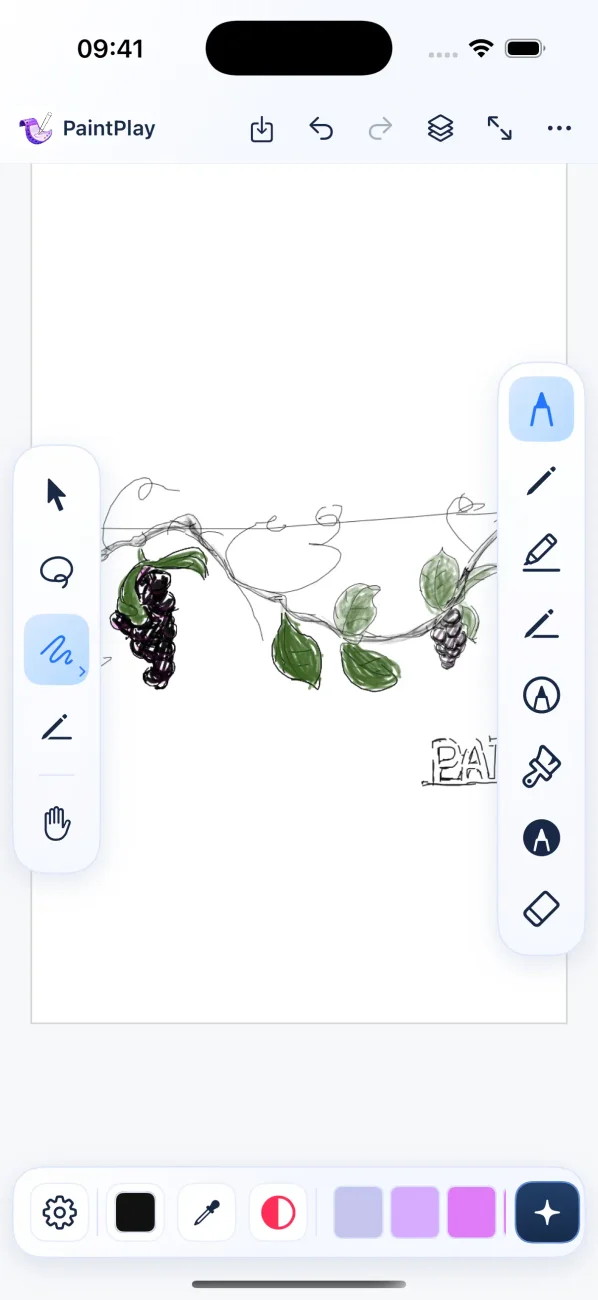
PaintPlay combines drawing, animation and short-video creation on iPhone and iPad. Sketch with Apple Pencil or touch, organize your artwork in layers, and bring your drawings to life.
DRAW AND ORGANIZE
Use native PencilKit brushes, erasers, colors, image layers, a ruler, a protractor and canvas guides. Arrange layers and adjust their visibility and opacity. Available brushes depend on your system version.
FOUR WAYS TO ANIMATE
Writing: reveal strokes over time.
Motion: arrange positions, rotations and scales with keyframes.
Physics: create falls, bounces and swings in a shared environment.
Frame by frame: draw changing poses with onion skin and adjustable frame timing.
EDIT THE TIMELINE
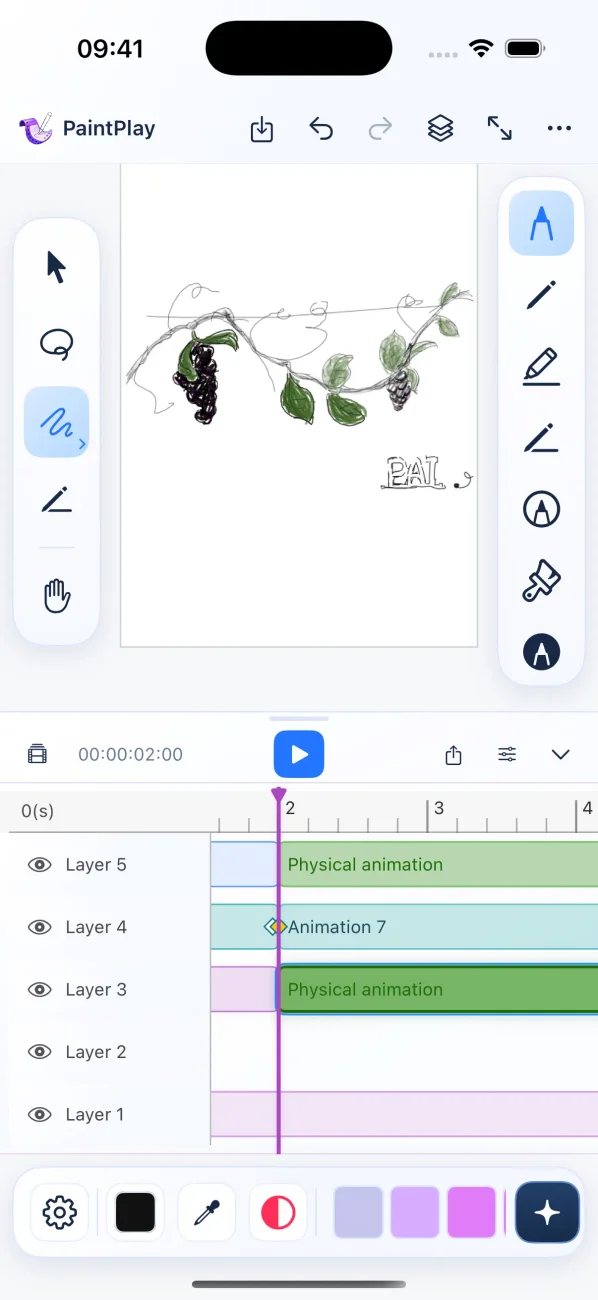
Combine animation across layers. Move, trim and split clips, refine motion keyframes, select a playback range, and preview the whole work.
KEEP AND SHARE
Save editable projects, open compatible .pskt and .bskt documents, and export PNG images, animated GIFs or MP4 videos. Some Windows-specific tools and effects may differ on iPhone and iPad.
PRACTICE YOUR DRAWING
Warm-up drawing exercises remain available for practicing stroke control and building confidence.
FREE ACCESS AND VIP
Free features include PencilKit drawing, erasers, pan, basic colors, up to two layers, Writing and frame-by-frame animation. Existing artwork can still be opened, played and exported at standard resolution, up to 1280 pixels on the longest edge.
The first five app launches include full-access app trial sessions. This is not a paid subscription trial and does not charge automatically.
VIP adds motion and physics animation editing, selection and transforms, stroke editing, shapes, more layers, extended color tools and high-resolution export, including 1920 and 3840 pixel presets. Monthly and yearly subscriptions provide the same VIP features.
Subscriptions renew automatically unless cancelled in App Store account settings. Prices and billing periods are shown before purchase. Restore purchases from the VIP screen using the same Apple Account.
Requires iOS 18 or iPadOS 18 or later.
Privacy policy: https://yu-weiz.github.io/www/SketchingTech_Privacy-Policy
Terms of use: https://www.apple.com/legal/internet-services/itunes/dev/stdeula/
Novedades
Versión 1.1 · 26/10/2026
A new drawing and animation workspace for iPhone and iPad.
- Draw with native PencilKit brushes and organize strokes and images in layers.
- Create Writing, Motion, Physics and frame-by-frame animations.
- Arrange clips and keyframes in the advanced timeline.
- Open compatible .pskt and .bskt projects and export MP4, GIF and PNG.
- Keep tools close at hand with movable floating panels and a focused full-screen view.
- Support iPad portrait and landscape layouts.
- Unlock additional animation, editing and high-resolution export features with VIP.
Warm-up drawing practice remains available. This version requires iOS 18 or iPadOS 18 or later.
Privacidad de la aplicación
Lo que WeiRong Yu declara en App Store sobre cómo esta aplicación gestiona los datos.
-
No se recopilan datos
El desarrollador no recopila ningún dato de esta aplicación.
Las prácticas de privacidad pueden variar, por ejemplo, según las funciones que uses o tu edad.
Información
- Vendedor
- WeiRong Yu
- Categoría
- Utilidades
- Versión
- 1.1
- Actualizado
- 26/10/2026
- Publicado
- 24/3/2026
- Tamaño
- 11,5 MB
- Requiere
- iOS 18.0 o posterior
- Clasificación por edad
- 4+
- Precio
- Gratis
- Idiomas
- Inglés
- Copyright
- © Yu-weiz
Quizá también te guste
-
 Kilnshrink: ContracciónBarras de prueba y rangos
-
 PaintHood - Simple Drawing AppUtilidades
-
 LinkBridge - Share links easyUtilidades
-
 Tally: Retro LCD CalculatorUtilidades
-
 Koko MessagesUtilidades
-
 AR Studio: Draw, Trace & PaintUtilidades
-
 Readmory - Book NotesUtilidades
-
 Cooper&Hunter LinkUtilidades
-
 Sink It for GoogleUtilidades
-
 next.calc: a modern calculatorUtilidades