
- Clasificación por edad4+
- CategoríaProductividad
- DesarrolladorBrayden Nilsen
- IdiomasInglés
- Tamaño41,1 MB
Enlaza a la página oficial de App Store
Download.org no aloja ningún archivo de PaliCAD. El botón abre la página de la aplicación en App Store, donde la publica Brayden Nilsen. Ficha comprobada por última vez el 25/11/2026.
Capturas de pantalla
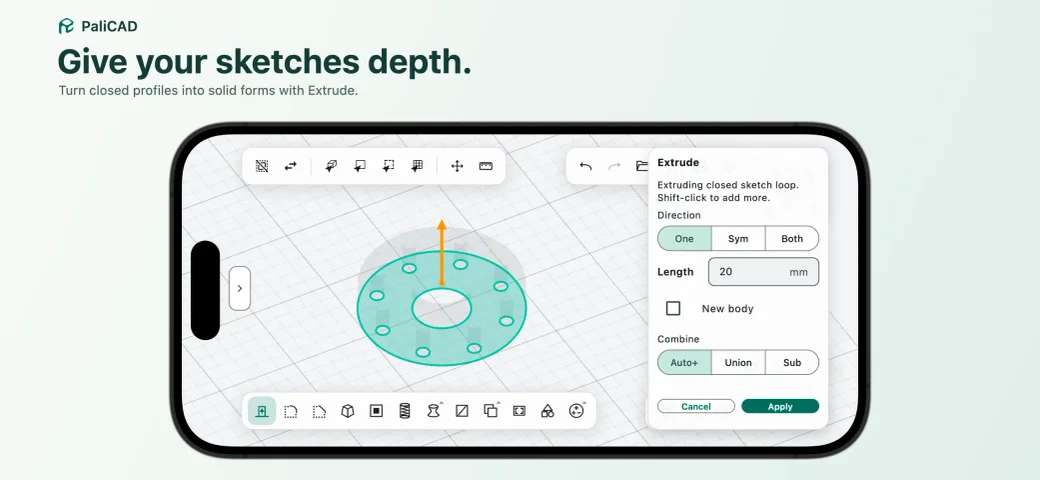
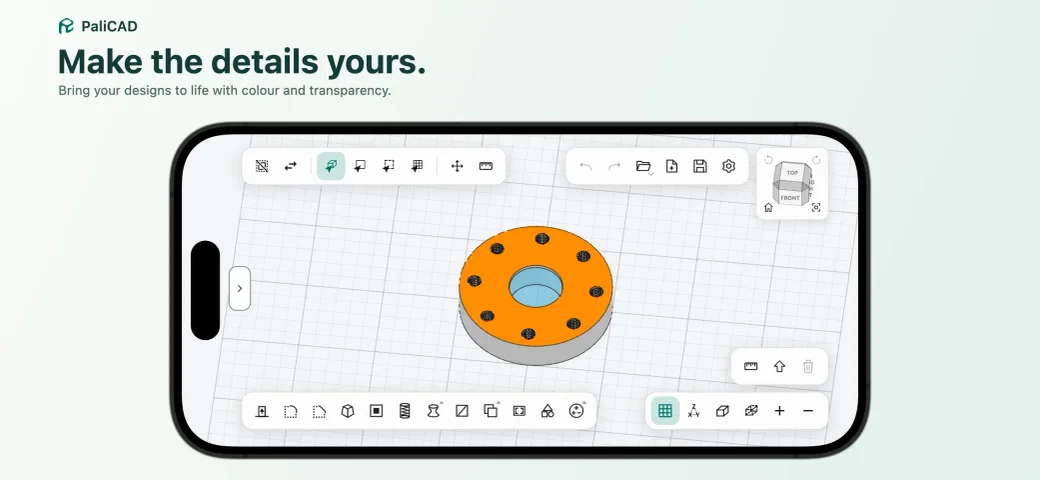

Acerca de
El desarrollador no ha proporcionado este texto en tu idioma.
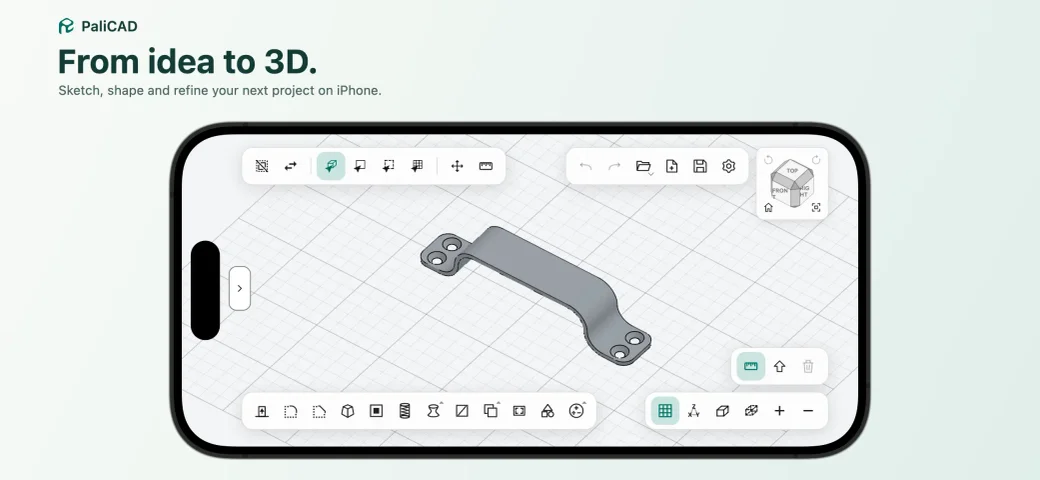
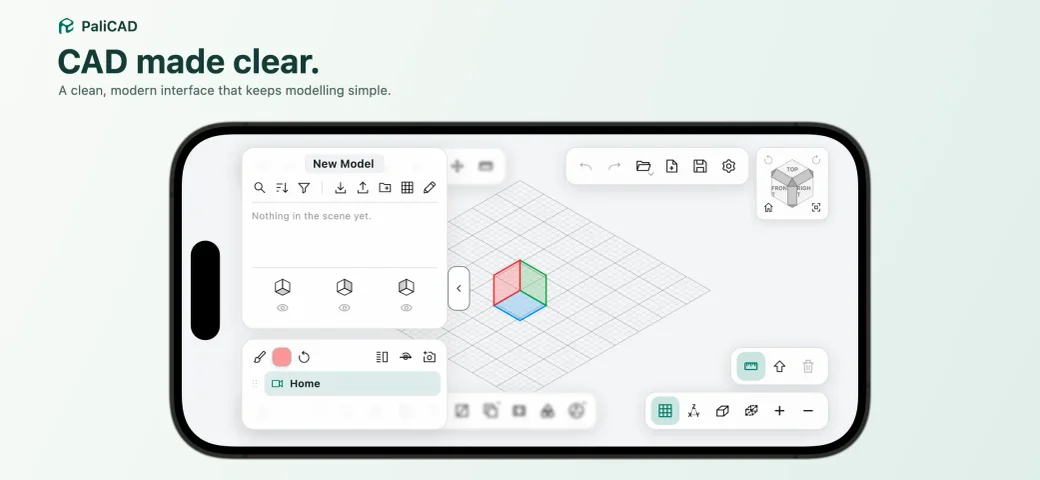
PaliCAD is a lightweight 3D CAD app for iPad and iPhone.
Create, edit, and refine 3D models with a straightforward direct-modeling workflow. PaliCAD combines 2D sketching, solid modeling, analysis tools, and support for common CAD file formats in an interface designed to work naturally with touch and supports the Apple Pencil on iPad and iPhone Duo.
PaliCAD is actively developed and growing. Version 1.0 is aimed at makers, hobbyists, and CAD enthusiasts who value an affordable lightweight, offline modelling tool capable of managing simple to moderately complex designs.
PaliCAD is built around a simple idea: CAD software should be capable, cross-platform, lightweight, offline, and financially accessible without requiring an ongoing subscription.
KEY FEATURES
• Non-parametric direct 3D modeling
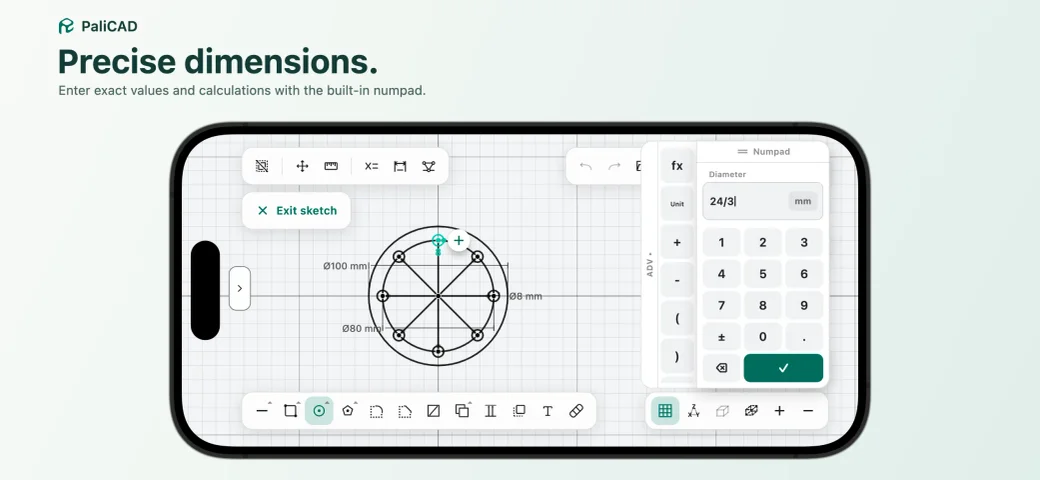
• Parametric or direct 2D sketching with a straightforward sketch-to-extrude workflow
• 3D Boolean operations for combining, subtracting, and intersecting solids
• Fillets and chamfers for refining edges
• Import of image references
• Joints for visualizing basic part movement
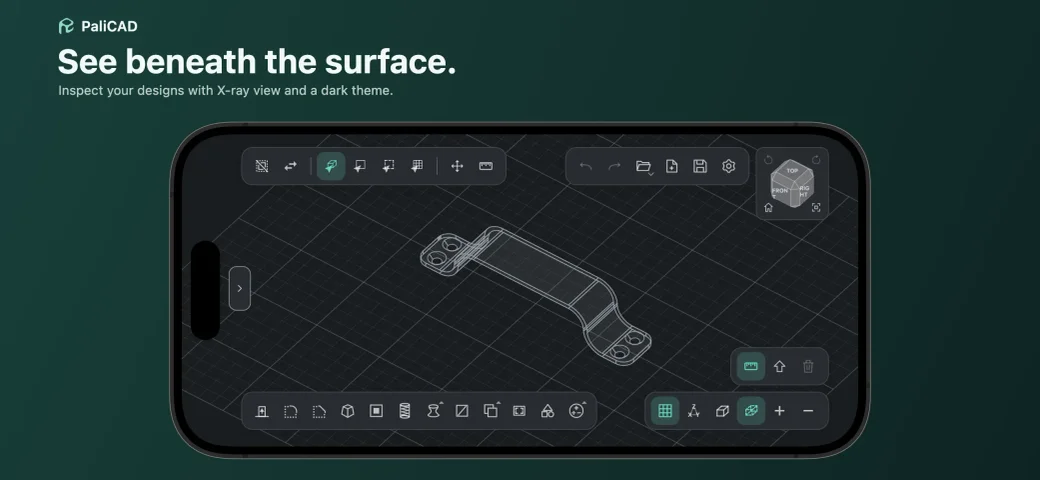
• Section analysis for inspecting internal geometry
• Import and export support for common CAD file formats
• Save projects in PaliCAD's native cross-platform .pali project format
• Customizable light and dark themes
• Customizable keyboard shortcuts for faster workflows
One time purchase. No subscriptions.
Models you create with PaliCAD are yours to use, including for personal and commercial purposes. PaliCAD places no additional licensing restrictions on the models you create. As always, third-party files, images, designs, or other material you import remain subject to their respective rights and licenses.
PaliCAD and it’s underlying CAD kernel are actively evolving projects. New modelling tools, workflow improvements, and compatibility enhancements will continue to be developed over time.
OPEN DEVELOPMENT
At its core is Pali Ijo, an open-source CAD kernel released under the permissive MIT License. Pali Ijo is developed as a separate project so its geometry and modelling tools can be shared with everyone.
Novedades
Versión 1.0.8 · 24/11/2026
1.0.8 (iOS)
- Added GPU rendering with a CPU fallback. Improved navigation and selection in large models, especially in X-ray, and made opening, saving, and undoing edits more responsive.
- Added 12 geometric sketch constraints and six dimension tools. Free and constrained geometry can share a sketch. Sketches in older .pali files open as drawn.
- Drive sketch dimensions with named parameters and expressions. Add a slider or rotator to adjust a value and see the sketch resize.
- Parameter selection in the touchscreen numpad.
- Close open outlines with Heal, divide them with Slice, and fillet or chamfer several corners at once. Sketch Chamfer also accepts two distances or a distance and an angle.
- Taper adjoining faces with Draft, sweep a profile along connected edges, or set inner and outer diameters for a hollow pipe.
- Loft through three or more profiles. Chain joins consecutive profiles. Smooth passes through each middle profile with a continuous tangent. Both support guide rails.
- Split a single face for Extrude or Project, or use sketch curves to cut a solid into separate pieces.
- Link joints into chains or branches for articulated assemblies. Ball joints let parts rotate freely around their attachment points.
- Export a jointed assembly as a URDF file with visual and collision meshes.
- Copy and paste browser selections and folders, and move several items together.
- Import DXF layers as separate, aligned sketches. A matching construction layer joins its drawing sketch as dashed geometry.
Privacidad de la aplicación
Lo que Brayden Nilsen declara en App Store sobre cómo esta aplicación gestiona los datos.
-
No se recopilan datos
El desarrollador no recopila ningún dato de esta aplicación.
Las prácticas de privacidad pueden variar, por ejemplo, según las funciones que uses o tu edad.
Información
- Vendedor
- Brayden Nilsen
- Categoría
- Productividad
- Versión
- 1.0.8
- Actualizado
- 24/11/2026
- Publicado
- 4/10/2026
- Tamaño
- 41,1 MB
- Requiere
- iOS 16.0 o posterior
- Clasificación por edad
- 4+
- Precio
- 7,99 €
- Idiomas
- Inglés
- Copyright
- © 2026 Brayden Nilsen
Quizá también te guste
-
 MakerSolid CADProductividad
-
 PixyCAD - Modelado 3D SólidoDiseña, Imprime y Crea
-
 Rally for OnshapeProductividad
-
 Parchment: Agenda & Daily NoteProductividad
-
 Amphi: Notas IA y FlashcardsEstudio, apuntes, PDF y tutor
-
 TypeDrawProductividad
-
 Mobileraker - Klipper UIProductividad
-
 Kagi SummarizeProductividad
-
 Kagi AssistantProductividad
-
 Onshape 3D CADSpeed Up Your Product Design