- Clasificación por edad4+
- CategoríaProductividad
- DesarrolladorEric Factor
- IdiomasInglés
- Tamaño6,5 MB
Enlaza a la página oficial de App Store
Download.org no aloja ningún archivo de Pause: App Blocker. El botón abre la página de la aplicación en App Store, donde la publica Eric Factor. Ficha comprobada por última vez el 16/11/2026.
Capturas de pantalla

Acerca de
El desarrollador no ha proporcionado este texto en tu idioma.
Most blockers let you turn them off the second you want to. Pause doesn't have to.
Pick the apps. Pick how hard they are to reach. Get on with your life.
DESIGNED FOR REAL LIFE
Studying — A Time Limit on social apps, so a five-minute check can't turn into fifty.
Deep work — Start a Session before you sit down and the apps that break your focus are gone until you end it.
Evenings — A Schedule that blocks the doomscroll apps every night after dinner, automatically.
The one app you reach for without thinking — A Friction Lock. Never blocked outright, just never one tap away again.
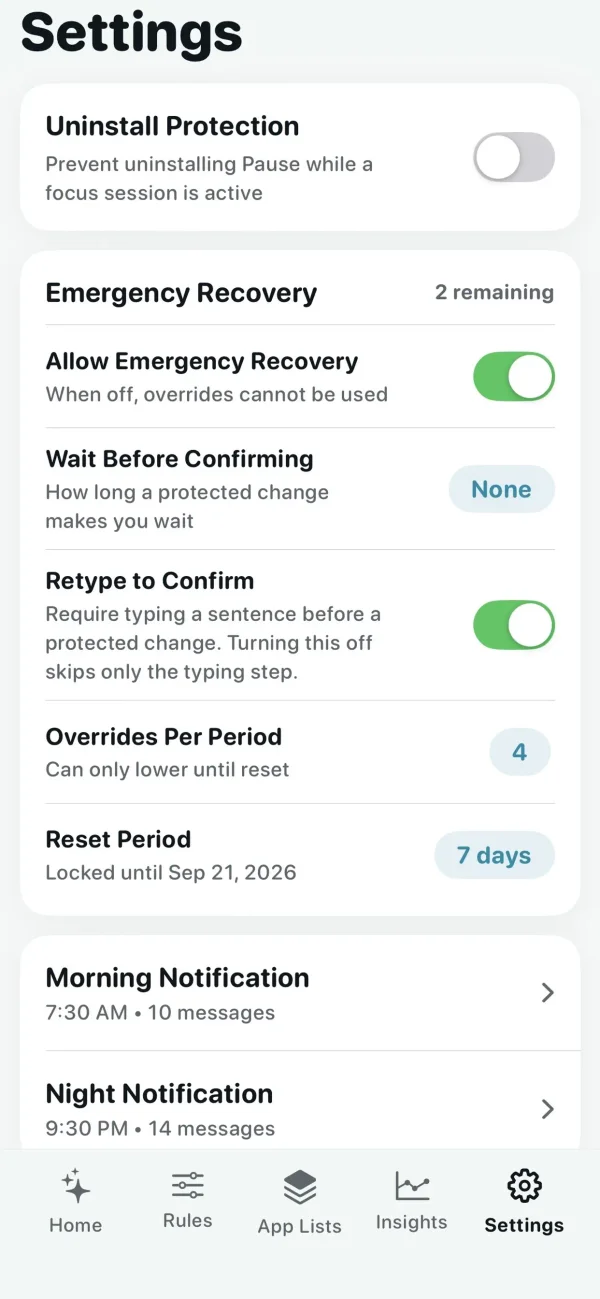
When you know you'll cave — Strict Mode. Once it's running, it can't be switched off, edited, or quietly emptied out until it ends.
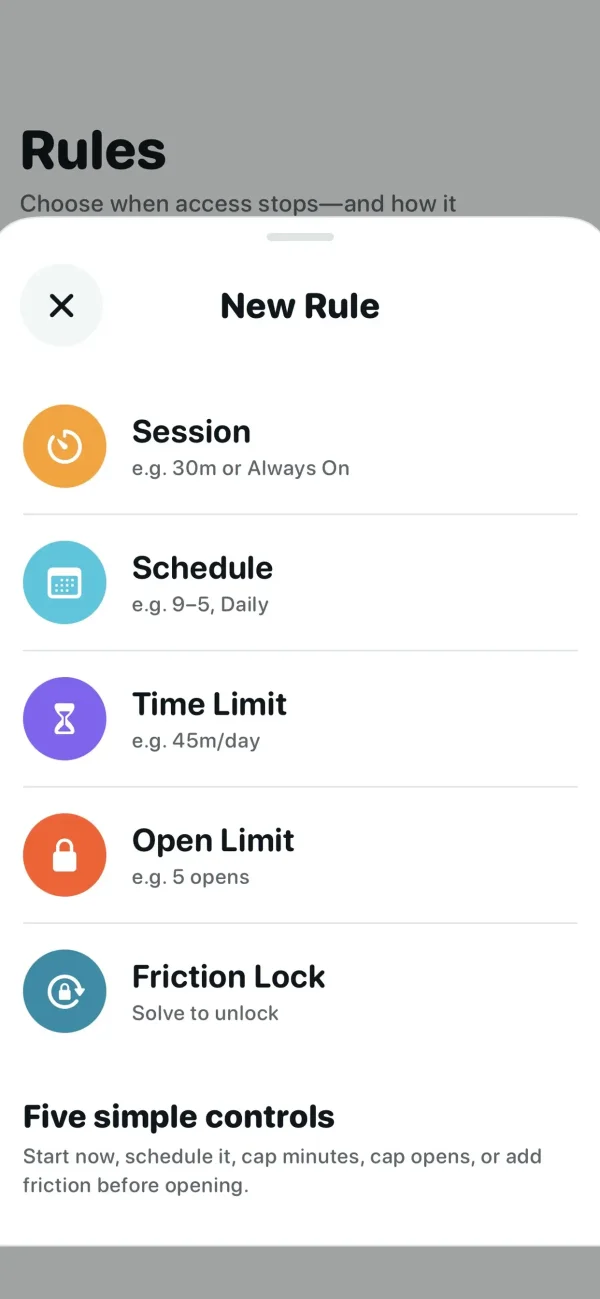
FIVE WAYS TO BLOCK
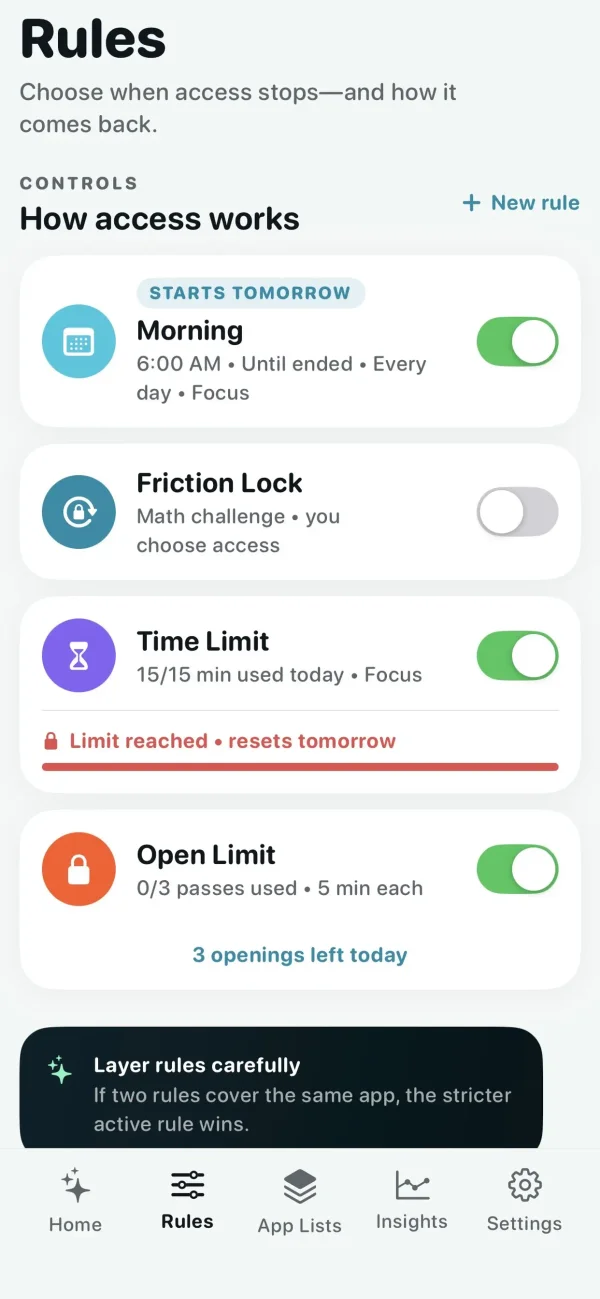
Session — Block now, for 30 minutes or until you say stop.
Schedule — Block on a repeating timetable. Nine to five on weekdays, or every evening after eight.
Time Limit — Give an app a daily budget. Forty-five minutes, then it's gone for the day.
Open Limit — Cap how many times you can open it. Five opens a day, not fifty.
Friction Lock — Solve a challenge first, every single time.
Mix them. A Time Limit on Instagram, a Schedule across your work hours, a Friction Lock on the one you reach for without thinking.
APP LISTS
Build a list once — individual apps, whole categories, and websites — then point any rule at it. Change the list and every rule using it updates.
WEBSITES TOO
Add domains by hand. Safari and other browsers get the same shield your apps do.
UNLOCKS, IF YOU WANT THEM
Allow yourself a set number of unlocks per day, each lasting as long as you choose. Or allow none at all.
YOUR OWN WORDS ON THE BLOCK SCREEN
The shield shows a line you picked. Choose from the built-in set or write your own.
INSIGHTS
See where the hours actually went, and how often you stayed out.
RULE HEALTH
One screen listing every rule and whether it is genuinely armed. No silent failures.
PRIVATE BY DEFAULT
No account. No email. No sign-up. Your app lists, rules and history stay on your device. Pause uses Apple's Screen Time framework, so your app selections are handled by iOS and never sent to us.
REQUIRES
iOS 17 or later, and Screen Time permission — Pause cannot block anything without it.
Privacidad de la aplicación
Lo que Eric Factor declara en App Store sobre cómo esta aplicación gestiona los datos.
-
No se recopilan datos
El desarrollador no recopila ningún dato de esta aplicación.
Las prácticas de privacidad pueden variar, por ejemplo, según las funciones que uses o tu edad.
Información
- Vendedor
- Eric Factor
- Categoría
- Productividad
- Versión
- 1.1
- Actualizado
- 1/10/2026
- Publicado
- 1/10/2026
- Tamaño
- 6,5 MB
- Requiere
- iOS 17.0 o posterior
- Clasificación por edad
- 4+
- Precio
- Gratis
- Idiomas
- Inglés
- Copyright
- © 2026 Pause Inc.
Quizá también te guste
-
 Arc Lock – App BlockerProductividad
-
 Latch: App Blocker & FocusProductividad
-
 Warden: Bloqueador de appsLímites de uso que se cumplen
-
 Allowance: Focus & App LimitsProductividad
-
 Firmlock: Strict App BlockerProductividad
-
 Stop Watching - App LimitsProductividad
-
 Shielded Focus: Block AppsProductividad
-
 Zap: App BlockerProductividad
-
 Goal Lock: App Blocker & FocusProductividad
-
 ZonolyProductividad