PDFiles: PDF Scanner & OCR
Scan to Files, No Subscription
Diseñada para iPhone
Gratis · Compras en la aplicación
- Clasificación por edad+4
- CategoríaProductividad
- DesarrolladorLukas Daniel Kofler
- IdiomasAlemán+ 1 más
- Tamaño7,0 MB
Enlaza a la página oficial de App Store
Download.org no aloja ningún archivo de PDFiles: PDF Scanner & OCR. El botón abre la página de la aplicación en App Store, donde la publica Lukas Daniel Kofler. Ficha comprobada por última vez el 16/11/2026.
Capturas de pantalla
Acerca de
El desarrollador no ha proporcionado este texto en tu idioma.
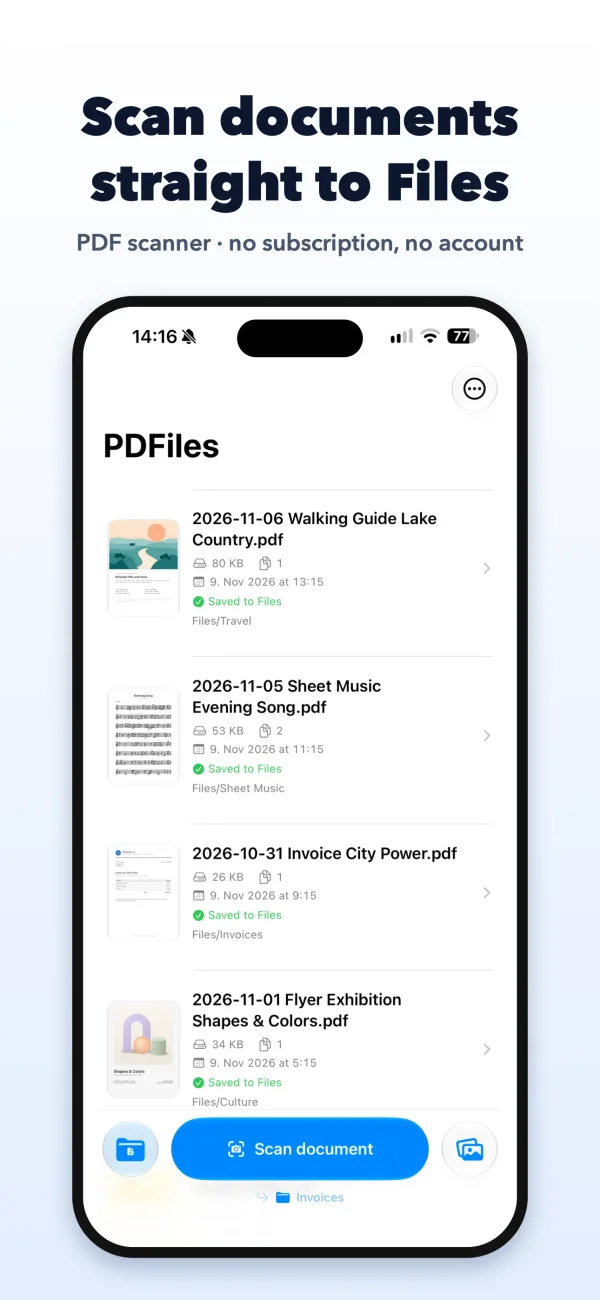
Scan straight into the Files app. No subscription, no account, no tracking.
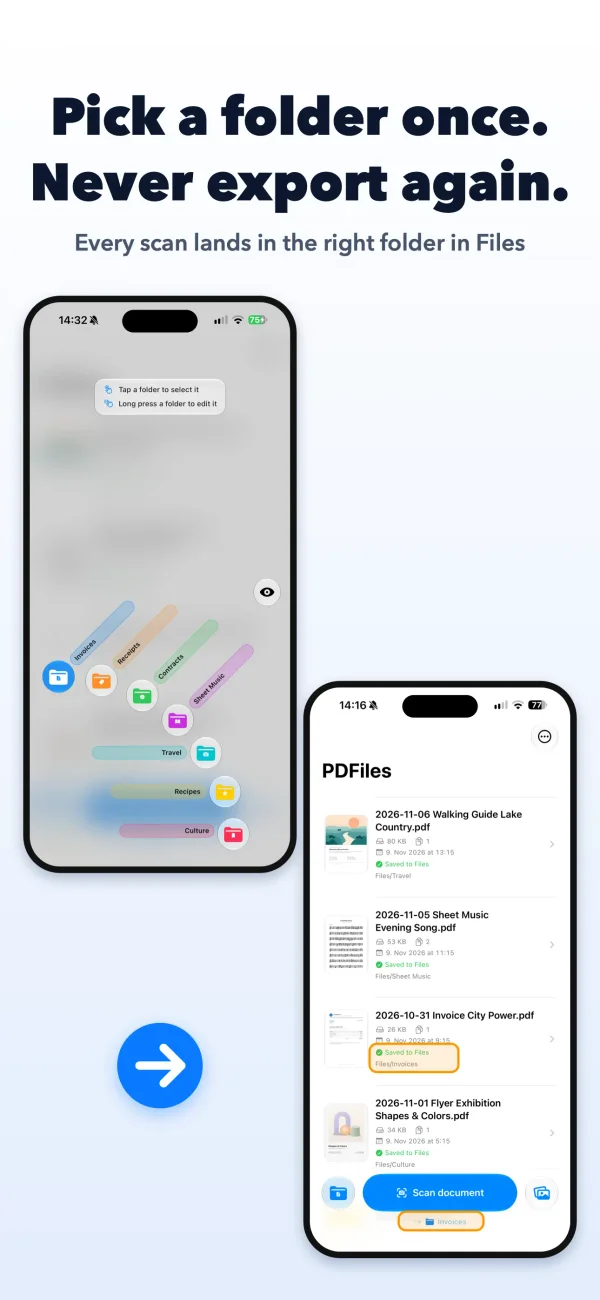
PDFiles is a fast, private document scanner for iPhone. Pick a folder in Files once – every scan lands there automatically as a clean PDF. No export maze, no folder picking before every scan.
NEW IN 3.0
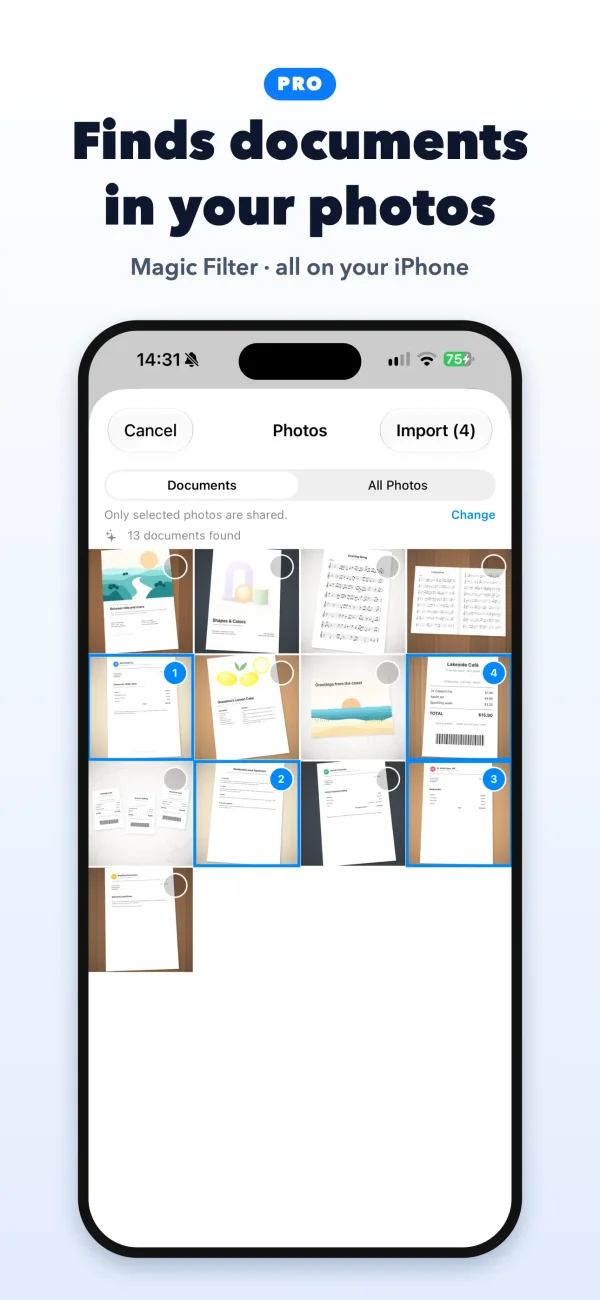
• Magic Filter: finds every photo in your library that contains a document – receipts, letters, notes. Analyzed on your iPhone, nothing is uploaded.
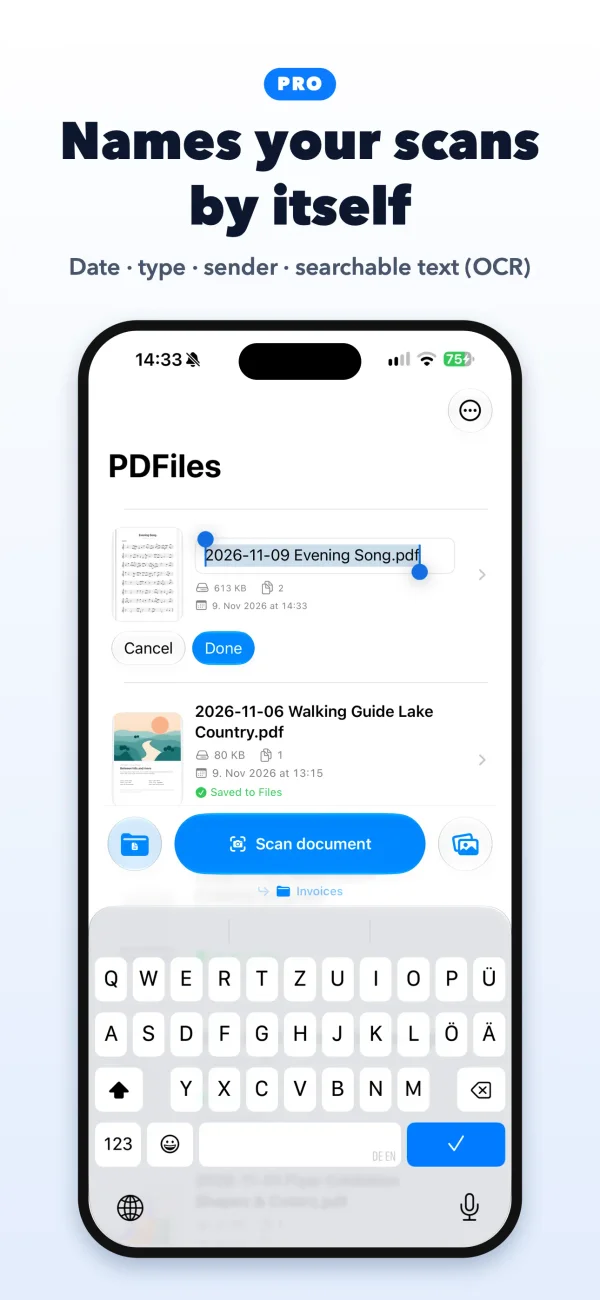
• Searchable PDFs: find any word of your scans in Files and Spotlight.
• Smart file names: "2026-10-31 Invoice City Power" instead of "Scan-…" – date, type and sender are detected automatically.
• Smarter scanner: recognizes real documents only, highlights them live and captures automatically when the page holds still.
• Import photos: turn photos of documents into clean PDFs – several documents per photo.
SCANNING THAT JUST WORKS
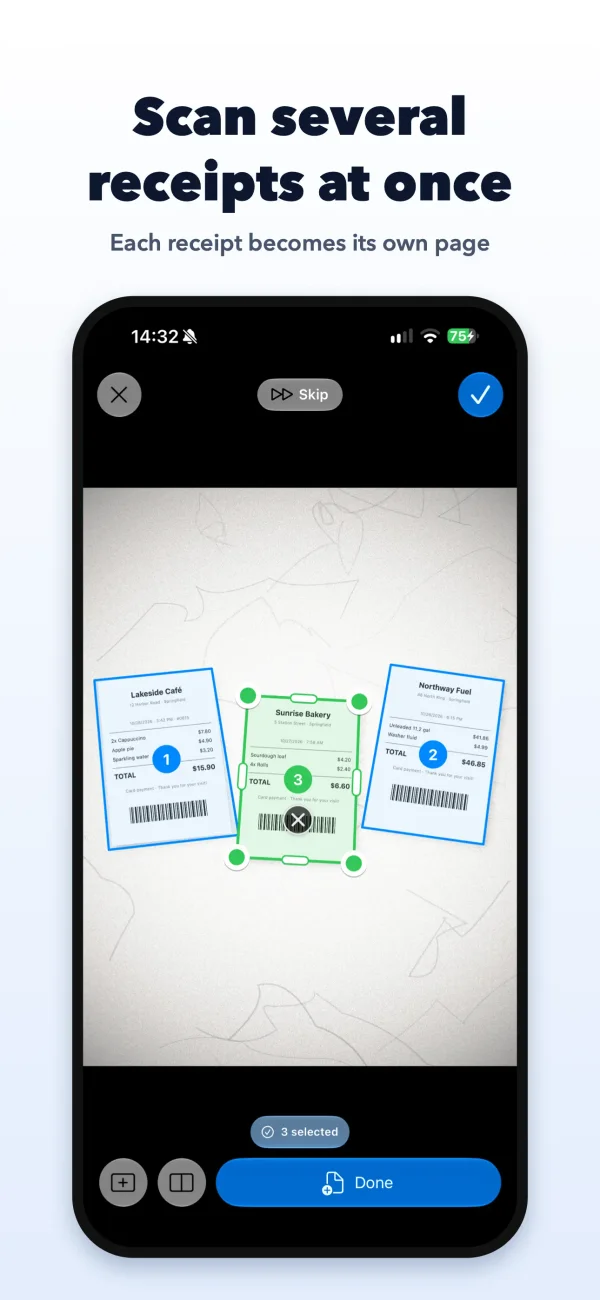
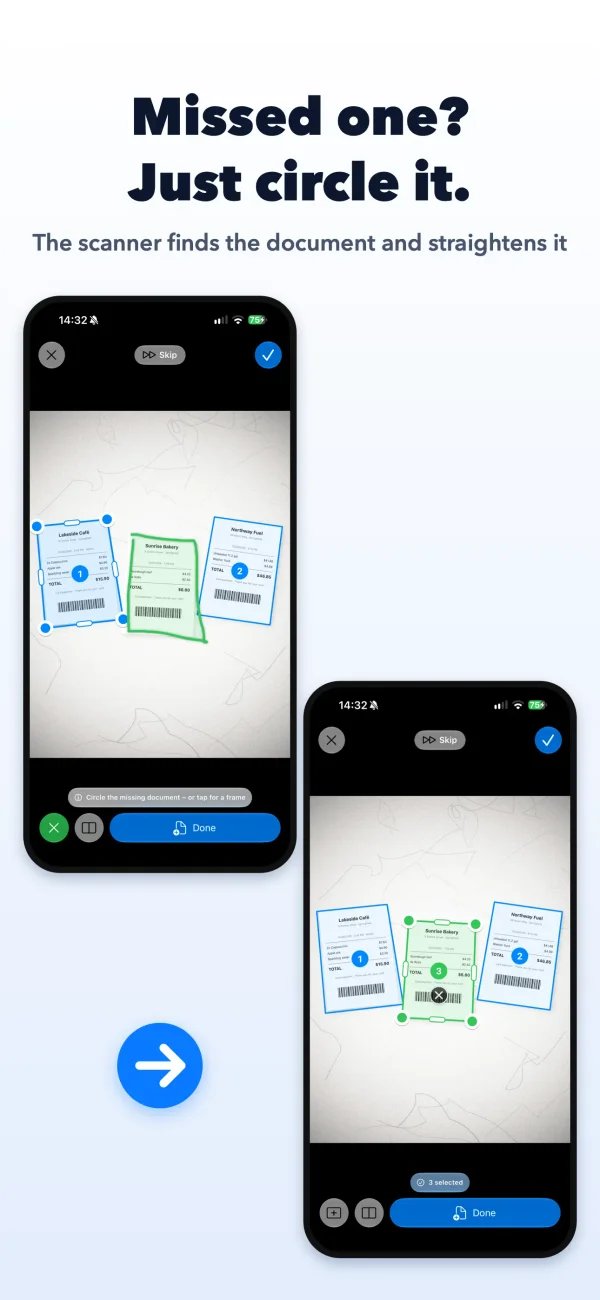
• Several documents in one shot – receipts side by side become separate pages
• Auto capture, full-screen camera, macro focus for small receipts
• Edges are snapped to the paper for a clean crop
• Drag corners and edges, zoom in for precision, or circle a missing page
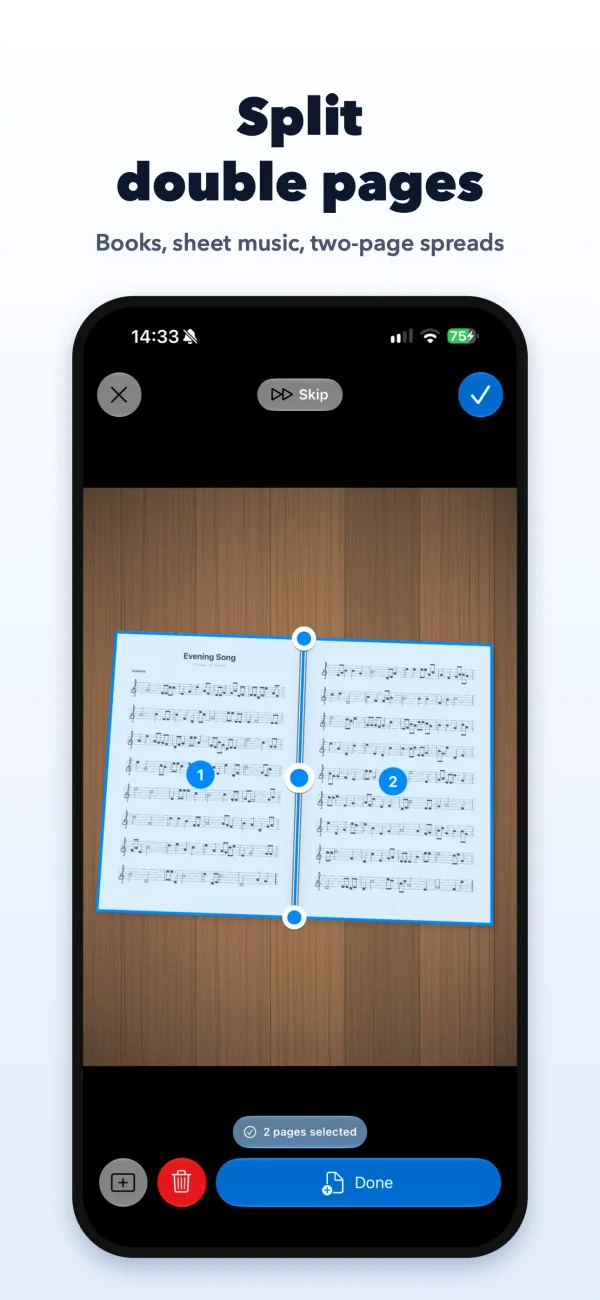
• Split double pages (books, sheet music) – along the fold, whichever way the book lies
• Pages turn upright automatically – based on the text, however you hold the phone
• Pages always keep their proportions – never stretched
• Built-in flashlight for dim rooms
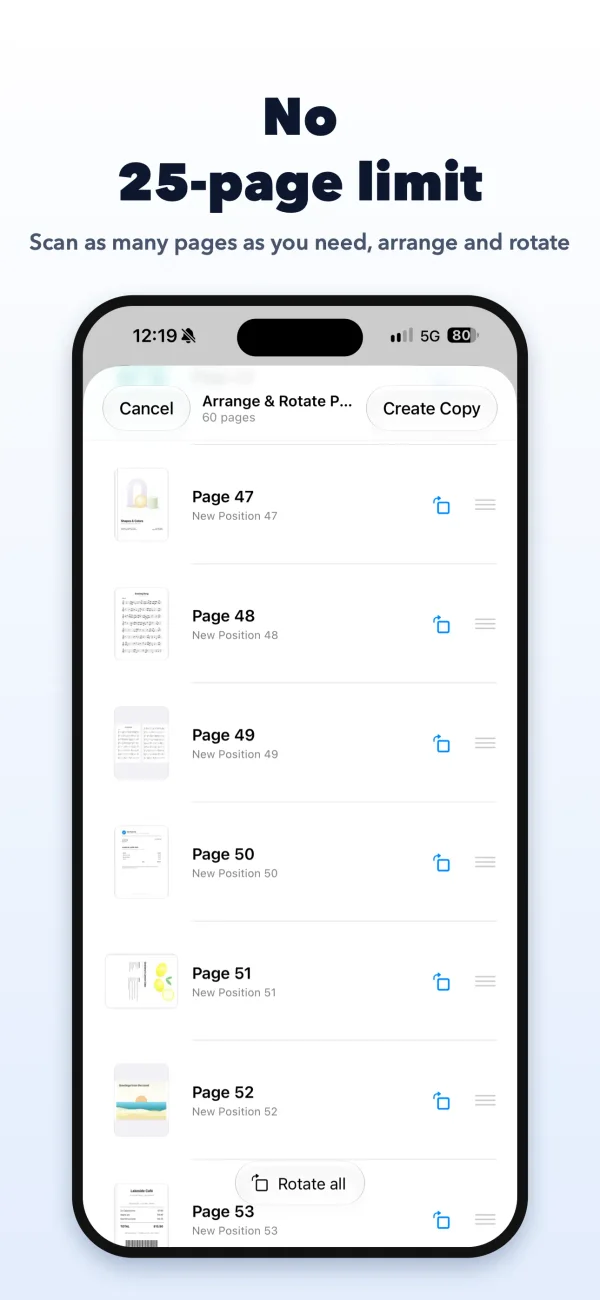
• No 25-page limit: scan documents as long as you need
ORGANIZED IN FILES
• Scans go straight to your chosen folder – iCloud Drive, On My iPhone or any provider in Files
• Several target folders with colors and symbols (Pro)
• A4, A3 and US Letter (Pro)
• Merge PDFs, reorder and rotate pages, compress large files
PRIVATE BY DESIGN
Everything runs on your iPhone. No account, no cloud upload, no tracking, no analytics. No account, no cloud upload, no tracking, no analytics.
PRO – ONE PURCHASE, YOURS FOREVER
Searchable PDFs, smart file names, Magic Filter, multiple folders and page formats. Pay once – no subscription, ever.
Novedades
Versión 3.0 · 14/11/2026
The biggest PDFiles update so far – and still no subscription.
• Magic Filter (Pro): finds every document in your photo library, on your iPhone
• Searchable PDFs (Pro): find any word in Files and Spotlight
• Smart file names (Pro): date, type and sender, e.g. "2026-10-31 Invoice City Power"
• Scanner recognizes real documents only and captures automatically
• Calmer live highlight, edges snapped to the paper
• Full-screen camera, zoom in to adjust corners, drag edges, circle a missing page
• Import photos – several documents per photo
• Pages turn upright automatically, based on the text
• Split double pages along the fold, flashlight in the scanner, rotate pages in the page list
• Fresh Liquid Glass design, sharper thumbnails, faster large PDFs
Already Pro? All new Pro features are included – thank you for your support!
Wishes or problems? Settings → Feedback & Wishes. I read every message.
Privacidad de la aplicación
Lo que Lukas Daniel Kofler declara en App Store sobre cómo esta aplicación gestiona los datos.
-
No se recopilan datos
El desarrollador no recopila ningún dato de esta aplicación.
Las prácticas de privacidad pueden variar, por ejemplo, según las funciones que uses o tu edad.
Información
- Vendedor
- Lukas Daniel Kofler
- Categoría
- Productividad
- Versión
- 3.0
- Actualizado
- 14/11/2026
- Publicado
- 25/2/2026
- Tamaño
- 7,0 MB
- Requiere
- iOS 26.2 o posterior
- Clasificación por edad
- +4
- Precio
- Gratis
- Compras en la aplicación
- Sí
- Idiomas
- Alemán, Inglés
- Copyright
- © 2026 Lukas Daniel Kofler
Quizá también te guste
-
 SendReady: PDF Redact & CheckProductividad
-
 Doc Scan MakerProductividad
-
 TraskioProductividad
-
 OneScan: PDF Document ScannerProductividad
-
 Doc Scanner: Escáner PDF y OCREscanear documentos y DNI
-
 WhenWasTiempo y mantenimiento
-
 Shareday Calendario FamiliarTareas, compras y recetas
-
 PDFShareProductividad
-
 GramoScannerProductividad
-
 WallPlan: Pared de cuadrosPlantillas para colgar marcos