PDFScanner Neo
Use real hardware scanners
Diseñada para iPhone, iPad
Gratis · Compras en la aplicación
- Clasificación por edad4+
- CategoríaProductividad
- DesarrolladorFelix Rotthowe
- IdiomasInglés+ 10 más
- Tamaño20,5 MB
Enlaza a la página oficial de App Store
Download.org no aloja ningún archivo de PDFScanner Neo. El botón abre la página de la aplicación en App Store, donde la publica Felix Rotthowe. Ficha comprobada por última vez el 17/11/2026.
Capturas de pantalla

Acerca de
El desarrollador no ha proporcionado este texto en tu idioma.
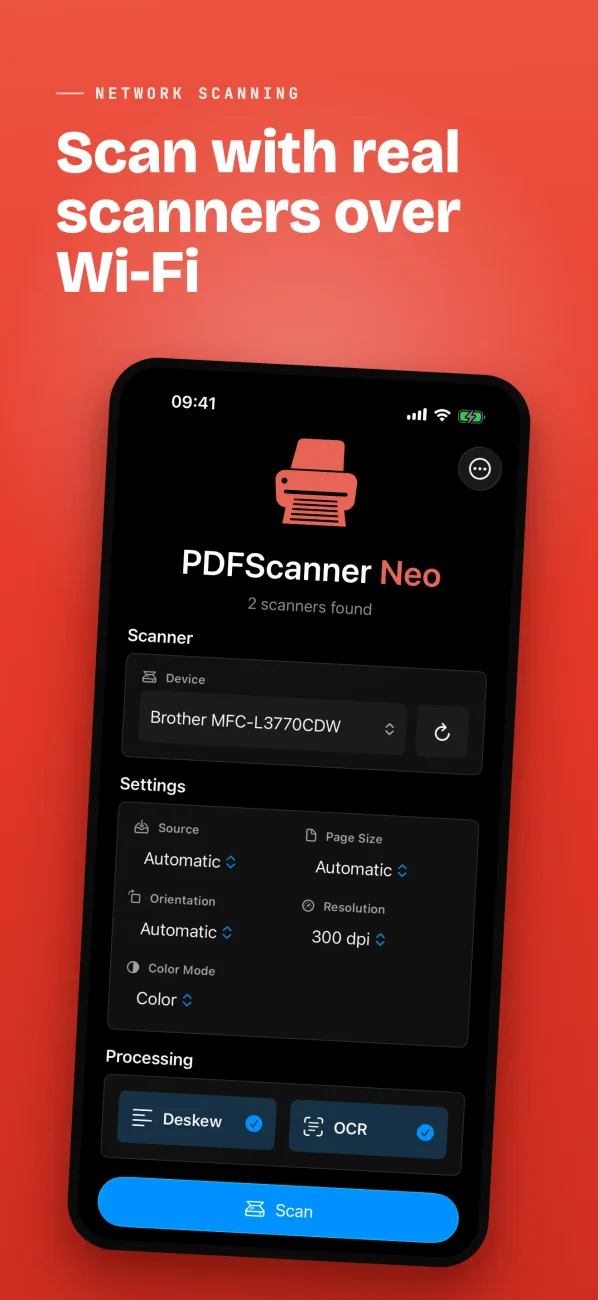
PDF Scanning reimagined - from hardware scanners on your network or using the device camera on your iPhone or iPad! PDFScanner Neo brings the features you love from the Mac version of PDFScanner to mobile platforms: hardware scanner access, a fast and simple workflow, and minimal file sizes.
The App is still very fresh, but its feature set is already larger than that of the Mac version and the whole experience has been completely redesigned around a mobile-first workflow. And of course, all your documents stay completely private: PDFScanner Neo has no tracking, no ads and does not send any information to any external servers.
Scan paper documents, letters, receipts and notes directly into compact, searchable PDF files. PDFScanner Neo is built for people who want to capture documents quickly, keep them organized, and find them again later. Even on the go, when the hardware scanner at home is out of reach. Or if you do not have one at all.
PDFScanner Neo supports the following features:
• Scan from Wi-Fi and network scanners with AirScan/eSCL support
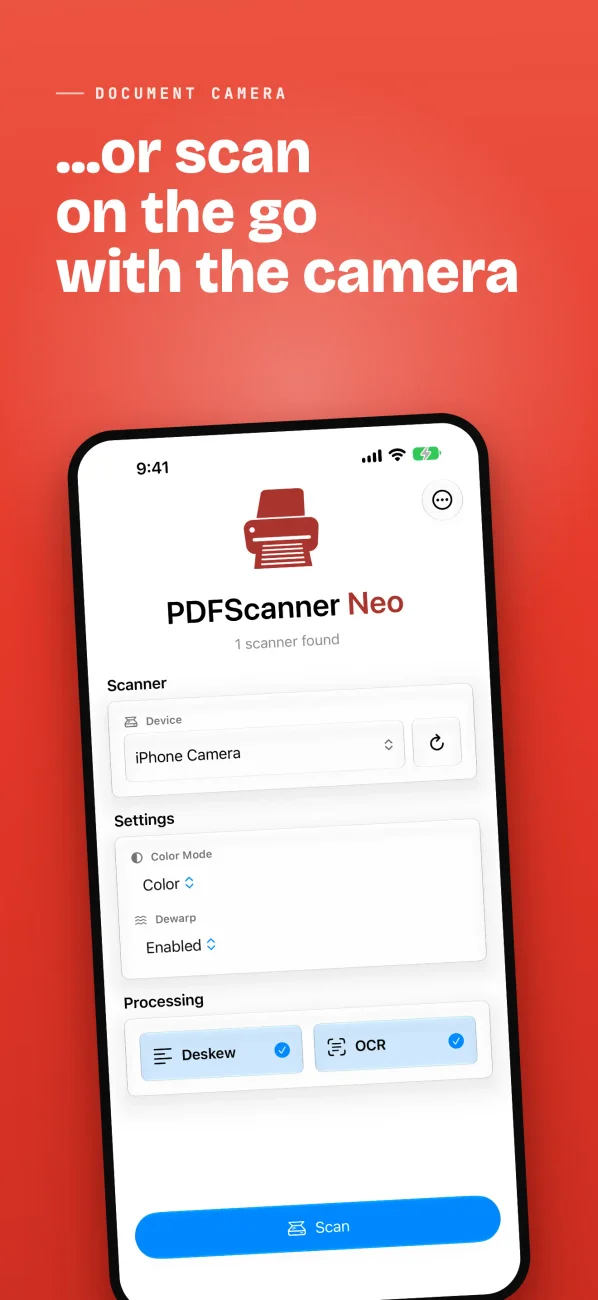
• Scan with the built-in document camera on iPhone and iPad, including automatic perspective correction
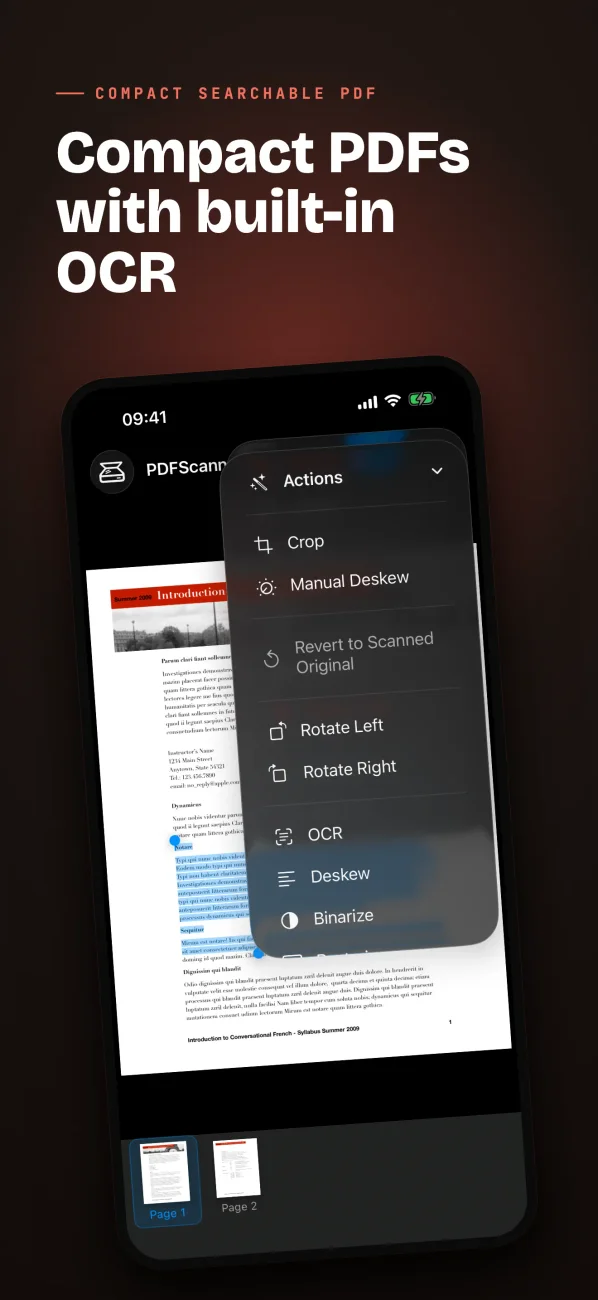
• Optical character recognition to make scanned documents searchable, for example with Spotlight
• Invisible OCR text layer inside the PDF, so text can be found, selected and copied in other PDF apps
• Automatic page cleanup, including deskewing and rotation correction
• Fast page organization with reordering, deletion and more actions for single pages or batches of selected pages
• Compact PDF export designed for scanned documents
• High compression for black-and-white scans, including very small file sizes for archiving
• Open existing PDF files or import additional PDF pages into the current scan workspace
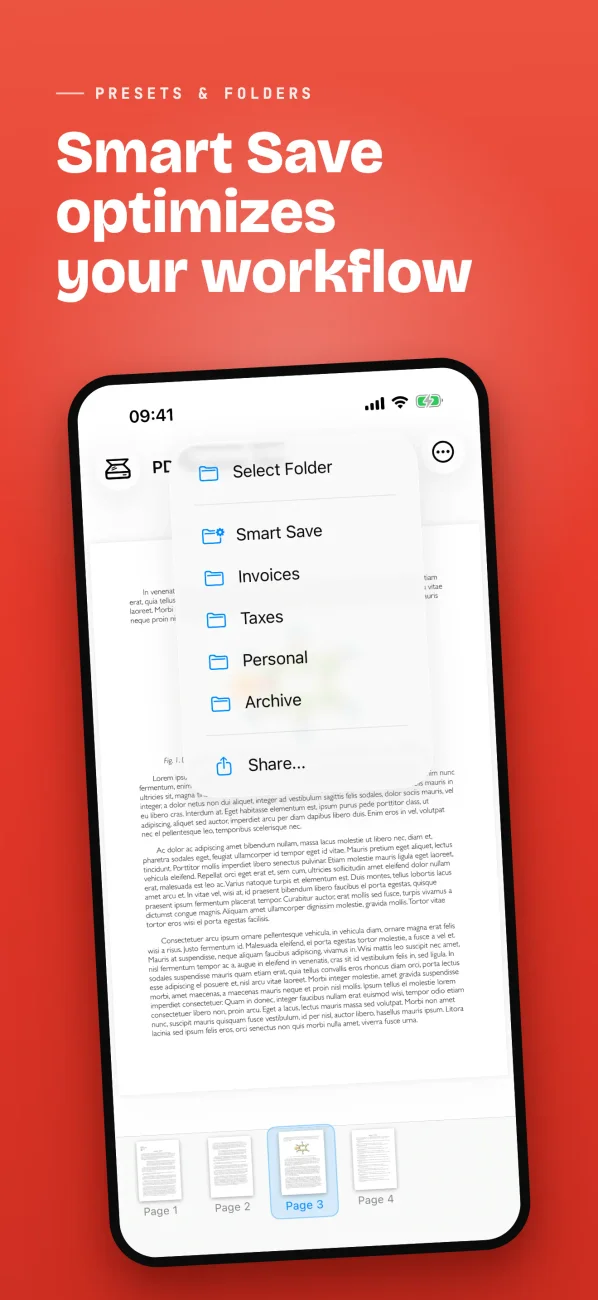
• Smart Save with presets, filename patterns, keywords and quick actions for faster recurring workflows
• Customizable export filenames, including date-based and document-based naming
• Automatic blank page removal for cleaner scan batches
• Share or export finished PDFs directly from the scan workspace
PDFScanner Neo is not a general-purpose document manager. It is focused on one task: scanning paper documents into clean, compact and searchable PDF files as quickly as possible.
Advanced features require PDFScanner Neo Pro. Scanning and saving are always available in the free app, without restrictions.
Novedades
Versión 2026.10 · 10/10/2026
New: Full support for iPhone Duo, folded and unfolded.
New for iOS 27 and iPadOS 27 with PDFScanner Neo Pro:
• Smart Save uses Apple Intelligence to analyze the first page’s content and layout and choose a matching save preset.
• Optionally use Apple’s Private Cloud Compute for Smart Save.
• Scan with Shortcuts and Siri, and automate PDF processing in Shortcuts.
Privacidad de la aplicación
Lo que Felix Rotthowe declara en App Store sobre cómo esta aplicación gestiona los datos.
-
No se recopilan datos
El desarrollador no recopila ningún dato de esta aplicación.
Las prácticas de privacidad pueden variar, por ejemplo, según las funciones que uses o tu edad.
Información
- Vendedor
- Felix Rotthowe
- Categoría
- Productividad
- Versión
- 2026.10
- Actualizado
- 10/10/2026
- Publicado
- 8/6/2026
- Tamaño
- 20,5 MB
- Requiere
- iOS 26.0 o posterior
- Clasificación por edad
- 4+
- Precio
- Gratis
- Compras en la aplicación
- Sí
- Idiomas
- Inglés, Neerlandés, Francés, Alemán, Italiano, Japonés, Coreano, Portugués, Ruso, Chino simplificado, Español
- Copyright
- Copyright © 2026 Felix Rotthowe
Quizá también te guste
-
 OpenAirScanProductividad
-
 DEVONthink To Go 4Productividad
-
 Quicken LifeHub Life OrganizerProductividad
-
 Obsidian Web ClipperProductividad
-
 Lumo AI de ProtonAsistente privado de Europa
-
 Raycast: Keyboard, AI and moreProductividad
-
 Raindrop.ioGestor de marcadores integral
-
 UniFi DesignProductividad
-
 Google AI Edge EloquentProductividad
-
 SuperwhisperProductividad