Penwick: Cursive Handwriting
Joined-up letter formation
Diseñada para iPhone, iPad, iPod touch
Gratis · Compras en la aplicación
- Clasificación por edad4+
- CategoríaEducación
- DesarrolladorMyAutobot Ltd
- IdiomasInglés
- Tamaño33,9 MB
Enlaza a la página oficial de App Store
Download.org no aloja ningún archivo de Penwick: Cursive Handwriting. El botón abre la página de la aplicación en App Store, donde la publica MyAutobot Ltd. Ficha comprobada por última vez el 26/11/2026.
Capturas de pantalla
Acerca de
El desarrollador no ha proporcionado este texto en tu idioma.
Penwick teaches cursive / joined-up handwriting the way schools teach it: one letter family at a time, starting with how the letter is formed.
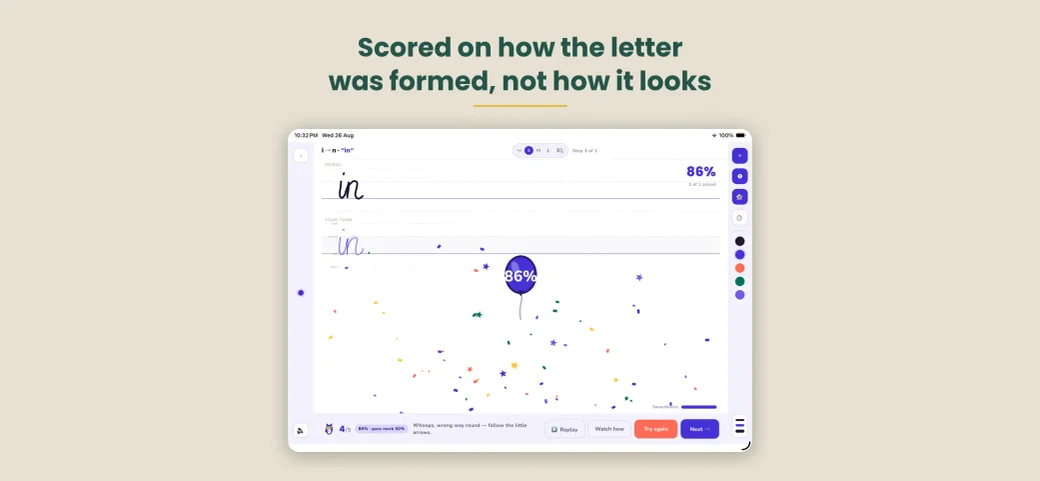
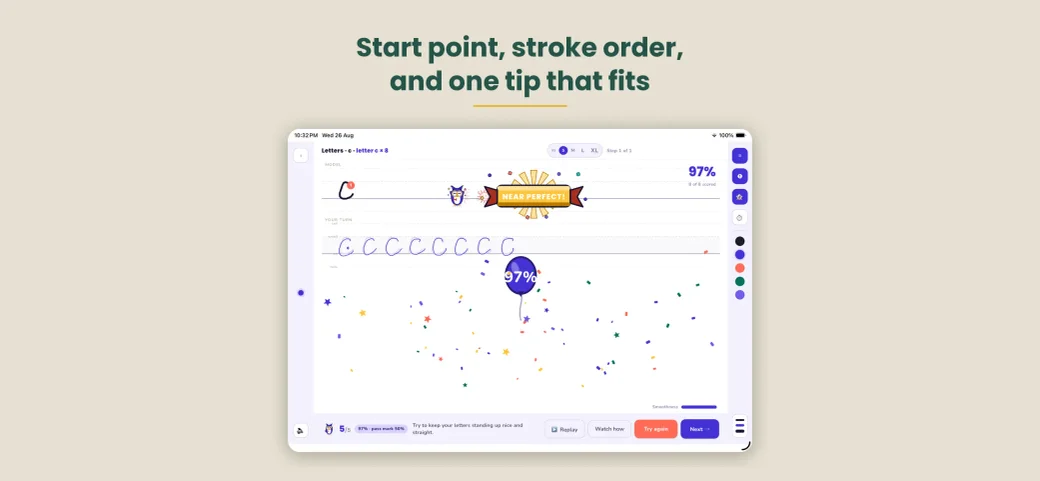
Penwick watches how children write letters. Where the pen started, which way it travelled, whether it lifted in the middle of a letter, whether the exit came back down to the line. A tidy-looking "a" drawn backwards is still a backwards "a", and it causes trouble the moment your child tries to join it to something.
WHAT YOUR CHILD DOES
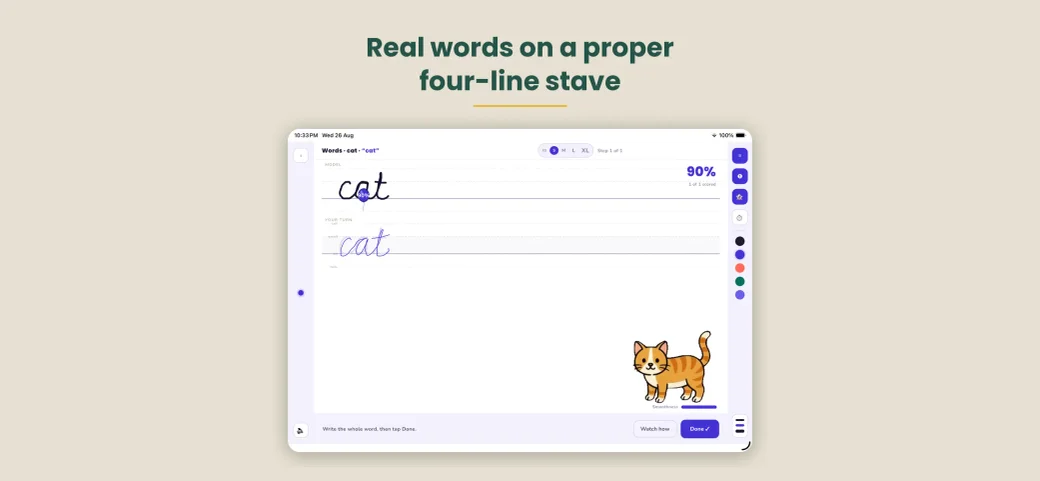
- Writes on a proper four-line stave, with a stylus or by touch
- Works through the letter families in the order schools use them: the straight letters, the anti-clockwise family, the clockwise family, the diagonals
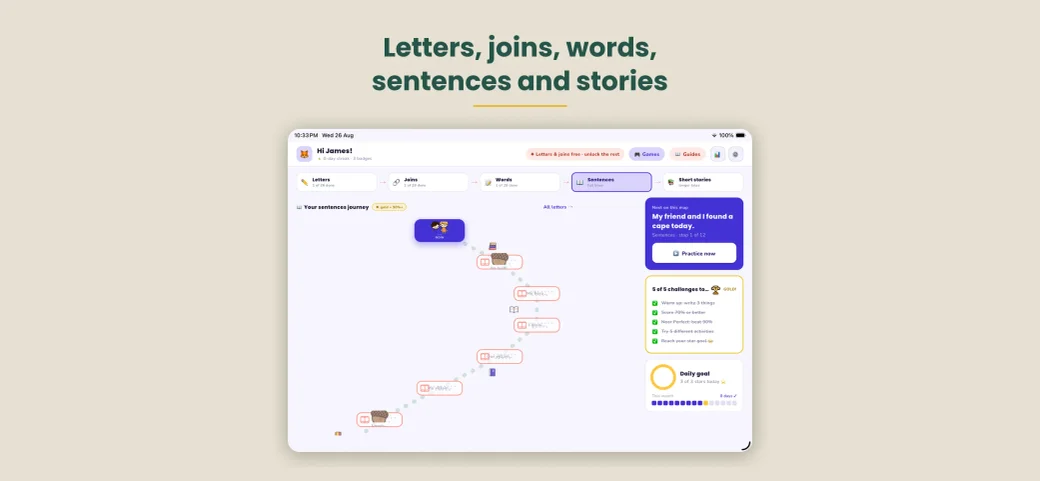
- Moves on to joins, then words, then sentences and short stories
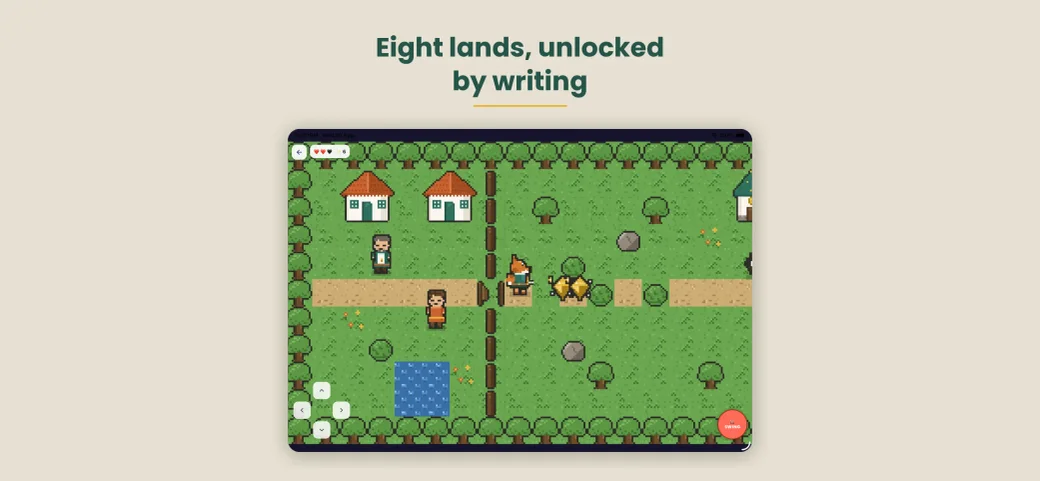
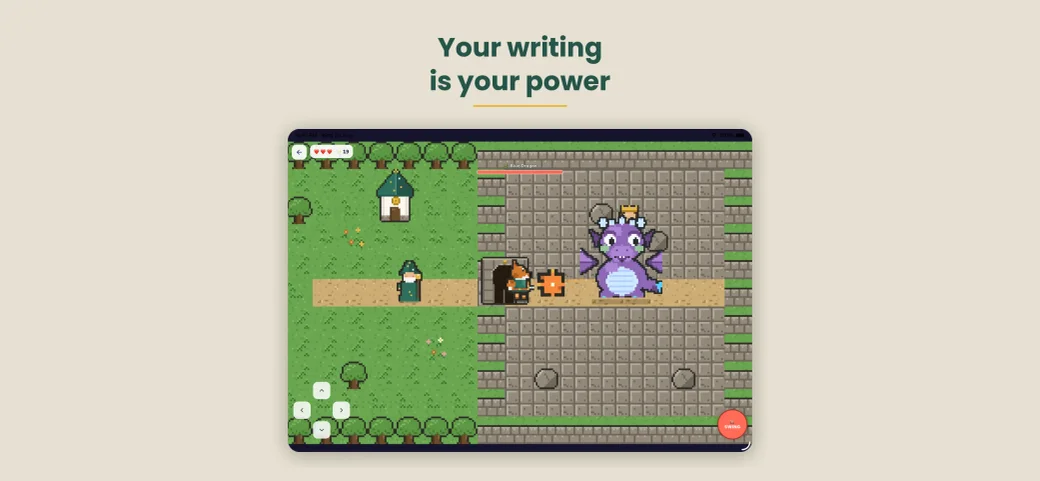
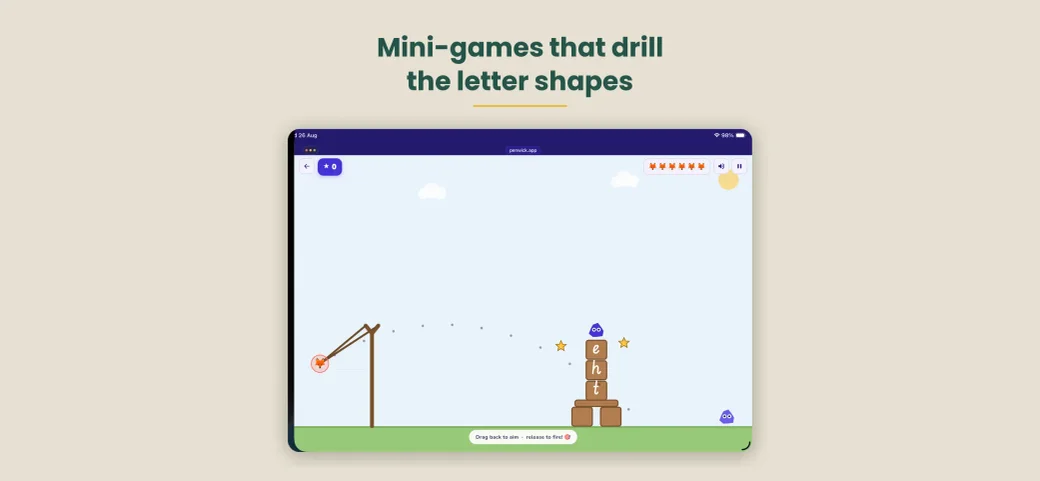
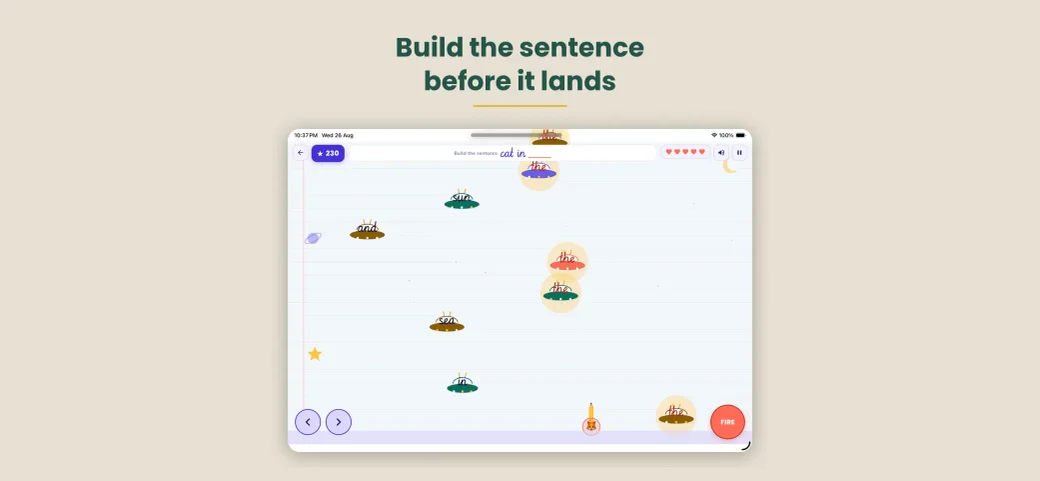
- Earns their way through activity maps, two mini-games and an eight-land Story Quest
ONE THING AT A TIME
When a letter falls short, Penwick picks the single worst thing about it, replays the correct formation one pen movement at a time, and says one sentence. Not a list of five corrections. A five-year-old reads none of a list.
BUILT WITH A TEACHER
Every lower-case letter, and the joins behind dozens of common words, was recorded line by line by a qualified primary teacher rather than pulled out of a font. It is why the joins move like handwriting instead of like letters pushed together.
KEPT, MONTH BY MONTH
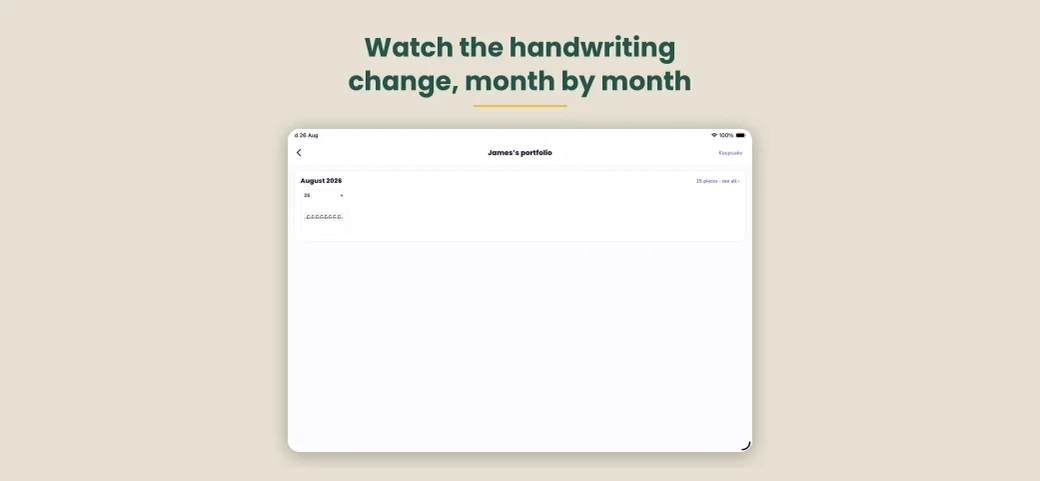
Penwick keeps your child's actual writing, not just a score. Every month shows their real work oldest to newest, so you can see January against June, tap any piece to watch it redrawn exactly as it was written, and print a keepsake page. It stays on the device, for years.
SCAN WRITTEN WORK
Photograph a finished workbook page and Penwick gives one clear thing to practise next. Printable workbooks in your child's interests are free to download.
FOLLOWS THE CURRICULUM
Letter families in Year 1, joins from Year 2, in line with the national curriculum for England. Useful anywhere cursive is taught.
MADE FOR HOW CHILDREN ACTUALLY USE A TABLET
A single touch always writes. Scrolling is a side slider, so a resting palm never sends the page flying. Five writing sizes, because a five-year-old and a nine-year-old do not need the same line.
PRIVATE BY DEFAULT
No accounts and no adverts. Your child's writing, scores and profile stay on the device. Three things can leave it, each switchable in Settings: referral codes if you share one, the weekly leaderboard (a first name or nickname, a buddy character, a country flag and a star count), and anonymous usage counts. When you choose Scan written work, the photograph of that page is sent for marking and is not kept. Full details at penwick.app/privacy.
FAMILY SUBSCRIPTION, FREE TO START
The full lowercase alphabet, the assessment and 45 practice sittings are free, with no locks mid-alphabet, ever. A single family subscription unlocks every word, sentence, story and the Story Quest for everyone in the house, with 7 days free before anything is charged. Cancel any time in the App Store.
Privacy policy: https://penwick.app/privacy/
Terms of use: https://penwick.app/terms/
Novedades
Versión 1.0.2 · 25/11/2026
Every letter, capitals included, is now written by a real primary teacher, re-recorded with a better pen.
Over 50 more of her joins and six new words, so more of every word is her own handwriting.
The leaderboard and Practise on paper are now on the home screen.
The Story Quest hero carries a pencil instead of a sword.
If Screen Time has switched off in-app purchases, the plans page now says so and shows where to change it.
Your writing stays on the line when the page changes size.
Privacidad de la aplicación
Lo que MyAutobot Ltd declara en App Store sobre cómo esta aplicación gestiona los datos.
-
Datos vinculados a ti
Pueden recopilarse y vincularse a tu identidad.
- Información de contacto
- Identificadores
-
Datos no vinculados a ti
Pueden recopilarse, pero no se vinculan a tu identidad.
- Datos de uso
Las prácticas de privacidad pueden variar, por ejemplo, según las funciones que uses o tu edad.
Información
- Vendedor
- MyAutobot Ltd
- Categoría
- Educación
- Versión
- 1.0.2
- Actualizado
- 25/11/2026
- Publicado
- 17/9/2026
- Tamaño
- 33,9 MB
- Requiere
- iOS 15.0 o posterior
- Clasificación por edad
- 4+
- Precio
- Gratis
- Compras en la aplicación
- Sí
- Idiomas
- Inglés
- Copyright
- © 2026 MyAutobot Ltd
Quizá también te guste
-
 Kingswood International SchoolEducación
-
 Loopy Letters: Cursive WritingEducación
-
 Neat Hand: CaligrafíaMejora tu letra y el coreano
-
 e-vinEducación
-
 Number LineEducación
-
 Quill Learn CursiveEducación
-
 Escritura a mano AIEntrenador de escritura a mano
-
 Meshk: Caligrafía y EscrituraAprender a escribir a mano
-
 Aprender - Escribir CaligrafíaLibro para Pintar el Alfabeto
-
 UTAS Mobile AppEducación