- Clasificación por edad12+
- CategoríaRedes sociales
- DesarrolladorJAMES OLIVER PENNY
- IdiomasInglés
- Tamaño99,1 MB
Enlaza a la página oficial de App Store
Download.org no aloja ningún archivo de PinPoint Connect. El botón abre la página de la aplicación en App Store, donde la publica JAMES OLIVER PENNY. Ficha comprobada por última vez el 15/11/2026.
Capturas de pantalla



Acerca de
El desarrollador no ha proporcionado este texto en tu idioma.
Ever wished you could reconnect with someone after you met but didn’t get their details?
Someone you met on a night out.
Someone you spoke to at a networking event.
Someone who found your lost keys.
Someone who captured photos or videos involving you.
Even simple eye contact with someone you never approached.
PinPoint Connect helps people reconnect through location.
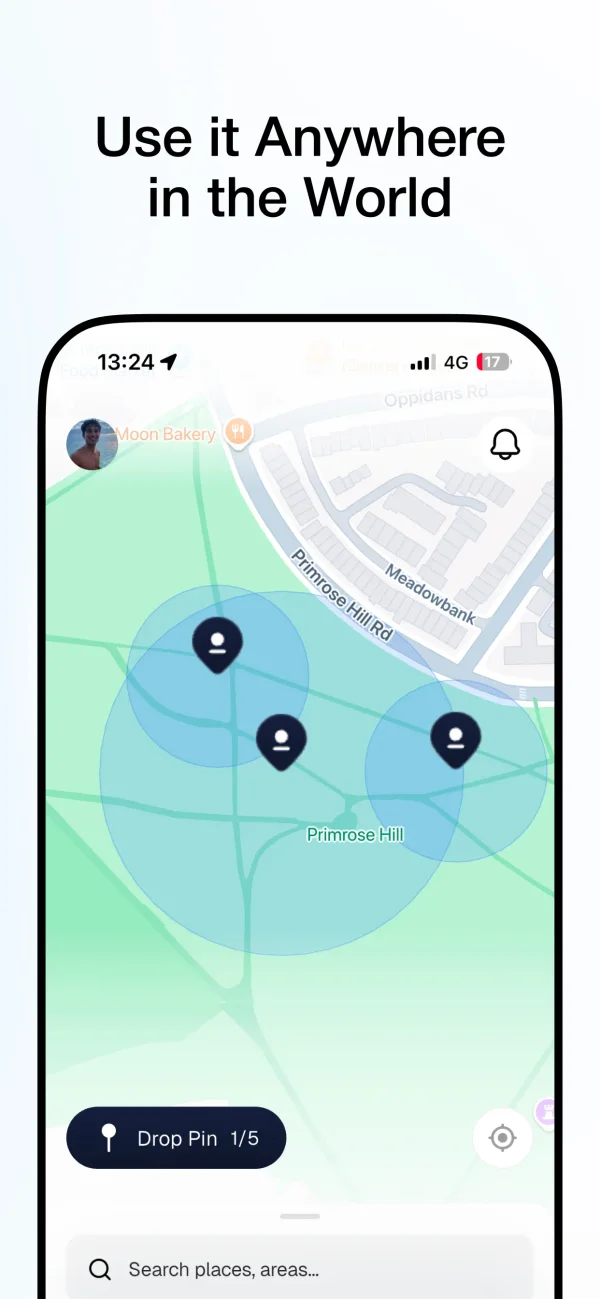
With PinPoint you can drop a pin at the exact place something happened, and if others pin the same area you can reconnect.
How it works
Drop a pin
Mark the exact location where something happened. This could be a conversation you had, an item you lost, or a moment you want to reconnect over.
Add a description
Write a short optional note so people who also pinned the location can understand what you are looking for, recognise the moment, and reconnect correctly.
Choose your radius
Select the size of your pin location, which determines how close someone else’s pin needs to be to overlap with yours. This keeps pins relevant to where the moment happened. You can adjust the size depending on the situation. For example, if you met someone at a specific location, use a smaller radius. If you lost something in a park or larger area, use a bigger radius to cover more ground.
Reconnect
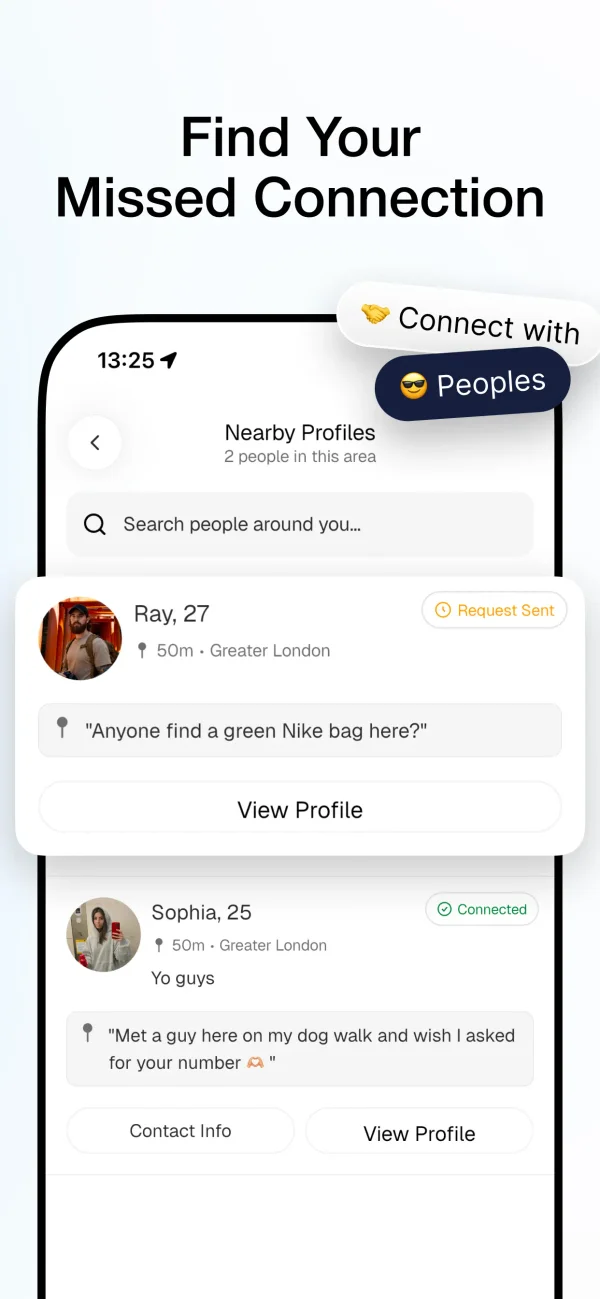
If someone else pins the same location, or places a pin that overlaps with yours, you can view their profile and description and they can view yours. From there you can send connection requests. Contact details are shared once both users choose to reconnect, and you control which details are revealed.
PinPoint can be used for:
Reconnecting with people you met but never exchanged details with
Finding someone who found your lost item or who’s lost item you found
Recovering photos or videos from shared moments
Connecting with people from events, festivals, or nights out
Meeting other travellers who visited the same places
Discovering moments that happened around you
Privacy First
You stay in control of what you share.
Pins are only visible within the radius you choose, and contact details are only revealed once both people agree to connect. You can also verify your profile so others know they are reconnecting with the right person, and for that extra layer of safety.
By downloading or using this app, you agree to our End User License Agreement (EULA): https://www.pinpointconnect.app/eula
Novedades
Versión 1.3 · 20/4/2026
Pinpoint keeps getting better with every update. Here is what is new in this version.
* Business Pins
Businesses can now create public pins that anyone nearby can
discover and join. Browse business pins on the map, see who
else has joined, and read what members are saying. Join a
business pin and leave a comment to let others know what
brought you there.
* Smarter Member Profiles
When browsing members inside a business pin, you can now see
each persons comment front and center. Comments are displayed
more prominently so you know right away why someone joined.
You can also see how long ago each member left their comment,
giving you better context before reaching out.
* Pin Messages on Profiles
When you tap on someones pin on the map and open their
profile, you can now see the message they attached to their
pin. No more guessing why someone is nearby. Their intent is
right there at the top of their profile.
* Nearby People Improvements
When viewing people near your pin, both card types now show
how long ago that person dropped their pin. This helps you
find people who are actively nearby right now rather than
someone who pinned hours ago.
* Better Search
Business pin search now shows a cleaner and more consistent
hint so you always know what you are searching for.
* General Fixes and Polish
Various small improvements to layout, text sizing, and
interaction across the app to make everything feel more
refined and intentional.
Privacidad de la aplicación
Lo que JAMES OLIVER PENNY declara en App Store sobre cómo esta aplicación gestiona los datos.
-
Datos vinculados a ti
Pueden recopilarse y vincularse a tu identidad.
- Ubicación
- Información de contacto
- Contenido del usuario
- Identificadores
- Otros datos
Las prácticas de privacidad pueden variar, por ejemplo, según las funciones que uses o tu edad.
Información
- Vendedor
- JAMES OLIVER PENNY
- Categoría
- Redes sociales
- Versión
- 1.3
- Actualizado
- 20/4/2026
- Publicado
- 6/3/2026
- Tamaño
- 99,1 MB
- Requiere
- iOS 16.0 o posterior
- Clasificación por edad
- 12+
- Precio
- Gratis
- Compras en la aplicación
- Sí
- Idiomas
- Inglés
- Copyright
- Copyright © 2025 PinPoint Connect