
- Clasificación por edad4+
- CategoríaFinanzas
- DesarrolladorJOOHEE JUNG
- IdiomasCoreano
- Tamaño8,0 MB
Es posible que Planowa 가계부 no esté disponible en App Store en este momento
No se pudo acceder a la ficha de la tienda en nuestra última comprobación. El enlace sigue llevando a la página oficial de App Store.
Capturas de pantalla

Acerca de
El desarrollador no ha proporcionado este texto en tu idioma.
Plenty of apps count what you spent. Planowa shows how well you kept to your plan.
Plan your own way — set your own standards, then plan and record against them.
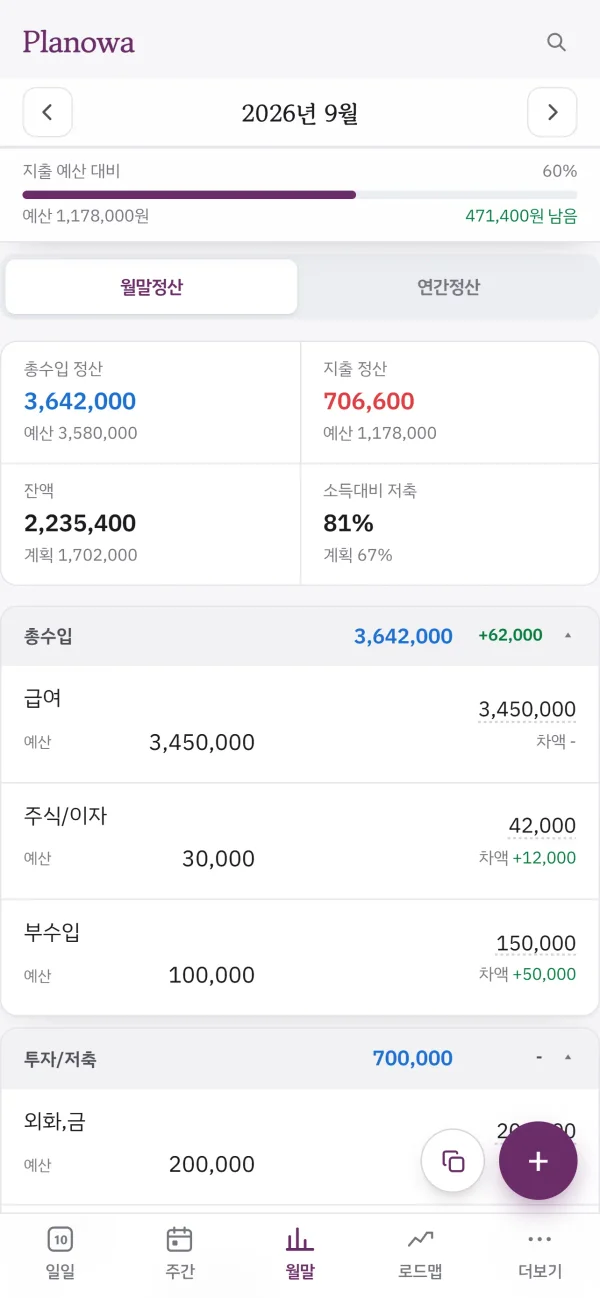
Set a budget for each item in Monthly Settlement, and your spending becomes a result,
not just a list. Budget $400 for food, spend $366, and Planowa shows you saved $34.
Income and savings work the other way: anything above plan counts as a plus.
■ HOW IT WORKS
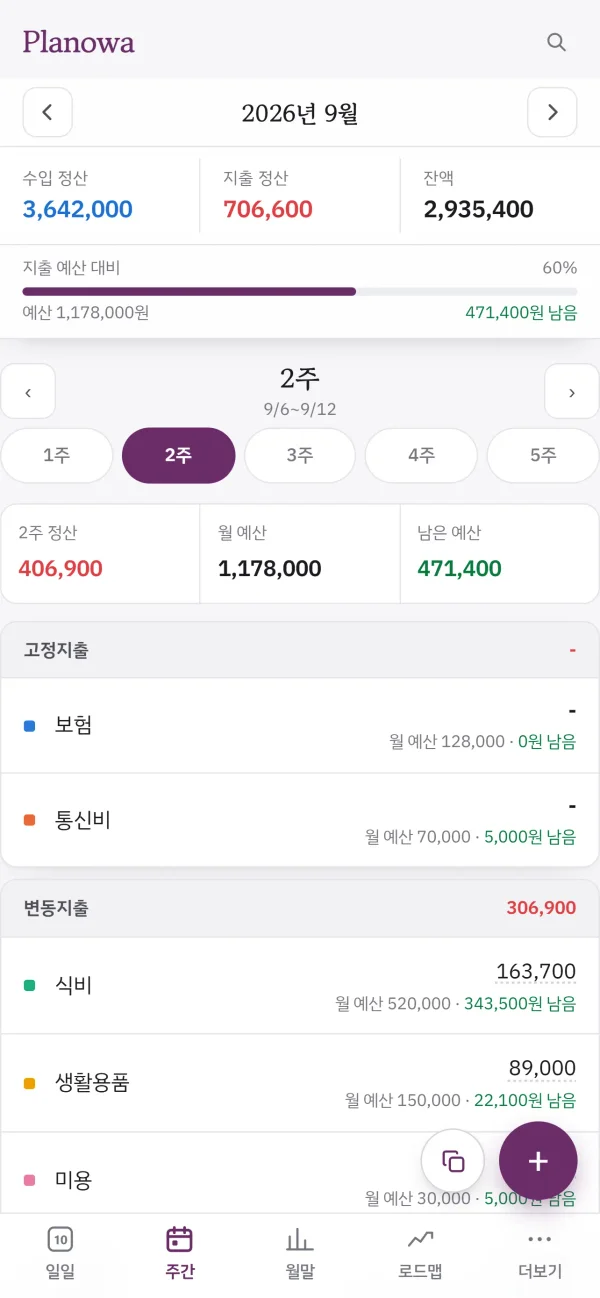
· Weekly, Monthly and Yearly Settlement
Budget, actual, difference and change in one clear table — enter budgets right in place.
Grouped into Income / Savings / Loan repayment / Fixed / Variable / One-off,
each one collapsible.
· Installments, Favorites and Recurring Items
Installments are split across months automatically. Save frequent entries as favorites,
and register monthly bills and income once — they are added on their day.
· Statistics
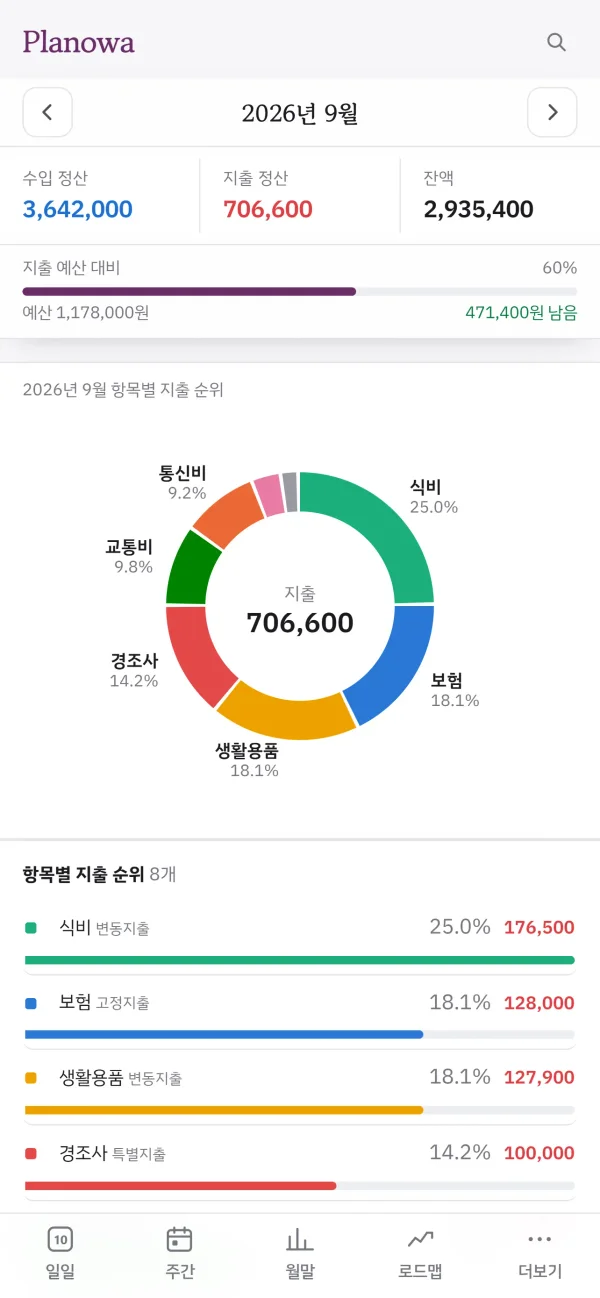
See your income and spending by item in a donut chart, and rank spending by payment method.
· Calendar, Gratitude Journal, To-do and Daily Mood
Tap a date to see that day's entries, to-dos and gratitude note together.
Keep more than money: what you were grateful for, what to do, and how you felt.
Search your journal and to-dos, and filter by period or completion.
· Reminders
Get a reminder at the time you set on a to-do, and a nudge at the end of the month
to settle up — scheduled on your iPhone, no server involved.
· Assets
Enter your assets and debts each month; net worth, change and growth rate are calculated for you.
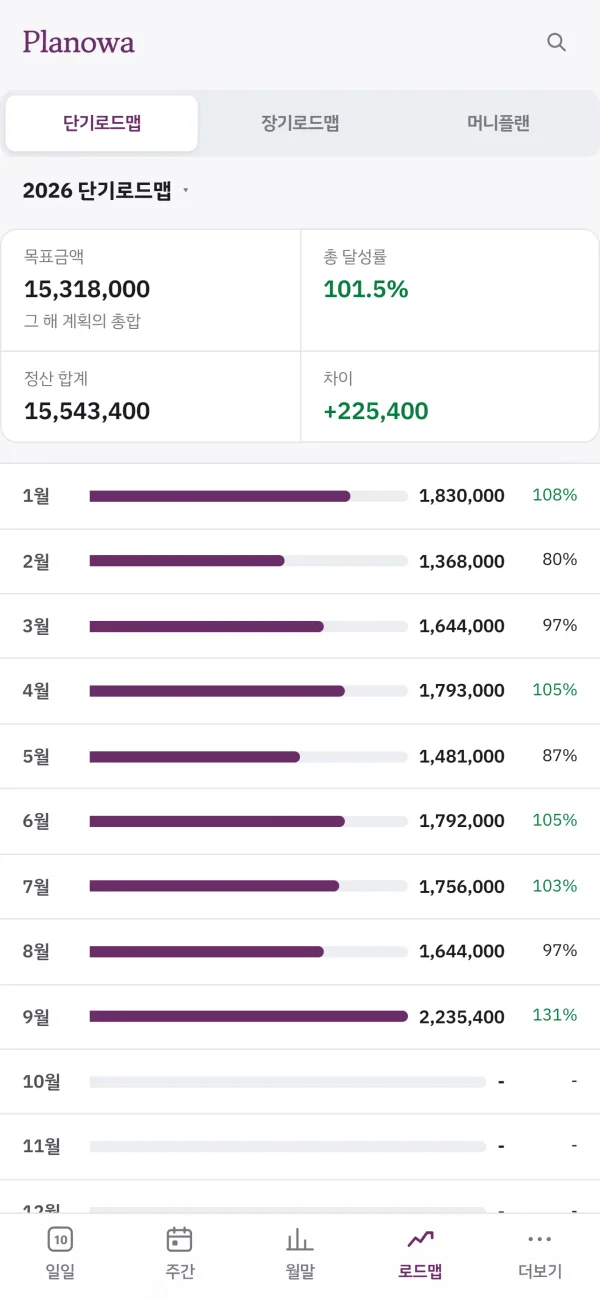
· Short-term Roadmap, Money Plan and 30-year Long-term Roadmap
Your year builds itself from Monthly Settlement. The Long-term Roadmap lays out 30 years,
ten at a time, with a life plan and money plan for each year.
· Card Message Paste (Korean card alerts)
Paste a Korean card approval text and Planowa reads the date, amount, merchant,
payment method and installments, and suggests an item. Correct a merchant once
and it remembers. Foreign-currency charges are converted with an exchange-rate table.
■ EVERYTHING WORKS WITHOUT SIGNING IN
Planowa saves on your device first. No account is needed for any feature.
Sign in with Apple, Google or Kakao only when you want the same records on several devices.
· Messages come into the app only when you paste them yourself.
· No location, contacts, photos or advertising identifiers are collected.
· No ads. No payments.
· Lock the app with a 4-digit PIN, Face ID or Touch ID; it locks again after a minute away.
Your PIN is stored only on this device.
· Delete your account and data right from the app.
· Found a problem? Report it from More › Help.
■ WORKS OFFLINE
On a plane or underground, Planowa opens as usual and syncs when you are back online.
■ ENGLISH AND KOREAN
Choose English or Korean in Settings — exported Excel sheets and file names follow your choice.
Display currency can be US dollars (USD) or Korean won (KRW), and public holidays appear on the calendar.
■ MADE FOR YOU IF
· Tracking spending isn't enough — you want to know whether you kept to your budget
· You kept a budget in a spreadsheet and want to carry it on your phone
· You want to picture your assets not just this month, but 10 and 30 years from now
Novedades
Versión 1.1.1 · 8/11/2026
• Weekly and Monthly Settlement now use a clear table: item, budget, actual and difference at a glance, and you can enter budgets right in place.
• Items without a budget or entries now show from the start in Weekly and Monthly Settlement.
• The More tab is now grouped into Shortcuts, Settings and Help, so menus are easier to find.
• Report a problem right from the app (More › Help › Report a Problem).
• Turn real estate on or off in your Long-term Roadmap.
• Yearly Settlement totals now match the twelve months of that year exactly.
• Polished the Calendar, Daily, Assets and Money Plan screens, with larger small text.
• Adjusted the Large and Extra Large text sizes so layouts no longer break.
• Fixed the "Today's Thanks" box showing only half after unlocking with Face ID or PIN.
• Fixed the search field dropping to the next line while typing.
• Settlement and roadmap titles in English are clearer (Monthly Settlement, Long-term Roadmap, and more).
Privacidad de la aplicación
Lo que JOOHEE JUNG declara en App Store sobre cómo esta aplicación gestiona los datos.
-
Datos vinculados a ti
Pueden recopilarse y vincularse a tu identidad.
- Información de contacto
-
Datos no vinculados a ti
Pueden recopilarse, pero no se vinculan a tu identidad.
- Contenido del usuario
Las prácticas de privacidad pueden variar, por ejemplo, según las funciones que uses o tu edad.
Información
- Vendedor
- JOOHEE JUNG
- Categoría
- Finanzas
- Versión
- 1.1.1
- Actualizado
- 8/11/2026
- Publicado
- 2/10/2026
- Tamaño
- 8,0 MB
- Requiere
- iOS 15.0 o posterior
- Clasificación por edad
- 4+
- Idiomas
- Coreano
- Copyright
- © 2026 Planowa
Quizá también te guste
-
 Buddinote - Budget TrackerFinanzas
-
 Monyze - Multi-angle moneyFinanzas
-
 종합 가계부Finanzas
-
 우리집 자산: 가족 주식 계좌 통합 자산관리Finanzas
-
 Net Worth Tracker & CalculatorFinanzas
-
 아껴쓰자Finanzas
-
 MiniMoney: Budget TrackerFinanzas
-
 냅다 - 무지출 챌린지 가계부, 하루예산 관리Finanzas
-
 Budget Today: Expense TrackerFinanzas
-
 Toffs: Diario TradesETF Calendario Dividendos