Plato: Workout Tracker
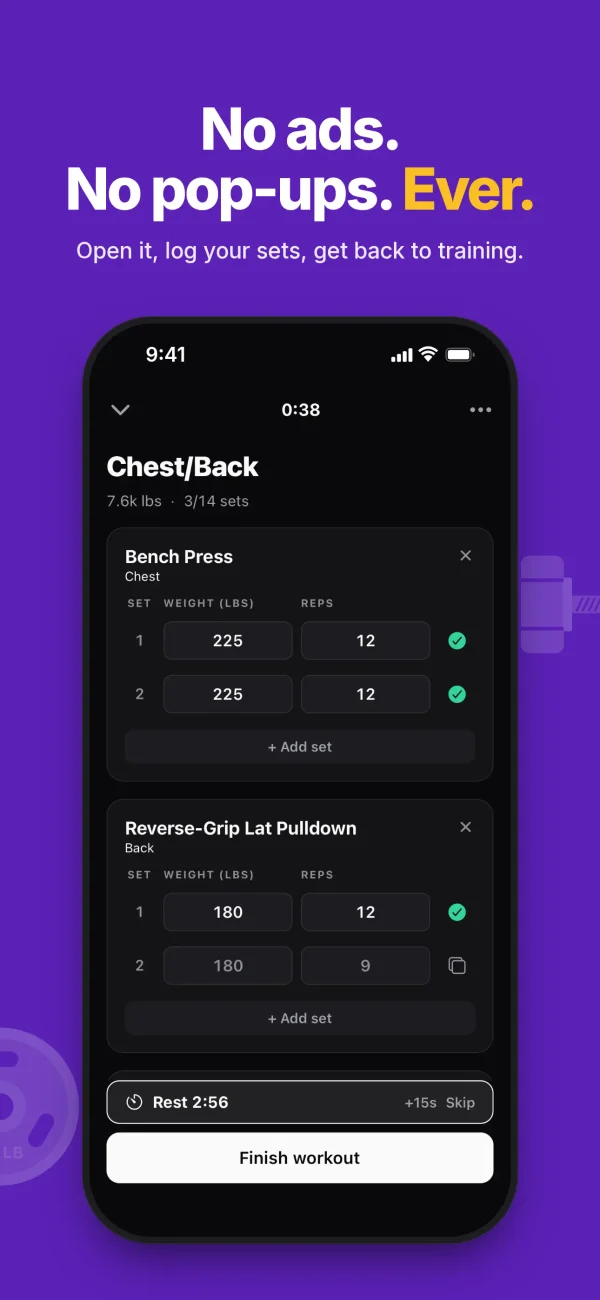
No ads. No pop-ups. Ever.
Diseñada para iPhone, iPod touch
Gratis
- Clasificación por edad4+
- CategoríaSalud y forma física
- DesarrolladorFull Stach LLC
- IdiomasInglés
- Tamaño36,5 MB
Enlaza a la página oficial de App Store
Download.org no aloja ningún archivo de Plato: Workout Tracker. El botón abre la página de la aplicación en App Store, donde la publica Full Stach LLC. Ficha comprobada por última vez el 20/11/2026.
Capturas de pantalla


Acerca de
El desarrollador no ha proporcionado este texto en tu idioma.
Free. No ads. No pop-ups. No paywalls. No BS.
Plato is a workout tracker for lifting and cardio, and that's all it is. Open it, log your sets, see your progress, get back to training.
Nothing will ever pop up asking you to rate the app, upgrade, start a trial or turn on notifications. Not on your first workout, not on your five hundredth.
WHAT YOU WON'T FIND
• Ads
• Rate-us prompts, upgrade screens or "come back" nags
• Notifications. Plato doesn't send any
• Subscriptions or in-app purchases. Every feature is free
• Tracking. Your workouts are never sold or used for ads
• A sign-up wall. The whole app works without an account
LOG LIFTS FAST
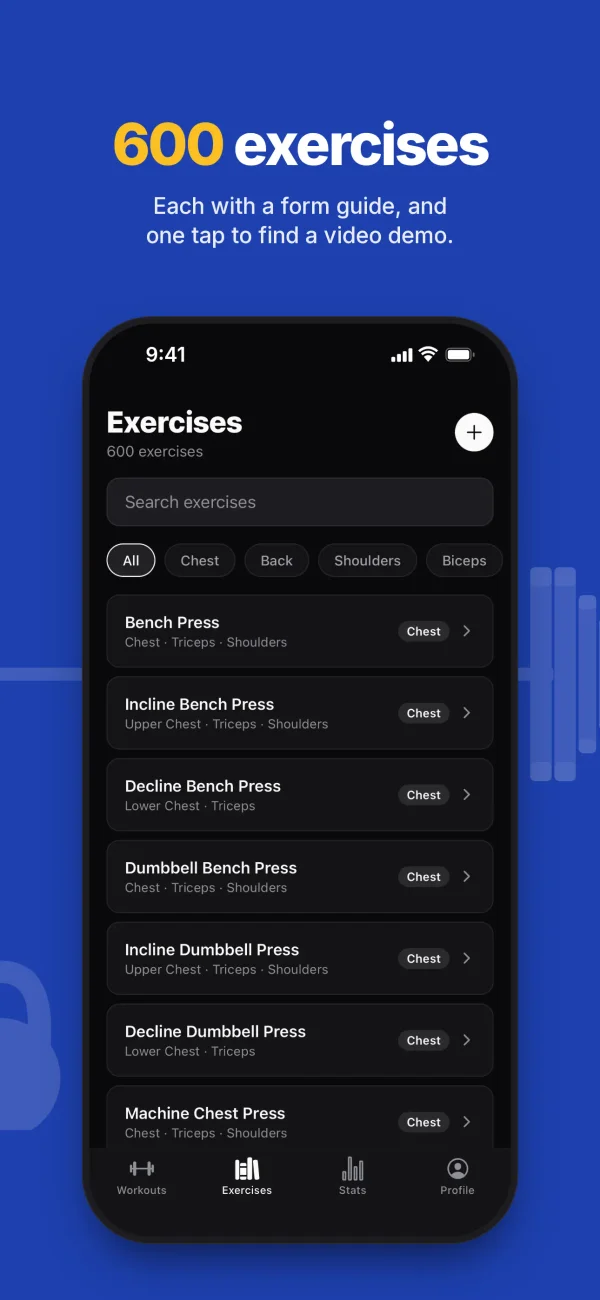
• 600 built-in exercises — barbell staples, machines, cables, bands, calisthenics, sports and neck work — each with a guide to doing it right, and one tap to find a video demo
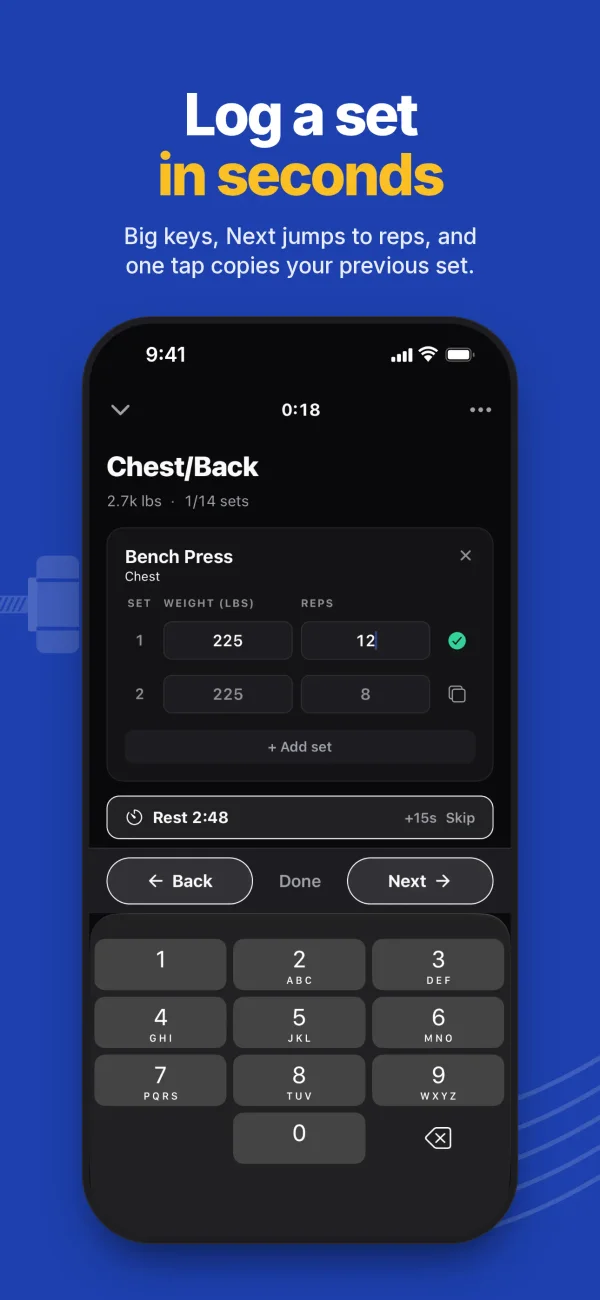
• A keypad built for the gym: enter weight and reps, then jump to the next field in one tap
• Copy your previous set in one tap
• Built-in timers for planks, dead hangs and other timed sets
• An optional rest timer between sets, from 30 seconds to 5 minutes
• Works with no signal: log a whole session in a dead zone and it syncs when you're back online
TRAIN SMARTER
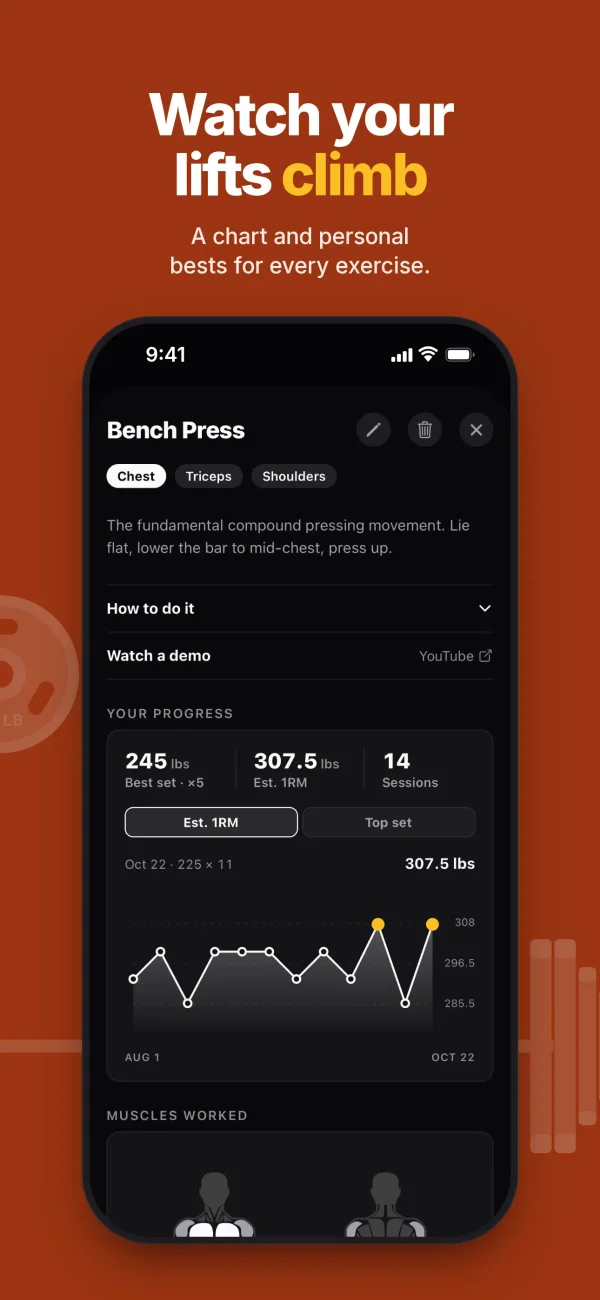
• Every lift shows your best set, your estimated one-rep max and a chart of where it's heading
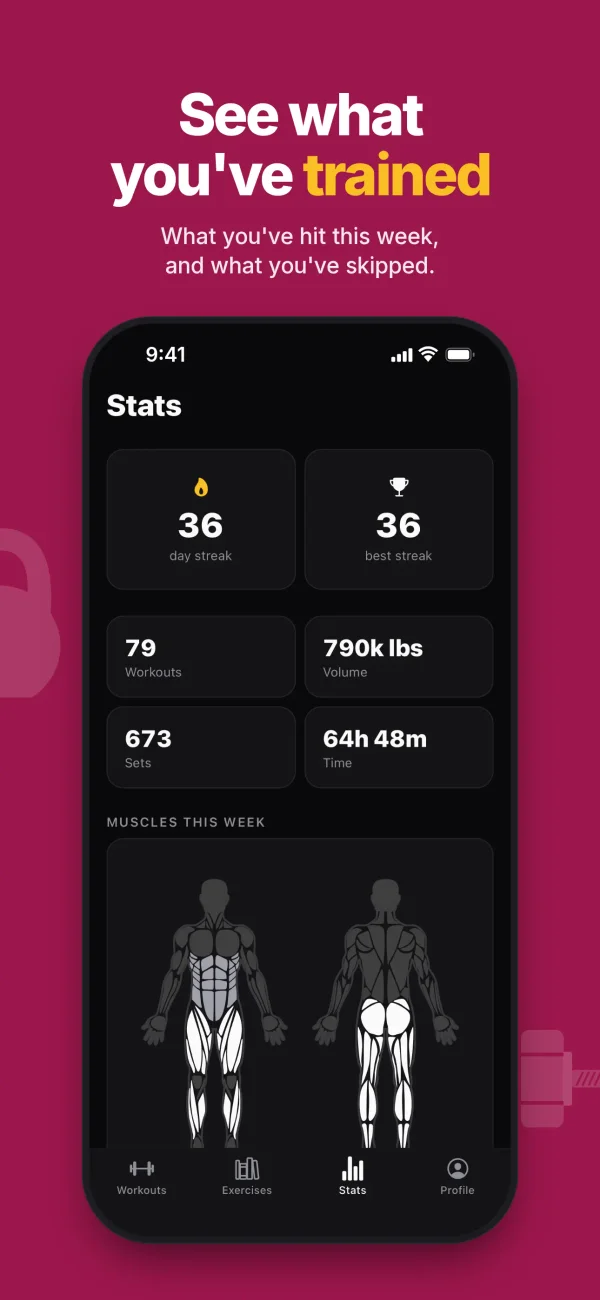
• A muscle map of what you've hit this week, and what you've skipped
• Streaks, total volume, sets and time on the Stats tab
• Your fastest mile, 5K and 10K, and your distance week by week
• Full workout history, a tap away
CARDIO
• Runs, walks, hikes, rides, swims, rows, ellipticals and stair sessions
• On Apple Watch: live heart rate and calories, plus distance and pace on runs, walks, hikes, rides and swims, and mile or kilometer splits on runs, walks, hikes and rides
• No watch? Runs, walks and hikes get their distance, pace and splits from your iPhone's step counter
• Sessions your watch tracks save to Apple Health, so they count toward your rings
APPLE WATCH
• Log the workout in progress from your wrist: the next set's weight and reps are ready, the Digital Crown adjusts them, and one tap logs it
• The rest countdown, right on your wrist
• Start a template from the watch
• Put Plato on your watch face
LIVE ACTIVITY
• Your workout lives on your Lock Screen and in the Dynamic Island, with a running clock, your set count and the rest countdown
START WITHOUT AN ACCOUNT
• No sign-up, no email, nothing to fill in
• Everything stays on your phone until you decide otherwise
• Create an account later and everything you've logged comes with you
PLAN YOUR TRAINING
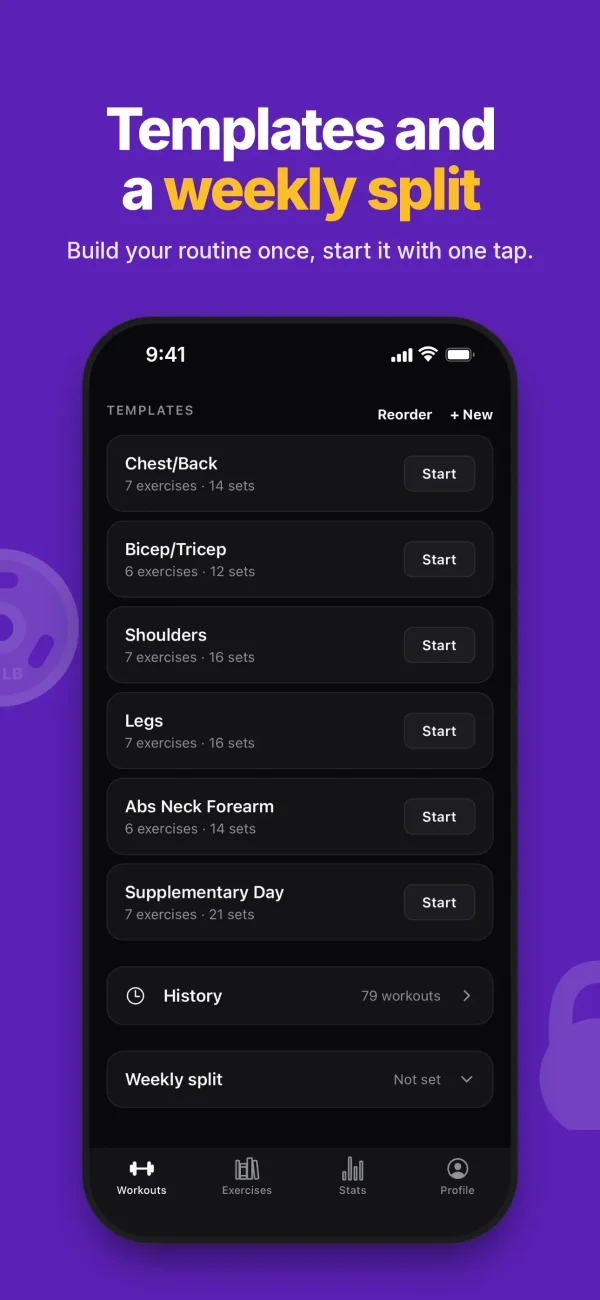
• Reusable workout templates, started in one tap
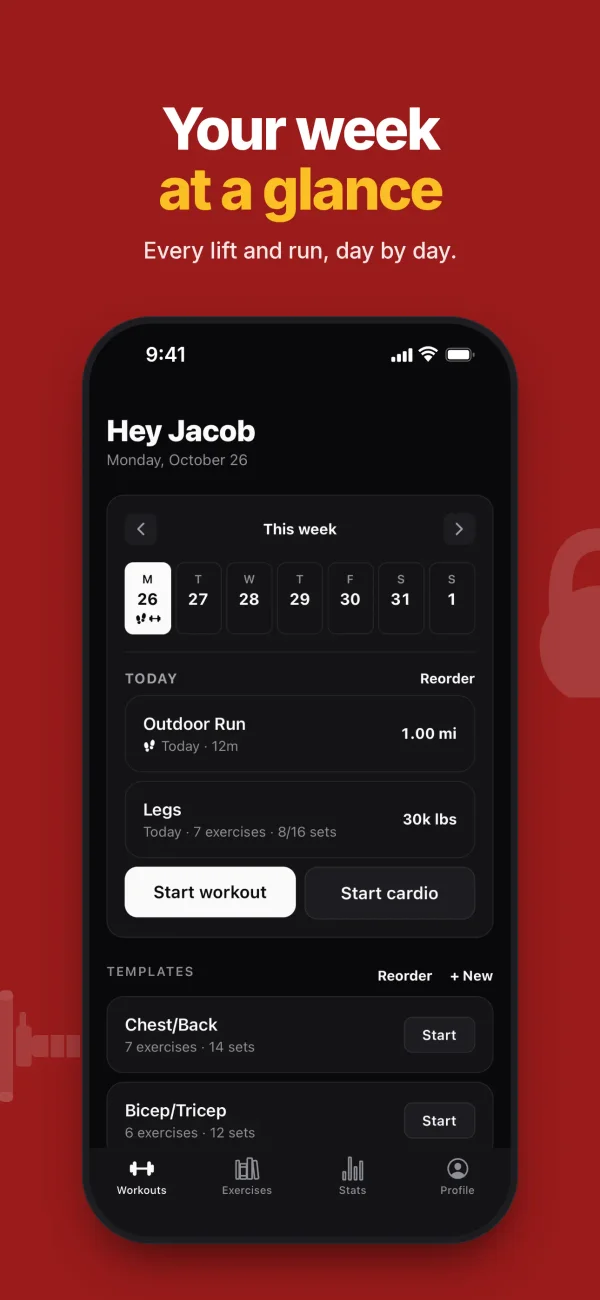
• A weekly split: a template for each day, already picked when you tap Start workout
• Plan workouts ahead on the calendar
BODY WEIGHT
• Log weigh-ins and watch the trend
• Pull-ups, dips and other bodyweight moves count at what you weighed that day, so a new weigh-in never rewrites what you've already lifted
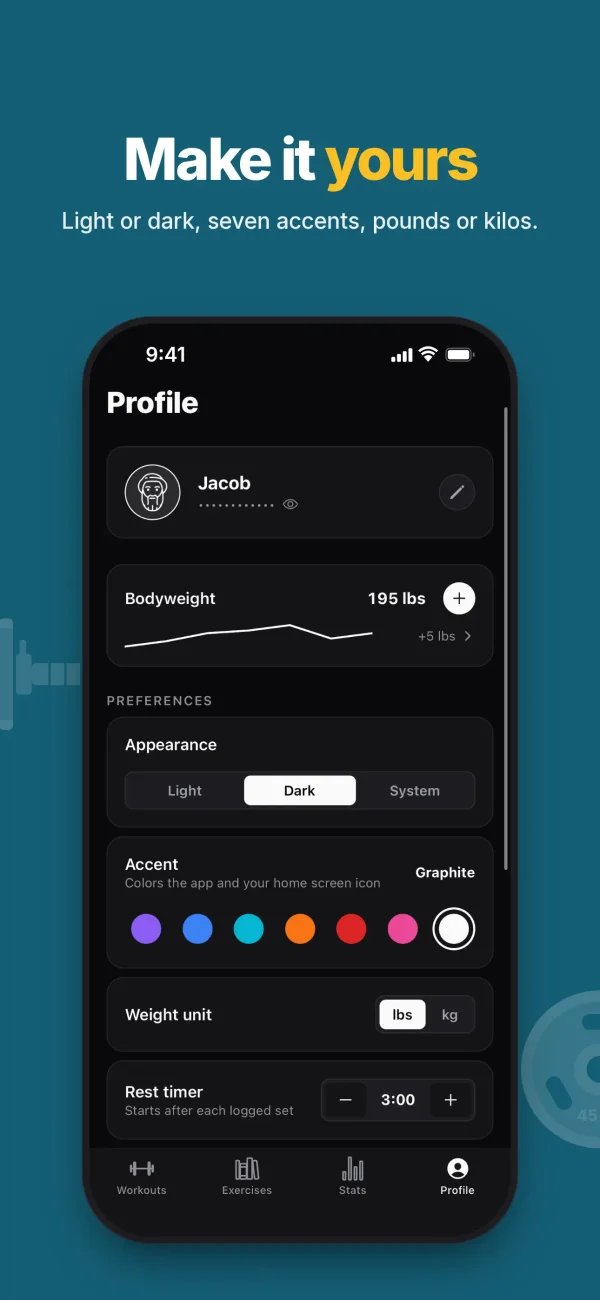
• Pounds or kilos, your call
MAKE IT YOURS
• Light or dark, or follow your phone
• Seven accent colors, and your home screen icon changes to match
YOUR DATA
• Sign in with Apple, Google or email to sync across devices
• Delete your account and all your data anytime, right from the app
Plato is for training. Everything else got cut.
Novedades
Versión 1.2.0 · 27/10/2026
Plato is on Apple Watch. Log the workout you have going from your wrist: the next set's weight and reps are ready, the Digital Crown adjusts them, and one tap logs it. The rest countdown runs there too, and you can start a template from the watch. Put Plato on your watch face to get to it in one tap.
Cardio sessions. Tap Start cardio for a run, walk, hike, ride, swim, row, elliptical or stair session. With an Apple Watch it tracks your heart rate live, plus distance and pace on runs, walks, hikes, rides and swims, with splits on all but swims, and saves the session to Apple Health so it counts toward your rings. No watch? Runs, walks and hikes get their distance, pace and splits from your iPhone's step counter. Stats shows your weekly distance and your fastest mile, 5K and 10K.
Start workout now opens a picker, the way Start cardio does: start blank or from any of your templates, with today's split already picked.
Plato now works with no signal. Open it in a basement gym and your history, templates and exercises are all there. Log a whole session, finish it, and it syncs to your account when you're back online, even if you close the app first.
600 exercises — the library has grown from under 200 to 600, each with a form guide. New: a Neck category, including the 4-way neck machine, plus the standing calf machine, V-squat and reverse hack machines, the reverse wrist roller and more grip work, band and cable variations, Olympic lifts, calisthenics progressions, and sports and classes for cardio.
Reorder the exercises in a workout you've already started: tap ⋯, then Reorder exercises. Sets you've logged move with their exercise.
Your body weight now counts even when you open Plato with no signal, and in templates — and workouts that missed it are corrected.
Back and Next on the keypad move exactly one field, every time.
A running timer on a plank or cardio set, and the rest countdown, now keep going even if you swipe Plato closed.
Search results no longer hide behind the keyboard. The bar for your workout in progress has a cleaner look, and if you have two going at once it lists both. Home is tidier too: History is one row under your templates, and the weekly split folds away until you need it.
Profile has a Help section, with support and the privacy policy a tap away.
Every exercise page has Watch a demo: one tap searches YouTube for that exercise.
The week on Home shows what you did each day: a barbell for a workout, and a run, ride or swim's own icon for cardio.
The rest timer now goes as short as 30 seconds, and new exercises can start with up to 10 sets.
Edited a built-in exercise? Restore original puts it back. And restoring the default exercises no longer deletes the ones you made.
Privacidad de la aplicación
Lo que Full Stach LLC declara en App Store sobre cómo esta aplicación gestiona los datos.
-
Datos vinculados a ti
Pueden recopilarse y vincularse a tu identidad.
- Salud y forma física
- Información de contacto
- Identificadores
Las prácticas de privacidad pueden variar, por ejemplo, según las funciones que uses o tu edad.
Información
- Vendedor
- Full Stach LLC
- Categoría
- Salud y forma física
- Versión
- 1.2.0
- Actualizado
- 27/10/2026
- Publicado
- 22/7/2026
- Tamaño
- 36,5 MB
- Requiere
- iOS 15.1 o posterior
- Clasificación por edad
- 4+
- Precio
- Gratis
- Idiomas
- Inglés
- Copyright
- © 2026 Full Stach LLC
Quizá también te guste
-
 Reech: Workout TrackerSalud y forma física
-
 GymTrack - Workout TrackerSalud y forma física
-
 openGym: Workout TrackerGym open source, sin anuncios
-
 Fitlist Workout Log & PlannerSalud y forma física
-
 MacroFactor Workouts: TrackerSalud y forma física
-
 Gym Workout Tracker: RepCountDiario entrenamiento gimnasio
-
 calorie.ai - Calorie TrackerSalud y forma física
-
 Arrow: Workout & Macro TrackerSalud y forma física
-
 Setgraph: Strength Workout LogBest Exercise Fitness Journal
-
 Stronger: Plan de Rutinas GymEntrenamiento en el Gimnasio