Pocket Easel
Mobile Plein Air & Color Study
Diseñada para iPhone, iPad
Gratis · Compras en la aplicación
- Clasificación por edad4+
- CategoríaDiseño gráfico
- Desarrollador彬 王
- IdiomasInglés
- Tamaño5,3 MB
Enlaza a la página oficial de App Store
Download.org no aloja ningún archivo de Pocket Easel. El botón abre la página de la aplicación en App Store, donde la publica 彬 王. Ficha comprobada por última vez el 27/11/2026.
Capturas de pantalla

Acerca de
El desarrollador no ha proporcionado este texto en tu idioma.
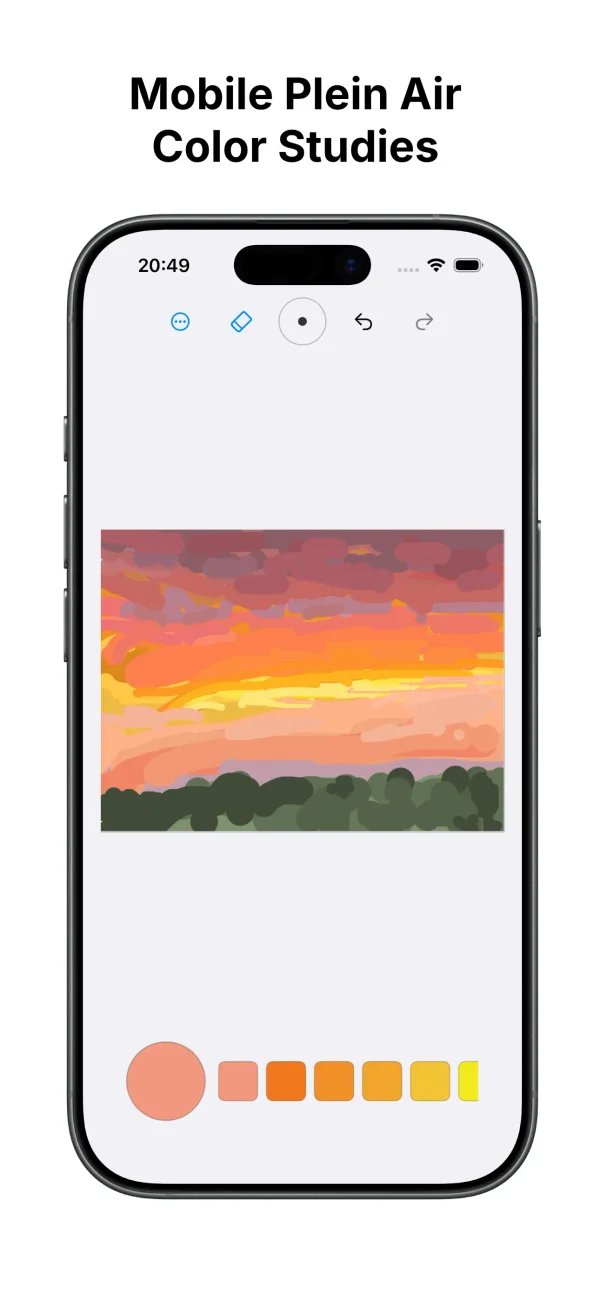
Pocket Easel is a color-study app for painting from life, wherever you are. It works like a painter's palette: a gamut mask decides which colors are on your palette, and a simple gesture lets you mix as you paint — a little warmer, a little cooler, lighter, darker — without ever leaving the picture.
The mask is what's on your palette. The gesture is how you mix.
Pick Color Without Leaving the Painting
Most apps make you stop, open a color panel and drag sliders to an exact value, then find your place again. In Pocket Easel you push the current color from the corner of the canvas, relative to where it is, the way you'd work a touch more paint into a mix. No numbers to hit, so adjusting often costs nothing.
Gamut Masks
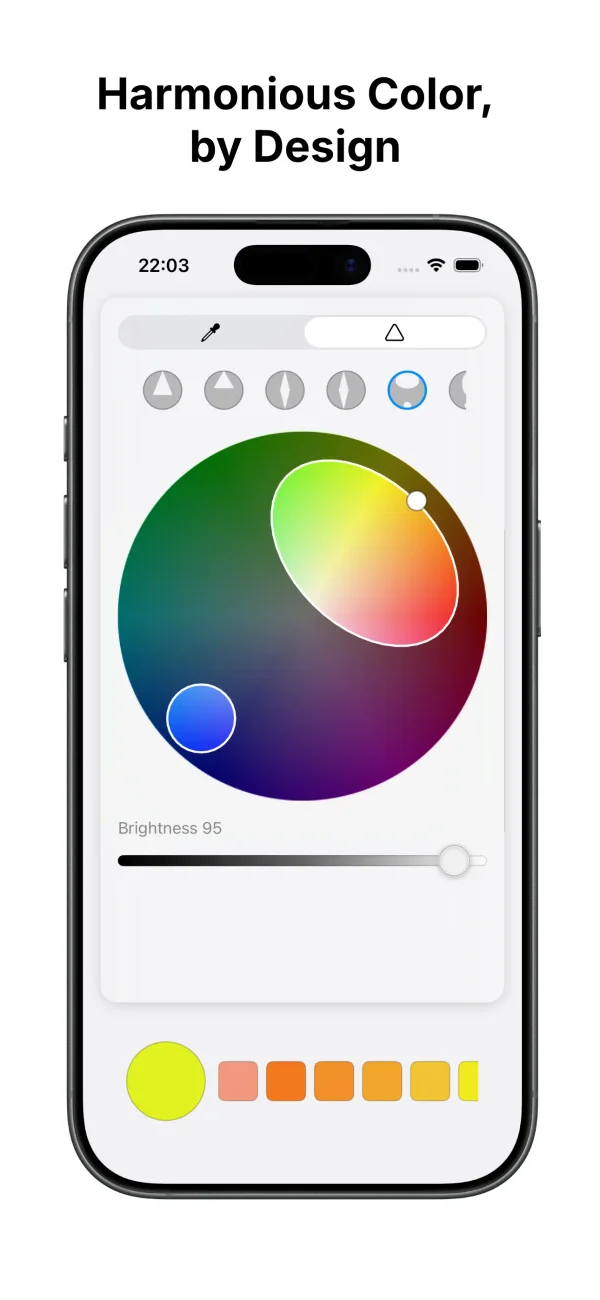
Before you start, choose a mask shape on the color wheel — a preset, or your own triangle or quad. It limits your palette to colors that belong together, so the whole study stays in harmony. Mixing never steps outside it.
Painterly Brushes
Round and flat brushes, lines and shapes, all with a subtle painterly texture that varies the color as real paint does. Smudge blends the paint already on the canvas.
See Your Values
Value Check shows your study in grayscale. While you adjust brightness, a ten-step value scale appears beside the wheel.
Master's Palette
Import a painting you admire and see where its colors sit on the wheel — then fit a mask to its gamut.
Color Studies
Every study is saved as you go. Name them, duplicate one to try an idea, and pick up any of them later.
Share Your Process
Export your study with a frame that shows the gamut wheel and the colors you used, or a time-lapse that shows each stroke and where its color came from on the wheel.
Made for Phone and iPad
Turn your phone sideways to paint with both hands. Left-Handed mode, Dark mode, and the same tools on iPad.
Pocket Easel is built for quick color studies, not detailed illustration — the constraint is the point. All painting tools and image export are free. Pocket Easel Pro, a one-time purchase, lets you turn off the frame, remove the watermark or use your own name, and export time-lapse videos.
Novedades
Versión 1.16 · 12/11/2026
Polygon
• Place a shape corner by corner: drag and lift for each corner, then lift on the first corner to fill it
• Zoom in between corners to place them precisely. Undo takes back the last corner
Flat Brush
• Smoother strokes for long, even marks
• Each stroke keeps one direction
Also new
• Reference photos can be made larger and moved partly off the screen
• Fixes and improvements
Privacidad de la aplicación
Lo que 彬 王 declara en App Store sobre cómo esta aplicación gestiona los datos.
-
No se recopilan datos
El desarrollador no recopila ningún dato de esta aplicación.
Las prácticas de privacidad pueden variar, por ejemplo, según las funciones que uses o tu edad.
Información
- Vendedor
- 彬 王
- Categoría
- Diseño gráfico
- Versión
- 1.16
- Actualizado
- 12/11/2026
- Publicado
- 6/8/2026
- Tamaño
- 5,3 MB
- Requiere
- iOS 17.6 o posterior
- Clasificación por edad
- 4+
- Precio
- Gratis
- Compras en la aplicación
- Sí
- Idiomas
- Inglés
- Copyright
- © 2026 Wang Bin
Quizá también te guste
-
 HEAVYPAINTDiseño gráfico
-
 HEAVYPAINT ClassicDiseño gráfico
-
 Color Study: Arte simplificadoColor, valor y forma
-
 TourBox ConsoleDiseño gráfico
-
 ImgRefTablero ref., escáner OCR
-
 Feather: Dibuja en 3DBosqueja, pinta en todo ángulo
-
 Value StudyAnaliza luz y sombra
-
 Head Model St: Estudio de arteReferencia en 3D de la cabeza
-
 Affinity by CanvaDiseño, foto y maquetación pro
-
 PatternDraw by FashionaryDiseño gráfico