ProjectBoard: Notes, PDF, AI
Notes taking, AI Docs, Task
Diseñada para iPhone, iPad, Mac
5,99 €
- Clasificación por edad4+
- CategoríaProductividad
- DesarrolladorRebecca Adormeh-Kwao
- IdiomasInglés+ 3 más
- Tamaño71,3 MB
Enlaza a la página oficial de App Store
Download.org no aloja ningún archivo de ProjectBoard: Notes, PDF, AI. El botón abre la página de la aplicación en App Store, donde la publica Rebecca Adormeh-Kwao. Ficha comprobada por última vez el 23/11/2026.
Capturas de pantalla
Acerca de
El desarrollador no ha proporcionado este texto en tu idioma.
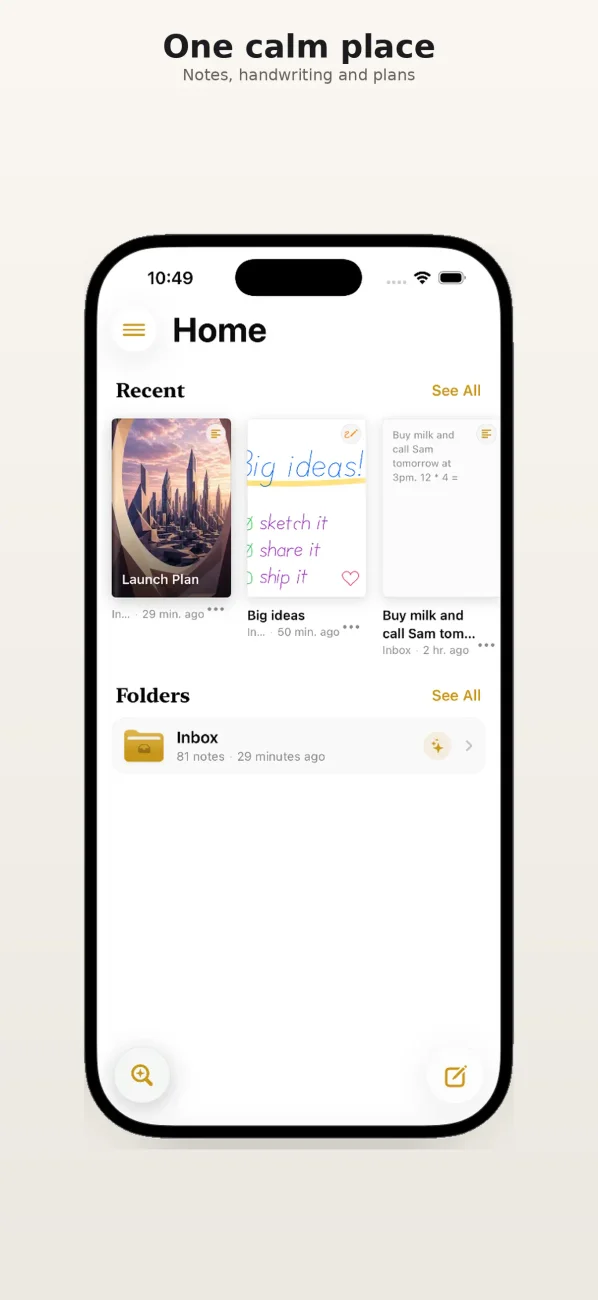
ProjectBoard is one calm place for your notes, handwriting and plans. Write by hand or type, keep everything in folders, and find any word you've ever written — even in your own handwriting.
HANDWRITTEN NOTES
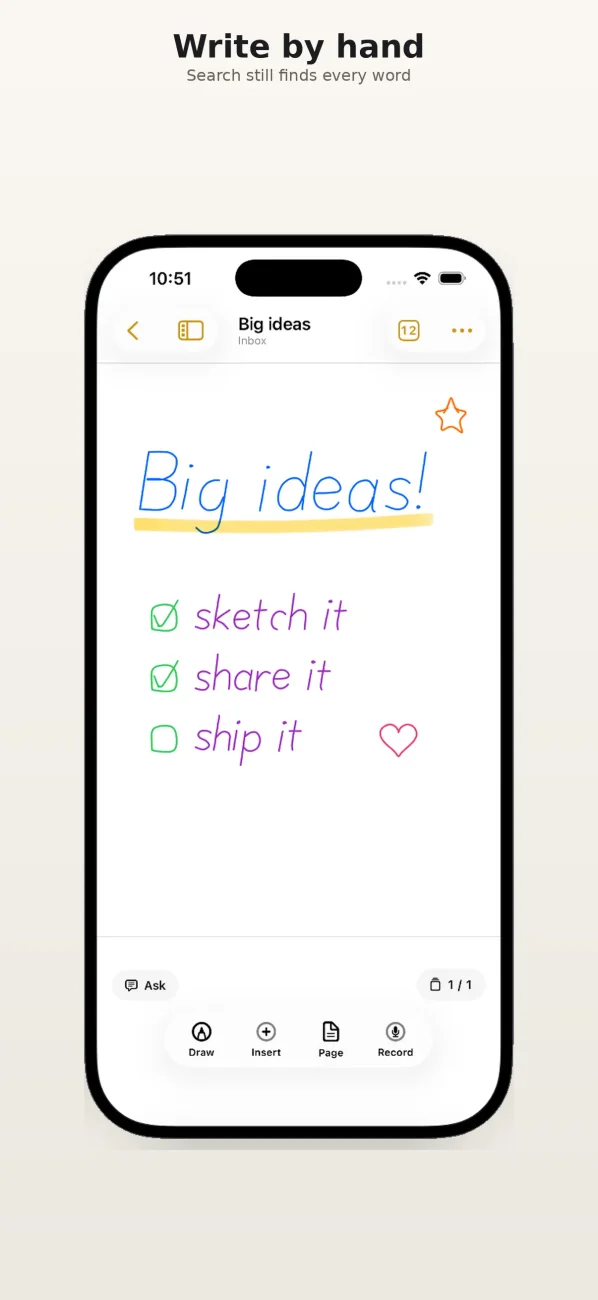
• Write with Apple Pencil on lined, grid, dotted or blank paper, or start from a planner, diary or study template
• Hold at the end of a stroke to snap a shape; scratch out to erase
• Write sums ending in "=" and the answer appears
• Convert handwriting to text, or turn a list into tasks
• Write directly on PDFs: lecture slides, handouts, worksheets
• Record a lecture while you write, then tap any stroke to hear what was said at that moment
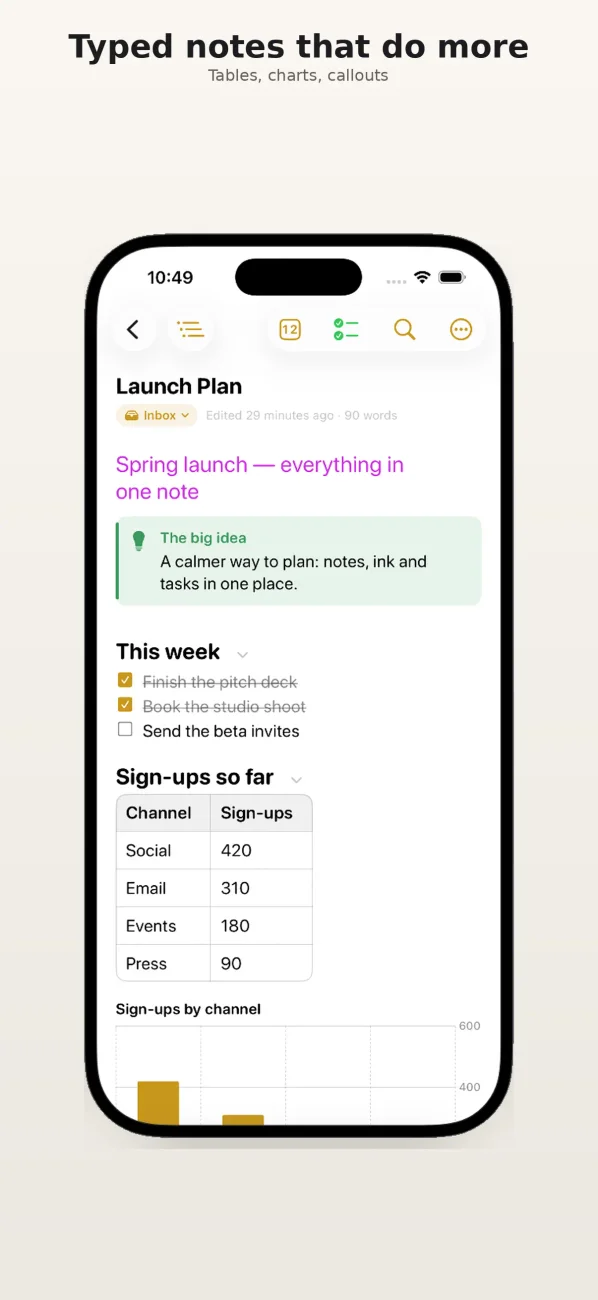
TYPED NOTES THAT DO MORE
• Headings, checklists, callouts, colours and highlights
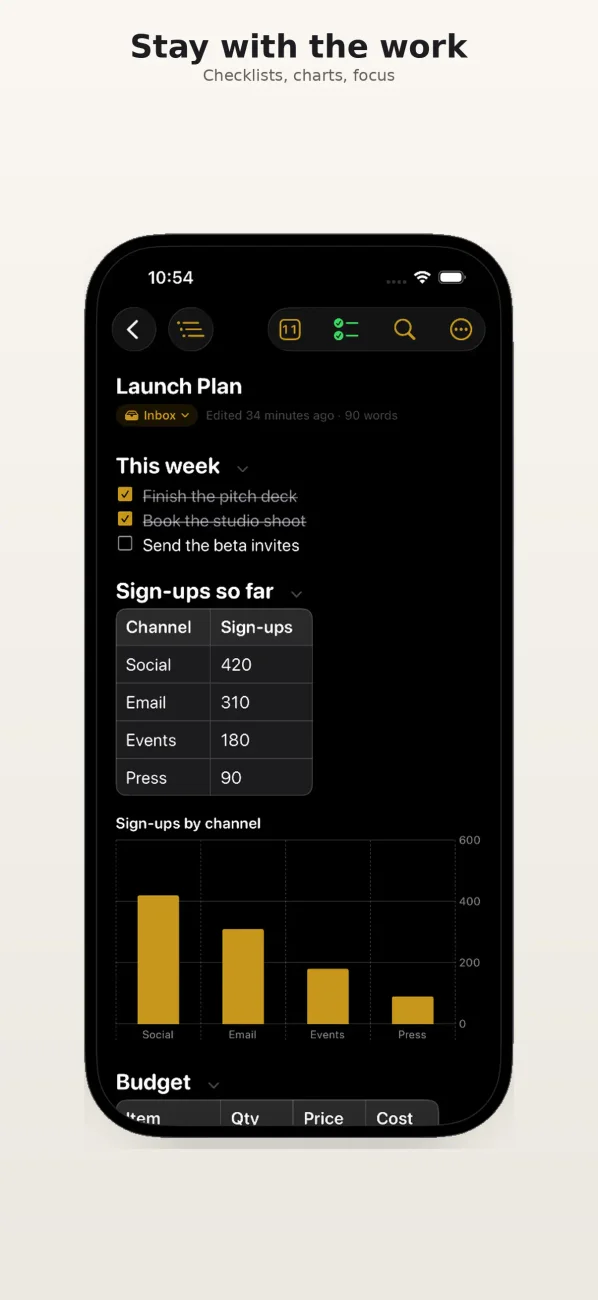
• Tables with live formulas like =B2*C2 and =sum(D), and charts drawn from your tables
• Beautifully typeset equations
• Citations and reference lists in five styles, with DOI and ISBN look-up
• Version history, margin comments and find and replace
• Lock private notes with Face ID or a password
• 45 document templates, from meeting minutes to a CV
• Export to PDF, Word, PowerPoint, Markdown and more, or import Word and Markdown files
SEARCH THAT READS EVERYTHING
Search finds words in typed notes, handwriting, photos, scanned documents and PDFs. Ask a question and get an answer drawn from your own notes, with links to where it came from.
PRIVATE, ON-DEVICE AI
• Ask Your Notes: questions answered from what you've written
• A daily brief of what's ahead
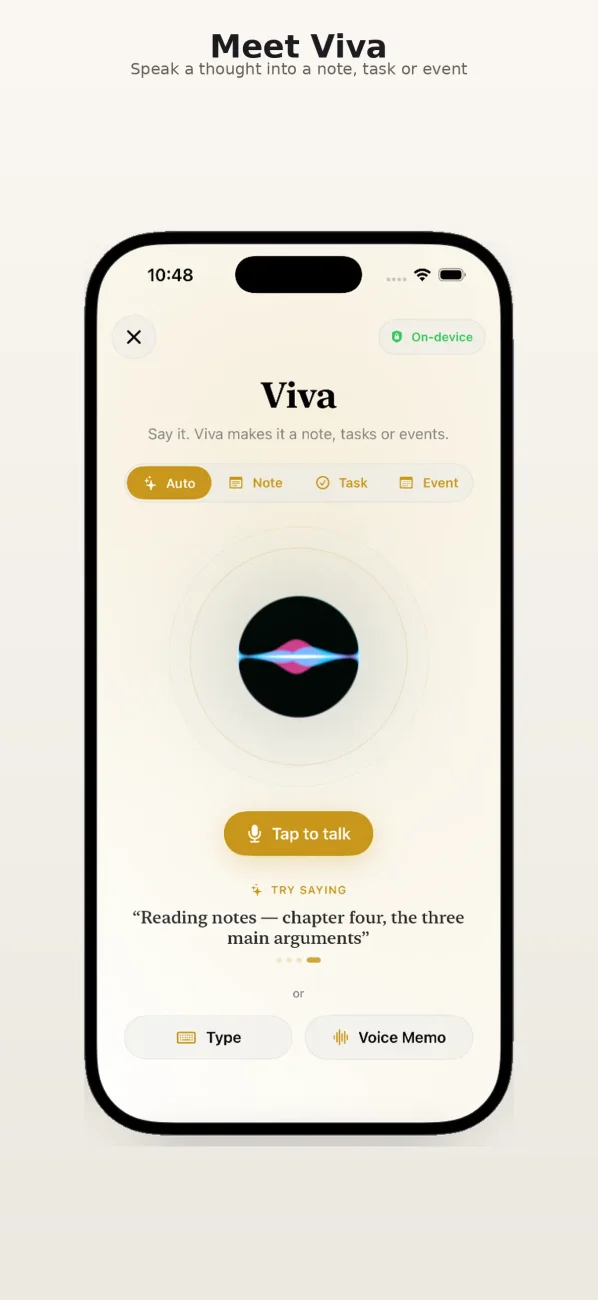
• Viva: speak a thought and it becomes a note, task or event
• Summaries, quizzes and flashcards from any note or PDF, with spaced repetition
AI runs on your device with Apple Intelligence, or with a downloadable model, so your notes stay yours.
PLAN YOUR DAY
• Tasks with subtasks, tags, due dates and repeats
• A calendar with day, week, month and agenda views
• Drag a task onto the calendar to block out time, then start a focus session
• Plan My Day fits your tasks into the free gaps around your events
EVERYWHERE YOU WORK
• Built for iPhone, iPad and Mac, synced through iCloud
• Open several notes side by side on iPad, or as tabs on Mac
• Siri and Shortcuts, Focus filters and a Share extension
• Clear on screen with Dynamic Type and VoiceOver
Novedades
Versión 1.0.2 · 17/11/2026
A new way around on iPhone, and typed notes that do far more.
NEW ON IPHONE
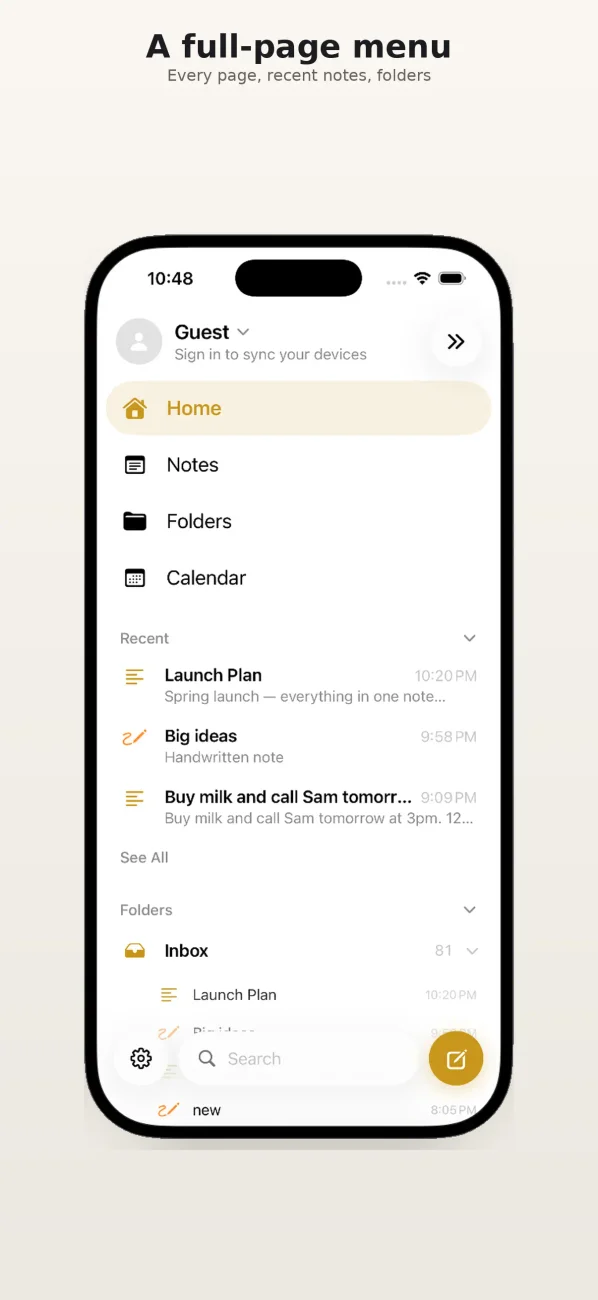
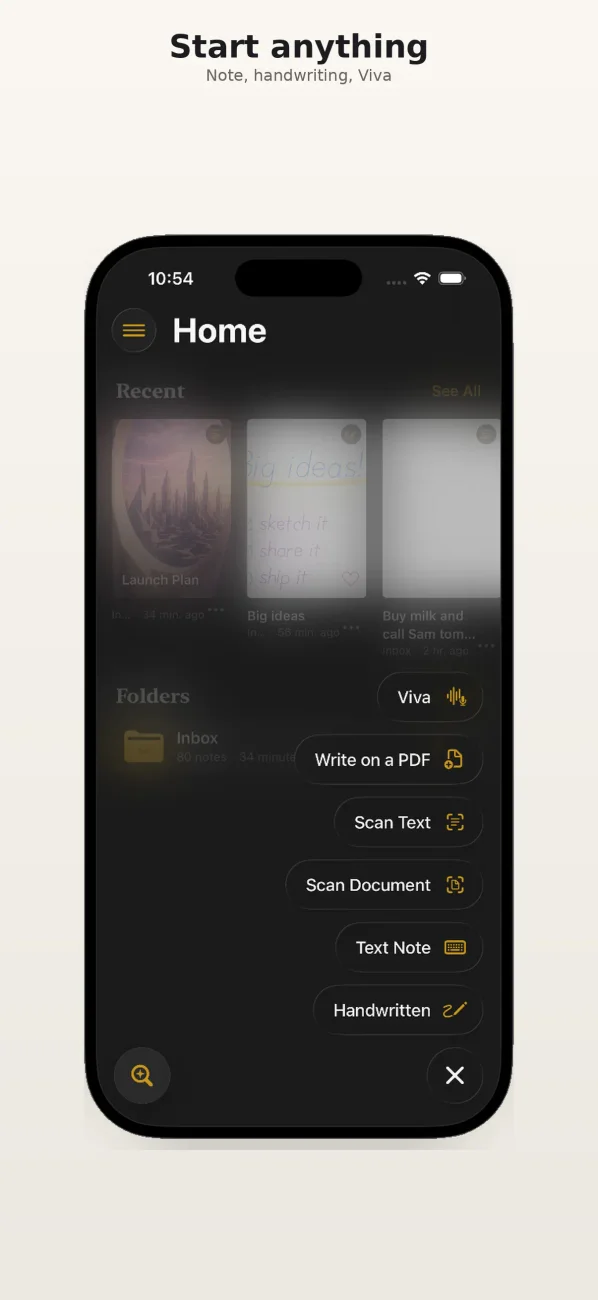
• A full-page menu replaces the tab bar: swipe in from the left edge or tap menu to reach every page, your recent notes and your folders
• Search the menu as you type, open folders in place, and start a text or handwritten note from one button
• Search opens as a single bar and closes straight back to Home
NOTES
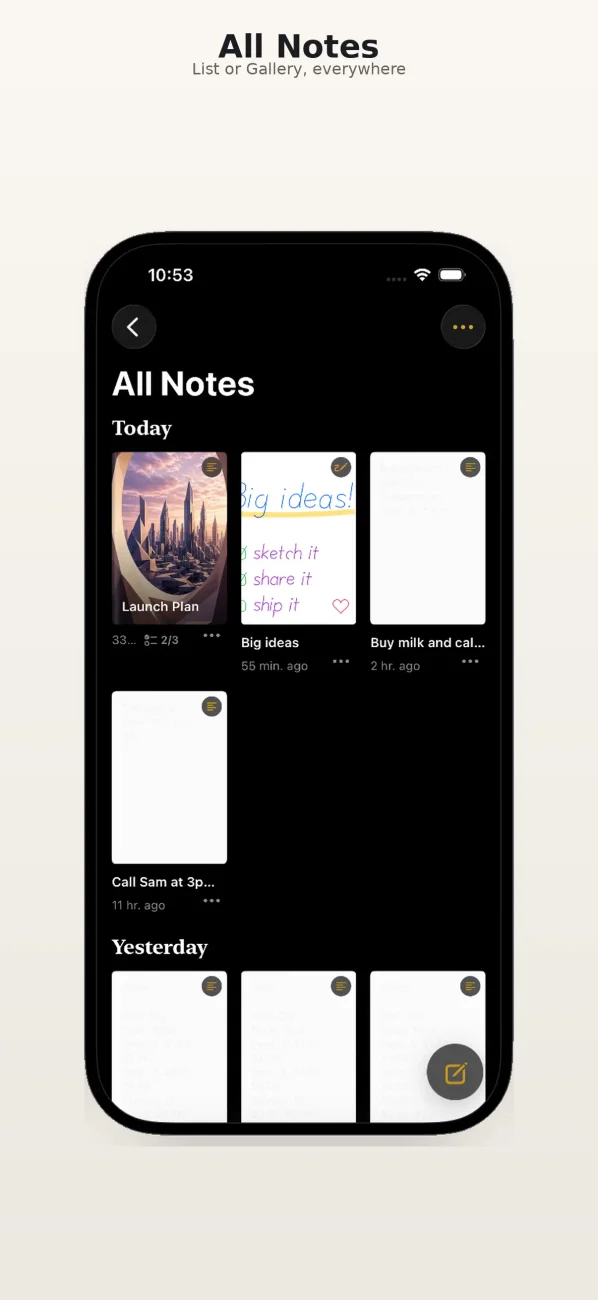
• The Notes page is simpler: All Notes up top, with Pinned, Handwritten and Recently Deleted in the ••• menu
• List or Gallery now applies everywhere, including your folders on the Notes page
• Back from a note returns you to the list you opened it from
TYPED NOTES
• Tables with spreadsheet formulas, number formats, merged cells, sorting and totals, plus paste from a spreadsheet
• Charts drawn from your tables
• Equations typeset natively, with a gallery of nearly 300 common ones
• Callouts, collapsible sections, link cards and backlinks
• Citations and reference lists, with BibTeX and RIS import and export
• Version history, margin comments, find and replace, and note locking
• Read as A4 or Letter pages, then export to PDF, Word, PowerPoint, Markdown and more
• Import Word and Markdown files, and start from 45 document templates
• Listen: have notes, handwriting and PDFs read aloud
IMPROVEMENTS AND FIXES
• Smoother menu and swipe animations
• Clearer messages when sign-in can't reach the server
• A simpler first-run walkthrough
• Many smaller fixes and refinements throughout
Privacidad de la aplicación
Lo que Rebecca Adormeh-Kwao declara en App Store sobre cómo esta aplicación gestiona los datos.
-
Datos no vinculados a ti
Pueden recopilarse, pero no se vinculan a tu identidad.
- Ubicación
- Información de contacto
- Diagnóstico
Las prácticas de privacidad pueden variar, por ejemplo, según las funciones que uses o tu edad.
Información
- Vendedor
- Rebecca Adormeh-Kwao
- Categoría
- Productividad
- Versión
- 1.0.2
- Actualizado
- 17/11/2026
- Publicado
- 16/6/2026
- Tamaño
- 71,3 MB
- Requiere
- iOS 18.0 o posterior
- Clasificación por edad
- 4+
- Precio
- 5,99 €
- Idiomas
- Inglés, Francés, Alemán, Español
- Copyright
- © 2026 Amsrak Consult
Quizá también te guste
-
 Noteline - Markdown NotesProductividad
-
 SubnotesProductividad
-
 Tri ClipperWeb clipper para Trilium
-
 Triquid NotesNotas de Trilium, donde sea
-
 Craftify: BYOK AI shortcutsHerramientas de texto con LLM
-
 Musing NotesProductividad
-
 NoteStream — Capture Your MindProductividad
-
 Atelier LibrettoProductividad
-
 KendoshiProductividad
-
 NoteWorthy: Smart NotesProductividad