
PromptBook
Theatre Script Markup
Diseñada para iPhone, iPad, Mac
Gratis · Compras en la aplicación
- Clasificación por edad4+
- CategoríaProductividad
- DesarrolladorJames Appleby
- IdiomasInglés
- Tamaño27,4 MB
Enlaza a la página oficial de App Store
Download.org no aloja ningún archivo de PromptBook. El botón abre la página de la aplicación en App Store, donde la publica James Appleby. Ficha comprobada por última vez el 28/11/2026.
Capturas de pantalla
Acerca de
El desarrollador no ha proporcionado este texto en tu idioma.
Promptbook is the professional cue-marking tool built for stage managers and theatre technicians. Import your script, mark your cues, annotate with Apple Pencil, run the show and produce a complete prompt book.
MARK CUES WITH PRECISION
• Drag to select text and place cue marks that snap to the script baseline
• Double-tap to place point cues at exact positions
• Place multiple cues from different lists at the same moment with multi-cue mode
• Auto-generate standby cues that reference upcoming sequences (e.g. "Standby LX5-8, SFX4-9")
• Support for scores and mixed scripts
IMPORT CUE LISTS
• Import cues from a CSV or spreadsheet, or read them straight off an ETC Eos desk or QLab workspace
• Review new and changed cues before anything is applied
• Match by order when the script and desk are numbered differently
• Place new cues with one selection, and undo any import
ORGANISE YOUR SCRIPT
• Create unlimited colour-coded cue lists: LX, SFX, VFX, Fly, or any custom department
• Auto-renumber cues with configurable intervals and start points
• Click-to-renumber for precise manual sequencing
• Toggle list visibility without losing data
• Number pages your own way: skip title pages, add pages like 12A, restart for each act
• Act and scene markers, shown on every page
• Skip lines you never read, such as long stage directions
COLLABORATIVE EDITING
• Share your script with the whole team
• Script owner can make the script read only
• Assign editors for each cue list or notes layer, so people can only edit what they are supposed to
• Changes sync to all participant devices in real time
• Make private notes layers
• Works offline and resyncs on connection
• When the share is stopped, choose to keep a local editable copy
MAKE NOTES
• See handwritten notes made on iPad
• Create named annotation layers: Director Notes, Sound Notes, Blocking, and more
• Place floating text notes anywhere on the page
• Mark cuts, highlights and text corrections
• Draw blocking diagrams on the page
FLEXIBLE LAYOUTS
• 10 configurable page layouts: cross-page with annotation panels, on-page inline, or full-width
• Continuous scroll or page-by-page
• Light and Dark Modes
SHOW MODE
• A configurable reader line: cues above fade, upcoming cues highlight
• Movable widgets for current cues, the show timer and console tracking
• Next cue preview: the next cue out of sight, as it appears in the script
• Track ETC Eos and QLab: follow the desk, or tap to jump to the current cue
• Cue Lights between devices on your network
SHOW TIMING AND REPORTS
• Time acts, intervals and show stops, logged from the script or the desk
• Make notes on the script during the show by tap or Apple Pencil
• Show Times history with running times, averages and PDF or CSV export
• Show reports and rehearsal reports, shared as PDF
PRODUCTIONS
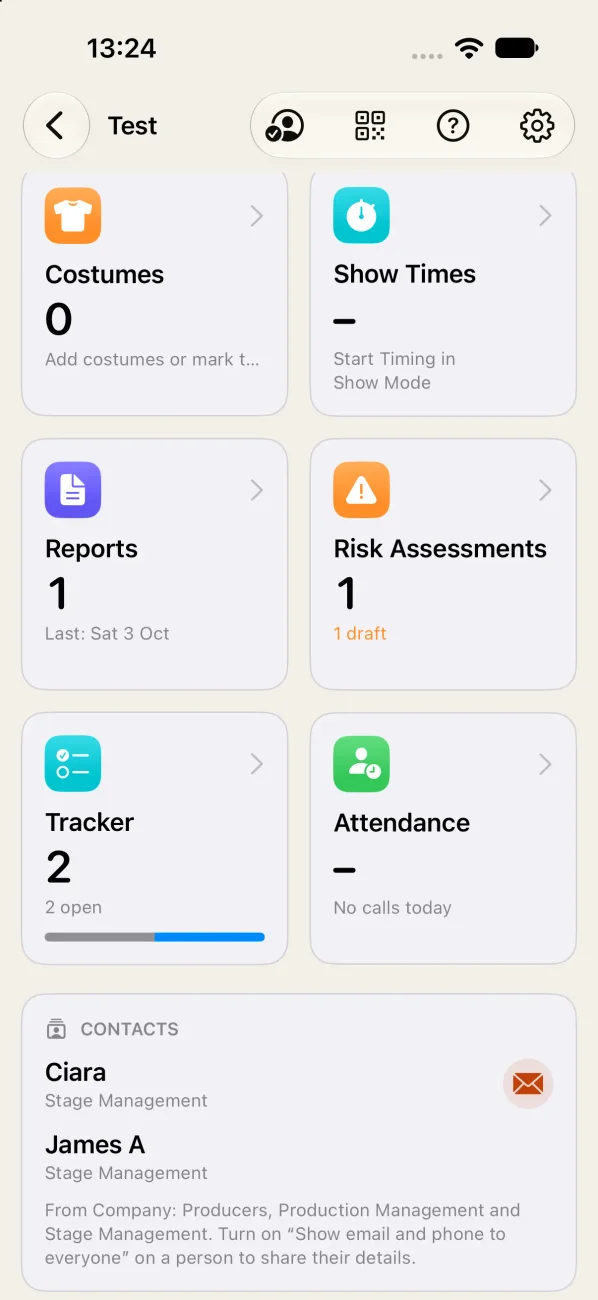
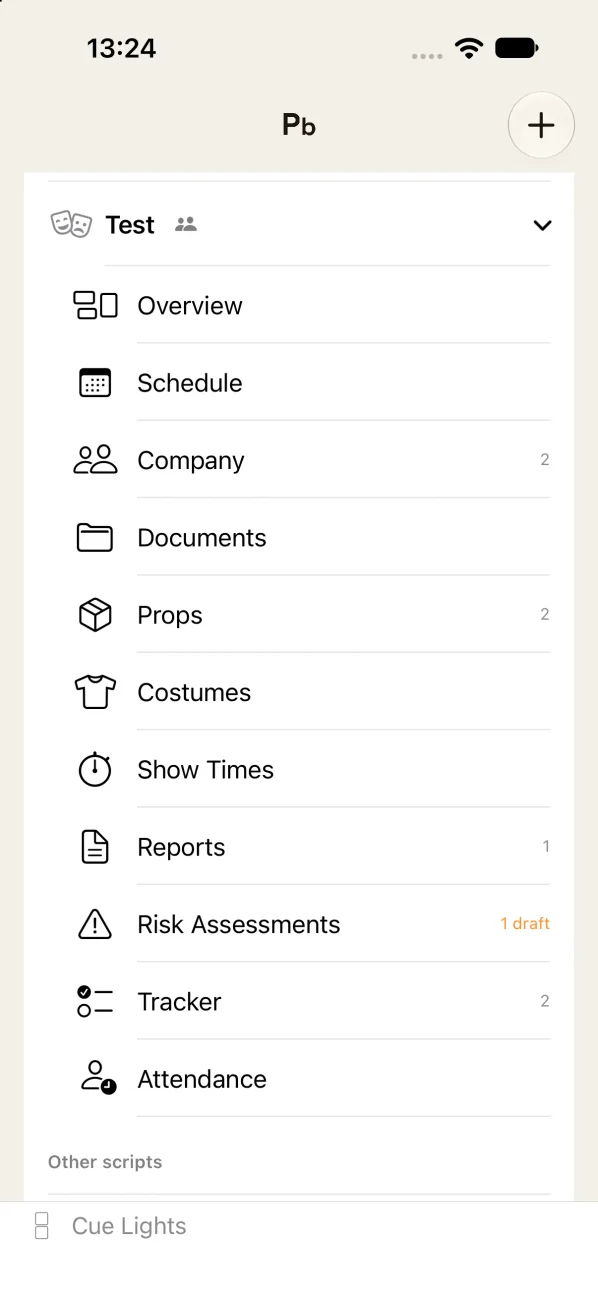
• Keep the company, schedule and calls, venues, props and costumes in one place
• Add calls to your calendar and send them to the company
• Stage-door sign-in from phones, with attendance
• Risk assessments from templates, exported as PDF
IMPORT UPDATED SCRIPTS
• Import new versions of scripts with version history and automatic cue transfer
• Insert, replace or delete pages, and archive a version to go back to
AUTOMATIC CUE LISTS
• Available in app or in various export formats based on the selected cue text
EXPORT & SHARE
• Export your complete prompt book as PDF: binder layout or single-page inline
• Export cue sheets as PDF or ETC Eos-compatible CSV
• Choose which departments and annotation layers to include
• Import PDF or Word document scripts with automatic OCR for scanned pages
SYNC ACROSS DEVICES
• iCloud sync keeps your scripts, cues, and annotations up to date
• Annotation previews appear on Mac even without Apple Pencil
• Viewer app on iPhone
Free to download. Promptbook Pro unlocks every feature, with a free trial.
Novedades
Versión 5.2.3 · 27/11/2026
bug fixes for app failing to load storekit status on launch.
Improvements to score scripts.
fix for EOS port bug leading to crashes
Privacidad de la aplicación
Lo que James Appleby declara en App Store sobre cómo esta aplicación gestiona los datos.
-
No se recopilan datos
El desarrollador no recopila ningún dato de esta aplicación.
Las prácticas de privacidad pueden variar, por ejemplo, según las funciones que uses o tu edad.
Información
- Vendedor
- James Appleby
- Categoría
- Productividad
- Versión
- 5.2.3
- Actualizado
- 27/11/2026
- Publicado
- 17/4/2026
- Tamaño
- 27,4 MB
- Requiere
- iOS 18.0 o posterior
- Clasificación por edad
- 4+
- Precio
- Gratis
- Compras en la aplicación
- Sí
- Idiomas
- Inglés
- Copyright
- © 2026 James Appleby
Quizá también te guste
-
 Cue to Cue Theatre EditionProductividad
-
 LightBaseProductividad
-
 CueSheetProductividad
-
 Show StopWatchProductividad
-
 CUEPal ConsoleProductividad
-
 LX ToolBoxProductividad
-
 Vecbase: equipo de agentes IATu equipo de IA que trabaja
-
 Control Mascotas - SoulkinRegistro, Salud, Vacunas, Peso
-
 TELUS Crop ManagementProductividad
-
 PdfCraft: Escanear DocumentosScan Documents & PDF converter