
Pulse: Interval & Round Timer
Boxing, HIIT, EMOM & Flow
Diseñada para iPhone
Compras en la aplicación
- Clasificación por edad4+
- CategoríaSalud y forma física
- DesarrolladorLance Merrill
- IdiomasInglés
- Tamaño12,6 MB
Es posible que Pulse: Interval & Round Timer no esté disponible en App Store en este momento
No se pudo acceder a la ficha de la tienda en nuestra última comprobación. El enlace sigue llevando a la página oficial de App Store.
Capturas de pantalla

Acerca de
El desarrollador no ha proporcionado este texto en tu idioma.
A fast, colorful timer for the things you do in chunks — and the things you do until you're done. Intervals, Pomodoro, and open-ended flow sessions. 168 palettes.
WHY PULSE
Every interval timer looks the same — red background, green active state, none of it yours. And they all only count down, so when the work doesn't fit a fixed box you fight the timer.
Pulse counts both directions, brightly, and gets out of your way. Big numbers. Live Activity. Apple Watch. $3.99 once unlocks it all.
FLOW MODE (NEW)
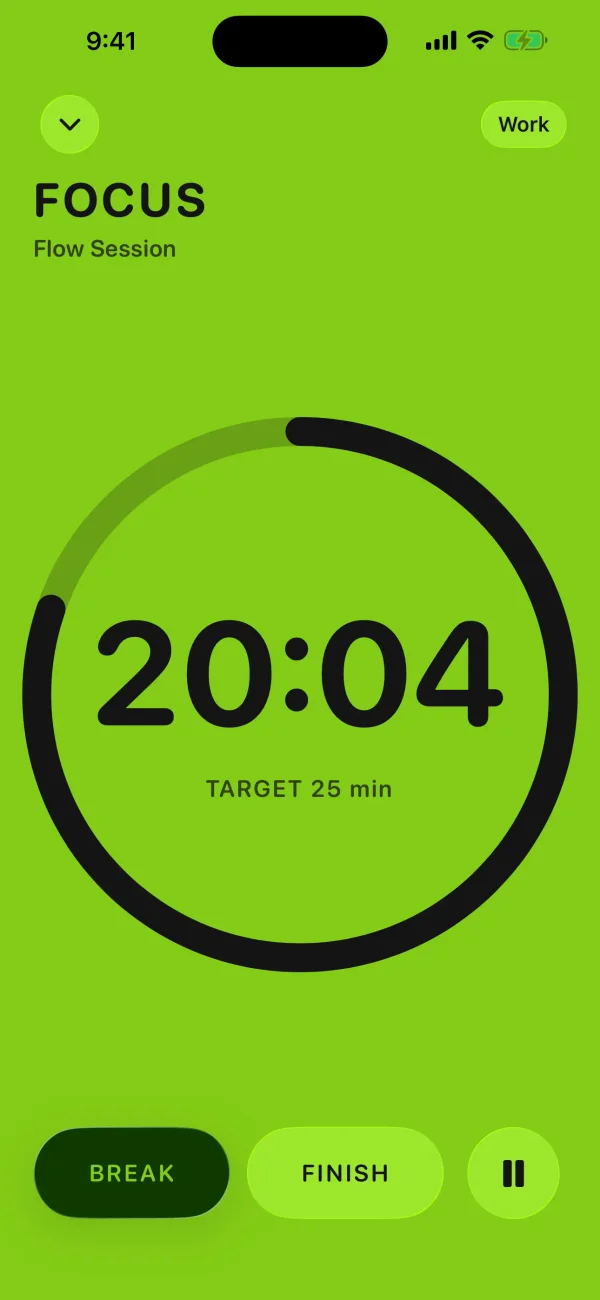
A flow session counts UP. Focus until you decide to stop; the break you earn is proportional to the focus you put in.
• Tap START and go — no countdown, no cap
• Tap BREAK for focus ÷ 5 (or ÷ 4, or ÷ 3). 50 minutes of focus earns a 10-minute break
• Optional target: a chime when you reach it, then it keeps counting — it never stops you
• Optional reminders every 5, 10, 15, 20 or 30 minutes: a soft tick and a haptic
• Works locked: the count-up rides your Lock Screen and Dynamic Island, cues still fire
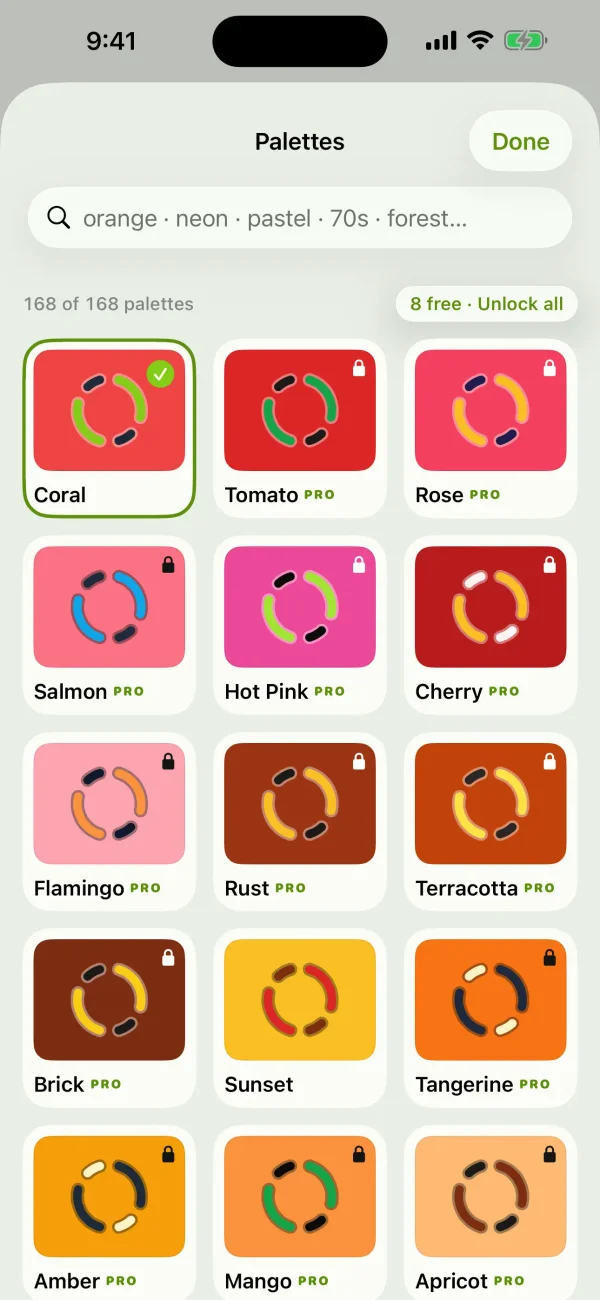
168 PALETTES, SEARCHABLE
• Coral — bright red + lime + black (the classic)
…and 167 more. Search by color ("orange"), vibe ("neon", "calm"), or era ("70s"). Eight ship free; the one-time unlock opens all 168 and repaints the whole app instantly.
TWO TAPS TO START
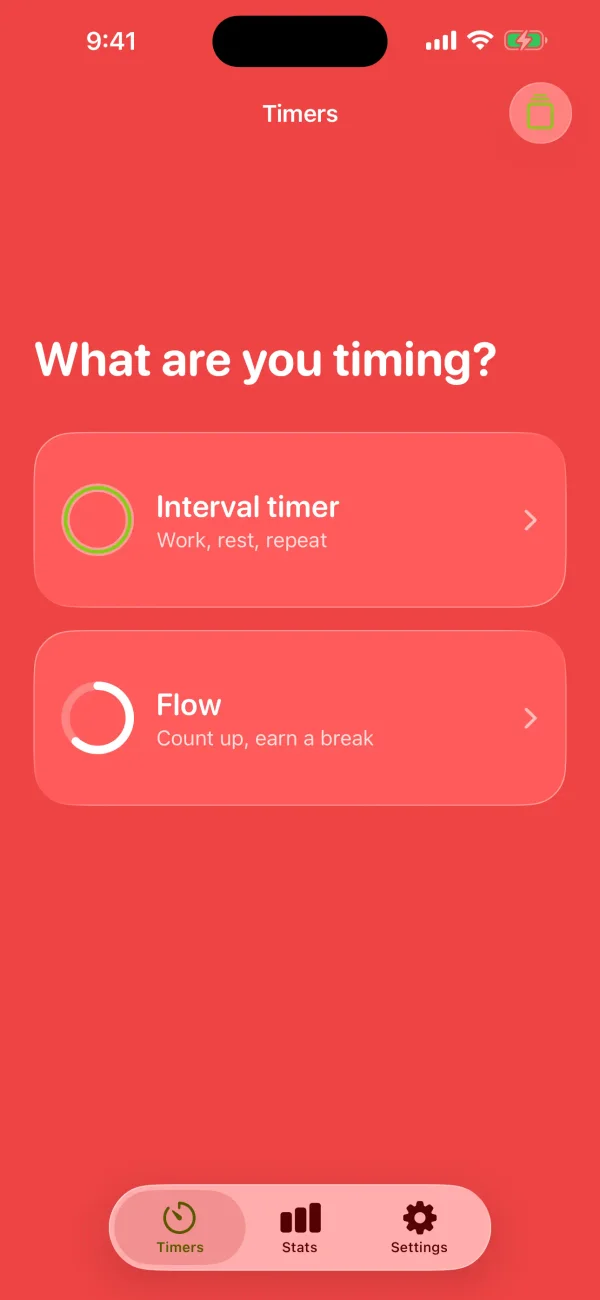
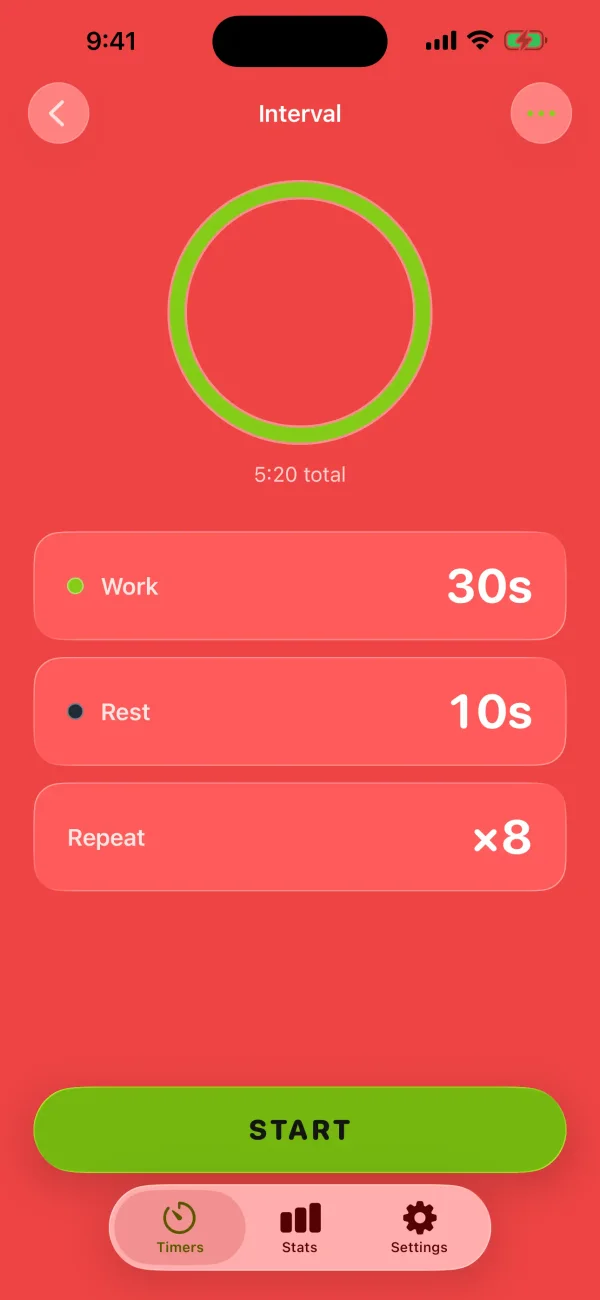
Pick Interval or Flow, set three simple controls, tap Start. Or open the Library for a template:
• Flow Session, Flowmodoro 25, Deep Work 90 — the new flow templates
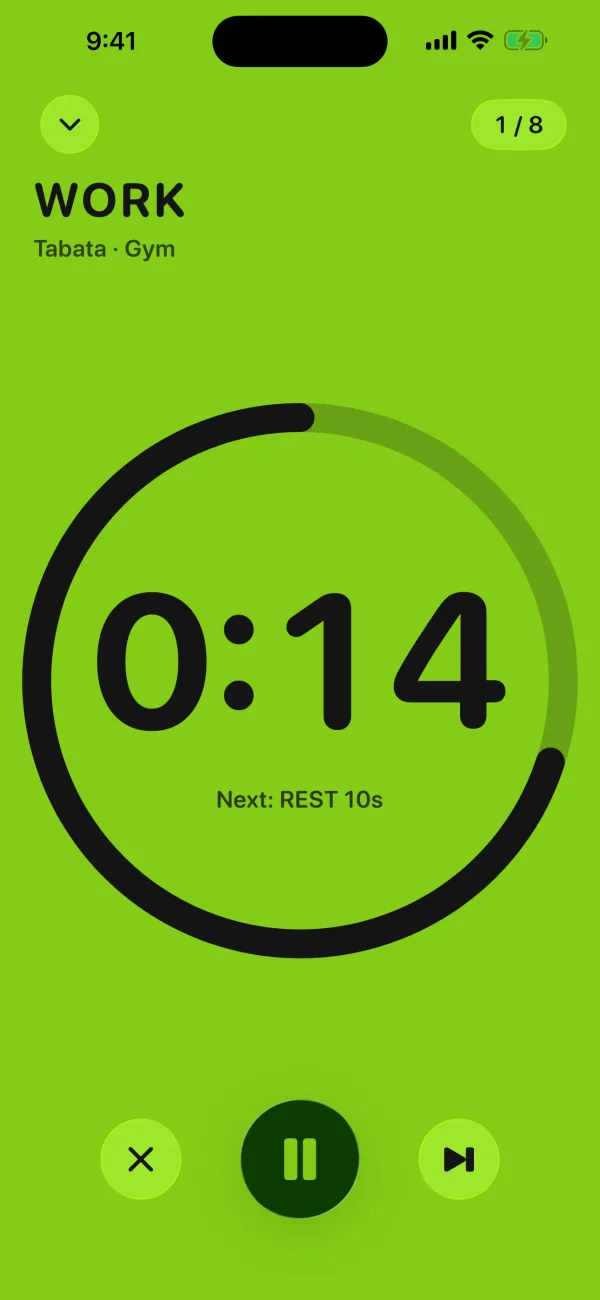
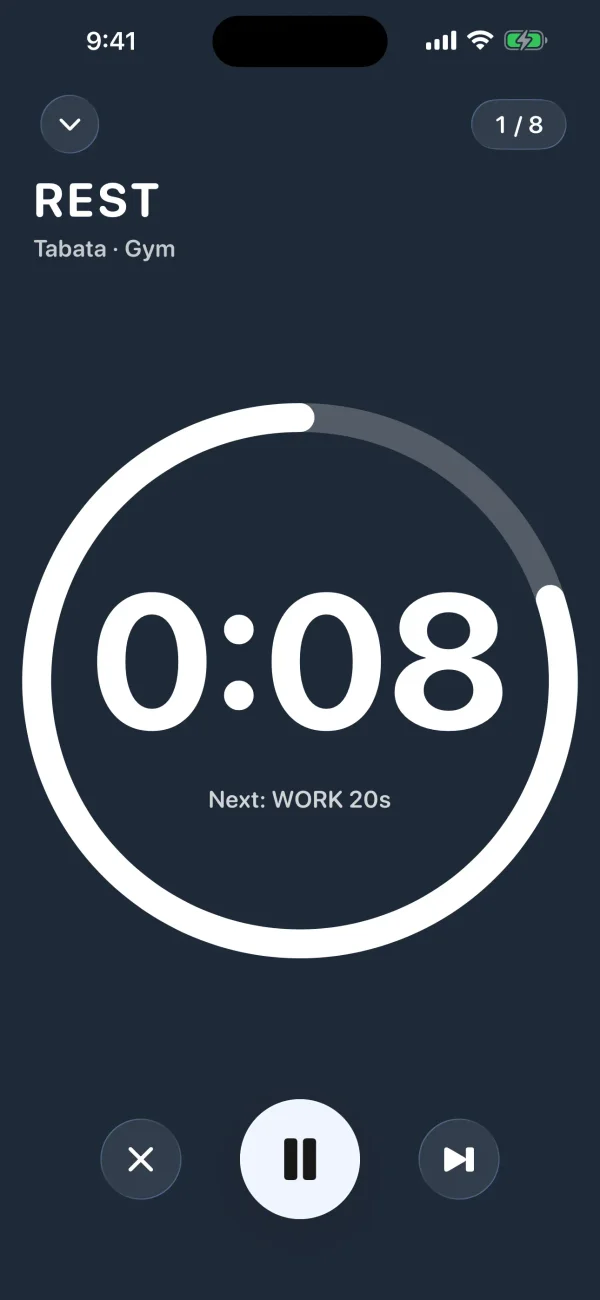
• Tabata — 8 × 20s work / 10s rest
• Pomodoro — 25/5 focus cycle
• Boxing Rounds — 3 min / 1 min corner
Save any setup as a named timer — one tap next time.
WHAT'S INSIDE
• Big-number timer inside one countdown ring — glanceable across the room, color-coded: focus, work, rest, done
• Liquid Glass — rebuilt for iOS 26
• Live Activity — Lock Screen + Dynamic Island keep ticking in other apps: down in intervals, up in flow
• Beeps + haptics — 3-2-1 countdown and interval cues that fire with the screen locked
• Your timers — save, name, edit, reuse (three free; Pro unlimited)
HISTORY & LABELS
• Label a timer Work, Study, Gym, Boxing — or anything you type
• Every session logged: timer, label, duration, rounds, outcome, grouped by day. Tap any row
• Streak — days in a row with a finished session. No shame, no confetti
• This week's focus time, six stat cards, an activity grid, time by label
• Export CSV (Pro) — your whole history in one file
Free keeps the last 7 days. Pro keeps everything.
SHORTCUTS & CONTROL CENTER
• Ask Siri: "Start a flow in Pulse" — or "Start my Boxing Rounds in Pulse"
• Add "Start Flow" to Control Center or your Lock Screen
• Both actions work in the Shortcuts app for your automations
ON YOUR WRIST
• Apple Watch app — start any saved interval timer, or Quick Start, from the watch
• Palette-matched work/rest states, haptic taps at every transition
• The watch runs its own timer — it can't drift or freeze
• Flow sessions are iPhone-only for now
WHO IT'S FOR
• Writing, coding and studying — flow sessions, deep work
• HIIT and Tabata circuits, boxing rounds, EMOM
• Pomodoro sprints and focus blocks
• Meditation, breathwork, yoga, cooking, music practice
WHO IT'S NOT FOR
• People who want a workout video library (this is a timer, not a fitness app)
• People who want an app that blocks other apps — Pulse gets out of the way instead
• Anyone looking for a subscription — Pulse is one payment, forever
PRICING
• Pulse Pro — $3.99 one-time: all 168 palettes, unlimited timers, unlimited history + CSV export
• Supporter unlock — $9.99 one-time: same features, bigger thank-you
Flow, labels, reminders, Shortcuts and Control Center are free.
No subscription. No auto-renew. No ads. Ever.
PRIVACY
Your timers and history stay on your phone. No account, no tracking, no ad SDKs. Pulse sends anonymous usage counts to our own server, never your timer names or labels. Privacy Policy: https://trypulsetimer.com/privacy.
SUPPORT
support@trypulsetimer.com · https://trypulsetimer.com/support
Novedades
Versión 1.5.0 · 13/10/2026
• Share a finished workout or flow session from the DONE screen. The message lists the rounds, work and rest times and total time, with a link to Pulse.
• After a few finished sessions, Pulse may ask once per version for an App Store rating. It never asks in the first 3 days, during a run, or within a day of the unlock screen.
Privacidad de la aplicación
Lo que Lance Merrill declara en App Store sobre cómo esta aplicación gestiona los datos.
-
Datos no vinculados a ti
Pueden recopilarse, pero no se vinculan a tu identidad.
- Compras
- Ubicación
- Identificadores
- Datos de uso
Las prácticas de privacidad pueden variar, por ejemplo, según las funciones que uses o tu edad.
Información
- Vendedor
- Lance Merrill
- Categoría
- Salud y forma física
- Versión
- 1.5.0
- Actualizado
- 13/10/2026
- Publicado
- 7/7/2026
- Tamaño
- 12,6 MB
- Requiere
- iOS 26.0 o posterior
- Clasificación por edad
- 4+
- Compras en la aplicación
- Sí
- Idiomas
- Inglés
- Copyright
- © 2026 Lance Merrill
Quizá también te guste
-
 Shunyah: AI Guided MeditationSalud y forma física
-
 SimpleStreaksSalud y forma física
-
 Circadian: Sunrise SleepSalud y forma física
-
 Pulse: Interval TimerSalud y forma física
-
 Diario de Gota: acido uricoReto de 100 dias y purinas
-
 BloodCuff: Tensión Arterial+ peso, glucosa, SpO2, temp
-
 renalee — Dieta RenalControl de nutrición renal IA
-
 GameAware ProSalud y forma física
-
 Reboot JourneySalud y forma física
-
 Session: Temporizador HIITIntervalos, Tabata y Running