PureBeads: Bead Patterns
Make bead patterns from photos
Diseñada para iPhone, iPad
Gratis
- Clasificación por edad4+
- CategoríaDiseño gráfico
- DesarrolladorChien Yu Wang
- IdiomasChino tradicional
- Tamaño1,5 MB
Enlaza a la página oficial de App Store
Download.org no aloja ningún archivo de PureBeads: Bead Patterns. El botón abre la página de la aplicación en App Store, donde la publica Chien Yu Wang. Ficha comprobada por última vez el 12/11/2026.
Capturas de pantalla
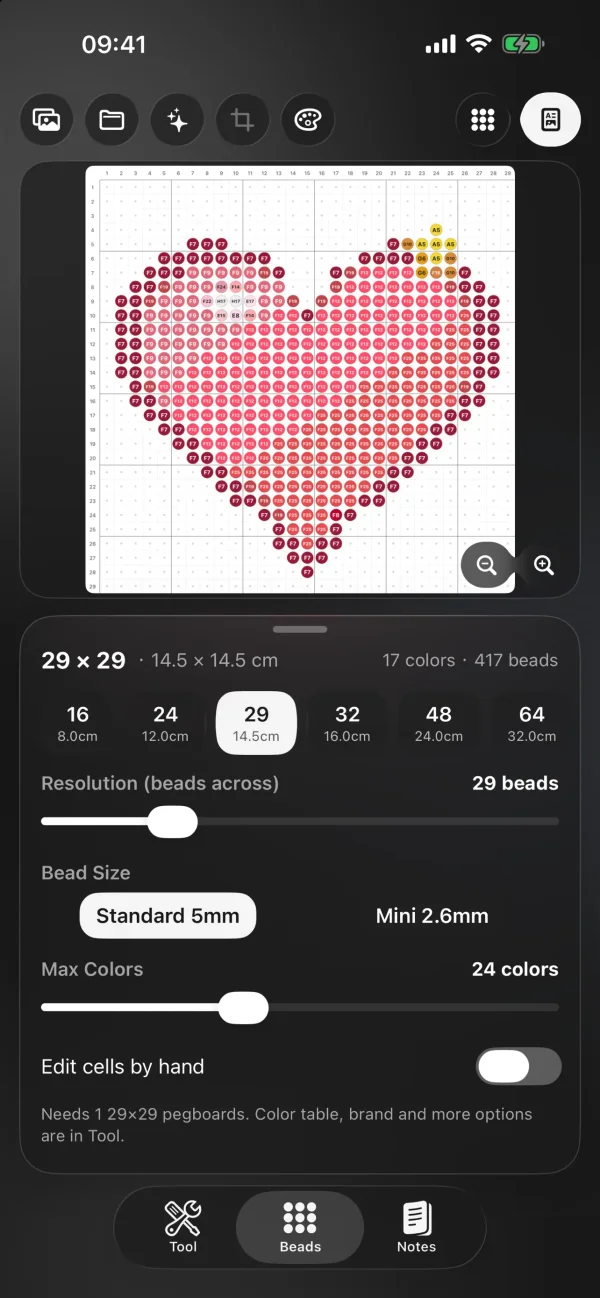
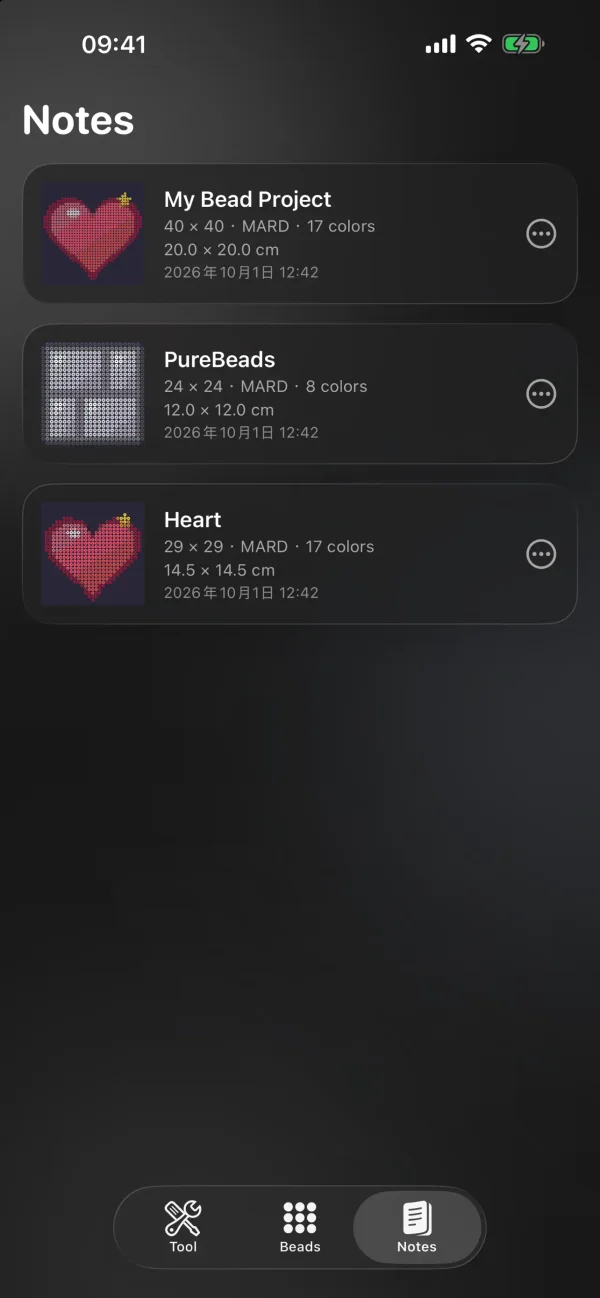
Acerca de
El desarrollador no ha proporcionado este texto en tu idioma.
NEW: GREAT ON FOLDABLES (INCLUDING iPHONE DUO)
• Unfolded: preview on the left, all settings and the color table on the right — tweak while you watch
• Folded: a one-hand-friendly narrow layout with controls on the right edge
• Unfolded, choose right-handed or left-handed: controls and settings sit on your side
• Before the manual is made, confirm round beads or square color blocks, the brand palette and bead size — sensible defaults, just tap Create
• The manual opens full screen, and on big screens shows two pages side by side for easy reading, sharing and printing
NEW — PIXEL WIZARD MODE: round beads or square blocks, a color slider from black & white to full color, crisp outlines, swap any color with a tap, and freer cropping!
Turn your photo into a bead picture you can build one bead at a time!
Bead crafts are simple: put lots of tiny colorful beads on a board, iron them, and they stick together into something you made yourself.
But which color goes where? That's the tricky part.
PureBeads figures it out for you!
HOW TO PLAY — JUST SIX STEPS
1. Pick a photo: one you took, drew or downloaded.
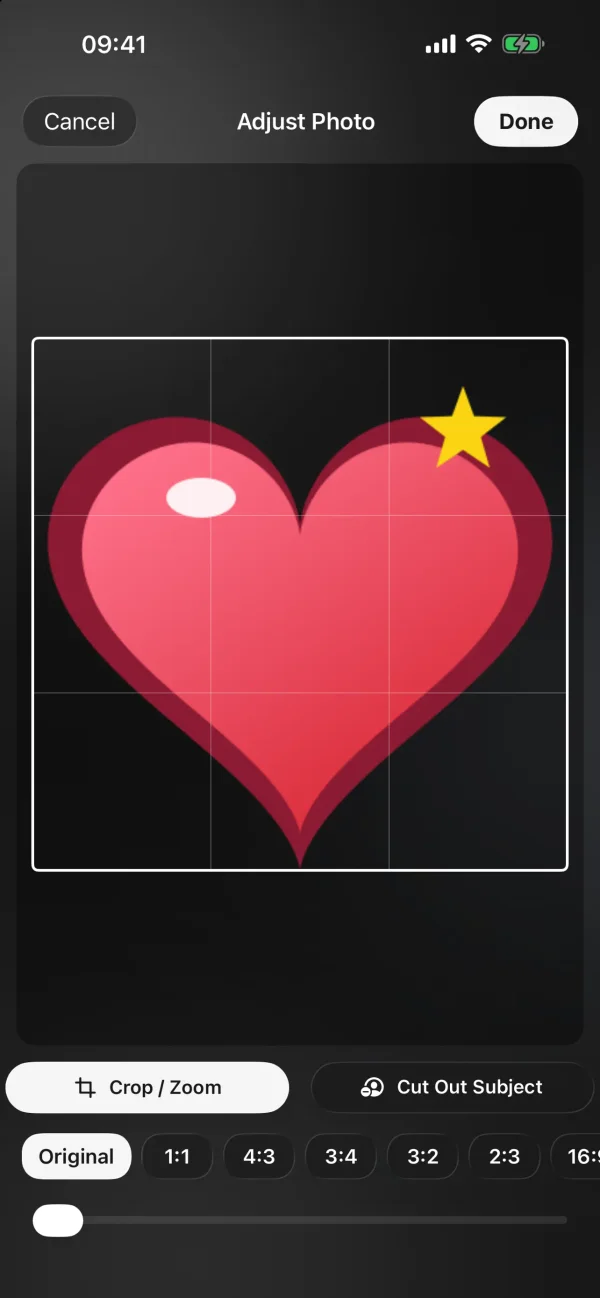
2. Crop it and zoom in or out. Want the background to disappear and keep only the star of the picture? You can do that too.
3. Choose how many beads wide to make it: more beads means more detail, fewer beads means you finish sooner.
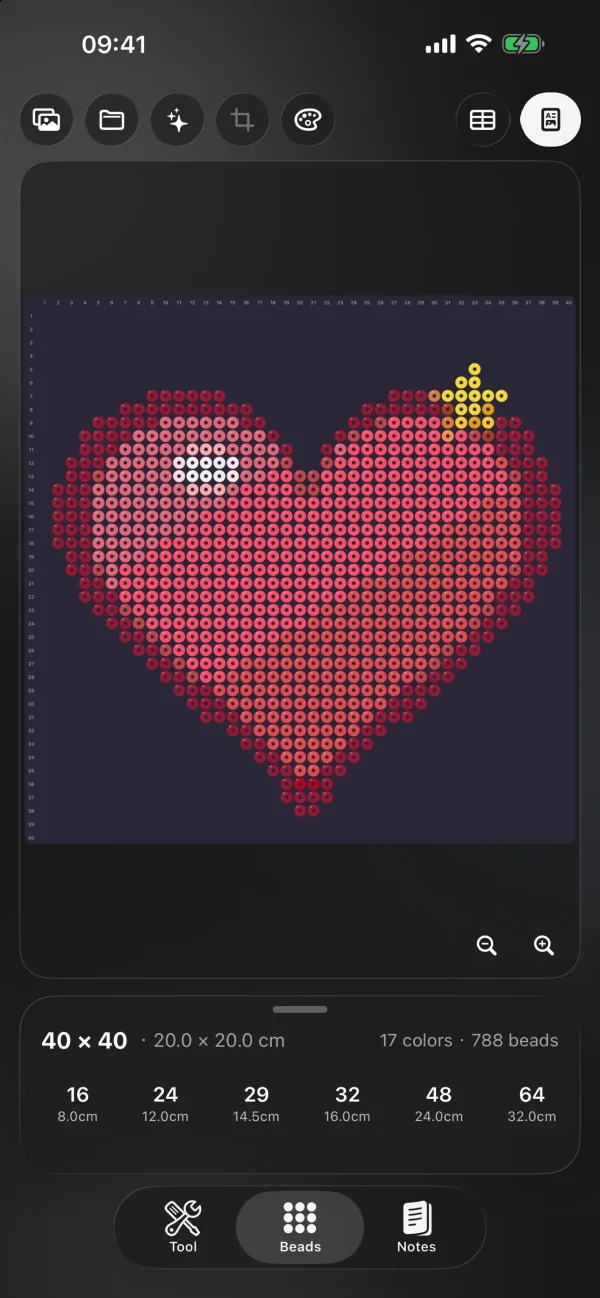
4. See how it will look right away, and how big it will be when it's done.
5. Tap once to make your MANUAL: where every cell is and which color code every bead is. It's all written down.
6. Print it, or keep it on a tablet, and follow along!
KIDS WILL LOVE
• Change something and see the picture change, like magic
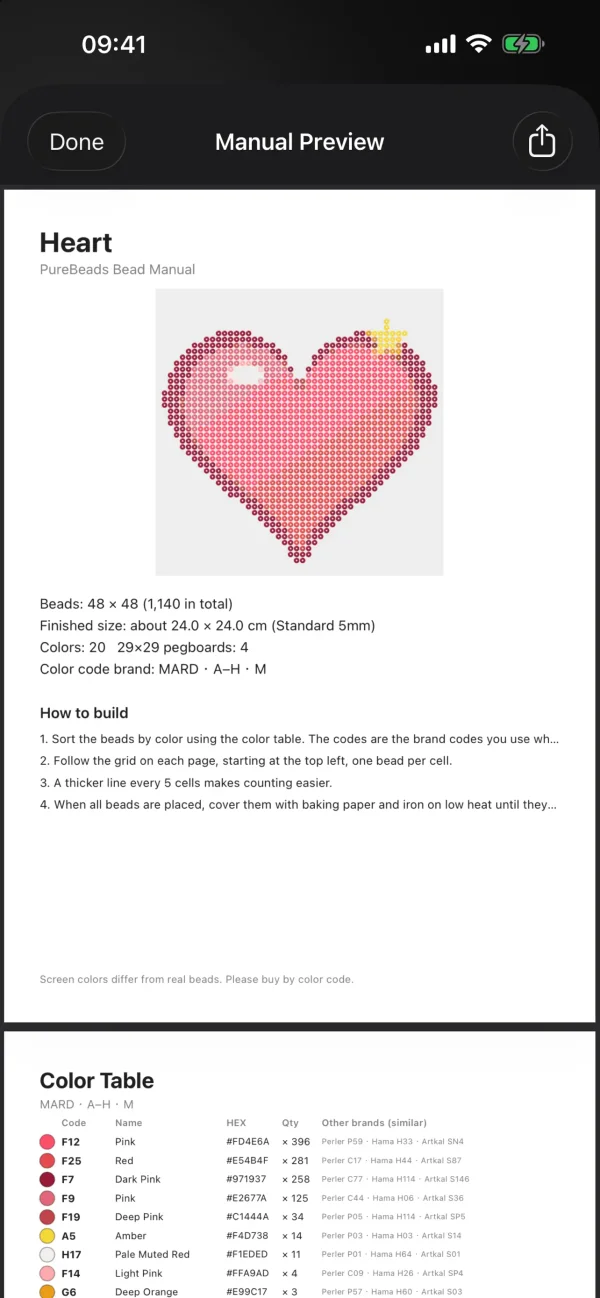
• Every cell has coordinates, and there's a thicker line every 5 cells, so counting is easy
• A heart, a star… try the demos first, no photo needed
• Pick your own theme color to make the app yours
GROWN-UPS WILL LIKE
• The manual says how many beads of each color you need, so you buy just enough
• Choose the color codes of different bead brands; the manual also lists similar codes from other brands to help you shop
• Your projects are saved automatically, so you can make it again any time
• Share or print the manual as a PDF and build together
• No account, no photo upload, no ads, no subscription
FEATURES
• Photos or Files, then crop, zoom and rotate
• Cut out: finds the main subject, tap to choose who stays
• Resolution from 8 to 100 beads wide; standard 5 mm or mini 2.6 mm beads
• Maximum number of colors, so there is less to prepare
• Edit any cell by hand, with an eraser
• Manual PDF: cover, color table and page-by-page grids with coordinates and codes
• Notes: every manual you made is kept here
• Chinese, English, Japanese and German; dark, light and your own theme color
Turn a photo you love into a little handmade surprise!
Novedades
Versión 1.10.28 · 29/10/2026
Easier to read for everyone!
• Text now follows your system Larger Text setting and wraps or stacks when space runs out
• New Report a Problem button in Settings: send diagnostics with one tap if something looks wrong or freezes
• New Rate Us link; the rating prompt will not nag you
• Fixed panel titles being cut off at large text sizes
Privacidad de la aplicación
Lo que Chien Yu Wang declara en App Store sobre cómo esta aplicación gestiona los datos.
-
No se recopilan datos
El desarrollador no recopila ningún dato de esta aplicación.
Las prácticas de privacidad pueden variar, por ejemplo, según las funciones que uses o tu edad.
Información
- Vendedor
- Chien Yu Wang
- Categoría
- Diseño gráfico
- Versión
- 1.10.28
- Actualizado
- 29/10/2026
- Publicado
- 2/10/2026
- Tamaño
- 1,5 MB
- Requiere
- iOS 17.0 o posterior
- Clasificación por edad
- 4+
- Precio
- Gratis
- Idiomas
- Chino tradicional
- Copyright
- © 2026 Chien Yu Wang
Quizá también te guste
-
 AI Fuse Bead Pattern MakerDiseño gráfico
-
 Fuse Beads: Cuentas y patronesFotos, materiales y progreso
-
 Peyo - Patrones de PeyoteDibuja y cuenta mostacillas
-
 BeadChick: Cuentas fusiblesPatrones de fotos y dibujos
-
 Rosario beads craftDiseño gráfico
-
 PixelBead: Patrones Hama BeadsFotos a patrones imprimibles
-
 早安问候图-早安图片 每日朋友圈配图 早上好Diseño gráfico
-
 Ai Pin DouDiseño gráfico
-
 Logo Generador de IA: IconixCrea Logotipos, Arte y Más AI
-
 Anime Avatar: Couple MakerDiseño gráfico