
Receipt Beacon
Expense scanner & reports
Diseñada para iPhone, iPad, iPod touch
Gratis · Compras en la aplicación
- Clasificación por edad4+
- CategoríaFinanzas
- DesarrolladorJohn Moses
- IdiomasInglés
- Tamaño79,9 MB
Enlaza a la página oficial de App Store
Download.org no aloja ningún archivo de Receipt Beacon. El botón abre la página de la aplicación en App Store, donde la publica John Moses. Ficha comprobada por última vez el 21/11/2026.
Capturas de pantalla
Acerca de
El desarrollador no ha proporcionado este texto en tu idioma.
Receipt Beacon is a receipt scanner and expense organizer for capturing paper receipts, checking totals, and exporting clean spending records.
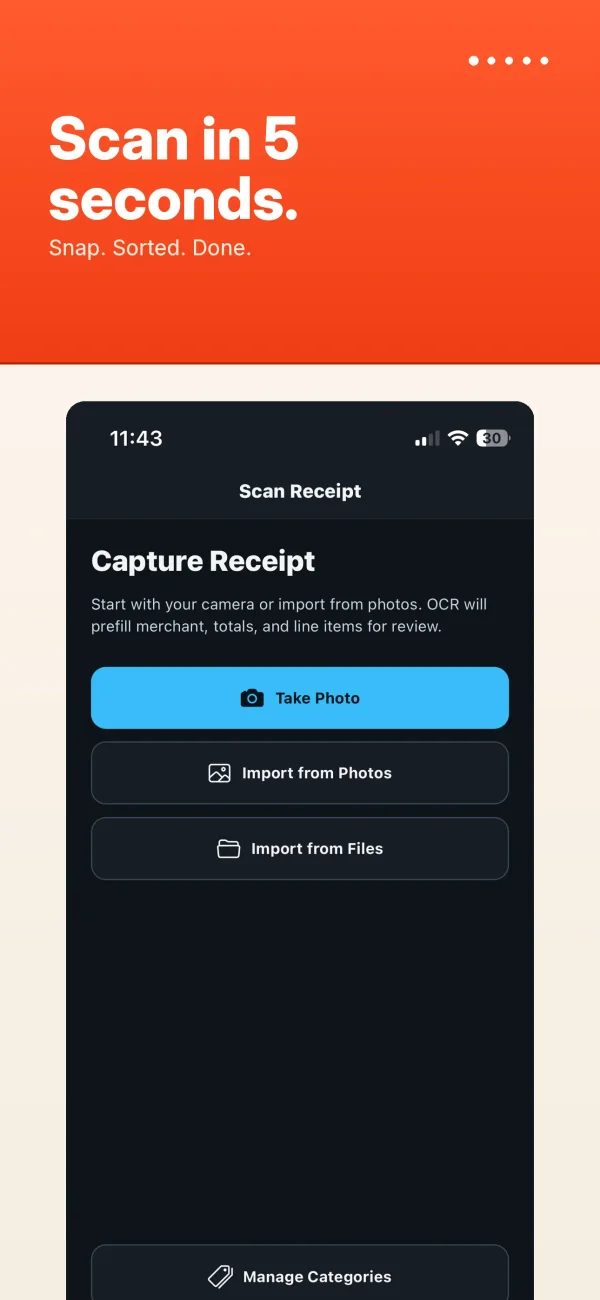
Use your camera to scan a paper receipt, import an existing receipt image from Photos, or choose a file from Files. Receipt Beacon reads the receipt and gives you a review screen so you can confirm the merchant, date, total, tax, category, notes, and line items before saving.
Built for everyday expense tracking, tax prep, reimbursements, and small business record keeping, Receipt Beacon keeps receipt management simple without turning it into a full accounting system. It is made for people who want a lightweight way to save proof of purchase, organize expenses, and review spending history from their phone.
Scan, review, then save
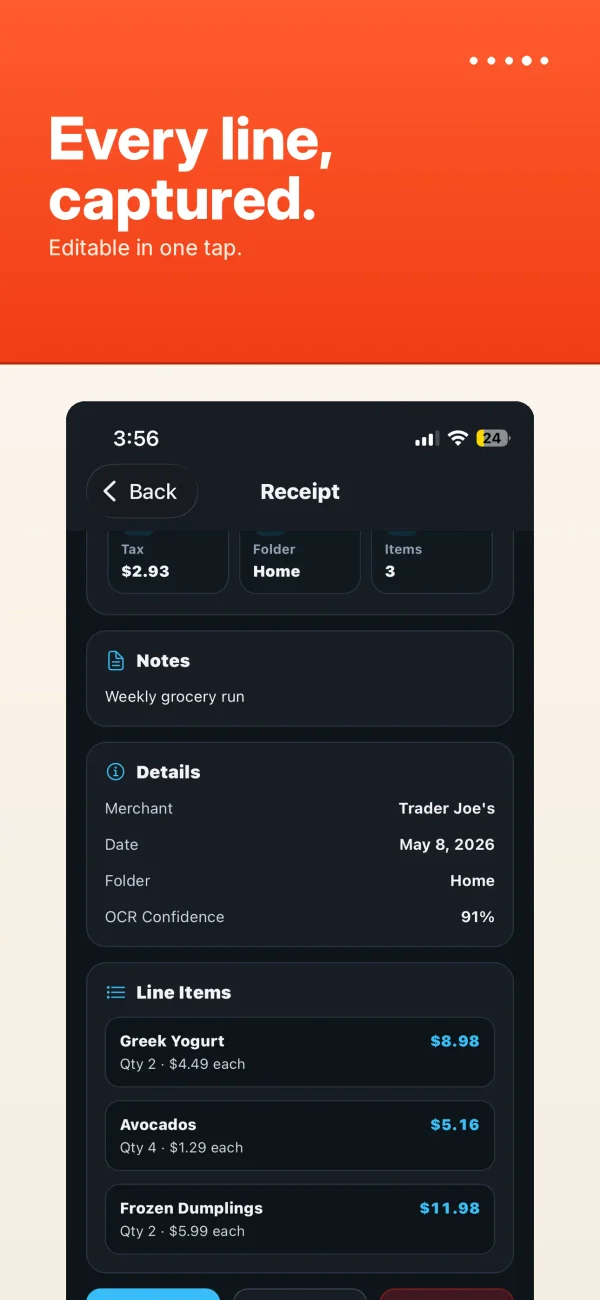
Receipt Beacon is designed around a simple workflow. Capture a receipt, review the extracted details, make any edits, and save it. You can adjust merchant names, dates, totals, taxes, notes, categories, and line items so your records are clean before they become part of your receipt history.
Organize receipts your way
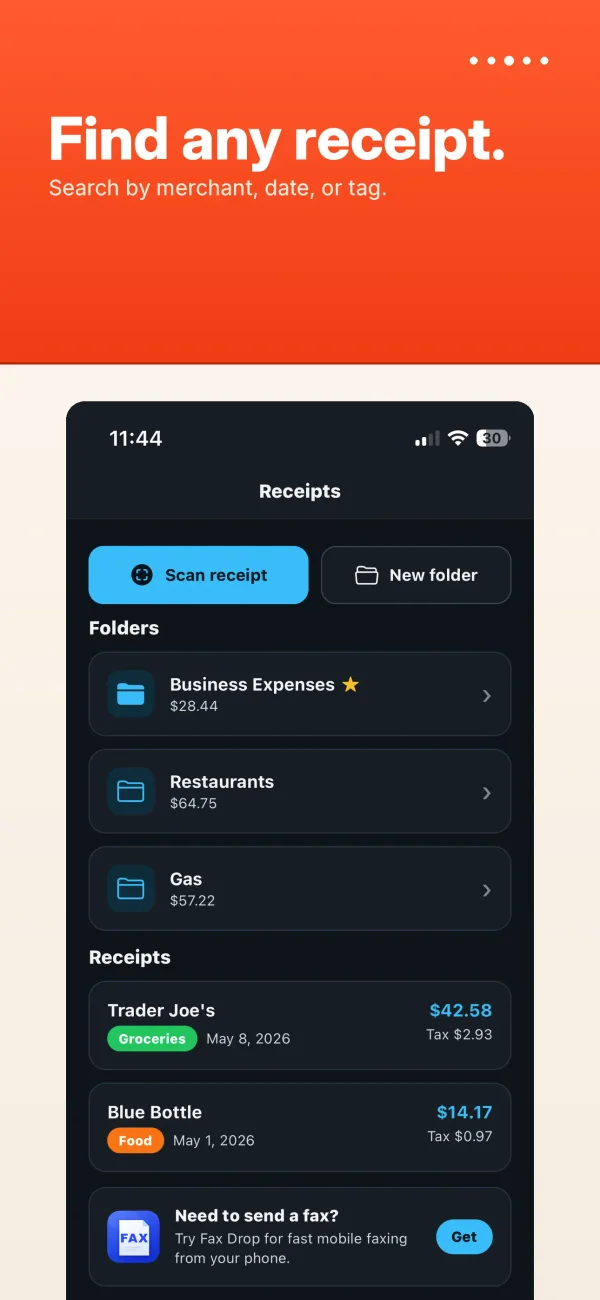
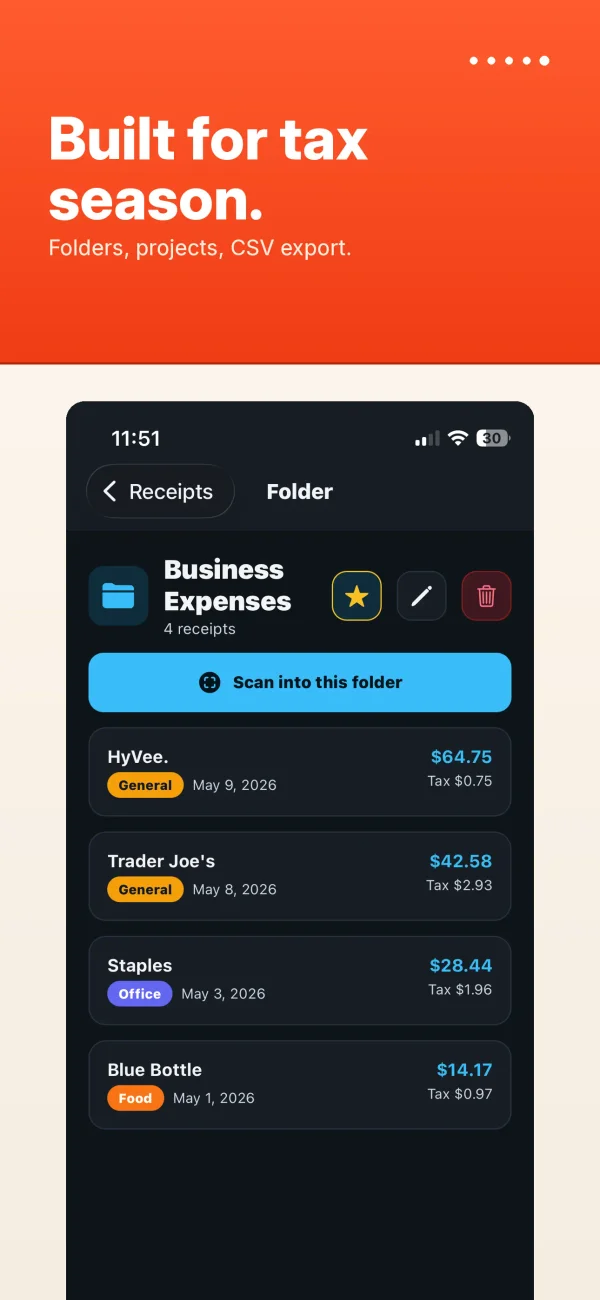
Keep receipts in Home or create folders for clients, trips, jobs, tax years, personal spending, business expenses, warranties, reimbursements, or any other system that works for you. Move receipts between folders, rename folders, star important folders, and delete folders without losing receipts inside them.
Categories and colored labels
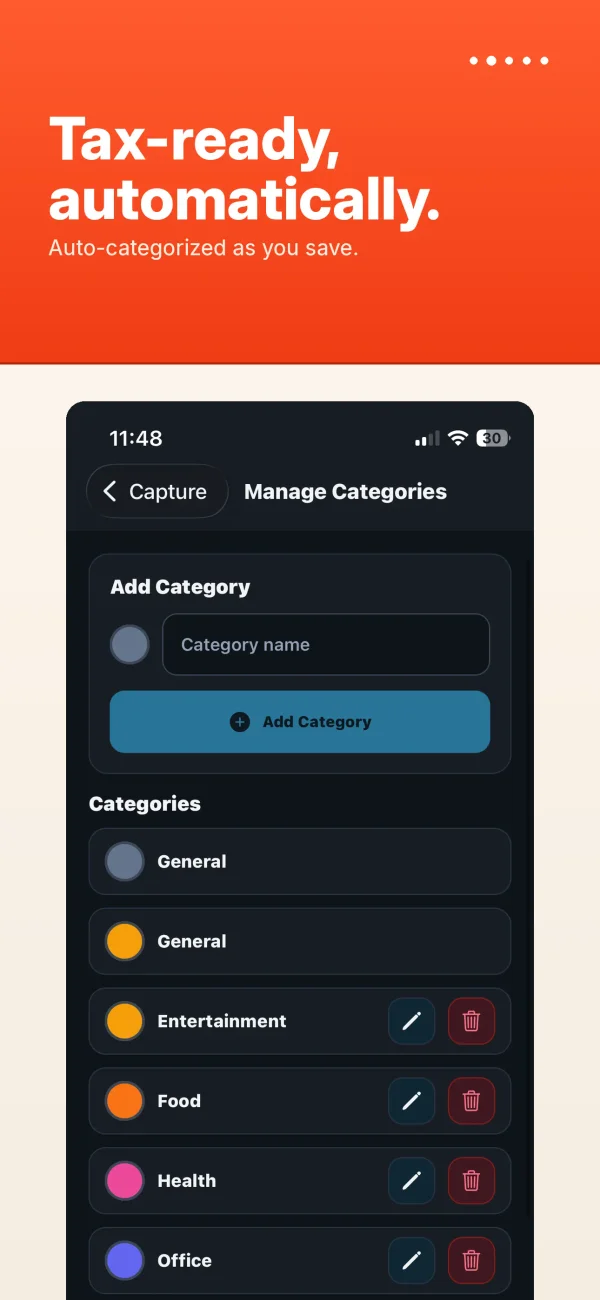
Create your own receipt categories and choose colors for each one. Category chips make it easier to scan your list and understand where your money went at a glance. Use categories for groceries, meals, office supplies, travel, utilities, health, entertainment, or custom business expense groups.
Reports and exports
Receipt Beacon includes spending reports that help you understand totals by month, category, and merchant. Tap report cards for more detail, review the receipts behind each number, and export reports as PDF or CSV when you need records for taxes, bookkeeping, expense reports, or reimbursement requests.
Helpful for:
- Personal receipt tracking
- Business expense records
- Tax receipt organization
- Reimbursement documentation
- Purchase history
- Warranty records
- Trip and project expense folders
- Merchant and category spending review
What you can do with Receipt Beacon:
- Scan receipts with your camera
- Import receipt images from Photos or Files
- Review and edit merchant, date, total, tax, notes, and line items
- Save receipts in Home or move them into folders
- Rename, star, and delete folders
- Manage categories and choose category colors
- View category labels as colored chips
- Search-friendly reports by month, category, and merchant
- Tap report cards for deeper spending details
- Export reports as PDF or CSV
- Move receipts between folders
- Chat with support from inside the app
Simple, focused receipt management
Receipt Beacon is not trying to replace your accounting software. It gives you a fast, focused place to capture receipts, clean up the important details, and keep organized records you can review later. Whether you are saving receipts for taxes, tracking business expenses, organizing personal purchases, or preparing reimbursement paperwork, Receipt Beacon helps keep your receipt pile searchable, structured, and easier to manage.
Scan the receipt, review the details, file it in the right folder, and keep your spending records ready when you need them.
Subscription terms
Receipt Beacon may offer optional auto-renewable subscriptions for Pro features. Subscriptions automatically renew unless canceled at least 24 hours before the end of the current billing period. You can manage or cancel subscriptions in your App Store account settings after purchase.
Terms of Use: https://blueskateboard.com/apps/receipt-beacon/terms/
Privacy Policy: https://blueskateboard.com/apps/receipt-beacon/privacy/
Privacidad de la aplicación
Lo que John Moses declara en App Store sobre cómo esta aplicación gestiona los datos.
-
Datos no vinculados a ti
Pueden recopilarse, pero no se vinculan a tu identidad.
- Contenido del usuario
- Identificadores
- Datos de uso
- Diagnóstico
Las prácticas de privacidad pueden variar, por ejemplo, según las funciones que uses o tu edad.
Información
- Vendedor
- John Moses
- Categoría
- Finanzas
- Versión
- 2.5.0
- Actualizado
- 19/5/2026
- Publicado
- 19/5/2026
- Tamaño
- 79,9 MB
- Requiere
- iOS 15.5 o posterior
- Clasificación por edad
- 4+
- Precio
- Gratis
- Compras en la aplicación
- Sí
- Idiomas
- Inglés
- Copyright
- Copyright © 2026 Blue Skateboard. All rights reserved.
Quizá también te guste
-
 Trail · Receipt ScannerFinanzas
-
 Expense & Receipt SaverFinanzas
-
 Snap&Keep: Escáner de recibosControl de gastos sencillo
-
 SmartSend FinanceFinanzas
-
 MyNASSCORPFinanzas
-
 Receipt Lens - Expense TrackerFinanzas
-
 Recibos Inteligentes: EscánerSeguimiento Financiero
-
 Pockets By ICICI BankFinanzas
-
 Receipt Scanner・Track ExpensesFinanzas