
Remote for OpenCode Agents
Remote for your coding agent
Diseñada para iPhone
Gratis
- Clasificación por edad4+
- CategoríaPara desarrolladores
- DesarrolladorTim Williams
- IdiomasInglés
- Tamaño5,7 MB
Enlaza a la página oficial de App Store
Download.org no aloja ningún archivo de Remote for OpenCode Agents. El botón abre la página de la aplicación en App Store, donde la publica Tim Williams. Ficha comprobada por última vez el 12/11/2026.
Capturas de pantalla
Acerca de
El desarrollador no ha proporcionado este texto en tu idioma.
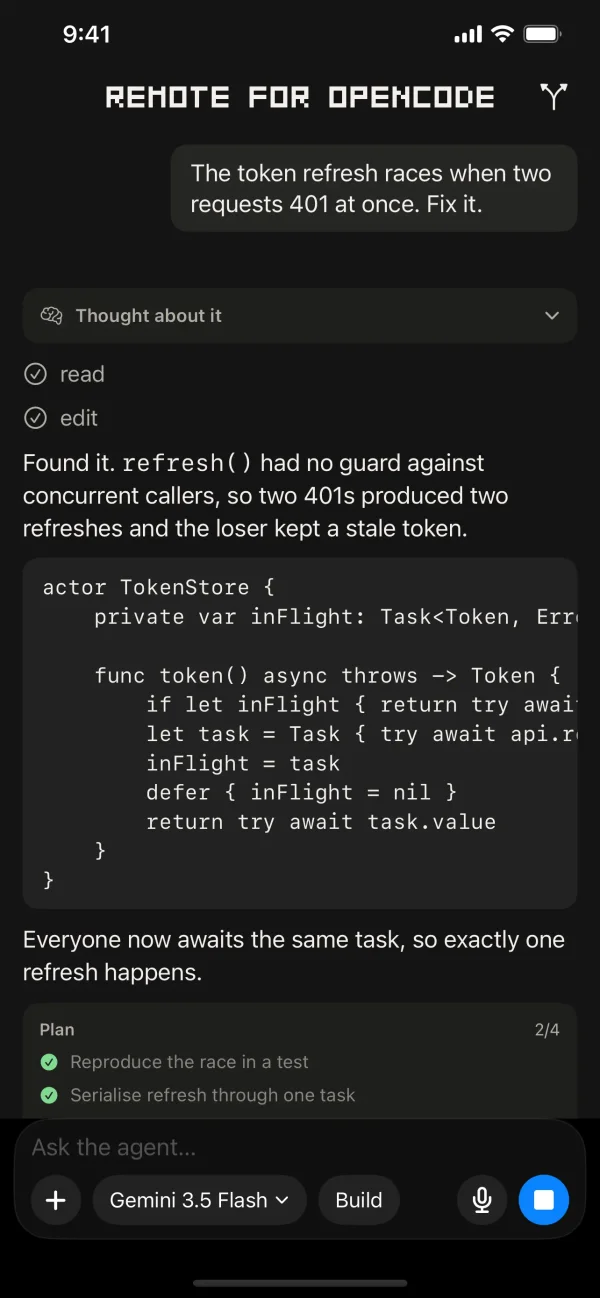
Run OpenCode on your Mac, then connect with this client from anywhere to get the full OpenCode harness.
Remote for OpenCode connects your iPhone to the OpenCode coding agent running on your own Mac, so you can start work, watch it happen, and approve what it wants to do, from the sofa, the bus, or anywhere else.
ZERO NETWORK SETUP
No VPN, no port forwarding, no IP addresses to type. Your devices find each other through your own iCloud account and talk directly, end-to-end encrypted. There is no server in the middle because there is no server at all.
YOUR CODE STAYS YOURS
The agent runs on your Mac, against your repositories, using your model credentials, which never leave it. Nothing is collected, no analytics, no third-party SDKs.
APPROVE FROM ANYWHERE
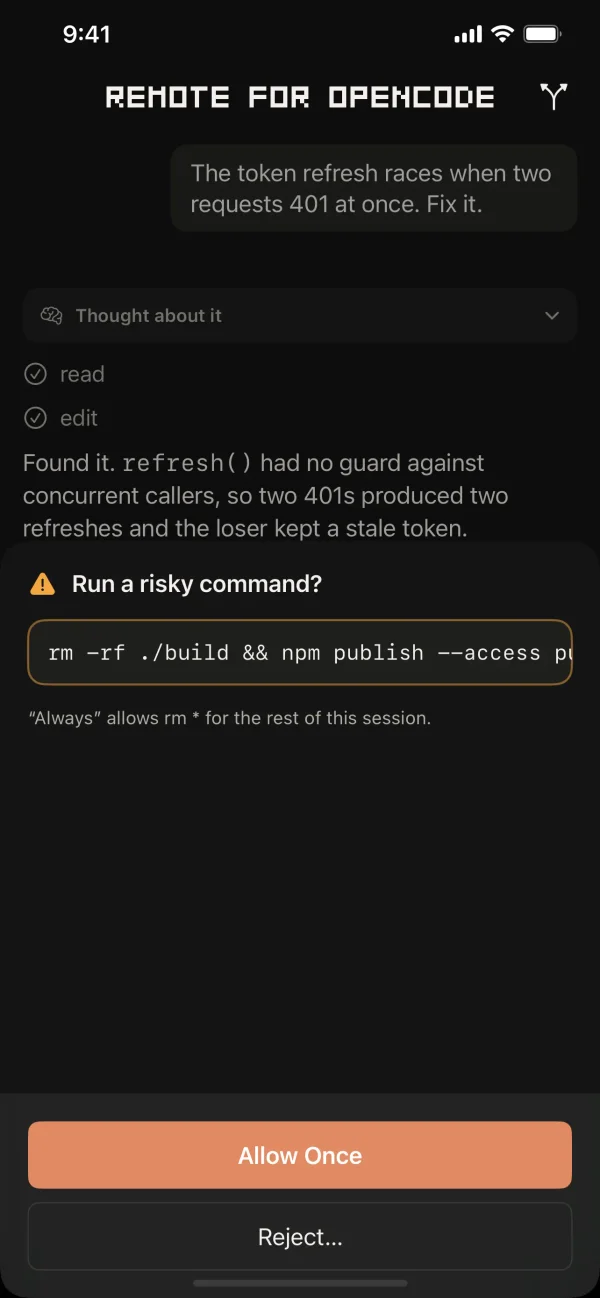
When the agent wants to run a command, you see the exact command and decide. Risky actions look different from routine ones, so a destructive command never gets waved through out of habit. Face ID confirms it's you.
PLAN MODE
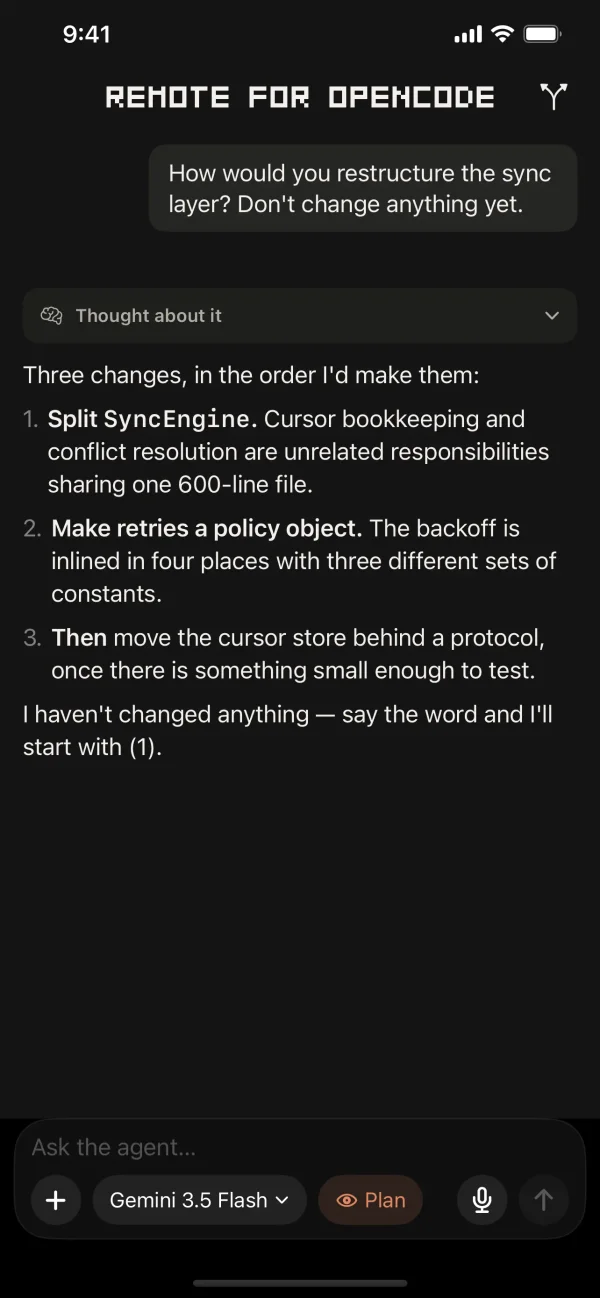
Switch the agent to Plan mode and it cannot edit anything at all, explore a codebase and get a plan back with a hard guarantee that nothing changed.
REVIEW BEFORE YOU SIGN OFF
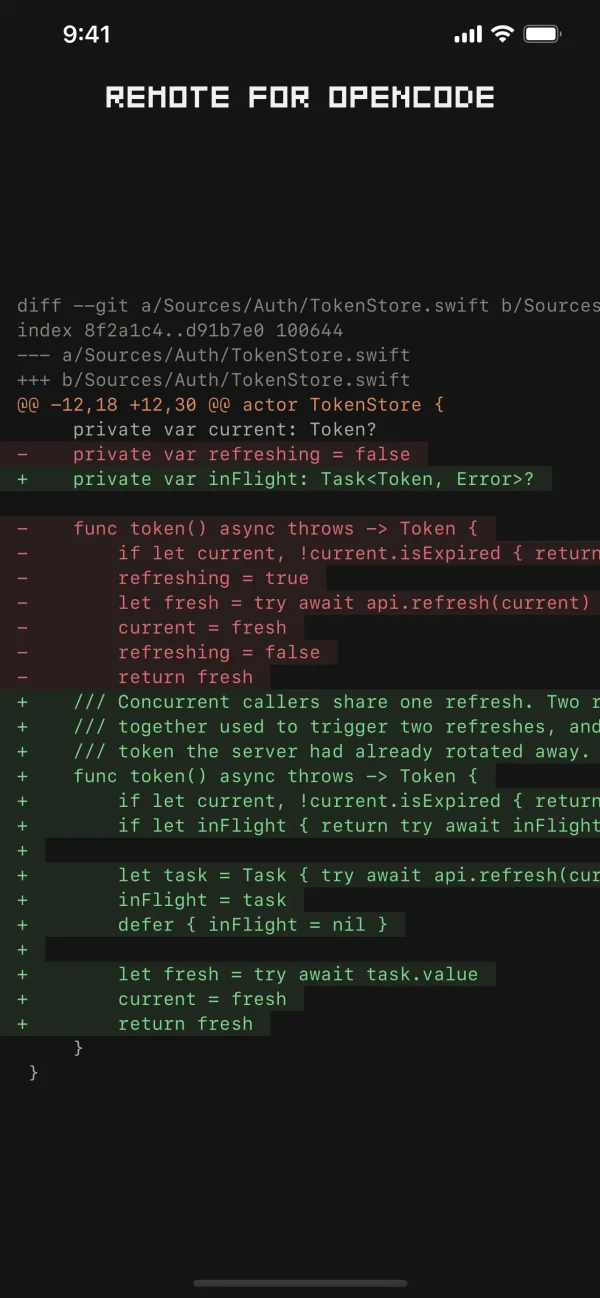
See every accumulated change with per-file diffs, either against your last commit or against your default branch, the way a reviewer would.
ALSO
- Watch the agent think, live
- Dictate prompts, transcribed on-device
- Send screenshots and files as context
- Run your own slash commands
- Pick any model your OpenCode is configured with
OPEN SOURCE
The iPhone app, the Mac companion, and the protocol between them are public at github.com/tjameswilliams/remote-for-opencode under the PolyForm Noncommercial license. Every privacy claim on this page is something you can verify by reading the code instead of taking it on trust.
REQUIRES a Mac running the free Remote for OpenCode companion and OpenCode. Get the companion at https://remoteforopencode.com. Not affiliated with, endorsed by, or sponsored by the OpenCode project.
Novedades
Versión 1.7 · 7/11/2026
Browse your project's files. Open Files from a conversation to see the folder tree with git status, read code with syntax highlighting, and view Markdown, images, PDFs, HTML and SVG rendered. Edit and save files right from your phone; if the agent changed a file while you were editing, you choose whether to overwrite it.
Also new in 1.7:
- File names in the agent's replies are links that open the file at the cited line.
- Subagents appear as cards you can open to follow their work live, and their permission requests now reach you.
- Restart OpenCode on your Mac from the home screen.
- Long conversations on OpenCode 2 load in full.
Update the Mac companion to 1.9 for files and restart.
Privacidad de la aplicación
Lo que Tim Williams declara en App Store sobre cómo esta aplicación gestiona los datos.
-
No se recopilan datos
El desarrollador no recopila ningún dato de esta aplicación.
Las prácticas de privacidad pueden variar, por ejemplo, según las funciones que uses o tu edad.
Información
- Vendedor
- Tim Williams
- Categoría
- Para desarrolladores
- Versión
- 1.7
- Actualizado
- 7/11/2026
- Publicado
- 15/8/2026
- Tamaño
- 5,7 MB
- Requiere
- iOS 17.0 o posterior
- Clasificación por edad
- 4+
- Precio
- Gratis
- Idiomas
- Inglés
- Copyright
- © 2026 Tim Williams
Quizá también te guste
-
 OpenClient for OpenCodePara desarrolladores
-
 CodetetherControla tu agente de código
-
 Unofficial OpenCode ClientPara desarrolladores
-
 KKCode - OpenCode MobilePara desarrolladores
-
 BYOT Coding AgentPara desarrolladores
-
 OpenLens- OpenCode clientPara desarrolladores
-
 Sesori: Remote AI Coding AgentPara desarrolladores
-
 AgentsRoom: Dev Remote Controlpara Claude Code, Codex y más
-
 WhisperCodePara desarrolladores