
Remote Papi: TV Remote
Universal Remote App, No Ads
Diseñada para iPhone, iPad
Gratis · Compras en la aplicación
- Clasificación por edad4+
- CategoríaUtilidades
- DesarrolladorArturo Pineda
- IdiomasInglés
- Tamaño5,7 MB
Enlaza a la página oficial de App Store
Download.org no aloja ningún archivo de Remote Papi: TV Remote. El botón abre la página de la aplicación en App Store, donde la publica Arturo Pineda. Ficha comprobada por última vez el 16/11/2026.
Capturas de pantalla
Acerca de
El desarrollador no ha proporcionado este texto en tu idioma.
Remote Papi turns your iPhone and iPad into a remote for the smart TVs on your Wi-Fi. Set up each TV once. Remote Papi remembers it and connects on its own. No ads. No account. Nothing leaves your home network.
WORKS WITH
Samsung, LG, Sony and Vizio SmartCast smart TVs, Apple TV HD and Apple TV 4K, and any Roku stick, box or Roku TV (including TCL, Hisense and more), all on your Wi-Fi network.
New in beta: Google TV and Android TV sets and streamers (TCL, Hisense, Philips, Chromecast with Google TV); and Amazon Fire TV sticks, cubes and Fire TV smart TVs. Tell us how it works for you from Help › Email Support.
A REMOTE THAT FEELS RIGHT
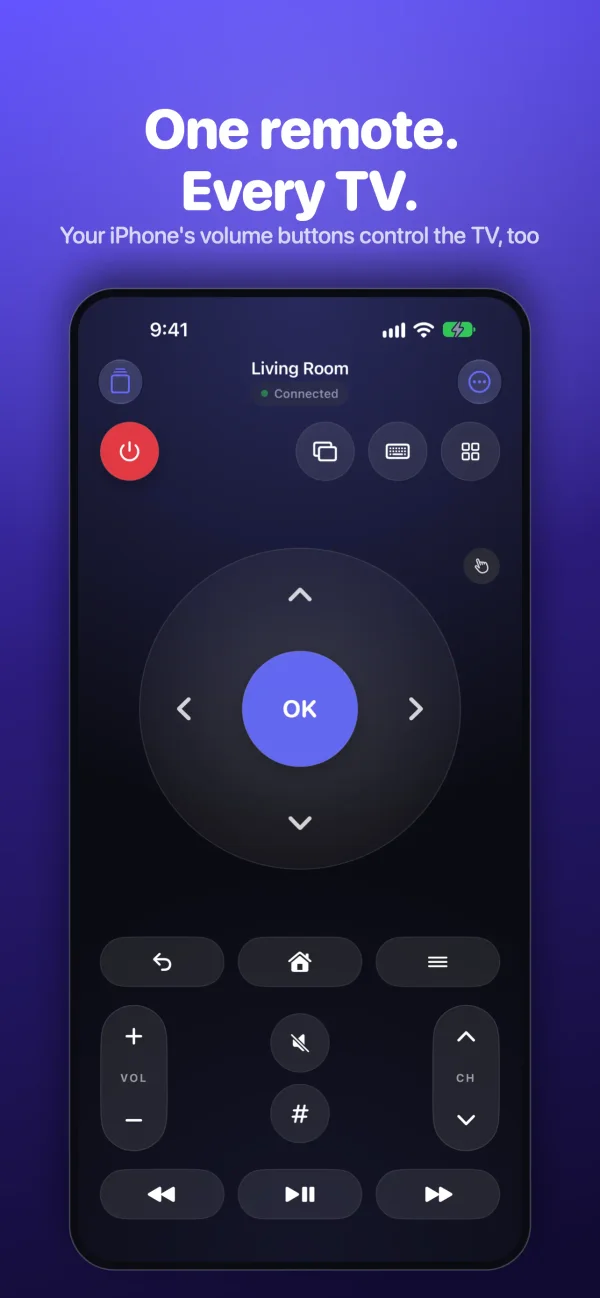
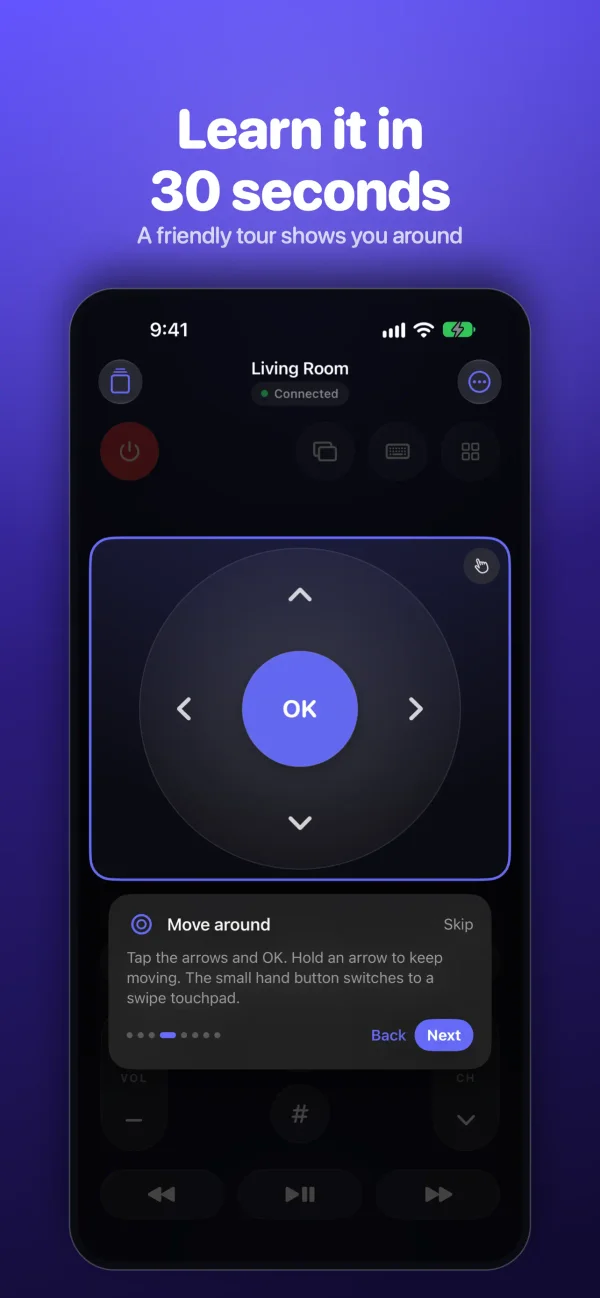
• Big D-pad or swipe touchpad, with hold-to-repeat
• Volume, channels, mute, playback, input and number pad
• Type into your TV's search boxes from your phone's keyboard
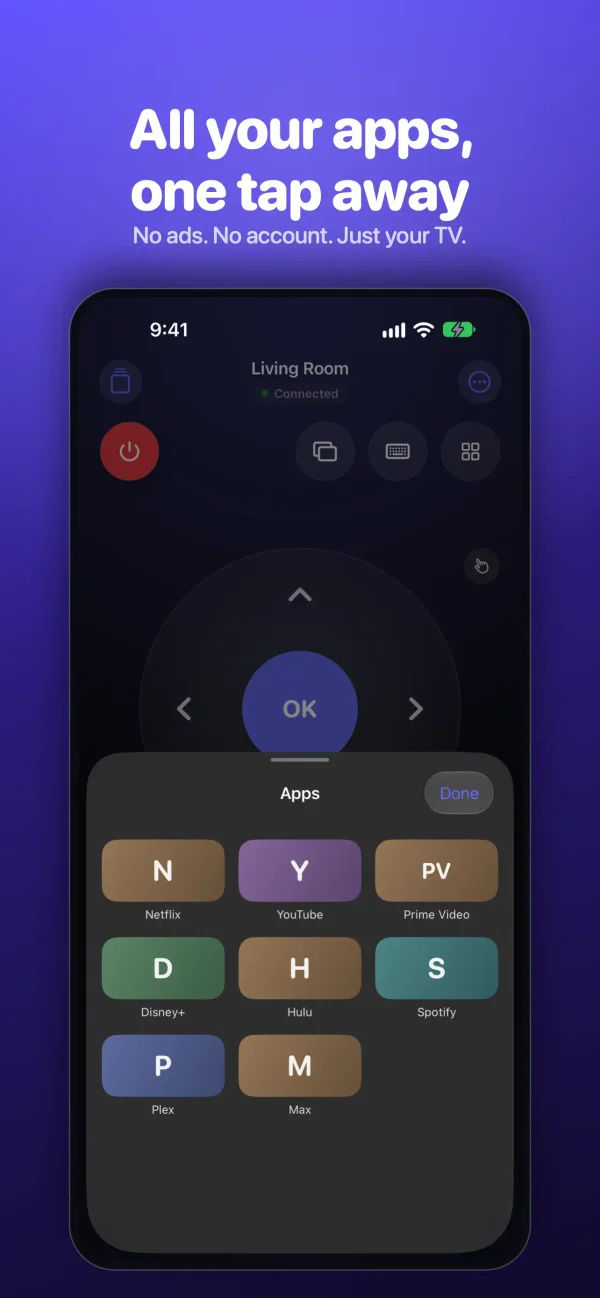
• Jump straight to your TV's apps
YOUR VOLUME BUTTONS CONTROL THE TV
While Remote Papi is open, your iPhone's own side buttons change the TV's volume. No looking at the screen.
LOCK SCREEN REMOTE
Power, volume, mute and play/pause right on your Lock Screen and in the Dynamic Island.
SIMPLE MODE
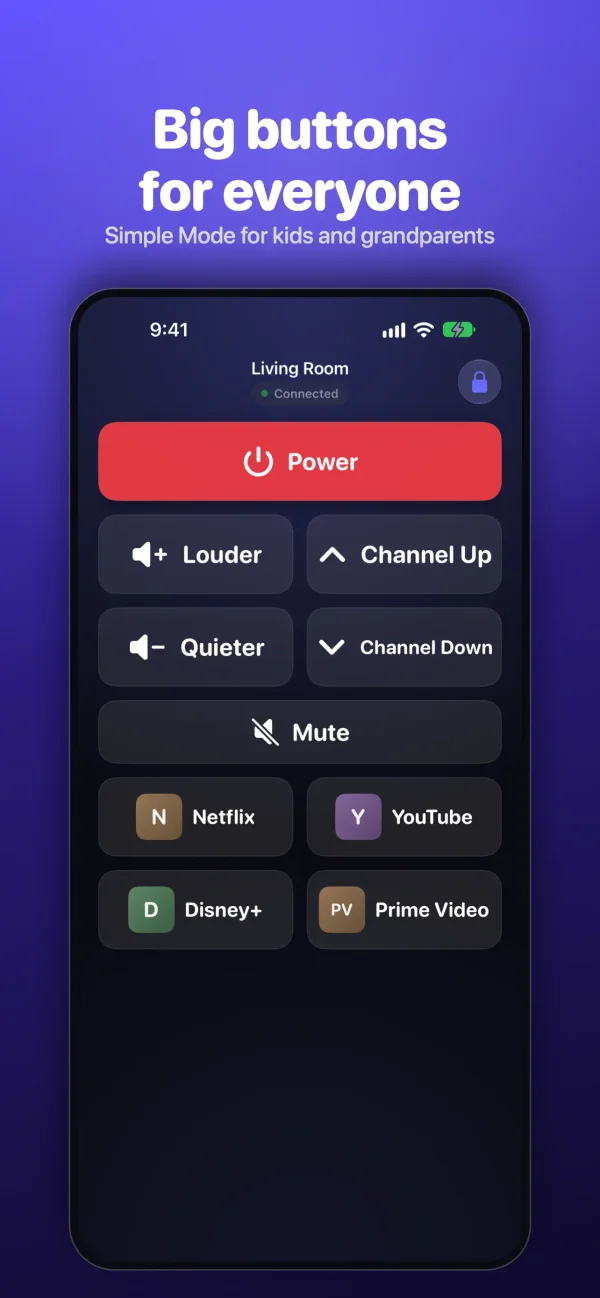
A few big, clearly labeled buttons (power, louder, quieter, channels and up to four favorite apps) for kids, grandparents and guests. Locked with Face ID so only you can leave it.
SCENES
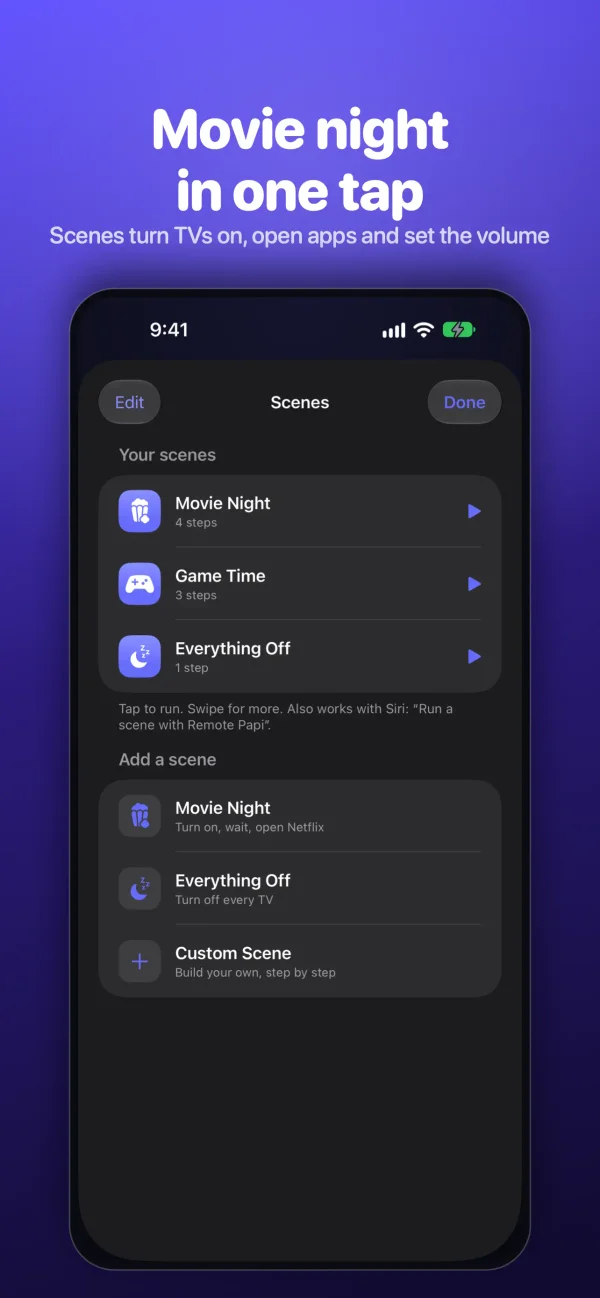
One tap for several steps. “Movie Night”: turn on the TV, wait, open your favorite app, lower the volume. “Everything Off” at bedtime turns off every TV. Run them from the app or ask Siri.
EVERY TV, EVERY ROOM
Save all your TVs. Remote Papi picks the one that answers on the network you're on, even in homes with more than one Wi-Fi.
SHARE WITH FAMILY
Show a QR code and another phone adds the TV in seconds. Pairing keys and passwords are never shared.
HELPFUL FROM THE FIRST MINUTE
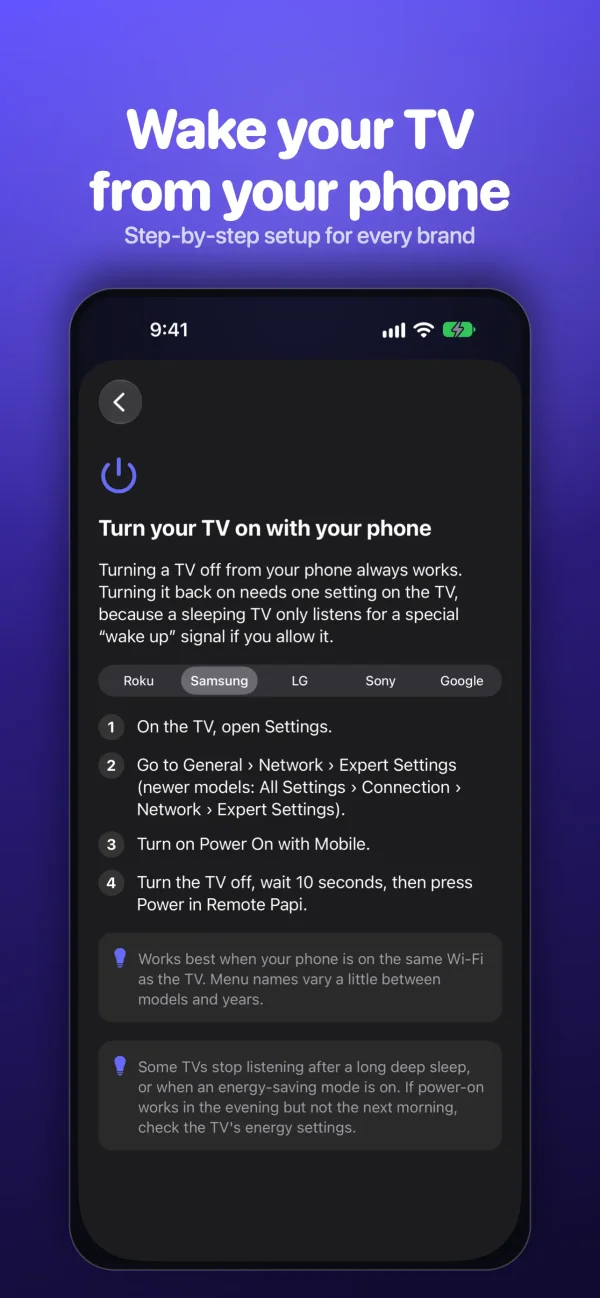
A 30-second guided tour, step-by-step help for turning your TV on from your phone, and a demo TV so you can try everything without a TV nearby.
FREE, WITH AN OPTIONAL PRO UPGRADE
The full remote is free: buttons, apps, keyboard, every TV in every room. Remote Papi Pro is a one-time purchase that adds Scenes, Simple Mode, the Lock Screen remote and volume-button control. Try every Pro feature free on the Demo TV first. No ads. No subscriptions.
PRIVATE BY DESIGN
Remote Papi talks only to TVs on your own Wi-Fi. No account, no ads, no analytics, no tracking.
Notes: your phone and TV need to be on the same home network (or on networks your router connects). Turning a TV on from your phone requires a setting on the TV; the in-app Help shows exactly where for each brand. Roku, Samsung, LG, Sony, Google TV, Android TV, Amazon, Fire TV, TCL and Hisense are trademarks of their respective owners. Remote Papi is not affiliated with or endorsed by them.
Novedades
Versión 1.7.2 · 5/11/2026
New in 1.7.2:
• TV plugged in with a cable? If no TV shows up, Remote Papi now searches the rest of your network on its own, and a new "Search the rest of my network" button finds TVs on a wider home network or behind a second router.
• "Don't see your TV?" tips explain cables, second routers, mesh systems and guest Wi-Fi, and show this iPhone's address so you can compare it with the TV's.
• Smoother scrolling on the Skins page.
• Vizio SmartCast and Apple TV are out of beta.
Privacidad de la aplicación
Lo que Arturo Pineda declara en App Store sobre cómo esta aplicación gestiona los datos.
-
No se recopilan datos
El desarrollador no recopila ningún dato de esta aplicación.
Las prácticas de privacidad pueden variar, por ejemplo, según las funciones que uses o tu edad.
Información
- Vendedor
- Arturo Pineda
- Categoría
- Utilidades
- Versión
- 1.7.2
- Actualizado
- 5/11/2026
- Publicado
- 16/10/2026
- Tamaño
- 5,7 MB
- Requiere
- iOS 17.0 o posterior
- Clasificación por edad
- 4+
- Precio
- Gratis
- Compras en la aplicación
- Sí
- Idiomas
- Inglés
- Copyright
- © 2026 APINEDA WEB
Quizá también te guste
-
 Net RevealEncuentra todo en tu Wi-Fi
-
 Clicker: Tactile TV RemoteUtilidades
-
 Touch TV ProUtilidades
-
 MTRaySuite de diagnóstico de red
-
 TV Remote: Smart TVMando a distancia para tu TV
-
 Pult: Remote for Smart TVUtilidades
-
 Cingle: Control Remoto TVUniversal, Wi-Fi, sin anuncios
-
 Mando Omni TVMando universal de TV
-
 Instant Remote for PointUtilidades
-
 Remote Control for all TV.sUtilidades