Room(Scan)
LiDAR 3D Room Scanner
Diseñada para iPhone, iPad
Gratis · Compras en la aplicación
- Clasificación por edad4+
- CategoríaUtilidades
- DesarrolladorAsociația unPi pentru Școlari
- IdiomasInglés
- Tamaño36,8 MB
Enlaza a la página oficial de App Store
Download.org no aloja ningún archivo de Room(Scan). El botón abre la página de la aplicación en App Store, donde la publica Asociația unPi pentru Școlari. Ficha comprobada por última vez el 15/11/2026.
Capturas de pantalla

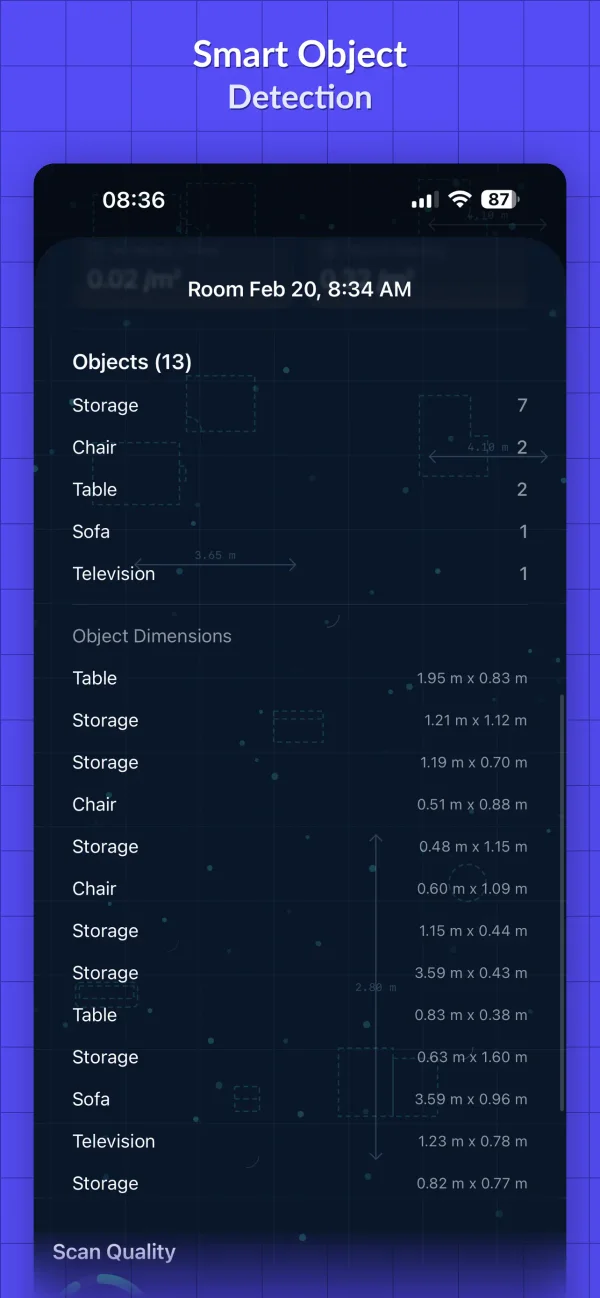


Acerca de
El desarrollador no ha proporcionado este texto en tu idioma.
At our boutique NGO (Asociația unPi pentru Școlari, http://www.unpi.ro/english) we strive to create smart solutions for everyone.
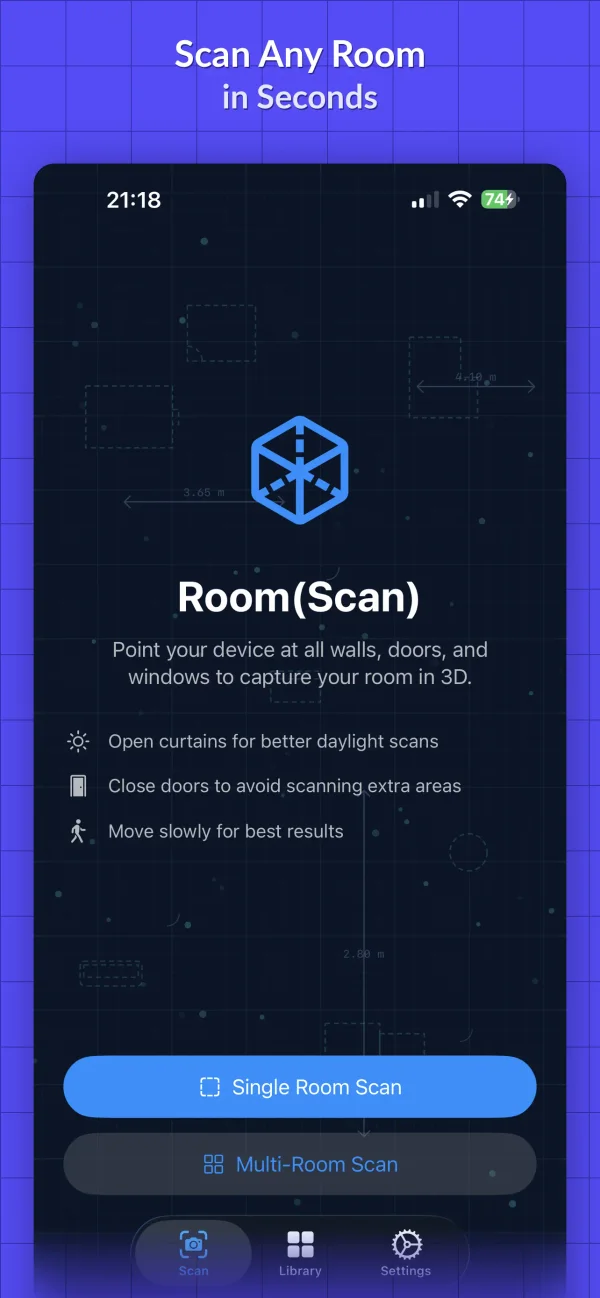
Room(Scan) turns your LiDAR-equipped iPhone or iPad into a professional room scanning toolkit — a built-in LiDAR sensor is required (iPhone 12 Pro or later Pro models, iPad Pro 2020 or later). Whether you're an interior designer, architect, real estate agent, or simply planning a home renovation, Room(Scan) is the smartest way to capture, measure, and share any interior space.
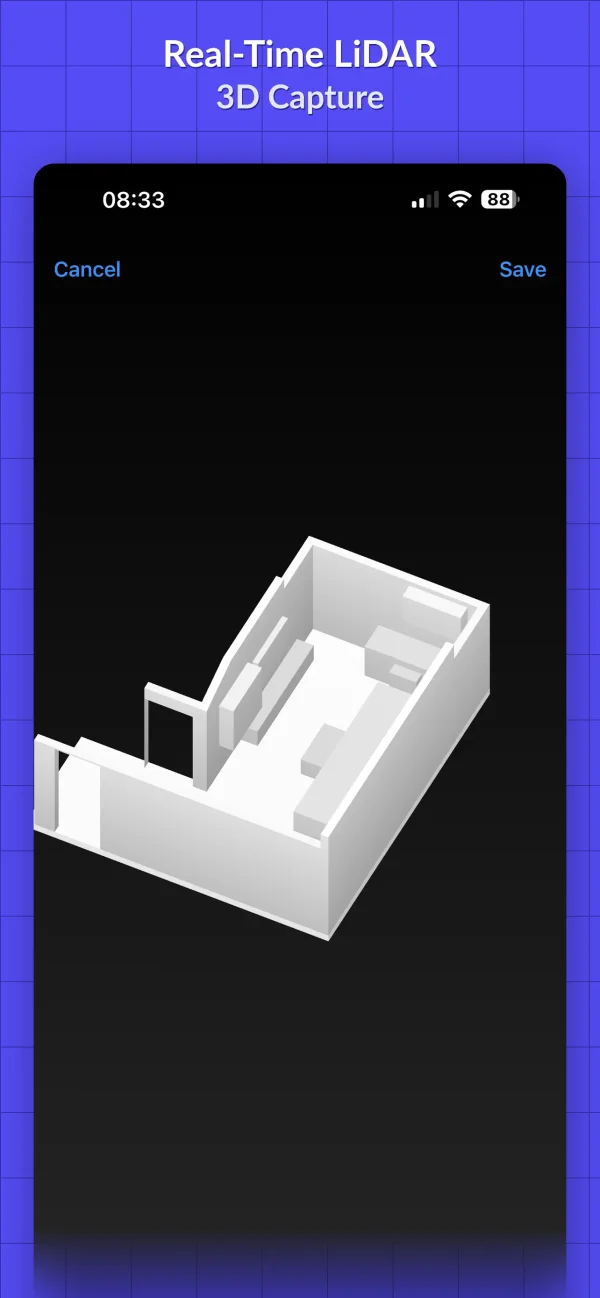
Scan single rooms or entire properties. Point your device at walls, windows, doors, and furniture to capture a detailed 3D model in seconds.
Multi-room mode lets you scan room by room and merge everything into one unified structure — perfect for full-apartment or whole-floor documentation.
Real-time guidance keeps you on track. A live coverage indicator and contextual tips tell you exactly where to point next, how fast to move, and when your scan is complete. After scanning, a quality score grades your capture from A to F so you know if it's worth rescanning.
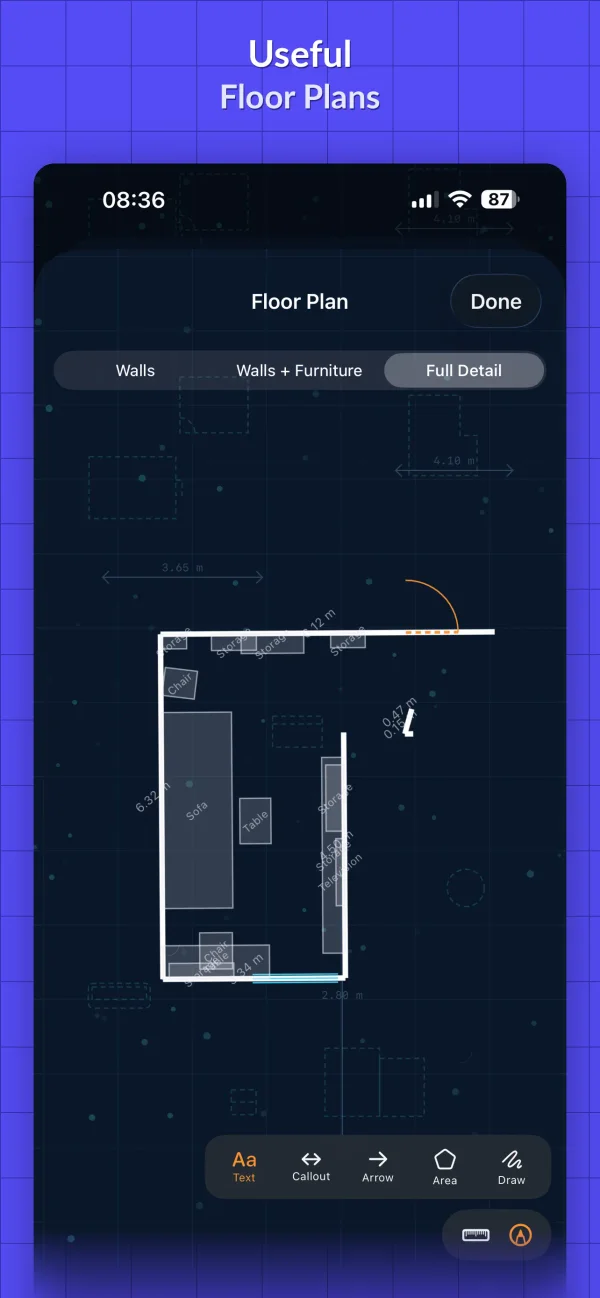
Explore your scans in 2D and 3D. Switch between an interactive 3D model, an AR preview that places your scan in the real world, and a detailed 2D floor plan. The floor plan supports pinch-to-zoom, rotation, and three detail levels — from walls-only to a fully labelled layout with furniture and dimensions.
Measure anything. Tap any two points on the floor plan to measure distances with the built-in ruler tool. View a full measurement summary including floor area, ceiling height, wall lengths, and door/window counts — in metric or imperial.
Annotate and communicate. Add text labels, dimension callouts, arrows, area highlights, and freehand drawings directly on your floor plan. Annotations are saved with your scan and included in exports — ideal for sharing notes with contractors or clients.
Export in the format you need. Share your work as a USDZ 3D model (compatible with Cinema 4D, Shapr3D, AutoCAD), a PDF floor plan with measurements, a CSV spreadsheet, or a PNG floor plan image.
Your scans, organised. A searchable library with thumbnails, quality badges, and sorting by date, name, or area keeps every project at your fingertips.
Shape the roadmap. Vote on upcoming features and suggest your own ideas — the development roadmap is driven by our community.
Room(Scan) requires a device with a built-in LiDAR sensor. A free tier lets you try scanning, with a Pro subscription unlocking unlimited scans.
Room(Scan) now captures objects too. Walk around any object and
the app builds a photorealistic 3D model on-device — books, vases,
furniture, you name it — using Apple Object Capture and LiDAR.
Every scan, room or object, comes with a quality grade and a
plain-English breakdown explaining what worked and what didn't.
No more guessing why a scan looks off.
Terms of Use: https://start.unpi.ro/english/tos/
Privacy Policy: https://www.unpi.ro/english/privacy
Enjoy scanning, measuring, and sharing your projects with Room(Scan)!
Novedades
Versión 3.1 · 29/8/2026
Organize your work with Projects.
• Group single-room, multi-room, and object scans into projects
• Search and sort projects and their scans
• Open and manage scans directly from a project
• Improved Object Capture reliability and storage guidance
• Refreshed Liquid Glass interface
• Additional performance improvements and bug fixes
Privacidad de la aplicación
Lo que Asociația unPi pentru Școlari declara en App Store sobre cómo esta aplicación gestiona los datos.
-
No se recopilan datos
El desarrollador no recopila ningún dato de esta aplicación.
Las prácticas de privacidad pueden variar, por ejemplo, según las funciones que uses o tu edad.
Información
- Vendedor
- Asociatia unPi pentru Scolari
- Categoría
- Utilidades
- Versión
- 3.1
- Actualizado
- 29/8/2026
- Publicado
- 11/8/2023
- Tamaño
- 36,8 MB
- Requiere
- iOS 17.0 o posterior
- Clasificación por edad
- 4+
- Precio
- Gratis
- Compras en la aplicación
- Sí
- Idiomas
- Inglés
- Copyright
- © Asociația unPi pentru Școlari
Quizá también te guste
-
 SmartRooms (with RoomPlan)Utilidades
-
 M2 AR Measure AppUtilidades
-
 DepthScan 3D ScannerUtilidades
-
 3D Room PlanUtilidades
-
 VIEWAR ScannerUtilidades
-
 3D Cloud Room ScannerUtilidades
-
 XR Scan: Escaneo 3D con LiDARMedición digital para pros
-
 Escáner de planes de IAEscanea espacios con LiDAR
-
 RoomPlan - Interior 3D ScannerUtilidades
-
 Laminate Floor Estimator: WoodUtilidades