
SayToType
AI-powered dictation tool
Diseñada para iPhone, iPad
Gratis · Compras en la aplicación
- Clasificación por edad4+
- CategoríaProductividad
- DesarrolladorArtem Demyanchuk
- IdiomasInglés
- Tamaño60,0 MB
Enlaza a la página oficial de App Store
Download.org no aloja ningún archivo de SayToType. El botón abre la página de la aplicación en App Store, donde la publica Artem Demyanchuk. Ficha comprobada por última vez el 14/11/2026.
Capturas de pantalla


Acerca de
El desarrollador no ha proporcionado este texto en tu idioma.
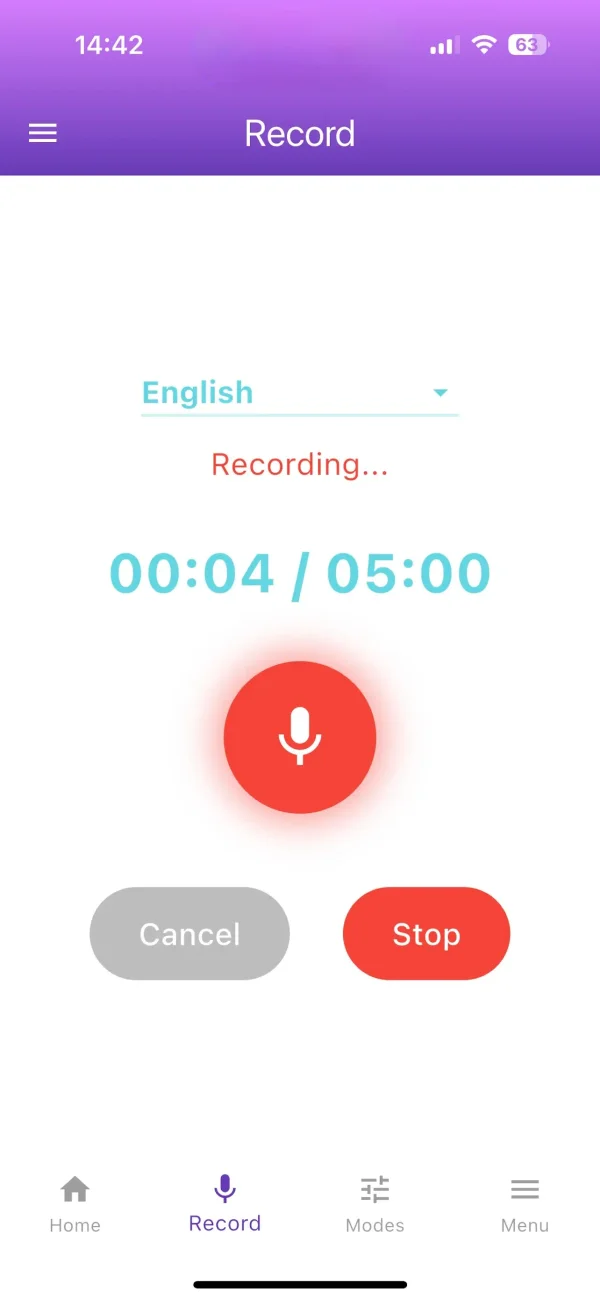
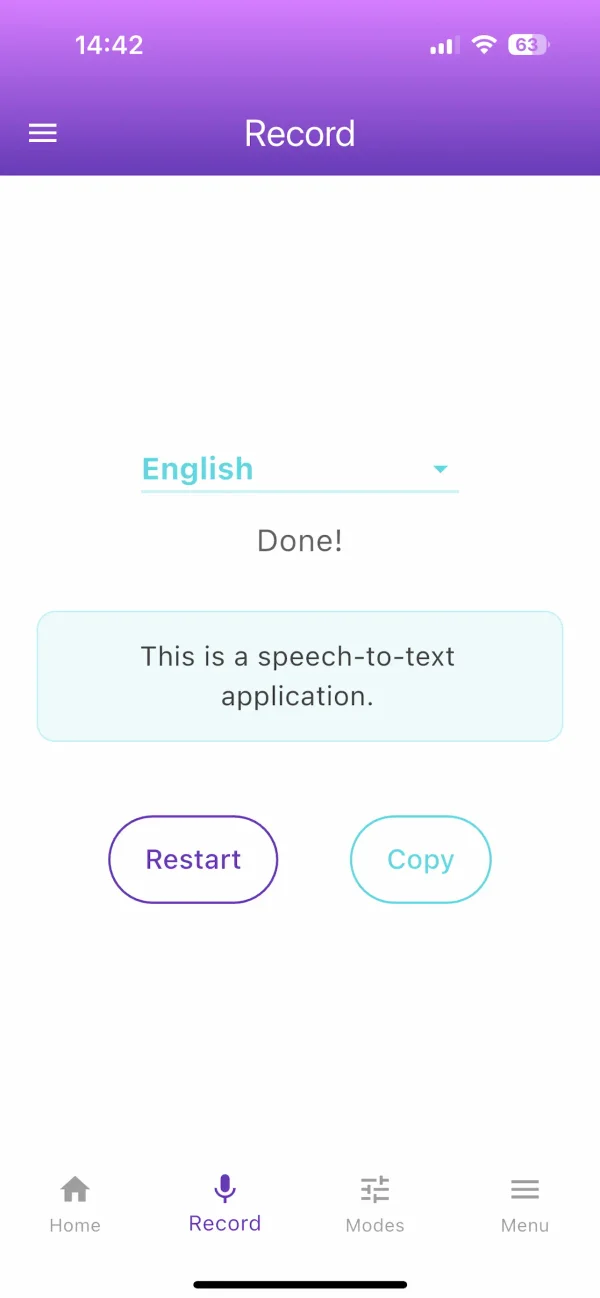
Transform the way you write with SayToType, a powerful speech to text application for Windows. Use voice typing to capture your thoughts instantly and boost your writing productivity.
How It Works
Simply click and speak. SayToType uses advanced voice recognition to convert your speech into accurate, editable text. The transcription is instantly inserted into any text field — browsers, messengers, documents, etc.
Key Features
Fast and accurate speech recognition powered by AI. Works as a universal voice input tool across all iOS applications. Hands-free typing for a more comfortable and efficient workflow. One-click dictation with instant text insertion. Supports voice dictation in multiple languages. Talk to text anywhere — no copy-paste needed.
Who Is It For
Writers and content creators looking for a faster typing experience. Professionals who want to streamline note-taking and documentation. Anyone seeking a reliable dictation app for everyday use. Developers who prefer speak to type for quick code comments and documentation.
Why SayToType
Traditional typing slows you down. With SayToType, your voice becomes your keyboard. Whether you need audio to text conversion for long documents or quick voice input for messages, SayToType delivers speed and accuracy. Experience true hands-free typing and take your productivity to the next level.
Terms of Use: https://saytotype.ai/terms
Privacy Policy: https://saytotype.ai/privacy-policy
Novedades
Versión 0.3.15 · 29/1/2026
This update brings major improvements to the Say to Type keyboard experience:
• Works Without Live Activity
Voice recording now functions even if you've disabled Live Activities in Settings. The keyboard no longer depends on the Live Activity UI for core recording functionality — it just works.
• iOS 26 Liquid Glass Design
The keyboard now features transparent backgrounds that beautifully blend with iOS 26's new Liquid Glass effect, while action buttons retain their distinct colors.
• Native-Feel Key Previews
Character keys now show popup previews when pressed, just like the standard iOS keyboard. Uses optimized gesture recognition to ensure instant response without edge delays.
• Button Press Feedback
Action buttons (space, backspace, globe, return) now provide visual feedback when pressed for a more responsive typing experience.
Privacidad de la aplicación
Lo que Artem Demyanchuk declara en App Store sobre cómo esta aplicación gestiona los datos.
-
Datos vinculados a ti
Pueden recopilarse y vincularse a tu identidad.
- Información de contacto
Las prácticas de privacidad pueden variar, por ejemplo, según las funciones que uses o tu edad.
Información
- Vendedor
- Artem Demyanchuk
- Categoría
- Productividad
- Versión
- 0.3.15
- Actualizado
- 29/1/2026
- Publicado
- 14/1/2026
- Tamaño
- 60,0 MB
- Requiere
- iOS 16.2 o posterior
- Clasificación por edad
- 4+
- Precio
- Gratis
- Compras en la aplicación
- Sí
- Idiomas
- Inglés
- Copyright
- © 2025 Artem Demyanchuk
Quizá también te guste
-
 Mariner CVProductividad
-
 OneXPro AIProductividad
-
 Scribelet: AI NotebookProductividad
-
 Readium: Text to SpeechProductividad
-
 Master VP – Voyage PlannerProductividad
-
 SoluM LCD SetupProductividad
-
 PDF Reader - Text to SpeechProductividad
-
 SpeakType: Voz a TextoDictado y notas por voz
-
 BizCard AI - Card ScannerProductividad
-
 Listenly - Text To SpeechProductividad