
Screenshots Pro
Frame, Markup, Create.
Diseñada para iPhone, iPad
Gratis · Compras en la aplicación
- Clasificación por edad4+
- CategoríaFoto y vídeo
- DesarrolladorWesley Dyson
- IdiomasInglés+ 1 más
- Tamaño103,2 MB
Enlaza a la página oficial de App Store
Download.org no aloja ningún archivo de Screenshots Pro. El botón abre la página de la aplicación en App Store, donde la publica Wesley Dyson. Ficha comprobada por última vez el 25/11/2026.
Capturas de pantalla



Acerca de
El desarrollador no ha proporcionado este texto en tu idioma.
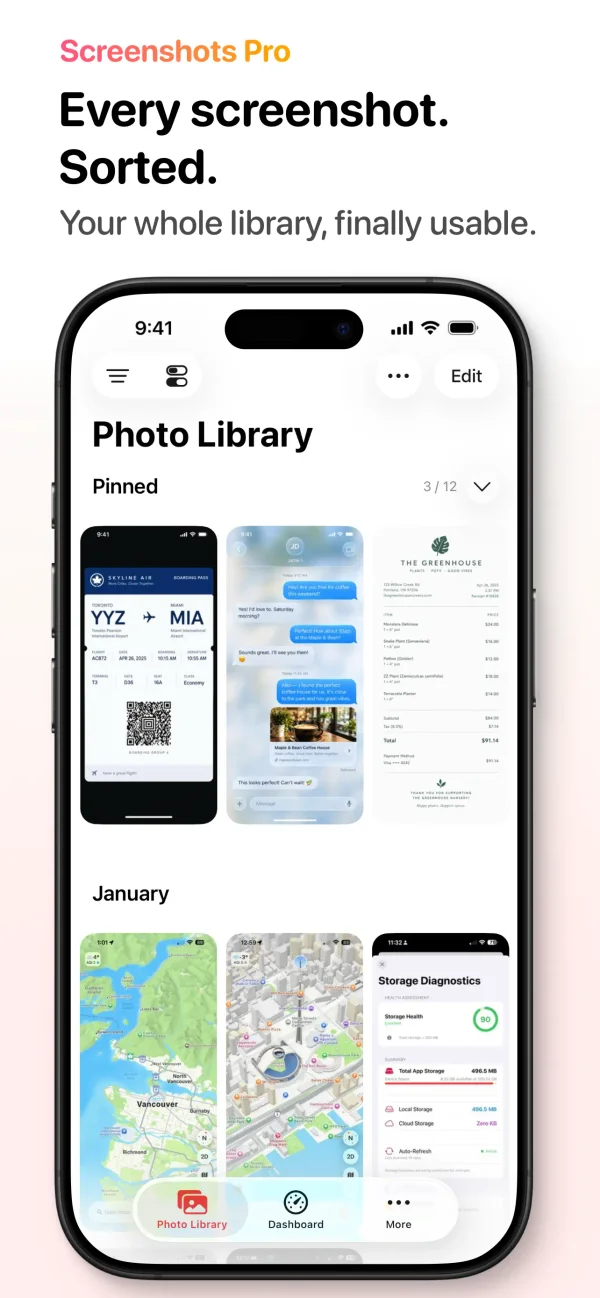
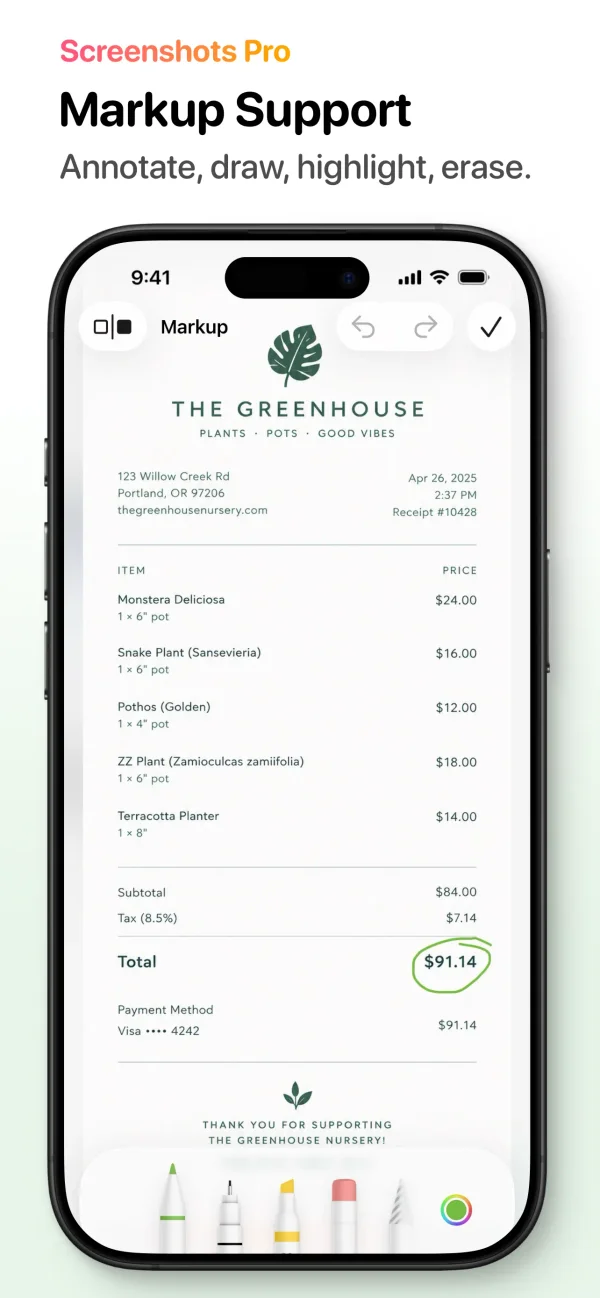
Screenshots are easy to take - and impossible to find when you need them. Screenshots Pro gives your screenshots a dedicated home, making them searchable, organized, and ready to export with professional device frames. Create polished App Store-ready assets in seconds.
Instead of digging through the Photos app, Screenshots Pro automatically finds every screenshot in your photo library, separates them from photos, and turns them into a focused, powerful library built for developers, designers, and power users. Use markup tools to annotate screenshots and pull colours and text directly from your screenshots,
Smart Organization
• Instantly find screenshots in your photo library with automatic screenshot detection
• A dedicated screenshot library to keep screenshots separate from you photos
• Quickly surface important screenshots
• Manage screenshots hidden in Photos
• Filter screenshots by device type, date, or favorites
Device Frames for Developers, Creators, and Marketers
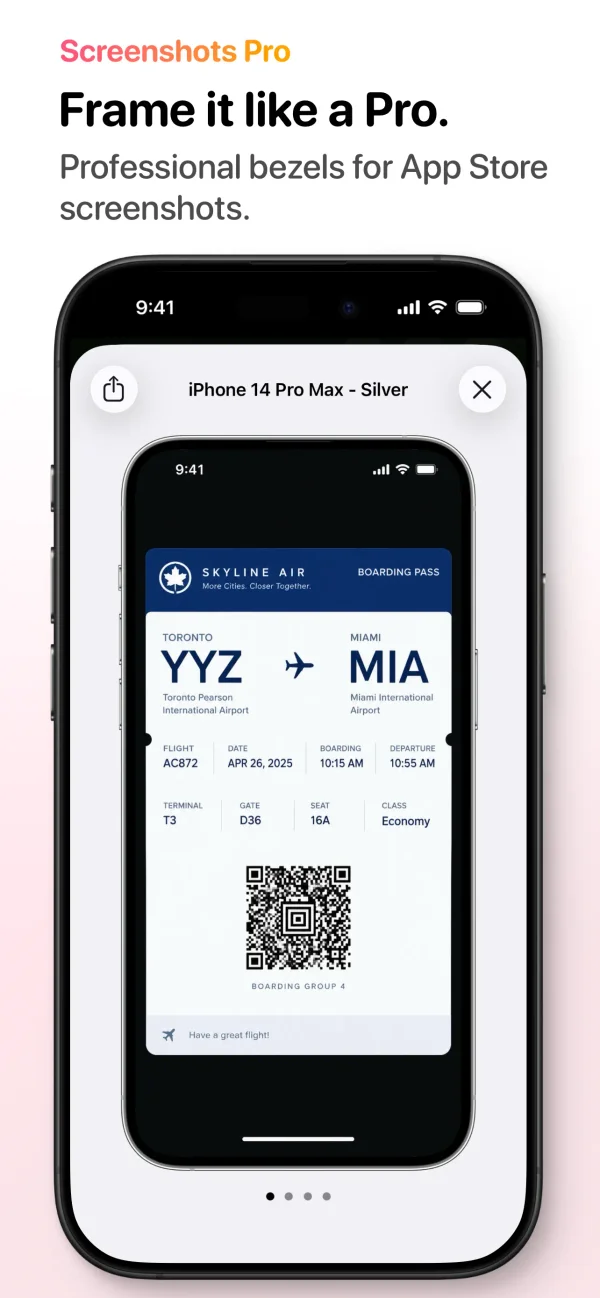
• Professional iPhone, iPad, and Apple Watch screenshot bezels for App Store-ready screenshots and marketing images.
• All iPhone models (including iPhone 17 series and iPhone 17e)
• All iPad models (including M4 iPad Air & iPad Pro)
• Apple Watch
• Apple TV 4K support
• Automatic Device Detection - Applies the correct bezel/device frame every time, choose from different device colors.
Powerful Search & Tools
• Asset Inspector - Detailed screenshot info with AI content summary, colour palette, device colours, and EXIF metadata
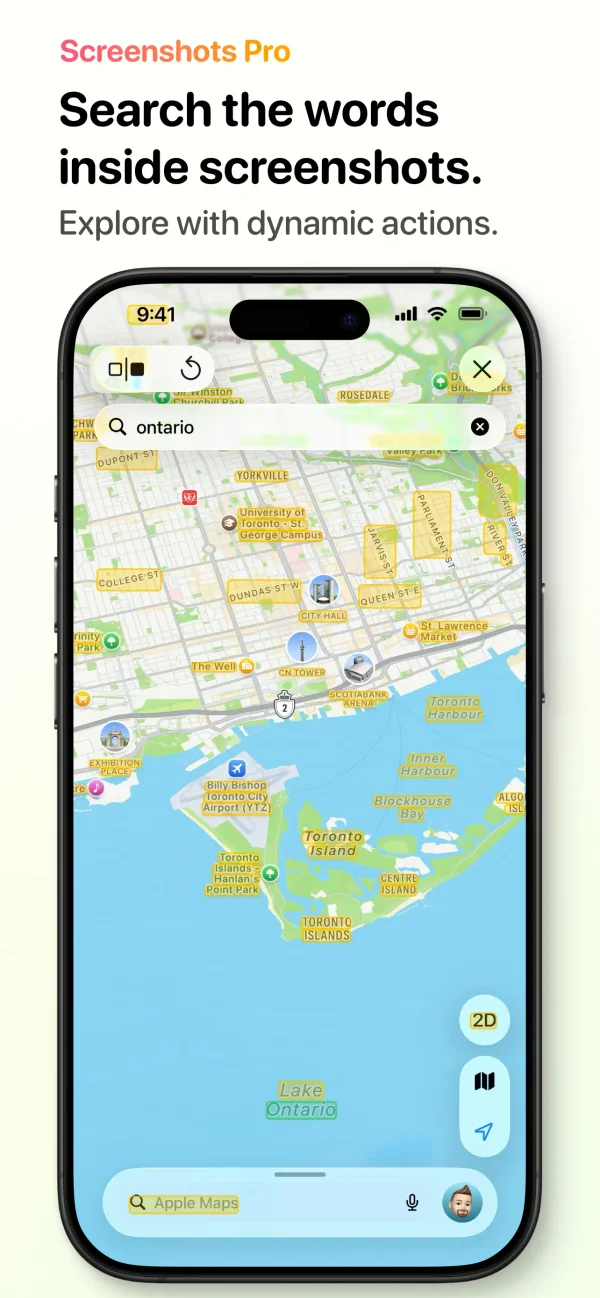
• OCR Text Recognition - Search the actual text inside screenshots (Premium)
• Redesigned Library Search - Find and manage screenshots faster than ever
• Quick Actions - Select, share, delete all screenshot by device type, category, or date.
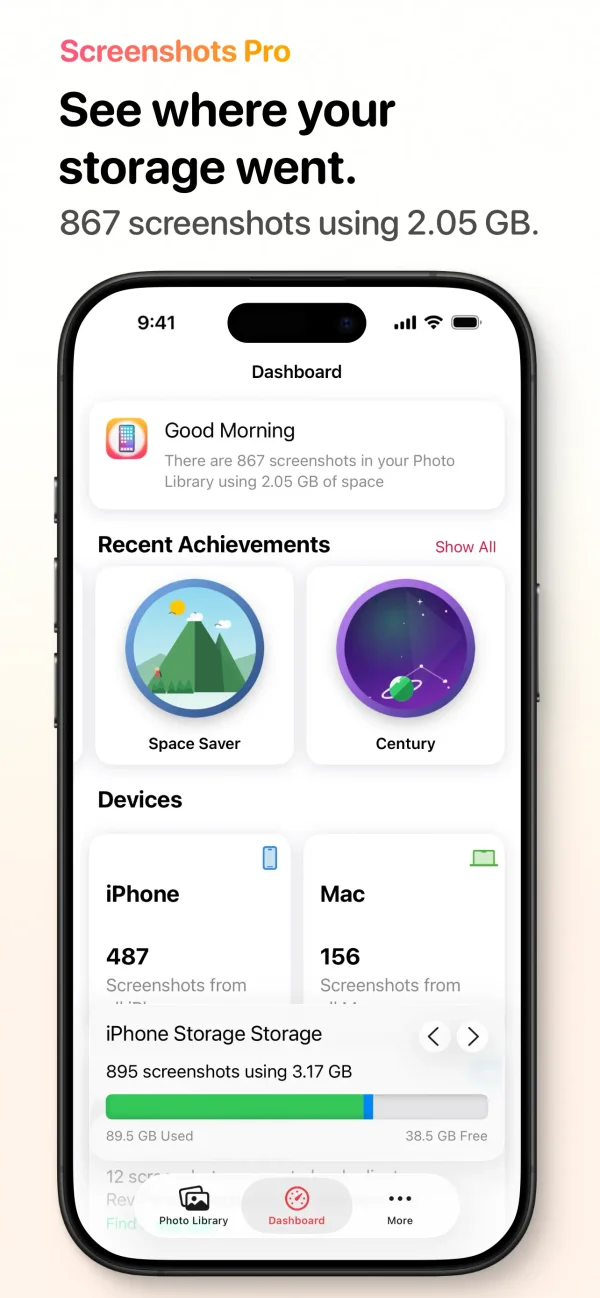
• Dashboard - Personalised stats about your Library, disk usage, and more
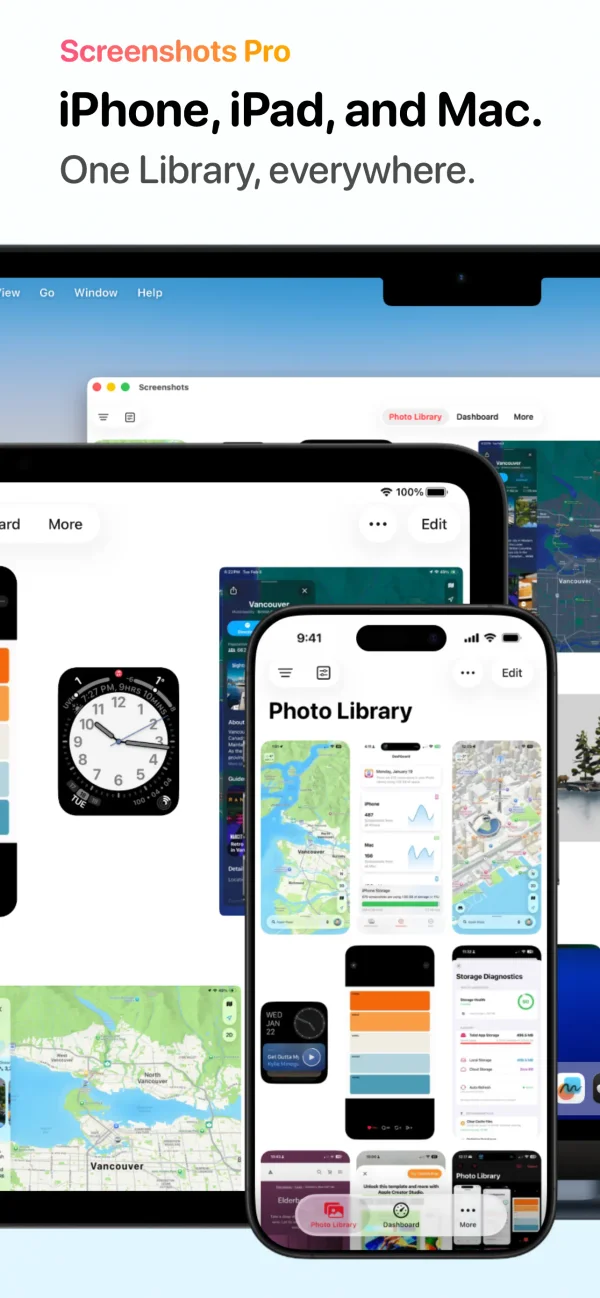
• Level up your screenshot workflow with Screenshots Pro on the Mac.
Dashboard & Insights
• See your screenshot library stats at a glance in the library Dashboard
• Charts & Statistics - Better understand storage usage and screenshot habits
• Storage Tracking - Know how much space screenshots really use
Widgets & Sync
• New Recents Widgets - Access your latest screenshots from the Home Screen
• Keep preferences in sync across devices with iCloud Sync
Privacy First
• 100% On-Device Processing - Screenshots never leave your device
• Granular Photo Permissions - You control exactly what the app can access
Premium Features
Upgrade to Screenshots Pro Premium to unlock:
• Professional iPhone, iPad, and Apple Watch screenshot bezels for App Store-ready screenshots and marketing images.
• Screenshot analysis, colour palettes, and content tag sharing from the Screenshot Inspector.
• Advanced screenshot text recognition and search
• Alternate app icons
• Beta access to new features
Perfect For
• App developers creating App Store screenshots
• UI/UX designers working on new apps and websites
• Marketing teams and those working on App Store Optimization (ASO)
• Support teams managing bug reports
• Students organizing research
• Anyone who takes a lot of screenshots
Screenshots Pro is ad-supported. If you choose to purchase a Screenshots Pro Premium Subscription to remove ads and unlock features like Screenshot Frames, payment will be charged to your iTunes account at confirmation of purchase. Your account will be charged at the same price for renewal within 24 hours prior to the end of the current period. Your subscription automatically renews unless auto-renew is turned off at least 24 hours before the end of the current period. You can manage your subscriptions or cancel auto-renewal at any time from your Account Settings in the App Store. Screenshots Pro Premium Subscription is currently priced at $2.99 USD per month or $29.99 USD per year, and may vary from country to country.
Terms of Use: https://www.loveformstudio.com/screenshots-pro-terms
Privacy Policy: https://www.loveformstudio.com/screenshots-pro-privacy
Novedades
Versión 2026.6 · 14/10/2026
New Devices
iPhone 18 Pro, iPhone 18 Pro Max, iPhone Duo (front and interior), Apple Watch Series 12 and Apple Watch Ultra 4 are all ready to frame - and new device frames now arrive on their own, no app update needed.
Clearer Device Names
Apple Watch models are now listed by series and size (“Series 10–12 · 46mm”), and every device shows which other models share its screen size.
Device Frame Download Manager
Pull to refresh on the Device Frames screen to check for new ones any time.
Tidier Menus
The screenshot viewer's More menu and the Mac menu bar now match: Share, Copy, Show Device Frames, Show Text Recognition, Show Colour Picker, Markup and Show with Padding - with Favourite and Hide reflecting the current screenshot. On iPad and Mac, the device frame preview now has its own shortcuts in the menu bar.
Smoother library
Faster, more responsive scrolling and browsing, smoother swiping between screenshots, and more accurate library stats. The Dashboard storage bar now shows how much of your library is stored on this device and how much is only in iCloud.
Bug fixes
Fixed an issue where framed screenshots would sometimes be missing the Dynamic Island. The photo permission prompt no longer appears too early in onboarding. Dashboard content updates more quickly and reliably. The framing preview now opens as a full or half-height sheet and remembers your preferred size. More reliable opening of a screenshot from a link, Handoff, or Spotlight. Frees up storage left behind by older versions of the app. The Open Dashboard and Open Most Recent shortcuts work more reliably. Pinned screenshots persist after reinstalling or when Photos access changes and are generally more reliable.
Privacidad de la aplicación
Lo que Wesley Dyson declara en App Store sobre cómo esta aplicación gestiona los datos.
-
Datos no vinculados a ti
Pueden recopilarse, pero no se vinculan a tu identidad.
- Identificadores
- Datos de uso
- Diagnóstico
Las prácticas de privacidad pueden variar, por ejemplo, según las funciones que uses o tu edad.
Información
- Vendedor
- Wesley Dyson
- Categoría
- Foto y vídeo
- Versión
- 2026.6
- Actualizado
- 14/10/2026
- Publicado
- 4/3/2015
- Tamaño
- 103,2 MB
- Requiere
- iOS 26.0 o posterior
- Clasificación por edad
- 4+
- Precio
- Gratis
- Compras en la aplicación
- Sí
- Idiomas
- Inglés, Francés
- Copyright
- © 2015-2026 Wesley Dyson
Quizá también te guste
-
 NexSnap - Editor de capturasCrea capturas bonitas
-
 Screen Recorder: Create & EditRecord & Merge Video Clips
-
 Screen Shot App - ZapShareAdd Device Frame to Screenshot
-
 Captura de Pantalla ScreencutCrea imágenes únicas
-
 Screen Recorder ™ Record ShotFoto y vídeo
-
 VideoShot - Screen RecorderFoto y vídeo
-
 FLDR - Digital Life, OrganizedFoto y vídeo
-
 PixelShot - Screenshot FinderFoto y vídeo
-
 Captura de Pantalla - LongshotPuntada de Screenshot Larga
-
 Pic Stitch:Puntada PicEmpalme de varias imágenes