
SDCull
Cull photos from SD cards
Diseñada para iPhone, iPad
Gratis · Compras en la aplicación
- Clasificación por edad4+
- CategoríaFoto y vídeo
- DesarrolladorOne Rad Studio LLC
- IdiomasInglés
- Tamaño8,6 MB
Enlaza a la página oficial de App Store
Download.org no aloja ningún archivo de SDCull. El botón abre la página de la aplicación en App Store, donde la publica One Rad Studio LLC. Ficha comprobada por última vez el 17/11/2026.
Capturas de pantalla

Acerca de
El desarrollador no ha proporcionado este texto en tu idioma.
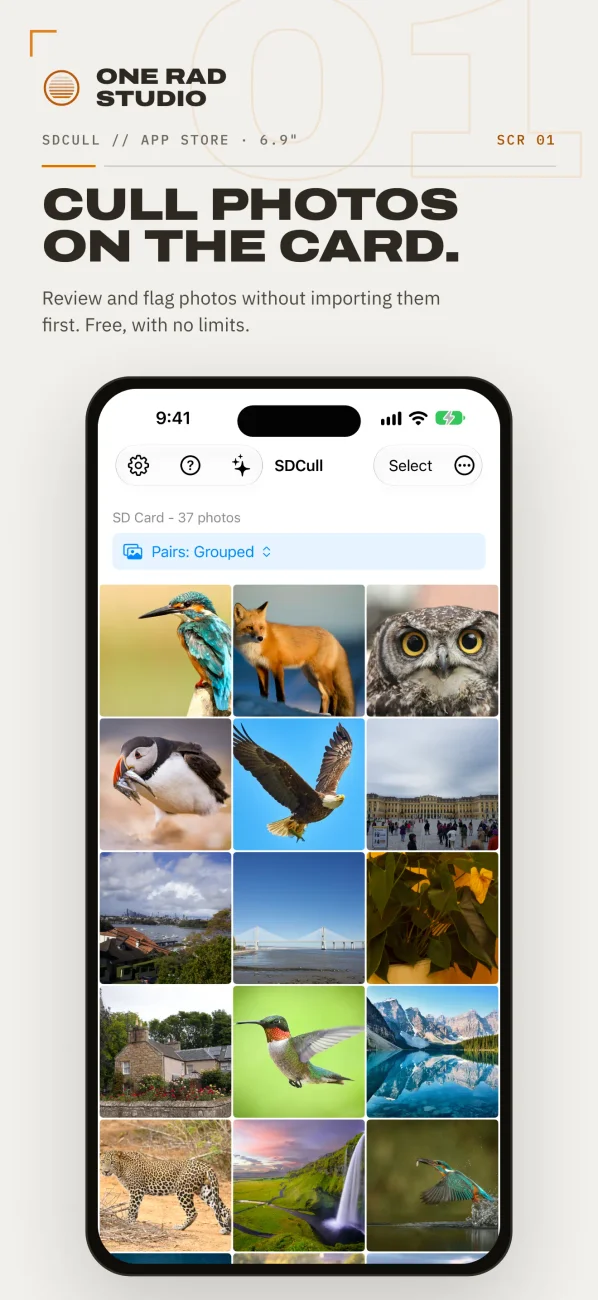
SDCull helps you sort photos directly on an SD card, external drive, or folder in the Files app. You do not need to import the photos first.
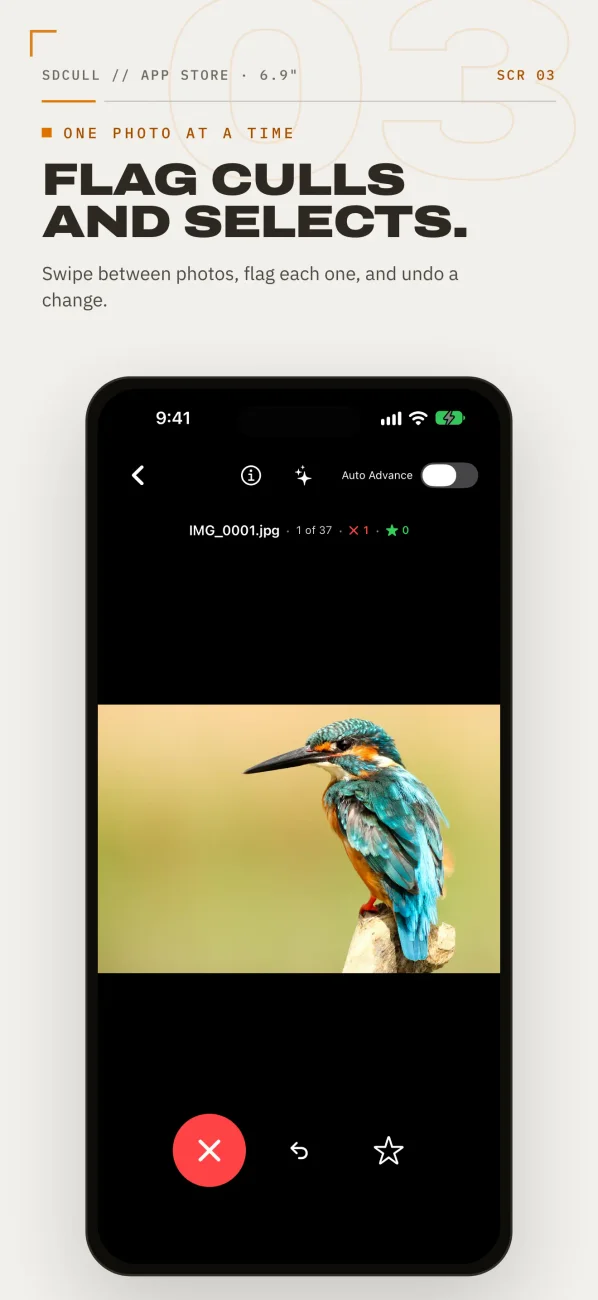
Review photos one at a time or select several from the grid. Mark unwanted photos as culls and mark keepers as selects.
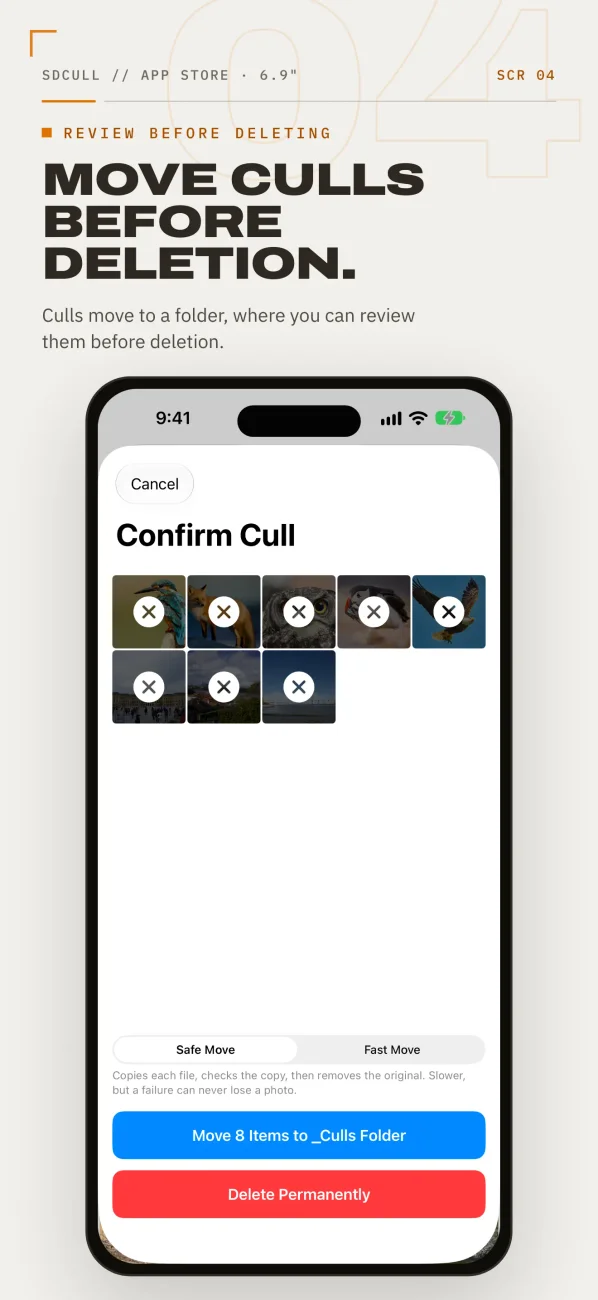
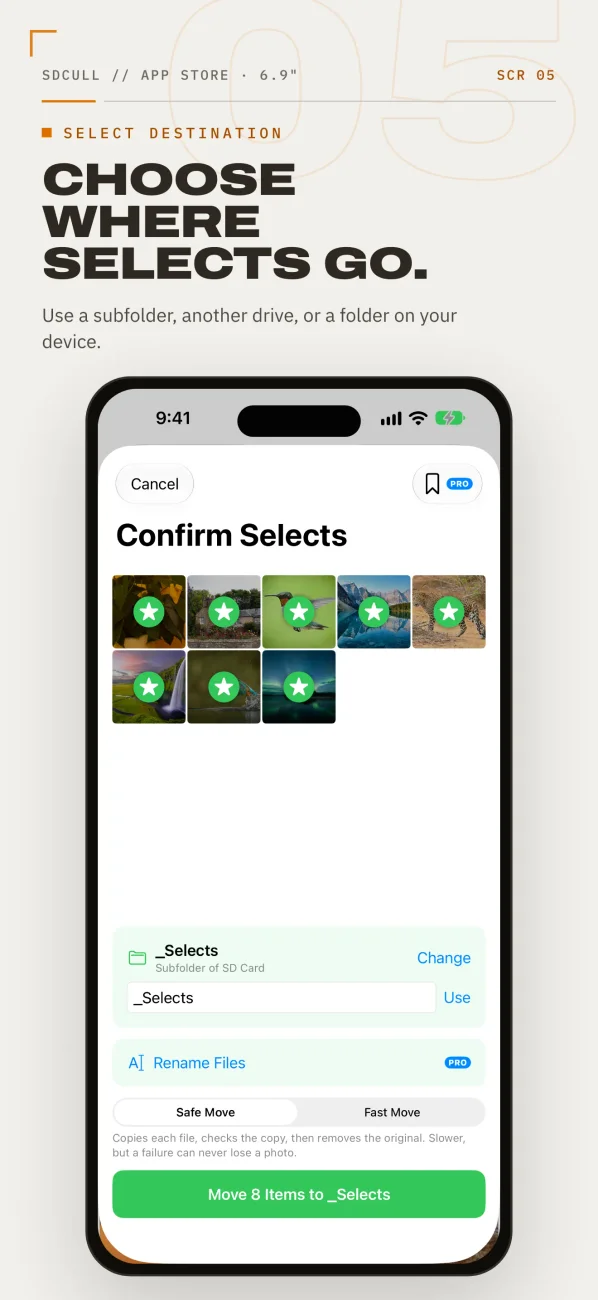
Culls move to a _Culls folder. You can review them there before you delete them. Selects move to a subfolder on the card or to another drive or folder. When you move photos, choose Safe Move or Fast Move. Safe Move, the default, copies each file and confirms the copy before it removes the original. Fast Move moves photos almost instantly when they stay on the same card. You can stop a long move at any time; the photos that are not moved yet stay flagged.
Safe Move never deletes a photo until its copy is checked. If a move stops because the card is removed or the app closes, nothing is lost, and the next move finishes it. A photo never replaces a different photo with the same name. Both are kept.
SDCull supports common photo formats and RAW files, including ARW, CR2, NEF, DNG, and RAF. It can group matching RAW and Non-RAW files so that you can review and move them together.
Other free features include:
• Sort by filename, EXIF capture time, or modification date.
• Filter by file type or flag.
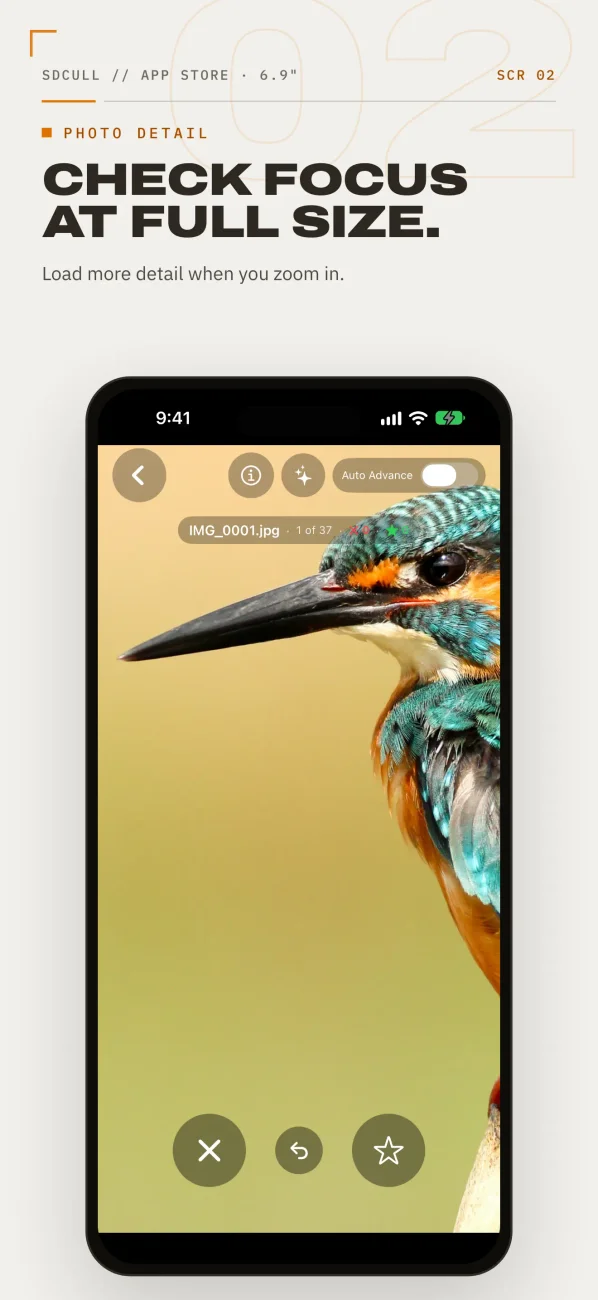
• Zoom in to inspect detail.
• Tap the middle of a photo to hide the controls and see only the photo.
• View the camera, lens, exposure, and file information.
• Undo flag changes.
• Keep flags after you close the app.
• Cull with keyboard shortcuts on an iPad or iPhone with a keyboard.
• On iPad, turn Tap to Flag off to look at photos without flagging them by accident.
• Help with pictures, and a guide to every button and badge.
All of these features are free, with no limits and no subscription.
SDCULL PRO (OPTIONAL)
SDCull Pro is a one-time purchase that unlocks extra tools for life. You do not need Pro to cull, select, or move photos. Pro adds:
• Exposure tools: Change the exposure, shadows, and highlights of a photo on screen, and see a histogram. Red shows the areas that are too bright, and blue shows the areas that are too dark. Your files do not change.
• Custom keyboard shortcuts: Cull a whole shoot without lifting your hands from the keyboard. Choose your own key for cull, select, star ratings, color labels, and moving between photos.
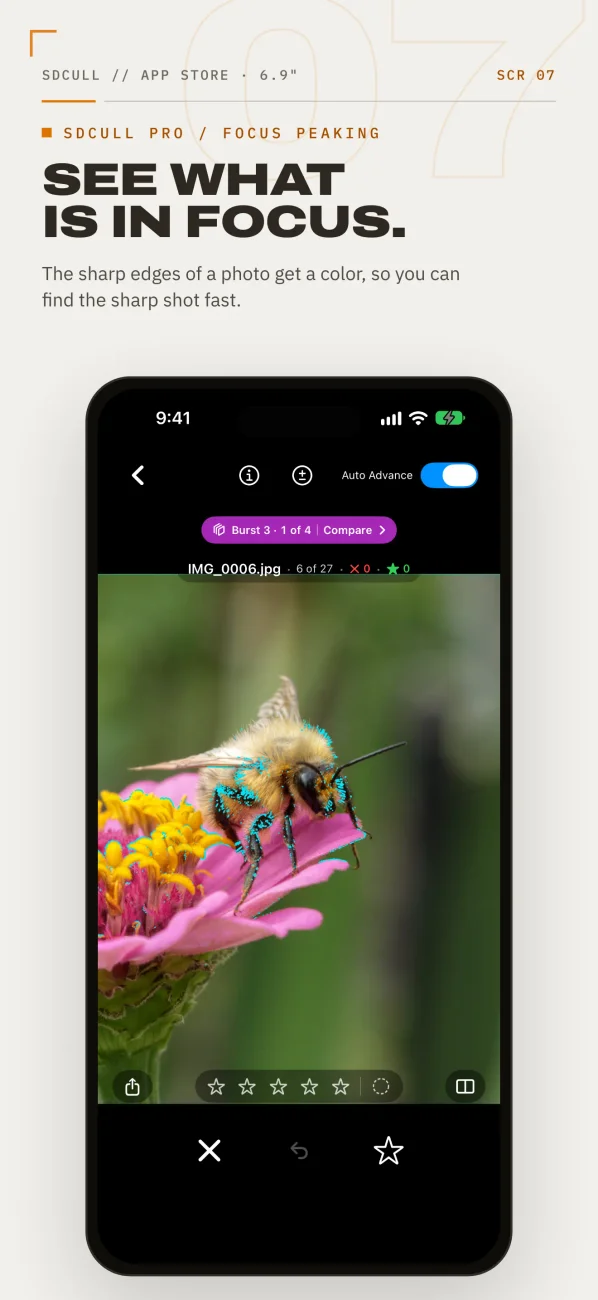
• Focus peaking: Color the sharp edges of a photo so that you can see what is in focus.
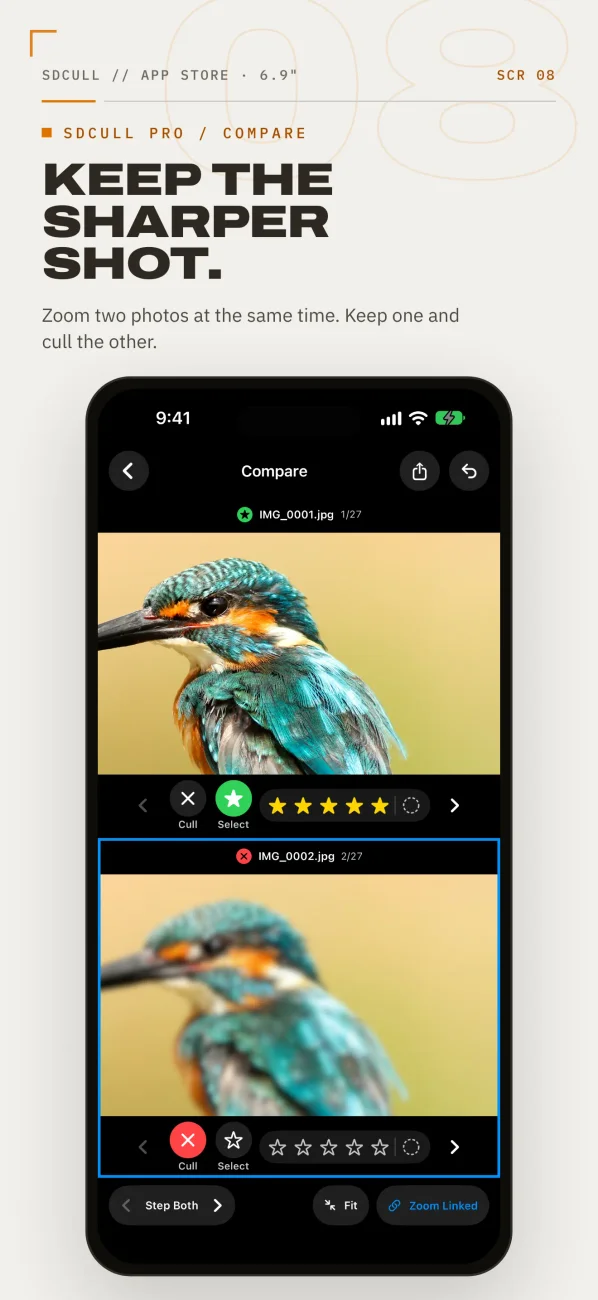
• Side-by-side compare: Put two photos next to each other. When you zoom or move one photo, the other photo follows.
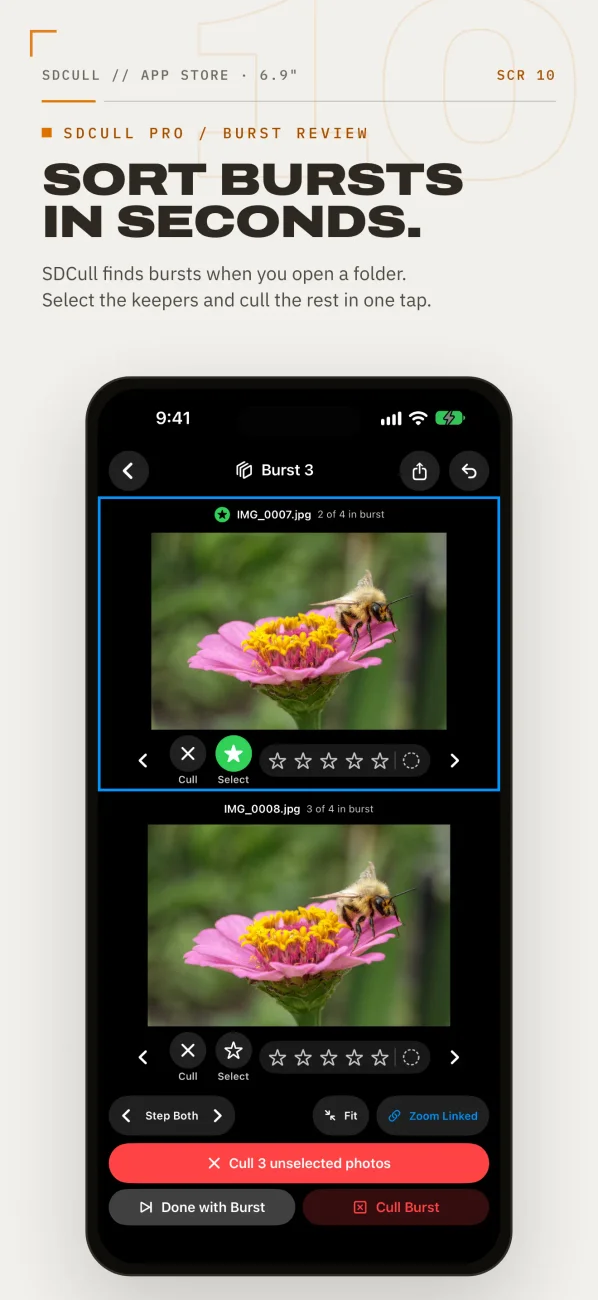
• Burst review: SDCull finds bursts when you open a folder. Tap the burst pill in the viewer to open it in Compare, swipe between its frames, select the ones you want to keep, and cull the rest in one tap. Done with Burst goes to the photo after the burst.
• Share as JPEG: Send a photo to Messages, Mail, or another app as a JPEG, even from a RAW file. Location is removed unless you choose to keep it. Your original file does not change.
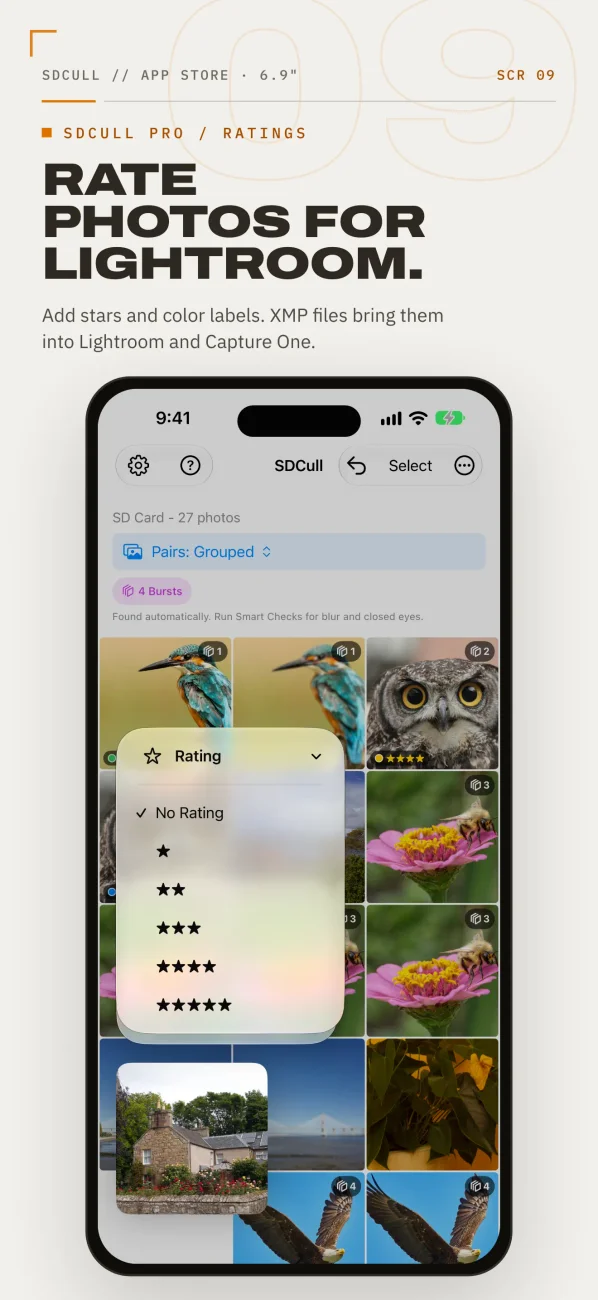
• Star ratings and color labels: Rate photos with 1 to 5 stars and add a color label. The keys are the same as in Lightroom.
• XMP sidecars: SDCull saves ratings and labels automatically in XMP files next to your photos. Lightroom Classic and Capture One read them when you import RAW files.
• Custom taps: Choose what a tap on the left or right half of a photo does. For example, tap the right half to give a photo 5 stars.
• Smart Checks: Find photos that are likely blurry or have closed eyes, and find bursts of similar shots. The checks run on your device. They only suggest photos and do not flag anything for you.
• Rename on move: Give selects new names from a pattern, such as the date, the camera, and a number. Save destinations and patterns as presets.
You can share SDCull Pro with your Family Sharing group.
SDCull works offline and does not require an account.
Novedades
Versión 1.8.0 · 17/11/2026
Version 1.8.0 adds SDCull Pro, an optional one-time purchase. Pro is at a launch price for a limited time.
Everything that SDCull did before stays free, with no limits. You do not need Pro to cull, select, or move photos.
SDCull Pro adds these tools:
• Custom keyboard shortcuts. Choose your own key for cull, select, ratings, labels, and moving between photos.
• Exposure tools and focus peaking in the photo viewer.
• Side-by-side compare. When you zoom one photo, the other photo zooms too.
• Star ratings and color labels. SDCull saves them automatically to XMP sidecars that Lightroom Classic and Capture One read.
• Smart Checks, which find blurry photos, closed eyes, and bursts on your device.
• Burst review. SDCull finds bursts when you open a folder. Tap the purple burst pill in the photo viewer to open it in Compare, swipe between frames, select your keepers, and cull the rest in one tap.
• Share as JPEG. Send a photo to Messages or Mail, even from a RAW file. Location is removed by default.
• Rename selects with a pattern when you move them, and save presets.
• Custom taps. Choose what a tap on each half of a photo does, for example 5 stars.
Also new for everyone:
• Tap the middle of a photo to hide the controls and see only the photo. Tap the middle again to show them. Taps on the left and right still flag photos.
• Fast Move. Move photos almost instantly when they stay on the same card. Choose Safe Move or Fast Move each time you move photos.
• A progress screen for long moves and deletes, with speed and time left. You can stop a long move.
• Safer moves. Each copy is checked before the original is removed. An interrupted move finishes the next time, and a photo never replaces a different photo with the same name.
• On iPad, a Tap to Flag switch lets you look at photos without flagging them.
• Help with pictures. Tap the question mark next to Settings to learn each feature, with a guide to every button.
Pro is a lifetime unlock, and you can share it with Family Sharing. To see what Pro adds, tap the sparkles button.
Privacidad de la aplicación
Lo que One Rad Studio LLC declara en App Store sobre cómo esta aplicación gestiona los datos.
-
No se recopilan datos
El desarrollador no recopila ningún dato de esta aplicación.
Las prácticas de privacidad pueden variar, por ejemplo, según las funciones que uses o tu edad.
Información
- Vendedor
- One Rad Studio LLC
- Categoría
- Foto y vídeo
- Versión
- 1.8.0
- Actualizado
- 17/11/2026
- Publicado
- 10/2/2026
- Tamaño
- 8,6 MB
- Requiere
- iOS 26.1 o posterior
- Clasificación por edad
- 4+
- Precio
- Gratis
- Compras en la aplicación
- Sí
- Idiomas
- Inglés
- Copyright
- © 2026 One Rad Studio LLC
Quizá también te guste
-
 Photo Triager: RAW CullingFoto y vídeo
-
 CullKit: NAS Photo Cull & RateFoto y vídeo
-
 Cull: AI Photo CullingFoto y vídeo
-
 cullstudioAI-Driven Mobile Photo Culling
-
 PhotoCuller MobileFoto y vídeo
-
 QSDCFoto y vídeo
-
 Cull: Photo PickerFoto y vídeo
-
 ApolloOne GO: Selección RAWVisor de fotos para tarjeta SD
-
 PhotoCullFoto y vídeo
-
 Photo Workflow LiteFoto y vídeo