SecOps Engineer Exam Prep
SPLK-1004 Advanced Power User
Diseñada para iPhone, iPad, iPod touch
Gratis · Compras en la aplicación
- Clasificación por edad4+
- CategoríaEducación
- DesarrolladorCHOI SEONGMIN
- IdiomasInglés+ 2 más
- Tamaño209,4 MB
Enlaza a la página oficial de App Store
Download.org no aloja ningún archivo de SecOps Engineer Exam Prep. El botón abre la página de la aplicación en App Store, donde la publica CHOI SEONGMIN. Ficha comprobada por última vez el 25/11/2026.
Capturas de pantalla

Acerca de
El desarrollador no ha proporcionado este texto en tu idioma.
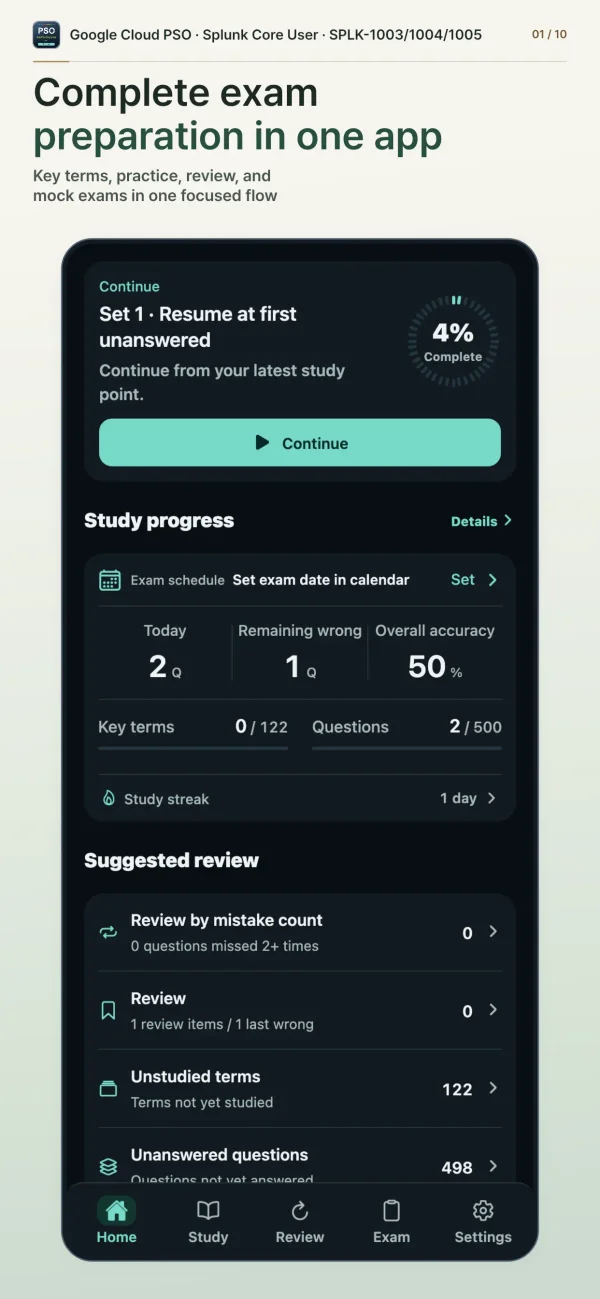
Study on your phone. Continue on desktop.
Access and progress are managed separately for each exam.
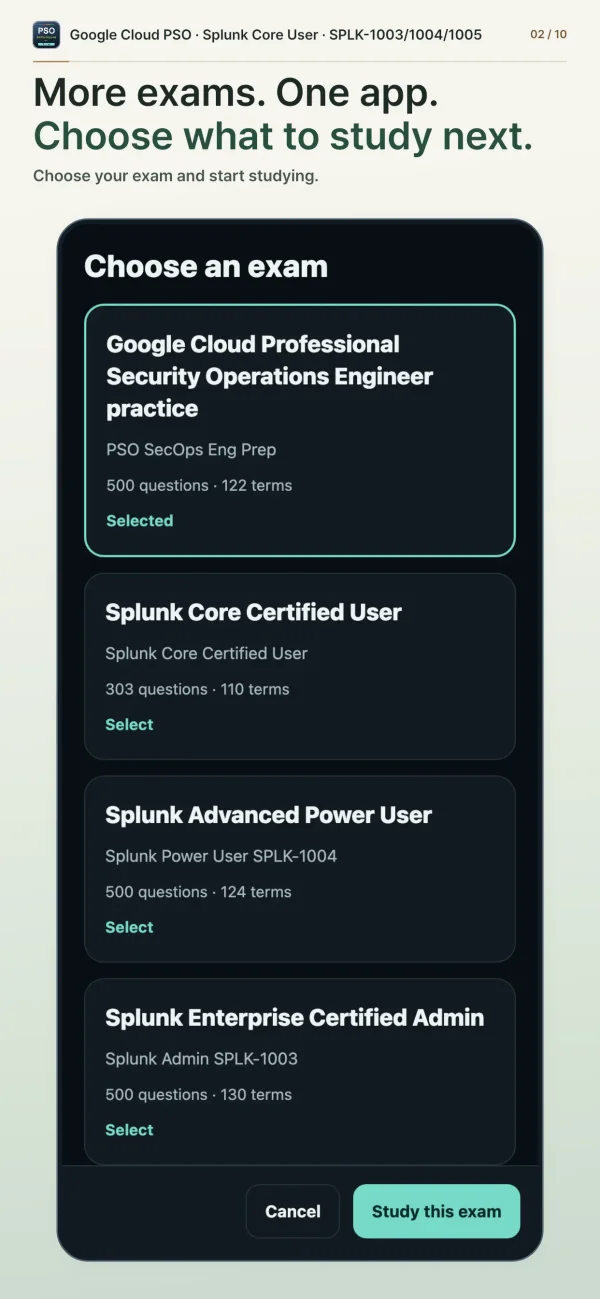
Includes 2303 practice questions across 5 exams. The total combines the study-language counts stated for each exam below.
1. Google Cloud Professional Security Operations Engineer practice
500 practice questions · 122 key terms
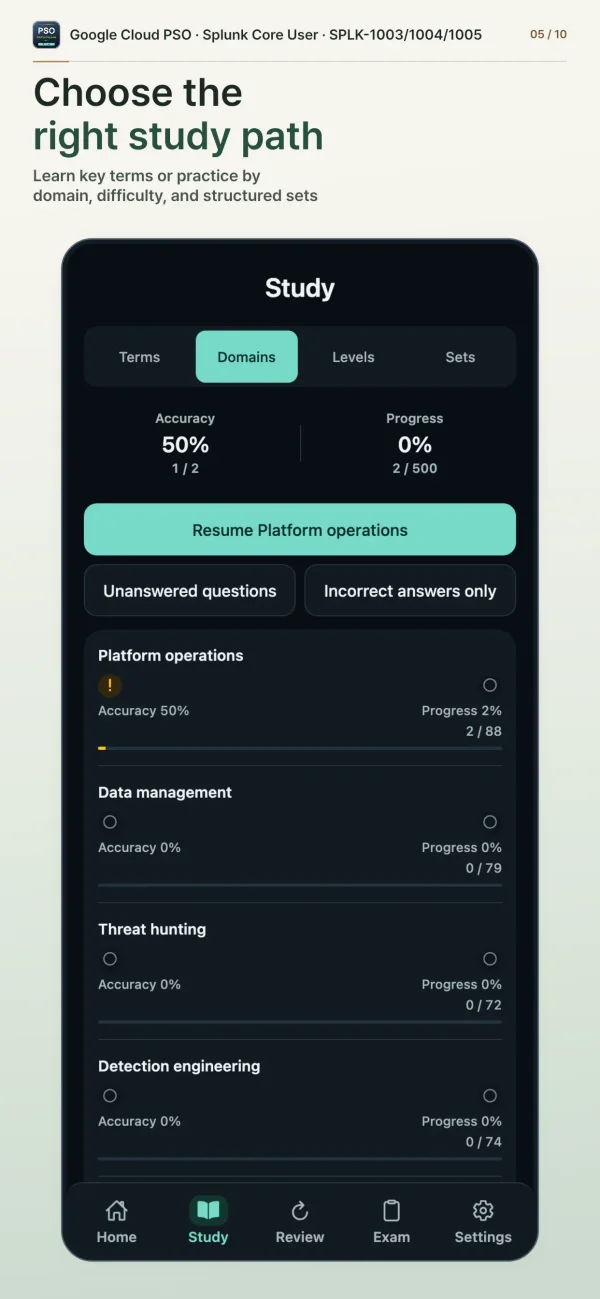
6 areas: Platform operations · Data management · Threat hunting · Detection engineering · Incident response · Observability
Languages: English, Japanese, Korean. Counts: English.
2. Splunk Core Certified User
303 practice questions · 110 key terms
8 areas: Splunk Basics · Basic Searching · Using Fields in Searches · Search Language Fundamentals · Using Basic Transforming Commands · Creating Reports and Dashboards · Creating and Using Lookups · Creating Scheduled Reports and Alerts
Languages: English, Korean, Japanese. Counts: English.
3. Splunk Advanced Power User
500 practice questions · 124 key terms
22 areas: 1.0 Exploring Statistical Commands · 2.0 Exploring eval Command Functions · 3.0 Exploring Lookups · 4.0 Exploring Alerts · 5.0 Advanced Field Creation and Management · 6.0 Working with Self-Describing Data and Files · 7.0 Advanced Search Macros · 8.0 Using Acceleration Options: Reports and Summary Indexing · 9.0 Using Acceleration Options: Data Models and tsidx Files · 10.0 Using Search Efficiently · 11.0 More Search Tuning · 12.0 Manipulating and Filtering Data · 13.0 Working with Multivalued Fields · 14.0 Using Advanced Transactions · 15.0 Working with Time · 16.0 Using Subsearches · 17.0 Creating a Prototype · 18.0 Using Forms · 19.0 Improving Performance · 20.0 Customizing Dashboards · 21.0 Adding Drilldowns · 22.0 Adding Advanced Behaviors and Visualizations
Languages: English.
4. Splunk Enterprise Certified Admin
500 practice questions · 130 key terms
17 areas: Splunk Admin Basics · License Management · Splunk Configuration Files · Splunk Indexes · Splunk User Management · Splunk Authentication Management · Getting Data In · Distributed Search · Getting Data In – Staging · Configuring Forwarders · Forwarder Management · Monitor Inputs · Network and Scripted Inputs · Agentless Inputs · Fine Tuning Inputs · Parsing Phase and Data · Manipulating Raw Data
Languages: English.
5. Splunk Cloud Certified Admin
500 practice questions · 140 key terms
13 areas: Splunk Cloud Overview · Index Management · User Authentication and Authorization · Splunk Configuration Files · Getting Data in Cloud · Forwarder Management · Monitor Inputs · Network and Other Inputs · Fine-tuning Inputs · Parsing Phase and Data Preview · Manipulating Raw Data · Installing and Managing Apps · Working with Splunk Cloud Support
Languages: English.
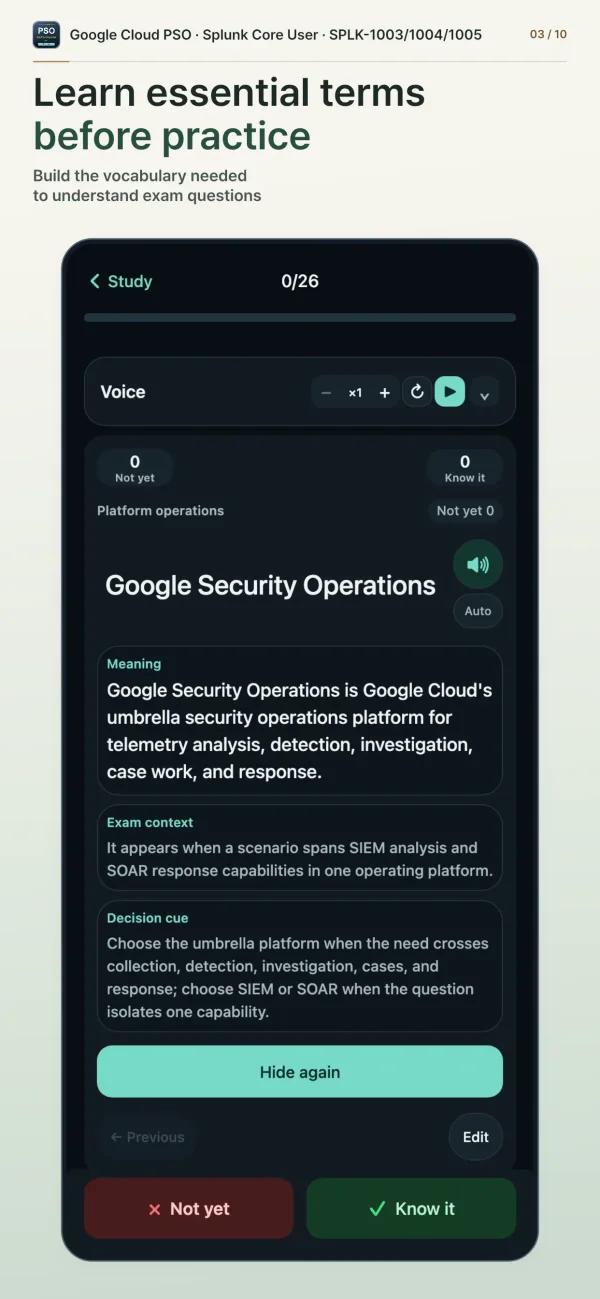
1. Learn the basic terms
Use flashcards for meanings, exam context and selection criteria; mark known or unfamiliar terms.
2. Practice and read the explanations
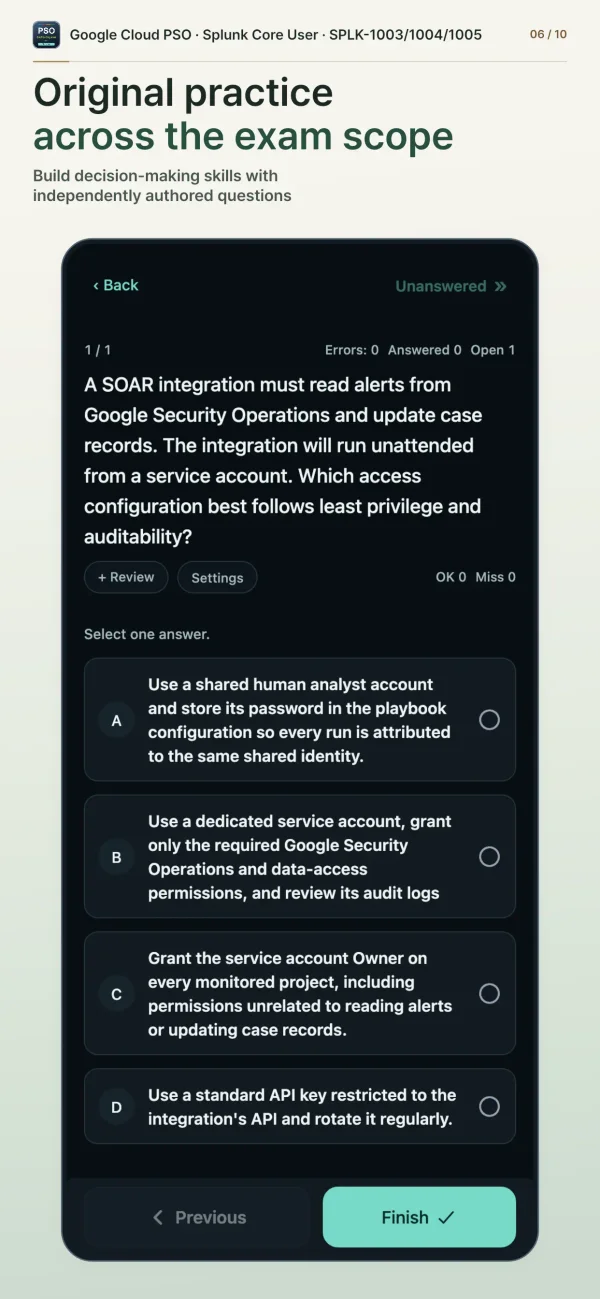
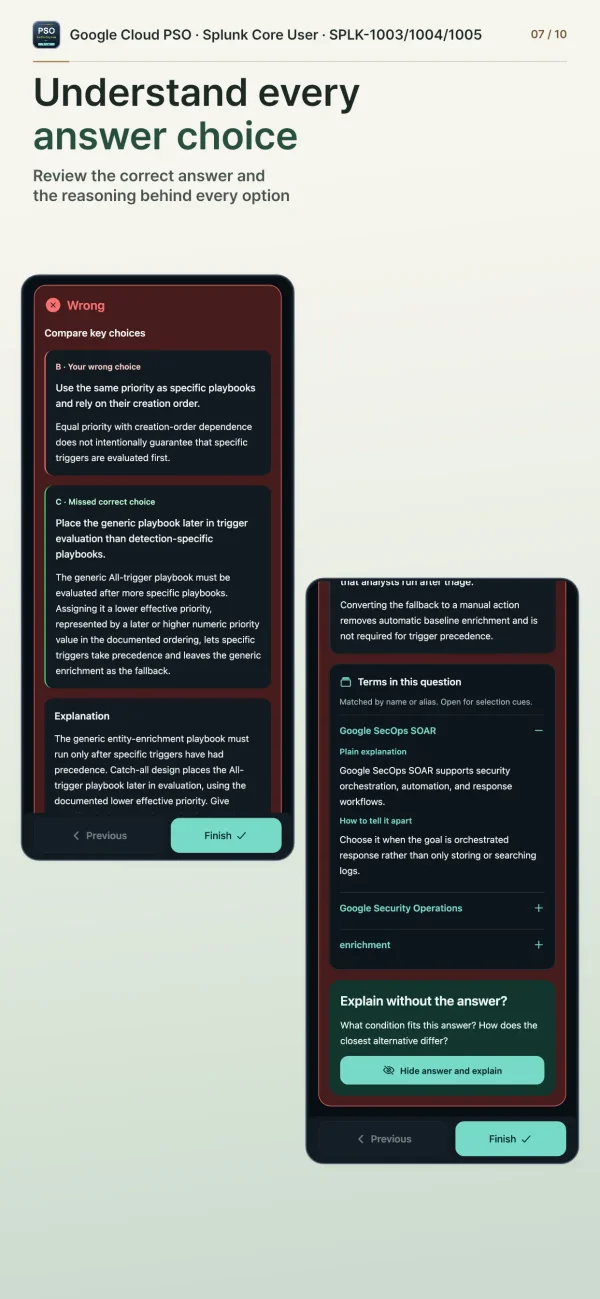
Practice by set, domain or difficulty, with answer/option explanations, unfinished/wrong filters, shuffle, timer and resume.
Practice in sets of 50 questions for each exam.
3. Review mistakes
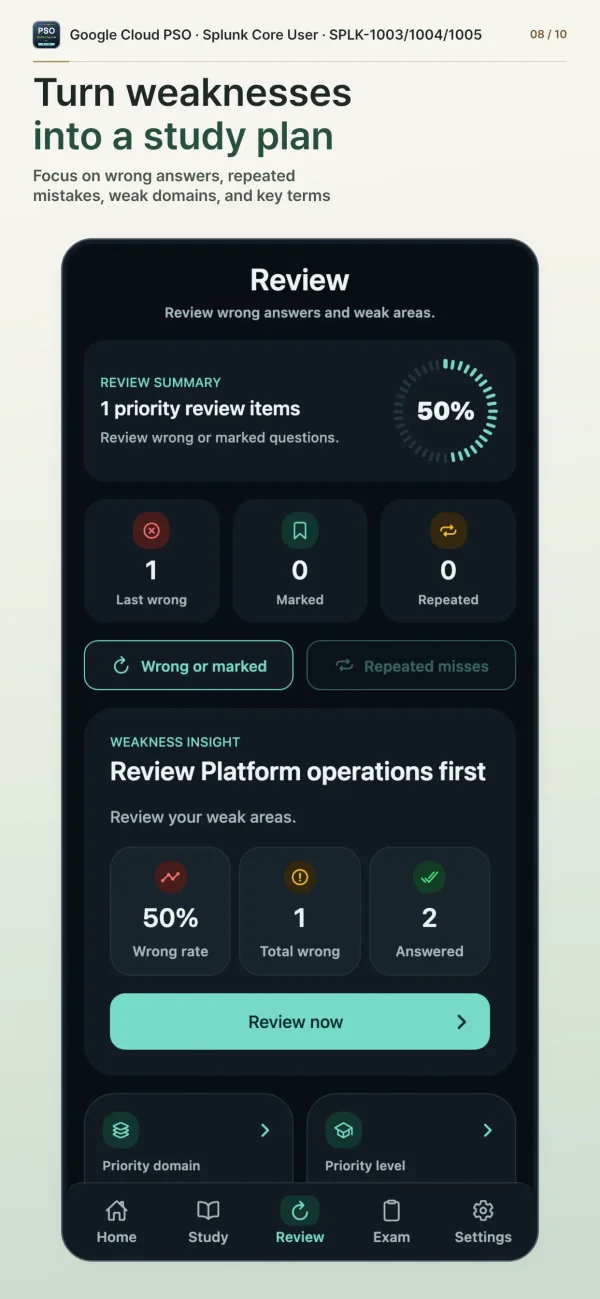
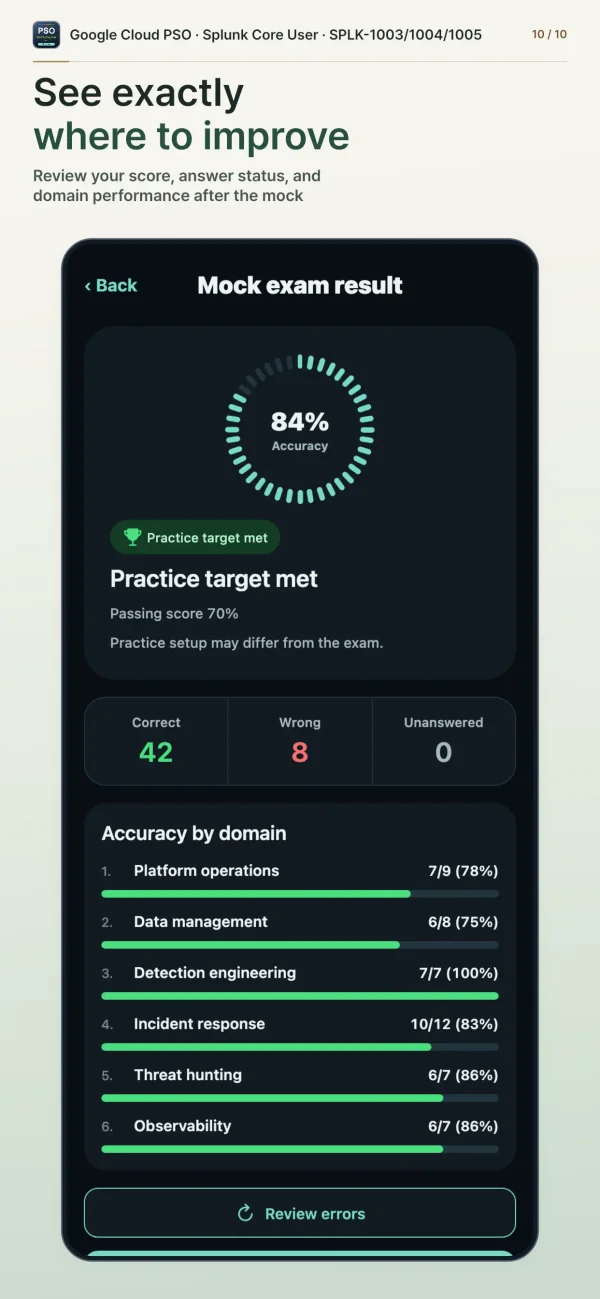
Review bookmarks, recent/repeated errors, glossary reports, weak areas and study history.
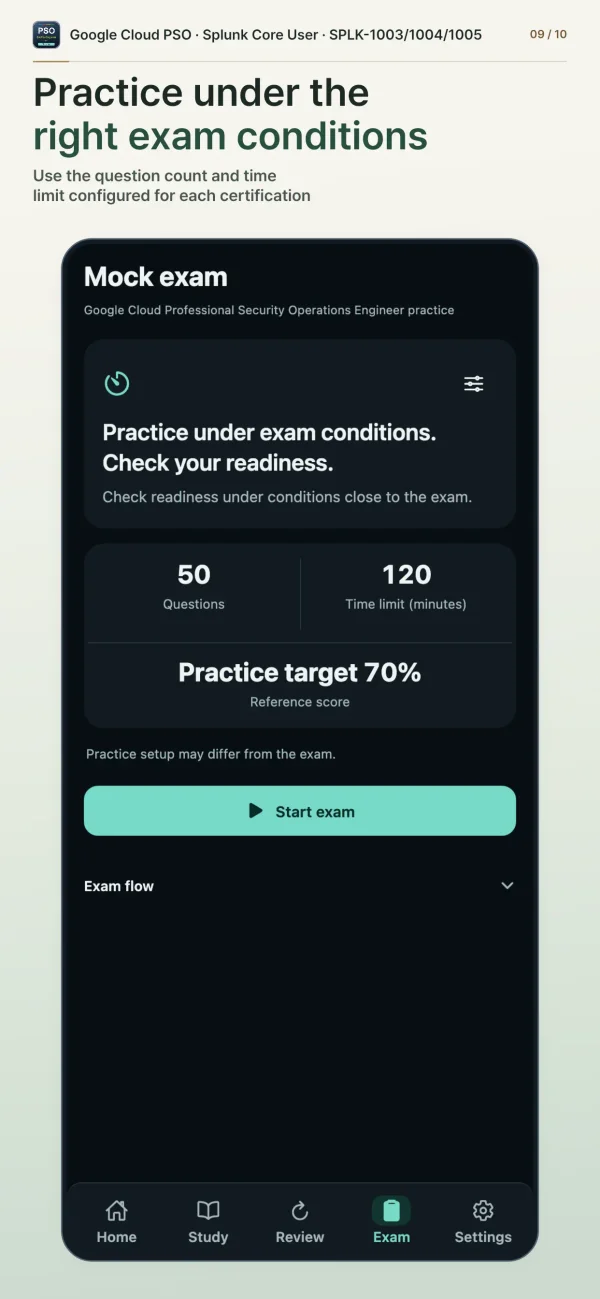
4. Check readiness with a timed mock
Use the settings below; review results, domain scores and mistakes.
Mock questions / time limit (minutes), by exam: 1: 50 / 120; 2: 60 / 60; 3: 70 / 60; 4: 56 / 60; 5: 60 / 75
Tools that fit your study routine
Optional audio/autoplay reads terms and meanings with repeat/pause settings. Use a study calendar, weekly goals, reminders and themes.
Content, features, languages and paid access differ by exam. Check content and price before purchase.
This is an independent study aid, not an official, affiliated or endorsed app of any exam administrator or certification body. Exam names and trademarks belong to their respective owners.
Novedades
Versión 1.0.15 · 24/11/2026
The launch screen now shows “SecOps Engineer Exam Prep” when English is selected as the app language.
Privacidad de la aplicación
Lo que CHOI SEONGMIN declara en App Store sobre cómo esta aplicación gestiona los datos.
-
Datos no vinculados a ti
Pueden recopilarse, pero no se vinculan a tu identidad.
- Compras
- Datos de uso
Las prácticas de privacidad pueden variar, por ejemplo, según las funciones que uses o tu edad.
Información
- Vendedor
- CHOI SEONGMIN
- Categoría
- Educación
- Versión
- 1.0.15
- Actualizado
- 24/11/2026
- Publicado
- 1/7/2026
- Tamaño
- 209,4 MB
- Requiere
- iOS 15.1 o posterior
- Clasificación por edad
- 4+
- Precio
- Gratis
- Compras en la aplicación
- Sí
- Idiomas
- Inglés, Japonés, Coreano
- Copyright
- © 2026 Choiseongmin Choi
Quizá también te guste
-
 ECDE DevSecOps Engineer PrepEducación
-
 Learn Binary: Bits & HexEducación
-
 정처기 실기 - 정보처리기사 실기 시험 대비Educación
-
 LetsDefendEducación
-
 Acceleread: Lectura rápidaMás velocidad y comprensión
-
 Hacktivate: Capture the FlagEducación
-
 AWS Cloud Practitioner: 2025Educación
-
 Learn AWSEducación
-
 Learn AzureEducación
-
 ISC2 Official Exam PrepEducación