
- Clasificación por edad4+
- CategoríaProductividad
- DesarrolladorFive and Two
- Tamaño909,0 KB
Enlaza a la página oficial de App Store
Download.org no aloja ningún archivo de Sermon Slides. El botón abre la página de la aplicación en App Store, donde la publica Five and Two. Ficha comprobada por última vez el 18/11/2026.
Capturas de pantalla

Acerca de
El desarrollador no ha proporcionado este texto en tu idioma.
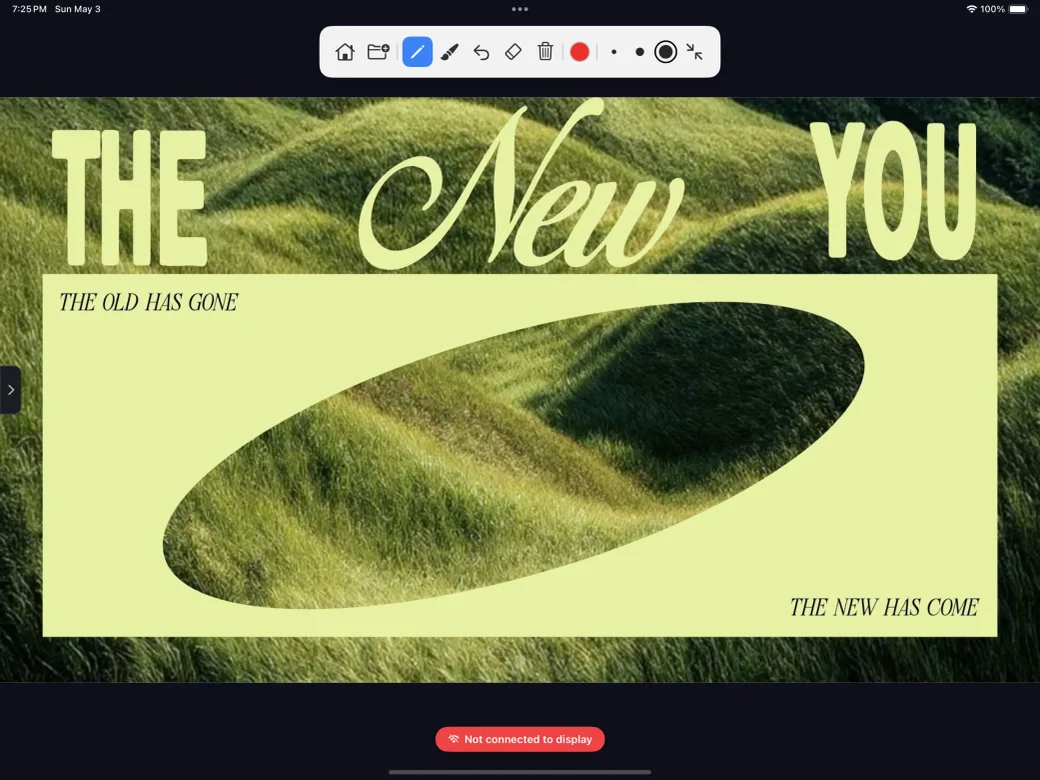
SermonSlides is the presentation tool built specifically for pastors and church leaders. Import your sermon PDFs and present them on any screen — with real-time Apple Pencil annotation, word highlighting, and seamless AirPlay mirroring so your congregation always sees exactly what you want them to see.
ANNOTATE AS YOU PREACH
Draw, underline, highlight and write directly on your slides using Apple Pencil. Circle key scripture, underline main points, and make your message come alive in the
moment. Your annotations mirror to the external screen in real time so the audience never misses a mark.
HIGHLIGHT SCRIPTURE INSTANTLY
Use the built-in word highlighter to emphasize key words and phrases as you speak. Choose from multiple colors, highlight entire passages, and erase with a double
tap. Highlights sync immediately to your mirrored display.
SEAMLESS AIRPLAY MIRRORING
Connect to a projector, TV, or display and your congregation sees a clean, full-screen presentation — no extra UI, no distractions. Slides, drawings, and highlights
all appear on the external screen the moment you make them.
BUILT FOR THE PULPIT
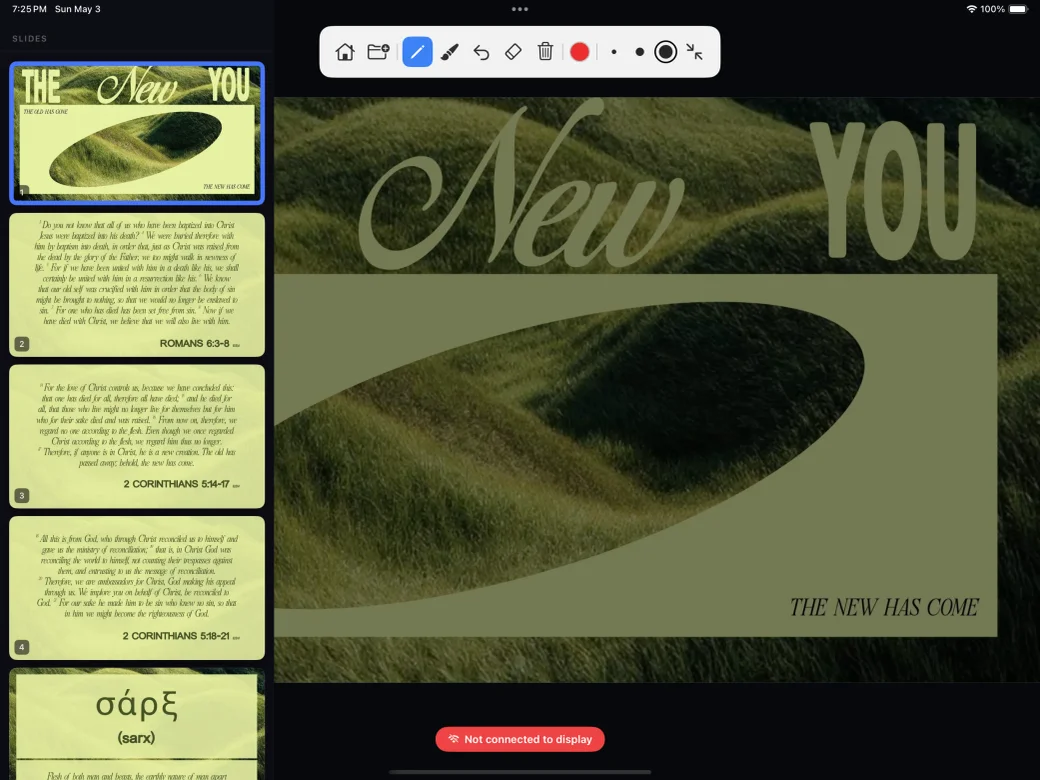
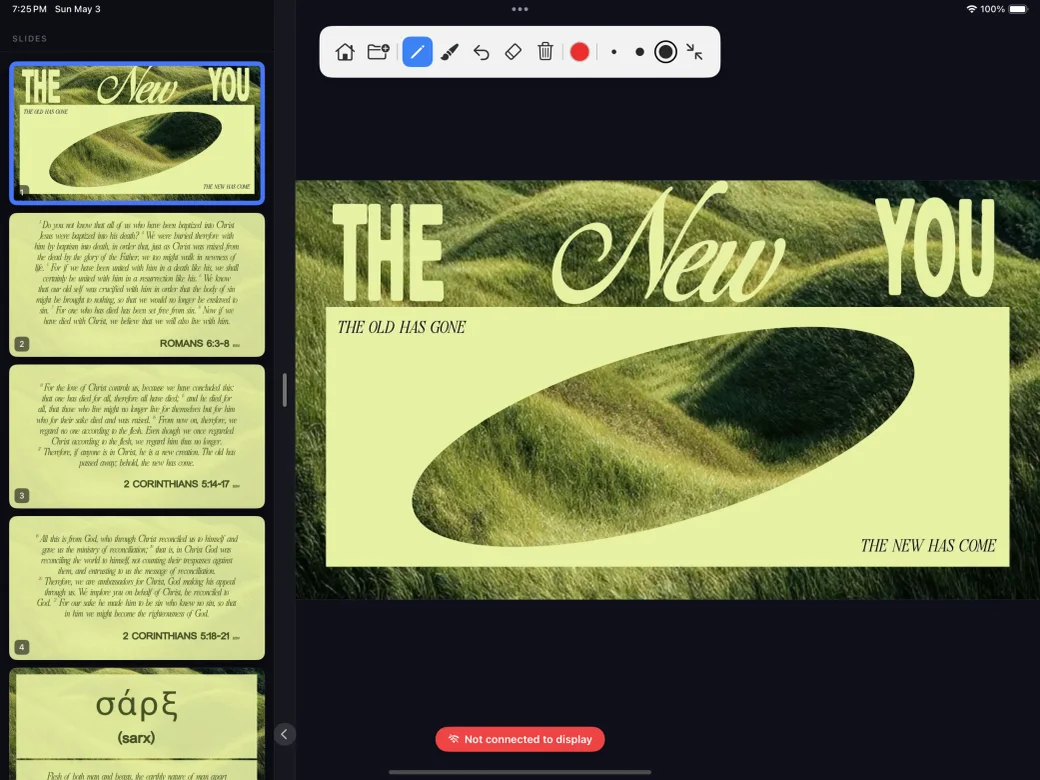
Swipe between slides with your finger while your Apple Pencil stays ready to annotate. The minimal floating toolbar stays out of the way until you need it. Everything
is designed for one-handed, eyes-up presenting so you stay focused on your message.
COMPLETELY FREE
SermonSlides is free with no feature restrictions and no subscription.
POWERFUL AND SIMPLE
• Import any PDF sermon outline or slide deck
• Apple Pencil drawing with multiple colors and thickness
• Word highlighter with multiple colors per page
• Real-time AirPlay sync to external displays
• Thumbnail drawer for quick navigation
• All annotations saved automatically per document
• Undo support for drawings and highlights
Novedades
Versión 1.1.0 · 15/5/2026
This update adds new drawing tools, fixes a major bug with the zoom behavior, and a new background option for image slides
Straight Line Tool
Tap the ruler icon in the toolbar to lock your pencil to perfectly straight lines. Lines are always exactly horizontal or vertical, and they draw with the same weight and
feel as the regular pencil tool.
Shape Drawing Tools
Draw circles, triangles, and arrows directly onto any slide by dragging with your pencil. Select a shape from the shapes button in the toolbar, then drag to place it. The
stroke weight matches whichever pencil thickness you have selected.
Blurred Background for Image Slides
When inserting a photo as a slide, a new "Blurred Background" option fills the background with a blurred, zoomed version of your image — great for portrait photos or
non-widescreen content.
Zoom Stays Put When Resizing
If you zoom into a slide and then open, close, or resize the slide drawer, the slide stays at the same zoom level and position. No more snapping back to fit.
Drawing Tools Persist Across Slides
Shape and line drawing modes now stay active when you navigate to the next or previous slide, so you don't have to reselect your tool on every slide.
Shape Button Shows Active Tool
When a shape is selected, the toolbar button updates to show the icon of the active shape — circle, triangle, or arrow — so you always know what you're about to draw.
Privacidad de la aplicación
Lo que Five and Two declara en App Store sobre cómo esta aplicación gestiona los datos.
-
No se recopilan datos
El desarrollador no recopila ningún dato de esta aplicación.
Las prácticas de privacidad pueden variar, por ejemplo, según las funciones que uses o tu edad.
Información
- Vendedor
- Five and Two Ministries Inc.
- Categoría
- Productividad
- Versión
- 1.1.0
- Actualizado
- 15/5/2026
- Publicado
- 19/4/2026
- Tamaño
- 909,0 KB
- Requiere
- iOS 16.0 o posterior
- Clasificación por edad
- 4+
- Precio
- Gratis
- Copyright
- © 2026 Five and Two Ministries
Quizá también te guste
-
 SermonFlowProductividad
-
 BBP QGoProductividad
-
 Spock: AI WorkspaceProductividad
-
 VerbatumEstructura y predica tu sermón
-
 PSMailboxProductividad
-
 Sermon LogProductividad
-
 Draw on Slides ProPresenterProductividad
-
 magicPresenterProductividad
-
 Indian KeyboardProductividad
-
 Presentaciones con IA: AISlideCrea diapositivas con IA