Sharp: Multi-Frame Merge
Merge frames: focus to trails
Diseñada para iPhone, iPad
Gratis · Compras en la aplicación
- Clasificación por edad4+
- CategoríaFoto y vídeo
- DesarrolladorPablo Miranda
- IdiomasInglés
- Tamaño2,9 MB
Enlaza a la página oficial de App Store
Download.org no aloja ningún archivo de Sharp: Multi-Frame Merge. El botón abre la página de la aplicación en App Store, donde la publica Pablo Miranda. Ficha comprobada por última vez el 18/11/2026.
Capturas de pantalla
Acerca de
El desarrollador no ha proporcionado este texto en tu idioma.
Shoot the same thing more than once, and Sharp puts the shots together.
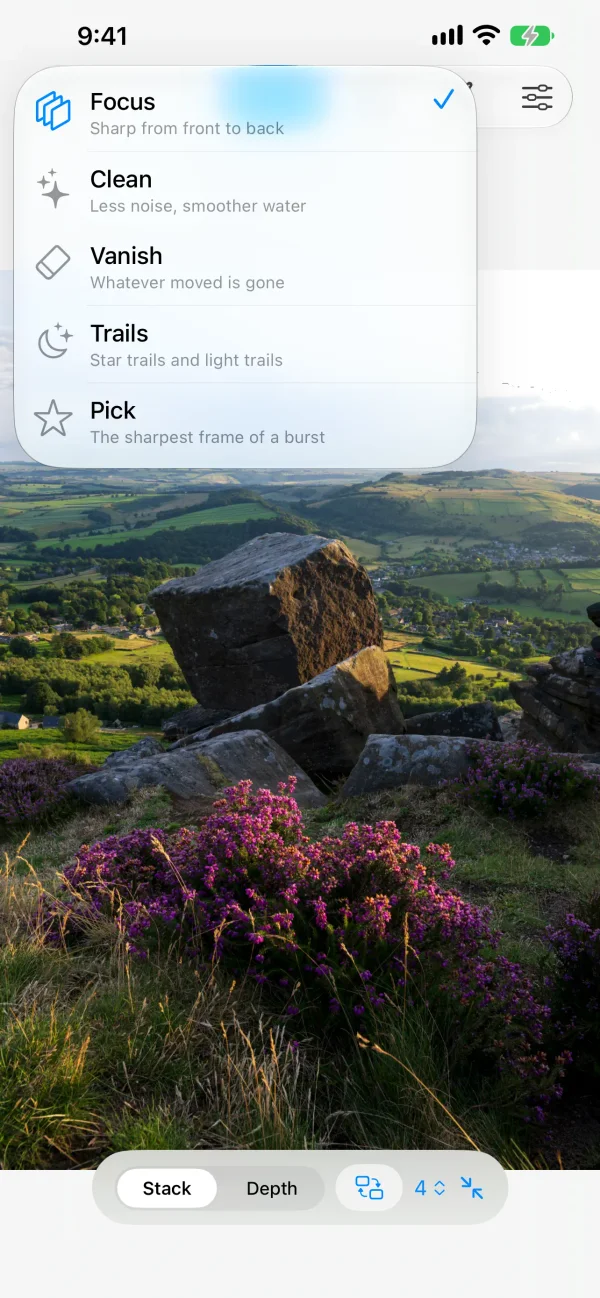
Six tools, one engine. Nothing here edits a single photograph — everything here takes many frames of the same scene and gives back one picture.
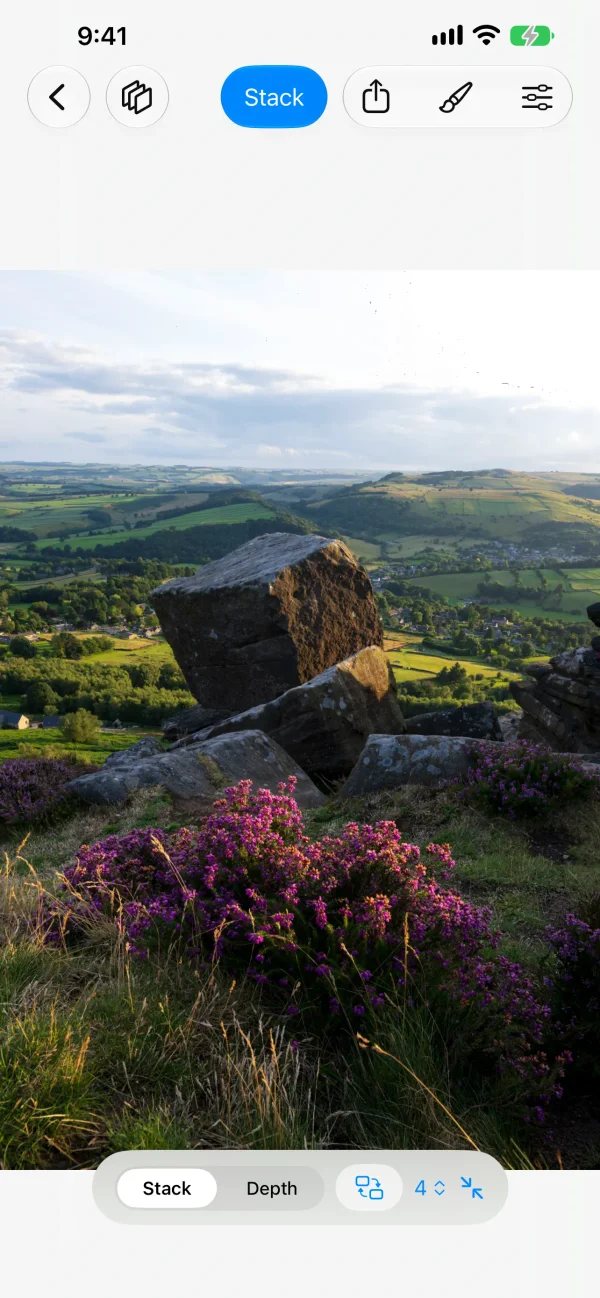
FOCUS — sharp from front to back
A lens holds one plane in focus, and close up that plane is thinner than the subject. Move the focus between frames and Sharp takes every part of the result from the frame that has it sharpest. Not sure how wide its detail size should be? Choose by Eye stacks a piece of your bracket at four widths, side by side, so you can see which one has no halo.
CLEAN — less noise, and long-exposure water
Noise is different in every frame and the subject is not, so averaging frames takes it down by the square root of how many you shot: four halve it, sixteen quarter it. Water and cloud move between frames and average into smoothness, while everything that held still stays sharp.
VANISH — the people walk out of the picture
Take a dozen frames a few seconds apart while the square empties and fills. At each pixel Sharp keeps the frames that agree and throws out the ones that do not, then averages what is left — whoever was walking through is gone, and the noise goes with them.
TRAILS — every place the light went
A hundred short exposures of a night sky, a torch drawing, headlights on a bend. Sharp keeps the brightest frame at each pixel, so every mark the light made is in the picture and the sky stays as dark as one frame had it. Or keep the darkest instead, and take the passing lights out.
BLEND — the shadows and the highlights both
An exposure bracket, darker and brighter, into one picture: the sky from the dark frame, the shadows from the bright one, blended without a seam and with no curve to set.
PICK — the sharpest frame of the burst
Twenty handheld frames, one of them caught between heartbeats. Sharp hands back the one that won, exactly as it came off the camera.
BUILT FOR LARGE SETS
• Camera RAW, HEIC, JPEG, TIFF and PNG, read straight from Files or Photos
• Frames are read a strip at a time, so memory does not grow with the number of frames
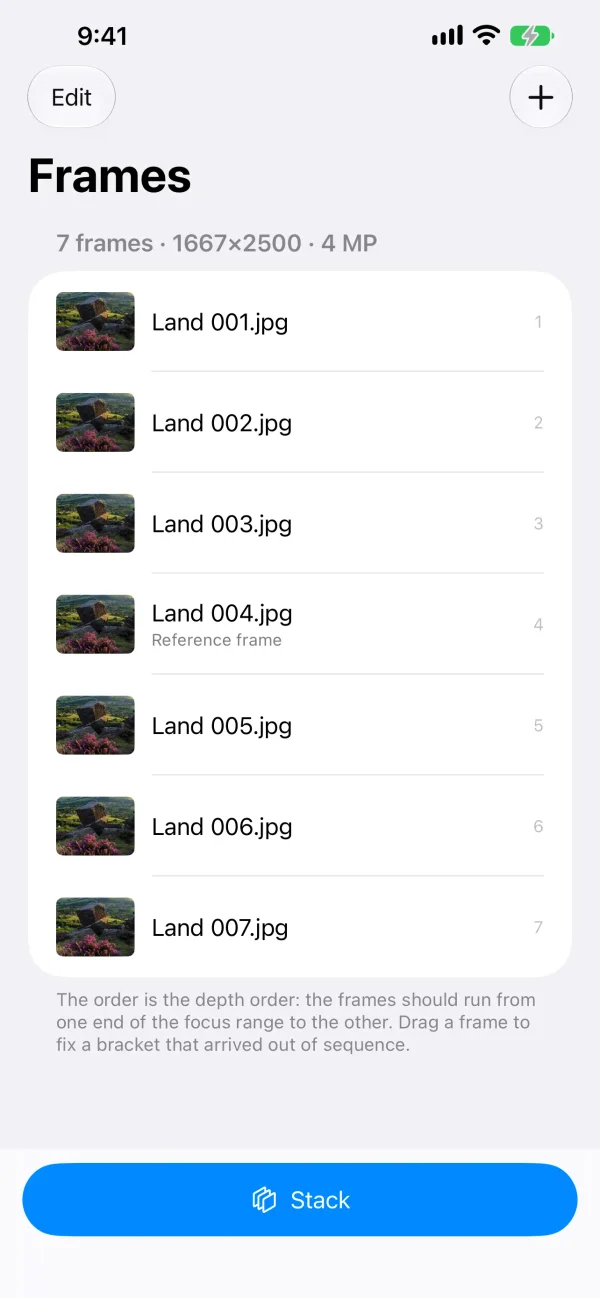
• Alignment that covers focus breathing, drift and a rolled wrist, and checks its own work
• Compare the result with any single frame at exactly the same zoom, beside a map of how each pixel was decided
PAINT IT BACK
Every one of these tools is a guess made a pixel at a time. Choose the frame that has that part right and paint it back over the result — one finger paints, two move the picture, an Apple Pencil presses harder for more. The repair is re-applied to the 16-bit file at full depth.
FREE, AND THEN ONE PAYMENT
All six tools run on up to 12 frames free, at full quality: the same alignment, the same merges, the same speed, the same RAW support, and a full-resolution JPEG with no watermark. Nothing about how good the picture is has been held back.
The $9.99 unlock adds:
• Unlimited frames, for every tool
• The retouch brush, with retouches you can reopen and change
• 16-bit TIFF, the maps, and every frame aligned for Helicon, Zerene or Photoshop
• Every bracket kept as a project, with its settings and its result
• Batches of projects run one after another, and long brackets stacked in slabs
One payment, shared with your family. No subscription, no account, and not a timed trial.
NOTHING LEAVES YOUR DEVICE
No analytics, no tracking, no server, and no network of its own. Your photographs are read where they are, and the only thing that goes anywhere is what you share yourself.
Novedades
Versión 1.3 · 20/10/2026
Your unlock now works on a computer too. The same $9.99 purchase is Sharp Pro at sharpmerge.com, in a desktop browser, with nothing uploaded: the six tools, and more of their own. Find your licence key under Settings > Sharp Pro on the Web. Nothing is sent until you ask for it.
Privacidad de la aplicación
Lo que Pablo Miranda declara en App Store sobre cómo esta aplicación gestiona los datos.
-
No se recopilan datos
El desarrollador no recopila ningún dato de esta aplicación.
Las prácticas de privacidad pueden variar, por ejemplo, según las funciones que uses o tu edad.
Información
- Vendedor
- Pablo Miranda
- Categoría
- Foto y vídeo
- Versión
- 1.3
- Actualizado
- 20/10/2026
- Publicado
- 21/9/2026
- Tamaño
- 2,9 MB
- Requiere
- iOS 27.0 o posterior
- Clasificación por edad
- 4+
- Precio
- Gratis
- Compras en la aplicación
- Sí
- Idiomas
- Inglés
- Copyright
- © 2026 Pablo Miranda
Quizá también te guste
-
 RawStudio: Raw Photo EditorFoto y vídeo
-
 ModCamFoto y vídeo
-
 Focus Stacking – Cámara MacroMacro nítida, todo enfocado
-
 Mobile Darkroom: Foto RAWEdición, curvas y bokeh
-
 HDR Merge ProFoto y vídeo
-
 Bloom: Macro, All in FocusFoto y vídeo
-
 Zeus Focus StackingFocus Stacking Macro
-
 MergeHDRFoto y vídeo
-
 Mergius: HDR Photo & Tone mapFoto y vídeo
-
 Eagle Image StackerFoto y vídeo