
Shelfieline: Pocket Library
Your private study, in pocket
Diseñada para iPhone, iPad
Gratis · Compras en la aplicación
- Clasificación por edad4+
- CategoríaLibros
- DesarrolladorTakayuki Hamuro
- IdiomasJaponés+ 1 más
- Tamaño4,8 MB
Enlaza a la página oficial de App Store
Download.org no aloja ningún archivo de Shelfieline: Pocket Library. El botón abre la página de la aplicación en App Store, donde la publica Takayuki Hamuro. Ficha comprobada por última vez el 23/11/2026.
Capturas de pantalla

Acerca de
El desarrollador no ha proporcionado este texto en tu idioma.
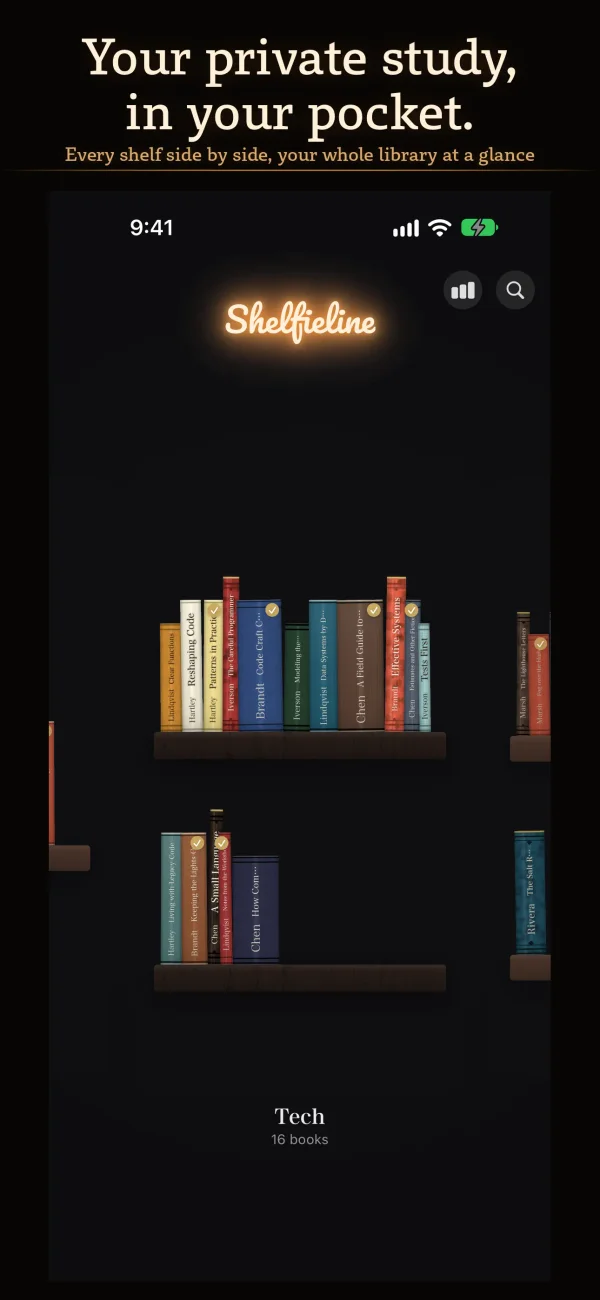
Your private study, in your pocket.
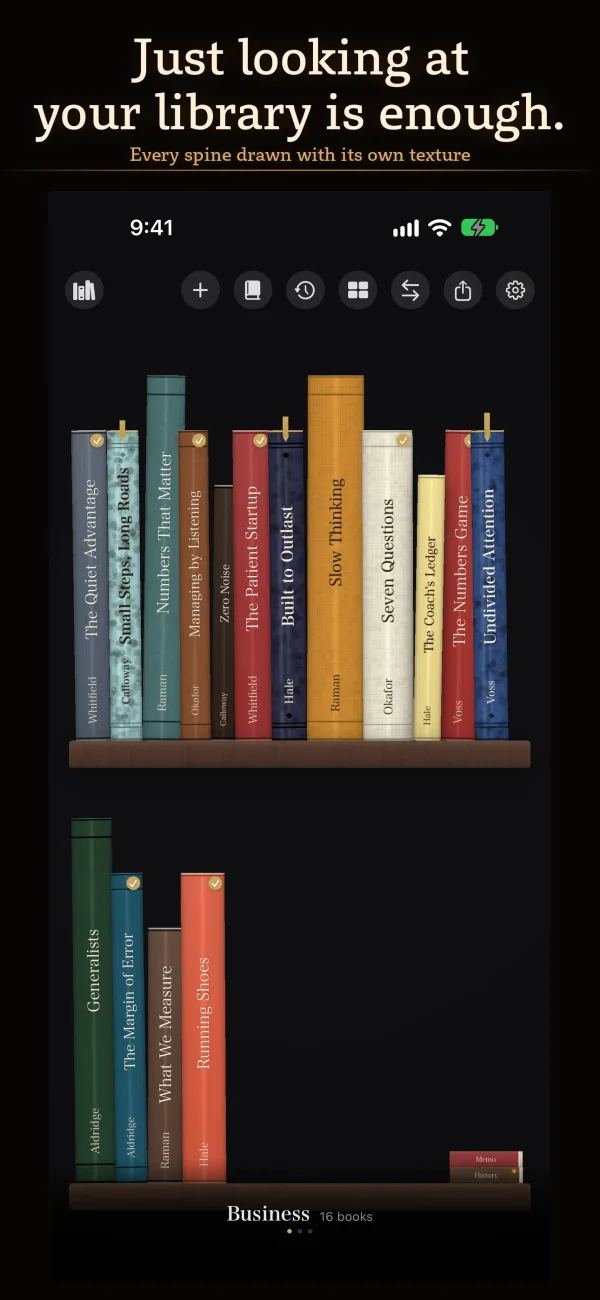
Shelfieline is an iPhone / iPad app that turns reading from a list-management chore into a personal experience. We've recreated a real bookshelf in digital form — spine textures, varying book heights, the heft of the shelf itself. The dark, "private den" aesthetic is built for readers who care about how their library looks.
▼ Key Features
【Study】Your bookshelves side by side. Swipe to switch; neighboring shelves peek in from both sides. On iPad the shelves fill the screen.
【Bookshelf】Your books as realistic spines. Pinch to zoom and the rows rearrange themselves. Paper, cloth and leather textures with letterpress-style titles. Long-press a book to lift it and drag it into place.
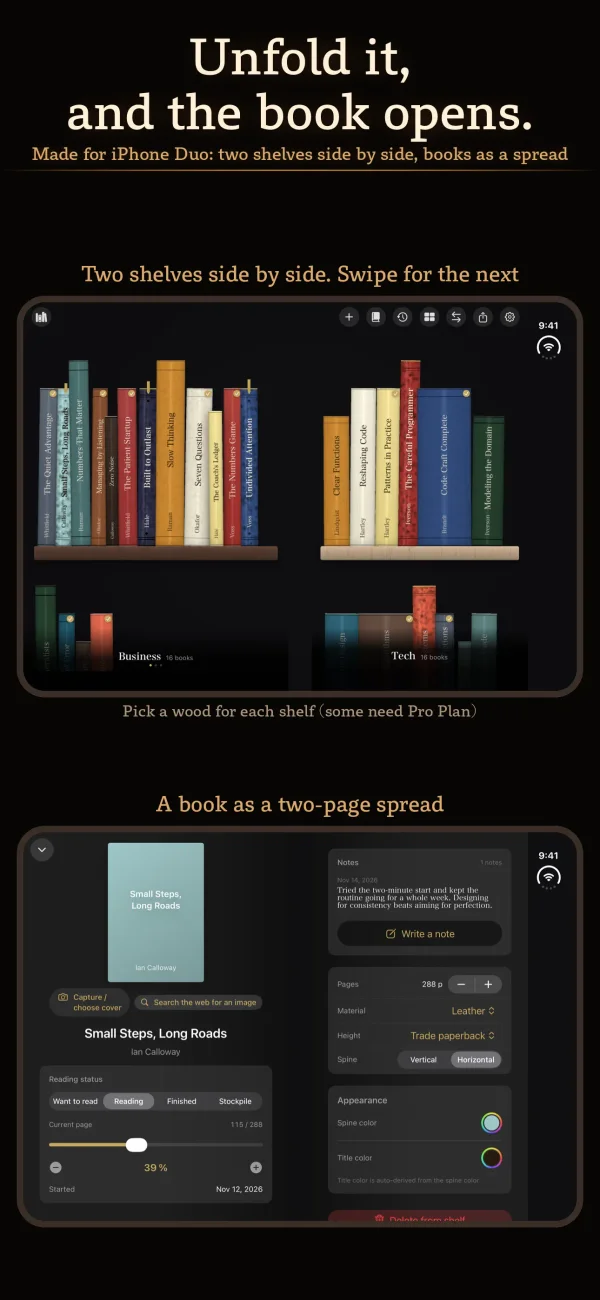
【iPhone Duo】Unfolded, two of your shelves stand side by side; swipe to move along to the next. Tap a book and it opens on the right; open it as a two-page spread and the cover and reading status fill the left page, notes and details the right.
【Adding Books】
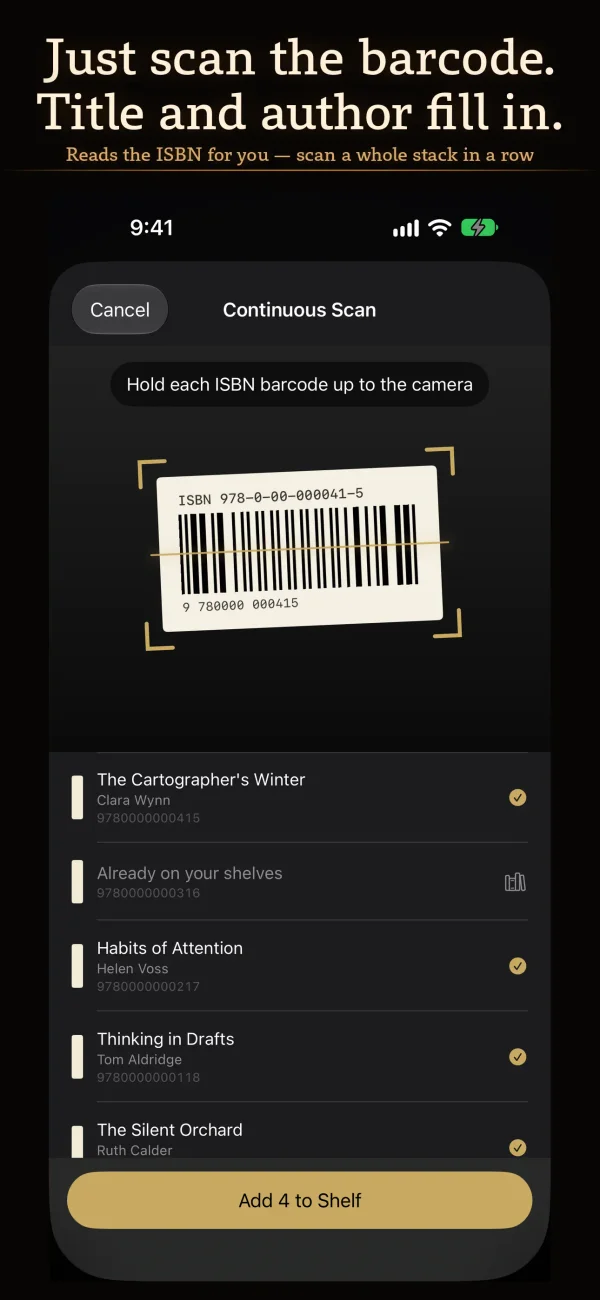
・Scan an ISBN barcode (fills in the title, author and page count)
・Continuous scan: scan book after book, then shelve them all at once. Books you already own are flagged
・Enter the title and author by hand
・Share a cover image from Safari and assign it to a book
Cover images come only from your camera or your photo library — the choice is always yours.
【Search】
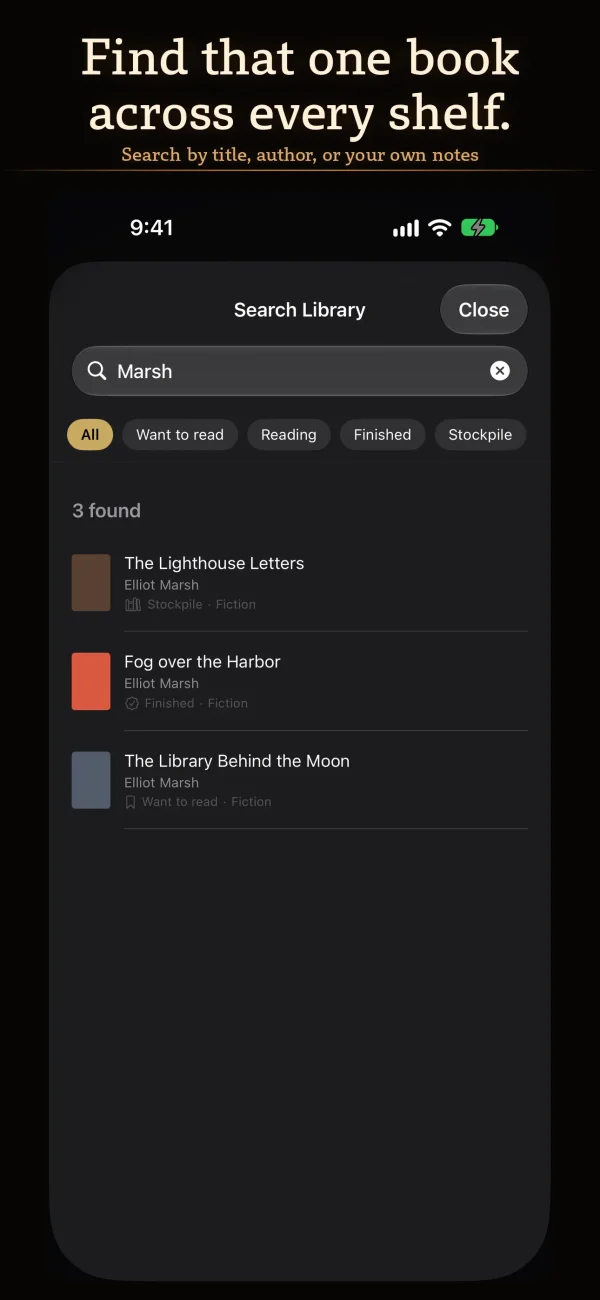
・Search every shelf by title, author, or the text of your notes
・Filter by status: want to read / reading / finished / stockpile
【Reading Status】
・Four states, page progress for books in progress, 5-star ratings for finished books
・Start and finish dates
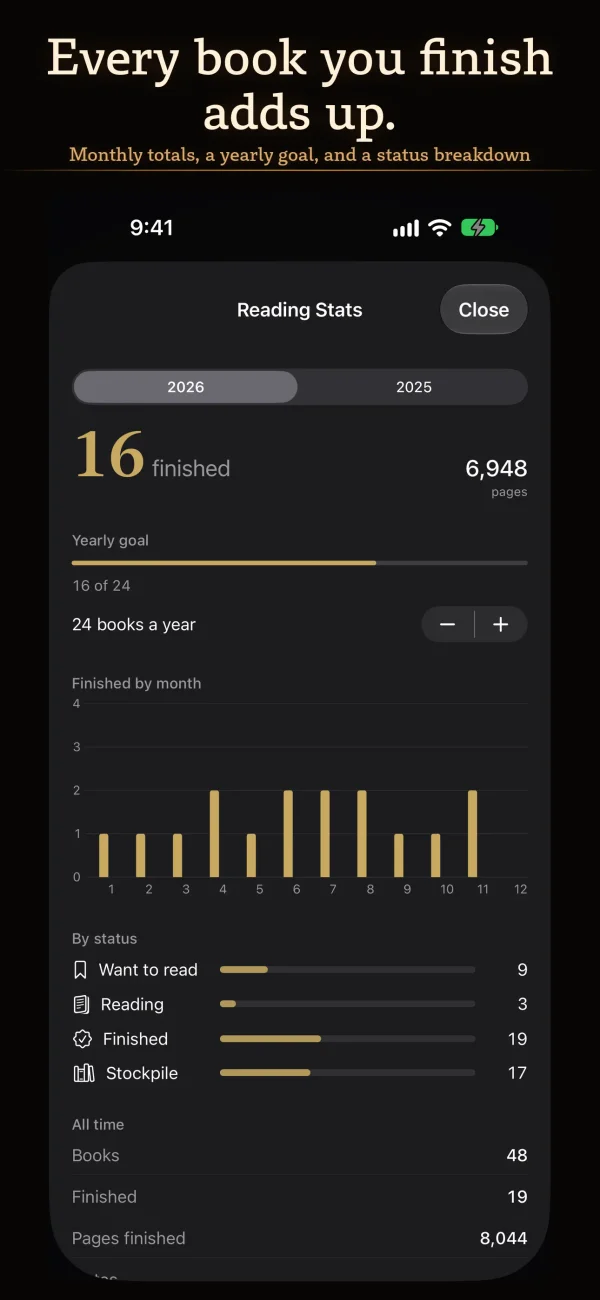
【Reading Stats】
・Books and pages finished per year, with a month-by-month chart
・A yearly goal, and a breakdown by status
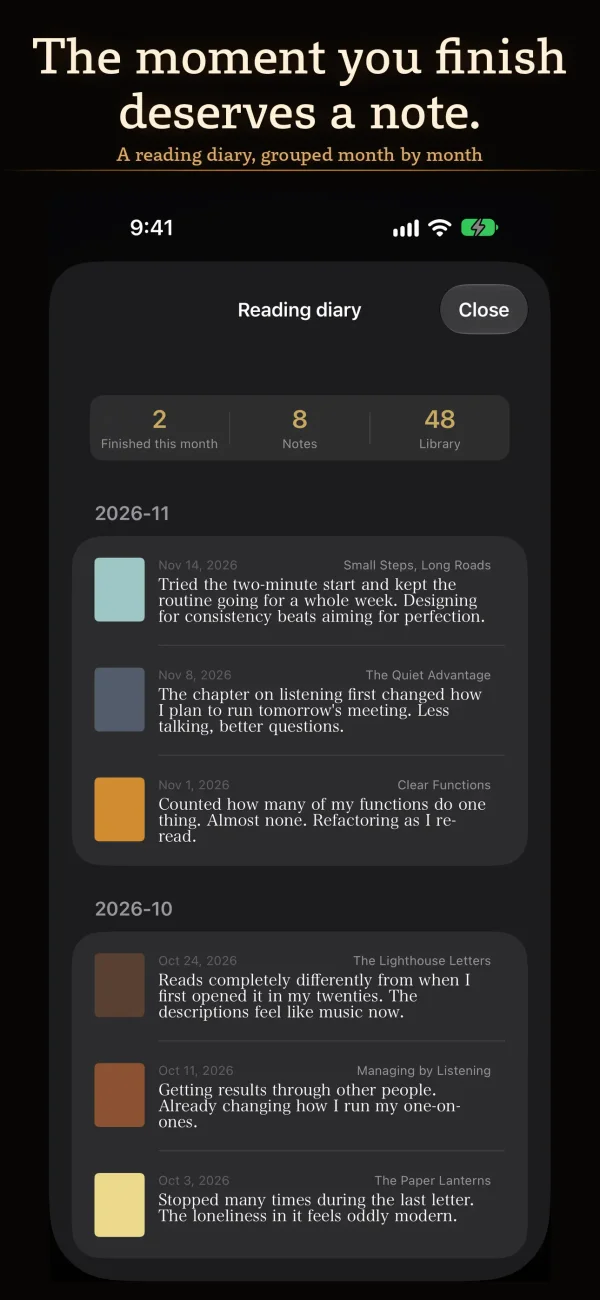
【Reading Diary】
・Multiple notes per book, grouped by month
・Optional photo attachment
【Shelf Memo & Reading History】
・A memo and photos for each shelf
・A bank-passbook-style timeline of books added, started, finished and noted
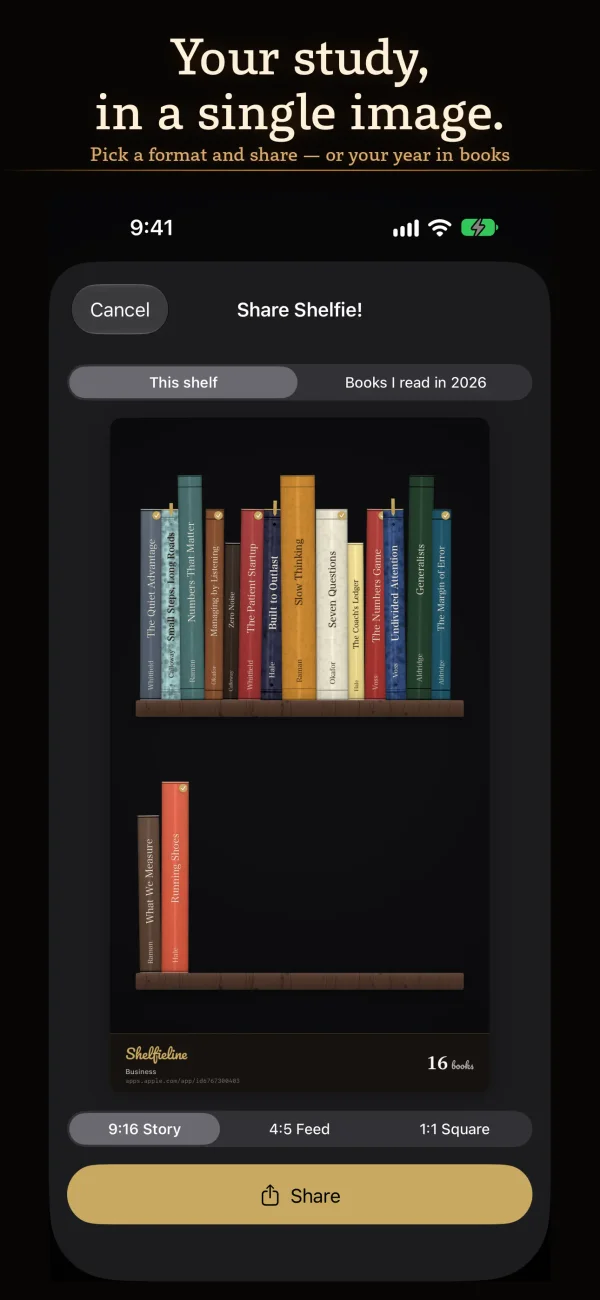
【Share Shelfie!】
・Turn a shelf into an image of your study and post it
・Preview before sharing; choose 9:16, 4:5 or 1:1
・Or make an image of the books you read this year
【Flat View & Organize Mode】
・Switch between spines and a grid of covers
・Select several books and move them to another shelf at once
【Export & Backup】
・Export your book list as CSV
・Create a backup that includes covers, notes and shelf memo photos, and restore from it
【Shelf Materials & Wallpapers (Pro)】
・6 shelf materials: Walnut, Ebony (free) + Oak, Maple, Teak, Mahogany (Pro)
・5 wallpapers: Plain (free) + Linen, Wood Panel, Dark Concrete, Leather (Pro)
【Widgets (Pro)】
・Library size and books finished
・A shelf widget showing your actual spines
・The book you're reading and how far you are (also on the Lock Screen)
▼ Privacy
・Your books, notes and photos stay on your device. No account, no email collected
・No user tracking, no ads
・To improve the app, only anonymous usage counts that cannot identify you are sent
・Cover images come only from your camera or photo library
・Book information is looked up through the official openBD, National Diet Library Search and Open Library APIs
▼ Plans
・Free: up to 3 bookshelves and 30 books. Search, stats, sharing, backup and the rest are all included
・Pro Plan (one-time purchase): unlimited shelves and books + 4 shelf materials + 4 wallpapers + widgets
▼ Requirements
iOS 17 or later, iPhone or iPad.
---
YOU ARE WHAT YOU READ.
Novedades
Versión 1.5.0 · 18/11/2026
Version 1.5
【iPhone Duo】
・Unfolded, two of your shelves stand side by side. Swipe the strip at the bottom to move to the next shelf.
・Tap a book and it opens on the right, or as a two-page spread: cover and reading status on the left page, notes and details on the right.
・Pick a book on the cover display, unfold, and it opens as a spread.
・Bend the device while a spread is open and a shadow falls along the binding.
【Improved】
・The shelf name strip now has a darker background, so it stays readable over your books.
・Japanese spines: the long vowel mark and brackets now always stand upright in vertical titles.
Privacidad de la aplicación
Lo que Takayuki Hamuro declara en App Store sobre cómo esta aplicación gestiona los datos.
-
Datos no vinculados a ti
Pueden recopilarse, pero no se vinculan a tu identidad.
- Datos de uso
Las prácticas de privacidad pueden variar, por ejemplo, según las funciones que uses o tu edad.
Información
- Vendedor
- Takayuki Hamuro
- Categoría
- Libros
- Versión
- 1.5.0
- Actualizado
- 18/11/2026
- Publicado
- 11/5/2026
- Tamaño
- 4,8 MB
- Requiere
- iOS 17.0 o posterior
- Clasificación por edad
- 4+
- Precio
- Gratis
- Compras en la aplicación
- Sí
- Idiomas
- Japonés, Inglés
- Copyright
- © 2026 Taka
Quizá también te guste
-
 YondoruLibros
-
 Spine: Digital Bookshelf & TBRLibros
-
 Kamigokochi: 3D Book TrackerLibros
-
 Hedwiq: Bookmark & Reading LogLibros
-
 Mango BookshelfLibros
-
 Bookspine – Reading WidgetEstante de lomos y lecturas
-
 Tsundoku LogLibros
-
 Booknest: Home LibraryEscanea libros, anota lecturas
-
 ツンドク - 積読・シリーズ管理Libros
-
 コミコレ - マンガ初版・価格管理Libros