
- Clasificación por edad4+
- CategoríaUtilidades
- DesarrolladorHabeeb Mohamed
- IdiomasInglés
- Tamaño7,9 MB
Enlaza a la página oficial de App Store
Download.org no aloja ningún archivo de Shoppy Note. El botón abre la página de la aplicación en App Store, donde la publica Habeeb Mohamed. Ficha comprobada por última vez el 20/11/2026.
Capturas de pantalla

Acerca de
El desarrollador no ha proporcionado este texto en tu idioma.
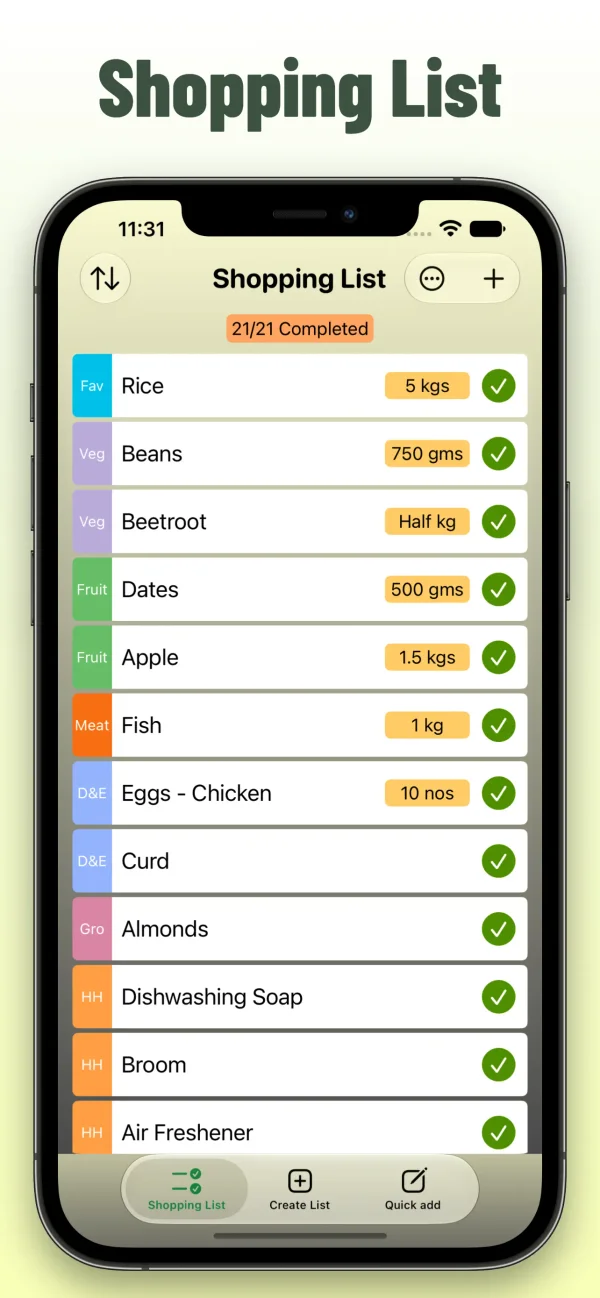
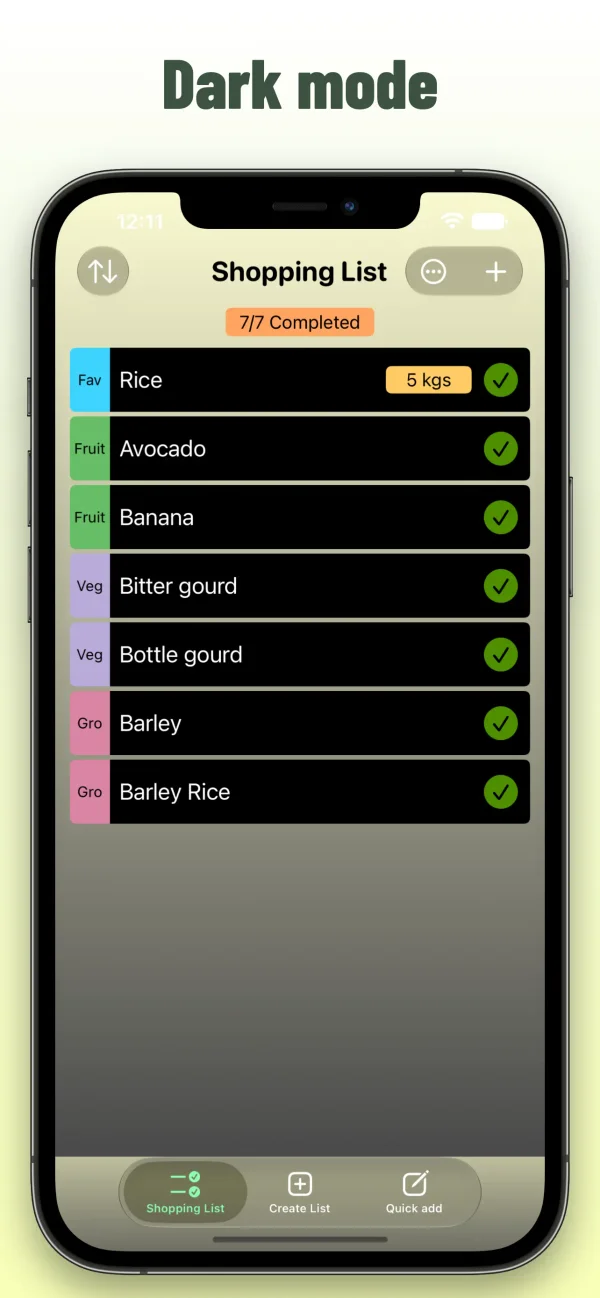
Shoppy Note is designed to make creating and managing shopping lists quick, simple, and efficient. Built around minimalism, it offers a clean and simple interface without unnecessary options. Create lists manually, add multiple items at once, choose from 400+ built-in items, or save your own Favourites for quick access. Spend less time preparing your shopping list and more time shopping.
FEATURES
• Create shopping lists quickly with multiple options
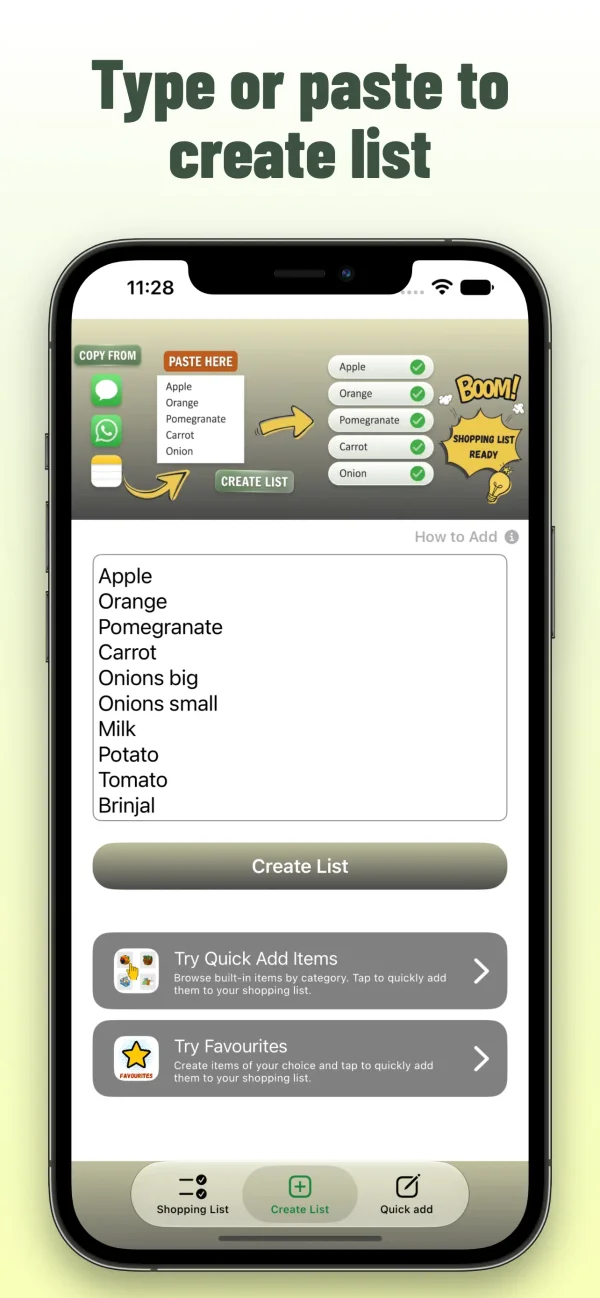
• Add multiple shopping items at once by typing or pasting a list
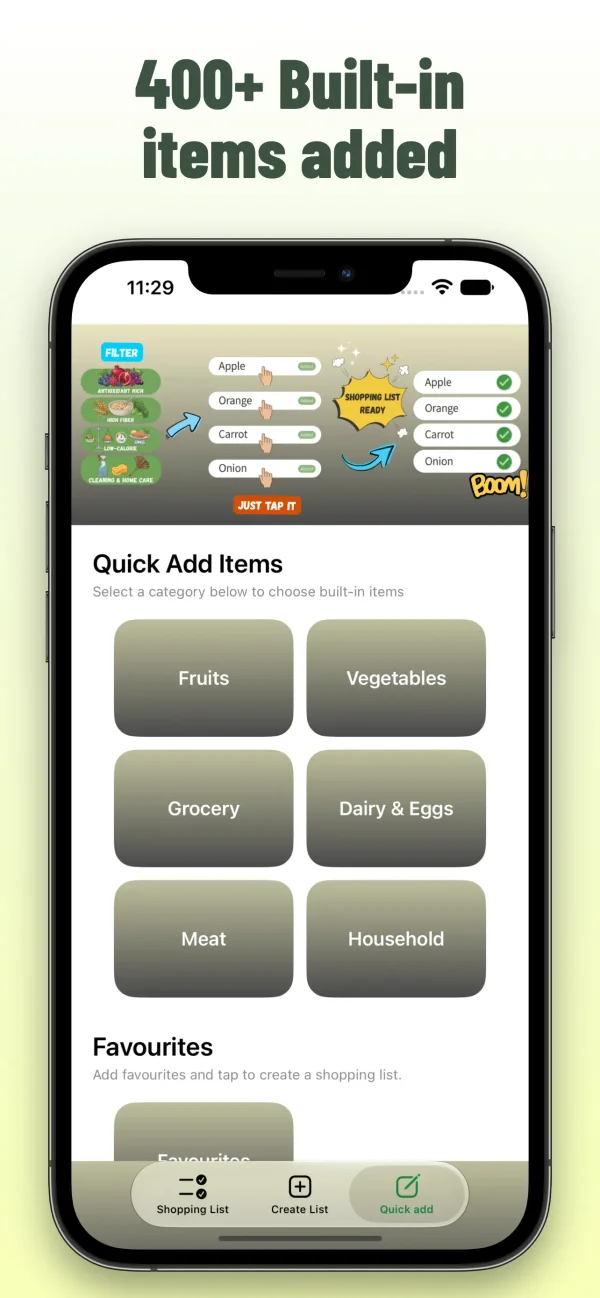
• Choose from 400+ built-in shopping items
• Built-in categories include Fruits, Vegetables, Grocery, Dairy & Eggs, Meat, and Household
• Quickly add built-in items to your shopping list with simple taps
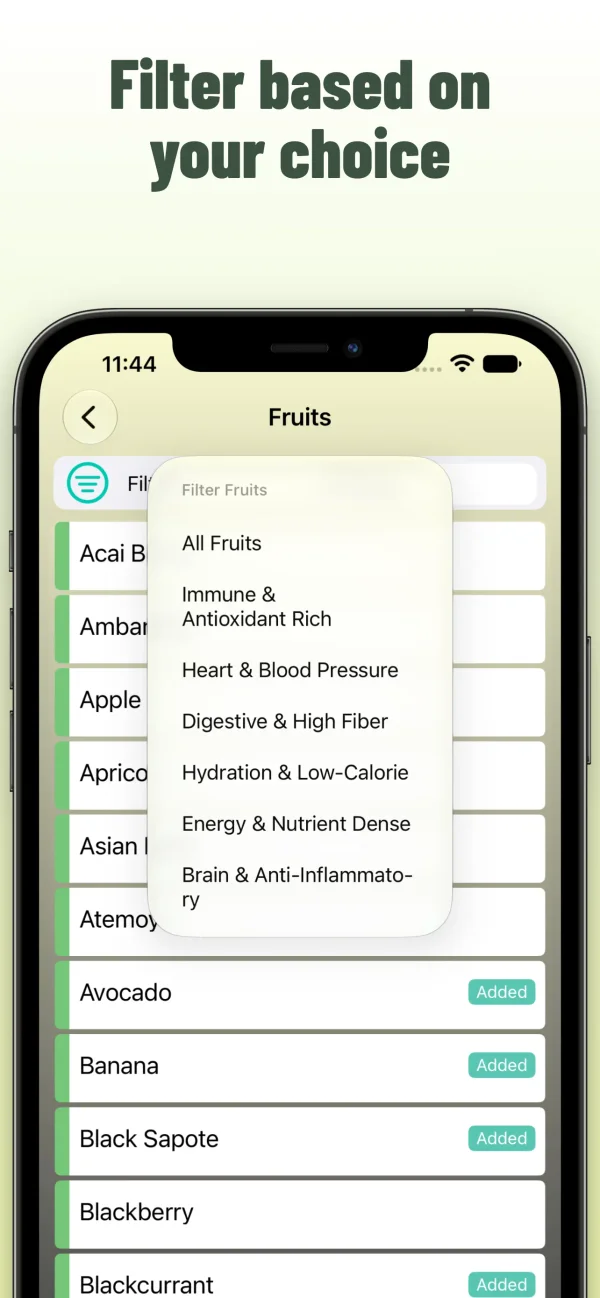
• Filter built-in items using useful categories such as Low-Calorie, Nutrient-Dense, Antioxidant, Fiber-Rich, Healthy Fats, and Protein-Rich, where available
• Household items can be filtered by categories such as Home Care, Personal Care, and Cleaning
• Create your own Favourite items for repeated shopping
• Add optional weight or quantity to items
• Quickly add Favourite items to a new shopping list
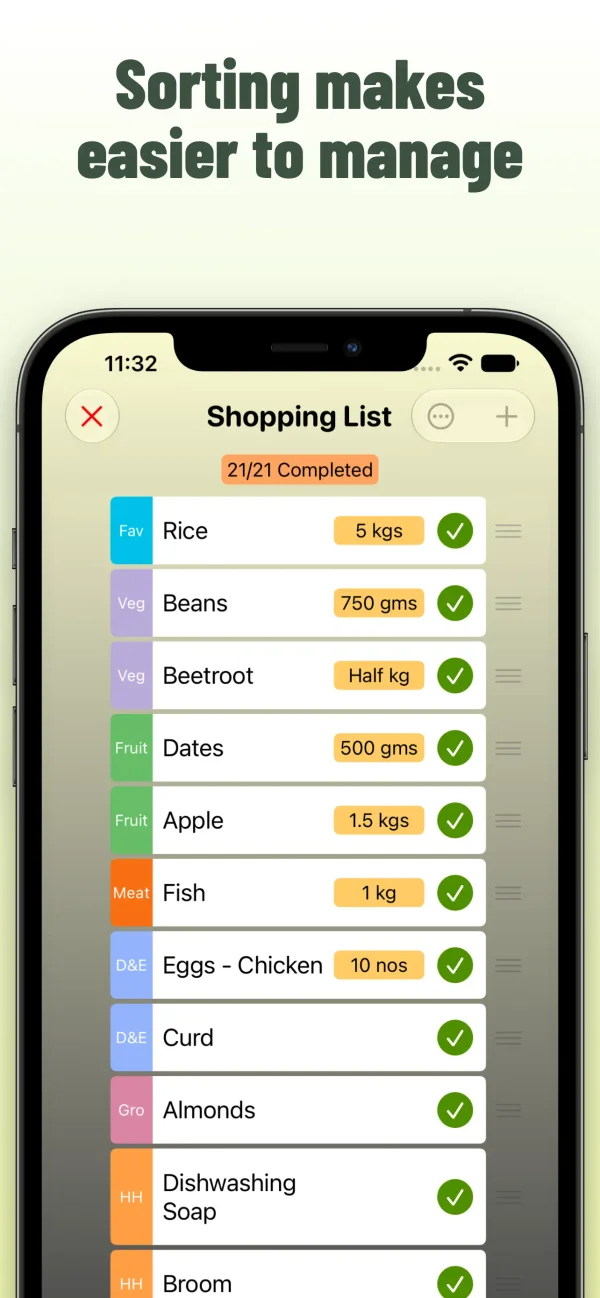
• Easily sort items in your shopping list
• Identify item sources using category labels such as Fruit, Veg, Grocery, Meat, HH, Fav, and Other
• Check the total number of items and completed items
• Mark items as completed using checkmarks
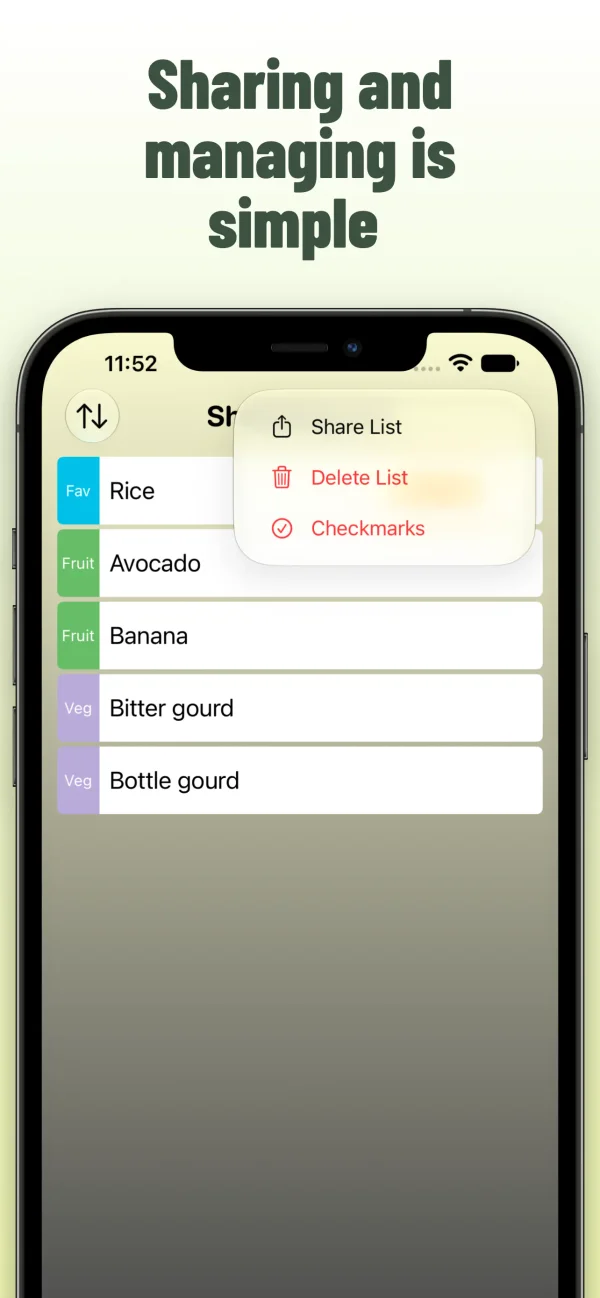
• Share your shopping list with others
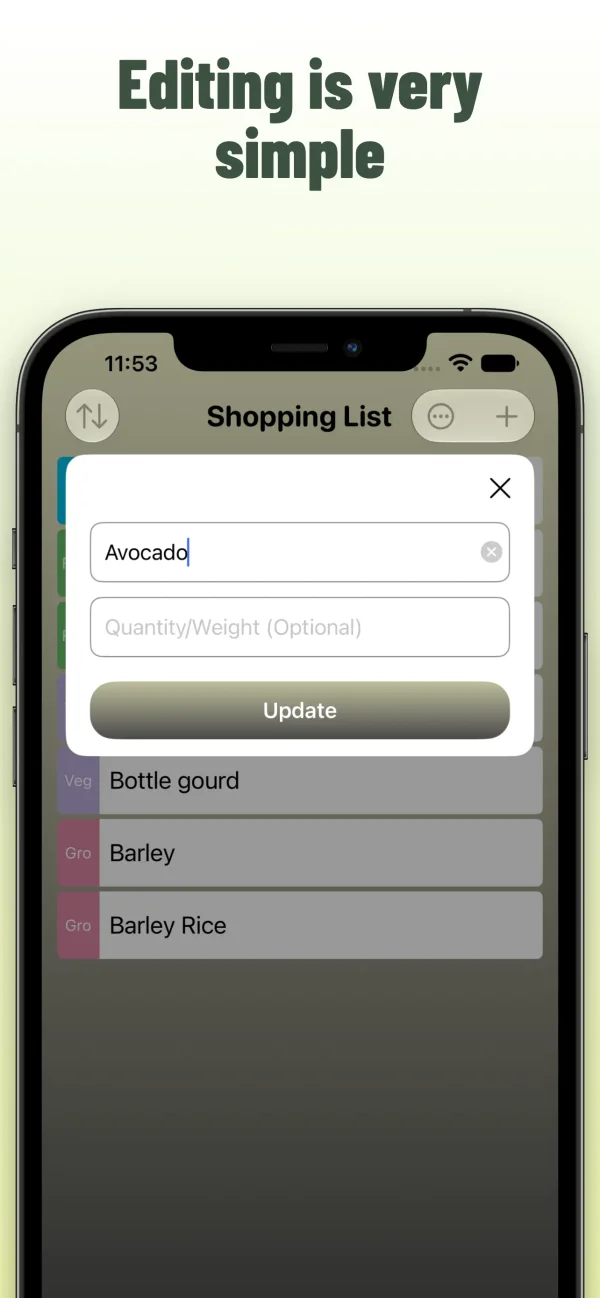
• Create, edit, manage, and update your shopping list easily
HOW SHOPPY NOTE WORKS
1. Add Items Manually
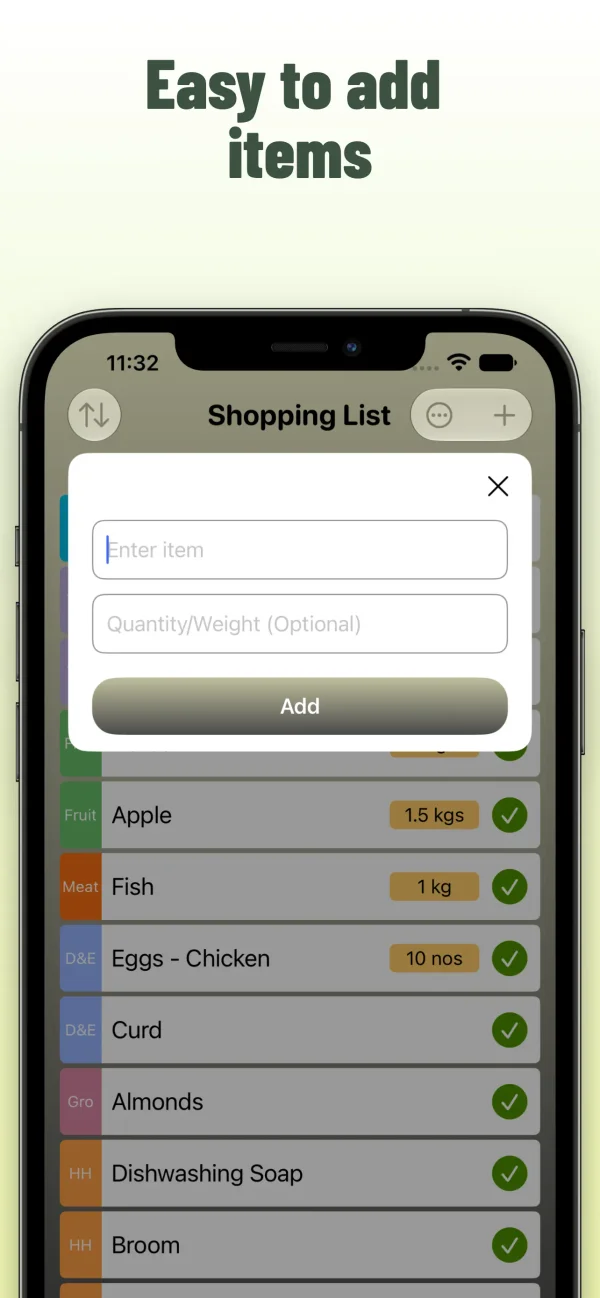
Add individual items directly to your shopping list when you want to quickly add one or a few items. You can also include an optional quantity or weight.
How to add:
Tap the + button on the Shopping List page. Enter the item name and optional quantity or weight, then tap Add. The item is immediately added to your shopping list and labelled Other. You can continue adding more items and close the pop-up when finished.
2. Create a Bulk List
Create multiple shopping-list items at once, making it easy to use an existing list from Notes, Messages, WhatsApp, or another app. This helps save time when you have many items to add and avoids entering each item individually. It is especially useful when you already have a prepared shopping list and want to transfer it quickly. You can add many items in just a few seconds instead of entering them one by one. This makes creating a shopping list faster, more convenient, and easier to manage.
How to add:
Go to Create List and type or paste your shopping list. Separate items using line breaks or commas, and optionally include quantities or weights. Tap Create List to quickly add all valid items to your shopping list. Duplicate items are automatically ignored. Tap How to Add to view the supported format and examples.
3. Quick Add Items
Quick Add provides 400+ built-in shopping items organized into categories, helping you create a shopping list quickly with simple taps. It can also help you remember commonly purchased items. Categories include Fruits, Vegetables, Grocery, Dairy & Eggs, Meat, and Household. Filters are available to help find items based on different characteristics and household uses.
How to add:
Go to the Quick Add page, select a category, and tap any item you want to add. The selected item is immediately added to your shopping list.
4. Favourites
Save your regularly purchased items so you can quickly add them to future shopping lists. You can save an optional quantity or weight with each Favourite.
How to add:
Go to the Quick Add page and open Favourites. Tap the + button, enter the item name and optional quantity or weight, then tap Add. Later, simply tap a Favourite to add it to your shopping list. Favourite items are labelled Fav for easy identification.
Novedades
Versión 3.0.1 · 14/10/2026
Enjoy a cleaner, simpler, and more efficient shopping-list experience.
• Added Quick Add with 400+ built-in shopping items
• Added Favourites for quickly adding regularly purchased items
• Added Bulk List creation using line breaks or commas
• Added useful filters to help find built-in items faster
• Added optional quantity and weight support
• Improved shopping-list sorting and item management
• Improved the overall user interface and usability
• Various performance improvements and bug fixes for a smoother experience
Privacidad de la aplicación
Lo que Habeeb Mohamed declara en App Store sobre cómo esta aplicación gestiona los datos.
-
No se recopilan datos
El desarrollador no recopila ningún dato de esta aplicación.
Las prácticas de privacidad pueden variar, por ejemplo, según las funciones que uses o tu edad.
Información
- Vendedor
- Habeeb Mohamed
- Categoría
- Utilidades
- Versión
- 3.0.1
- Actualizado
- 14/10/2026
- Publicado
- 23/2/2022
- Tamaño
- 7,9 MB
- Requiere
- iOS 16.7 o posterior
- Clasificación por edad
- 4+
- Precio
- Gratis
- Idiomas
- Inglés
- Copyright
- © 2026 HPapp Inc.
Quizá también te guste
-
 Shopping List - Shop InstinctUtilidades
-
 Remind You - Simple ReminderUtilidades
-
 Quick CalQ - Simple CalculatorUtilidades
-
 SimpleCalc.Solo una calculadora simple.
-
 To Do, Note, Simple ChecklistUtilidades
-
 Note Reminder & Sticky NoteUtilidades
-
 Diario SeniorTexto Grande, Diario Simple
-
 Calculator ÷Utilidades
-
 Clean Todo List - Simple To-DoUtilidades
-
 Spreadsheets - Table MemosUtilidades