
Shortercuts
Automation, Summary Dashboards
Diseñada para iPhone, iPad
Gratis · Compras en la aplicación
- Clasificación por edad4+
- CategoríaUtilidades
- DesarrolladorFTECH Limited Liability Company
- IdiomasInglés
- Tamaño20,2 MB
Enlaza a la página oficial de App Store
Download.org no aloja ningún archivo de Shortercuts. El botón abre la página de la aplicación en App Store, donde la publica FTECH Limited Liability Company. Ficha comprobada por última vez el 24/11/2026.
Capturas de pantalla


Acerca de
El desarrollador no ha proporcionado este texto en tu idioma.
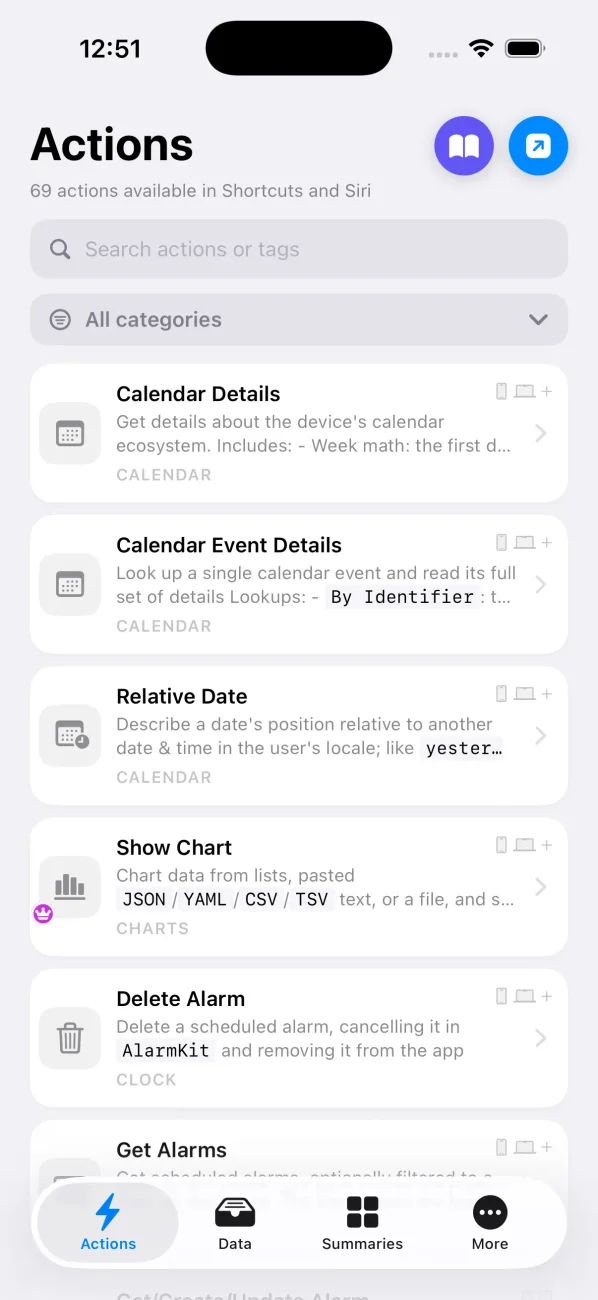
Shortercuts adds more actions to the Shortcuts app on iPhone, iPad, and Mac, each documented inside the app and ready for a shortcut, a Siri request or an automation.
Shortercuts comes with many brand new actions and shortcut utilities like creating a type safe input schema for other shortcuts to conform to. No more checking or going back and forth between shortcuts to see what input is expected.
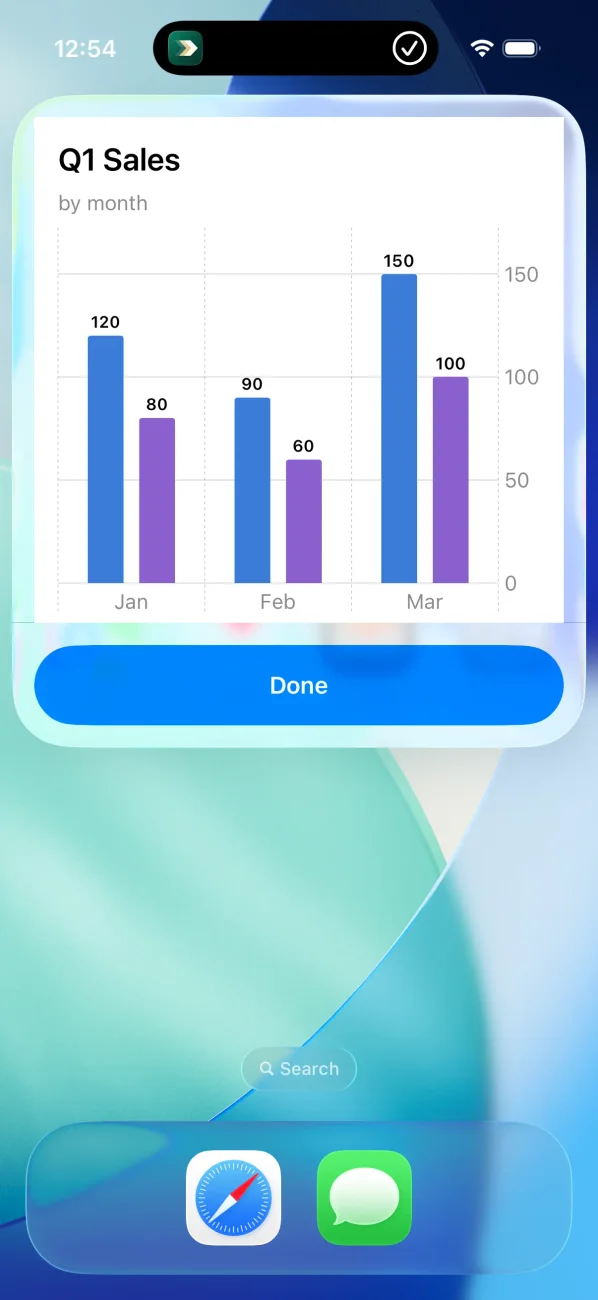
Additional other cool features like viewing animated charts of data directly from a shortcut as a snippet, rendering text templates that dynamically support any input; write once use everywhere! Confirm with dictation, querying data/html/xml, media actions and more!
DATA: GLOBAL DATA FOR ALL SHORTCUTS
Store values between shortcut runs. Variables, constants, sets, lists, counters, incrementers and colors live in Shortercuts and sync through iCloud, end-to-end encrypted, so a shortcut on your Mac can read what one on your iPhone wrote:
• Variables and Constants: get, set, check and delete named values that any shortcut can reference
• Sets: Sets are data structures that inherently hold unique values, so no duplicates and no long winded actions to remove duplicates from a list. Add, remove, filter, compare and test membership
• Lists: filter, sort, group by a member, and combine two lists
• Incrementers: counters that only increase by 1
• Input Schemas: describe the input a shortcut expects and validate it on the way in
SUMMARIES: YOUR WHOLE DAY IN ONE GLANCE
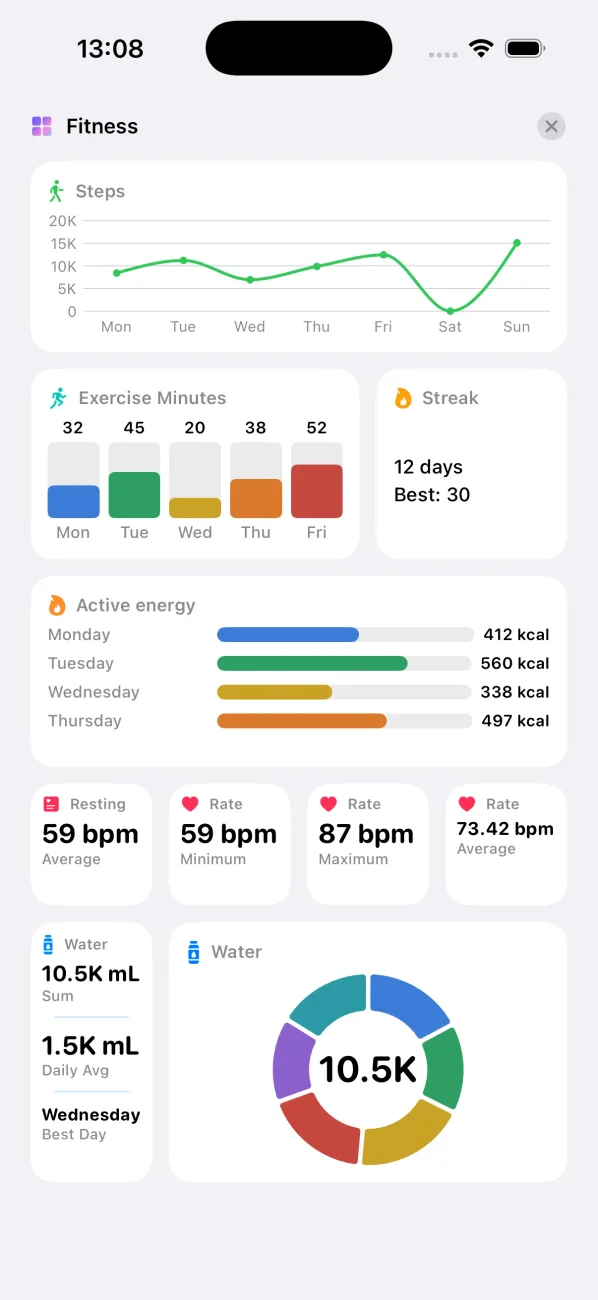
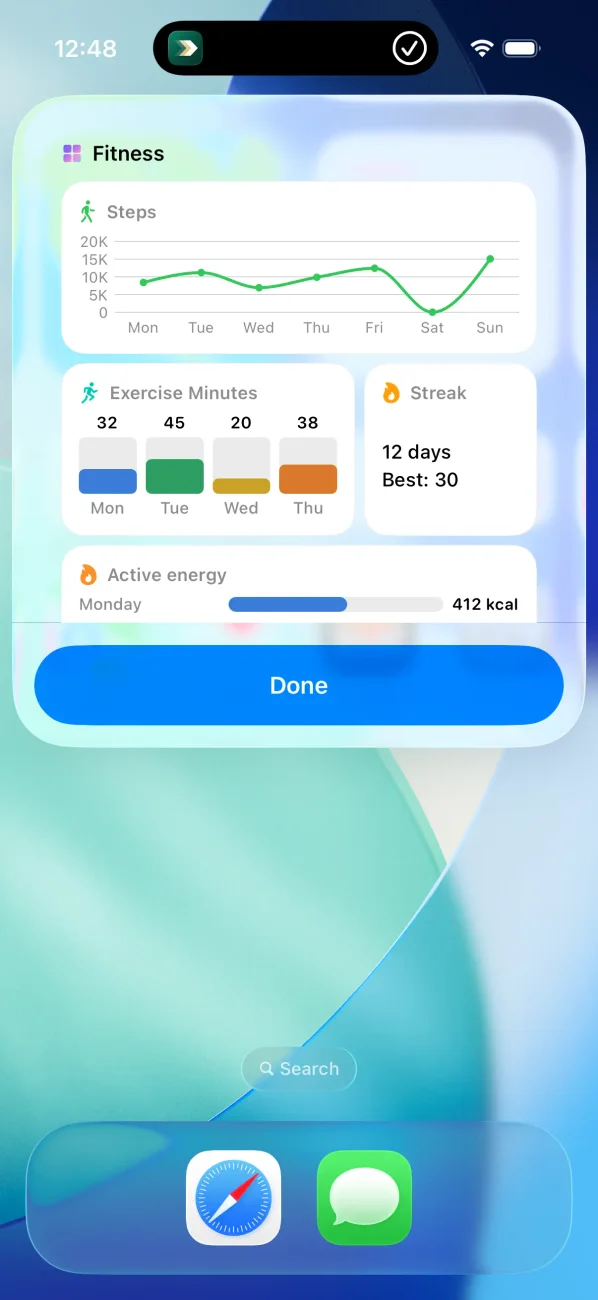
A Summary is a dashboard you design once in Shortercuts and show from any shortcut, automation, Home Screen icon or Siri request. Place Weather, Calendar, Reminders, Health, Photos, Music, Clock and Text widgets on a grid, size and color each one, and every widget pulls fresh data the moment it appears. One Show Summary action replaces the chain of Calendar, Reminders, Health and Weather actions it would take to say the same thing in text.
• Real charts: donut, bar, column, line and progress charts, event timelines, forecast strips, photo collages and single values in big bold digits, none of which Shortcuts can draw on its own
• Dynamic data: put {key} tokens in a Text widget and fill them from any dictionary your shortcut hands over, so a bank balance, a streak or an API result sits next to today's events and steps
• Today, tomorrow or this week with one switch of a dropdown. The data is always based on the summary period selected
• Tap a widget to expand it, or have it run a shortcut of its own
• Show it inline in Shortcuts with Show Summary, or full screen with Open Summary
• Share a finished summary as a QR code or a link
ALARMS, NOTIFICATIONS AND TIME
• Create, list and delete alarms from a shortcut
• Send notifications that fire at a time or when you arrive at or leave a place
• Read pending notifications and the badge count
• Work out relative dates, time zones and locale details
CHARTS, CODES AND TAGS
• Draw bar, line, pie, donut, scatter, heatmap and other charts inline in Shortcuts
• Generate and scan QR codes and barcodes
• Read and write NFC tags
• Generate and validate UUIDs, random numbers and random values
MUSIC AND AUDIO
• Get the current song, player state and the playlists a song belongs to
• Create and edit playlists, and set a song's start time
• Play sound effects, list audio devices, and check whether audio is playing
TEXT AND TEMPLATES
• Query HTML, XML, JSON and YAML with selectors, XPath and JSONPath
• Convert text between JSON, YAML, XML and plain text
• Match text and pull out capture groups with regular expressions
• Render templates with loops and conditions
• Pluralize words and split text into its components
SYSTEM AND DEVICE
• Device, accessibility, network, locale and time zone details
• Check which platform the shortcut is running on
• Stop a shortcut with an error message of your own
• Confirm a step with a spoken yes or no
Novedades
Versión 1.1.0 · 23/11/2026
This update is for improvements to documentation verbiage and language so that it can be easier to follow for non-technical readers, adds user guides and also adds table of contents to each guide.
This update also addresses a UI experience reported around how sliders sometimes pop the navigation back instead of sliding.
Lastly, this is the initial build for iOS 27; iOS 27 functionality will be coming in later releases!
Privacidad de la aplicación
Lo que FTECH Limited Liability Company declara en App Store sobre cómo esta aplicación gestiona los datos.
-
No se recopilan datos
El desarrollador no recopila ningún dato de esta aplicación.
Las prácticas de privacidad pueden variar, por ejemplo, según las funciones que uses o tu edad.
Información
- Vendedor
- FTECH L.L.C
- Categoría
- Utilidades
- Versión
- 1.1.0
- Actualizado
- 23/11/2026
- Publicado
- 5/11/2026
- Tamaño
- 20,2 MB
- Requiere
- iOS 26.0 o posterior
- Clasificación por edad
- 4+
- Precio
- Gratis
- Compras en la aplicación
- Sí
- Idiomas
- Inglés
- Copyright
- © 2026 FTECH L.L.C