
Sibun: Study Hours Tracker
10-minute notebook for exams
Diseñada para iPhone
Gratis · Compras en la aplicación
- Clasificación por edad4+
- CategoríaProductividad
- DesarrolladorTuan Anh Le
- IdiomasInglés+ 4 más
- Tamaño63,3 MB
Enlaza a la página oficial de App Store
Download.org no aloja ningún archivo de Sibun: Study Hours Tracker. El botón abre la página de la aplicación en App Store, donde la publica Tuan Anh Le. Ficha comprobada por última vez el 24/11/2026.
Capturas de pantalla
Acerca de
El desarrollador no ha proporcionado este texto en tu idioma.
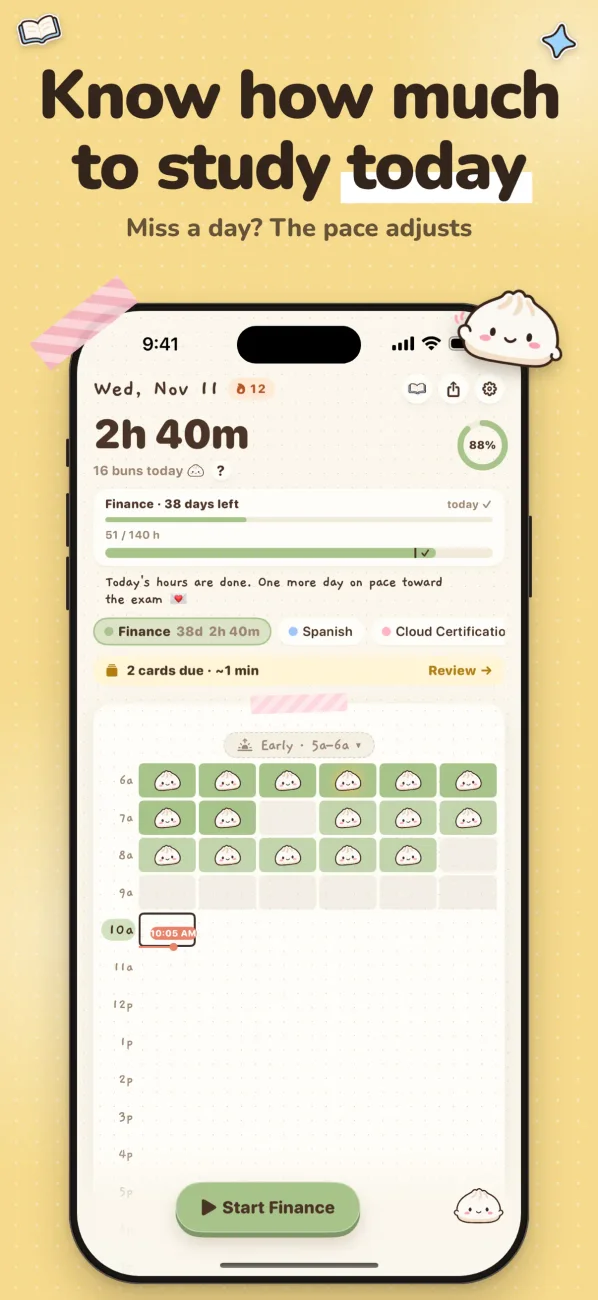
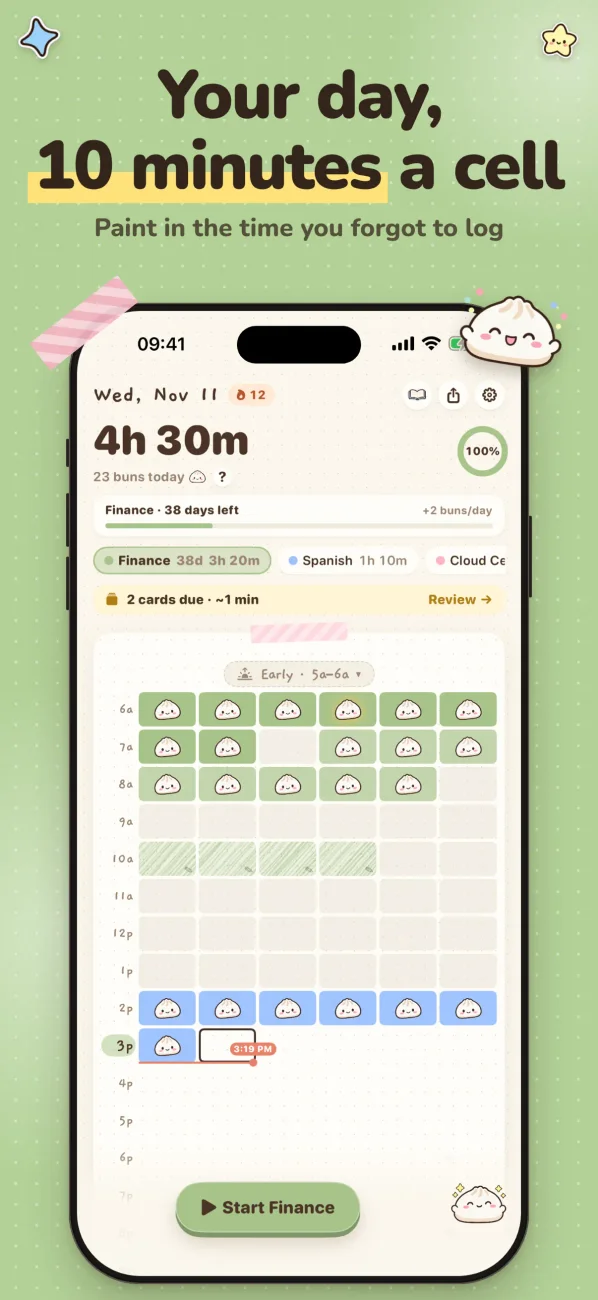
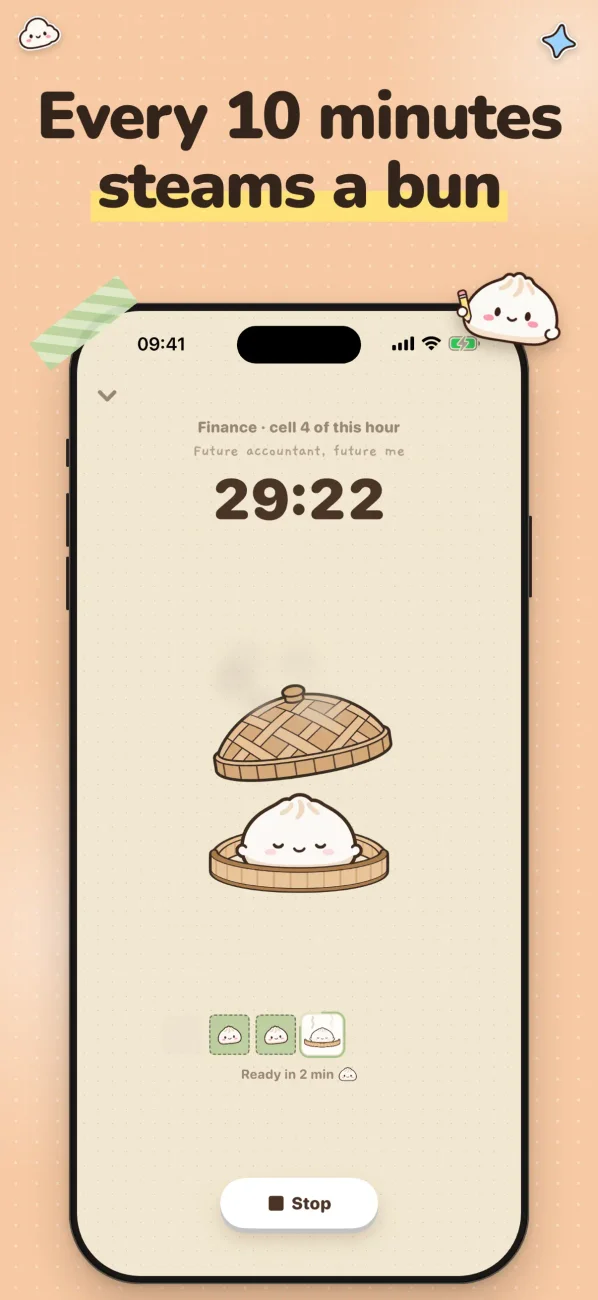
Sibun turns your study day into a notebook page of 10-minute cells. Start a session and the cells fill in as you study. When a cell's 10 minutes are done, a bun finishes steaming. Ten honest minutes, one bun.
Made for serious exam prep: finals, entrance exams, language tests, professional certifications, and deadlines.
HOW IT WORKS
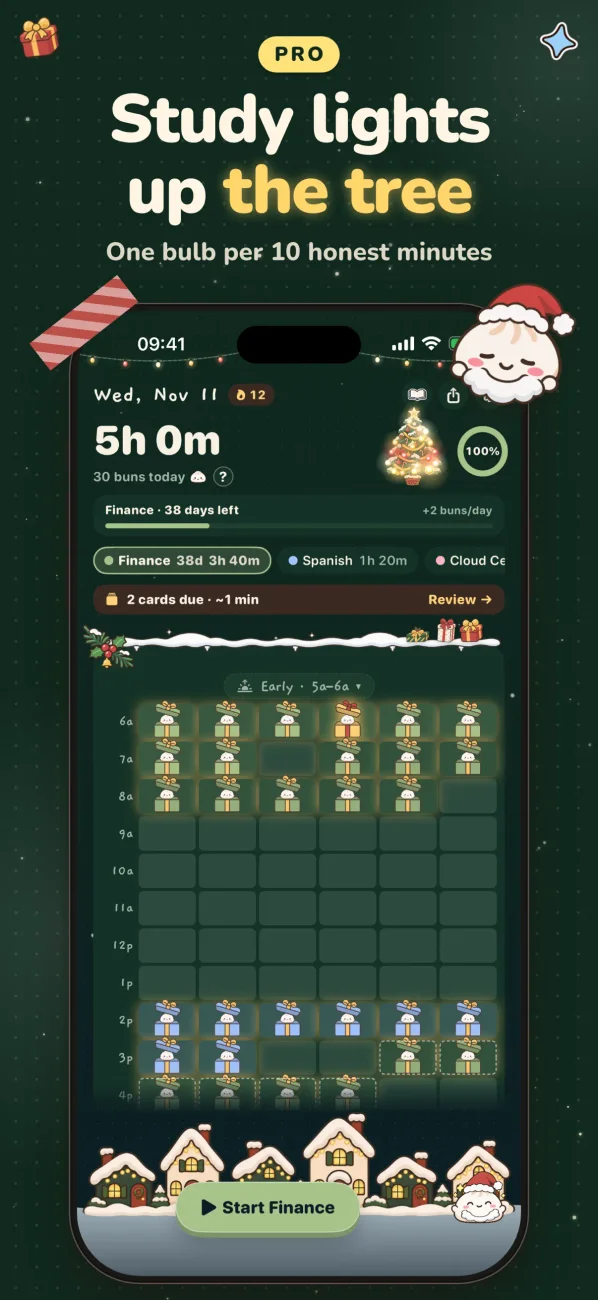
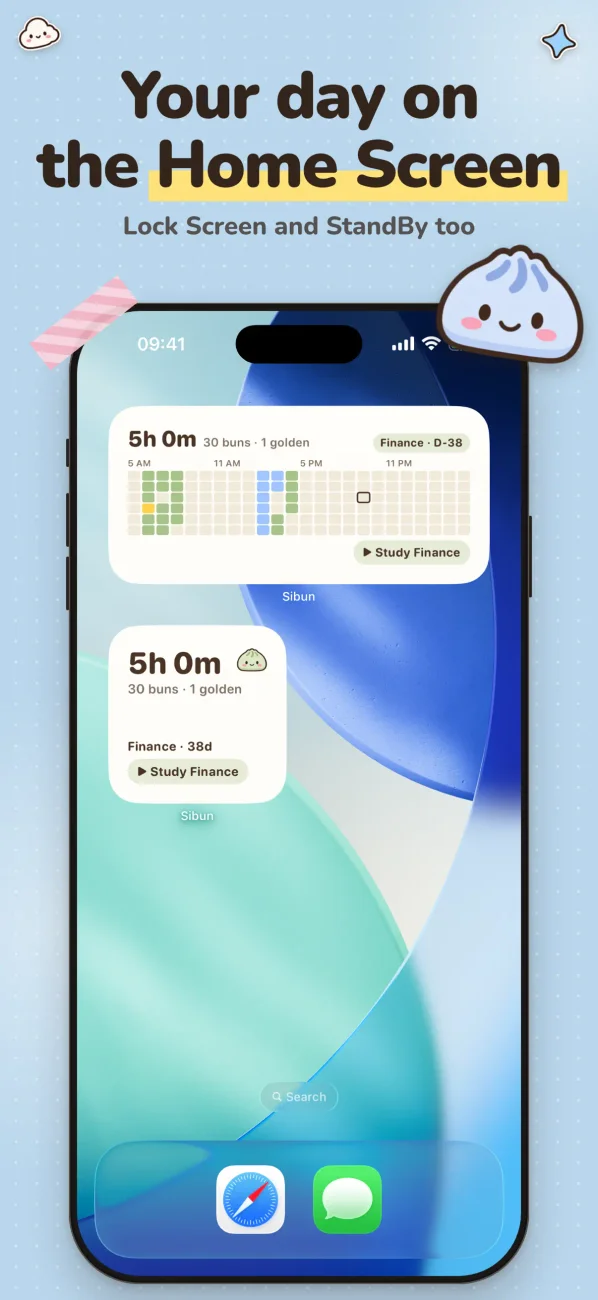
• Your day is a grid: one row per hour, six 10-minute cells per row.
• Pick a goal and start. The current cell becomes a little steamer, from dough to ready.
• A bun only comes from a cell you finished on the timer. Time away from the app adds up within each 10-minute cell; past 2 minutes, that cell is marked as interrupted. Locking your phone to study on paper doesn't count (on a phone with a passcode).
• Forgot the timer? Paint past cells by hand. Hand-painted time counts as study and is shown apart, so your log stays honest.
• A Live Activity shows your session on the Lock Screen and in the Dynamic Island.
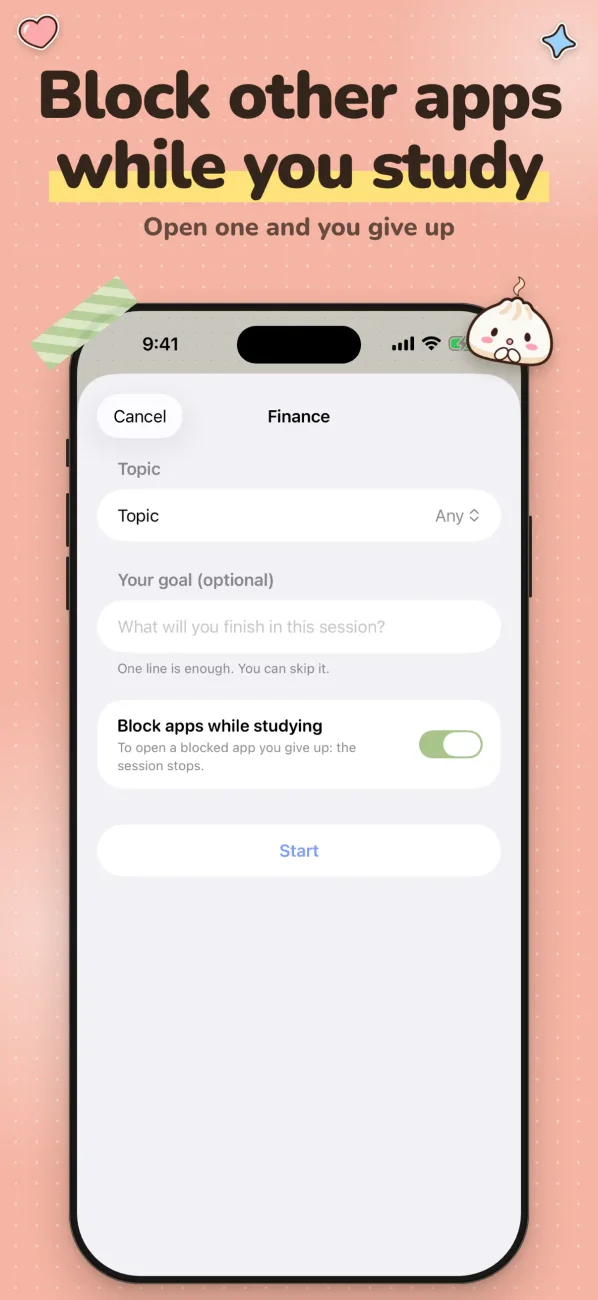
• Optional app blocking while you study, free. Most other apps are blocked; to open one, you give up: the session ends, finished buns stay.
PACE YOURSELF TO EXAM DAY
• Give a goal its date: an exam, a deadline or any target date.
• Add the total hours you want in by then, and Sibun works out how much to study today. Study less one day and the pace adjusts. No red marks, no guilt. Bun leaves you one short line a day.
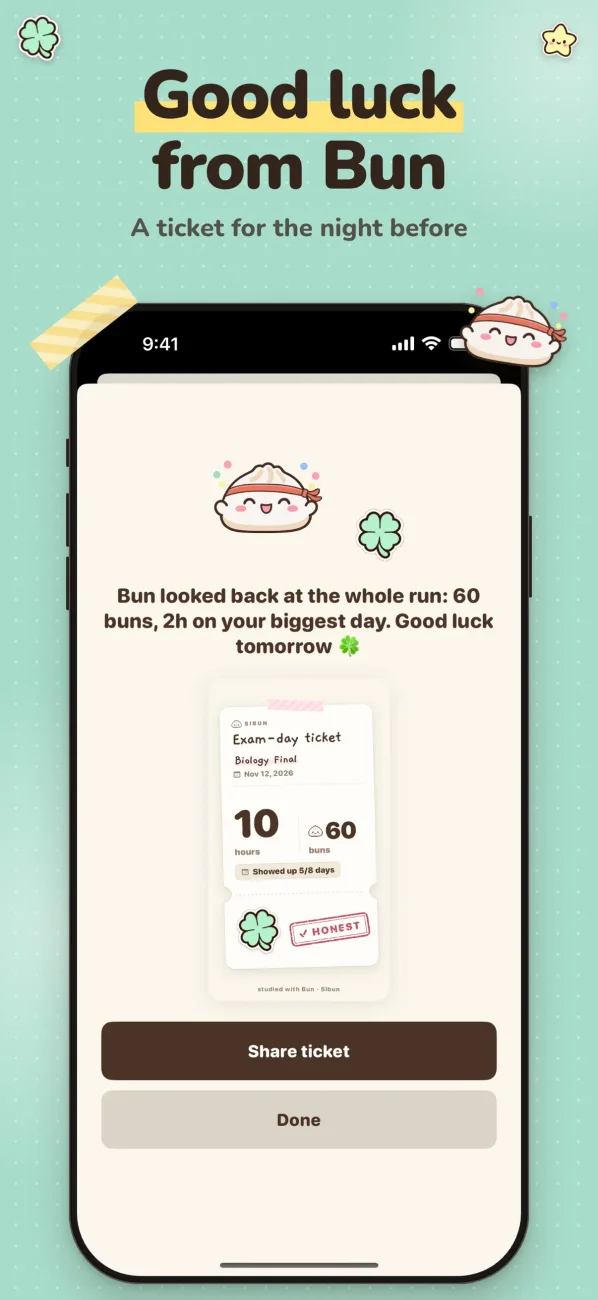
• The evening before, Bun wishes you luck with a ticket to share: your hours and buns, counted from the timer.
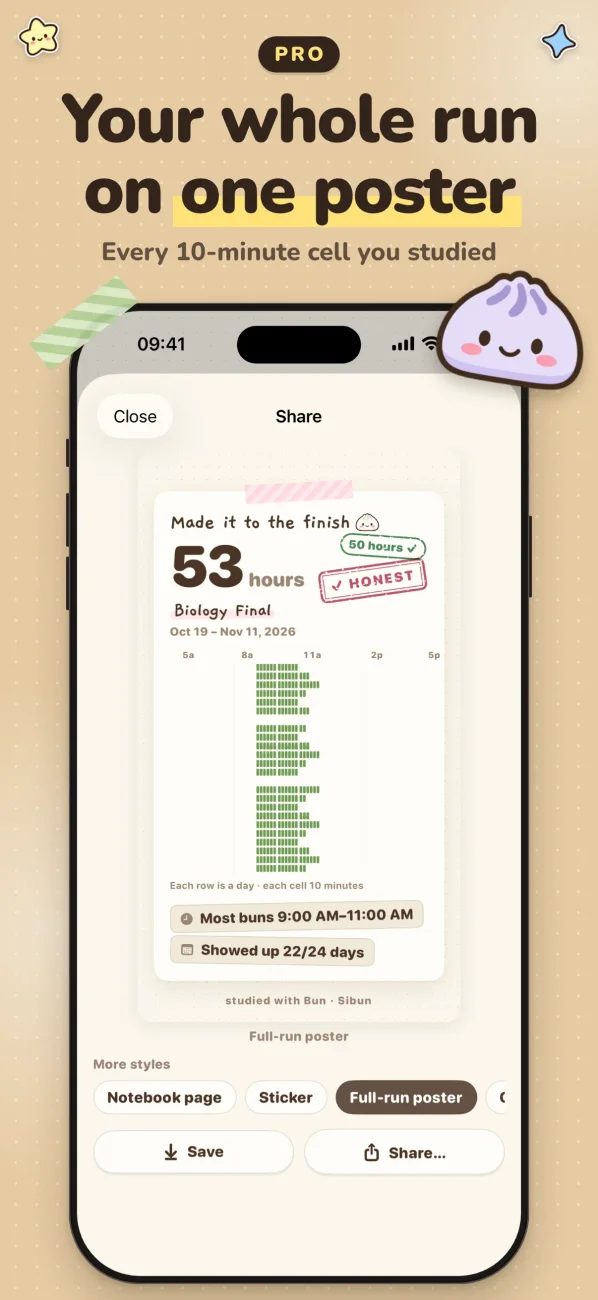
• After the date, a short celebration and a finish card. Every goal also celebrates 50, 100, 200, 500 and 1,000 hours.
PLAN YOUR WEEK (OPTIONAL)
• Give each goal a weekly schedule. Planned cells show a small dot on your grid.
• Reminders with Start and Snooze buttons. Missed a block? Move it or skip it for today.
REMEMBER AND REVIEW
• After a session, write down what you remember and rate it. Your notes come back as review cards after 1, 3, 7, 14 and 30 days.
• Day streak, milestones, weekly stats by goal, and a weekly recap every Sunday.
WIDGETS
• Home Screen, Lock Screen and StandBy: today's study time, buns and your nearest countdown. The medium one shows your day as a strip of 10-minute cells.
SHARE YOUR STUDY DAY
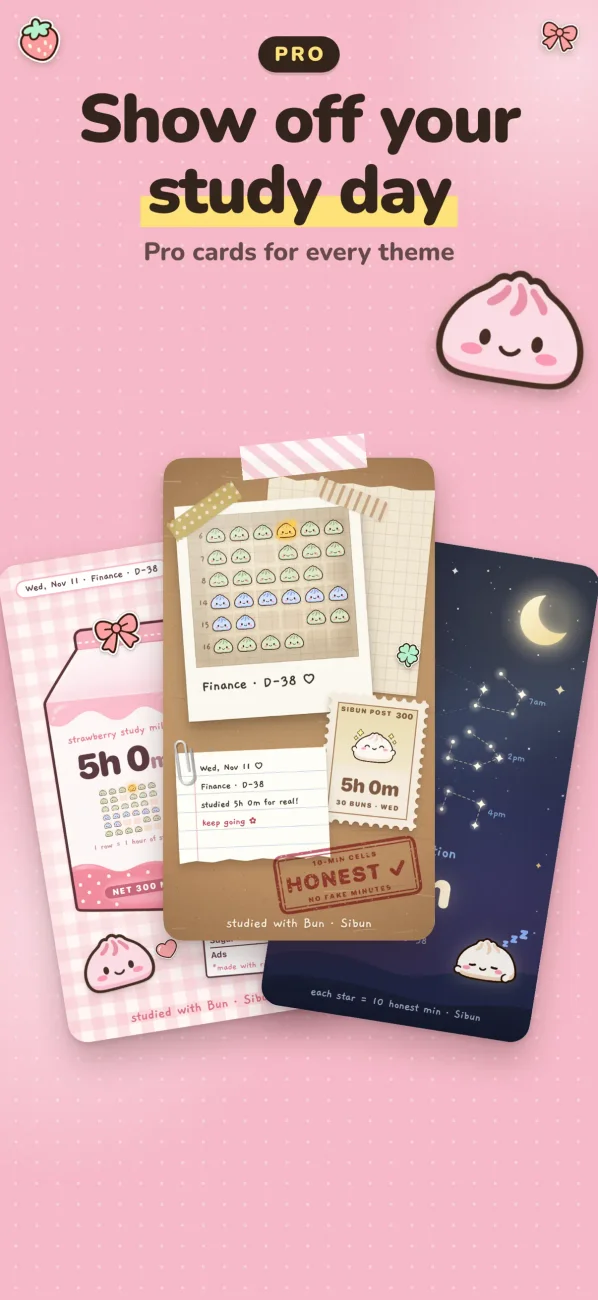
• Transparent stickers for a photo of your real desk, and notebook-page cards, for Instagram Stories or any app.
MAKE IT YOURS
• Light and dark themes: Cloud White, Matcha Latte and Midnight Tea are free.
• Available in English, Vietnamese, Japanese, Korean and Traditional Chinese.
PRIVATE BY DESIGN
• No account and no sign-in. No ads, no analytics or tracking SDK.
• Your study data stays on your iPhone. App blocking runs there too, and Sibun never sees which apps you use.
SIBUN PRO (OPTIONAL)
Sibun is free to use. Sibun Pro adds:
• All themes, including Strawberry Milk, Kraft Notebook, Starry Night and the new Christmas Lights
• Every share card style, a full-run poster and theme cards for your finish, and the option to hide the Sibun mark
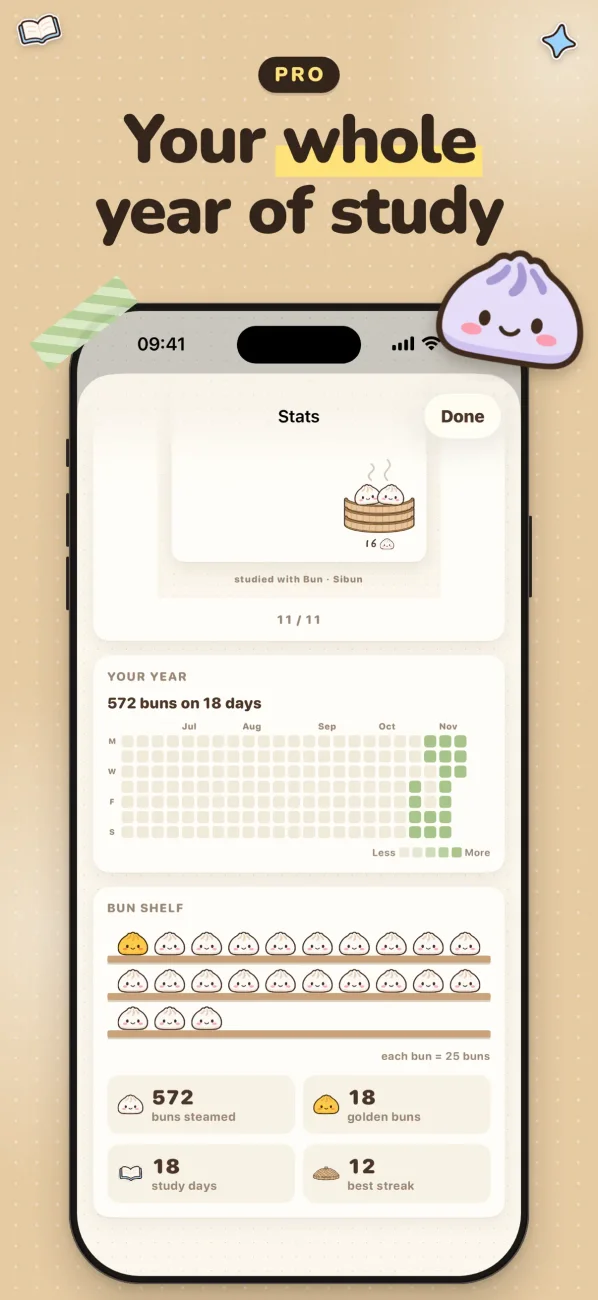
• The Month notebook, your year heatmap and the Road to exam day chart
• Dates and daily pace for every goal (free: one date at a time)
• Your own list of apps allowed while studying
Sibun Pro is offered as:
• Monthly: auto-renewing subscription (1 month)
• Yearly: auto-renewing subscription (1 year), with a 7-day free trial for eligible new subscribers
• Lifetime: one-time purchase, not a subscription
Payment is charged to your Apple Account when you confirm the purchase; with the free trial, when the trial ends. Subscriptions renew automatically unless cancelled at least 24 hours before the end of the current period, and your account is charged for renewal within 24 hours before the period ends. Manage or cancel anytime in your Apple Account settings: Settings > your name > Subscriptions. Prices for your country are shown in the app before you buy.
Questions: hello@sibun.app
Terms of Use (EULA): https://sibun.app/terms
Privacy Policy: https://sibun.app/privacy
Novedades
Versión 1.2.0 · 24/11/2026
Study sounds:
• Tap the speaker on the studying screen to add a background sound: rain, café, library, brown noise, crackling fire or the steamer.
• Free: Rain, Brown noise and Steamer, one at a time. Other sounds play a short preview.
• Sibun Pro: every sound, plus one for each Pro theme (milk & spoon, pencil & pages, crickets & breeze, fireside bells), and mix several, each at its own volume.
• Sounds play only while you study, keep going with your phone locked, mix with your own music, and fade out when the session ends.
Fixes:
• At the largest text sizes, the close button on the Sibun Pro screen stays put while you scroll.
Privacidad de la aplicación
Lo que Tuan Anh Le declara en App Store sobre cómo esta aplicación gestiona los datos.
-
Datos no vinculados a ti
Pueden recopilarse, pero no se vinculan a tu identidad.
- Compras
Las prácticas de privacidad pueden variar, por ejemplo, según las funciones que uses o tu edad.
Información
- Vendedor
- Tuan Anh Le
- Categoría
- Productividad
- Versión
- 1.2.0
- Actualizado
- 24/11/2026
- Publicado
- 9/11/2026
- Tamaño
- 63,3 MB
- Requiere
- iOS 17.0 o posterior
- Clasificación por edad
- 4+
- Precio
- Gratis
- Compras en la aplicación
- Sí
- Idiomas
- Inglés, Japonés, Coreano, Chino tradicional, Vietnamita
- Copyright
- © 2026 Le Tuan Anh
Quizá también te guste
-
 Pixeli: Rastreador de hábitosCrea rutinas, pinta pixel art
-
 NAGI Step: Plan de enfoqueConcentración, tareas e IA
-
 Pomodoro Timer: Estudio y FocoTemporizador, Metas & Tareas
-
 Precursor: Bloqueador de appsLímites por hora, no por día
-
 Levla: Hábitos y tareas RPGLista, diario y recordatorios
-
 Habit: Hábitos, Metas y RachasRutina diaria y disciplina
-
 My Passwords ManagerProductividad
-
 Locka: Calendario de bloqueoWidget de calendario y tareas
-
 ChatHub - All-in-One AI ClientProductividad
-
 LockDay: Lista de tareasAgenda en pantalla bloqueada