- Clasificación por edad12+
- CategoríaFoto y vídeo
- DesarrolladorSergei Shik
- IdiomasInglés+ 15 más
- Tamaño48,1 MB
Es posible que SideReader no esté disponible en App Store en este momento
No se pudo acceder a la ficha de la tienda en nuestra última comprobación. El enlace sigue llevando a la página oficial de App Store.
Capturas de pantalla


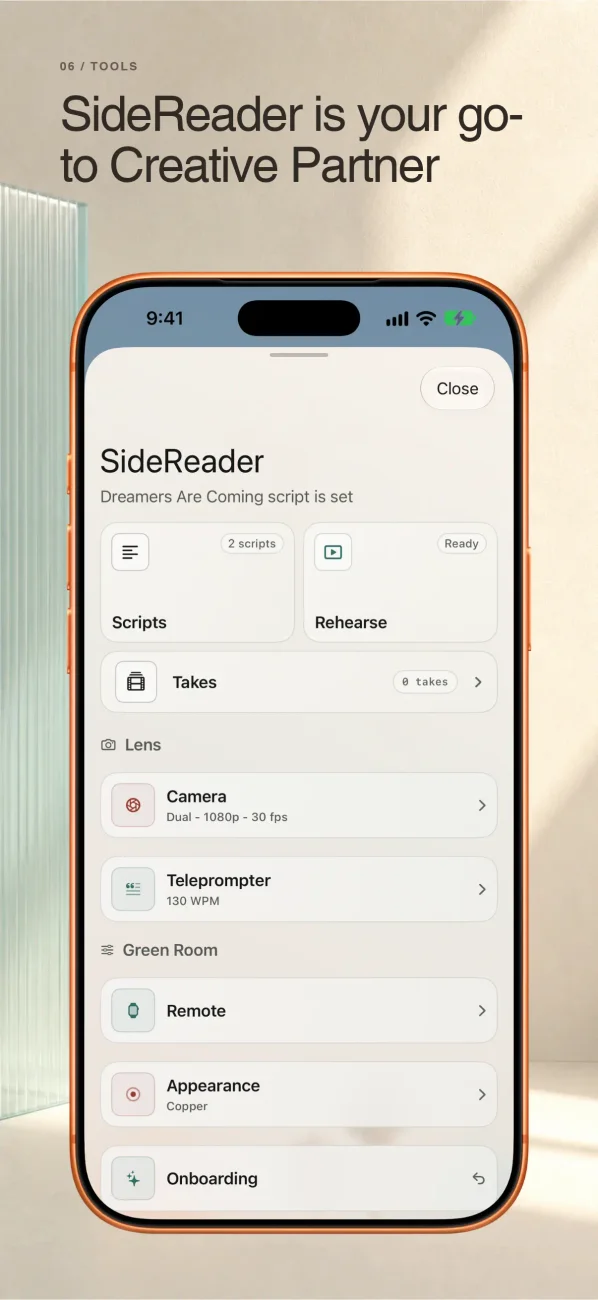
Acerca de
El desarrollador no ha proporcionado este texto en tu idioma.
You’re an actor. Or a content creator. Or a journalist. Or maybe you’re just someone who has something to say and would really, really like the words to stay in front of your eyes while you say it. And to get portrait and landscape videos from one take, instantly.
Maybe you’re rehearsing an audition. Recording a reporting segment. Filming a video essay. Making content for social media. Or trying to remember your next line without looking six feet below the camera.
That’s why I made SideReader.
SideReader brings your script, teleprompter, camera, rehearsal tools, and takes together in one focused creative studio. And it solves another problem I kept running into: needing the same performance in portrait and landscape. One for TikTok, Reels, or Shorts. Another for YouTube, a presentation, an edit, or whatever comes next.
Record once. Deliver twice.
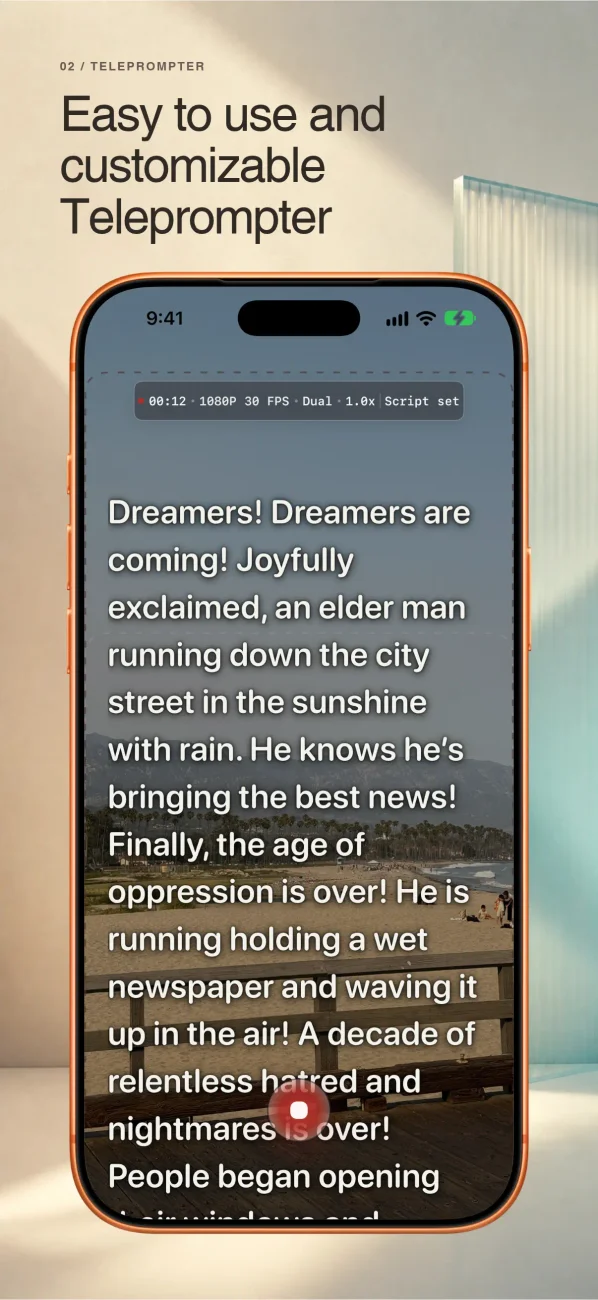
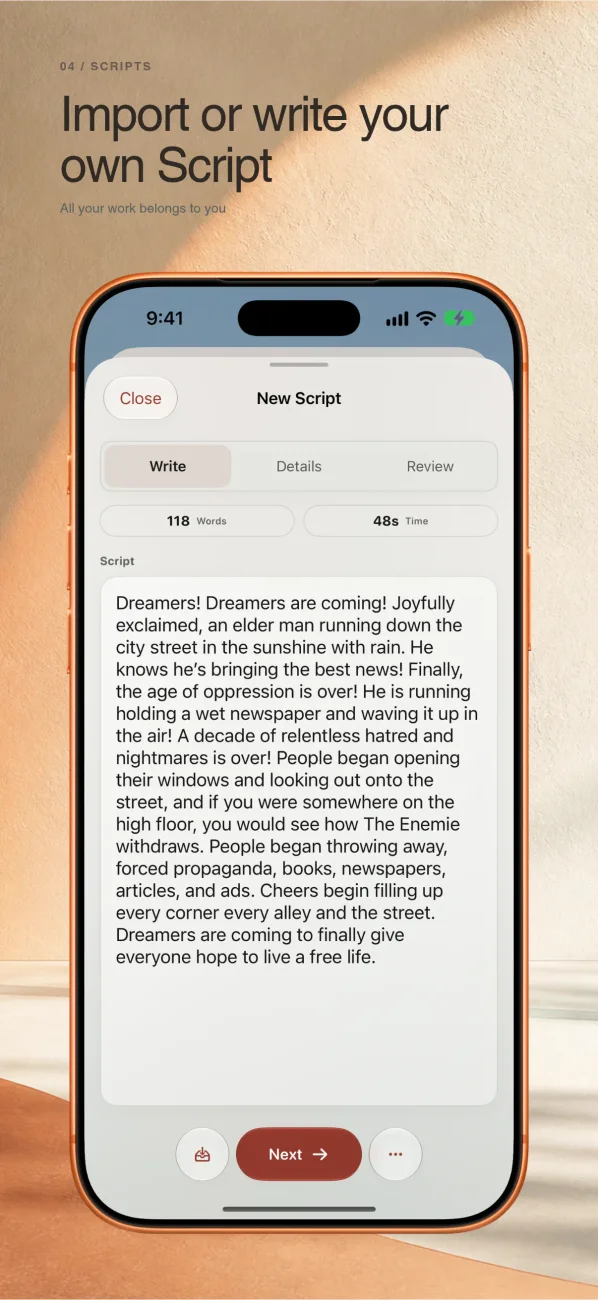
YOUR SCRIPT, RIGHT IN FRONT OF YOU
Write or import a script, then keep it in front of you while you rehearse or record. Adjust the reading experience to your pace, so you can spend less time fighting the screen and more time delivering the words.
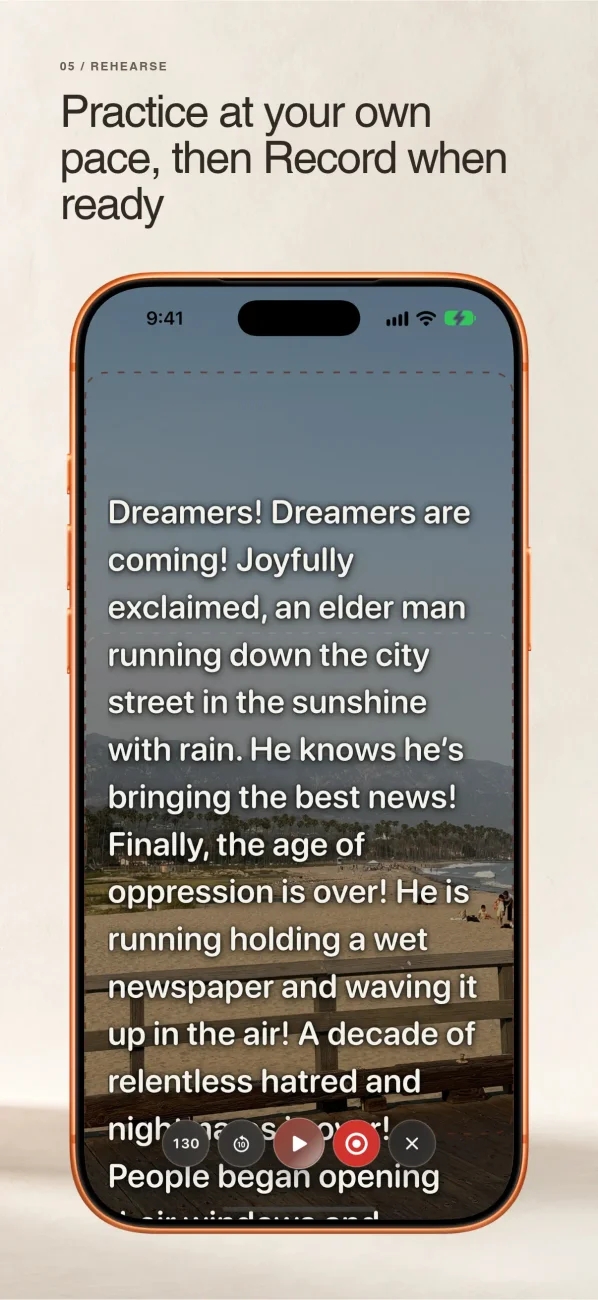
REHEARSE AT YOUR PACE
Sometimes you’re not ready to hit Record. That’s fine. Work through the script, find your rhythm, get comfortable with the material, and start filming when you’re ready.
TWO VIDEOS, ONE PERFORMANCE
Dual Capture makes portrait and landscape videos together while you record. Tap Stop and both files finish without a second render, ready to review, save, or share in moments. No second take just because another platform wants a different shape.
YOUR STUDIO, ON YOUR WRIST
The new Apple Watch companion works as a remote for your paired iPhone or iPad. Start and stop recording, switch cameras, adjust zoom, choose scripts, control rehearsals, and check recording status from your wrist.
HIGH-QUALITY VIDEO
On supported devices and configurations, SideReader can capture at up to 4K and 60 FPS. Because something made for creators should take the actual camera part seriously, too.
YOUR TAKES ARE YOURS
Review your takes, keep the ones you love, and share them when you choose. Your scripts and recordings stay on your device unless you choose to export or share them. Your performance doesn’t need a trip through somebody else’s server just to belong to you. Settings also gives you control over product analytics and optional advertising measurement.
WHY I BUILT SIDEREADER
I’m an actor, and I wanted something that felt surprisingly difficult to find: a teleprompter and camera simple enough to disappear while I was using them, but powerful enough to keep up with how I actually create.
I wanted my script in front of me. I wanted to rehearse. I wanted great-quality video. I wanted portrait and landscape versions without recording the same performance twice. And I didn’t want the app itself to become the production.
So I built SideReader.
It has taken plenty of testing, redesigns, strange little discoveries, major overhauls, and “okay, we need to rethink this entire thing” moments. I’m proud to put this bigger, faster creative studio in your hands, and I’m excited to keep improving it with the people who use it.
So rehearse the audition.
Record the story.
Make the video.
Deliver the report.
Say the thing.
Hopefully with SideReader by Clapps, with love from Los Angeles
Novedades
Versión 1.1.5 · 7/11/2026
Notifications are easier to set up after updating. A clear, full-screen choice lets you request iOS permission directly and remembers your decision.
Privacidad de la aplicación
Lo que Sergei Shik declara en App Store sobre cómo esta aplicación gestiona los datos.
-
Datos usados para rastrearte
Pueden usarse para rastrearte en aplicaciones y sitios web propiedad de otras empresas.
- Ubicación
- Identificadores
- Datos de uso
- Diagnóstico
-
Datos vinculados a ti
Pueden recopilarse y vincularse a tu identidad.
- Ubicación
- Identificadores
- Datos de uso
- Diagnóstico
- Otros datos
-
Datos no vinculados a ti
Pueden recopilarse, pero no se vinculan a tu identidad.
- Información de contacto
- Datos de uso
- Diagnóstico
Las prácticas de privacidad pueden variar, por ejemplo, según las funciones que uses o tu edad.
Información
- Vendedor
- Sergei Shik
- Categoría
- Foto y vídeo
- Versión
- 1.1.5
- Actualizado
- 7/11/2026
- Publicado
- 8/9/2026
- Tamaño
- 48,1 MB
- Requiere
- iOS 27.0 o posterior
- Clasificación por edad
- 12+
- Idiomas
- Inglés, Árabe, Neerlandés, Francés, Alemán, Hindi, Indonesio, Italiano, Japonés, Coreano, Polaco, Portugués + 4 más
- Copyright
- © 2026 Clapps
Quizá también te guste
-
 LumiereCamFoto y vídeo
-
 Matte PhotoFoto y vídeo
-
 PerfilmVídeo, música y subtítulos
-
 Audition Buddy: Self TapeFoto y vídeo
-
 DualShot Recorder: MultiCamVideo vertical y horizontal
-
 Augment - 3D Scanner AppFoto y vídeo
-
 Pixly live photo ai animatorFoto y vídeo
-
 Chamber: Film Camera & EditorFoto y vídeo
-
 Light Meter - Exposure MeterFoto y vídeo
-
 LightCue - Film Light MeterFoto y vídeo