
SignPrep
For Sign Language Interpreters
Diseñada para iPhone, iPad
Gratis · Compras en la aplicación
- Clasificación por edad4+
- CategoríaProductividad
- DesarrolladorDaniel Yong (Singapore)
- IdiomasInglés
- Tamaño44,8 MB
Enlaza a la página oficial de App Store
Download.org no aloja ningún archivo de SignPrep. El botón abre la página de la aplicación en App Store, donde la publica Daniel Yong (Singapore). Ficha comprobada por última vez el 12/11/2026.
Capturas de pantalla


Acerca de
El desarrollador no ha proporcionado este texto en tu idioma.
SignPrep supports sign language interpreters before, during, and after each assignment. It helps you prepare, time your swaps, write reflections, track CPD, and look after your wellbeing.
ASSIGNMENTS
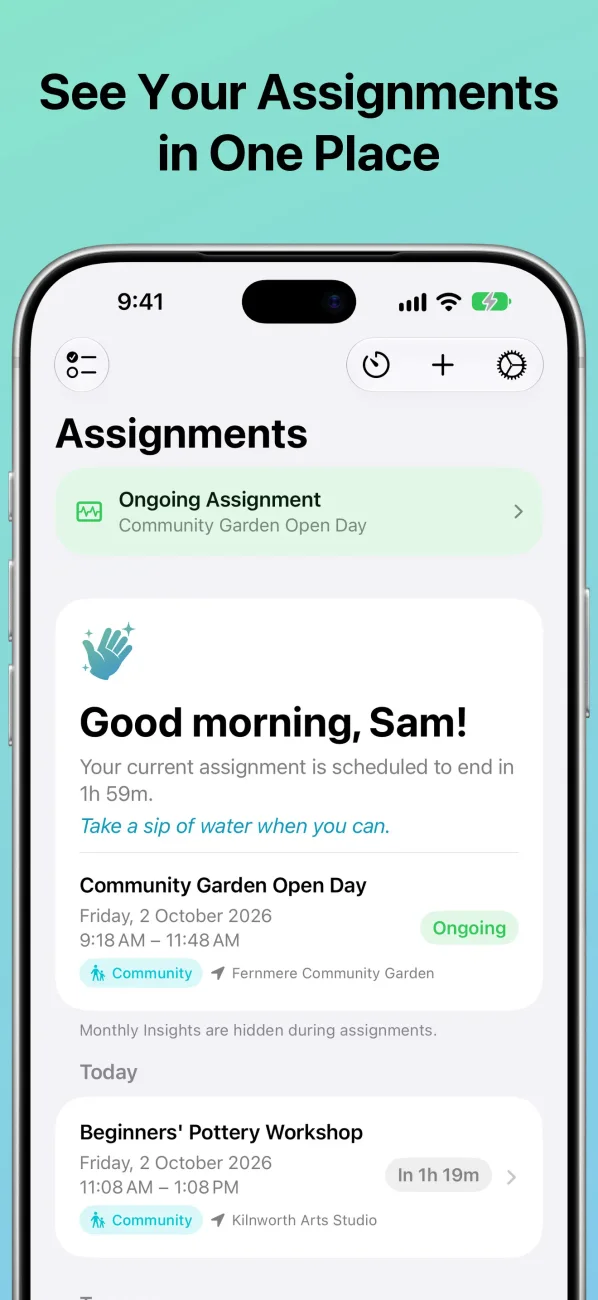
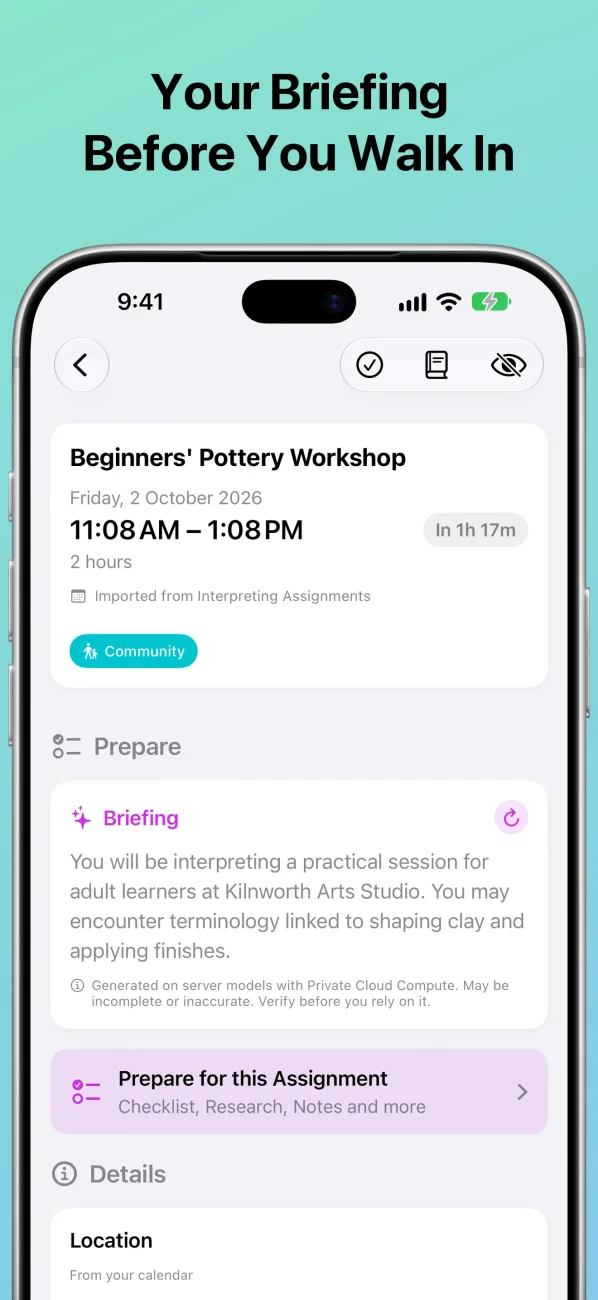
Import assignments from work calendars or add them manually. See countdowns, locations, directions, preparation progress, notes, and AI briefings in one place.
PREPARATION
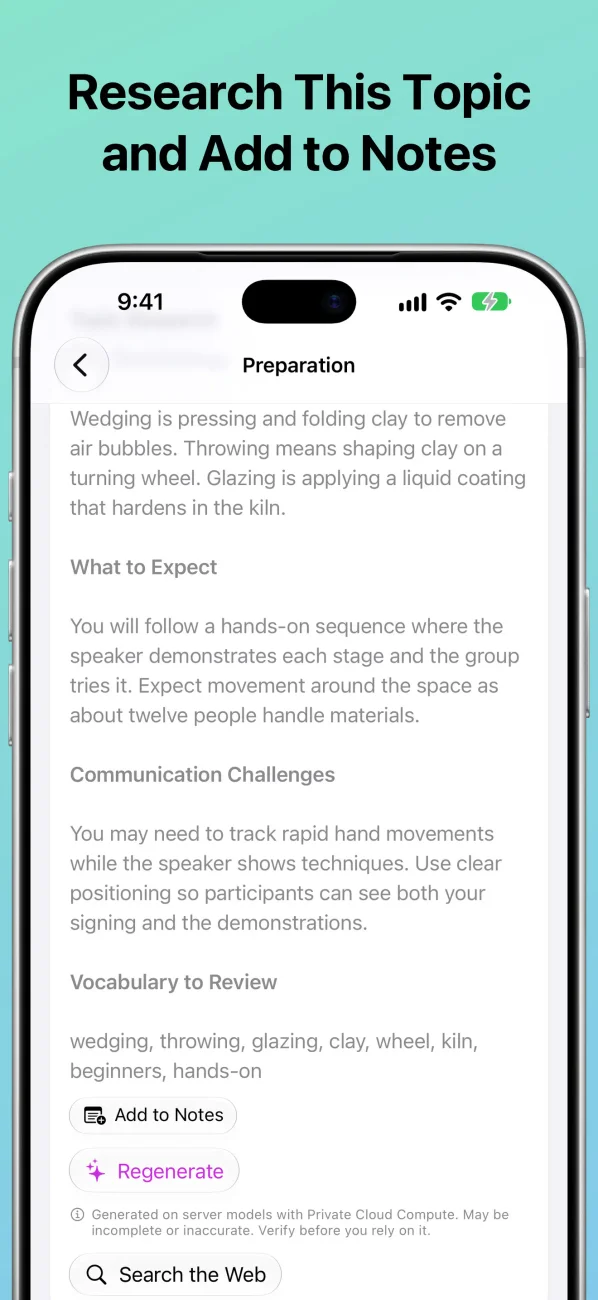
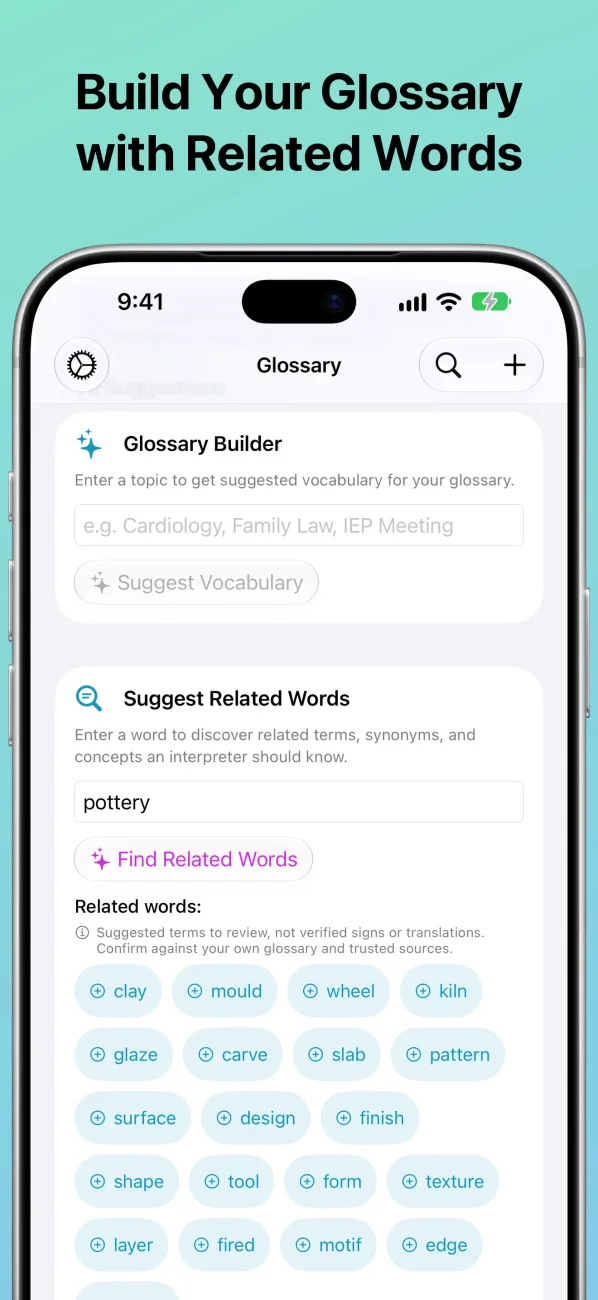
Prepare with editable checklists, research tools, key terms, glossary suggestions, notes, resources, and web searches you check before they open.
AI BRIEFINGS
Get a two-sentence briefing for any upcoming or ongoing assignment, covering its subject matter and the terminology to expect.
ONGOING ASSIGNMENT
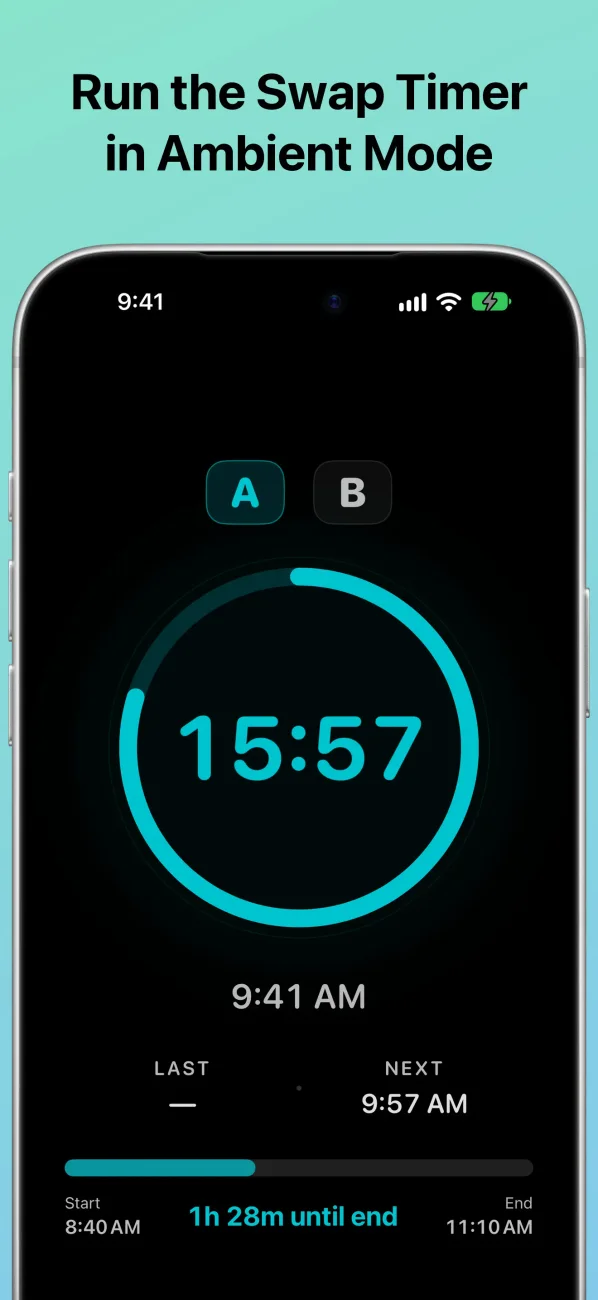
Live Session shows progress, the active interpreter, next swap, and time remaining. Ambient Mode gives a full-screen view for coordinating swaps.
SWAP TIMER & SWAP CLOCK
Use Swap Timer for set intervals or Swap Clock for flexible turn-taking. Swap Timer's pause, resume, swap, and stop work the same way from the app, Apple Watch, the Lock Screen, and Siri; Swap Clock runs from the app and Siri.
APPLE WATCH
View assignments and control swap timing on your wrist. Complications and Smart Stack cards show what is next or ongoing, CPD hours, and signs due for review.
WIDGETS, LIVE ACTIVITIES & CONTROLS
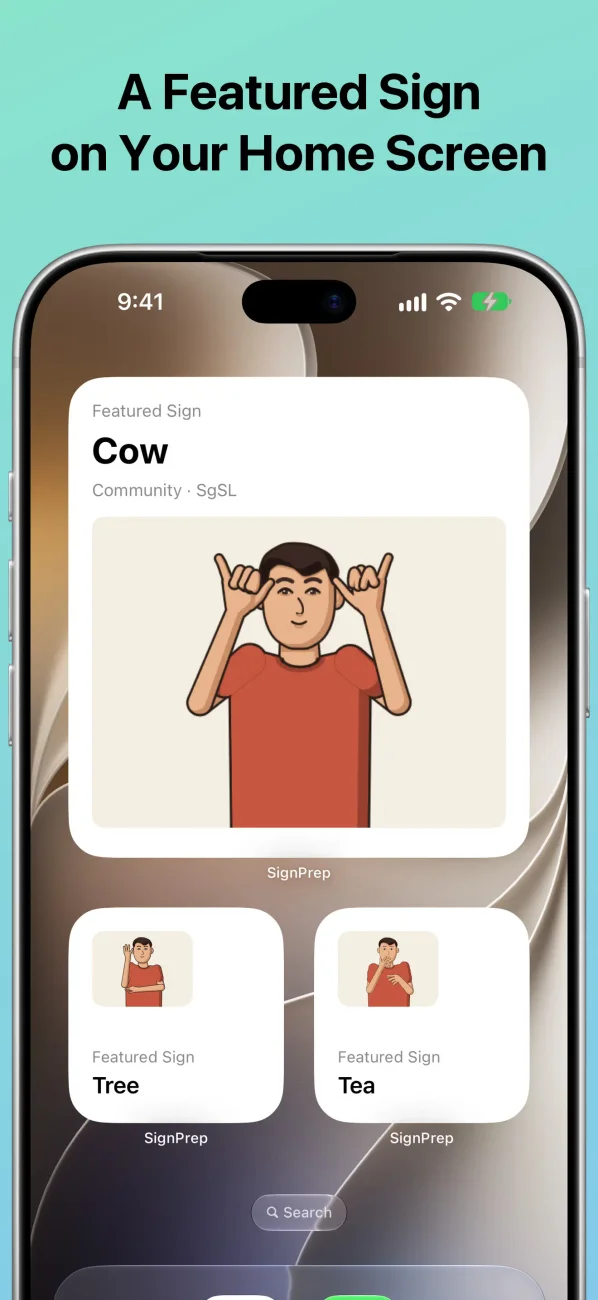
Widgets show upcoming assignments, CPD progress, a Featured Sign, and how many signs are due for review. Live Activities keep timing on the Lock Screen, and Control Centre buttons start a session or open the swap timer.
SIRI & SHORTCUTS
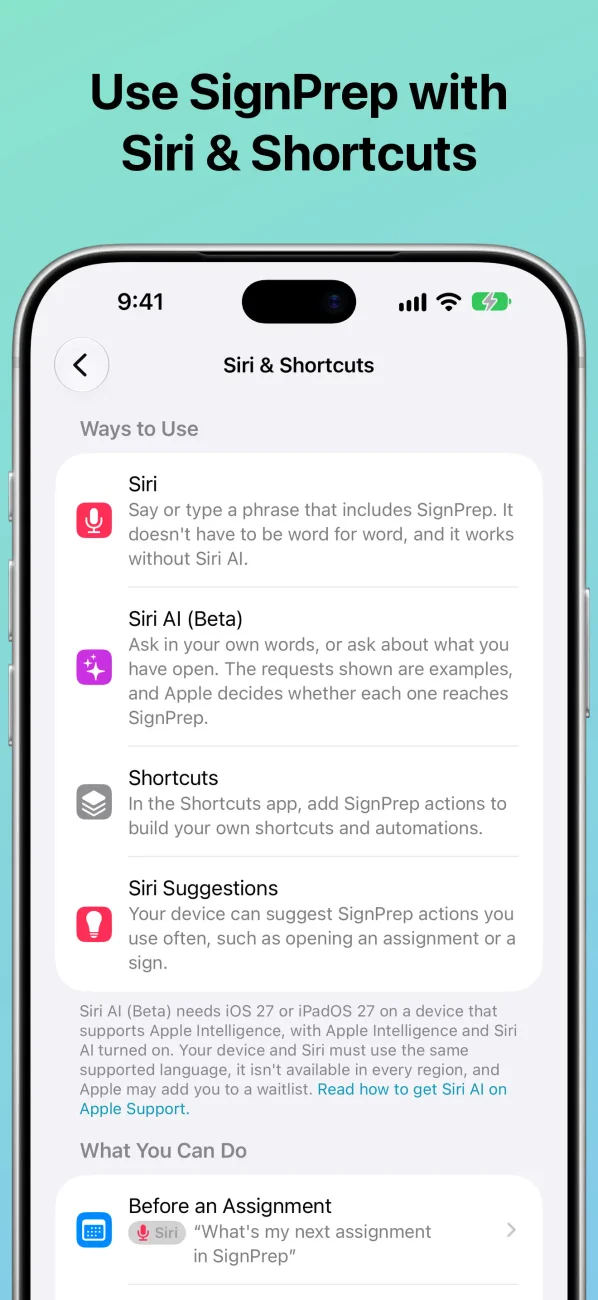
Ask Siri to find or show a sign, check your assignments, run the swap timer or swap clock, or log a reflection. You don't have to say phrases word for word, and you can use SignPrep actions in your own shortcuts. On iOS 27, Siri AI (Beta) can also search your glossary, add or move an assignment, and act on what you have open. Siri AI needs a compatible device, is not available in every language or region, and may have a waitlist.
OPTIONAL AI
Apple Intelligence generates briefings, research, glossary suggestions, and checklists. AI output supports, rather than replaces, your professional judgement.
SIGN GLOSSARY
Build a video library of signs in SgSL, ASL, BSL, Auslan, NZSL, and more. Record clips, tag entries, add other names for a sign, review in slow motion, and export or import your glossary.
DC-S REFLECTIONS
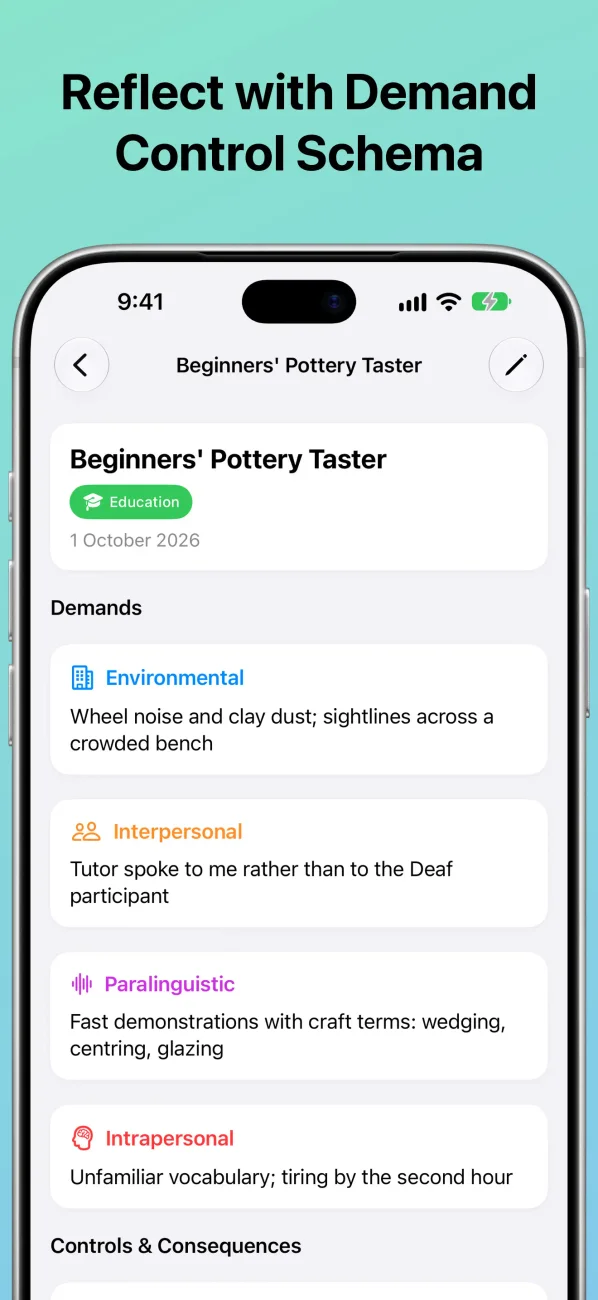
Use Demand Control Schema prompts for environmental, interpersonal, paralinguistic, and intrapersonal demands. Track streaks, flag entries for mentor discussion, and export as PDF or CSV.
CPD TRACKING
Log professional development hours by activity type, with suggested hours for RID and NRCPD. Set a target and renewal period, carry over extra hours if your scheme allows, and track progress in the app and on Apple Watch.
SELF-CARE
Log mood, fatigue, and cognitive load. View trends, follow guided breathing and interpreter-specific stretches, and get suggestions for recovery.
PRIVACY & SECURITY
Protect your data with App Lock, Face ID or Touch ID, protected app-switcher previews, an access log, and optional iCloud backup exclusion. App Lock also protects Siri, Shortcuts, device search, reminders, and the assignment, glossary and CPD widgets. Exports, shared signs and notes, and saved videos show what they keep and remove first. SignPrep has no account and keeps no copy of your data, which is stored on your devices. Some features can send what they need to a service, such as Apple's Private Cloud Compute for briefings and research on iOS 27, or the search engine you use in Safari for a web search you check. Privacy Preview in Settings shows what each feature can send.
RESOURCES
Explore an interactive NAD-RID Code of Professional Conduct (US), role cards for hearing clients, and links to interpreter and Deaf community organisations.
ACCESSIBLE BY DESIGN
Built with VoiceOver, Dynamic Type, high-contrast colours, Reduce Motion, large touch targets, and haptics.
Designed for iOS 26 and iOS 27 with Liquid Glass.
Novedades
Versión 1.6.8 · 3/11/2026
Thanks for using SignPrep! Version 1.6.8 contains bug fixes.
Privacidad de la aplicación
Lo que Daniel Yong (Singapore) declara en App Store sobre cómo esta aplicación gestiona los datos.
-
No se recopilan datos
El desarrollador no recopila ningún dato de esta aplicación.
Las prácticas de privacidad pueden variar, por ejemplo, según las funciones que uses o tu edad.
Información
- Vendedor
- Daniel Yong (Singapore)
- Categoría
- Productividad
- Versión
- 1.6.8
- Actualizado
- 3/11/2026
- Publicado
- 26/3/2026
- Tamaño
- 44,8 MB
- Requiere
- iOS 26.0 o posterior
- Clasificación por edad
- 4+
- Precio
- Gratis
- Compras en la aplicación
- Sí
- Idiomas
- Inglés
- Copyright
- © 2026 Daniel Yong
Quizá también te guste
-
 TimeLoop: Agenda y organizadorHorario, calendario compartido
-
 Beyond Social ServicesProductividad
-
 RollUp - Track Office DaysProductividad
-
 B-day WidgetProductividad
-
 Firmar Documentos PDF - eSignFirma Digital y Electrónica
-
 MindBox: Chatbot IA en españolBasado en ChatGPT y GPT-4
-
 Resource Booking ServiceProductividad
-
 DailyWall: Notas y LibretaRecordatorios, lista de tareas
-
 Safety Observer 3.0Productividad
-
 Notas de voz Notas de reuniónGrabadora de voz,transcripción