
SimpleCut Video
One video to many clips
Diseñada para iPhone, iPad
Gratis · Compras en la aplicación
- Clasificación por edad4+
- CategoríaFoto y vídeo
- DesarrolladorAnton Smolianin
- IdiomasInglés
- Tamaño4,3 MB
Enlaza a la página oficial de App Store
Download.org no aloja ningún archivo de SimpleCut Video. El botón abre la página de la aplicación en App Store, donde la publica Anton Smolianin. Ficha comprobada por última vez el 14/11/2026.
Capturas de pantalla
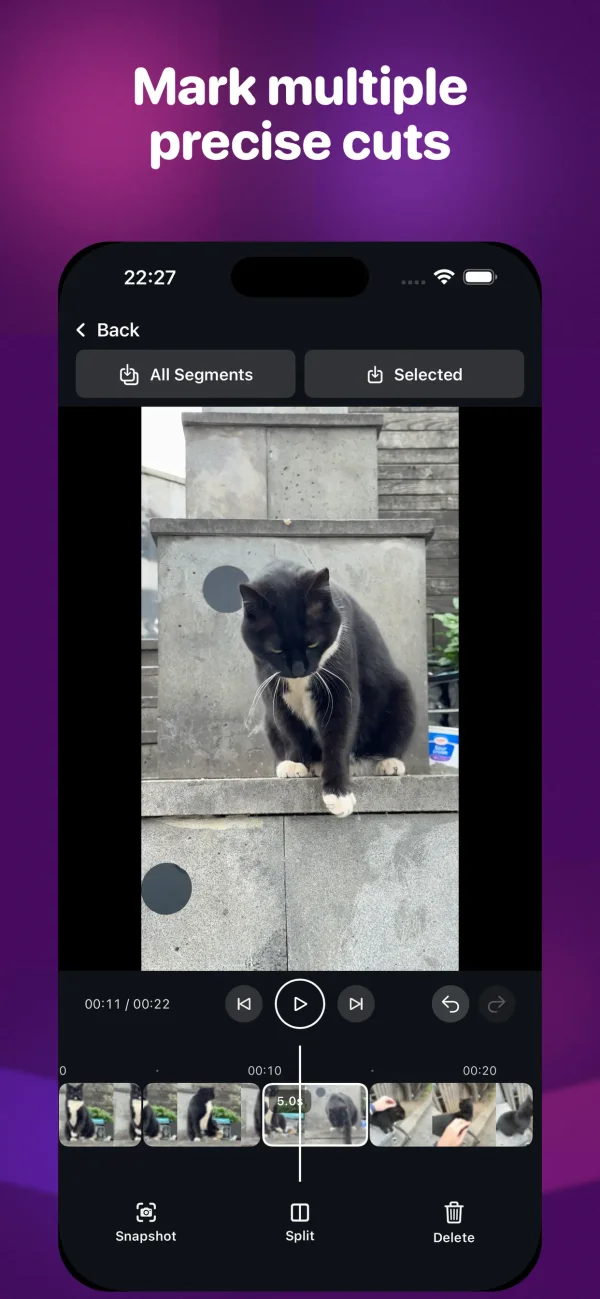
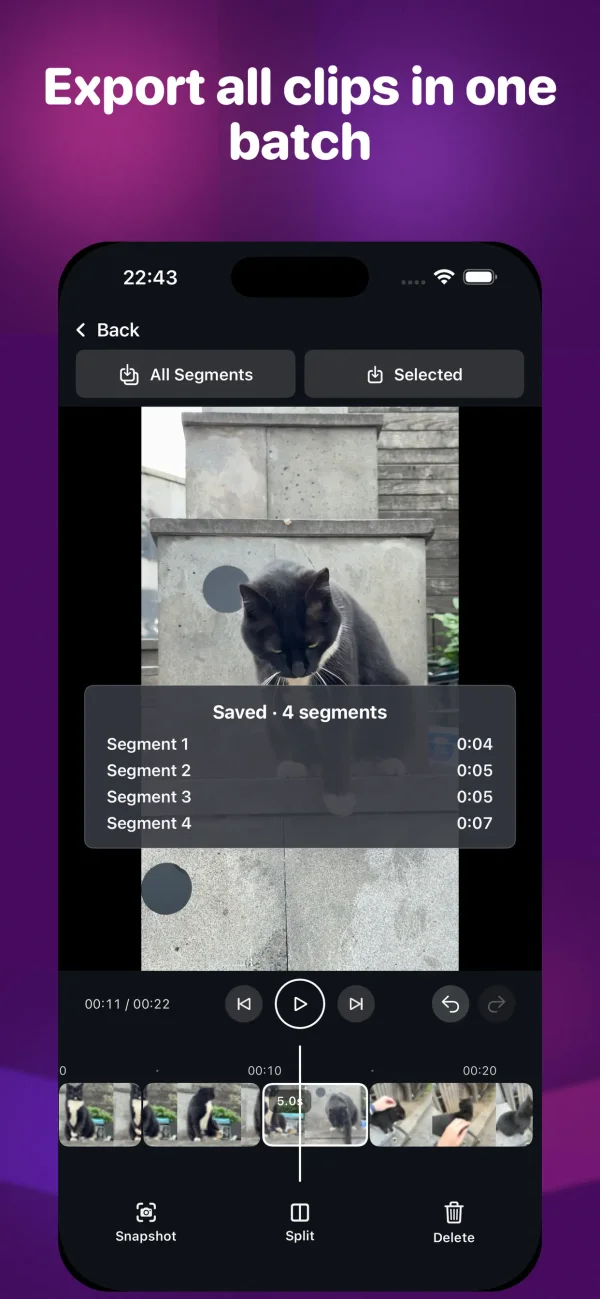
Acerca de
El desarrollador no ha proporcionado este texto en tu idioma.
Turn one video into multiple ready-to-share clips in a single export.
SimpleCut is built for one job: helping you quickly cut one video into multiple separate clips without repeating the same export process again and again.
Instead of trimming one moment, saving it, going back, trimming another, and repeating the whole workflow, you can select multiple segments and export them all at once. Each selected segment is saved as its own video file.
Why people use SimpleCut:
- Export multiple clips from one video in one action
- Save time when pulling highlights from longer recordings
- Keep only the moments you want
- Get separate video files ready to post, share, or edit
How it works:
- Import one video
- Mark the segments you want to keep
- Export all selected clips in one batch
Designed for a fast, focused workflow:
- Clean and simple editing interface
- Quick multi-clip export
- Smooth performance with modern video technologies
- No extra tools, filters, or distractions
Great for:
- Highlight clips from long recordings
- Fitness and acroyoga videos
- Tutorials and demonstrations
- Social media content for Instagram, TikTok, Reels, and Shorts
If you regularly record long videos and only want the best parts, SimpleCut helps you turn one recording into multiple finished clips in seconds.
Terms of Use: https://www.apple.com/legal/internet-services/itunes/dev/stdeula/
Novedades
Versión 2.0.1 · 29/8/2026
Support SimpleCut is now available in the app.
You can make an optional one-time or monthly contribution to support ongoing development.
All editing features remain fully available to everyone.
Editing is now more convenient: you can undo jumps to the beginning or end of a video, and preview playback now includes 0.5x slow motion.
Some bugs fixed.
Privacidad de la aplicación
Lo que Anton Smolianin declara en App Store sobre cómo esta aplicación gestiona los datos.
-
No se recopilan datos
El desarrollador no recopila ningún dato de esta aplicación.
Las prácticas de privacidad pueden variar, por ejemplo, según las funciones que uses o tu edad.
Información
- Vendedor
- Anton Smolianin
- Categoría
- Foto y vídeo
- Versión
- 2.0.1
- Actualizado
- 29/8/2026
- Publicado
- 30/3/2026
- Tamaño
- 4,3 MB
- Requiere
- iOS 17.0 o posterior
- Clasificación por edad
- 4+
- Precio
- Gratis
- Compras en la aplicación
- Sí
- Idiomas
- Inglés
- Copyright
- © 2026 Anton Smolianin
Quizá también te guste
-
 ZOMO: Disposable CameraFoto y vídeo
-
 Lens: Real-Time Camera EffectsFoto y vídeo
-
 AI Photo Editor: Bloom StudioFoto y vídeo
-
 VideoSplitter – Cortar vídeoVarios clips a la vez
-
 LayPic – Photo Collage MakerFoto y vídeo
-
 Crop Craft: Contorno & SVGRecorte circular y redondo
-
 Stellar – Cámara TimelapseRAW, Cámara Dual y Remota
-
 ReShoot: Before & After CameraFoto y vídeo
-
 Steady Cam: Horizon LockFoto y vídeo
-
 VideoSplitr split long videosFoto y vídeo