
- Clasificación por edad4+
- CategoríaProductividad
- Desarrollador钊 邓
- IdiomasInglés+ 4 más
- Tamaño5,6 MB
Enlaza a la página oficial de App Store
Download.org no aloja ningún archivo de Simul: Live Captions. El botón abre la página de la aplicación en App Store, donde la publica 钊 邓. Ficha comprobada por última vez el 17/11/2026.
Capturas de pantalla


Acerca de
El desarrollador no ha proporcionado este texto en tu idioma.
When you can't follow, just put your phone down.
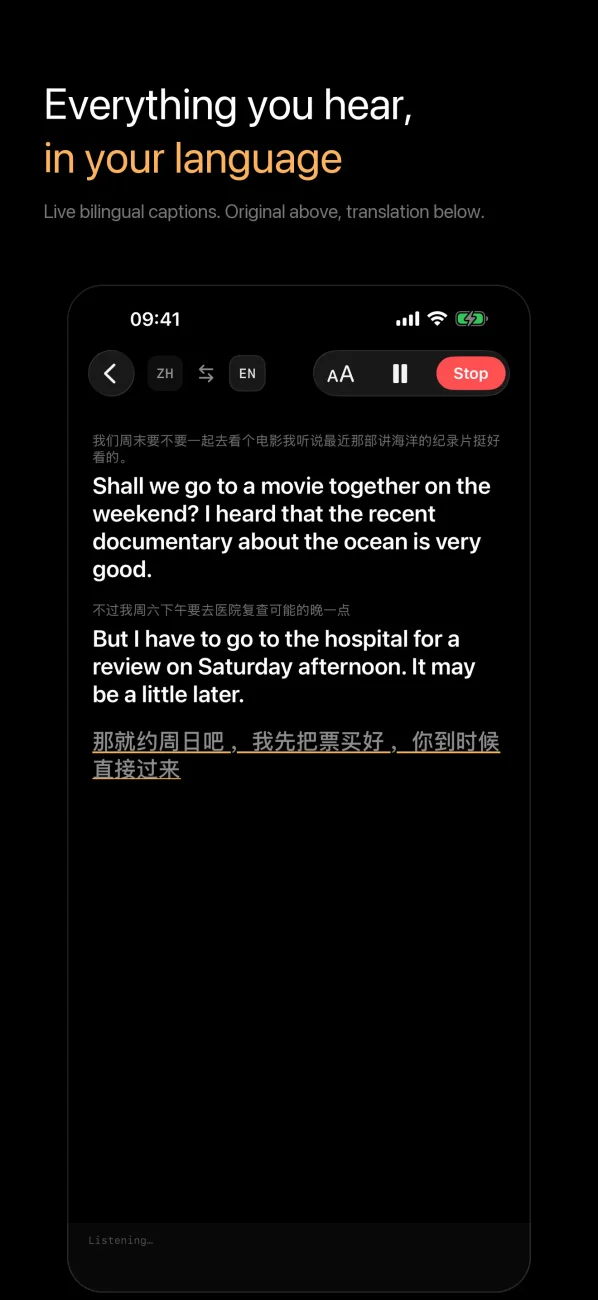
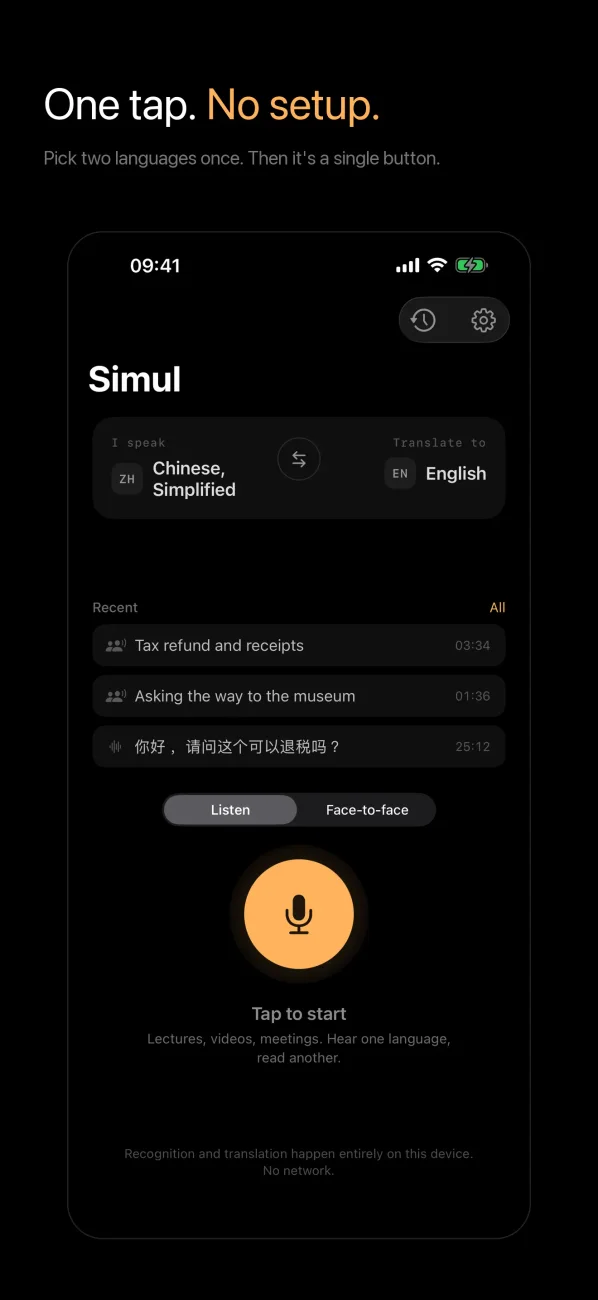
Simul turns what you hear into bilingual captions in real time: the original on top, the translation below, sentence by sentence as they're spoken.
■ Entirely on this device
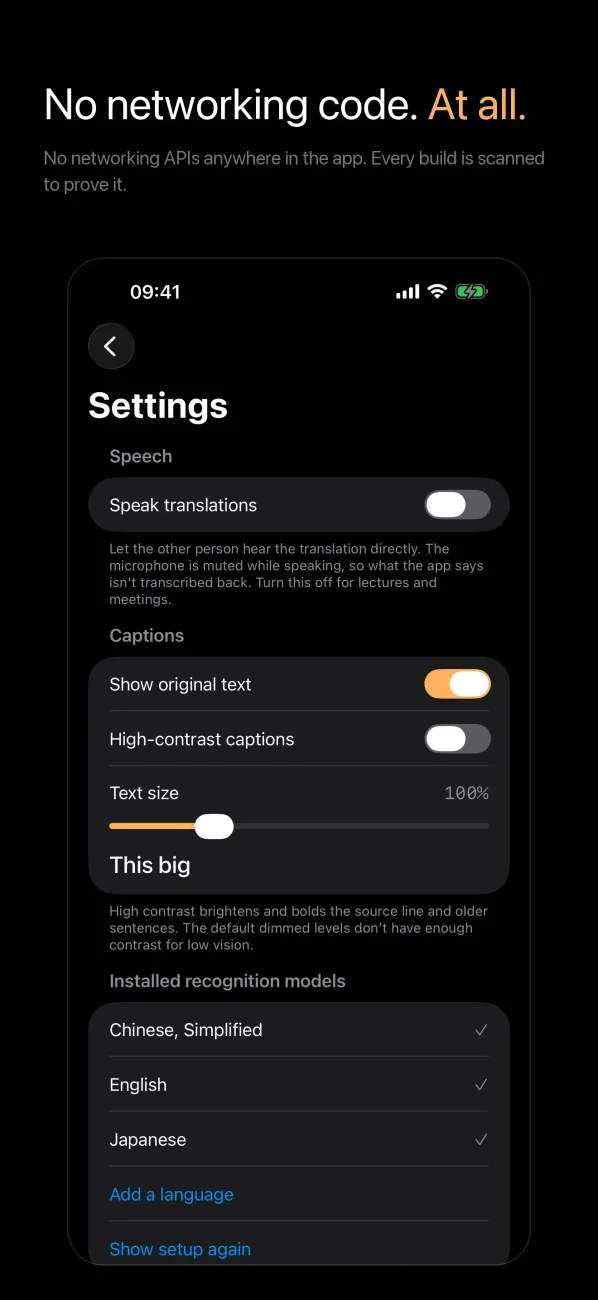
Recognition and translation both run locally. Audio and text are never uploaded and never touch a server. It works in Airplane Mode — go ahead and turn off your network right now and try it.
■ Where it helps
· Face to face: one conversation, every turn translated — whoever speaks is detected automatically. If it picks the wrong side, tap that half to switch it. Lay the phone flat between you and one tap splits the screen so their half reads right way up
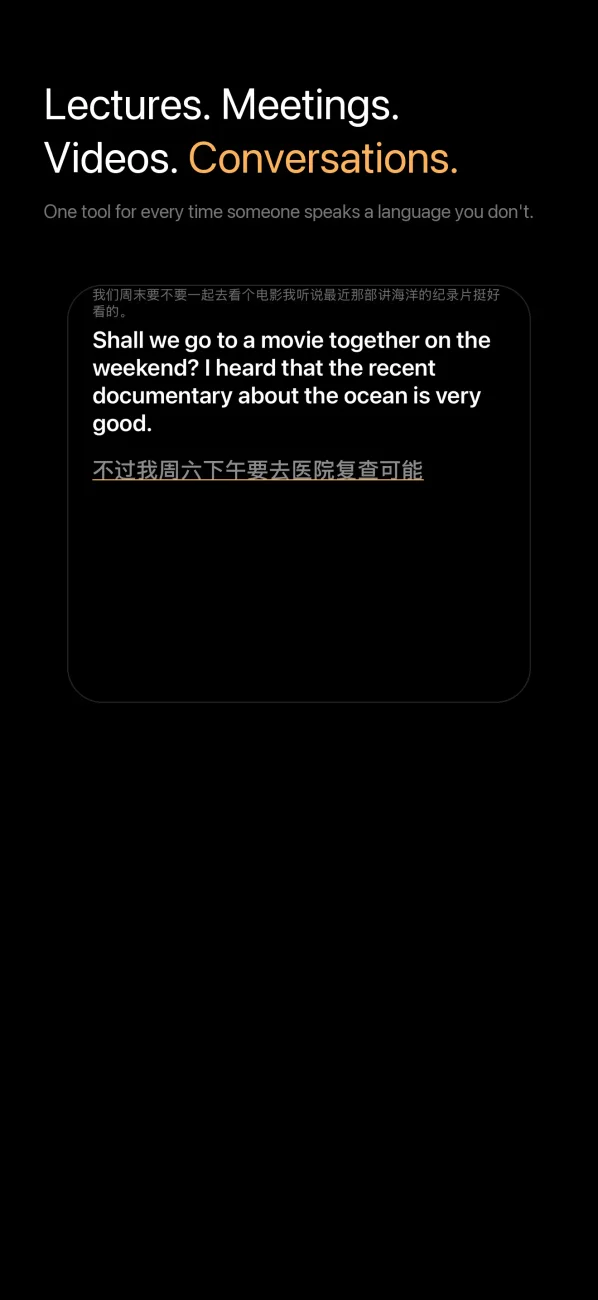
· Lectures and meetings: set it on the table and follow the speaker line by line
· Video: play a foreign-language video out loud and read along on screen
■ Built to be read
Pure black, large type. The sentence still being spoken is dimmed and underlined; it settles once it's finished — so you always know which line can still change. Show both languages or just the translation. Caption size adjusts on its own, without changing your system text size.
■ Apple Watch
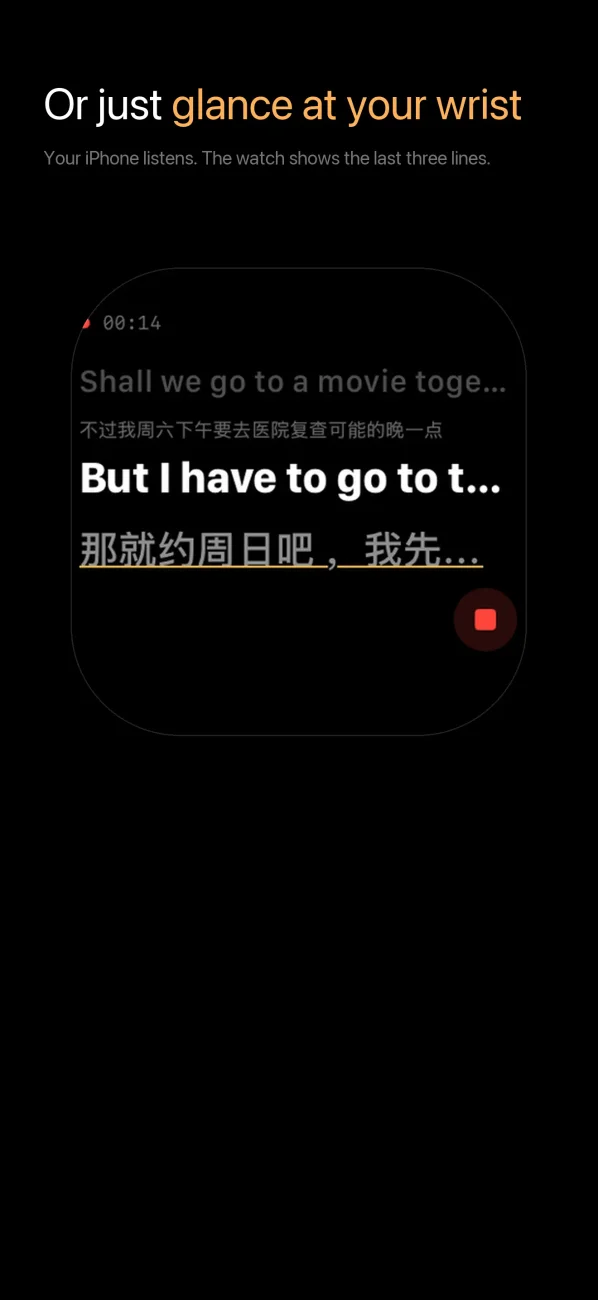
Read captions right on your wrist, and start or stop from there. Put the phone down without missing anything.
■ Also
· Speak the translation aloud so the other person can hear it
· Generate a summary of the conversation when you're done
· A Home Screen widget showing your current language pair — one tap to start
· Start from Control Center, the Action button, or Siri
· Continue on another device with Handoff
■ Language models download first
The first time you use it, Simul walks you through downloading the recognition model for your languages. Models are managed by the system and shared across apps, so they don't count toward Simul's size. Downloading needs a network connection — after that, you never need one again.
Novedades
Versión 1.4.0 · 22/9/2026
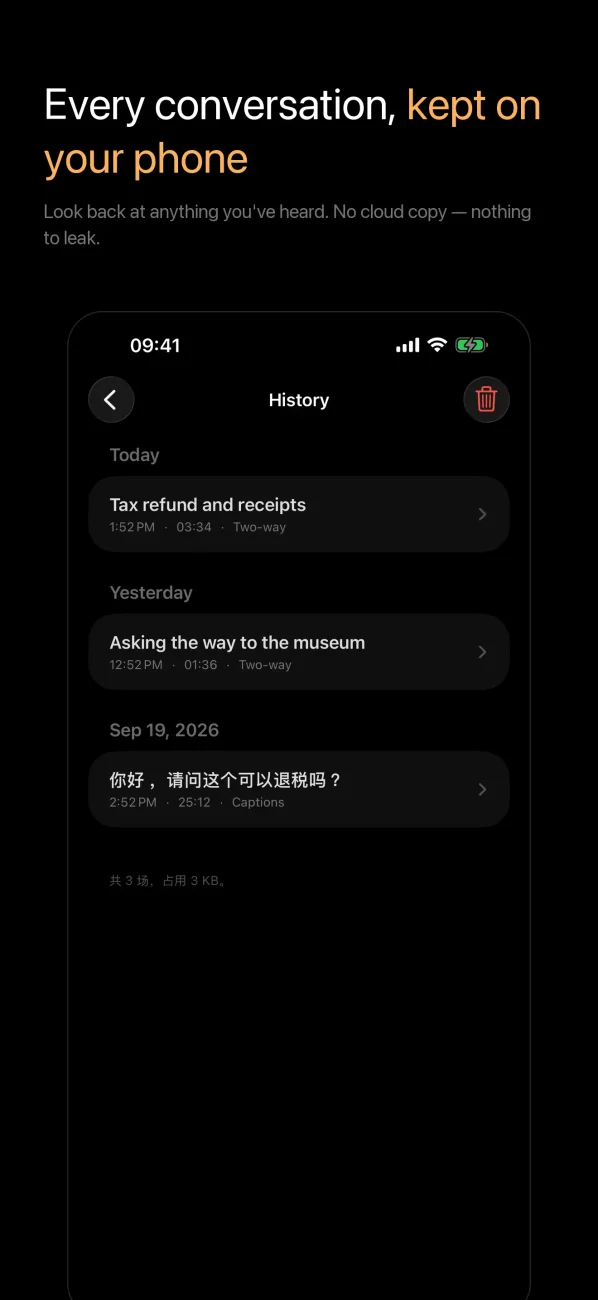
· New: History. Once a captioning or face-to-face session ends, it's saved on this device — read it back in full, or export a transcript or subtitle file. Titles are written by the on-device model, so you don't have to.
· Records stay with you: nothing is uploaded, and there is no cloud copy. Set them to delete automatically after 7 or 30 days, delete a single session, or clear everything. Turn saving off entirely in Settings.
· The home screen was rebuilt. Listen and Face-to-face are now two modes of the same button — pick one, tap once, and it starts. Face-to-face used to take two taps.
· The main button is always Start. If a speech model is missing, tapping it downloads it in place and starts on its own when ready. If a translation pack is missing, it starts anyway with source-language captions.
· Face-to-face now works out who is speaking on its own — no need to tap before each turn. If it picks the wrong side, tap that half to switch it.
· Older conversations saved without translations (because the pack wasn't installed at the time) can now be filled in from History.
· The interface follows your system's light or dark appearance. The captioning and face-to-face screens stay pure black — that's for legibility.
Privacidad de la aplicación
Lo que 钊 邓 declara en App Store sobre cómo esta aplicación gestiona los datos.
-
No se recopilan datos
El desarrollador no recopila ningún dato de esta aplicación.
Las prácticas de privacidad pueden variar, por ejemplo, según las funciones que uses o tu edad.
Información
- Vendedor
- 钊 邓
- Categoría
- Productividad
- Versión
- 1.4.0
- Actualizado
- 22/9/2026
- Publicado
- 18/9/2026
- Tamaño
- 5,6 MB
- Requiere
- iOS 26.0 o posterior
- Clasificación por edad
- 4+
- Precio
- Gratis
- Idiomas
- Inglés, Japonés, Coreano, Chino simplificado, Chino tradicional
- Copyright
- © 2026 Zhao Deng
Quizá también te guste
-
 wayaknowTranscribe y traduce en vivo
-
 unitranslator: AI TranslatorProductividad
-
 CaptionifyProductividad
-
 Simul: Traductor de VozTraducción de voz en directo
-
 Voice Translator & SubtitlesProductividad
-
 ReMe - 手書きもできるMarkdownノートProductividad
-
 TkitaGuideProductividad
-
 Bee BuildersProductividad
-
 Intérprete IA en directoSubtítulos y traducción oral
-
 SquiddleProductividad