
Skedit AI
Plan your day just by speaking
Diseñada para iPhone, iPod touch
Gratis · Compras en la aplicación
- Clasificación por edad4+
- CategoríaProductividad
- DesarrolladorAlhasan Muhammad
- IdiomasInglés
- Tamaño56,9 MB
Enlaza a la página oficial de App Store
Download.org no aloja ningún archivo de Skedit AI. El botón abre la página de la aplicación en App Store, donde la publica Alhasan Muhammad. Ficha comprobada por última vez el 11/11/2026.
Capturas de pantalla

Acerca de
El desarrollador no ha proporcionado este texto en tu idioma.
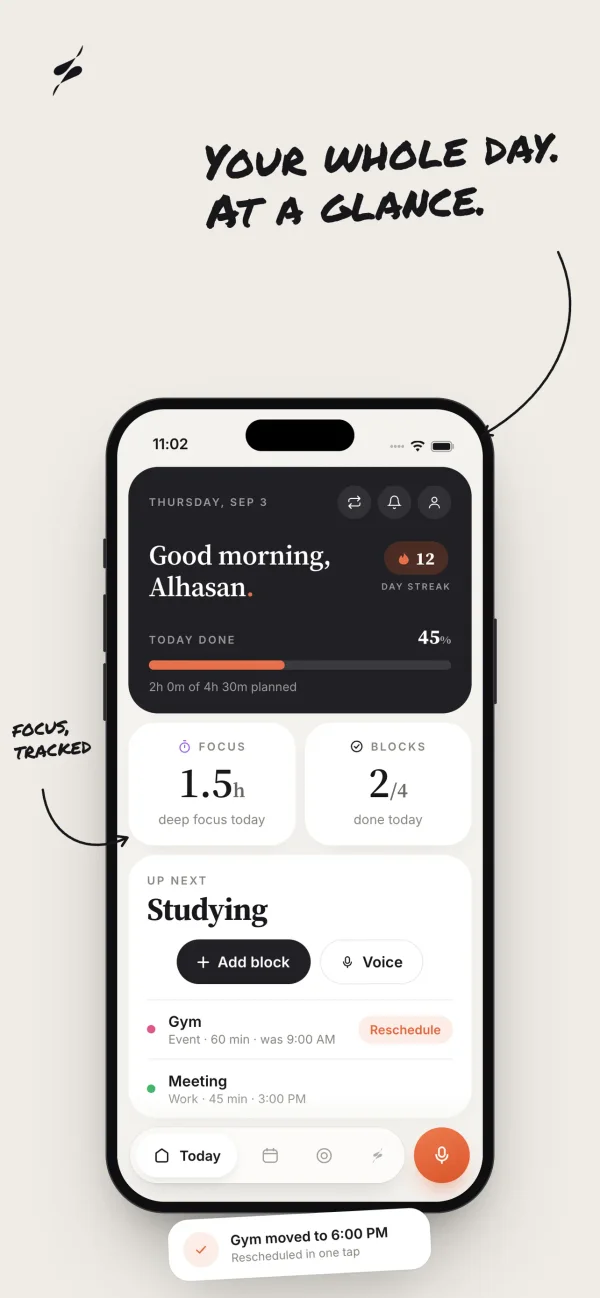
Talk. Skedit listens, understands, and schedules.
Your day shouldn’t start with a blank planner and a heavy sigh.
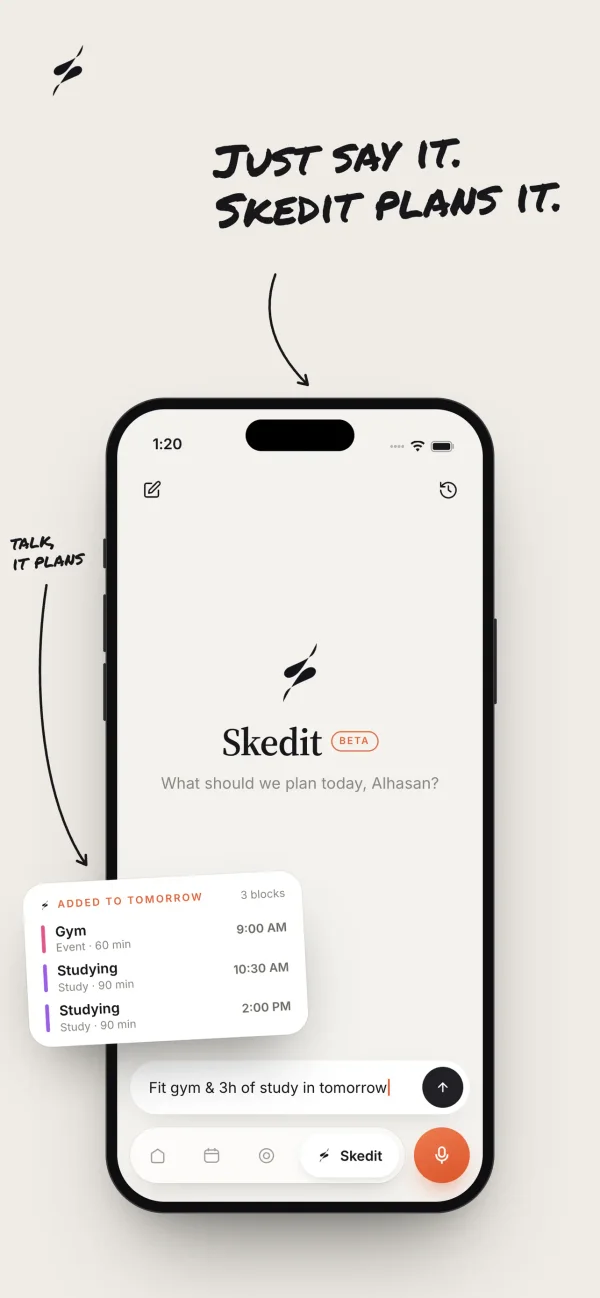
With Skedit, just say what’s on your mind — “Study AI for two hours, hit the gym, call Omar, finish the report by Friday.” Skedit turns it into a real, timed plan in seconds.
No typing. No dragging. No juggling ten different apps.
Speak naturally in English, Arabic, or a mix of both. Skedit understands what you mean, organizes the chaos, and lays your day out in clean, color-coded blocks.
HOW IT WORKS
- Say it. Tap the mic and talk naturally, just like you would to a friend.
- Skedit gets it. Your tasks, plans, deadlines, and priorities are understood and organized in seconds.
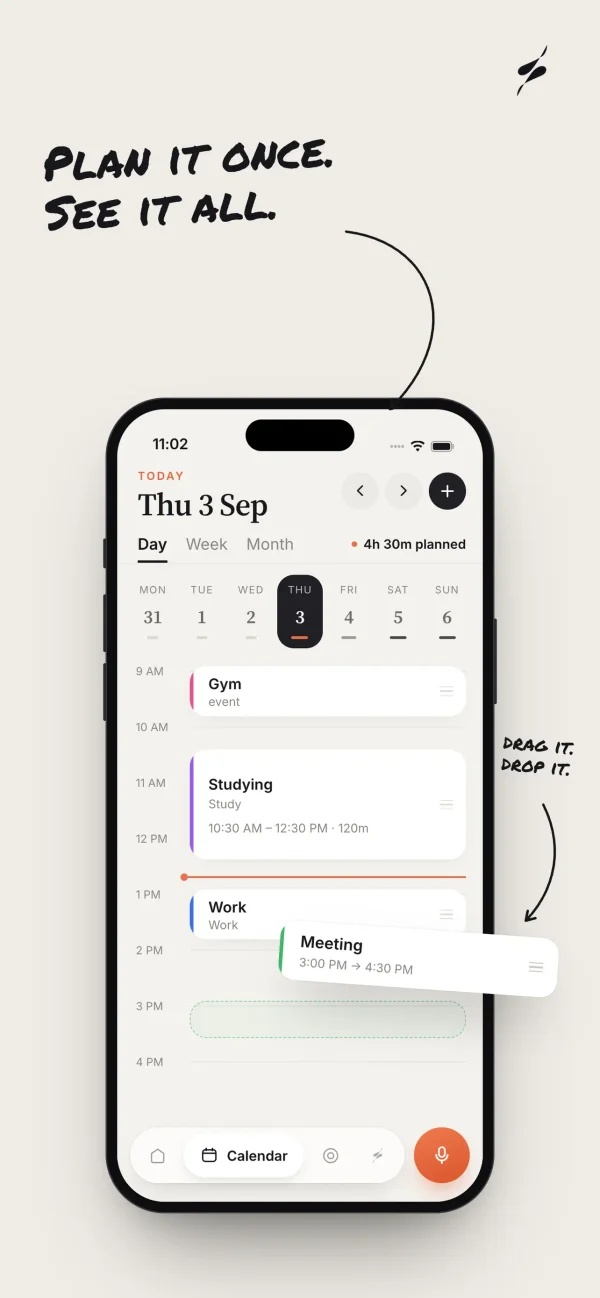
- See it. Your day becomes a clear, timed schedule built around your real hours.
MEET SKEDIT — YOUR PLANNING AGENT
When one sentence isn’t enough, open the Skedit tab and talk it through.
Tell it about the course you need to finish, the four gym sessions you want to fit in, or the trip you have on Thursday. Skedit asks only what it genuinely needs to know, then builds an entire week you can apply with one tap.
Your plan is built around your sleep, working hours, existing calendar events, and real-life commitments.
Want to change it? Just say so. Skedit adjusts the plan instead of making you start over.
BUILT FOR REAL LIFE
- Smart scheduling that respects your work hours, sleep, days off, and existing commitments.
- Break down big tasks into focused sessions so they feel manageable.
- Missed a block? Skedit offers it back to you and reschedules it. Your plan bends — it doesn’t break.
- Make it yours with custom categories, names, colors, and emojis.
- Protect your focus time. Commutes, meals, nights out, and other non-focus activities appear as light outlines and stay out of your focus hours, so your stats actually mean something.
- Day, week, and month views organized by what matters: work, study, health, goals, money, and life.
- Apple and Google Calendar sync. Skedit plans around your existing events and keeps its schedule in its own calendar, so your original calendar stays untouched.
CHASE BIGGER THINGS
- Turn a course, exam, project, or dream into a goal. Skedit breaks it into manageable steps and schedules the work for you.
- Set goals for the entire year and see your progress as you grow.
- Create checklists by voice or text for anything — packing, groceries, launch day, and everything in between.
STAY IN THE GAME
Consistency matters more than perfection.
- Streaks that reward you for showing up.
- Automatic tracking of focus time and completed blocks.
- Weekly and Monthly Wraps that show you the honest picture of your progress — your wins, your gaps, and what you can improve next.
- Share your progress as a sticker, a beautiful card, or with no background at all.
YOUR SCHEDULE. YOUR DATA.
Your schedule is securely synced to your own account, so losing your phone doesn’t mean losing your plan.
Your voice recordings are transcribed and immediately discarded — never stored and never sold.
No ads. No trackers. Just you and a clearer day.
START FOR FREE
Skedit is free to use.
Skedit Pro unlocks generous monthly limits across AI features, with monthly and yearly plans available.
Skedit Pro is an auto-renewable subscription, offered monthly or annually. Payment is charged to your Apple ID at confirmation of purchase. It renews automatically unless auto-renew is turned off at least 24 hours before the end of the current period, and your account is charged for renewal within 24 hours of the period's end. You can manage or cancel your subscription in your Apple ID account settings after purchase.
Terms of Use (EULA): https://legal.skeditai.com/terms.html
Privacy Policy: https://legal.skeditai.com/privacy.html
Stop planning. Start doing.
Download Skedit and talk your way to a better day.
Novedades
Versión 1.3.0 · 28/9/2026
* New Home & Lock Screen widgets: see what’s happening now, what’s next, how your day is going, your streak, and how your week is tracking against your plan — all updating automatically throughout the day.
* A more organized and smarter Planning Agent: improved planning, clearer schedules, and better handling of your day-to-day tasks and constraints.
* New share stickers for your day, week, and month, powered by your real numbers. Choose a colorful card or a transparent one to match your photos.
Privacidad de la aplicación
Lo que Alhasan Muhammad declara en App Store sobre cómo esta aplicación gestiona los datos.
-
Datos vinculados a ti
Pueden recopilarse y vincularse a tu identidad.
- Compras
- Información de contacto
- Contenido del usuario
- Identificadores
-
Datos no vinculados a ti
Pueden recopilarse, pero no se vinculan a tu identidad.
- Contenido del usuario
Las prácticas de privacidad pueden variar, por ejemplo, según las funciones que uses o tu edad.
Información
- Vendedor
- Alhasan Muhammad
- Categoría
- Productividad
- Versión
- 1.3.0
- Actualizado
- 28/9/2026
- Publicado
- 16/6/2026
- Tamaño
- 56,9 MB
- Requiere
- iOS 15.1 o posterior
- Clasificación por edad
- 4+
- Precio
- Gratis
- Compras en la aplicación
- Sí
- Idiomas
- Inglés
- Copyright
- © 2026 Alhasan Muhammad Hasan
Quizá también te guste
-
 TaskSense: AI To Do ListProductividad
-
 Daily.aiProductividad
-
 Zeky AI ProductivityProductividad
-
 TaskJogger: Life OrganizerProductividad
-
 JumpToDoProductividad
-
 AI Goal Achiever: ObjetivosHábitos, tareas y plan diario
-
 Gestor de Vida Diaria: AdaLifeOrganizador Integral.
-
 SMS Scheduler ProProductividad
-
 Verba – AI Voice JournalProductividad
-
 ZapTodo: To Do List–CalendarioTareas por Voz y Recordatorios