SketchCalc: Bill Split & Math
Calculator Graph OCR Draw Rent
Diseñada para iPhone, iPad, iPod touch
Gratis · Compras en la aplicación
- Clasificación por edad4+
- CategoríaProductividad
- DesarrolladorOZGUN EVREN ERTURK
- IdiomasInglés
- Tamaño92,0 MB
Enlaza a la página oficial de App Store
Download.org no aloja ningún archivo de SketchCalc: Bill Split & Math. El botón abre la página de la aplicación en App Store, donde la publica OZGUN EVREN ERTURK. Ficha comprobada por última vez el 24/11/2026.
Capturas de pantalla
Acerca de
El desarrollador no ha proporcionado este texto en tu idioma.
Calculate, scan, draw and plan with SketchCalc. Combine scientific math, linked results, graphs, photo recognition, bill splitting and everyday tools in one visual notebook. Save your work and return to it later.
VISUAL & SCIENTIFIC CALCULATOR
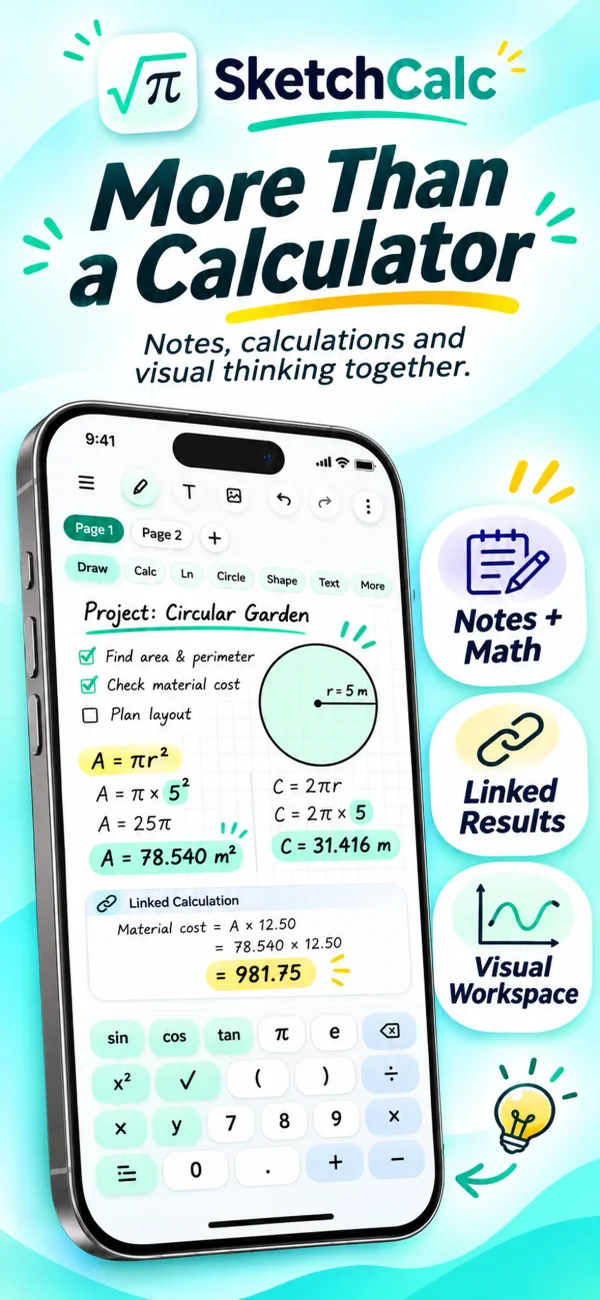
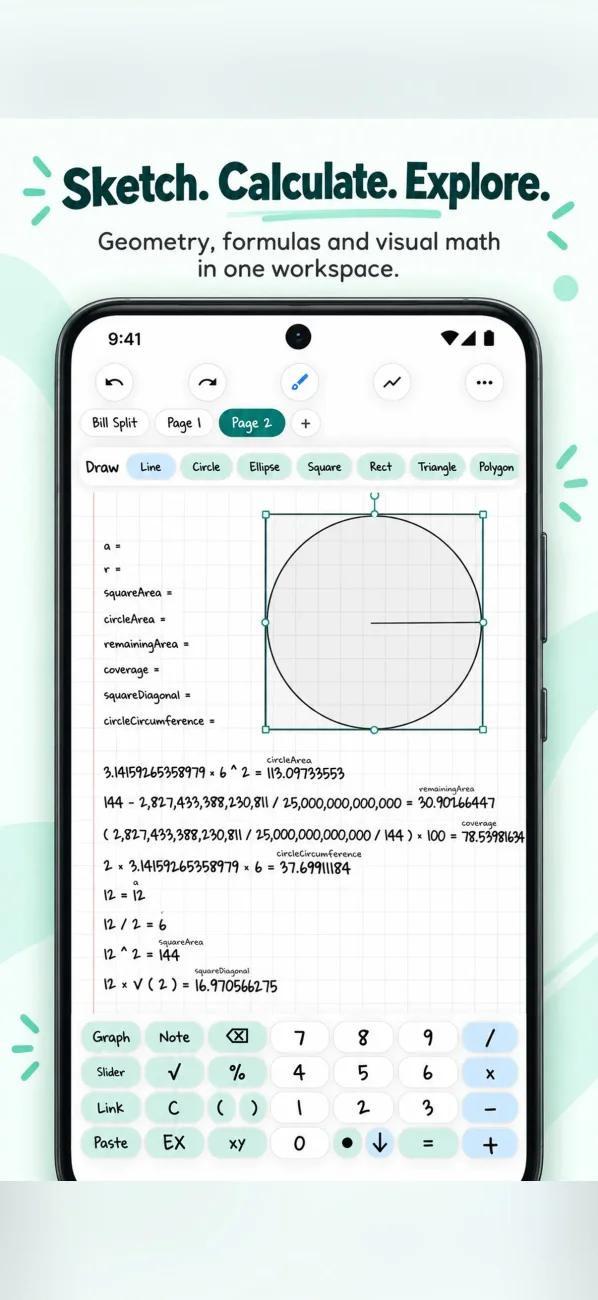
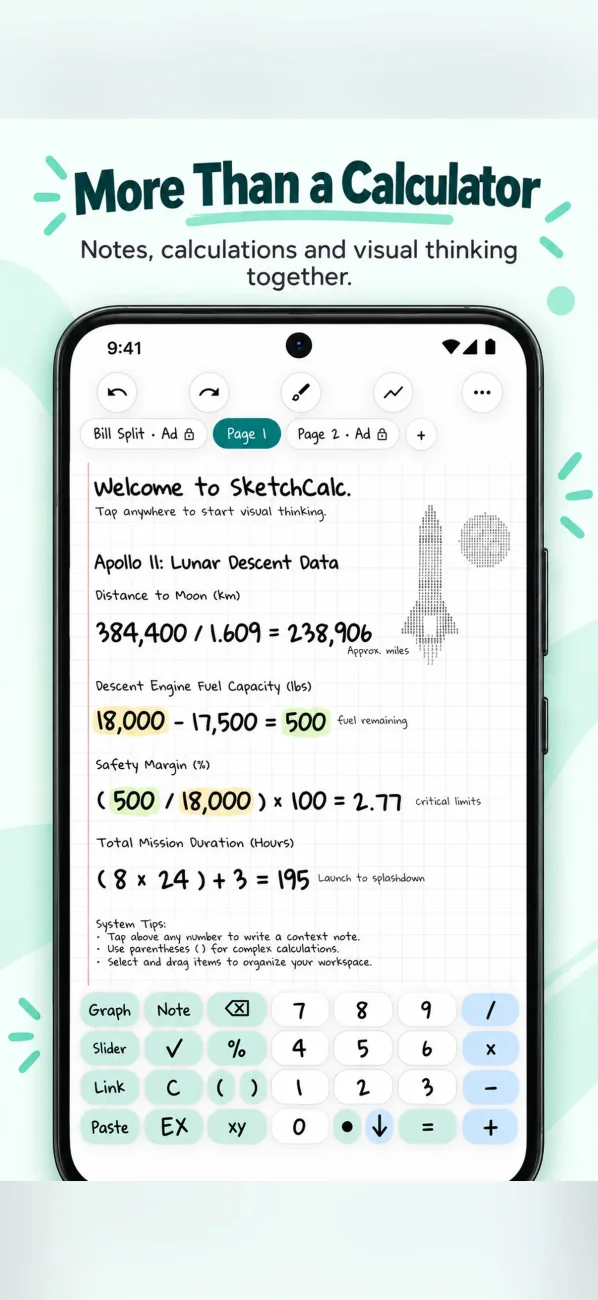
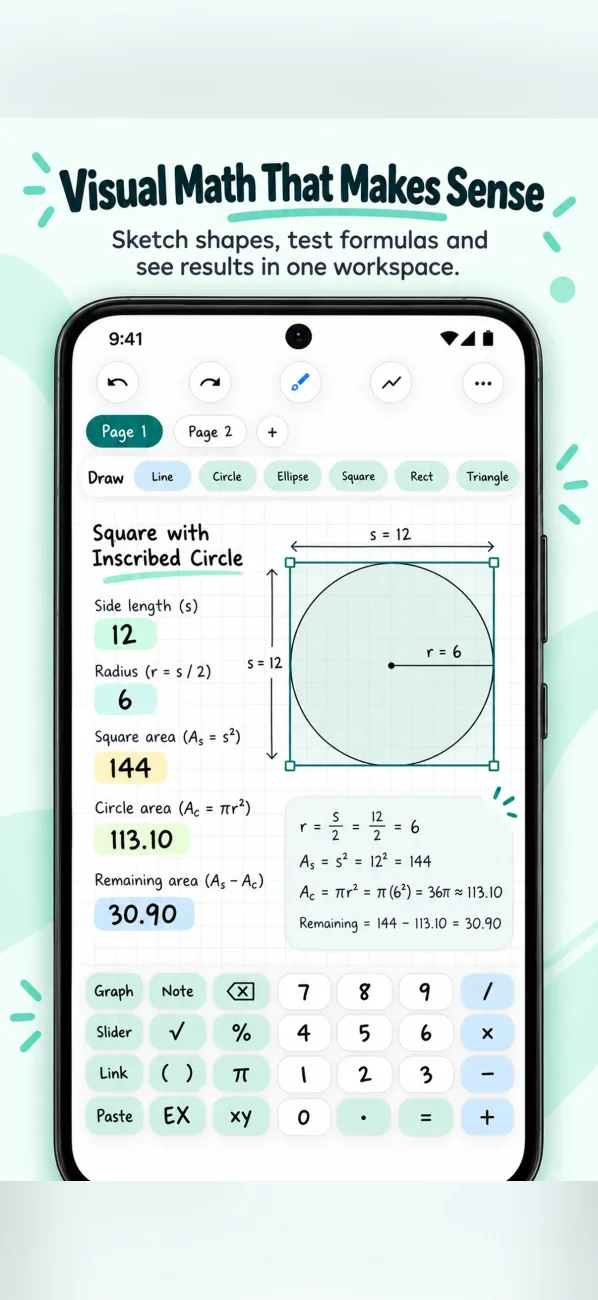
• Visual notebook: build calculations on a page alongside notes and drawings, see previous steps, and edit earlier numbers instead of starting again.
• Linked calculations: reuse an answer in another formula. Change the original value and watch dependent results and connected graphs update.
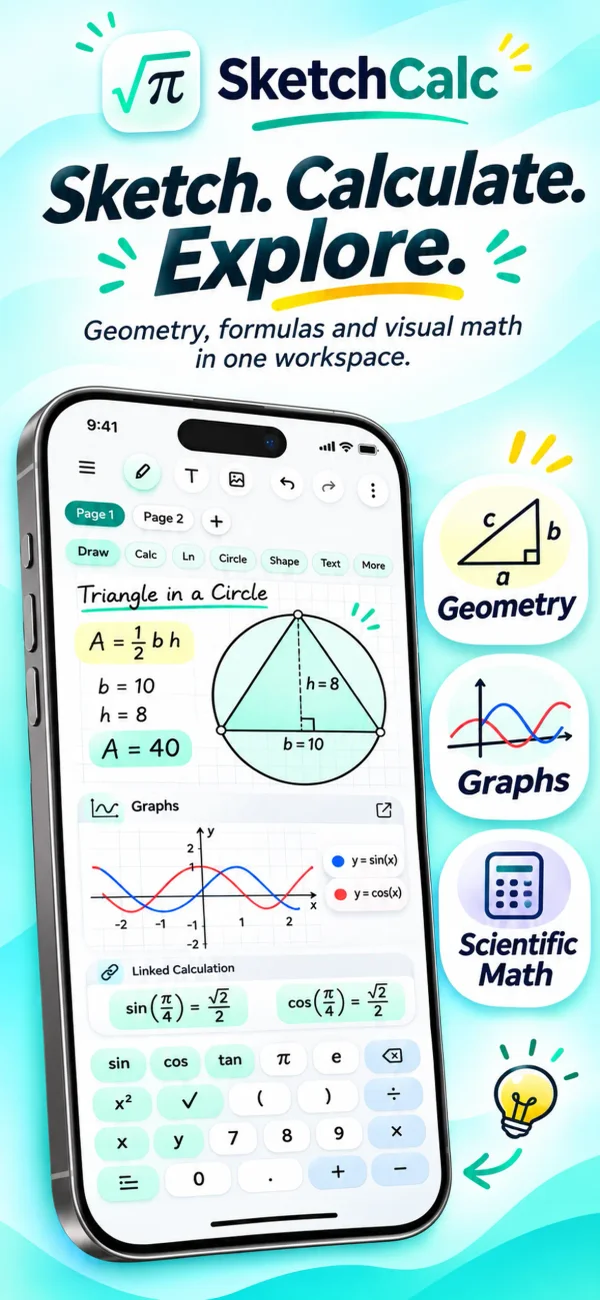
• Scientific math: fractions, percentages, roots, powers, factorials, logarithms, trigonometry, constants and degree/radian modes.
• History and undo/redo: revisit steps, correct mistakes and keep work organized.
GRAPHS, HANDWRITING & ADVANCED MATH
• Graphing calculator: plot and compare up to six supported functions, explore data charts, and use sliders to see how changing values affects graphs.
• Handwriting Math: write supported equations and expressions with your finger or stylus; check recognized symbols before calculating.
• Photo Math / Scan & Solve: capture supported printed math from a photo, correct the recognized expression and explore available solution steps.
• Algebra & CAS Lite: simplify and expand expressions, factor supported polynomials, solve equations and work with algebraic substitutions.
• Calculus: explore supported derivatives, integrals, limits, sums, roots and extrema.
• Matrices & statistics: calculate matrix operations, work with datasets, distributions, averages, correlations and other supported statistical tools.
• Step-by-step: review explanations for supported arithmetic and algebra problems.
DRAW, MEASURE & CREATE
• Pencil and drawing tools: sketch notes and diagrams with graphite-style strokes, shapes, lines and curves alongside calculations.
• Room sketches: outline rooms, divide areas and mark door gaps. These are visual planning aids, not professional architectural plans.
• Number Art: turn selected photos into digit-based art and save or share your result.
BILLS, RECEIPTS & SHARED EXPENSES
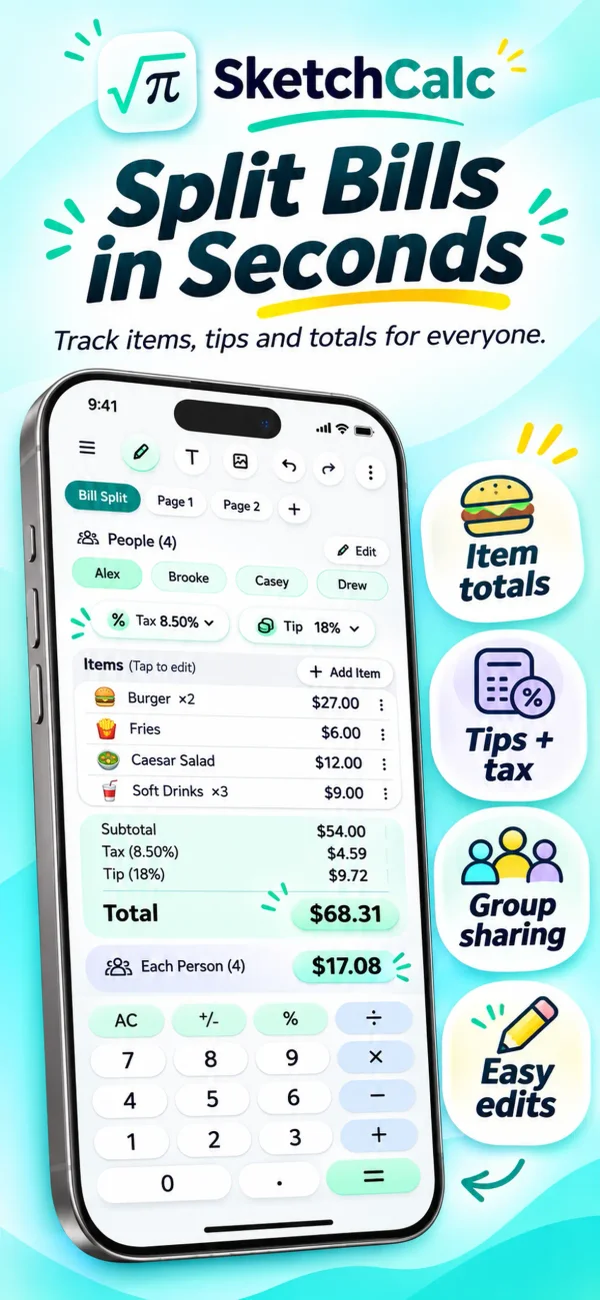
• Bill Split: assign meals or purchases to individual people or groups. Split shared items equally, by percentage or custom amount; include tips, tax, service charges and discounts.
• Receipt Scanner: photograph supported receipts, inspect and edit recognized products, quantities and prices, then use them in a bill split.
• Rent Split: compare equal rent shares with allocations based on room sizes or room extras.
BUDGETS, LOANS & EVERYDAY TOOLS
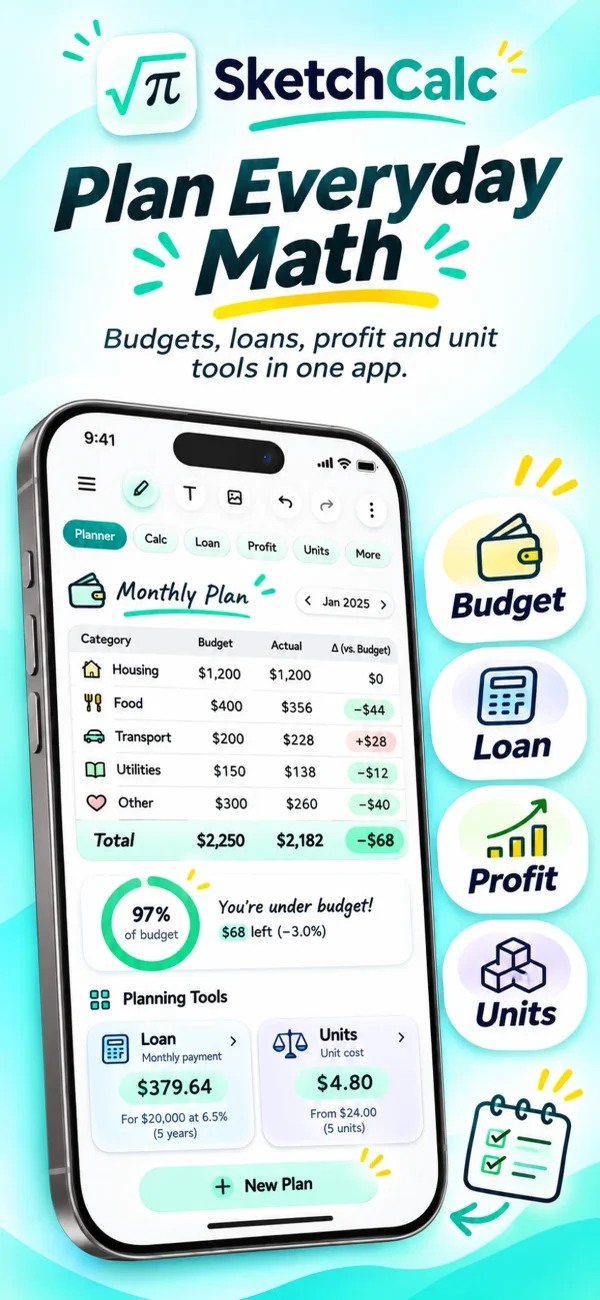
• Budget Planner: enter income and expense categories to see what remains.
• Loan Calculator: estimate monthly payments, interest costs and the impact of extra repayments.
• Profit & Margin: compare cost, markup, fees, target prices and break-even quantities.
• Investment Growth: explore hypothetical compound growth, recurring contributions and inflation.
• Unit Converter: switch between measurements, including length, area, volume, weight, temperature and more.
• Room & Material Planner: estimate room areas, paint, flooring, tiles, packs and material costs from your dimensions.
• Recipe Scaling: adjust ingredients for different serving counts, including supported scanned recipes.
• Quick calculations: work out discounts, taxes, percentages and tips.
SAVE, EXPORT & KEEP WORK LOCAL
Save and reopen projects on your device. Export supported work as PDF, PNG, SVG, text or project data, depending on the tool and access level. Core calculations and notebooks work offline without an account.
FREE & PRO
Free includes one 10-row notebook page. A completed rewarded ad unlocks a second 10-row page for 48 hours; selected advanced tools have separate limits and cooldowns. PRO is a one-time purchase, not a subscription: unlimited notebook pages and rows, broader tool access and no ads.
Photo recognition and advanced math work with supported inputs; check recognized values and important results.
Novedades
Versión 1.0.220 · 23/11/2026
SKETCHCALC 1.0.220
A major update with more ways to calculate, scan, draw and plan.
• Expanded scientific math with additional algebra, calculus, matrix, statistics and graphing capabilities.
• More flexible Bill Split for restaurant checks, groceries and shared purchases, including item assignments, tips, taxes and discounts.
• Improved receipt recognition and review tools for supported scanned receipts.
• More everyday calculators for budgets, loans, profit margins, investment growth, unit conversions, rent, room areas, paint, flooring, materials and recipes.
• Expanded visual drawing and Number Art tools, including digit-based art from photos.
• Improvements to linked calculations, graph behavior, local project recovery, PDF export and compatibility.
• Continued refinements to the visual notebook, handwriting recognition and supported photo math workflows.
Some advanced features require PRO or completed rewarded ads.
Privacidad de la aplicación
Lo que OZGUN EVREN ERTURK declara en App Store sobre cómo esta aplicación gestiona los datos.
-
Datos usados para rastrearte
Pueden usarse para rastrearte en aplicaciones y sitios web propiedad de otras empresas.
- Ubicación
- Identificadores
- Datos de uso
-
Datos vinculados a ti
Pueden recopilarse y vincularse a tu identidad.
- Ubicación
- Identificadores
- Datos de uso
- Diagnóstico
-
Datos no vinculados a ti
Pueden recopilarse, pero no se vinculan a tu identidad.
- Datos de uso
- Diagnóstico
Las prácticas de privacidad pueden variar, por ejemplo, según las funciones que uses o tu edad.
Información
- Vendedor
- OZGUN EVREN ERTURK
- Categoría
- Productividad
- Versión
- 1.0.220
- Actualizado
- 23/11/2026
- Publicado
- 9/7/2026
- Tamaño
- 92,0 MB
- Requiere
- iOS 15.0 o posterior
- Clasificación por edad
- 4+
- Precio
- Gratis
- Compras en la aplicación
- Sí
- Idiomas
- Inglés
- Copyright
- © 2026 Creatooo
Quizá también te guste
-
 NoteM: AI Notes, PDF & LessonsProductividad
-
 FlowSpace: Daily PlannerCalendario, Tareas, Hábitos
-
 Pythagorus doodlusCalculadora de triángulos
-
 Forms AI+ para Google FormsExcel,QR,Spreadsheet,Quiz,XLSX
-
 Documents Editor: DocProProductividad
-
 Control: Widgets de InicioHábitos, Gastos, Tareas, Salud
-
 Notepen: Notas & PlanificadorEscribe a mano y dibuja
-
 Wallpaper & Productivity ToolsTrack goals, focus & organize
-
 CalcDraw: Calculadora y NotasEscribe y calcula a la vez
-
 MarkMark - Read it laterProductividad