
- Clasificación por edad4+
- CategoríaEstilo de vida
- DesarrolladorSecureNet Technologies, LLC
- IdiomasInglés
- Tamaño71,6 MB
Enlaza a la página oficial de App Store
Download.org no aloja ningún archivo de SmartTech Pro. El botón abre la página de la aplicación en App Store, donde la publica SecureNet Technologies, LLC. Ficha comprobada por última vez el 13/11/2026.
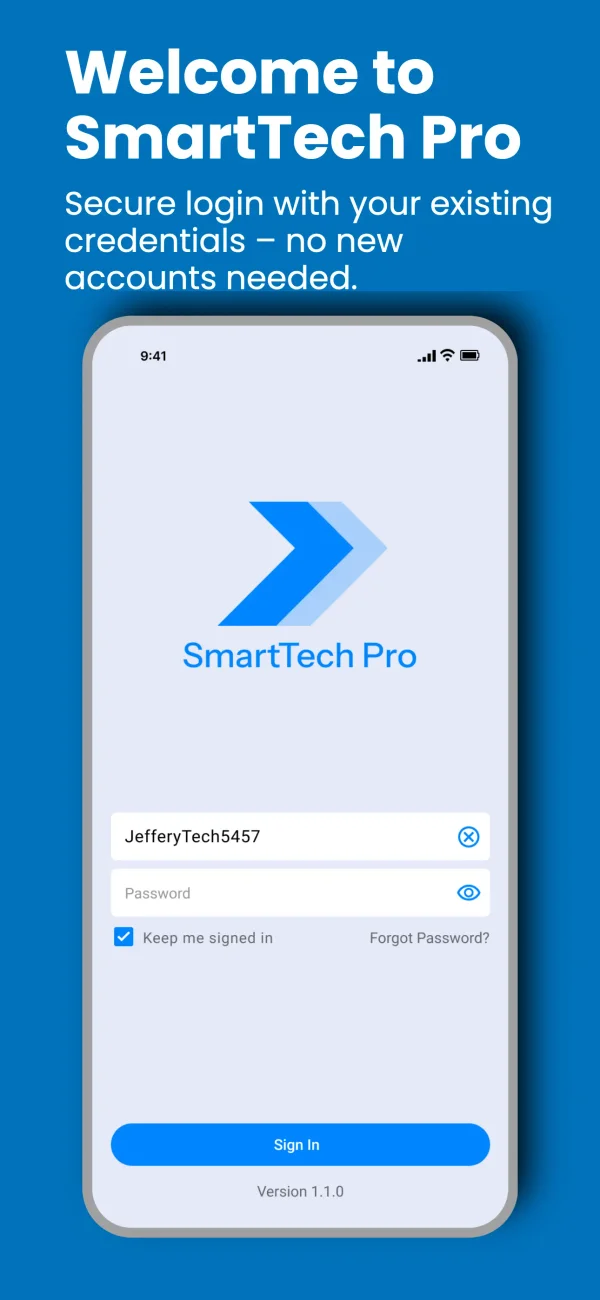
Capturas de pantalla


Acerca de
El desarrollador no ha proporcionado este texto en tu idioma.
SmartTech Pro is your all-in-one solution for managing security system accounts with speed, precision, and confidence. Designed for security system dealers, SmartTech Pro streamlines account management and technical support in the field or at the office.
Key Features:
• Secure Sign-In: Only approved installers can set up and configure accounts.
• Advanced Search & Filtering: Quickly find and manage accounts with powerful filtering options.
• Troubleshooting Tools: Diagnose and resolve account-related issues efficiently.
• Service Upgrade Assistance: Help users seamlessly upgrade services or adjust account settings.
• Firmware Management: Perform firmware upgrades and monitor progress in real time.
Built for professionals, SmartTech Pro ensures you stay in control, deliver exceptional service, and maintain high standards of security and support.
Download SmartTech Pro and take your service capabilities to the next level.
Novedades
Versión 1.2.18 · 22/8/2026
Dashboard & Account Management
• Customize your dashboard: toggle, reorder, and reset tiles to fit the way you work. Your layout saves automatically.
• New Recent Accounts view for quick access to accounts you've viewed recently.
• Tapping into an account now shows its name and ID right away, so the page feels responsive while the rest of the details load in.
• Other account rows are disabled while an account is opening, preventing accidental taps.
• The dealer dashboard donut chart now accurately reflects your trouble-accounts count.
• List rows on the web app can now be selected and copied.
• Account tiles display Partner ID and Monitoring ID, with configurable display options.
• Setup fields now pre-populate with sensible default values.
• Orphaned panels can be removed from an account directly.
• Choose a bureau when selecting an account, with that bureau's information shown directly in the account panel.
• Account search now respects your selected bureau.
• Groups can no longer be saved without a name.
• Corrected the confirmation message shown after placing an account in service.
System Administrator & Bureau Access
• System Administrators can now log in and access every account under their system, with a dashboard that aggregates data across all bureaus.
• A new bureau selector lets System Administrators switch between bureaus directly.
• Access requests are hidden for system users where they don't apply.
• Tightened page access for Groups and Dealer Users so only the right users see them.
Devices, Cameras & Remote Programming
• Added support for water valve device actions.
• Refreshed the camera settings screen, including a new doorbell chime option.
• Z-Wave device state is now shown directly in the devices list.
• Z-Wave device names populate automatically when the device itself doesn't provide one.
• The passcode field shows a blinking cursor when focused.
• The Access PIN field has been renamed to Passcode to match your panel's terminology.
• Chime configuration now checks directly with the panel for applied settings, making readback noticeably more reliable.
• Fixed camera chime settings visually resetting after being saved.
Additional Fixes
• Fixed the dashboard layout not being preserved on initial load.
• The User PIN page no longer displays raw error messages.
• Fixed unreadable Terms and Conditions text in dark mode.
• Fixed an error that could occur when opening Terms and Conditions as a System Administrator.
• Fixed text truncation for longer messages.
• KPI stat cards now display in a more compact grid on phone screens.
• Fixed a mobile layout issue caused by incorrect spacing near the edges of the screen.
• Updated app restriction messaging for clarity.
• Assorted minor visual fixes throughout the app.
Privacidad de la aplicación
Lo que SecureNet Technologies, LLC declara en App Store sobre cómo esta aplicación gestiona los datos.
-
No se recopilan datos
El desarrollador no recopila ningún dato de esta aplicación.
Las prácticas de privacidad pueden variar, por ejemplo, según las funciones que uses o tu edad.
Información
- Vendedor
- SECURENET TECHNOLOGIES, LLC
- Categoría
- Estilo de vida
- Versión
- 1.2.18
- Actualizado
- 22/8/2026
- Publicado
- 30/7/2025
- Tamaño
- 71,6 MB
- Requiere
- iOS 15.0 o posterior
- Clasificación por edad
- 4+
- Precio
- Gratis
- Idiomas
- Inglés
- Copyright
- © 2026 SecureNet Technologies, LLC. All Rights Reserved.
Quizá también te guste
-
 ShieldPro Home SecurityEstilo de vida
-
 OZone 968Estilo de vida
-
 Safe Home SecurityEstilo de vida
-
 Hit GyülekezeteEstilo de vida
-
 CHeKT.comEstilo de vida
-
 Black Goat BarbershopEstilo de vida
-
 Napco PrimaEstilo de vida
-
 ADT (Alder) Home SecurityEstilo de vida
-
 HALO - IPVideo CorpEstilo de vida
-
 OLampEstilo de vida