SmileTalker
Speech Synthesis app for Smile
Diseñada para iPhone, iPad, iPod touch
Gratis
- Clasificación por edad4+
- CategoríaUtilidades
- DesarrolladorYONEKAWA Hideki
- IdiomasInglés+ 1 más
- Tamaño6,1 MB
Enlaza a la página oficial de App Store
Download.org no aloja ningún archivo de SmileTalker. El botón abre la página de la aplicación en App Store, donde la publica YONEKAWA Hideki. Ficha comprobada por última vez el 12/11/2026.
Capturas de pantalla

Acerca de
El desarrollador no ha proporcionado este texto en tu idioma.
It is an app that can be output as Speech input the Specified Text!
In other words, your Terminal will Talk!
It will be fun too and will be a Smile!
Note: Manner mode does not sound.
Note: Can be Save the Speech as an Audio file!
You will be for the following operation.
+ Speak on my behalf
+ Study of pronunciation
+ Read aloud a text that was read at the QR code
+ Create a QR code with the text
It is possible to be registered text, in various ways will be.
For example, it will be that it is possible to deal with various situations if you speak instead at the time of travel abroad.
The registration text, for that to classify in the folder, you want to import is possible, the various apps should sharp in the way of thinking soon.
For reading and creating QR code can be, can also use that leverage the QR code.
Further, since it is possible to send to such other apps text entered, you will be utilized various.
Voice to be output can be modified language, pitch and rate.
- Basic usage -
Enter the text in the text input area at the top of the screen at the beginning.
Then start the speech by pressing the Play button.
Stop the speech by pressing the Play button again in speech.
- Utterance possible language -
+ English (Australia, Ireland, South Africa, United Kingdom, United States)
+ Japanese (Japan)
+ Chinese (China, Hong Kong SAR China, Taiwan)
+ French (Canada, France)
+ Spanish (Mexico, Spain)
+ Portuguese (Brazil, Portugal)
+ German (Germany)
+ Arbic (Saudi Arabia)
+ Czech (Czech Republic)
+ Danish (Denmark)
+ Dutch (Belgium, Netherlands)
+ Finnish (Finland)
+ Greek (Greece)
+ Hindi (India)
+ Hungarian (Hungary)
+ Indonesian (Indonesia)
+ Italian (Italy)
+ Korean (South Korea)
+ Norwegian (Norway)
+ Polish (Poland)
+ Romanian (Romania)
+ Russian (Russia)
+ Slavak (Slovakia)
+ Swedish (Sweden)
+ Thai (Thailand)
+ Turkish (Turkey)
- The description in the screen -
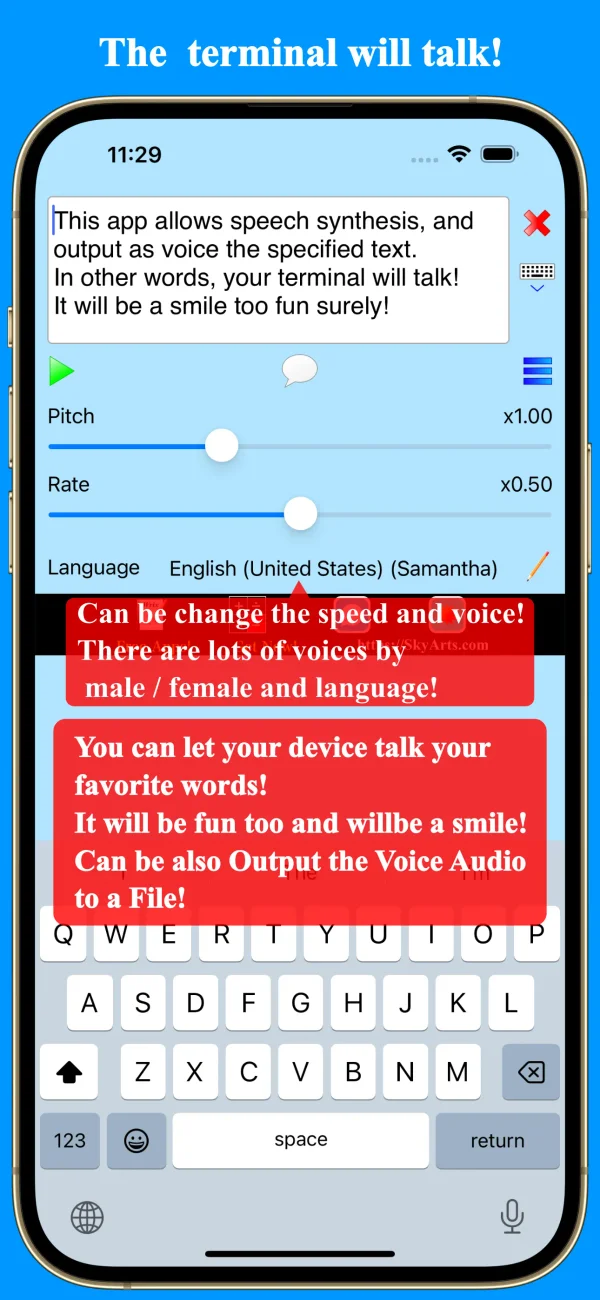
There is a text input area at the top of the screen. It is used text to speech that enter here.
The following buttons are available on the right side of the text input area.
+ Clear button ... To clear the text of the text input area.
+ Hide the keyboard ... Hide the software keyboard.
There are such as the following buttons below the text input area.
+ Play button ... Speech the text entered in the text input area. You can stop the speech by pressing in speech.
+ Registered text button ... Insert the registered text to the text input area.
+ Menu button ... Display a menu popup.
+ Pitch ... Change the pitch of speech.
+ Rate ... Change the rate of speech.
+ Language ... Change the language of speech.
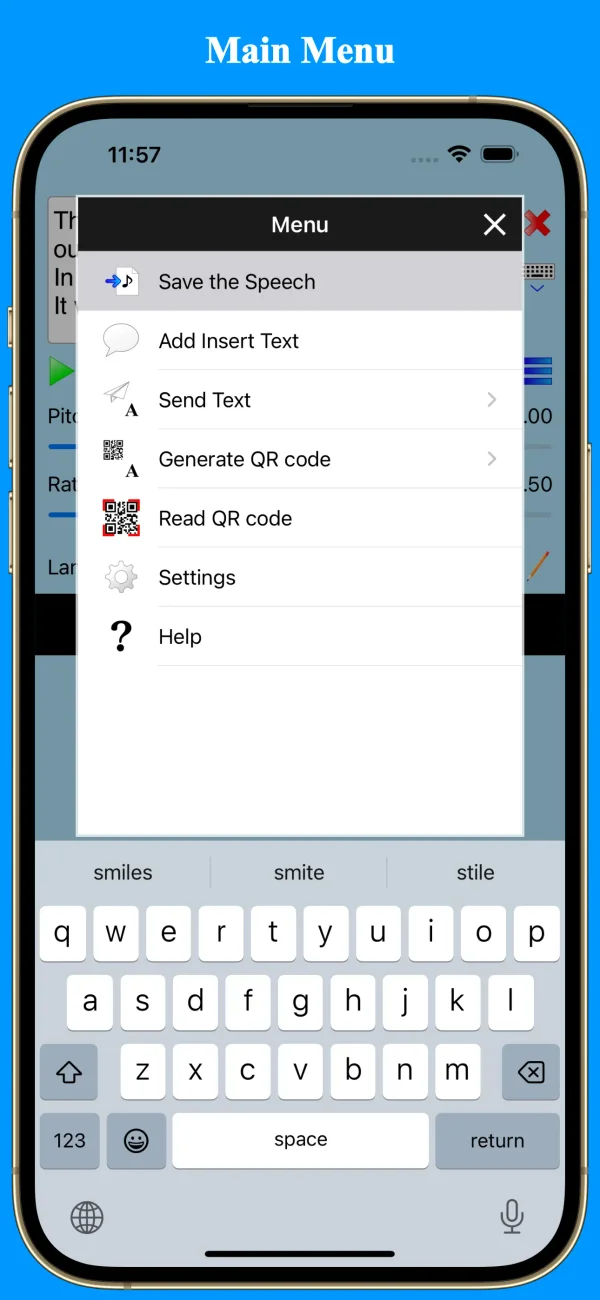
There are the following items on the menu.
+ Register Text ... Register the selected text.
+ Send Text ... Sent to other apps such as the text you have selected.
+ Generate QR code ... Generate the QR code using all or part of the text.
+ Read QR code ... Reads the QR code, enter as text.
+ Help ... Display a help screen.
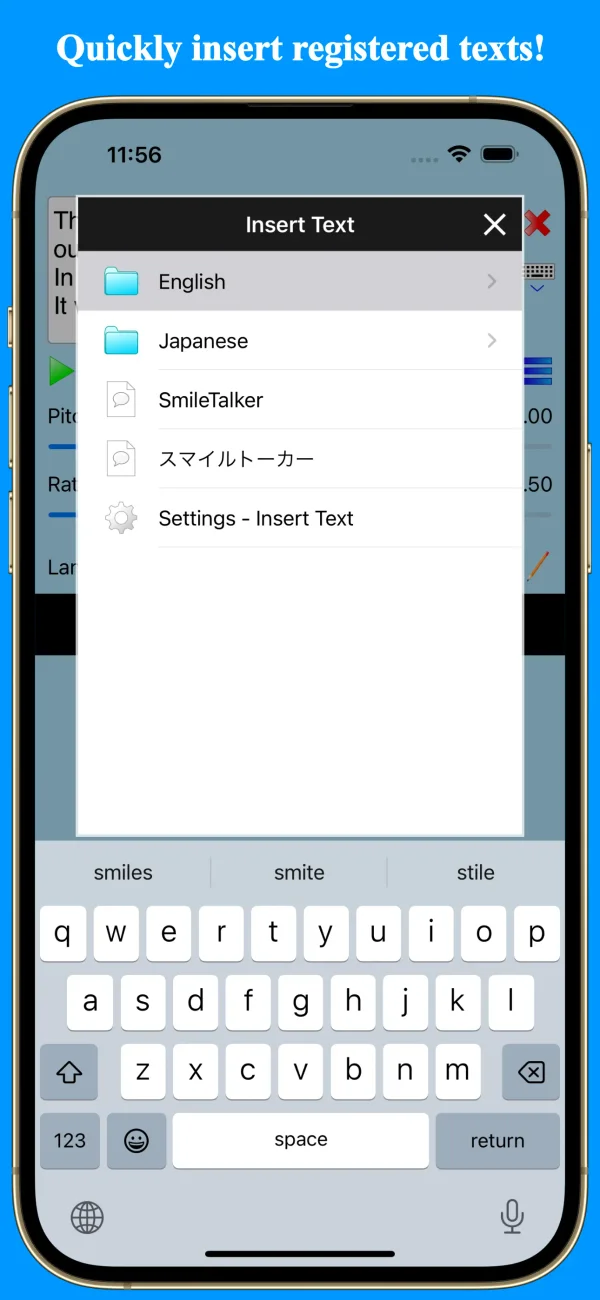
The Registered text settings screen, you can register the text.
By you must have registered the text, you will be able to insert the text immediately.
Because that can be imported by providing a text from a file in CSV format, can register at once a large amount of data.
Please look at the support page for details.
Novedades
Versión 5.3 · 16/9/2025
+ Now compatible with iOS 26 / iPadOS 26 !
+ Fixed an issue where the screen would rotate to match the device orientation when a dialog box was displayed while using the "Lock Screen Rotation" feature.
+ Updated the using Libraries.
+ Fixed internal processing.
Privacidad de la aplicación
Lo que YONEKAWA Hideki declara en App Store sobre cómo esta aplicación gestiona los datos.
-
Datos usados para rastrearte
Pueden usarse para rastrearte en aplicaciones y sitios web propiedad de otras empresas.
- Ubicación
- Identificadores
- Datos de uso
- Diagnóstico
-
Datos vinculados a ti
Pueden recopilarse y vincularse a tu identidad.
- Ubicación
- Identificadores
- Datos de uso
- Diagnóstico
-
Datos no vinculados a ti
Pueden recopilarse, pero no se vinculan a tu identidad.
- Diagnóstico
Las prácticas de privacidad pueden variar, por ejemplo, según las funciones que uses o tu edad.
Información
- Vendedor
- YONEKAWA Hideki
- Categoría
- Utilidades
- Versión
- 5.3
- Actualizado
- 16/9/2025
- Publicado
- 14/3/2014
- Tamaño
- 6,1 MB
- Requiere
- iOS 15 o posterior
- Clasificación por edad
- 4+
- Precio
- Gratis
- Idiomas
- Inglés, Japonés
- Copyright
- © 2014 SkyArts
Quizá también te guste
-
 こえサポート:AI合成音声で会話をサポートUtilidades
-
 ボイドラメーカーUtilidades
-
 The TalkerUtilidades
-
 DTalkerUtilidades
-
 YYサイレンアラート -緊急車両などの知りたい音を可視化-Utilidades
-
 音読 - テキスト読み上げ・音声作成Utilidades
-
 Tochi: Japan Real Estate DataUtilidades
-
 LCD Clock - Clock & CalendarUtilidades
-
 Type & Speak - Texto a VozLector de textos con narrador
-
 KoeSapo: Subtítulos y vozVoz a texto y texto a voz