
StackScan: TCG Card Scanner
Scan, price and list a stack
Diseñada para iPhone, iPod touch
- Clasificación por edad4+
- CategoríaUtilidades
- DesarrolladorBrandon Tran
- IdiomasInglés
- Tamaño113,1 MB
Es posible que StackScan: TCG Card Scanner no esté disponible en App Store en este momento
No se pudo acceder a la ficha de la tienda en nuestra última comprobación. El enlace sigue llevando a la página oficial de App Store.
Capturas de pantalla
Acerca de
El desarrollador no ha proporcionado este texto en tu idioma.
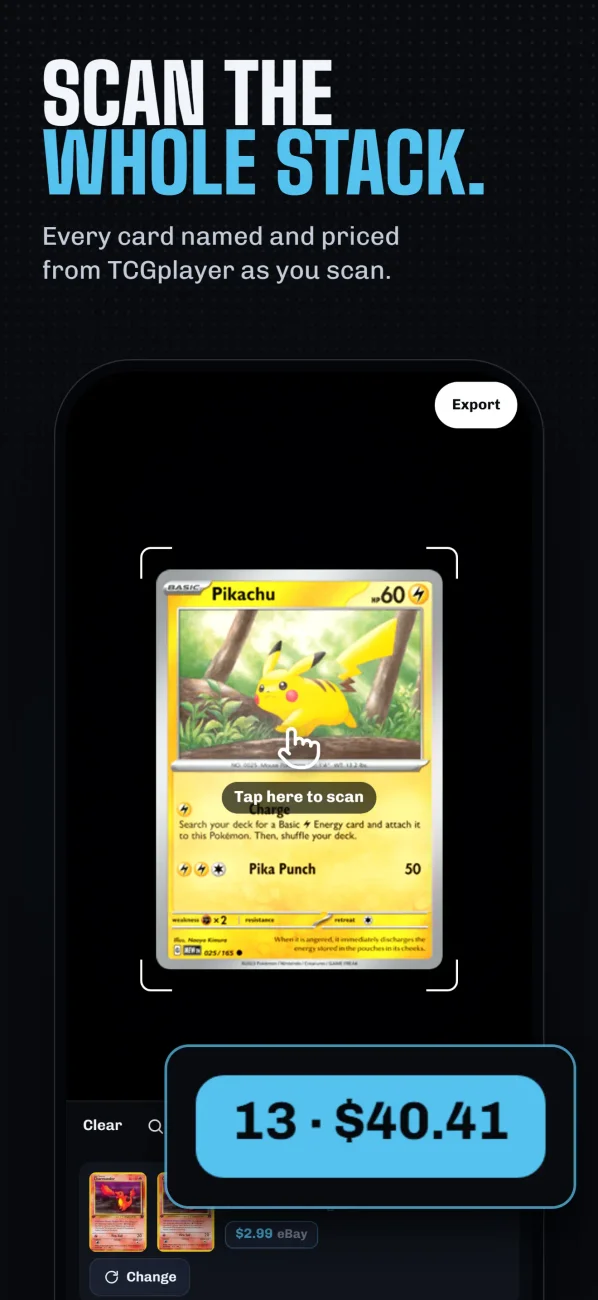
Got a stack of trading cards to sell, buy or keep? StackScan names and prices each card as you scan it, then exports the stack for TCGplayer, eBay or Shopify, prices a deal at a card show, or tracks what your collection is worth.
SCAN
• Hold a card in the brackets and tap. The name, set, number and printing come back with the price.
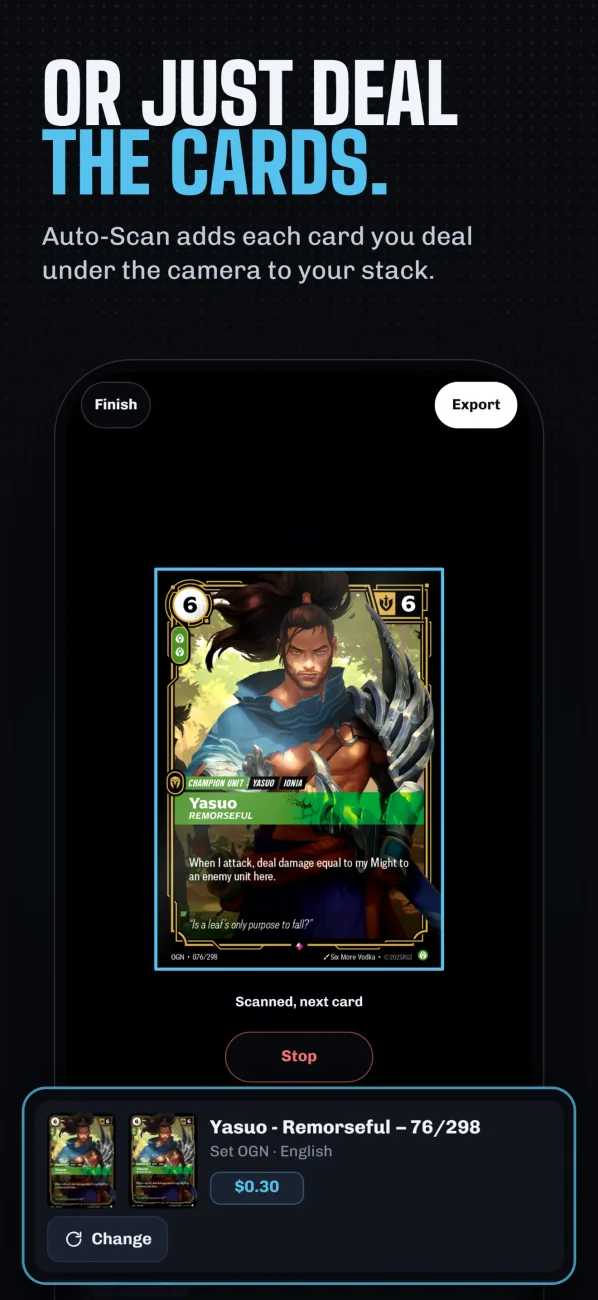
• Auto-Scan: deal cards under the camera one at a time. Every copy is added, and a repeat says "Another copy added" with Undo.
• No game to pick: StackScan finds each card's game.
• Every row says how sure the scanner is. Tap Change to pick another printing, or report a wrong match.
• Fast mode: a card the phone is sure of lands at once, in Auto-Scan too, and our server checks it.
• Search by name to add a card.
PRICE
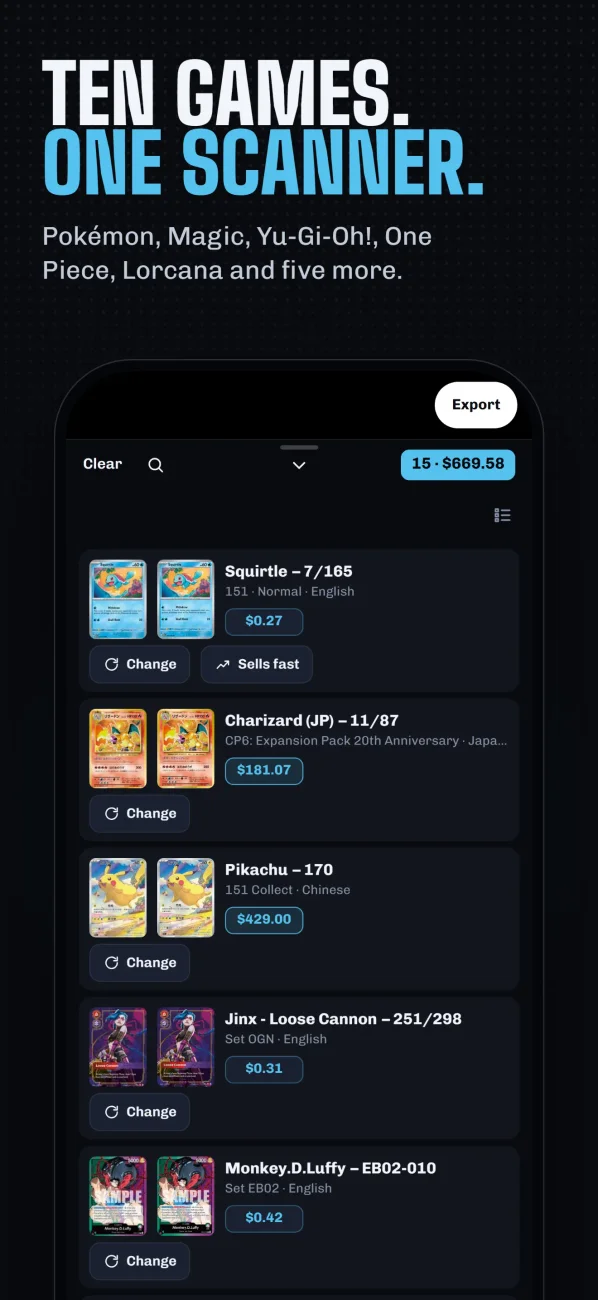
• TCGplayer market prices for your stack, the same on every phone: checked daily, or at once with Refresh now.
• Every finish is priced on its own, and a Pokémon card's 1st Edition too.
• Tap a price to set the card's condition: the row takes TCGplayer's price for it. Where TCGplayer has none, eBay listings fill the gap.
• Double tap a card for recent TCGplayer sales and live eBay listings.
EXPORT
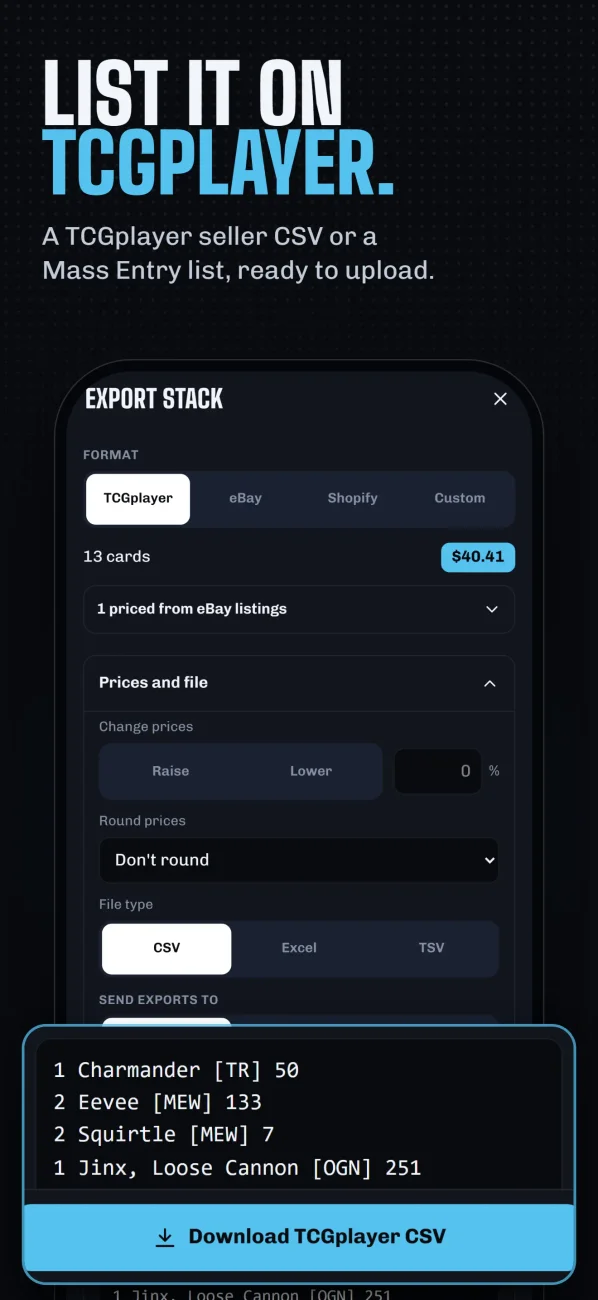
• TCGplayer seller CSV, matched by TCGplayer Id, with condition, quantity and market price, and a Mass Entry list.
• eBay listing file, Shopify product CSV, or a file with your own columns.
• CSV, TSV or .xlsx, with an optional rule to raise or lower every price by a percent.
• Send to computer: a link with a ten-character code opens the file on any computer for 24 hours.
GAMES
Pokémon (English, Japanese and Chinese), Magic: The Gathering, Yu-Gi-Oh! (English and Japanese), Disney Lorcana, Dragon Ball Super Card Game, Union Arena, Star Wars: Unlimited, Riftbound, One Piece Card Game (English and Japanese) and Gundam Card Game (English and Japanese).
GRADED SLABS
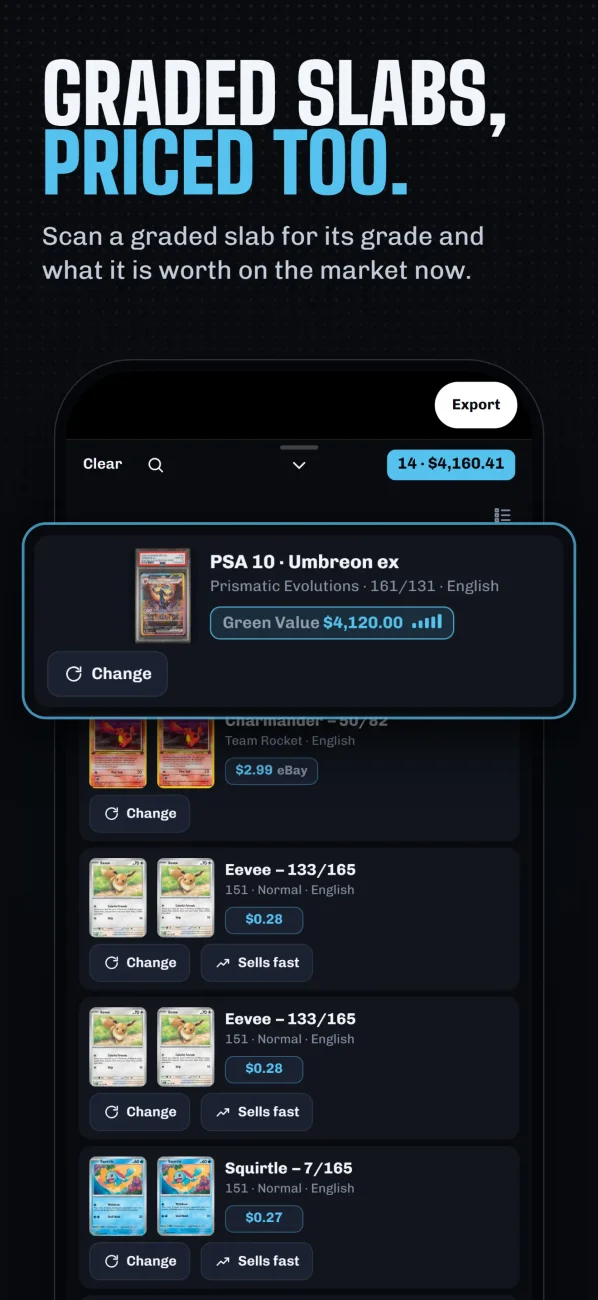
• Scan a PSA, BGS, CGC, SGC or TAG slab: StackScan reads its label and certificate, finds the card and its grade, and shows its Green Value, what the slab is worth on the market right now, where there is one. One far from the newest sales is marked.
• Or type its certificate number. Double tap a slab for its recent sales and live listings.
SEALED PRODUCT
Scan the barcode on a sealed Pokémon product, English or Japanese, for its TCGplayer price.
FOUR MODES
Pick one in Settings, Mode.
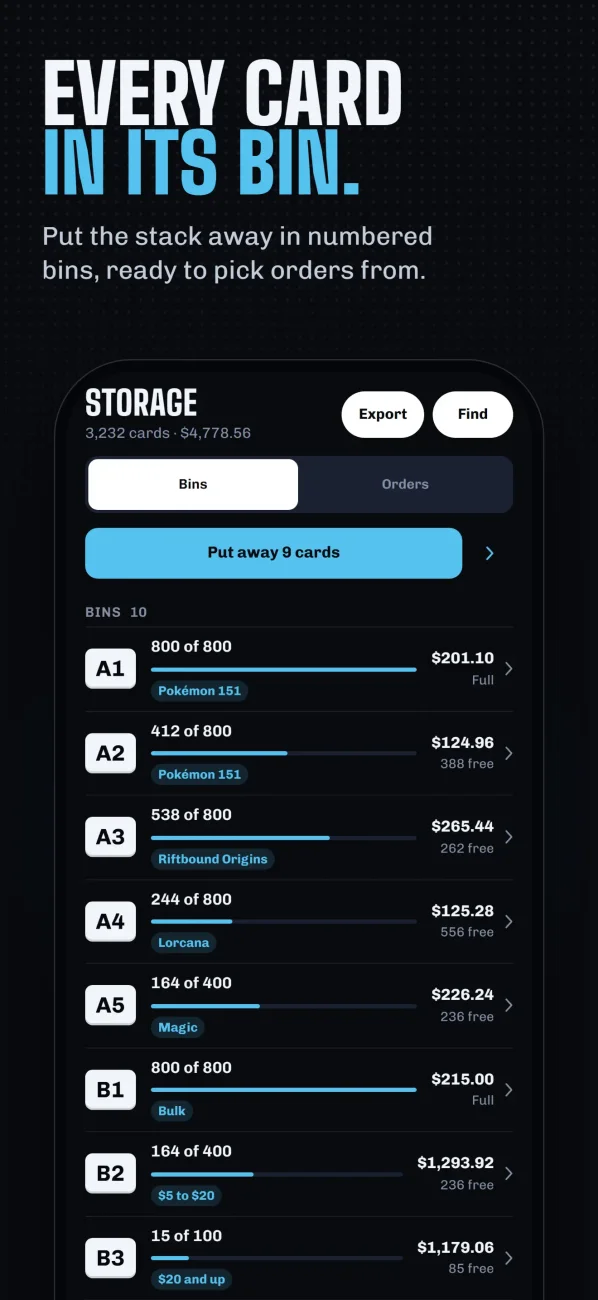
• Online Seller: scan and export. The Storage tab files cards into numbered bins, finds any copy, and picks TCGplayer orders from an imported pull sheet.
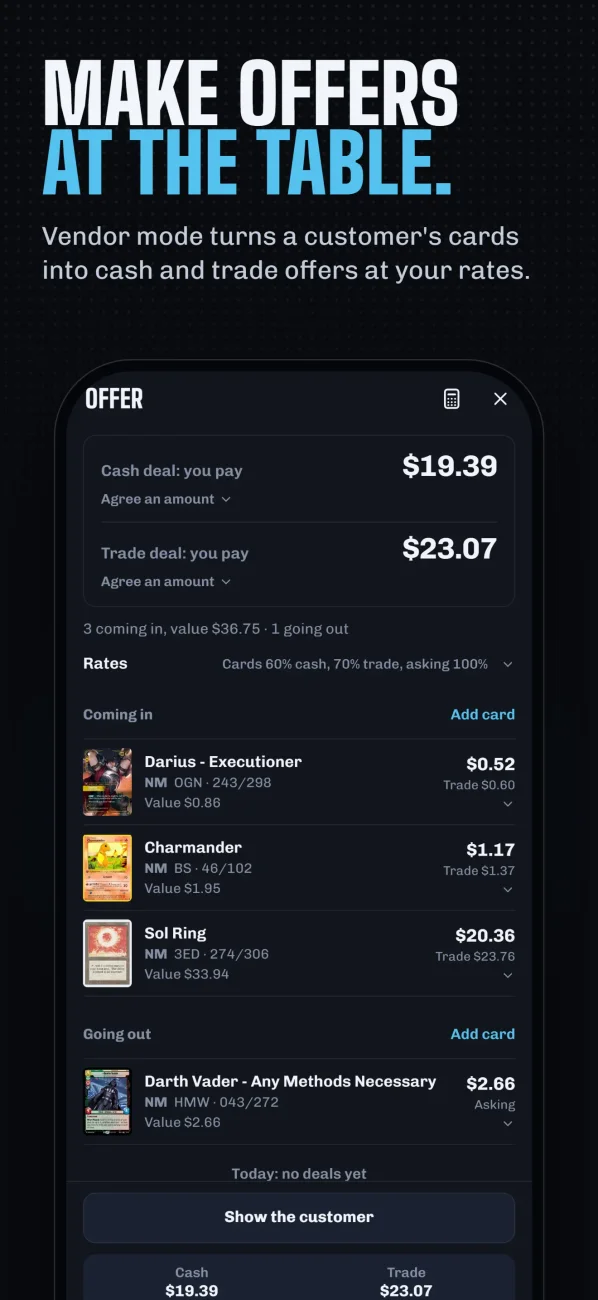
• Vendor, for card shows: a Buying and Selling switch on the camera, cash and trade offers from your own rates, a customer view, a receipt to share, a calculator and the day's deals.
• Repacker: price what you buy on the calculator from rates of its own. Slabs worth a second look are flagged and left out of the total, and the offer says when it skips cards in a bin.
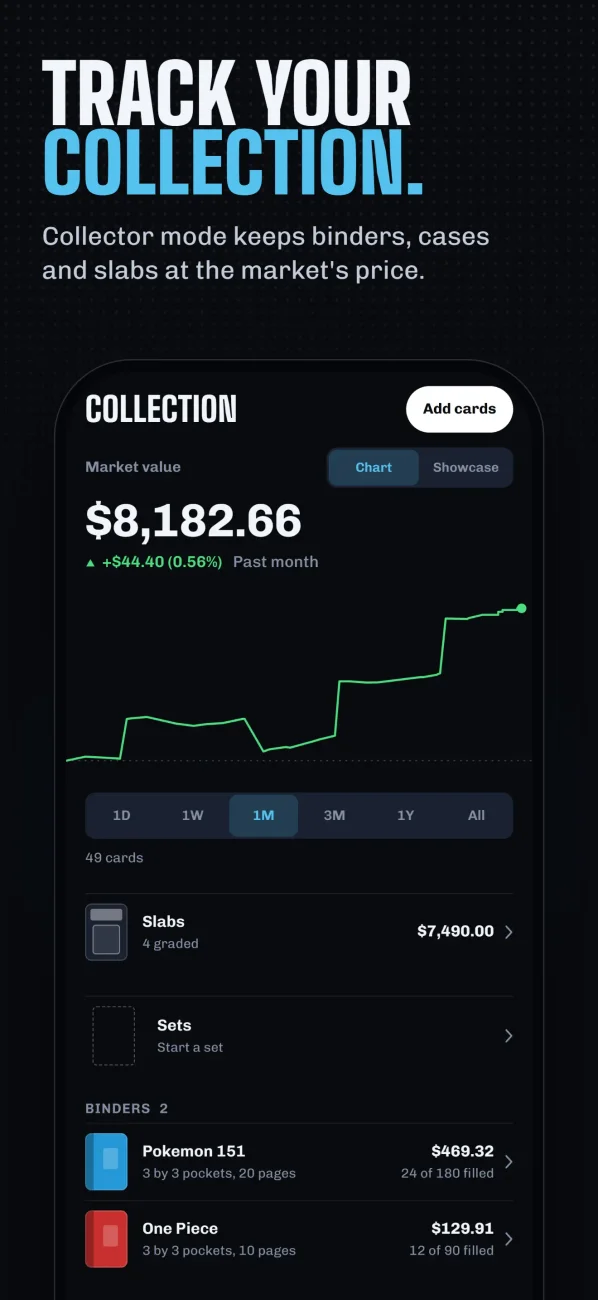
• Collector: your binders and display cases, worth the market's price over time, with your biggest movers, a shelf of your slabs and how far along each set is.
INVENTORY
Vendor's Inventory tab is one list of every card you hold. Find a card by name or by scanning it, add binders and display cases if you carry them, and share a link at your asking prices. Repacker's keeps cards in bins you name.
LABELS AND BOOTHS
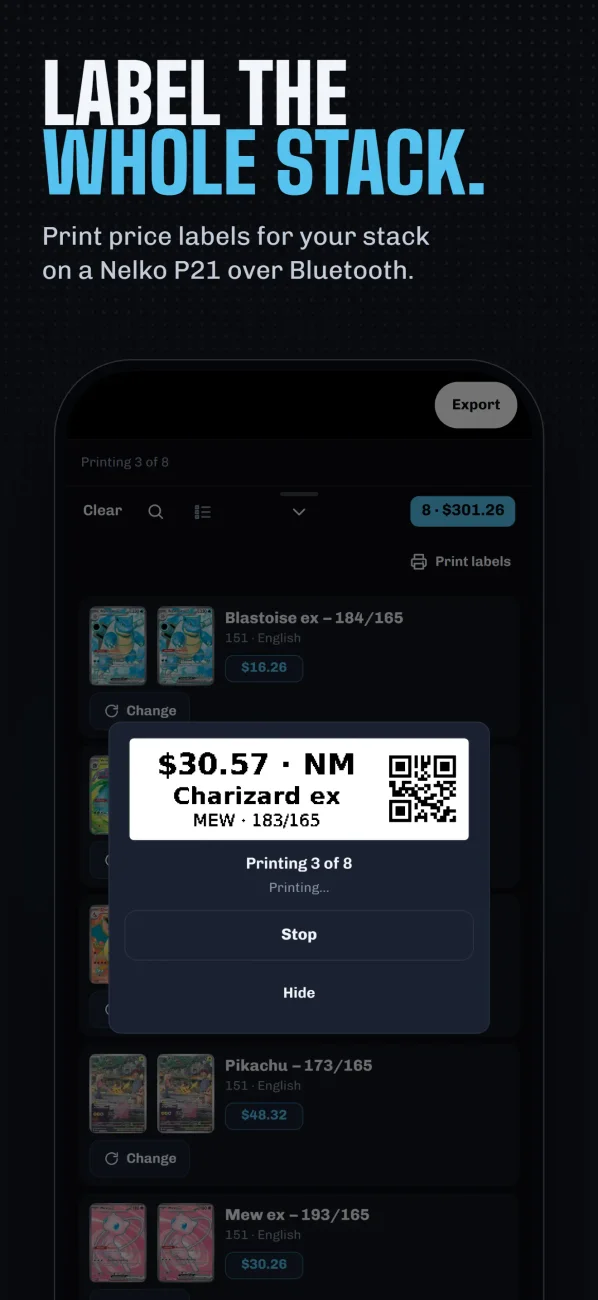
• Print price labels on a Bluetooth label printer (Nelko P21): one card or your whole stack, with your logo and a QR code of your link.
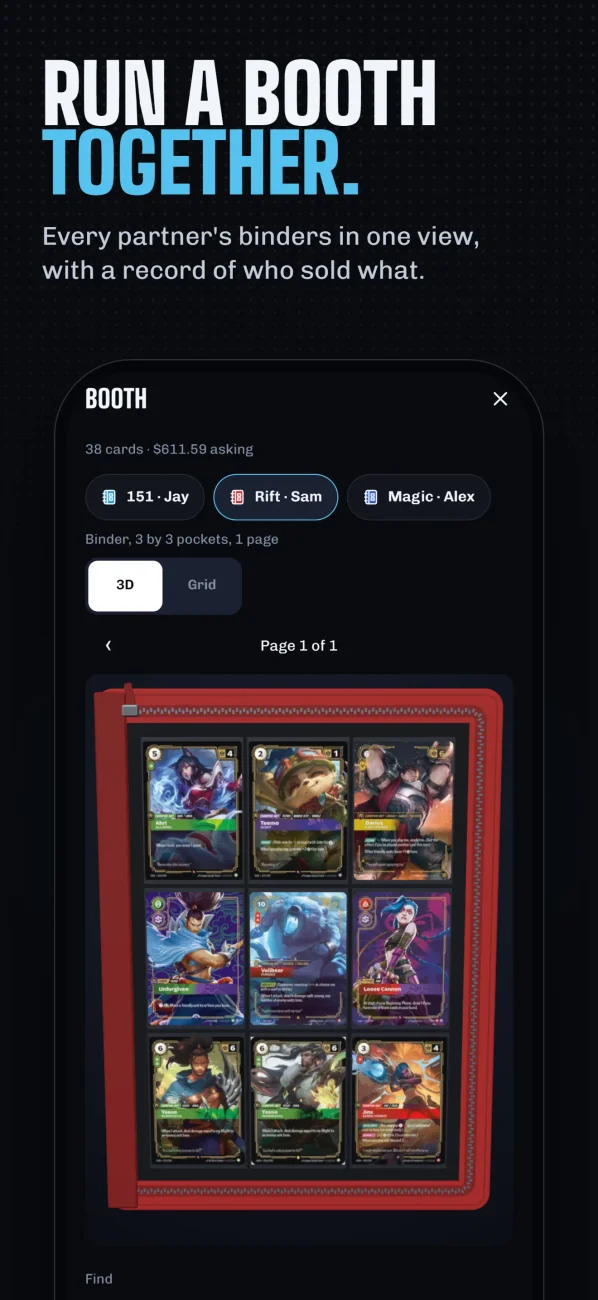
• Booths: share a table with other vendors. Everyone sees and sells from the booth's binders.
OPTIONAL ACCOUNT
The scanner works with no account. Sign in with Apple or an emailed code to back up your cards, deals and settings, with no photos, and get them back on a new phone. Delete the account any time in Settings. No ads, no tracking.
StackScan is not affiliated with TCGplayer, eBay, Shopify, Discord, Card Ladder, PSA, Beckett, CGC, SGC, TAG Grading, The Pokémon Company, Nintendo, Wizards of the Coast, Konami, Disney, Ravensburger, Bandai, Riot Games, Fantasy Flight Games or Lucasfilm.
Novedades
Versión 1.5.1 · 27/11/2026
• A graded slab you open in Inventory or Collection gets today's value when its value is a day old.
• Vendor: hold a row in your stack to type your own price, for that row or every copy of the card.
• A deactivated slab gets no price label.
• Offer and deal files name their currency and rate.
• Other fixes.
Privacidad de la aplicación
Lo que Brandon Tran declara en App Store sobre cómo esta aplicación gestiona los datos.
-
Datos vinculados a ti
Pueden recopilarse y vincularse a tu identidad.
- Información de contacto
- Contenido del usuario
- Identificadores
- Otros datos
-
Datos no vinculados a ti
Pueden recopilarse, pero no se vinculan a tu identidad.
- Contenido del usuario
- Historial de búsqueda
- Identificadores
- Datos de uso
- Diagnóstico
Las prácticas de privacidad pueden variar, por ejemplo, según las funciones que uses o tu edad.
Información
- Vendedor
- Brandon Tran
- Categoría
- Utilidades
- Versión
- 1.5.1
- Actualizado
- 27/11/2026
- Publicado
- 11/11/2026
- Tamaño
- 113,1 MB
- Requiere
- iOS 15.0 o posterior
- Clasificación por edad
- 4+
- Idiomas
- Inglés
- Copyright
- © 2026 StackScan
Quizá también te guste
-
 Sego motorsUtilidades
-
 PalScan – TCG Card ScannerUtilidades
-
 Card Scanning MachineUtilidades
-
 CardCapture: TCG ScannerEscanea, valora y gradúa
-
 ShadowTag: Easy Label PrinterUtilidades
-
 TCG Scanner: Value TrackerUtilidades
-
 Card Codex: Card Value ScannerUtilidades
-
 SATipUtilidades
-
 PokéScan: Card Price ScannerUtilidades
-
 SpoolSense - NFC Filament TagsUtilidades