
StatsFlow
Umami & Plausible Analytics
Diseñada para iPhone
Gratis · Compras en la aplicación
- Clasificación por edad4+
- CategoríaUtilidades
- DesarrolladorSimon Luthe
- IdiomasInglés+ 1 más
- Tamaño11,2 MB
Enlaza a la página oficial de App Store
Download.org no aloja ningún archivo de StatsFlow. El botón abre la página de la aplicación en App Store, donde la publica Simon Luthe. Ficha comprobada por última vez el 23/11/2026.
Capturas de pantalla






Acerca de
El desarrollador no ha proporcionado este texto en tu idioma.
Your website stats. Always with you.
StatsFlow brings your analytics dashboard to your iPhone — for Umami and Plausible Analytics. Fast, secure, and straightforward.
If you run a website with privacy-friendly analytics, you know the problem: checking your visitor stats means logging in on a desktop every time. StatsFlow changes that. One app, all accounts, all websites.
MULTI-ACCOUNT & MULTI-PROVIDER
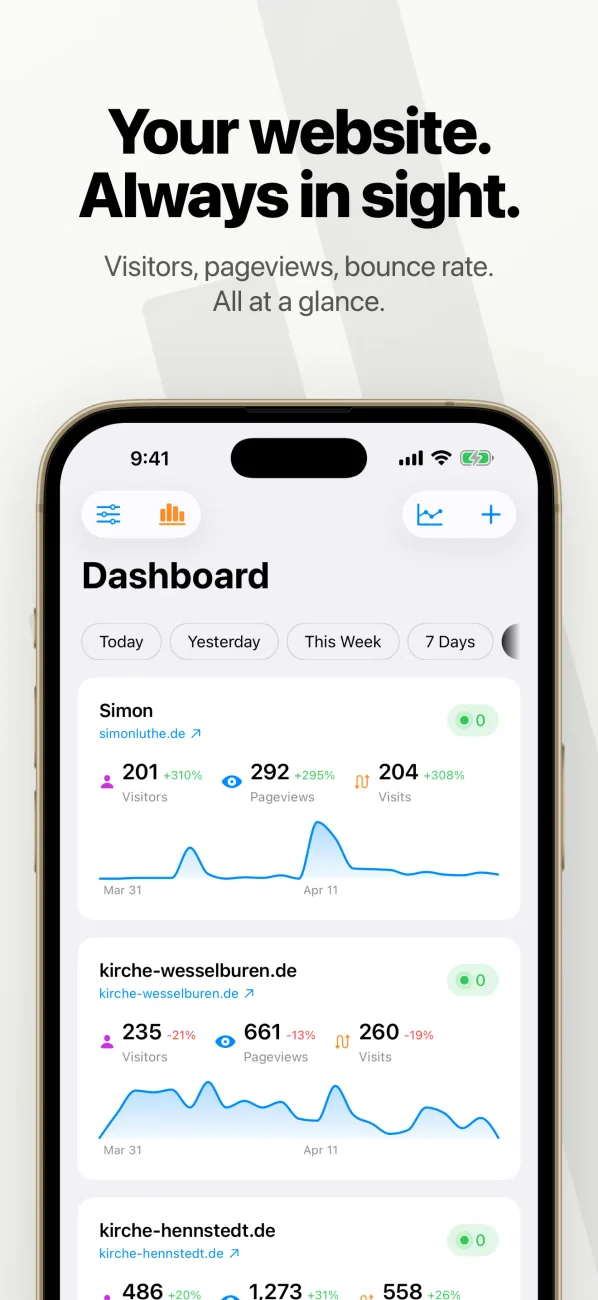
Manage any number of Umami and Plausible accounts in one app. Switch between accounts with a tap or view all websites across all accounts in a combined view.
DASHBOARD WITH SPARKLINES
The overview shows you instantly what's happening on your websites: visitors, pageviews, session duration, and bounce rate — all with compact sparkline charts for quick trend checks.
REALTIME VIEW
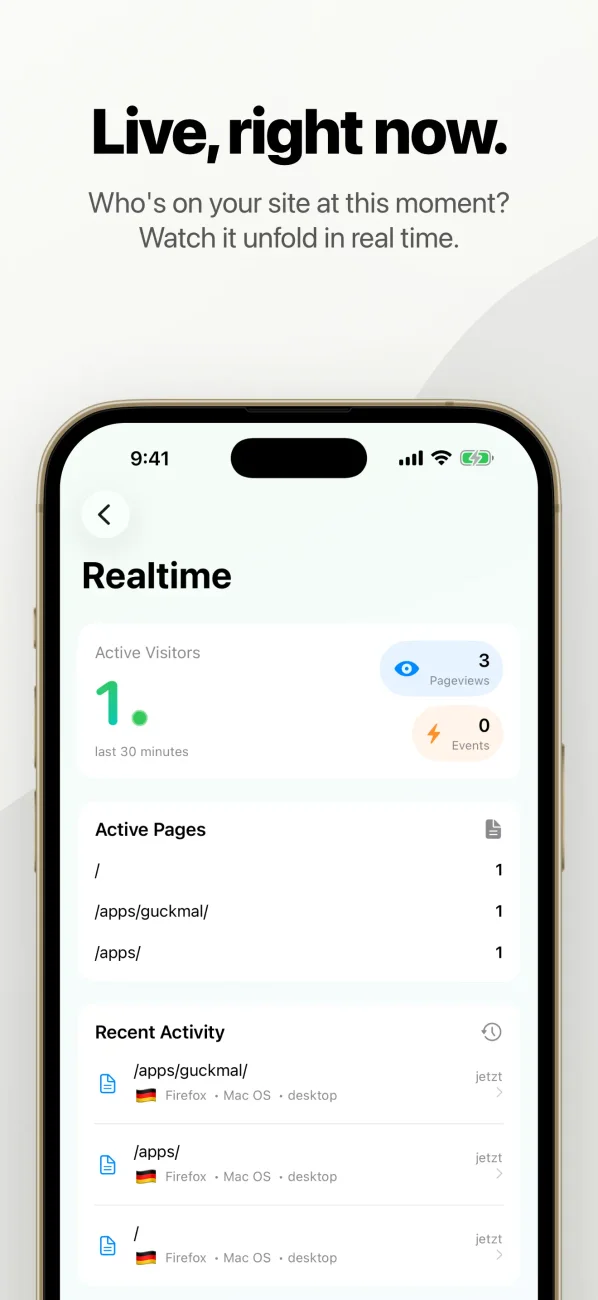
Who's on your website right now? The realtime view shows you live visitors, current pages, and referrers as they happen.
PERIOD COMPARISON
Compare any time periods: this week vs. last week, this month vs. last month. Spot trends immediately.
EVENTS & REPORTS
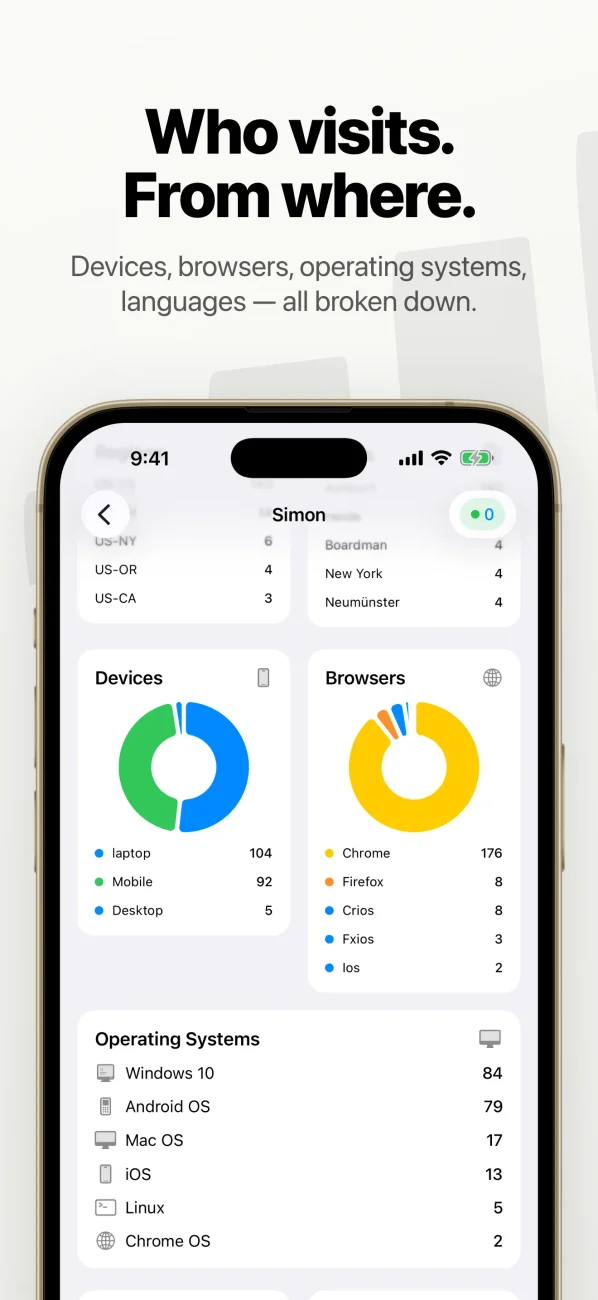
Detailed analytics for custom events, funnel analysis, UTM tracking, goals, and attribution — all right in the app.
HOMESCREEN WIDGET
One glance at your homescreen is all it takes: the StatsFlow widget shows your website's key metrics without opening the app.
OFFLINE MODE
No connection? No problem. StatsFlow shows your last loaded data as a fallback, so you're never in the dark while on the go.
PRIVACY
- No tracking SDKs — the app itself contains zero analytics or tracking
- No ads — completely ad-free
- Credentials in Keychain — your login data is securely stored in iOS Keychain
- No data collection — the app communicates exclusively with your own servers
- No external dependencies — built entirely in SwiftUI, no third-party libraries
TECHNOLOGY
StatsFlow is a native iOS app built entirely in Swift and SwiftUI. No external dependencies, no third-party frameworks. Your data stays on your device and your servers.
SUPPORTED SERVICES
- Umami: self-hosted from version 3.0 (sign in with username and password)
- Umami Cloud: sign in with the API key from your Umami settings (Settings → API keys)
- Plausible: Cloud as well as Community Edition from 2.1 (sign in with API key)
For website owners who want to keep their analytics in sight while on the go.
Novedades
Versión 2.3.0 · 17/11/2026
New:
• Annotations: notes such as “Newsletter sent” appear as markers in a website’s chart and can be managed in their own list (Umami 3.4 or later).
• Self-hosted Umami instances can also be connected with an API key. It bypasses two-step verification and does not expire (Umami 3.4 or later).
• Ready for Umami 3.5: the app explains when the server requires two-step verification that has not been set up yet, points out a default password that is still in use, and reports cohorts that need updating in Umami instead of showing empty tiles.
• Error messages are now also available in English.
Improved:
• Goals, funnels, retention, journeys, attribution and performance use the new reports on Umami 3.4 or later; older servers are queried as before.
Fixed:
• The loading indicator kept spinning after leaving a website view.
• With Umami Cloud, the sign-in button stayed grey even after entering a key.
Privacidad de la aplicación
Lo que Simon Luthe declara en App Store sobre cómo esta aplicación gestiona los datos.
-
No se recopilan datos
El desarrollador no recopila ningún dato de esta aplicación.
Las prácticas de privacidad pueden variar, por ejemplo, según las funciones que uses o tu edad.
Información
- Vendedor
- Simon Luthe
- Categoría
- Utilidades
- Versión
- 2.3.0
- Actualizado
- 17/11/2026
- Publicado
- 24/4/2026
- Tamaño
- 11,2 MB
- Requiere
- iOS 18.0 o posterior
- Clasificación por edad
- 4+
- Precio
- Gratis
- Compras en la aplicación
- Sí
- Idiomas
- Inglés, Alemán
- Copyright
- © 2026 Simon Luthe
Quizá también te guste
-
 Umami Dashboard AnalyticsUtilidades
-
 Umami: Website AnalyticsStats y widgets Umami
-
 Save to ReadeckUtilidades
-
 Domain Command: SSL y FechasCaducidad, avisos y dominios
-
 Arbory for Plausible AnalyticsUtilidades
-
 Quoted - Quote NotebookUtilidades
-
 Echoes: Network Tools & PingUtilidades
-
 RawMonUtilidades
-
 Umami – Analytics ManagerUtilidades
-
 iPerfman ProPruebas de red con iPerf3