
- Clasificación por edad12+
- CategoríaProductividad
- DesarrolladorRichard Horvath
- IdiomasInglés+ 1 más
- Tamaño722,2 MB
Enlaza a la página oficial de App Store
Download.org no aloja ningún archivo de Storavi. El botón abre la página de la aplicación en App Store, donde la publica Richard Horvath. Ficha comprobada por última vez el 23/11/2026.
Capturas de pantalla


Acerca de
El desarrollador no ha proporcionado este texto en tu idioma.
Still got milk? What ran out? What should you pick up on the way home?
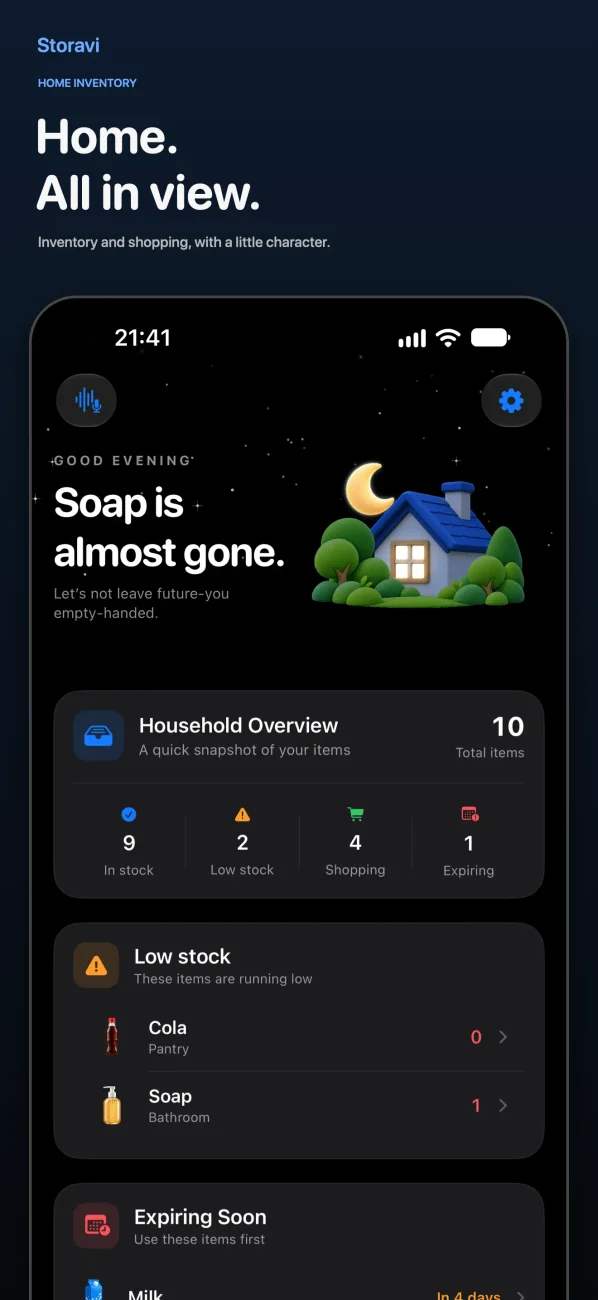
Storavi helps you keep track of your home essentials, so there is a little less to remember. Food, cleaning supplies, pet food, and everyday favorites all have a place in one easy-to-manage inventory.
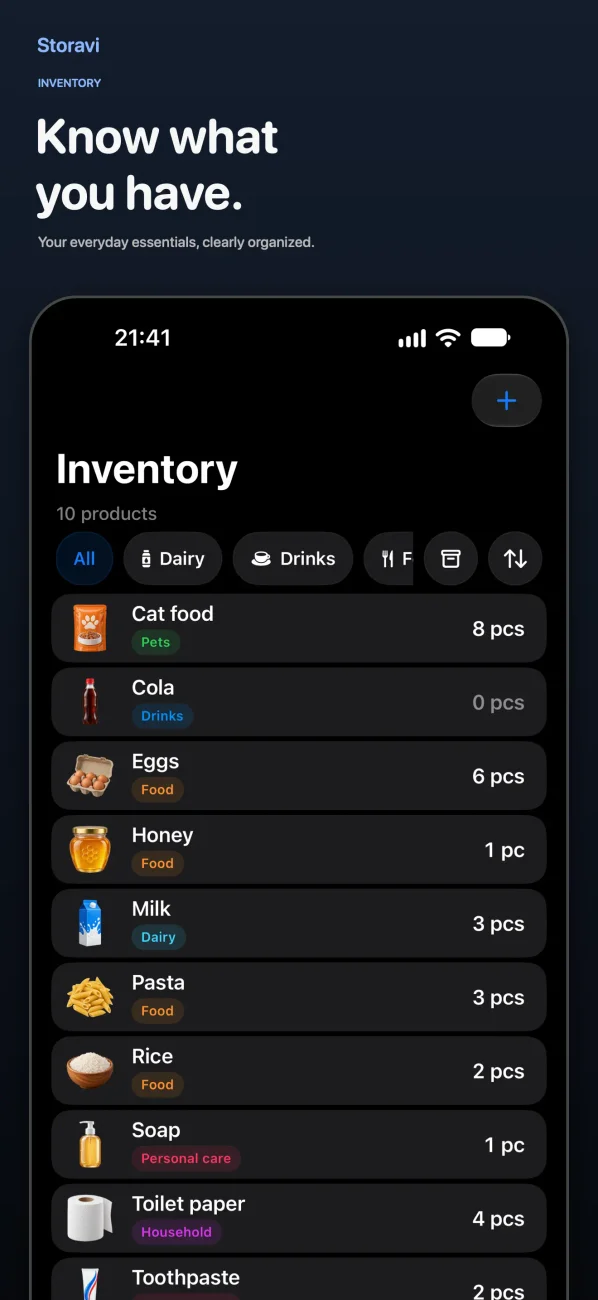
KNOW WHAT YOU HAVE
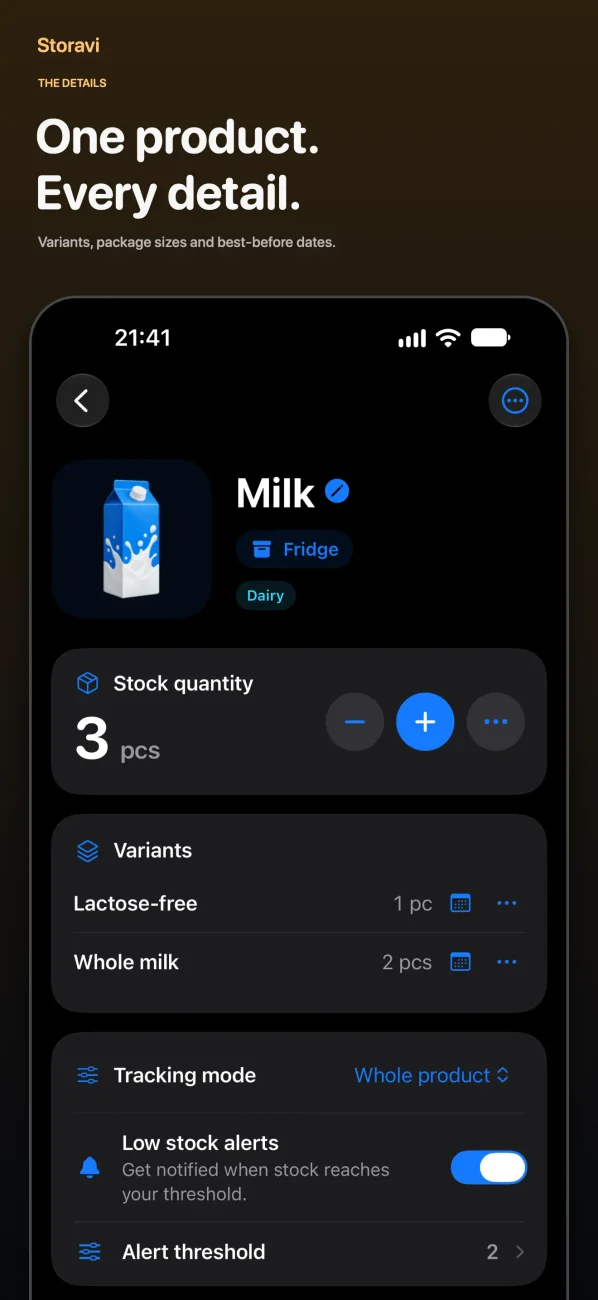
Track quantities and organize products by category and storage location. Add variants, package sizes, and expiry dates when you need them. Swipe to add or consume stock, and undo accidental changes.
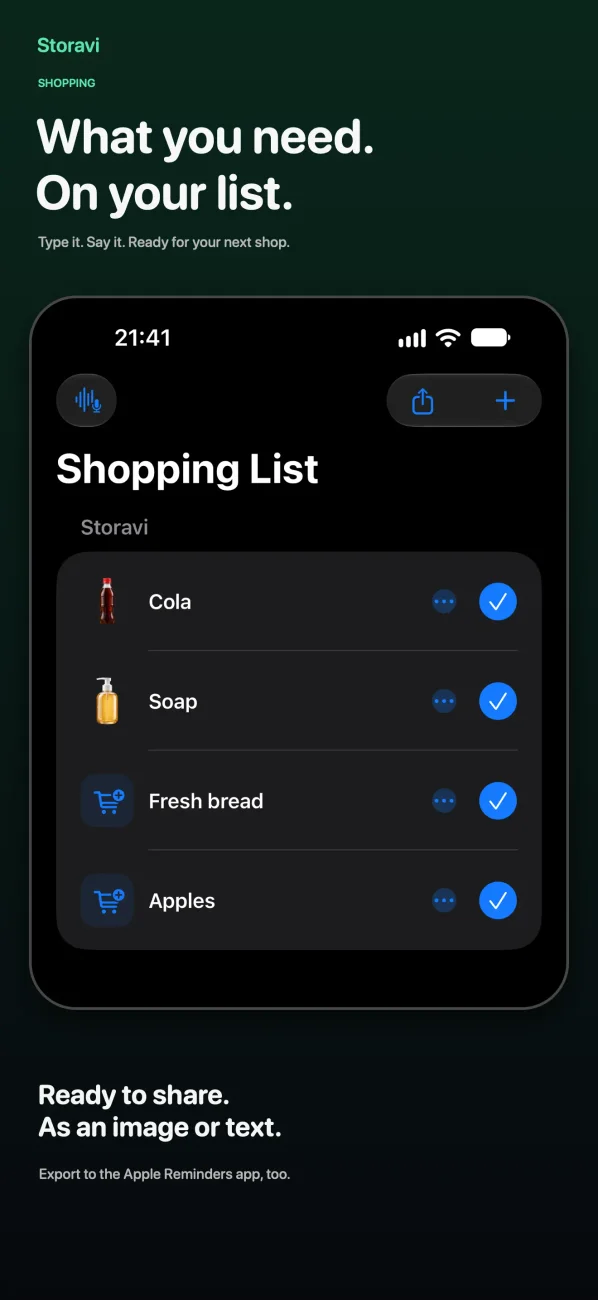
MAKE SHOPPING SIMPLER
Low-stock products can join your shopping list. Record a purchase to update the stock of a tracked product. Add one-off items without turning them into inventory products, or optionally bring selected lists from the Apple Reminders app into Storavi.
MAKE IT YOURS
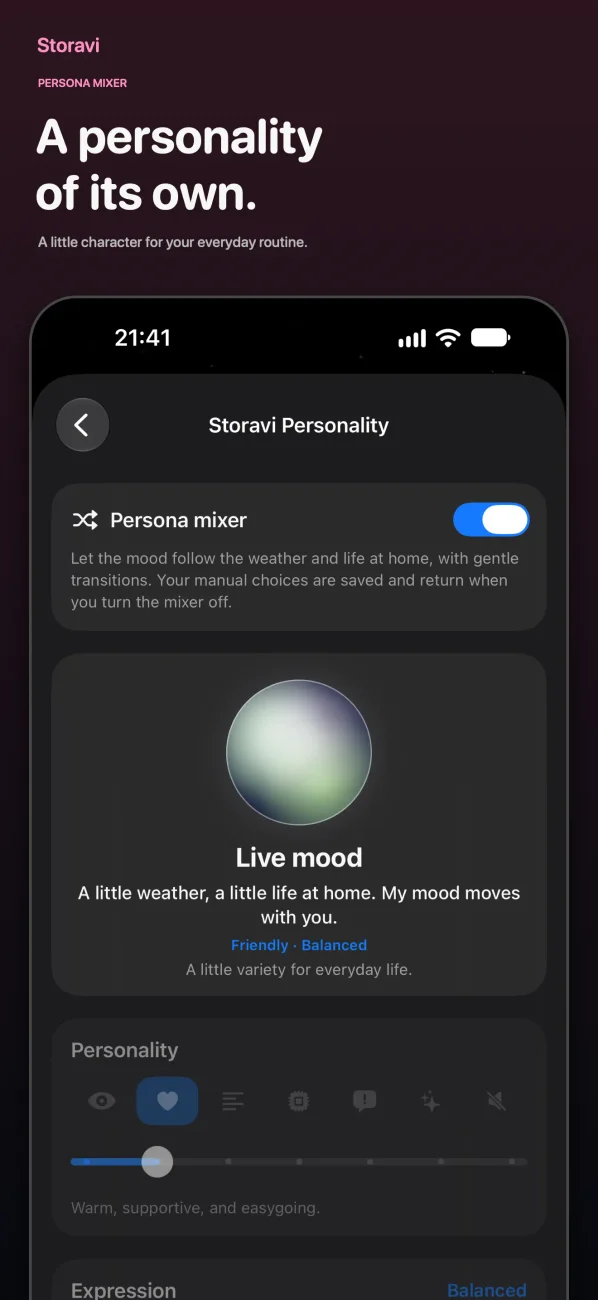
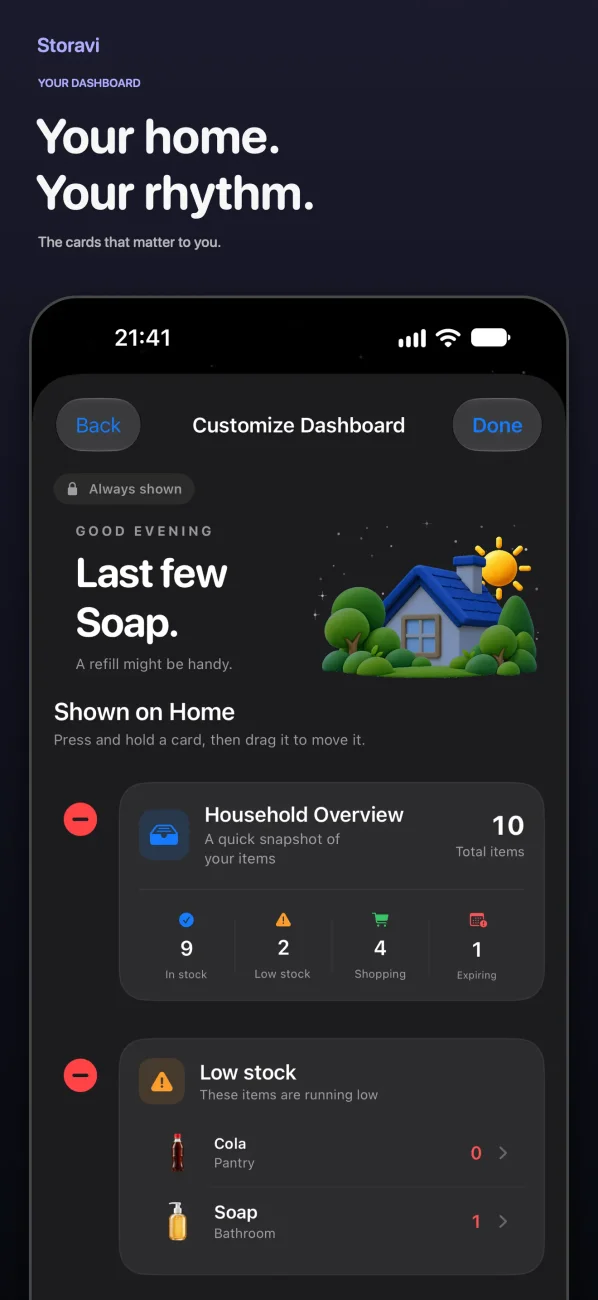
Choose and reorder the dashboard cards that matter to you: your household overview, low stock, upcoming expiries, favorites, and more. Give Storavi a personality, choose its message language separately, and discover achievements and unlockable house icons.
KEEP IT CLOSE
Check your inventory and shopping list, and record changes on your paired Apple Watch. The Shopping Live Activity gives you quick access to your list from the Lock Screen and Dynamic Island on supported devices.
SAY WHAT CHANGED
On supported devices and dictation languages, use your voice to add or consume products. Mention several products in one command with the same action, then check what Storavi understood before applying it.
LOCAL INVENTORY, OPTIONAL CONNECTIONS
Inventory and activity history are stored locally. No Storavi account is required to use them. Optional weather uses an internet connection, while access to the Apple Reminders app and voice input may request separate permissions. See the in-app privacy information for details.
YOUR HOME, BACKED UP
Optional iCloud backup keeps a snapshot of your inventory and settings in your own iCloud. Restore it on a fresh installation when changing phones or reinstalling the app. Requires an available Apple Account and iCloud.
Storavi 1.0 supports tracking up to 25 distinct products. Requires iOS 26 or later. Voice input availability depends on your device, language, and required system components. Apple Watch features require a compatible paired watch.
Novedades
Versión 1.2 · 18/11/2026
Worried module loading… complete.
Update check… passed.
Double-checking, just in case… also passed.
iPhone Duo
• When folded, use the outer display to check Home or your shopping list. Persona messages have room beside the house. // I checked again. Even the long sentence fits.
• Unfold to arrange your Home cards in two columns. In Inventory, see the product list and the selected product side by side, so you can go through several items in one view.
• Put the side menu on the left or right. Storavi adapts to the available space as you fold and unfold your phone.
iPad
• Household puts your product, shopping, expiry and storage counts in one row. Household features now have their own cards.
• Statistics and the Apple Reminders list picker use two columns when there’s room. Each list card has a switch to show or hide that list in Shopping.
Inventory and Shopping
• See the three latest activity entries on each product’s detail screen. When there’s more, open the full history, sort by date or filter by additions, consumption and other changes. Consecutive stock changes are grouped together. // If you can’t remember when the milk ran out, you can look it up. I would.
• Rename categories in place, choose custom icons or delete categories. Deleting a category removes it from the affected products and keeps those products in your inventory. // The products really do stay. I checked that too.
• Items from Apple Reminders appear under their original list names, whether you connect one list or several. Longer shopping lists and the Reminders list picker scroll more smoothly.
• When you return to Storavi, your Home cards and persona message appear together in a steadier layout. End punctuation stays with the text in longer messages.
• Fixed a few labels that could stay in the previous language after switching, including the prompt to add your first product.
• Home can show fog under overcast skies when visibility is very low and the air is near saturation.
• 14 new product icons. Press and hold an icon in the picker for a high-resolution preview.
Two new personalities
• Theatrical and Grumpy join Storavi. The redesigned picker has eight personalities and three expression levels, and the Persona Mixer can use both new voices. // Now I’m just worried about what Grumpy will say when the milk runs out.
• Send a copy of your shopping list with AirDrop. Recipients can review the items and add them to their own Storavi list.
• Every achievement has a new custom icon. // We centered the numbers, too. I checked twice.
Worried module shutting down… complete.
End of transmission. // You put milk on the list, right?
Privacidad de la aplicación
Lo que Richard Horvath declara en App Store sobre cómo esta aplicación gestiona los datos.
-
No se recopilan datos
El desarrollador no recopila ningún dato de esta aplicación.
Las prácticas de privacidad pueden variar, por ejemplo, según las funciones que uses o tu edad.
Información
- Vendedor
- Richard Horvath
- Categoría
- Productividad
- Versión
- 1.2
- Actualizado
- 18/11/2026
- Publicado
- 11/11/2026
- Tamaño
- 722,2 MB
- Requiere
- iOS 26.0 o posterior
- Clasificación por edad
- 12+
- Precio
- Gratis
- Idiomas
- Inglés, Húngaro
- Copyright
- © 2026 Richard Horvath
Quizá también te guste
-
 Voizey AIDictado, español primero
-
 Stash: Collection & InventoryProductividad
-
 Kinty: Stay in TouchProductividad
-
 Munkaidő AppProductividad
-
 Organice: Paperwork OrganizerProductividad
-
 ArenimTelProductividad
-
 MeloGoProductividad
-
 Itemory: Inventario de CasaEscanear, Caducidad y Garantía
-
 Hunboard – magyar billentyűzetProductividad
-
 KeepCue: Day Planner, RoutinesProductividad