
Subs: Subscription Manager
Manage all your subscriptions
Diseñada para iPhone
Compras en la aplicación
- Clasificación por edad4+
- CategoríaProductividad
- Desarrollador展 陆
- IdiomasInglés+ 1 más
- Tamaño2,1 MB
Es posible que Subs: Subscription Manager no esté disponible en App Store en este momento
No se pudo acceder a la ficha de la tienda en nuestra última comprobación. El enlace sigue llevando a la página oficial de App Store.
Capturas de pantalla
Acerca de
El desarrollador no ha proporcionado este texto en tu idioma.
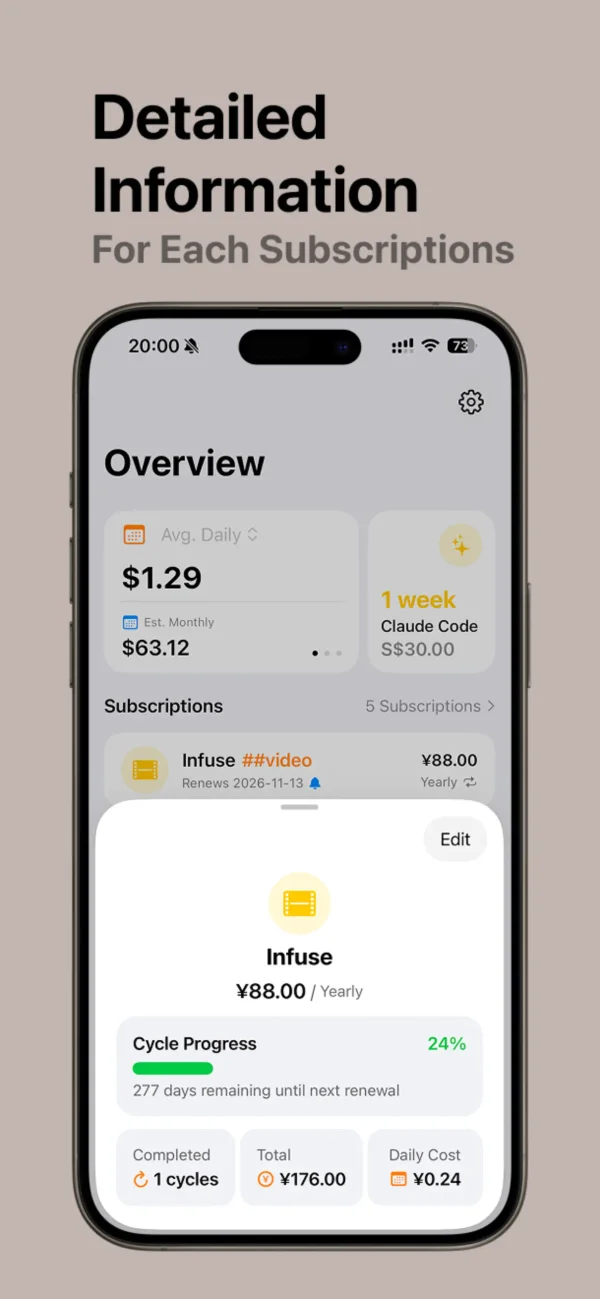
Subs is a simple subscription management tool that helps you track and manage all your subscription expenses. Whether it's streaming services, software subscriptions, or memberships, you can view and control everything in one place.
Key Features
Subscription Management
• Add and edit subscription details: name, cost, billing cycle (weekly/monthly/yearly)
• Support for recurring subscriptions and one-time purchases
• Set start date and custom icons for each subscription
• Stop subscriptions: keep records while excluding from cost calculations
• Restore subscriptions: reactivate stopped subscriptions
• Delete subscriptions: permanently remove unwanted records
Cost Tracking
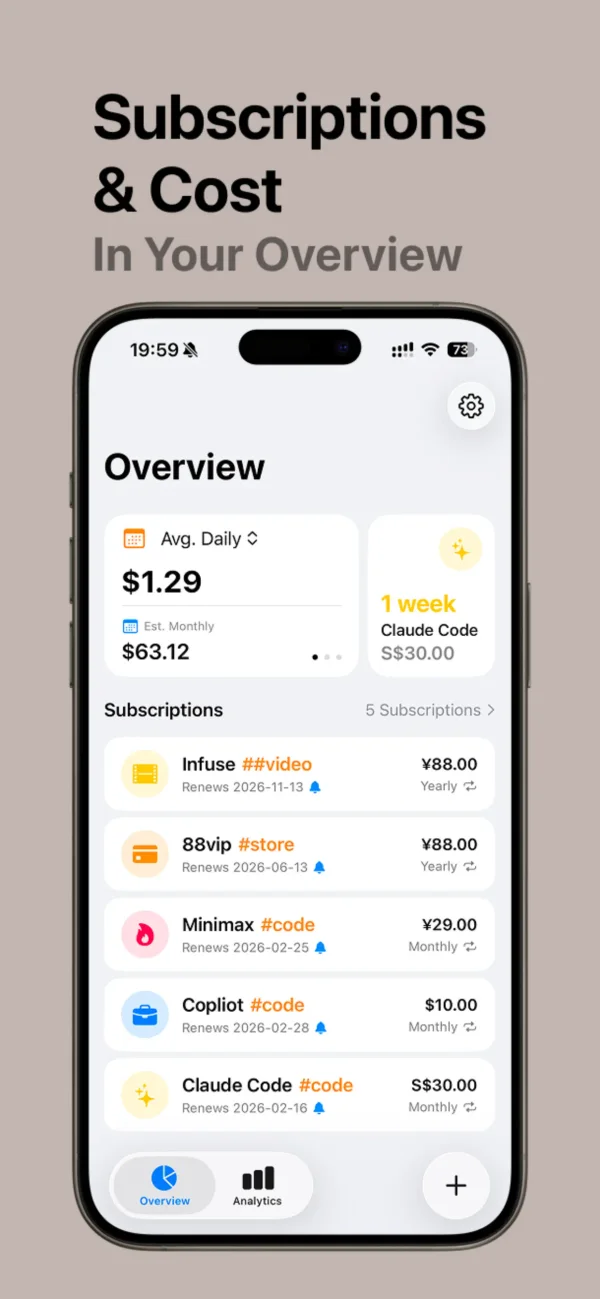
• View daily, monthly, and yearly subscription totals in real-time
• Cost summary cards for intuitive expense overview
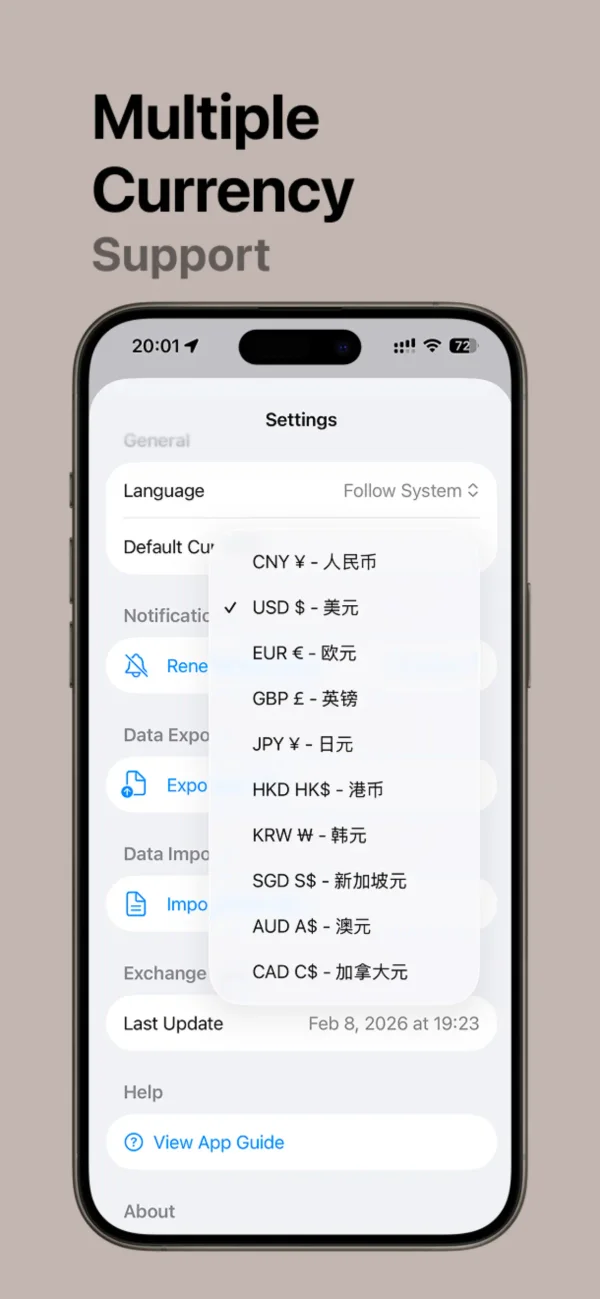
• Multi-currency support with automatic exchange rate conversion
• Set different currencies for each subscription
Up Next Feature
• Clearly shows the next upcoming charge
• Renewals listed in chronological order
• Avoid forgetting to cancel unwanted trial subscriptions
• Quickly view upcoming charges for the next few days
Subscription List
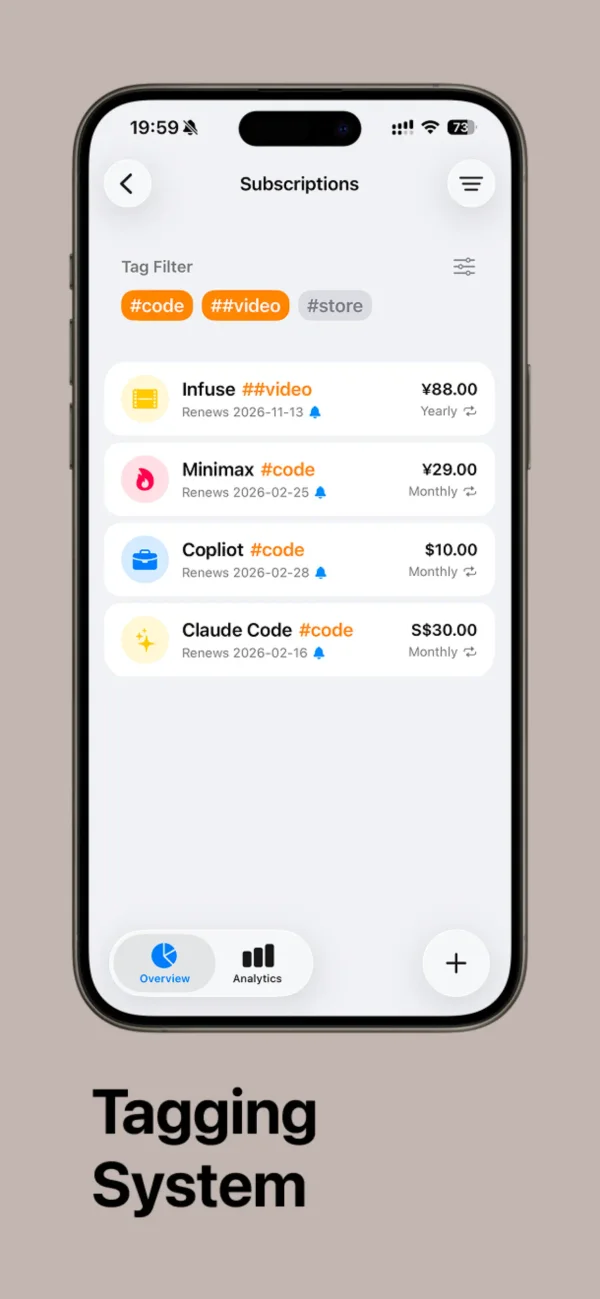
• Overview of all active subscriptions
• Sort and filter by different criteria
• Swipe left for quick actions: edit, delete
• Swipe right for quick actions: stop, restore (for active recurring subscriptions only)
• Tap to view subscription details
Multi-Currency Support
• Set individual currency for each subscription
• Automatically calculate total across different currencies
• Supports common currencies: USD, EUR, CNY, JPY, and more
Data Privacy
• All subscription data stored locally on your device only
• No account registration or internet connection required
• No collection or upload of any personal information
• Completely offline usage
Pro Version Features
Upgrade to Pro to unlock advanced features:
Unlimited Subscriptions
• Free version has subscription limits
• Pro version allows unlimited subscriptions
Notification Reminders
• Customizable renewal reminder notifications
• Set reminder timing: 1 day, 3 days, 7 days in advance, etc.
• Avoid unexpected charges and forgotten cancellations
• Configure notification preferences for each subscription individually
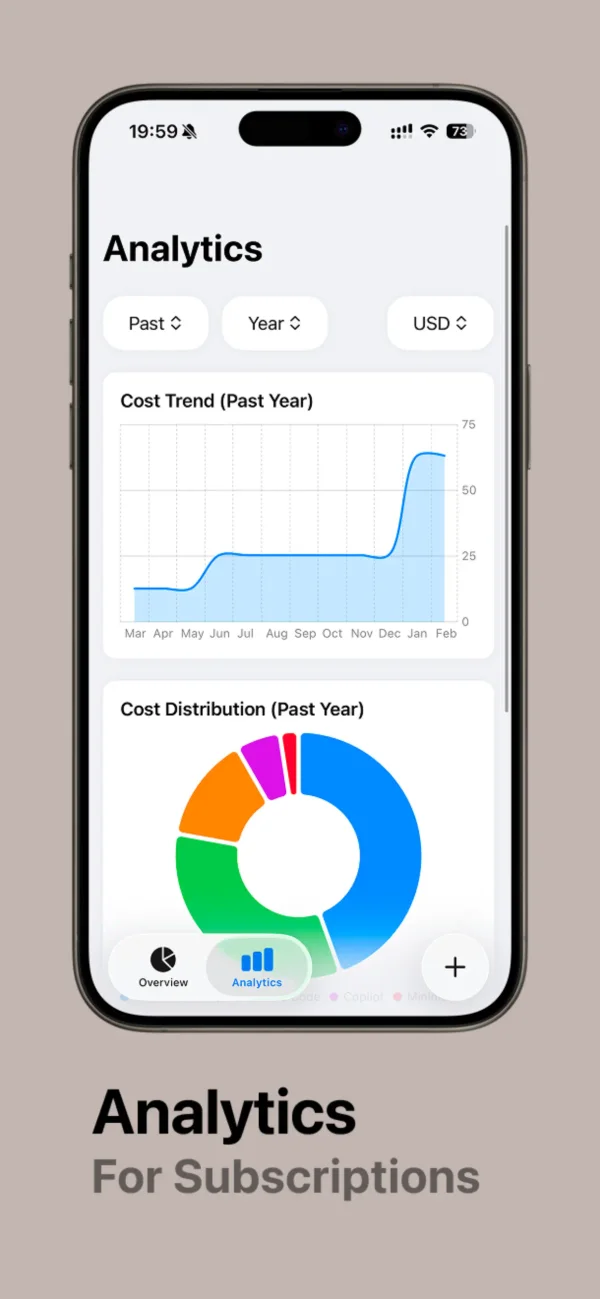
Advanced Analytics
• Visual charts displaying subscription trends
• View spending distribution by category
• Track historical cost changes
• Data-driven subscription optimization suggestions
One-Time Purchase
• Pro version uses a one-time payment model
• Permanently unlocks all features after purchase
• No additional subscription fees or hidden charges
• Restore purchase support included
Use Cases
• Manage streaming subscriptions: Netflix, Disney+, Spotify, Apple Music, YouTube Premium, etc.
• Track software subscriptions: Adobe Creative Cloud, Microsoft 365, Notion, etc.
• Record membership services: gym memberships, iCloud storage, Amazon Prime, etc.
• Monitor insurance and utilities: car insurance, home insurance, utility bills, etc.
• Control subscription spending: understand monthly totals, optimize subscription portfolio
How to Use
Add Subscription
1. Tap the + button at the bottom
2. Enter subscription name and cost
3. Select billing cycle and currency
4. Set start date (optional)
5. Save subscription
Edit Subscription
• Swipe left in the subscription list and tap edit button
• Or tap subscription card to view details, then edit
Stop Subscription
• Swipe right in the subscription list and tap stop button
• Stopped subscriptions continue until the current billing cycle ends
• No longer included in cost calculations afterward
Delete Subscription
• Swipe left in the subscription list and tap delete button
• Permanently deleted after confirmation, cannot be recovered
View Cost Statistics
• Homepage top shows daily, monthly, and yearly totals
• Up Next card displays upcoming renewals
• Subscription list shows all active subscriptions
Novedades
Versión 1.0.1 · 1/3/2026
We've unified your subscription list and overview into a single, cleaner screen. Minor bug fixes.
Privacidad de la aplicación
Lo que 展 陆 declara en App Store sobre cómo esta aplicación gestiona los datos.
-
No se recopilan datos
El desarrollador no recopila ningún dato de esta aplicación.
Las prácticas de privacidad pueden variar, por ejemplo, según las funciones que uses o tu edad.
Información
- Vendedor
- 展 陆
- Categoría
- Productividad
- Versión
- 1.0.1
- Actualizado
- 1/3/2026
- Publicado
- 16/2/2026
- Tamaño
- 2,1 MB
- Requiere
- iOS 18.6 o posterior
- Clasificación por edad
- 4+
- Compras en la aplicación
- Sí
- Idiomas
- Inglés, Chino simplificado
- Copyright
- © Lu Zhan
Quizá también te guste
-
 A Fair DaysProductividad
-
 Mark PDF Editor : PDF SmartProductividad
-
 SaveLink – MarcadoresGuarda Links
-
 Flow: Activities & NotesProductividad
-
 Echo: Visual Task with AvatarProductividad
-
 Burrow: Lista de tareasPlan de limpieza y tareas
-
 Simple Calendar - CalendarProductividad
-
 Control ingresos extraControla tus ingresos
-
 ETasks: Tareas y alarmasPlan de tareas y recordatorios
-
 Prism NotesProductividad