Sullivan+
A visual-aid app based on AI
Diseñada para iPhone, iPad
Gratis · Compras en la aplicación
- Clasificación por edad4+
- CategoríaUtilidades
- DesarrolladorTUAT Inc.
- IdiomasInglés+ 32 más
- Tamaño135,7 MB
Enlaza a la página oficial de App Store
Download.org no aloja ningún archivo de Sullivan+. El botón abre la página de la aplicación en App Store, donde la publica TUAT Inc. Ficha comprobada por última vez el 12/11/2026.
Capturas de pantalla



Acerca de
El desarrollador no ha proporcionado este texto en tu idioma.
Sullivan Plus is a visual assistance app provided by TUAT for information accessibility for the blind and low vision, and provides information recognized through the smartphone camera to users who need visual assistance.
Sullivan Plus X SKtelecom
Please support the warm collaboration between Sullivan Plus and SKtelecom!
Experience Sullivan Plus with SKtelecom's diverse and powerful AI technologies!
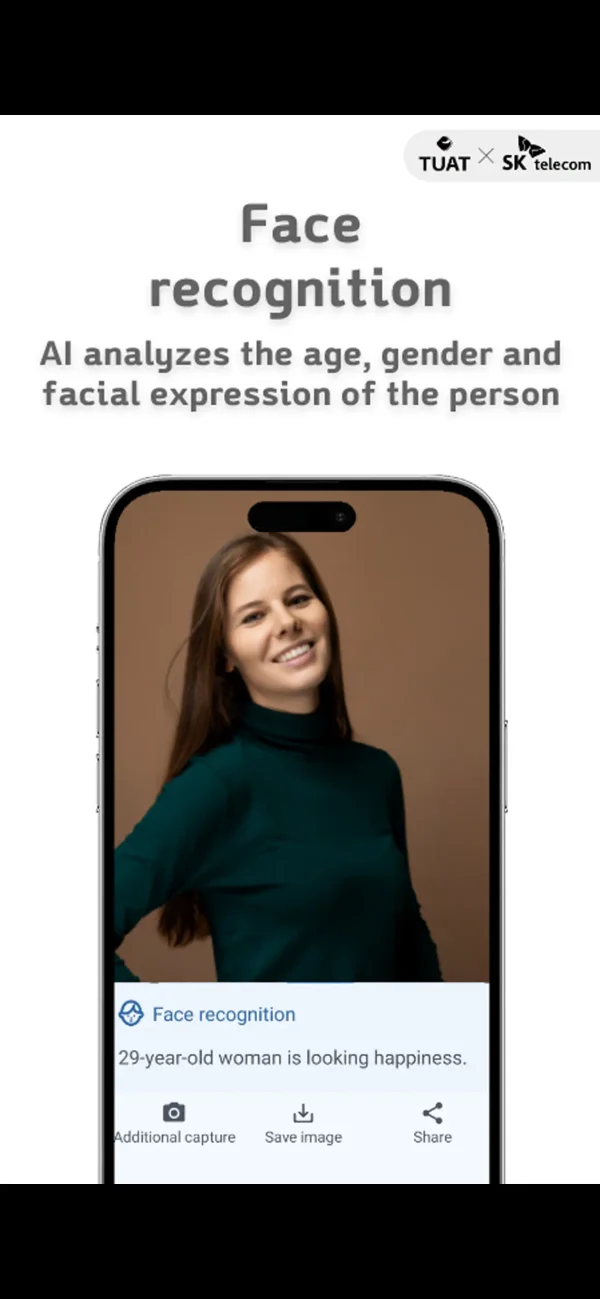
■ AI Facecan that recognizes age, gender, and facial expressions
Register your face
The face registration function has been added to the face recognition mode. You can register the face of anyone you want, and find the face of the person you registered in a photo.
Object Finder
The object-finding feature has been added. Select the object you want to find from the list and scan your surroundings. The app will notify you with vibrations and voice prompts.
PDF Quota Donation
Donate your unused PDF Reader quota to help others who need it. By donating, users who have exhausted their PDF quota for the day will be able to read additional image-based PDF files based on the donated amount. If you’ve already used up your quota for the day, you can request donations. Other users can see your donation request message and choose to participate. :)
Currency Recognition
Sullivan Plus announces the denomination of bills via voice. (Supported currencies: Korean Won, US Dollar, Euro, Japanese Yen)
Q&A Board
The Q&A Board has been added for users who couldn’t resolve questions or share tips due to the lack of a communication space. If someone comments on your post, you’ll receive a notification so you can check it instantly!
[Key Features]
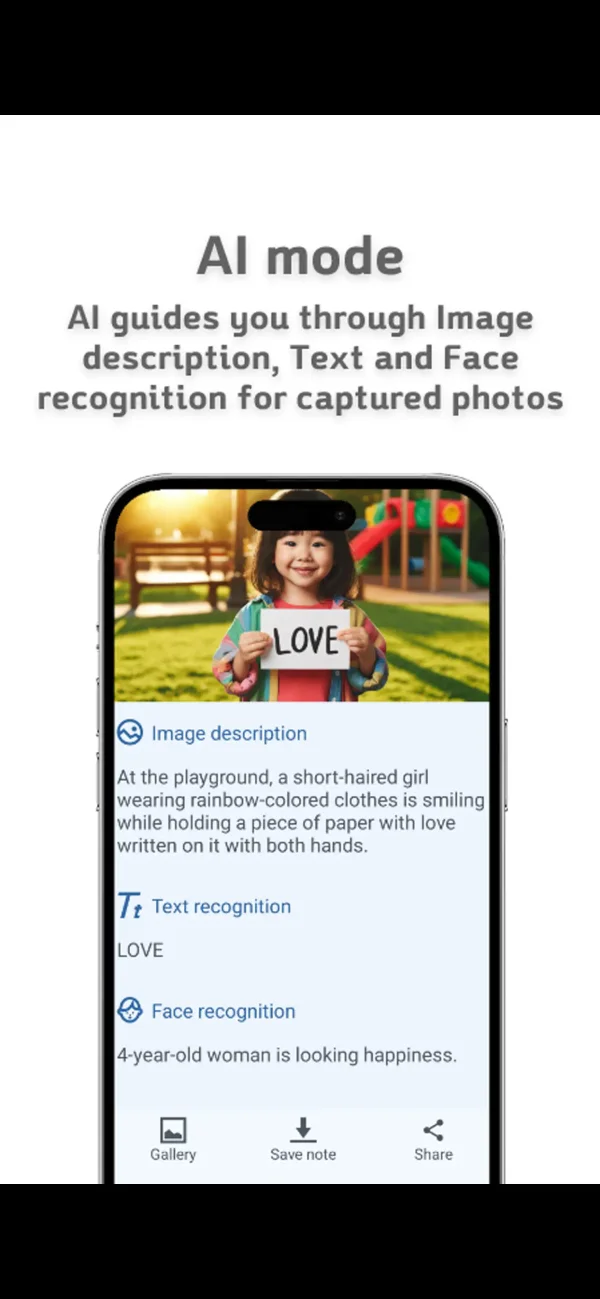
1. AI Mode
2. Automatic Image Description
3. Text Recognition
4. Face Recognition
■ Curious about your surroundings?
AI Mode - Identifies objects around you and generates descriptive sentences for the scene.
■ Struggling to read letters on mail, magazines, or newspapers?
Text Recognition - Detects text and announces it audibly. Point your camera at the area with the text you want to recognize.
■ Wondering about someone you just met?
Face Recognition - Identifies the person captured on camera and provides their age and gender.
■ Automatically recognize your surroundings.
Automatic Image Description - No need to press the shutter button. The app automatically detects the environment and provides voice guidance.
■ Looking for the location of objects around you?
Object Finder - Select the object you’re looking for, and the app will guide you to its location using voice prompts.
■ Having trouble finding the right color for your outfit in the morning?
Color Recognition - Supports single-color mode to identify the color at the center of the screen and full-screen mode to identify dominant colors across the entire view.
■ Manage Samsung Electronics home appliances more smartly!
Consumer Electronics Mode - Connect the QR code of Samsung Electronics home appliances to the SmartThings app to easily control products, check their status, access manuals, and request services.
■ Assisting those with low vision, not just total blindness.
Magnifier - The camera's zoom function lets you enlarge or reduce objects or text and supports color inversion.
[Permissions Required]
The camera is used to capture images so the app can describe objects, text, and surroundings aloud for users who are blind or have low vision.
Camera - Controls the camera and captures photos using the camera API.
Storage - Temporarily stores captured images and deletes them after the analysis is complete.
Terms of Use (EULA): https://www.apple.com/legal/internet-services/itunes/dev/stdeula/
Novedades
Versión 2.0.3 · 21/8/2026
In this update, we improved parts of the UI and user experience and added a new subscription service. Enjoy a more convenient experience.
Privacidad de la aplicación
Lo que TUAT Inc. declara en App Store sobre cómo esta aplicación gestiona los datos.
-
Datos no vinculados a ti
Pueden recopilarse, pero no se vinculan a tu identidad.
- Información de contacto
Las prácticas de privacidad pueden variar, por ejemplo, según las funciones que uses o tu edad.
Información
- Vendedor
- TUAT Inc.
- Categoría
- Utilidades
- Versión
- 2.0.3
- Actualizado
- 21/8/2026
- Publicado
- 9/10/2019
- Tamaño
- 135,7 MB
- Requiere
- iOS 17.6 o posterior
- Clasificación por edad
- 4+
- Precio
- Gratis
- Compras en la aplicación
- Sí
- Idiomas
- Inglés, Árabe, Belarusian, Bengalí, Camboyano, Croata, Neerlandés, Filipino, Francés, Alemán, Griego, Hindi + 21 más
- Copyright
- © TUAT Inc.