Summit Reader
Build Your Local Book Library
Diseñada para iPhone, iPad, iPod touch
Gratis · Compras en la aplicación
- Clasificación por edad4+
- CategoríaLibros
- Desarrollador三英 郑
- IdiomasInglés+ 2 más
- Tamaño118,3 MB
Enlaza a la página oficial de App Store
Download.org no aloja ningún archivo de Summit Reader. El botón abre la página de la aplicación en App Store, donde la publica 三英 郑. Ficha comprobada por última vez el 22/11/2026.
Capturas de pantalla


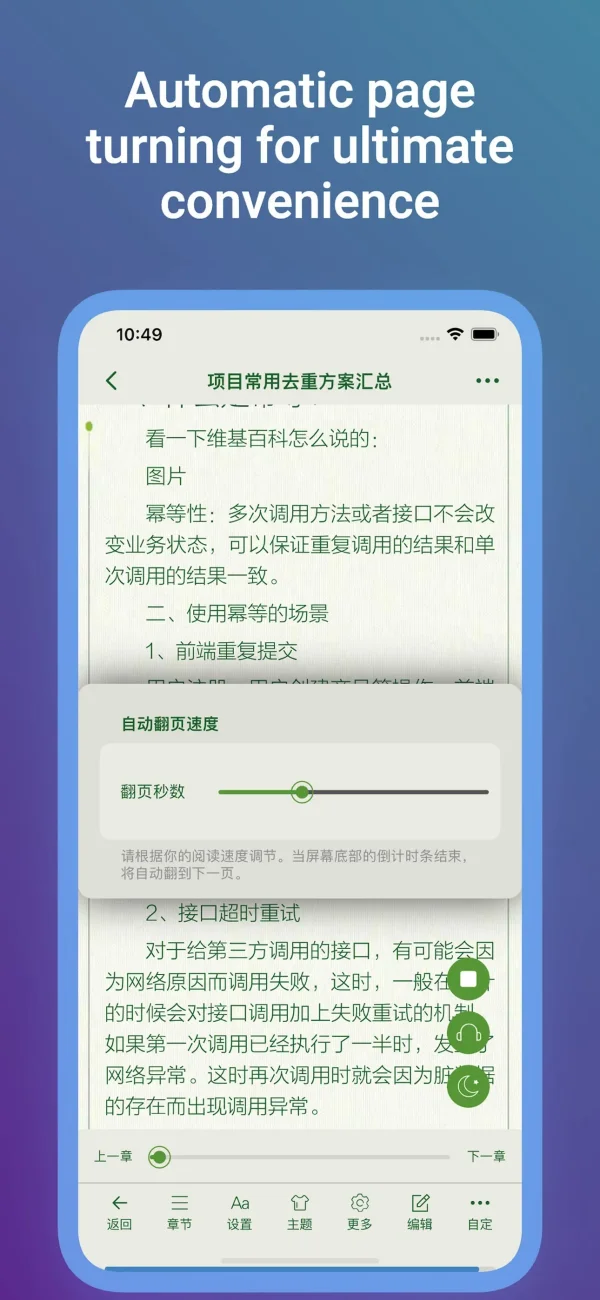

Acerca de
El desarrollador no ha proporcionado este texto en tu idioma.
The Document Management App You'll Love
Summit Reader stands out as an extremely user-friendly document management app with several key features:
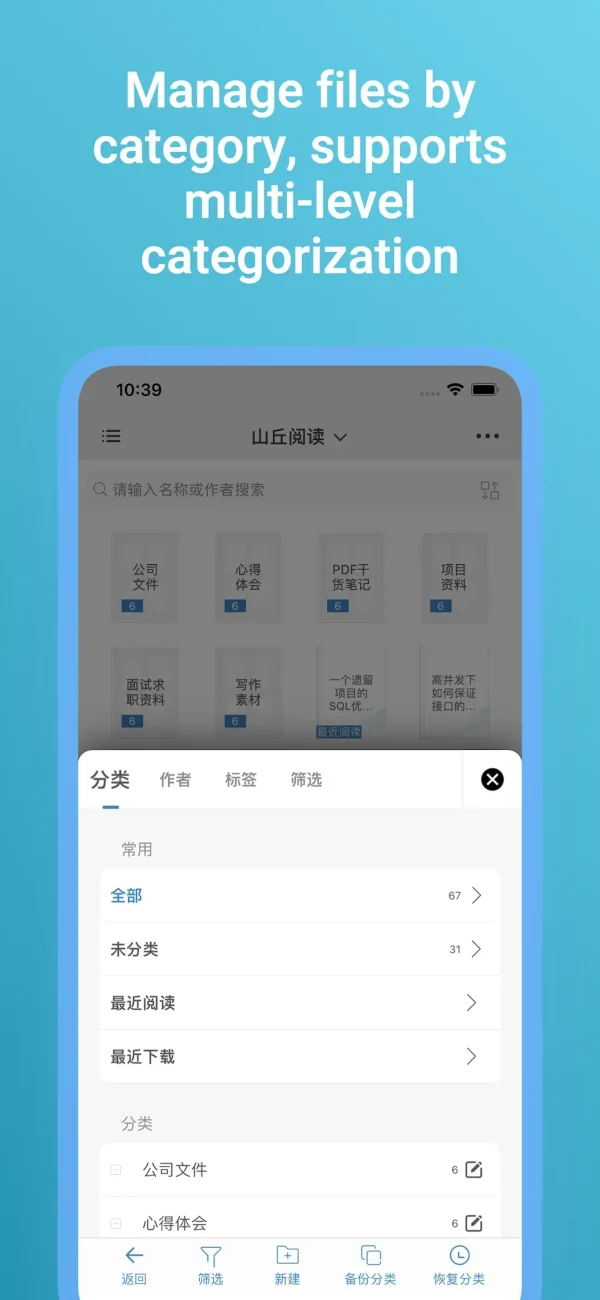
Organizational Capabilities
Unlimited document storage, fully functional in the free version.
Supports nested folders for detailed organization.
Enables quick file searching.
Allows batch renaming of files for efficient management.
Support for Common Archive Formats
Compatible with popular formats like zip, rar, and 7z.
Directly decompresses files within the app.
Supports password-protected and multi-part archives.
Format Conversion Features
Extracts pure text from PDF and Word documents.
Eliminates the need for separate apps to convert PDF to text or Office files to text.
Easy Document Exporting
Facilitates the export of individual documents, multiple documents, or entire folders.
Compresses folders for easy storage or sharing.
Beyond these highlights, Summit Reader also offers unique functionalities:
Customizable Document Covers
Original feature to modify document covers.
Import covers from your photo gallery or search for images on Baidu.
A great way to enhance the look of TXT documents which typically lack attractive covers.
Advanced Document Management
Custom categorization, name editing, and order rearranging.
Automatically prioritizes recently read documents.
Allows moving documents between different categories.
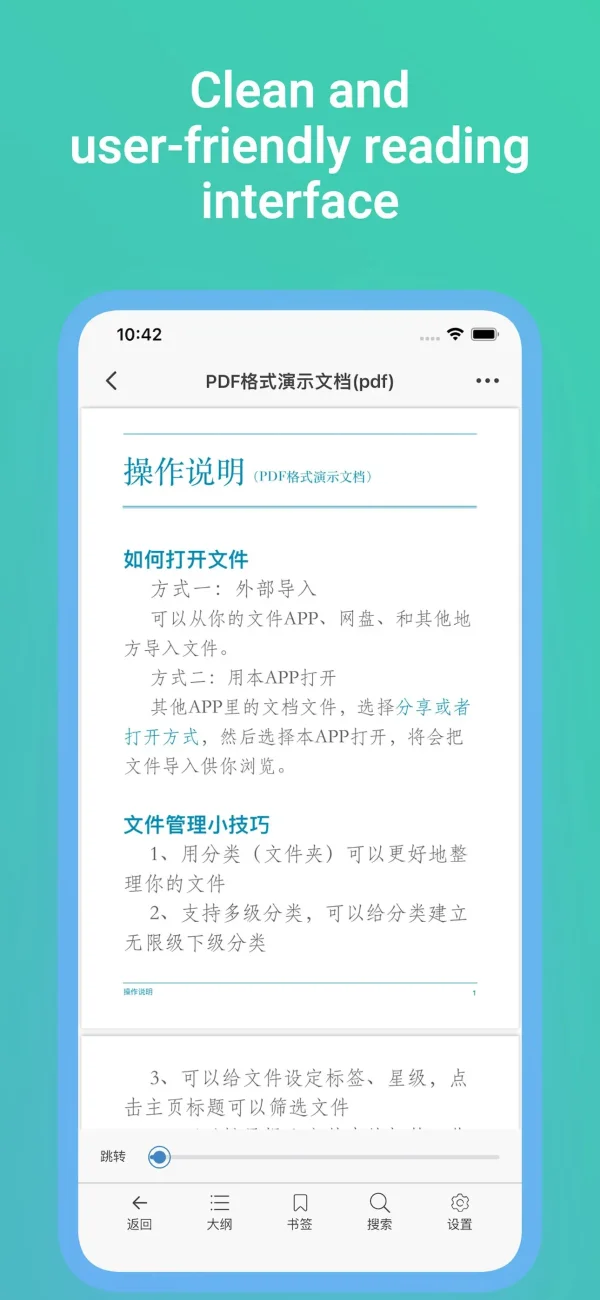
Pleasant Reading Interface
User-friendly design with features like automatic reading position saving.
Supports conversion between Simplified and Traditional Chinese.
Customizable spacing and eye-friendly night mode.
Diverse Font Selection
12 different fonts to choose from.
Option to download and import other fonts.
Advanced Handling of TXT Documents
Automatically segments chapters in TXT format.
Allows custom rules for chapter segmentation, including the use of regular expressions for convenience.
Experience the joy of organizing and reading with Summit Reader, inspired by the high-rated novels of Yuan Dou Dou.
Novedades
Versión 5.73 · 10/11/2026
New bookshelf drawer with custom avatars, nicknames, and saved group expansion states.
Grid view for bottom toolbar layouts, with search, grouping, and sharing.
Batch preview and generation for DIY covers, plus improved cover gallery performance.
Separate text emphasis settings for individual themes and defaults, included when sharing themes.
Added 19 dialogue bubble designs, with combined effects and individual spacing controls.
Improved opening previews, long-chapter pagination, and page turning.
Refined swipe-to-exit gestures and fixed chapter navigation during auto-reading.
Improved EPUB layout, images, footnote navigation, and full-text search.
Improved TXT chapter detection, encoding previews, and chapter rule management.
Browse notes in sequence, with more accurate navigation and highlighting.
Merge tags in bulk, with improved category sorting and reading status filters.
Search and restore books in bulk from the trash, with more flexible reading history cleanup.
Selectively restore backups, with improved preference restoration and recovery safeguards.
Set how many recently used book caches to keep, plus improved web file downloads.
Choose from six settings text sizes, switch reading fonts quickly, and enjoy a new dark app icon.
Privacidad de la aplicación
Lo que 三英 郑 declara en App Store sobre cómo esta aplicación gestiona los datos.
-
Datos usados para rastrearte
Pueden usarse para rastrearte en aplicaciones y sitios web propiedad de otras empresas.
- Datos de uso
-
Datos vinculados a ti
Pueden recopilarse y vincularse a tu identidad.
- Identificadores
- Datos de uso
-
Datos no vinculados a ti
Pueden recopilarse, pero no se vinculan a tu identidad.
- Identificadores
- Datos de uso
- Diagnóstico
Las prácticas de privacidad pueden variar, por ejemplo, según las funciones que uses o tu edad.
Información
- Vendedor
- 三英 郑
- Categoría
- Libros
- Versión
- 5.73
- Actualizado
- 10/11/2026
- Publicado
- 15/3/2018
- Tamaño
- 118,3 MB
- Requiere
- iOS 15.0 o posterior
- Clasificación por edad
- 4+
- Precio
- Gratis
- Compras en la aplicación
- Sí
- Idiomas
- Inglés, Chino simplificado, Chino tradicional
- Copyright
- © 2026 VIVI Studio