SuperCam Studio
Pro Webcam for Streaming & OBS
Diseñada para iPhone, iPad, iPod touch
Gratis · Compras en la aplicación
- Clasificación por edad4+
- CategoríaFoto y vídeo
- DesarrolladorBinaryBrew
- IdiomasInglés+ 1 más
- Tamaño19,7 MB
Enlaza a la página oficial de App Store
Download.org no aloja ningún archivo de SuperCam Studio. El botón abre la página de la aplicación en App Store, donde la publica BinaryBrew. Ficha comprobada por última vez el 18/11/2026.
Capturas de pantalla

Acerca de
El desarrollador no ha proporcionado este texto en tu idioma.
Welcome to SuperCam Studio!
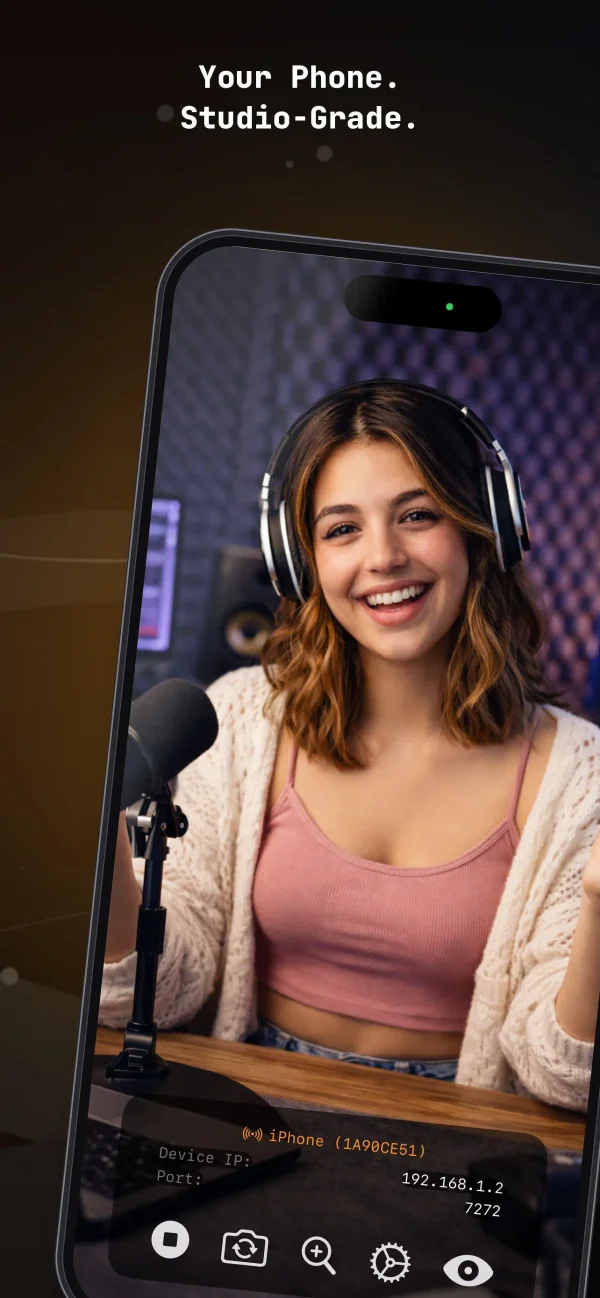
SuperCam Studio turns your iPhone into a professional-quality webcam, streaming your camera feed to your computer over Wi-Fi or USB. Whether you're podcasting, live streaming, teaching online, or just want a sharper picture on your next video call, your iPhone's camera can now do the job your laptop's built-in camera never could.
Connecting is simple. The Companion app finds your iPhone automatically over your local network, or you can connect manually by IP address if you'd rather. USB is supported too, for a stable, wire-free-interference connection when you need it. Once connected,you can switch between your front and back cameras, move between lenses if your iPhone has more than one, and pinch to zoom or use the on-screen zoom controls to frame your shot exactly how you want it.
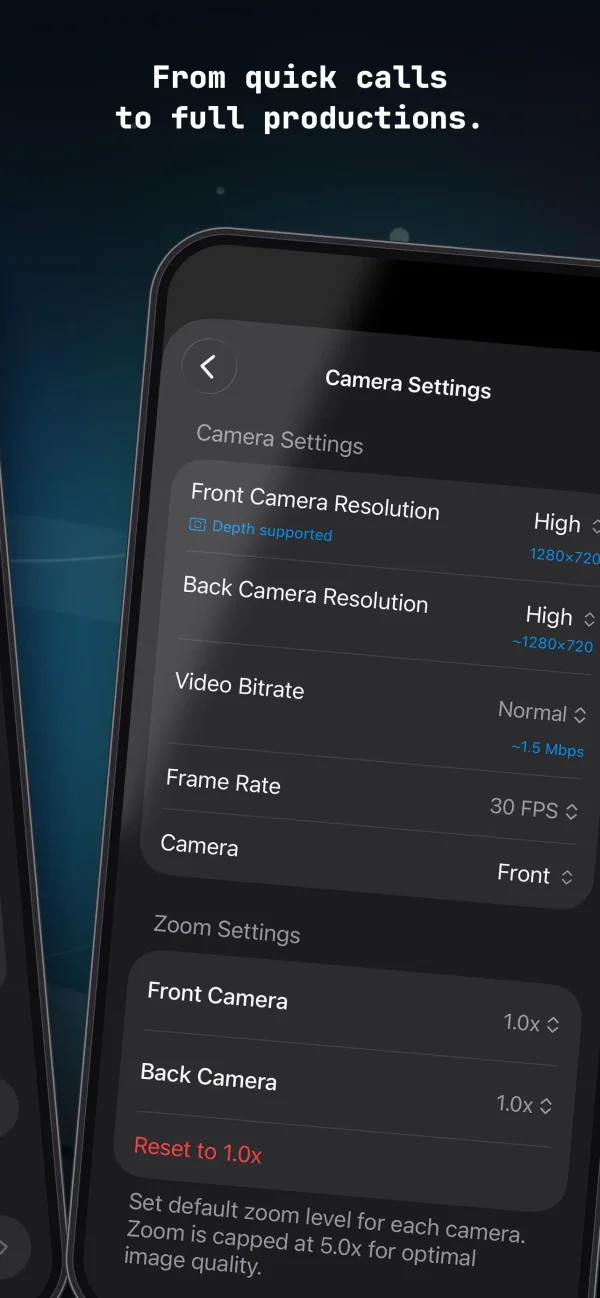
You're in full control of stream quality. Choose Hardware Encoding for smooth, efficient video up to 4K, or Software Encoding when you need broader compatibility. Resolution options range from 720p up to 4K, frame rates go up to 60 fps, and you can adjust bitrate to match your network and the quality you're after. 720p HD streaming is free, forever — no trial, no account required to get started.
To help your stream look its best, SuperCam Studio includes a set of built-in video effects:
- Background Blur to keep the focus on you
- Skin Smooth for a natural beauty pass
- Vignette for a cinematic edge
- Spotlight and Color Splash for more creative looks.
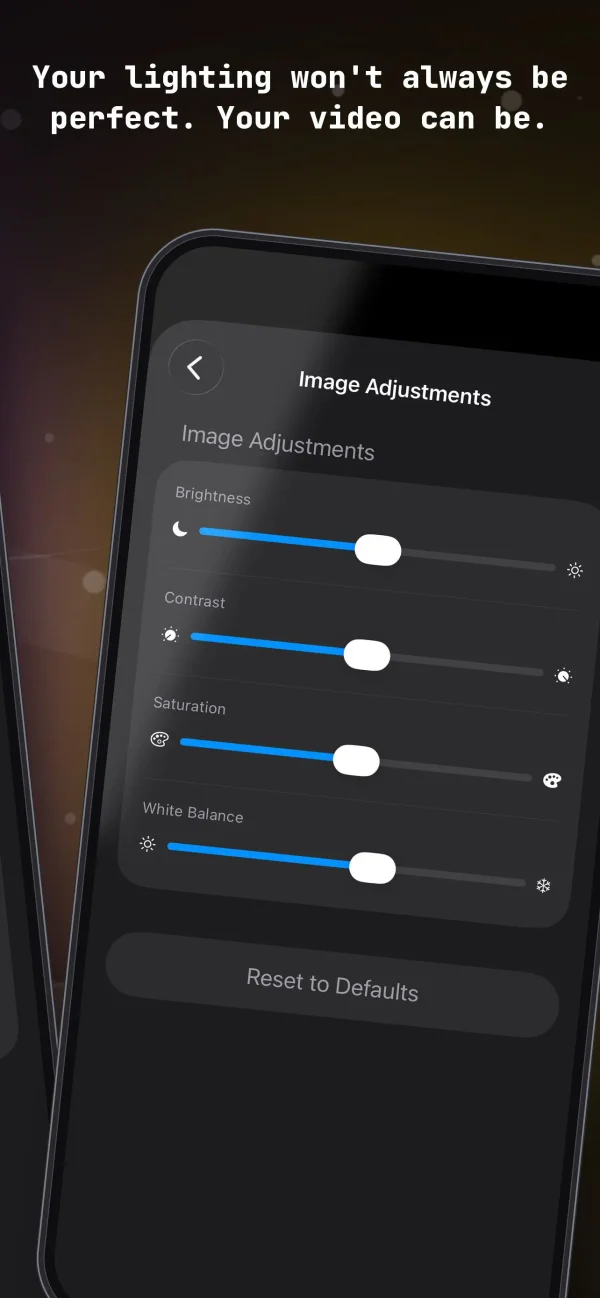
SuperCam Studio also offers Image Adjustments, so you can tweak brightness, contrast, saturation, and color temperature right on your stream. Handy when your room lighting isn't cooperating, or your light just has a yellow or blue tint you want to correct.
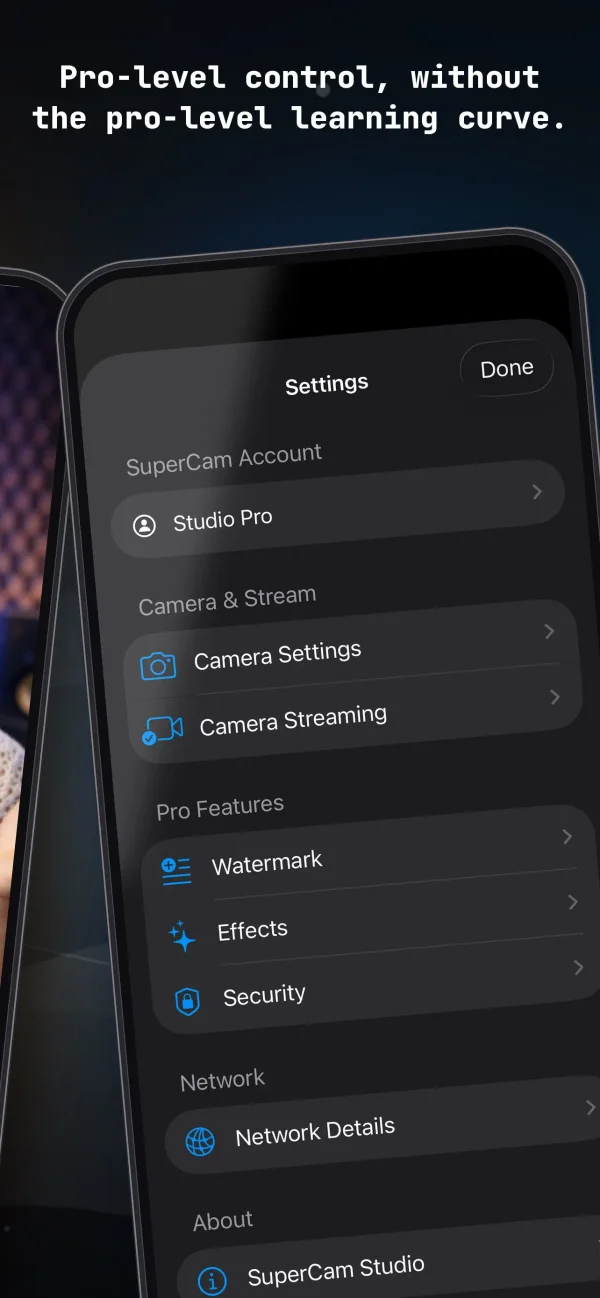
The Companion app for your computer acts as a virtual camera, so you can use your iPhone directly in Zoom, Google Meet, Microsoft Teams, FaceTime, and most other video apps without installing anything extra. It also works alongside OBS, as a Media Source for hardware-encoded H.264 streams or a Browser Source for MJPEG, for anyone who wants more control over their setup. Your stream stays on your local network too — video never routes through external servers.
For anyone who wants an extra layer of privacy, the Companion app can also pair with your iPhone with just a quick QR code scan, so only devices you've approved can join your stream. This is available as part of our secure streaming option.
SuperCam Studio is available in English and Japanese at launch, with more languages planned for future updates.
Terms of Use (EULA): https://supercam.studio/terms/
Privacy Policy: https://supercam.studio/privacy/
Thank you for choosing SuperCam Studio. We built this app to help creators, streamers, and everyday users get more out of the camera they already carry with them. If you run into any issues or have ideas for what we should build next, we'd love to hear from you.
Novedades
Versión 1.0.6 · 14/9/2026
Stream your way:
- New: Stream Orientation setting! Choose landscape or portrait for your outgoing stream, independent of how you hold your phone.
- Under-the-hood fixes for more accurate mirroring/flip behavior.
Privacidad de la aplicación
Lo que BinaryBrew declara en App Store sobre cómo esta aplicación gestiona los datos.
-
Datos no vinculados a ti
Pueden recopilarse, pero no se vinculan a tu identidad.
- Compras
- Identificadores
- Datos de uso
- Diagnóstico
Las prácticas de privacidad pueden variar, por ejemplo, según las funciones que uses o tu edad.
Información
- Vendedor
- BinaryBrew(OPC) Private Limited
- Categoría
- Foto y vídeo
- Versión
- 1.0.6
- Actualizado
- 14/9/2026
- Publicado
- 24/7/2026
- Tamaño
- 19,7 MB
- Requiere
- iOS 16 o posterior
- Clasificación por edad
- 4+
- Precio
- Gratis
- Compras en la aplicación
- Sí
- Idiomas
- Inglés, Japonés
- Copyright
- © 2026 SuperCam Studio
Quizá también te guste
-
 Rhea Cam: Phone Webcam for MacFoto y vídeo
-
 Anima: Juguetes en Stop MotionPelículas con tus juguetes
-
 DanceStar: Dance & RecordFoto y vídeo
-
 OLiveCamFoto y vídeo
-
 HDMI Cam - OBS CameraFoto y vídeo
-
 CamDuo: Cámara Dual de VideoFrontal y trasera a la vez
-
 VigilCamFoto y vídeo
-
 No Ads Mirror: Makeup CameraFoto y vídeo
-
 LogGrid - Make Your VLog LaterFoto y vídeo
-
 Camly — Phone WebcamFoto y vídeo