
TeachVault
Smart Attendance for Teachers
Diseñada para iPhone, iPad, iPod touch
Gratis · Compras en la aplicación
- Clasificación por edad4+
- CategoríaEducación
- DesarrolladorDishant Mukeshchandra Pandya
- IdiomasInglés
- Tamaño166,9 MB
Enlaza a la página oficial de App Store
Download.org no aloja ningún archivo de TeachVault. El botón abre la página de la aplicación en App Store, donde la publica Dishant Mukeshchandra Pandya. Ficha comprobada por última vez el 21/11/2026.
Capturas de pantalla



Acerca de
El desarrollador no ha proporcionado este texto en tu idioma.
TeachVault - Smart Attendance for Educators
TeachVault is a fast, reliable, and offline-first attendance app built for teachers, lecturers, and faculty.
From daily attendance to reports and records, everything is organized in one clean workflow.
Whether you teach in school, college, or university, TeachVault helps you save time and reduce manual paperwork.
Mark Attendance in Seconds
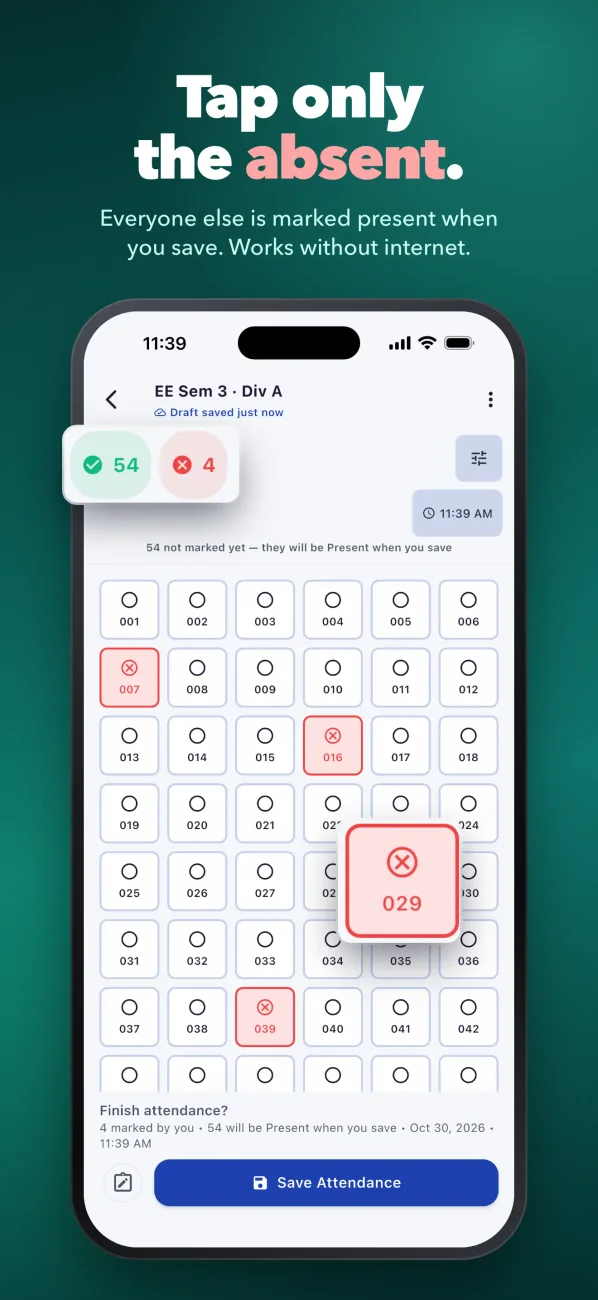
Grid-based attendance UI for speed and clarity
Mark Present, Absent, Late, and Excused
Instant session summary while taking attendance
QR Attendance (Pro)
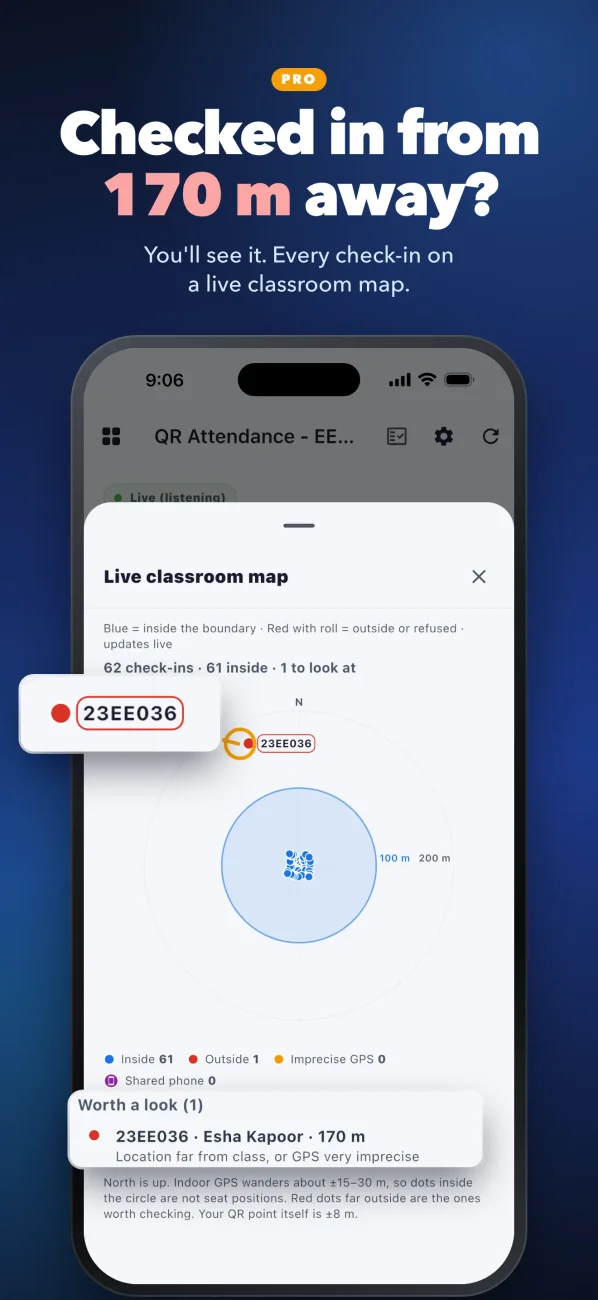
Generate live QR for classroom check-in
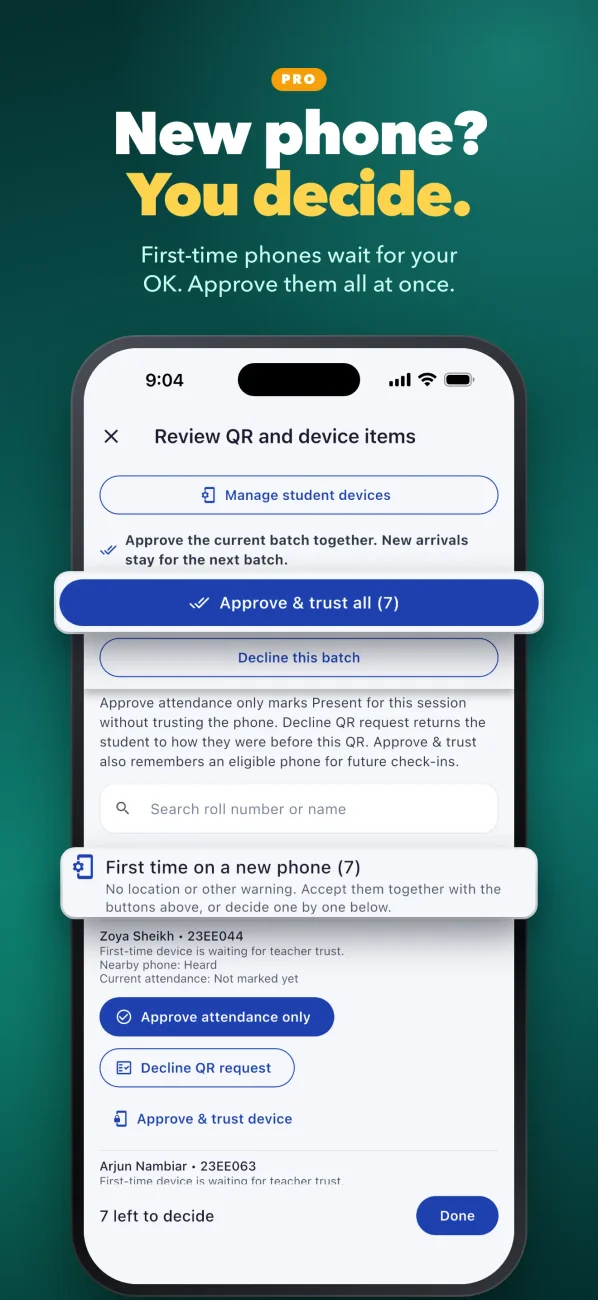
Real-time check-in monitoring on teacher screen
QR expiry decision prompt for better control
Attendance method tracking (Manual / QR / Mixed)
Complete Class and Student Management
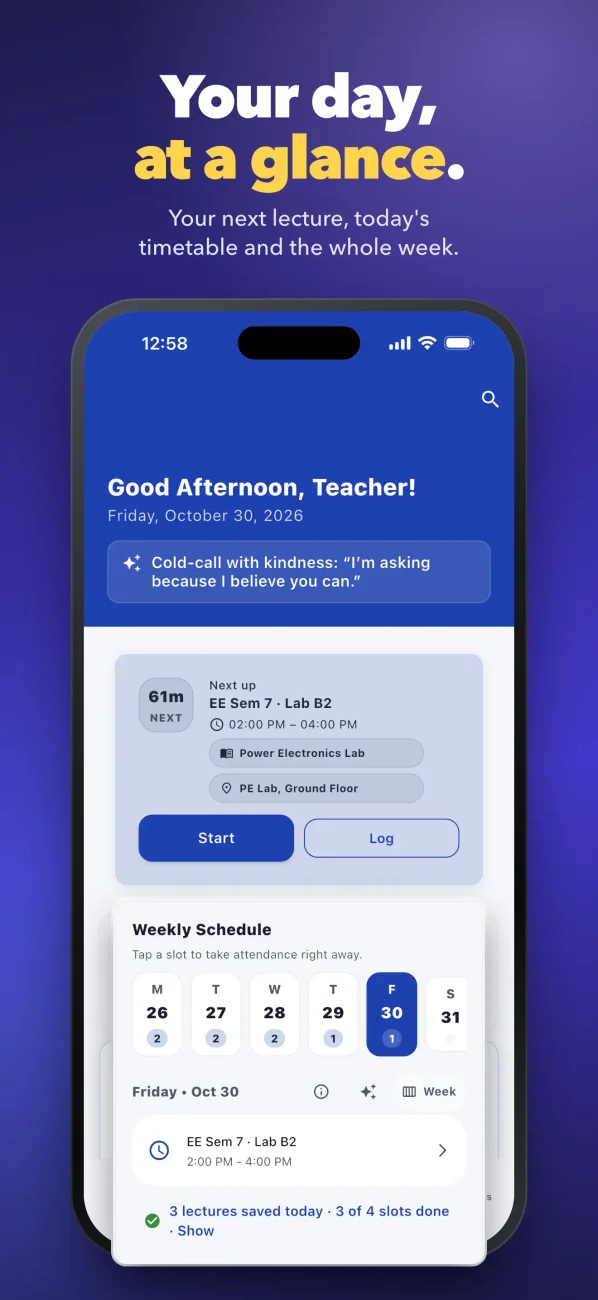
Manage multiple classes with subject and schedule context
Student profiles with roll numbers and structured records
Practical workflows for day-to-day teaching use
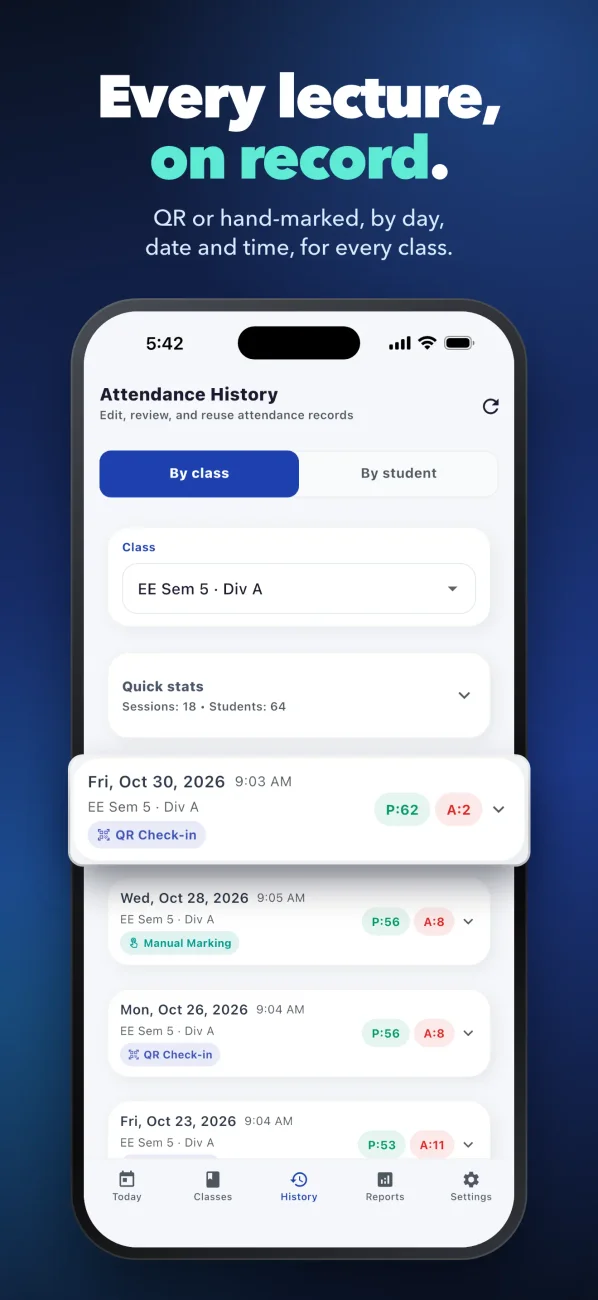
Accurate Attendance History
Class-wise and student-wise session history
Edit past entries when needed
Maintain reliable records for audits and reviews
Reports and Exports
Generate professional attendance reports
Export to PDF, CSV, and Excel formats
Useful for administration and documentation
Security and Privacy
App-level PIN lock and auto-lock
Privacy-first approach with secure local data handling
Built with educator trust in mind
Works Offline
Core attendance workflows work without internet
Reliable in low-connectivity classrooms
Your data stays accessible when you need it
TeachVault Pro (One-time Purchase)
Lifetime Pro unlock with one-time purchase
No subscription is required for TeachVault Pro
Pro unlocks advanced features such as QR attendance, deeper analytics, premium exports, and more
Built for real classrooms by an educator-minded team.
Download TeachVault and make attendance effortless.
TeachVault Classroom (optional yearly subscription)
Where Class space is available, teachers can subscribe to share class updates and materials with approved students. Students do not need to purchase a subscription. Classroom and TeachVault Pro are separate products.
Subscription length: 1 year. The price is shown before purchase. Payment is charged to your Apple Account when you confirm the purchase. The subscription renews automatically each year unless cancelled at least 24 hours before the end of the current period. Manage or cancel it in your App Store subscription settings. Deleting the app or your TeachVault account does not cancel the subscription.
Terms of Use: https://www.teachvault.app/terms.html
Privacy Policy: https://www.teachvault.app/privacy.html
Terms of Use (Apple Standard EULA): https://www.apple.com/legal/internet-services/itunes/dev/stdeula/
Novedades
Versión 5.2.6 · 15/11/2026
TeachVault 5.2.6 makes backups and student links more dependable, fits onboarding and Today to large text and keeps attendance messages clear of Save. It also brings many more daily quotes and Quick Reset facts.
• Automatic backups no longer miss a change you make while a backup is uploading. The change is backed up on the next run.
• Student links now update after you correct attendance in History, restore from the Recycle Bin or change the class list, even if the app was closed in between. History shows whether student links are up to date, with Try now if an update did not go through.
• The CO-PO audit workbook now reaches the same On track or Needs action decision as the app.
• The first-run pages scroll at large text sizes, so no choice is cut off.
• Trying the demo class again continues your first demo instead of creating a second class.
• The Today header grows with large text instead of cutting off the greeting, date and quote.
• The undo message after Mark all present, Mark all absent or Mark remaining absent now appears just above Notes and Save instead of over your students. Messages such as "Attendance saved" no longer cover Save.
• Old QR attendances from early app versions that could not be saved or cancelled can now be finished.
• What's New in the app no longer shows internal release records.
Also in this update:
• Today's daily quote now comes from 359 lines instead of 59.
• Quick Reset now has 365 short facts instead of 25, and you see the new ones even if you used it before.
• Today now lists attendances on this phone that were left unsaved for an hour or more, under "N attendances were never saved". Each row shows the class, date and marks. Tap one to open it and save or cancel it. Nothing is changed for you.
• Archiving a class that still has unfinished attendances first lists them, with Cancel, Archive anyway and Open the first.
• Old QR sessions (from app versions before April 2026) of a class still on this phone, such as an archived class, no longer hold up sign-out once all their codes are switched off or ended over a day ago and their attendance is saved or not on this phone.
• When the view you picked hides every student, for example Unmarked after everyone is marked, the screen says "Every student has a status" or "No student matches this view" and offers "Show all students", instead of "No students in this class". Your marks are kept.
• Clearer messages: an old attendance that cannot be repaired says why, and a Cancel that times out names the step it was waiting for.
• Sign out no longer stops on old QR sessions (from app versions before April 2026) of classes this phone does not hold. They stay in your account, like other QR sessions not stored on this phone.
• Hide the empty "No classes scheduled today" and "No weekly schedule yet" cards, or the Smart Insight card, with one tap. Undo it at once, or turn it back on in Settings → Today Screen Sections, which now has "Show all sections". Today tells you when some sections are hidden.
• Once the teaching end date of every class has passed, Today stops asking you to add a schedule.
• The Smart Insight card fits large text sizes.
TeachVault Classroom is the yearly plan for teachers running Class spaces where available. Deleting an account does not cancel a subscription. Class space availability may vary during rollout.
Privacidad de la aplicación
Lo que Dishant Mukeshchandra Pandya declara en App Store sobre cómo esta aplicación gestiona los datos.
-
Datos vinculados a ti
Pueden recopilarse y vincularse a tu identidad.
- Salud y forma física
- Compras
- Información financiera
- Ubicación
- Información de contacto
- Contactos
- Contenido del usuario
- Identificadores
- Datos de uso
- Diagnóstico
- Otros datos
-
Datos no vinculados a ti
Pueden recopilarse, pero no se vinculan a tu identidad.
- Identificadores
- Diagnóstico
Las prácticas de privacidad pueden variar, por ejemplo, según las funciones que uses o tu edad.
Información
- Vendedor
- Dishant Mukeshchandra Pandya
- Categoría
- Educación
- Versión
- 5.2.6
- Actualizado
- 15/11/2026
- Publicado
- 7/1/2026
- Tamaño
- 166,9 MB
- Requiere
- iOS 15.5 o posterior
- Clasificación por edad
- 4+
- Precio
- Gratis
- Compras en la aplicación
- Sí
- Idiomas
- Inglés
- Copyright
- © 2026 Dishant Pandya. All rights reserved.