
- Clasificación por edad4+
- CategoríaProductividad
- DesarrolladorBlue Vine Solutions, LLC
- IdiomasInglés+ 1 más
- Tamaño5,8 MB
Enlaza a la página oficial de App Store
Download.org no aloja ningún archivo de Texie. El botón abre la página de la aplicación en App Store, donde la publica Blue Vine Solutions, LLC. Ficha comprobada por última vez el 17/11/2026.
Capturas de pantalla





Acerca de
El desarrollador no ha proporcionado este texto en tu idioma.
Texie is a versatile and easy to use Al-assisted Scanner and Reader. Use it to quickly extract text from images and multi-format documents, to hear content spoken, or to read later.
It immediately appends each scan to the same page or to the following page based on the options selected, making it easy to scan multiple regions or pages at a time.
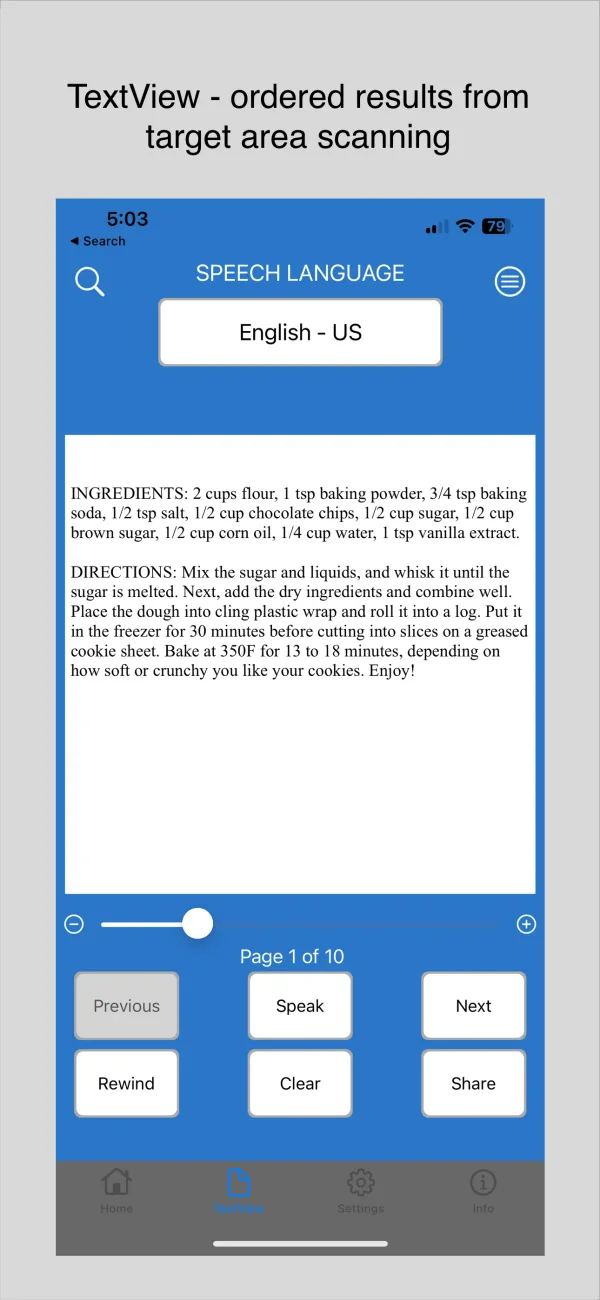
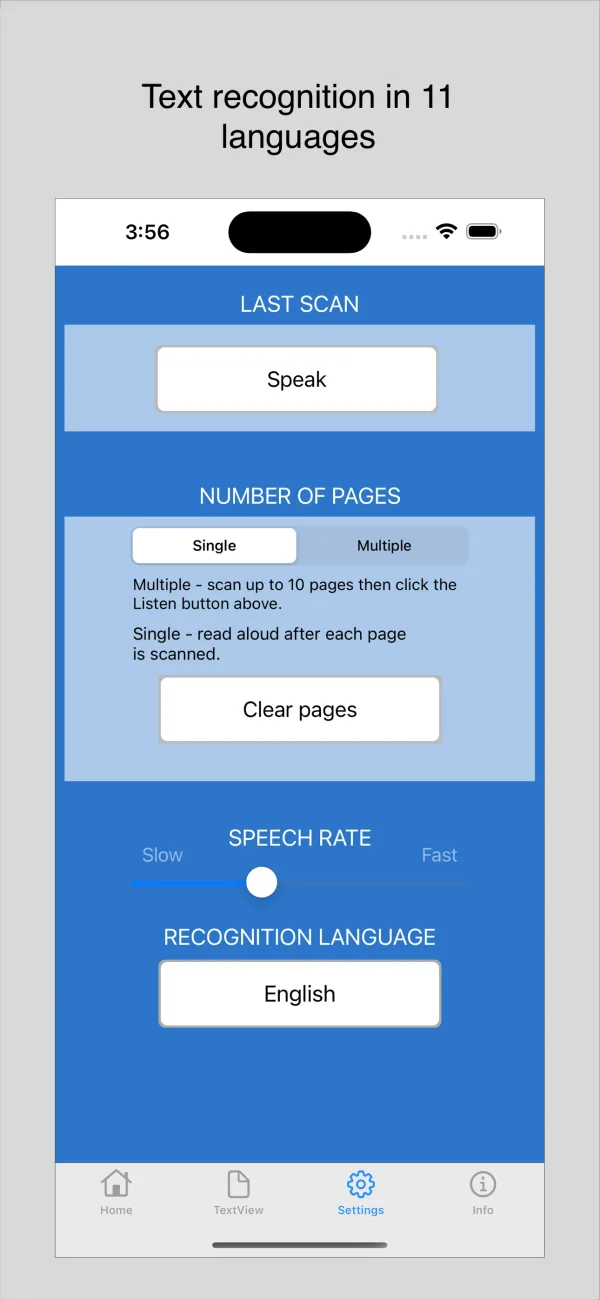
Point your camera at printed text, images, signs, labels, or handwritten notes to have Texie immediately recognize, convert to text, and optionally speak it within seconds For a quick scan followed by speaking, select the "Single" page option in Settings. If you'd like to bypass speaking, or wish to bulk scan, select the "Multiple" page option in Settings. Each scan is automatically saved in the TextView tab, which can save up to 10 scanned pages at a time.
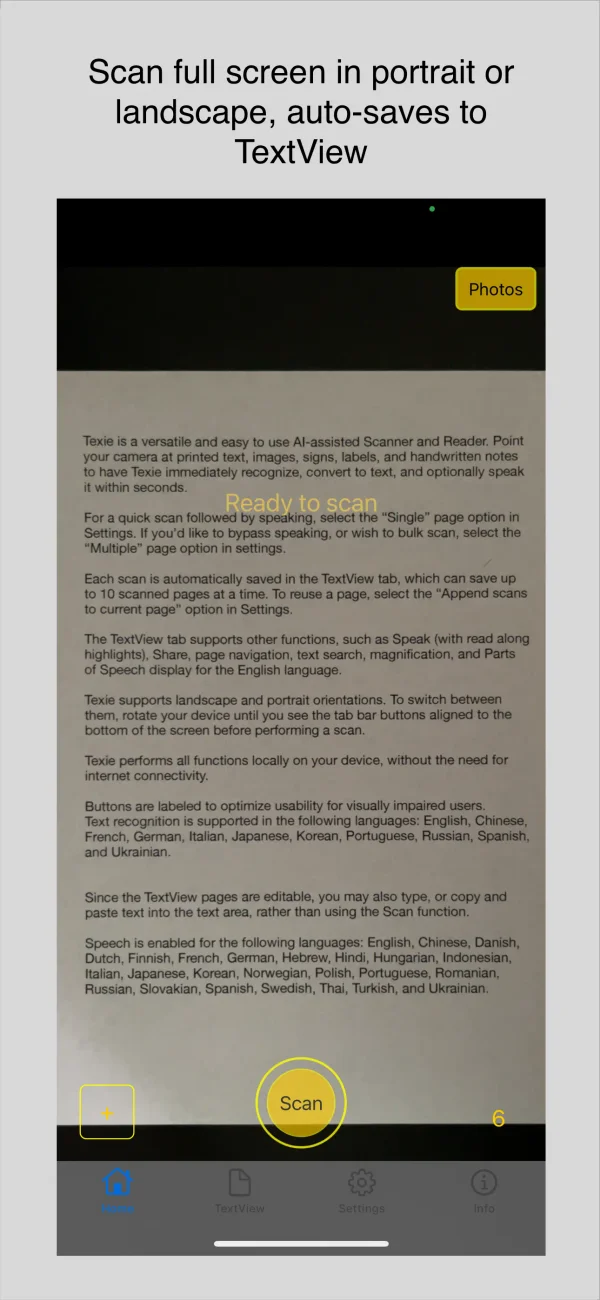
Texie supports both full screen and target area scanning. Click the "+" button on the Camera tab to enable our custom movable and resizable focus rectangle, which will precisely define a target area for scanning. (Available for iOS 15 +)
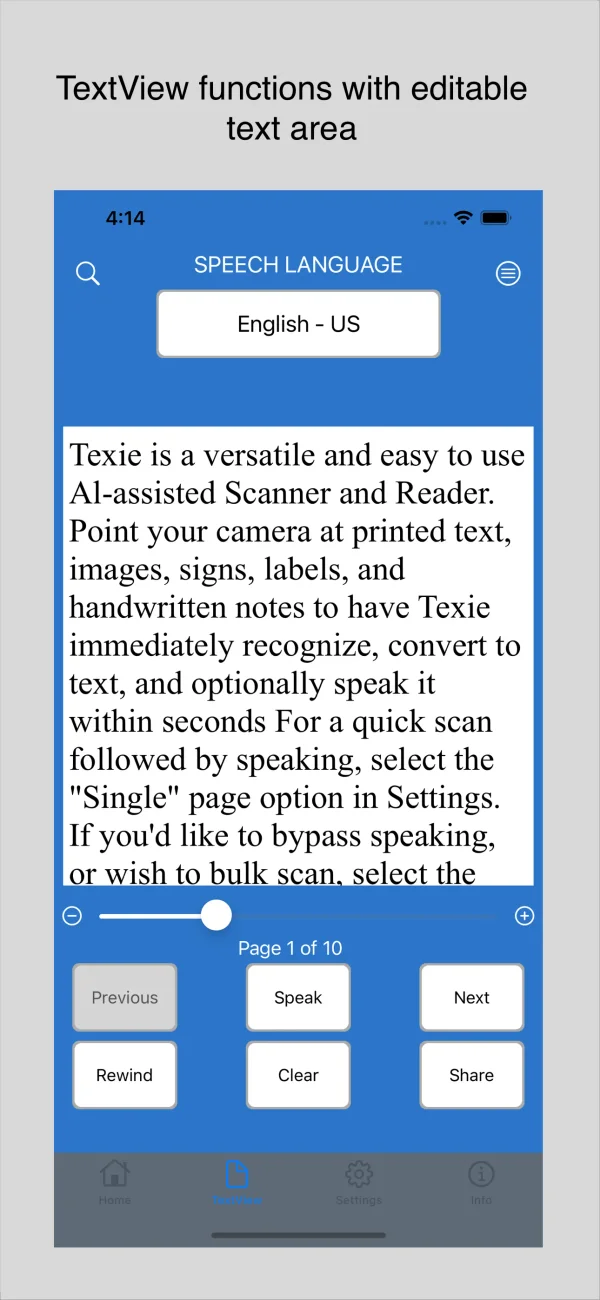
To reuse a page, select the "Append scans to current page" option in Settings. The TextView tab supports other functions, such as Speak (with read along highlights), Share, page navigation, text search, magnification, and Parts of Speech display for the English language. Texie supports landscape and portrait orientations. To switch between them, rotate your device until you see the tab bar buttons aligned to the bottom of the screen before performing a scan. Texie performs all functions locally on your device, without the need for internet connectivity. Buttons are labeled to optimize usability for visually impaired users.
Text recognition is supported in the following languages: English, Chinese, French, German, Italian, Japanese, Korean, Portuguese, Russian, Spanish, and Ukrainian.
Since the TextView pages are editable, you may also type, or copy and paste text into the text area, instead of using the Scan function.
Speech is enabled for the following languages: English, Chinese, Danish, Dutch, Finnish, French, German, Hebrew, Hindi, Hungarian, Indonesian, Italian, Japanese, Korean, Norwegian, Polish, Portuguese, Romanian, Russian, Slovakian, Spanish, Swedish, Thai, Turkish, and Ukrainian.
[ Aim camera at printed text, pull back to focus and adjust as needed before clicking the scan button. ]
Overview:
- simple and intuitive User Interface
- fast scanning and text extraction
- flexible scanning (use + button to define a resizable, rectangular scan area. Touch and drag the inside corner of the rectangle to resize, or touch and drag the center to move it around the camera screen)
- extract text from images or documents in any format, and in any order, using our custom focus rectangle
- full screen scanning (click on the "x" to remove the rectangular scan area)
- editable text area
- share feature
- use in portrait or landscape orientation
- variable speech rate slider
- variable text size slider in Text View
- highlights for currently spoken word
- background execution enabled
- internet connectivity not needed
- no logins or Ads
- private (no tracking)
- iOS14 +, iPhone 6s and above
- requires camera permission to detect and recognize text
- requires photo library permission to recognize user selected photos
- made in USA
For best results with other languages, select the targeted "RECOGNITION LANGUAGE" in the Settings tab before performing a scan.
+ text recognition accuracy is not guaranteed, and by using this app, you agree to assume all risks from any errors generated by this app.
French app localization credit goes to Sof!
If you would like Texie to be localized to another language, please contact us: support@bluevinesolutions.com
For FAQs and updates, please follow the app page at Facebook.com/TextAI
Novedades
Versión 8.1 · 17/3/2026
Rebuilt binary for iOS26.
Privacidad de la aplicación
Lo que Blue Vine Solutions, LLC declara en App Store sobre cómo esta aplicación gestiona los datos.
-
No se recopilan datos
El desarrollador no recopila ningún dato de esta aplicación.
Las prácticas de privacidad pueden variar, por ejemplo, según las funciones que uses o tu edad.
Información
- Vendedor
- Blue Vine Solutions, LLC
- Categoría
- Productividad
- Versión
- 8.1
- Actualizado
- 17/3/2026
- Publicado
- 3/10/2017
- Tamaño
- 5,8 MB
- Requiere
- iOS 14.1 o posterior
- Clasificación por edad
- 4+
- Precio
- Gratis
- Idiomas
- Inglés, Francés
- Copyright
- © 2017 Blue Vine Solutions, LLC
Quizá también te guste
-
 Otvika: Texto a Voz y LectorLeer PDF en voz alta con IA
-
 AI Speech TranscriberProductividad
-
 Squarely HabitsProductividad
-
 BryxeProductividad
-
 Checkomat: Private ChecklistsProductividad
-
 Paperix - PDF Secure and LocalProductividad
-
 Snapshelf: Scan & Read AloudProductividad
-
 NobodyWho ChatProductividad
-
 Assignment TilesProductividad
-
 My Speech! para buenas notasNotas de audio reinventadas