Texture Forager
Capture and make PBR textures
Diseñada para iPhone, iPad
7,99 €
- Clasificación por edad4+
- CategoríaFoto y vídeo
- DesarrolladorAustin Beaulier
- IdiomasInglés
- Tamaño8,1 MB
Enlaza a la página oficial de App Store
Download.org no aloja ningún archivo de Texture Forager. El botón abre la página de la aplicación en App Store, donde la publica Austin Beaulier. Ficha comprobada por última vez el 16/11/2026.
Capturas de pantalla


Acerca de
El desarrollador no ha proporcionado este texto en tu idioma.
Texture Forager turns the world around you into game-ready PBR materials. Photograph stone, bark, brick, moss or fabric and get a complete, seamlessly tiling material, ready for Unity, Unreal, Blender or AR.
FLASH SCAN: REAL DEPTH, NOT GUESSWORK
A single photo can only guess at depth. Flash Scan measures it. Hold your iPhone over a surface and tilt it around a guided ring while the flashlight lights it from every side. Texture Forager solves the surface's true normals and height, removes the lighting for a clean albedo, and records the patch's real-world size.
A CAMERA BUILT FOR TEXTURES
• Max mode captures at 48 MP for maximum detail
• Measure mode uses LiDAR to record real-world scale and surface relief
• Lock focus, exposure and white balance for consistent captures
• Live warnings for clipped highlights, uneven light and motion
• Or import any photo from your library
A COMPLETE PBR MATERIAL
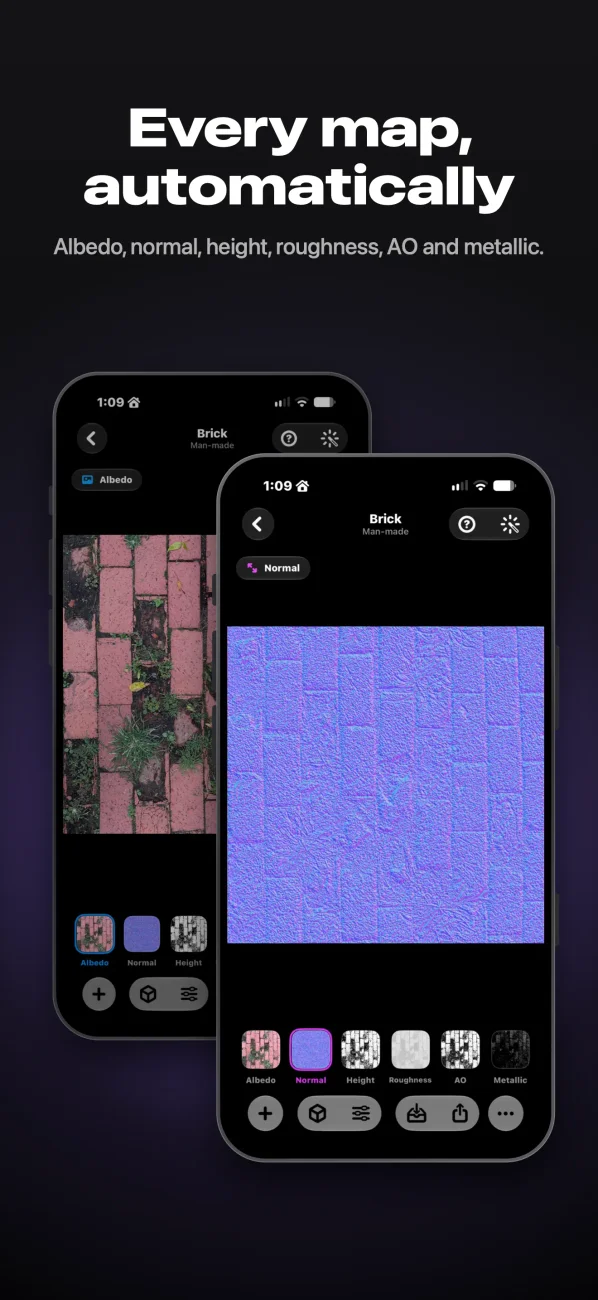
Every capture becomes a full map set: Albedo, Normal, Height, Roughness, Ambient Occlusion and Metallic. Shadows and hotspots are evened out before tiling, so your material repeats without visible seams or bright bands. Smart presets tune the maps to each material's category.
EDIT WITH PRECISION
• Sliders for every map, with every map and the 3D preview updating as you drag
• Crop, straighten and fix perspective with a four-corner editor
• Clone Stamp to paint out blemishes and repeating details
• Blend or Mirror tiling
SEE IT IN 3D AND AR
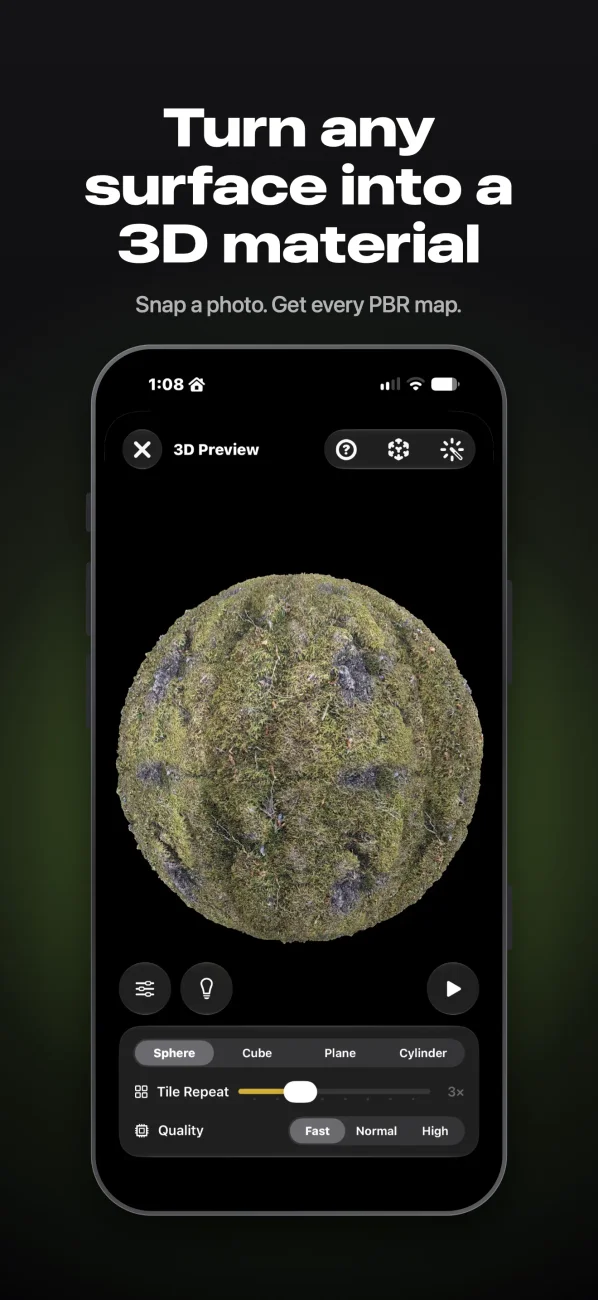
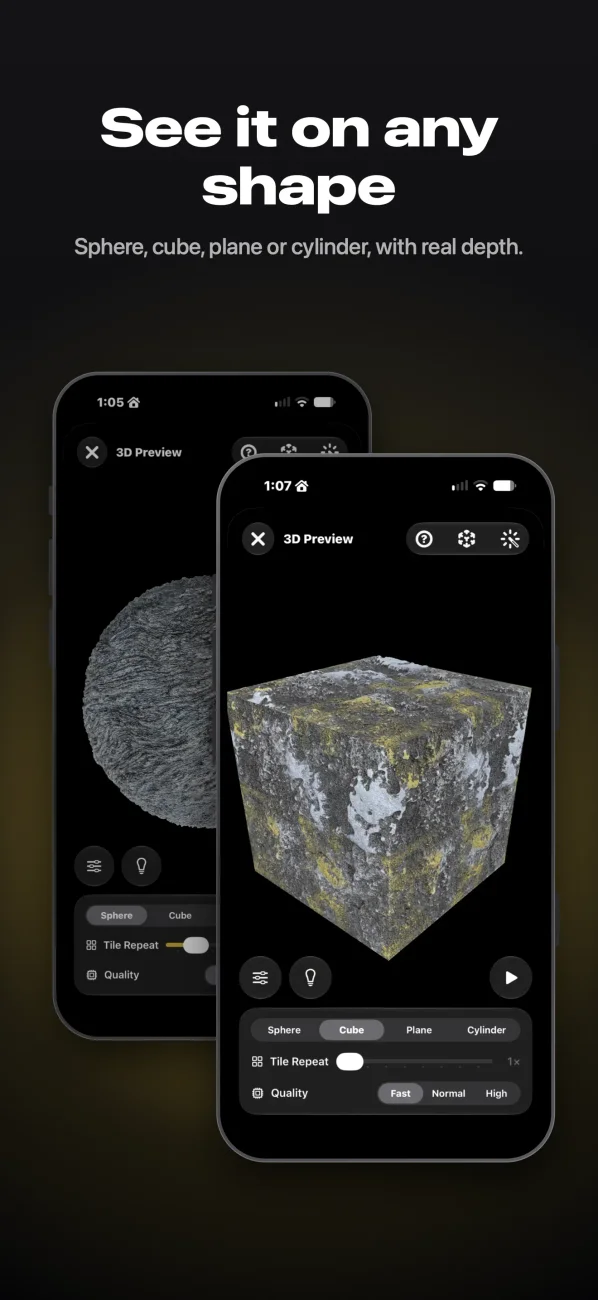
Try your material on a sphere, cube, plane or cylinder with real displacement, lighting presets and adjustable tiling. Then tap View in AR to place it on a real floor or wall at true scale.
EXPORT FOR YOUR ENGINE
• Presets for Unity, Unreal and Blender, with channel packing and the right normal-map format
• 1K, 2K or 4K resolution, with 16-bit height
• USDZ export that opens in AR Quick Look
• Real-world scale travels with your export
FORAGE AND COLLECT
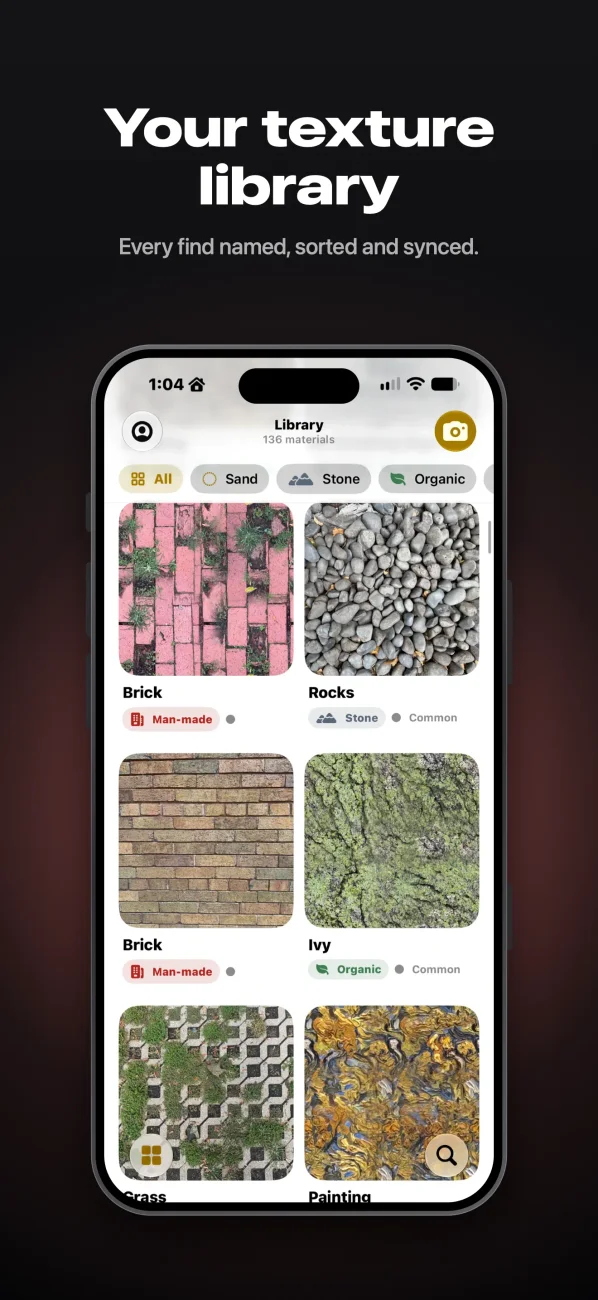
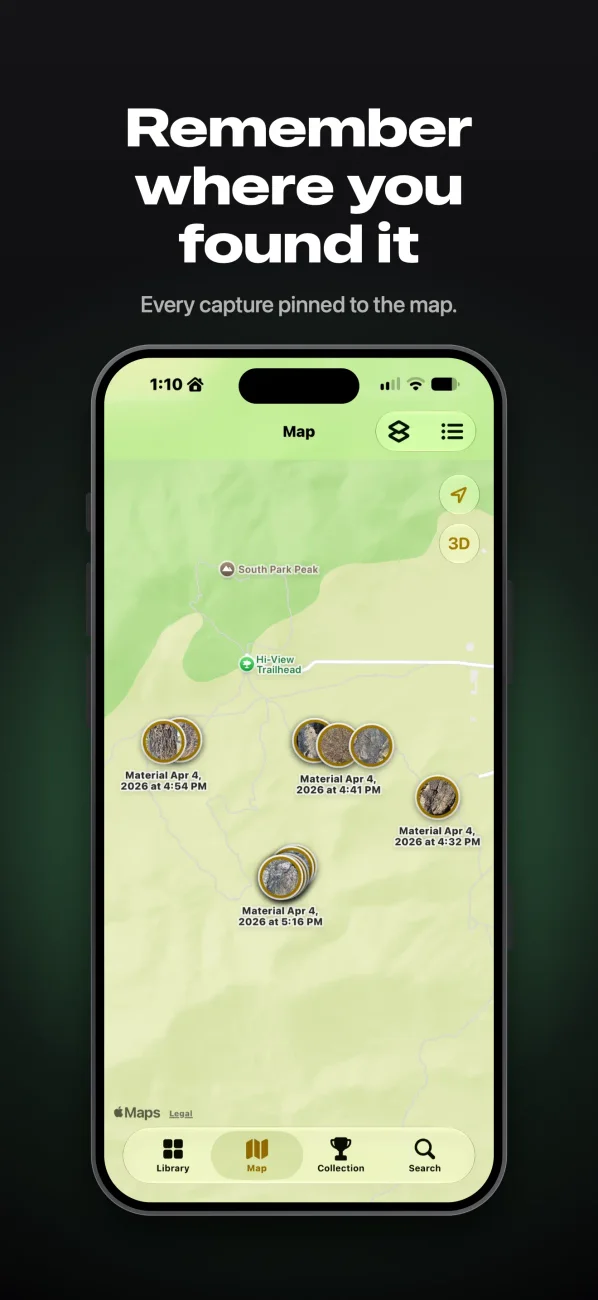
Your materials are pinned to the map where you found them. Sort your finds by category, rank them from Common to Legendary, and watch your collection grow. Your library syncs with iCloud, and you can publish your best finds to textureforager.com.
DESIGNED FOR iOS 26
A Liquid Glass design that feels at home on iPhone and iPad. On iPhone Duo, open the phone to see your material and its live 3D preview side by side.
Made for game developers, 3D artists, architectural visualizers, VFX artists, and anyone who has ever looked at a mossy wall and thought, "I need that in my scene."
Flash Scan requires a device with a flashlight and ARKit support. Measure mode requires a device with LiDAR.
Novedades
Versión 2.01 · 2/11/2026
Fixes for Texture Forager on Mac:
• Fixed a crash when publishing a texture to textureforager.com
• The library now explains when iCloud isn't available and how to turn it on
Texture Forager 2.0 is our biggest update yet.
FLASH SCAN
Capture true surface depth, not just color. Hold your iPhone over a surface and tilt it around a guided ring while the flashlight lights it from every side. Texture Forager measures real normals and height and gives you a clean, shadow-free albedo.
A NEW CAMERA
• Max mode for 48 MP captures
• Measure mode records real-world size and relief with LiDAR
• Tap to focus, plus focus, exposure and white-balance locks
• Live warnings for clipped highlights, uneven light and motion
AR AND REAL-WORLD SCALE
• Materials now carry their real-world size
• View in AR places a material on a real floor or wall at true scale
• Export USDZ files that open in AR Quick Look
BETTER MATERIALS
• Lighting is evened out before tiling, removing bright bands at the seams
• Smart presets for each material category
• Faster slider updates on tiled materials
• Fixed normal-map direction and edge artifacts in 4K exports
A NEW DESIGN FOR iOS 26
• Liquid Glass throughout, with Library, Map, Collection and a new Search tab
• iPhone Duo: open the phone to see your material and its live 3D preview side by side
• iPad and iPhone Duo now rotate to fill the screen
• 3D preview: custom backgrounds, and even tiling with no seams on cubes and cylinders
• How It Works guides for Flash Scan, the editor and the 3D preview
Privacidad de la aplicación
Lo que Austin Beaulier declara en App Store sobre cómo esta aplicación gestiona los datos.
-
Datos vinculados a ti
Pueden recopilarse y vincularse a tu identidad.
- Información de contacto
- Contenido del usuario
- Identificadores
Las prácticas de privacidad pueden variar, por ejemplo, según las funciones que uses o tu edad.
Información
- Vendedor
- Austin Beaulier
- Categoría
- Foto y vídeo
- Versión
- 2.01
- Actualizado
- 2/11/2026
- Publicado
- 13/3/2026
- Tamaño
- 8,1 MB
- Requiere
- iOS 26.0 o posterior
- Clasificación por edad
- 4+
- Precio
- 7,99 €
- Idiomas
- Inglés
- Copyright
- © Austin Beaulier 2026
Quizá también te guste
-
 Gaussian SplatKingFoto y vídeo
-
 HDReyeFoto y vídeo
-
 Lightcraft JetsetFoto y vídeo
-
 Face Cap - Motion CaptureFoto y vídeo
-
 SimulonFoto y vídeo
-
 RealityScan MobileFoto y vídeo
-
 KIRI Engine:3D Scanner & LiDARFoto y vídeo
-
 Moment Pro Camera IIFoto y vídeo
-
 Chromagraph CameraFoto y vídeo
-
 Procreate DreamsEdita. Anima. Crea.