tickward: Countdown Widget
Days until birthdays & trips
Diseñada para iPhone
Gratis · Compras en la aplicación
- Clasificación por edad4+
- CategoríaProductividad
- DesarrolladorMichal Sniezynski
- IdiomasInglés
- Tamaño6,3 MB
Enlaza a la página oficial de App Store
Download.org no aloja ningún archivo de tickward: Countdown Widget. El botón abre la página de la aplicación en App Store, donde la publica Michal Sniezynski. Ficha comprobada por última vez el 23/11/2026.
Capturas de pantalla

Acerca de
El desarrollador no ha proporcionado este texto en tu idioma.
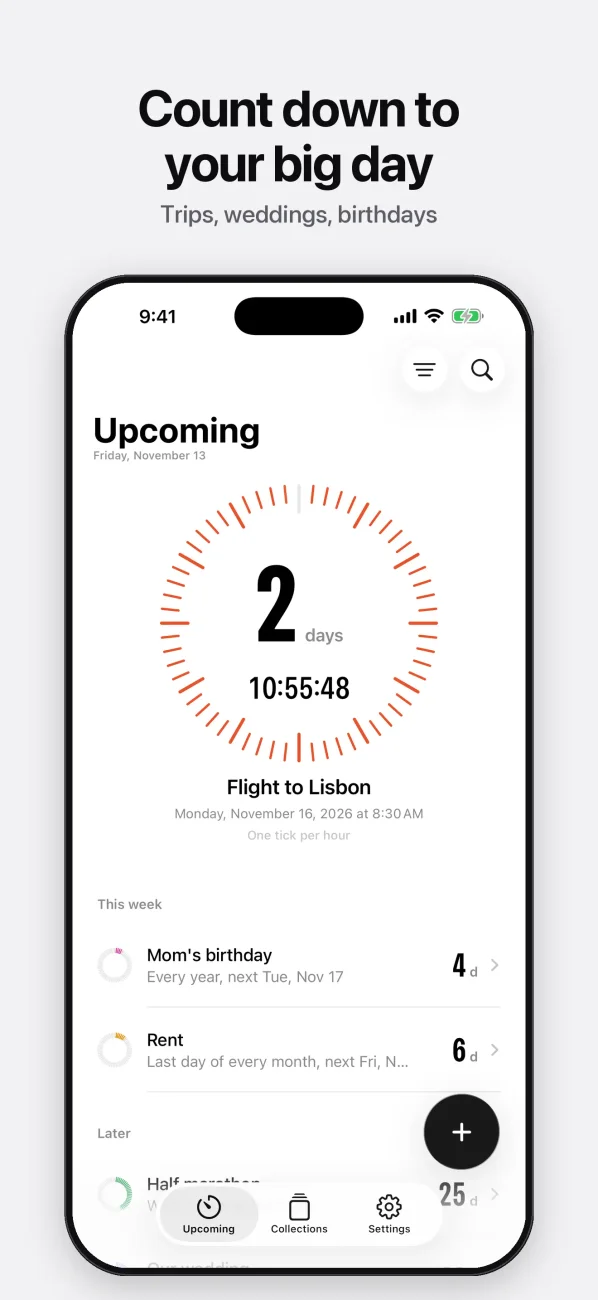
See how many days are left until your trip, wedding or birthday, right on your Home Screen, Lock Screen and Dynamic Island.
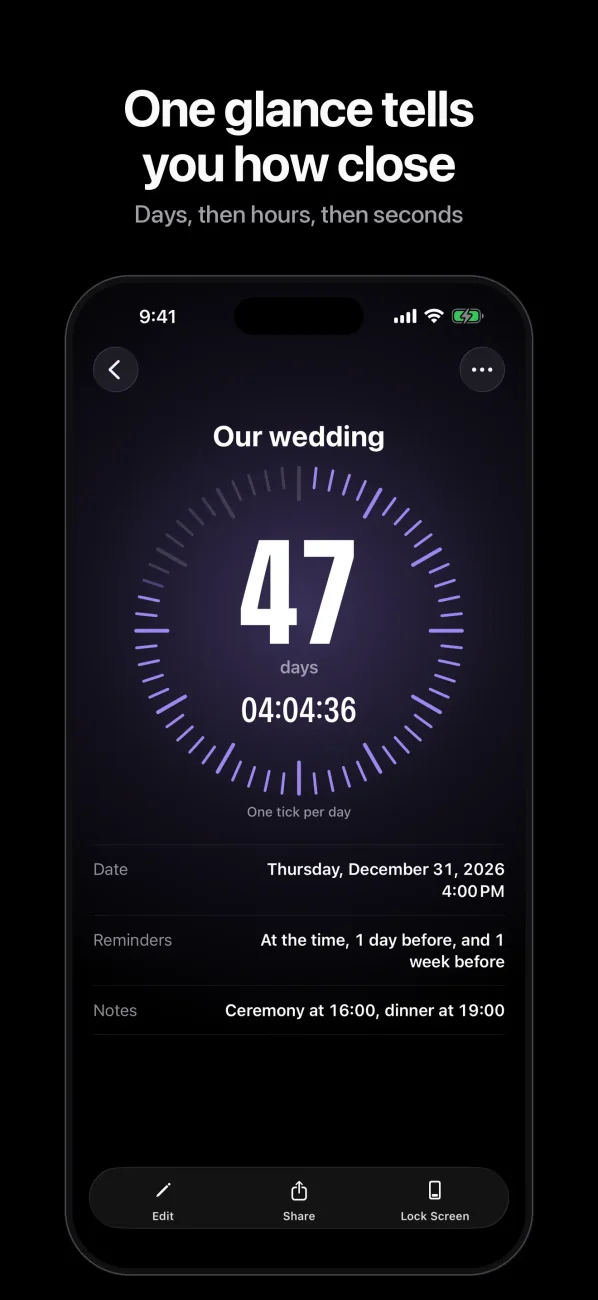
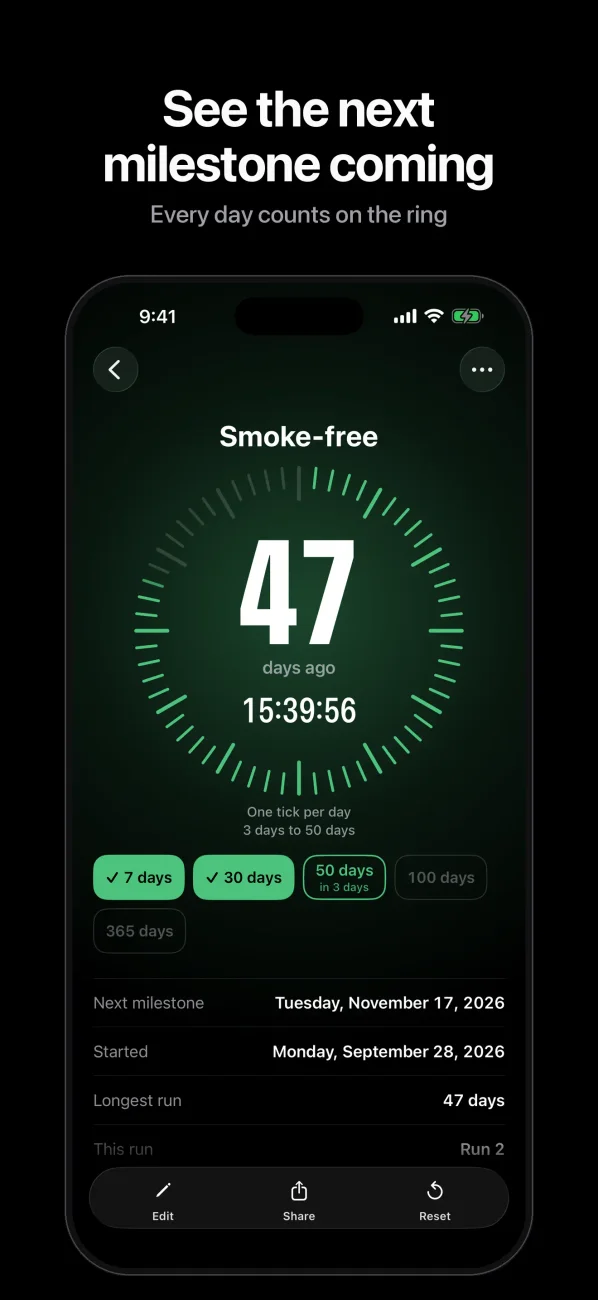
tickward turns every date into a dial of 60 ticks. One tick is one day left. As the day gets close, the dial zooms in to hours, then minutes, then seconds, so one glance tells you how near it is.
No account needed. No ads.
ALWAYS IN SIGHT
- Home Screen and Lock Screen widgets for one date or whatever is next.
- A Live Activity in the Dynamic Island and on the Lock Screen for the last 24 hours.
- Ask Siri "How long until my trip?" or add a countdown with Shortcuts.
READY IN SECONDS
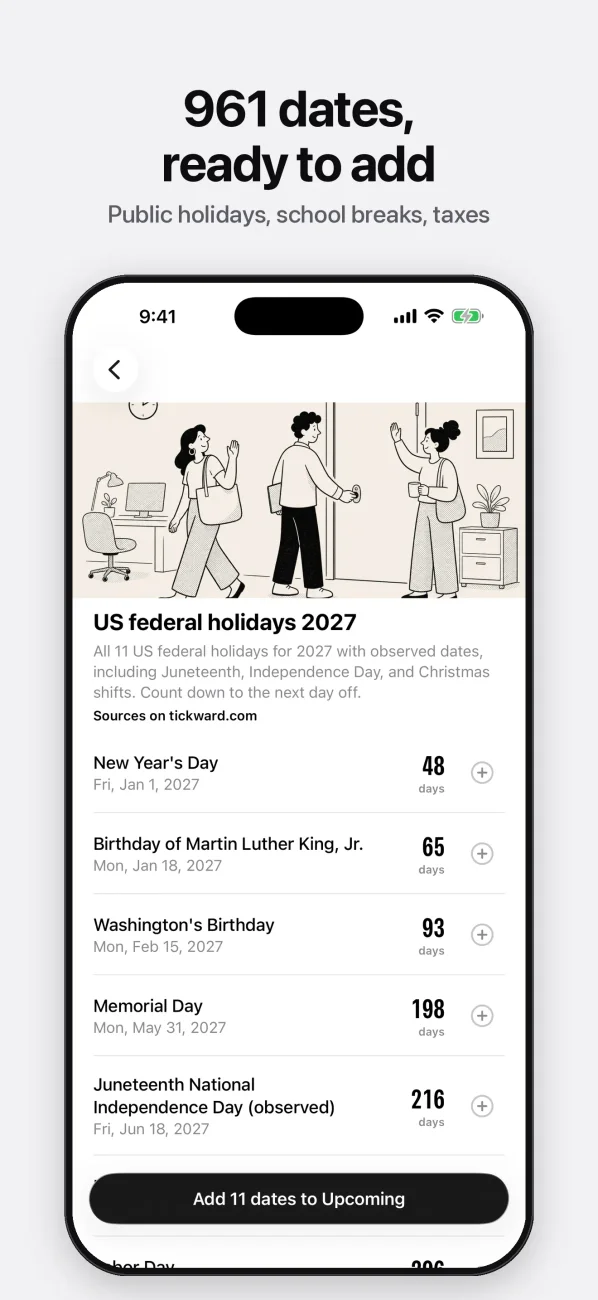
- 961 ready-made dates in 88 collections: public holidays, school breaks, tax deadlines, market holidays, eclipses and clock changes, with your country first.
- Templates for birthdays, anniversaries, trips, deadlines and paydays.
REMINDED ON TIME
- Up to five reminders per date: a week before, a day before, an hour before or right on time.
- All-day dates ring at the time you choose.
- Quiet hours move early reminders out of the night.
- An optional morning brief with what is coming this week.
COUNT UP TOO
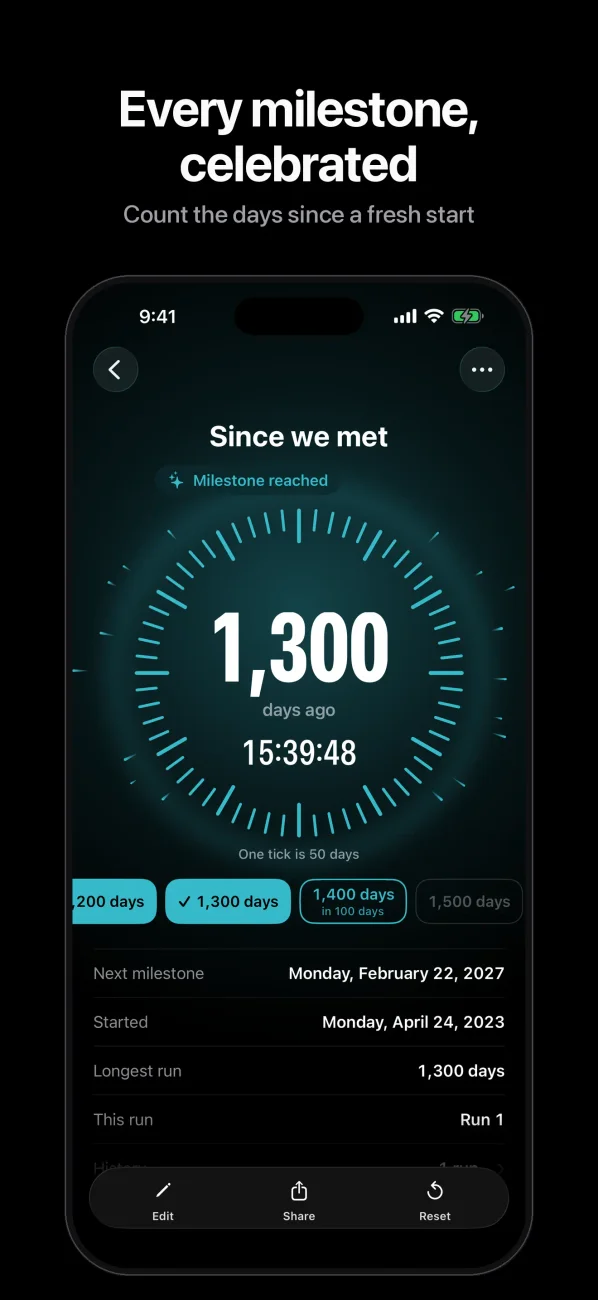
- Track the days since something started. The ring counts them, the next milestone is always in view, and reaching it gets a small celebration.
- Milestones every 100 days, every week, month or year, or a list you set yourself.
- Start over without losing your history: your longest run stays.
THE DETAILS
- Repeats every day, week, month or year, including the last day of the month.
- Each date keeps its own time zone, so a flight at 09:30 in Tokyo stays 09:30 in Tokyo.
- A photo of your own behind any date, for free. Photos stay on your iPhone.
- Everything works without an account. Sign in with Apple or email to bring your tickward.com timers to this iPhone and to share a read-only link, for free. Ongoing sync between your devices and tickward.com is part of tickward Plus or tickward Cloud.
TICKWARD PLUS
Optional, in three ways:
- One-time purchase: themes, widgets and share pictures, yours for good. Sync is included for the first year.
- Plus yearly: everything in Plus, sync included, for as long as the plan runs.
- tickward Cloud yearly, for one-time purchase owners: keeps your timers in sync with your devices and tickward.com. Your Plus features stay yours either way.
With the one-time purchase, sync pauses after the first year unless you add Cloud yearly. Your timers stay on your iPhone, and the purchase never renews. Plus yearly and tickward Cloud yearly renew automatically each year until you cancel them in your Apple Account's subscriptions.
What Plus includes:
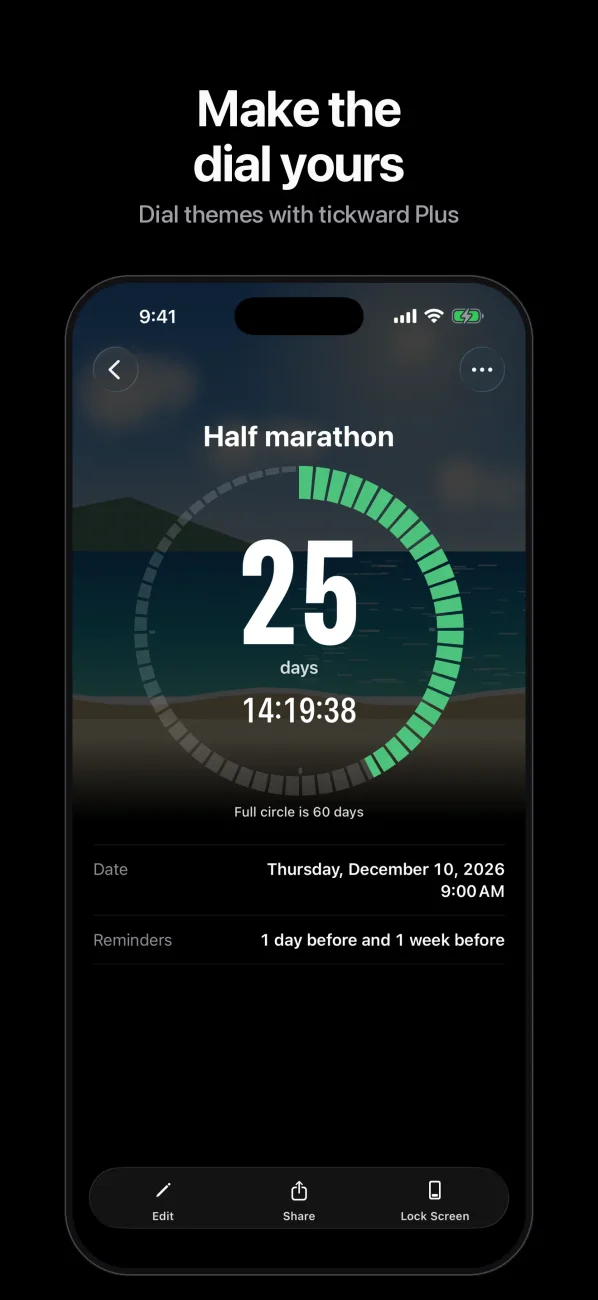
- Dial themes: new looks for every dial, in widgets and on the Lock Screen.
- More widgets: Big countdown with the date's photo and Grid on the Home Screen, Gauge and dial on the Lock Screen, and Big numbers for StandBy.
- Share pictures: share a date as a picture for stories and chats.
- Sync: ongoing two-way sync with tickward.com and your other devices. Sync needs a free tickward account.
The Countdown and Up next widgets, reminders, photos, collections, sign-in and read-only share links stay free.
PEOPLE COUNT DOWN TO
Vacations and flights, weddings and anniversaries, birthdays, Christmas and New Year, exams and deadlines, due dates, concerts and games, paydays, retirement, and the days since a fresh start.
Terms of Use: https://www.apple.com/legal/internet-services/itunes/dev/stdeula/
Novedades
Versión 1.1 · 15/11/2026
tickward Plus is here: optional, as a one-time purchase or a yearly plan.
- Plus adds seven dial themes, more widgets, share pictures and sync.
- Everything from 1.0 stays free, the Classic dial and the Countdown and Up next widgets included.
- Installed tickward before this update? Plus is yours at no cost, sync included.
- New and free: a photo behind any timer. Photos stay on your iPhone.
- The dial now reads like a watch: the mark at one o'clock is 5, at three o'clock 15.
- Hold the ring of the big dial and drag to look around in time.
- Reminders after the date, and "Show at the top" to choose which timer leads Upcoming.
- The Countdown widget now comes in medium and large.
Privacidad de la aplicación
Lo que Michal Sniezynski declara en App Store sobre cómo esta aplicación gestiona los datos.
-
Datos vinculados a ti
Pueden recopilarse y vincularse a tu identidad.
- Compras
- Información de contacto
- Contenido del usuario
- Identificadores
Las prácticas de privacidad pueden variar, por ejemplo, según las funciones que uses o tu edad.
Información
- Vendedor
- Michal Sniezynski
- Categoría
- Productividad
- Versión
- 1.1
- Actualizado
- 15/11/2026
- Publicado
- 12/11/2026
- Tamaño
- 6,3 MB
- Requiere
- iOS 26.0 o posterior
- Clasificación por edad
- 4+
- Precio
- Gratis
- Compras en la aplicación
- Sí
- Idiomas
- Inglés
- Copyright
- © 2026 tickward
Quizá también te guste
-
 Dayglow: Cuenta regresivaContador de días y widget
-
 Lorebind: Crea tu universoPara escritores y juego de rol
-
 Listub: Listas, Tareas, PlanesOrganiza vida, amigos, familia
-
 Boreal HomeProductividad
-
 Social CuratorProductividad
-
 Sequence: Time Block PlannerProductividad
-
 iA WriterEscritura concentrada
-
 Atomic: Objetivos y hábitosPlanificador de rutina diario
-
 Chart Builder Graph MakerProductividad
-
 Campfire – Write Your BookProductividad