TimeSense - Time& Task Tracker
Track, Plan, Sync & Widgets
Diseñada para iPhone, iPad, iPod touch
Gratis · Compras en la aplicación
- Clasificación por edad4+
- CategoríaUtilidades
- DesarrolladorHuizhou Yangli Technology Co., Ltd
- IdiomasInglés
- Tamaño71,7 MB
Enlaza a la página oficial de App Store
Download.org no aloja ningún archivo de TimeSense - Time& Task Tracker. El botón abre la página de la aplicación en App Store, donde la publica Huizhou Yangli Technology Co., Ltd. Ficha comprobada por última vez el 26/11/2026.
Capturas de pantalla
Acerca de
El desarrollador no ha proporcionado este texto en tu idioma.
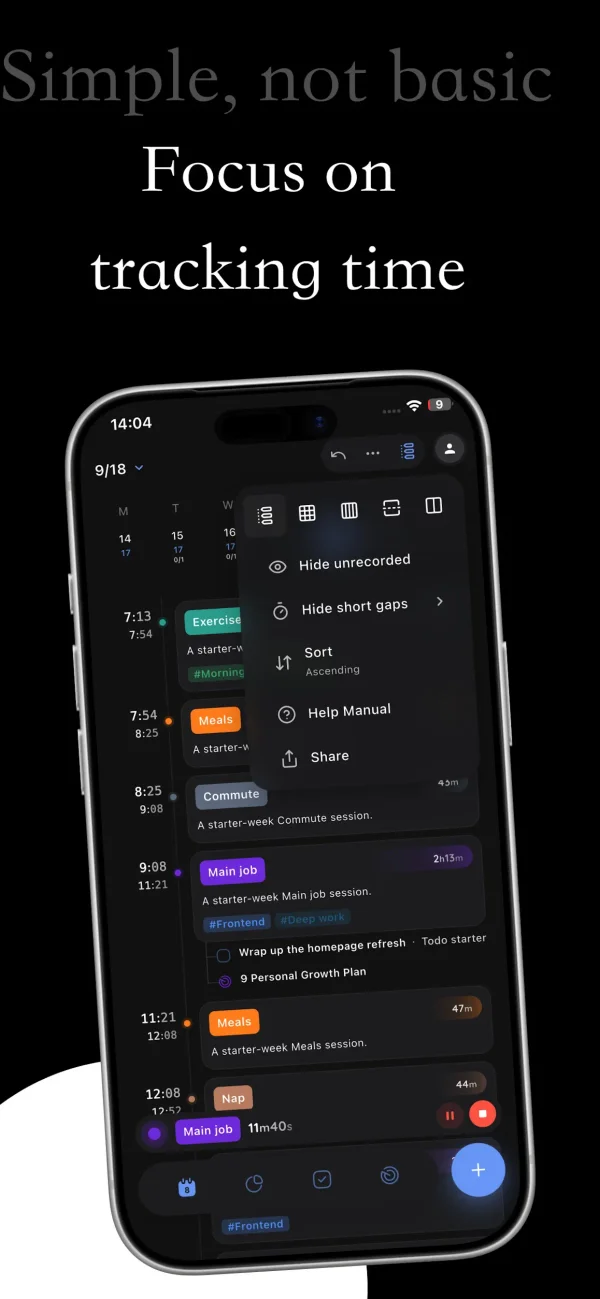
TimeSense: Master Your Time, Effortlessly.
Do you ever reach the end of a busy day and wonder, "Where did all my time go?"
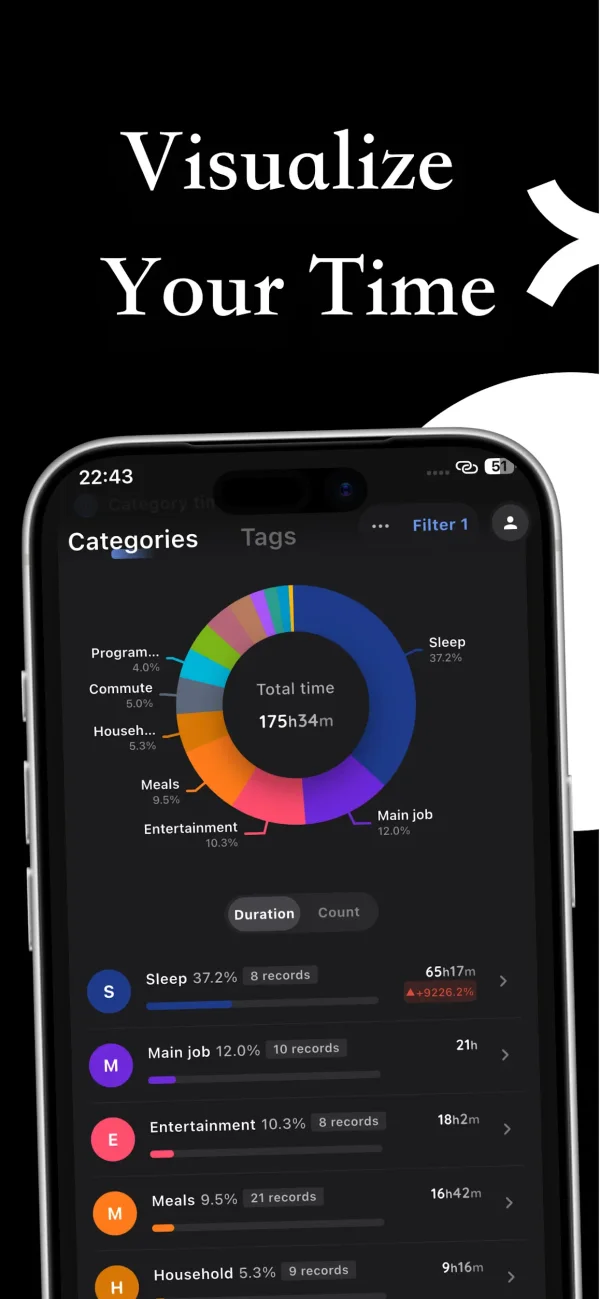
TimeSense is a minimalist, ad-free time tracking and planning tool built for deep focus. It's not just about logging hours; it's about understanding your time so you can reclaim it.
Why TimeSense?
Real-Time Incremental Sync
Unlike other apps that require painful manual cloud uploads, TimeSense uses smart incremental sync. Your data stays perfectly consistent across all your devices - phone, tablet, and desktop - lightning fast.
Overlapping Time Tracking
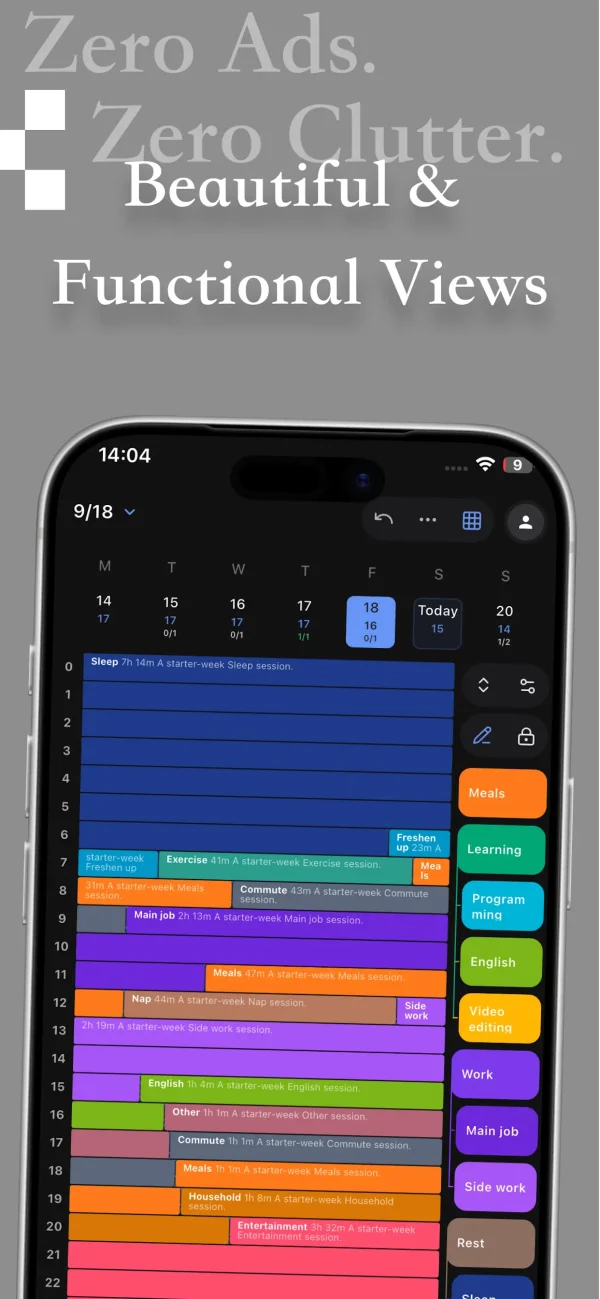
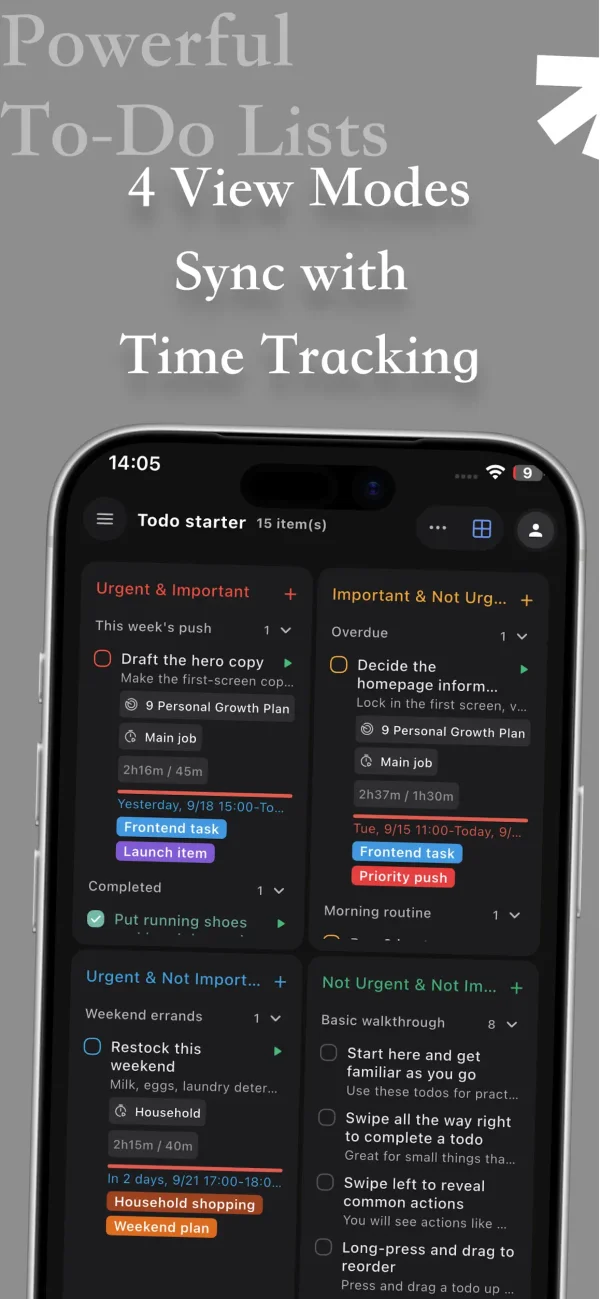
Real life isn't linear. You might commute while listening to a podcast, or wait for a build while replying to emails. TimeSense allows events to overlap. Our block, week, and day views are completely redesigned to visualize your true, parallel timeline.
Seamless Todo & Timer Integration
Your tasks and your time are finally connected. Create lists, tags, reminders, and infinite subtasks. But the magic happens on the timeline: drag to create tasks directly on your Day, Week, or Block views, and watch them sync perfectly with your running timers.
Infinite Nested Plans
From yearly goals to daily actions, TimeSense supports infinite levels of sub-plans. Assign weight or percentage to each sub-plan, and watch your progress bar automatically fill up as you complete tasks and track time.
Designed for Deep Focus
- Zero Ads. Zero Clutter.
- Custom Theme Colors.
- Global Start of Week/Day settings.
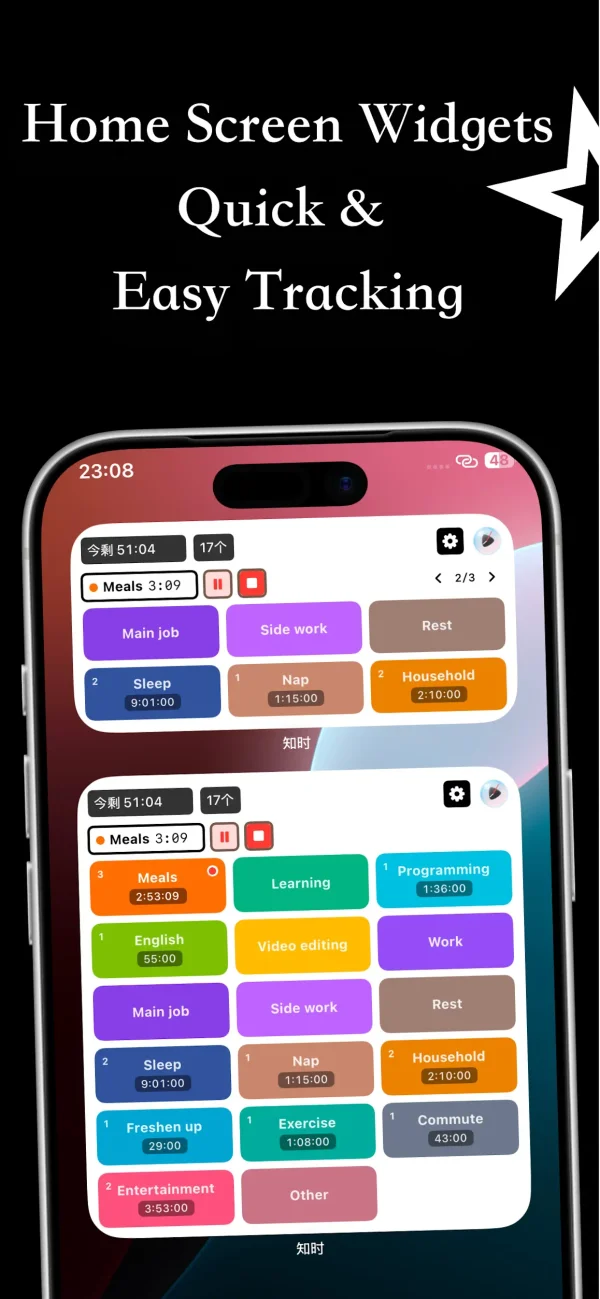
- Home Screen Widgets for one-tap tracking.
Our Philosophy
TimeSense is built by an independent developer who believes time tracking shouldn't be a chore. It should be a mindful habit. Join us and make every minute count.
Novedades
Versión 1.1.3 · 25/11/2026
New: AI Assistant: Long-press the plus button in the bottom right corner of the home page
New: Datasets - Supports custom complex condition filtering to filter out events you care about
New: Plans - Added 7 types of cards to plans, added a plan statistics page, refactored the plan details page, plans now support binding with datasets, and support sum and update methods
New: Timeline - All timeline views now support displaying all-day and time-specific to-do items
New: Statistics - Added clock chart to statistics, category pie charts now support multi-level display, pie charts support rotation, and you can view pie charts of different categories in statistics tags, and vice versa
New: Beginner - Beginner guide page and app introduction
New: Appearance popup - Added appearance popup to timeline, added statistics view popup to statistics, editing appearance is now more organized
New: Multi-select - To-do item multi-select now supports setting sub-to-dos, batch copy, batch complete/abandon, and events support multi-select binding to to-dos
New: Dynamic Island - Added two new Dynamic Island and Live Activity types on iOS
New: Event editing - The three-dot button now supports historical note association popup with left/right page turning
New: Settings page - When exiting without saving, you can choose to auto-save or be asked each time
New: To-do item associated events page now shows dates, and an add event button has been added to the bottom right corner
Optimization: Active sync is now triggered each time you enter the app home page
Optimization: To-do items - Month view now supports pinch-to-zoom and cross-cell drag-and-drop
Optimization: HarmonyOS widgets now support transparency adjustment
Optimization: Loading and response speed of various views on HarmonyOS
Optimization: Shared images in schedule day view are now fully displayed when pinch-to-zoom
Optimization: Data import - Template import experience improved
Optimization: Event and to-do item tags are now arranged in the order they were checked
Fix: Plans did not follow the daily start time for judgment
Fix: Android widget - Text disappears when adjusting category transparency
Fix: Sub-tasks that have been abandoned cannot be checked when the main to-do is completed
Fix: Event overlay popup - Now only pops up when fully covered, and does not pop up for linked modifications
Privacidad de la aplicación
Lo que Huizhou Yangli Technology Co., Ltd declara en App Store sobre cómo esta aplicación gestiona los datos.
-
Datos no vinculados a ti
Pueden recopilarse, pero no se vinculan a tu identidad.
- Información de contacto
- Contenido del usuario
Las prácticas de privacidad pueden variar, por ejemplo, según las funciones que uses o tu edad.
Información
- Vendedor
- Huizhou Yangli Technology Co., Ltd
- Categoría
- Utilidades
- Versión
- 1.1.3
- Actualizado
- 25/11/2026
- Publicado
- 20/8/2026
- Tamaño
- 71,7 MB
- Requiere
- iOS 15.6 o posterior
- Clasificación por edad
- 4+
- Precio
- Gratis
- Compras en la aplicación
- Sí
- Idiomas
- Inglés
- Copyright
- © 2026.软件著作权
Quizá también te guste
-
 TimeMaster: Daily PlannerUtilidades
-
 Timing TodosUtilidades
-
 方格时间Utilidades
-
 储流光 - 储存将要流逝的时光Utilidades
-
 Squart - Read Later&Save LinksUtilidades
-
 UpTimerUtilidades
-
 KeyMe Pass - Password ManagerUtilidades
-
 StarList:One-Page To Do ListUtilidades
-
 备忘记:私密记录&帐号密码管理&收藏清单&打卡管理&全能收纳Utilidades
-
 FocusTodo-Time LoggerUtilidades