TimeTiles: Visual Time Tracker
Private Time Tracker via Tiles
Diseñada para iPhone, iPad
Gratis · Compras en la aplicación
- Clasificación por edad4+
- CategoríaProductividad
- DesarrolladorPhD Tutorials LLC
- IdiomasInglés
- Tamaño6,0 MB
Enlaza a la página oficial de App Store
Download.org no aloja ningún archivo de TimeTiles: Visual Time Tracker. El botón abre la página de la aplicación en App Store, donde la publica PhD Tutorials LLC. Ficha comprobada por última vez el 20/11/2026.
Capturas de pantalla
Acerca de
El desarrollador no ha proporcionado este texto en tu idioma.
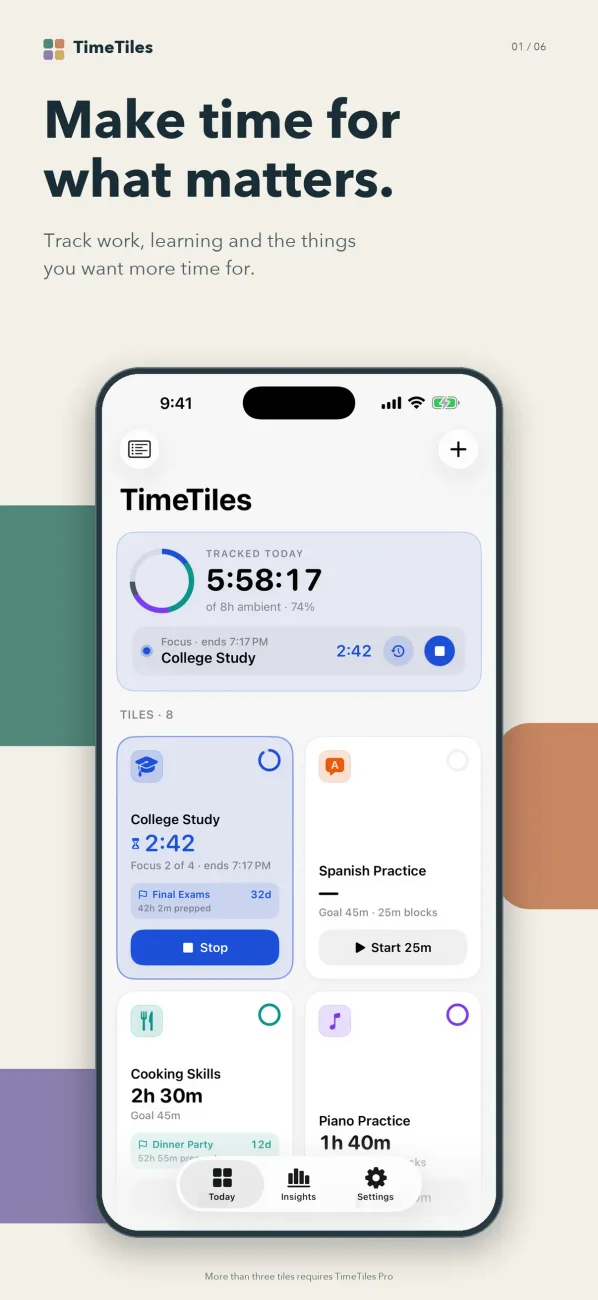
Make time for what matters to you. TimeTiles helps you track everyday activities, prepare for important dates, and see where your time goes.
Your time stays private. There is no TimeTiles account to create, no data collection and no tracking. We do not collect your personal information or usage data. Your records stay on your device and sync through your private iCloud when enabled. We cannot access your time records.
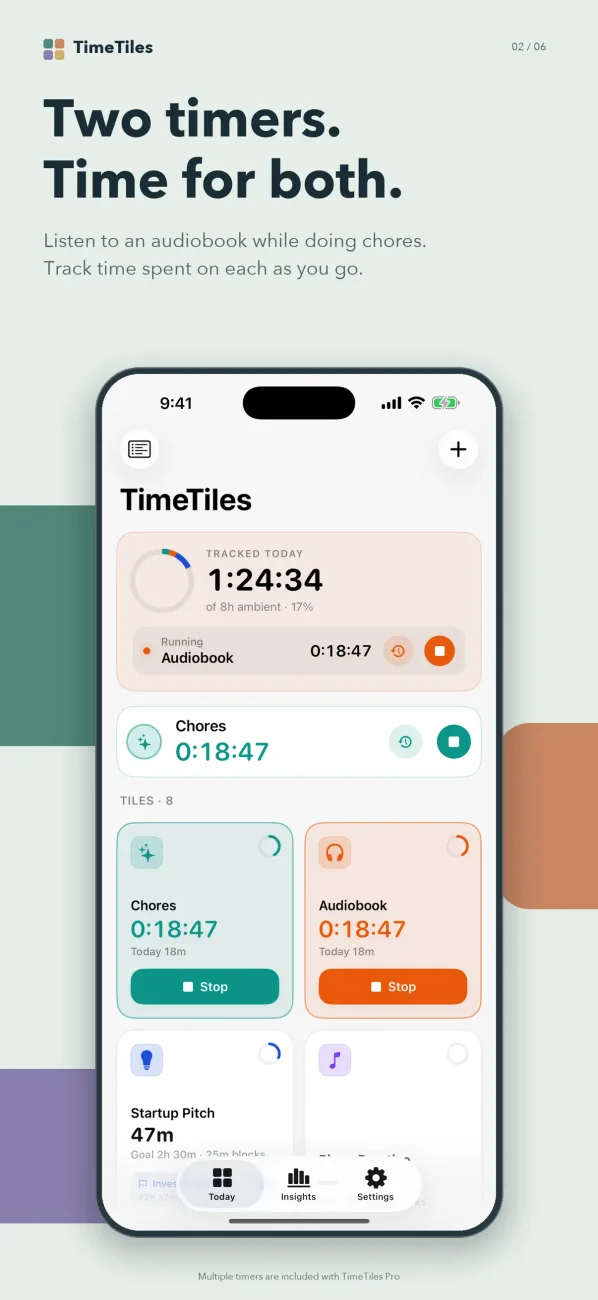
Give each part of your day its own simple tile. Tap once to start tracking, choose a Pomodoro for a focused session with breaks, or use an open timer for as long as you need.
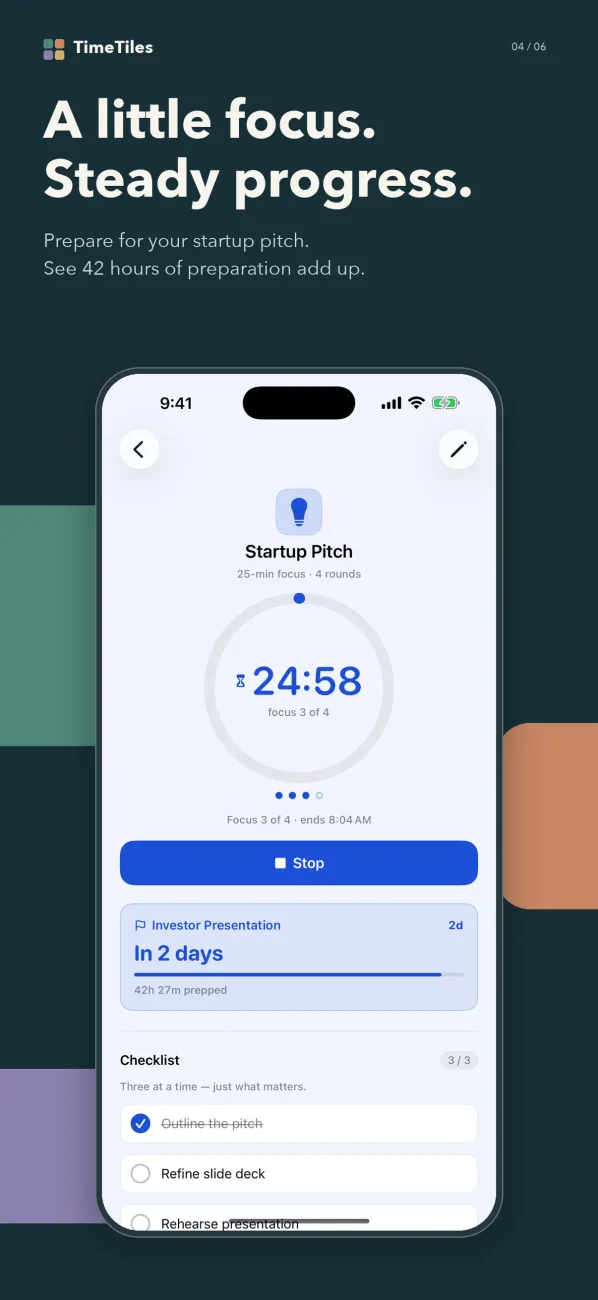
Preparing for a presentation, exam, launch, race, or recital? Add an event countdown to your tile. See how many days remain alongside the hours you have already spent preparing. Each session adds to your preparation total, so you can see your effort building over time.
Some activities happen together. With TimeTiles Pro, you can track chores while listening to an audiobook, or a walk alongside language practice, with a separate timer for each.
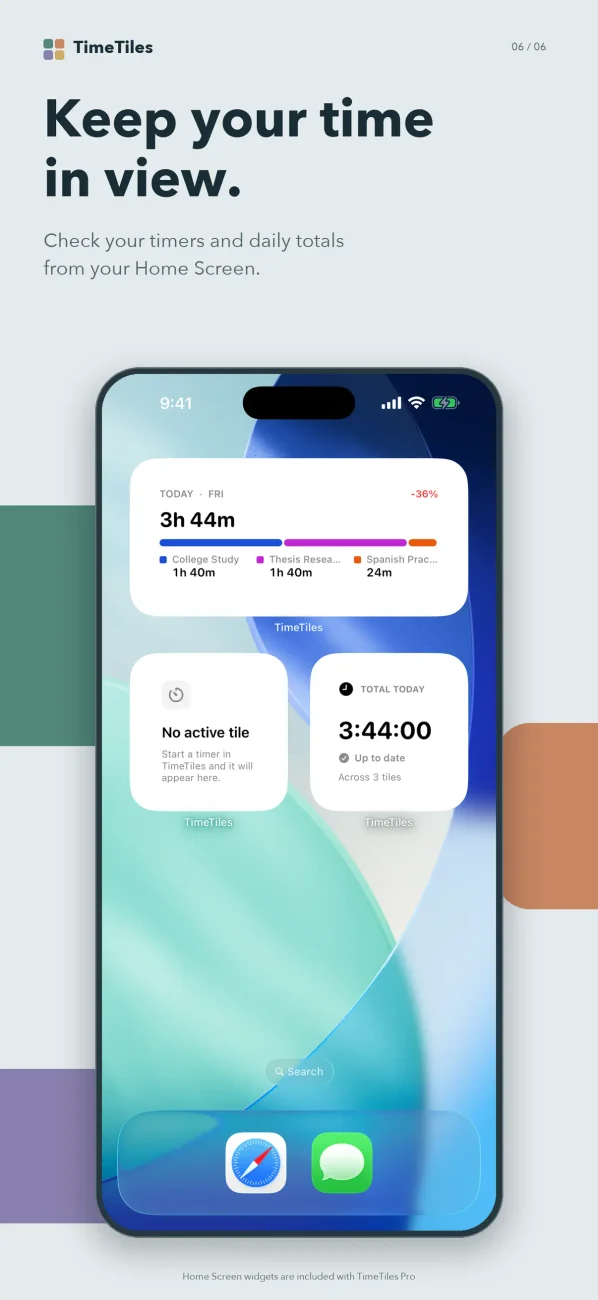
Your running timers stay visible through Live Activities, the Dynamic Island, and optional widgets. Check your progress without reopening the app.
WHAT YOU CAN DO
• Start and stop a timer with one tap
• Count down to presentations, exams, launches, and other important dates
• See the total time spent preparing for each event
• Run Pomodoro focus rounds with automatic breaks
• Use an open timer on any tile
• Add a checklist for your next steps
• Follow running timers through Live Activities and the Dynamic Island
• Start, stop, and check timers with Siri and Shortcuts
• Get alerts for completed focus sessions, daily goals, and timers left running
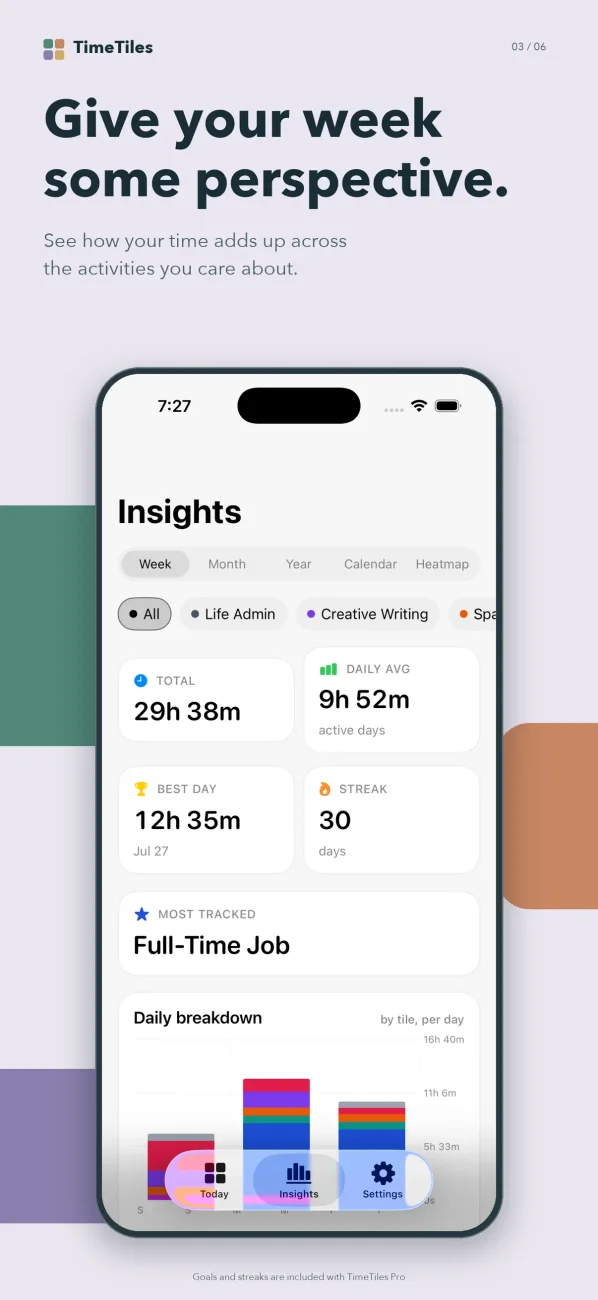
• Review your daily timeline, weekly trends, and activity breakdowns
• Set goals, follow streaks, and explore calendar and heatmap insights
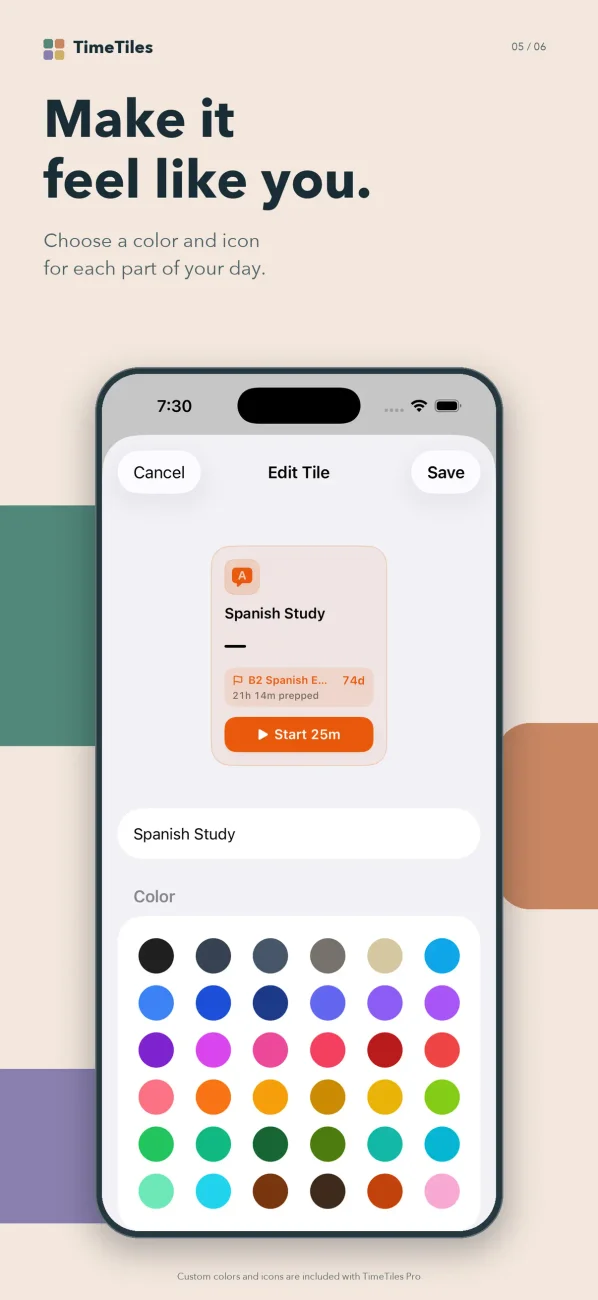
• Personalize tiles with colors and icons
• Sync privately between iPhone and iPad through iCloud
TimeTiles fits study sessions, research, work projects, workouts, cooking, creative pursuits, hobbies, and everyday routines.
START FREE
The free version includes up to three active tiles and one running timer at a time.
A single TimeTiles Pro purchase unlocks unlimited tiles, multiple simultaneous timers, Home Screen and Lock Screen widgets, deeper insights, goals, streaks, custom styling, session editing, and CSV and JSON export and import. There is no subscription.
See how you spend your days and make room for the things you care about.
Novedades
Versión 1.1 · 6/11/2026
Version 1.1:
TimeTiles now makes it easier to focus, prepare for important dates, and keep your progress visible.
- Use Pomodoro tiles for timed focus sessions or start an open timer without changing the tile's settings.
- Count down to exams, launches, races, and other important dates while TimeTiles adds up the hours you spend preparing.
- Follow active timers with Live Activities and Dynamic Island controls.
- Add the new Active Tile and Today Total Home Screen widgets.
- Start, stop, and check timers with Siri and Shortcuts.
- Get alerts for completed focus sessions, daily goals, and timers left running.
- Explore improved per-tile insights and activity breakdowns.
- Enjoy more reliable timer updates, widgets, imports, exports, and private iCloud sync.
Privacidad de la aplicación
Lo que PhD Tutorials LLC declara en App Store sobre cómo esta aplicación gestiona los datos.
-
No se recopilan datos
El desarrollador no recopila ningún dato de esta aplicación.
Las prácticas de privacidad pueden variar, por ejemplo, según las funciones que uses o tu edad.
Información
- Vendedor
- PhD Tutorials LLC
- Categoría
- Productividad
- Versión
- 1.1
- Actualizado
- 6/11/2026
- Publicado
- 9/7/2026
- Tamaño
- 6,0 MB
- Requiere
- iOS 17.0 o posterior
- Clasificación por edad
- 4+
- Precio
- Gratis
- Compras en la aplicación
- Sí
- Idiomas
- Inglés
- Copyright
- © PhD Tutorials LLC
Quizá también te guste
-
 HabitPace: Daily HabitsProductividad
-
 Shift: Work Hours & Time CardProductividad
-
 Clocked-In TimecardProductividad
-
 Focus Grid - Habit TrackerProductividad
-
 Hours Tracker: Work Hours LogProductividad
-
 Clippo - Gestor portapapelesNavaja suiza del portapapeles
-
 WidgetminderProductividad
-
 Tiimer - Temporizador PomodoroReloj Flip Lindo·Estético
-
 NotePlus - Markdown EditorProductividad
-
 Flowtime° Foco & TiempoTemporizador & Pomodoro